
MSIdentityTools PowerShell Module v2.0.17 released
Hi All,
Yesterday, Microsoft has released a new Version of theyr MSIdentityTools PowerShell Module.
Check installed PowerShell Module Version and what is available in the PowerShell Gallery (Needs to run “As Administrator”)
Get-InstalledModule MSIdentityTools
Find-Module MSIdentityTools
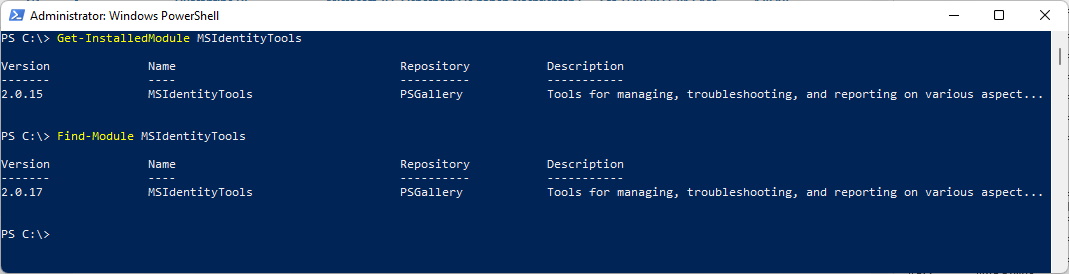
Uninstall the old PowerShell Module and install the new one
Uninstall-Module MSIdentityTools
Install-Module MSIdentityTools
Get-InstalledModule MSIdentityTools

List Commands of the Module
Get-Command -Module MSIdentityTools
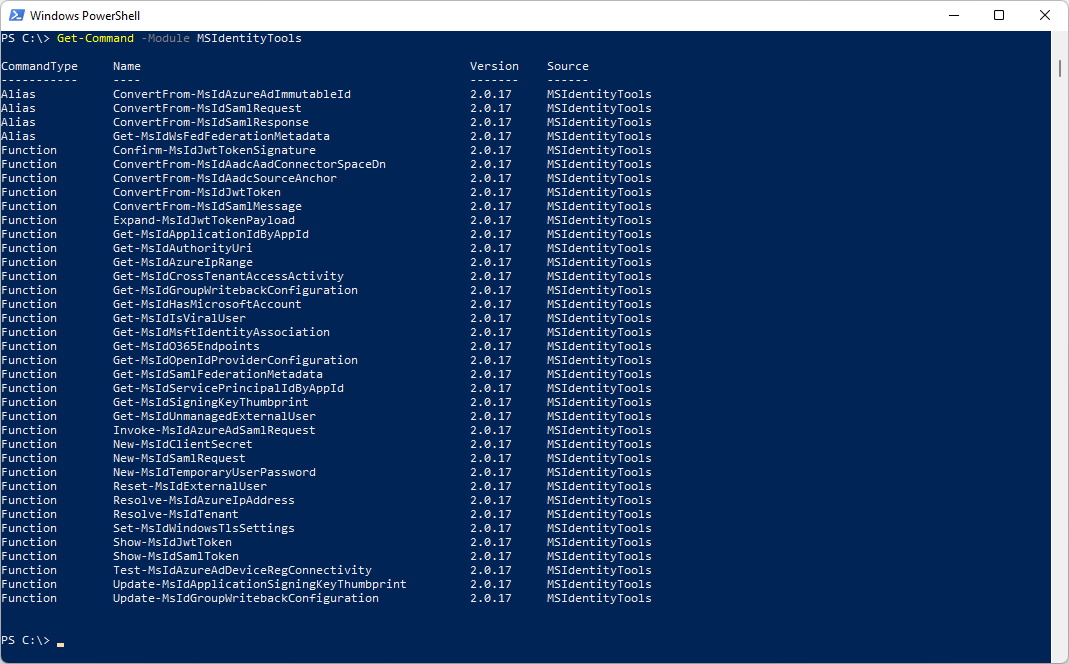
Let’s try out the following Command “Get-MsIdServicePrincipalIdByAppId”
Connect-MgGraph -Scopes Application.Read.All, Application.ReadWrite.All, Directory.Read.All, Directory.ReadWrite.All
Get-MsIdServicePrincipalIdByAppId -AppId 3bf0cf36-87bf-47a9-927b-0ef9df7cf146

The same command works in PowerShell 7
Connect-MgGraph -Scopes Application.Read.All, Application.ReadWrite.All, Directory.Read.All, Directory.ReadWrite.All
Get-MsIdServicePrincipalIdByAppId -AppId 3bf0cf36-87bf-47a9-927b-0ef9df7cf146

Had the same also with “Resolve-MsIdTenant”. It worked only in PowerShell 7. Seems to be a good idea to test the Commands in PowerShell 7 if they don’t work in PowerShell 5.
- [Resolve-MsIdTenant](https://blog.icewolf.ch/archive/2022/02/20/azure-ad-cross-tenant-access-settings-preview
Regards
Andres Bohren
