
Sharepoint Online PowerShell supports App Authentication with Certificate

Hi All,
With the MC1188595 in M365 Admin Center, Microsoft has announced the App-only Authentication with Certificate for the Microsoft.Online.SharePoint.PowerShell in the Version 16.0.26712.12000 or newer.
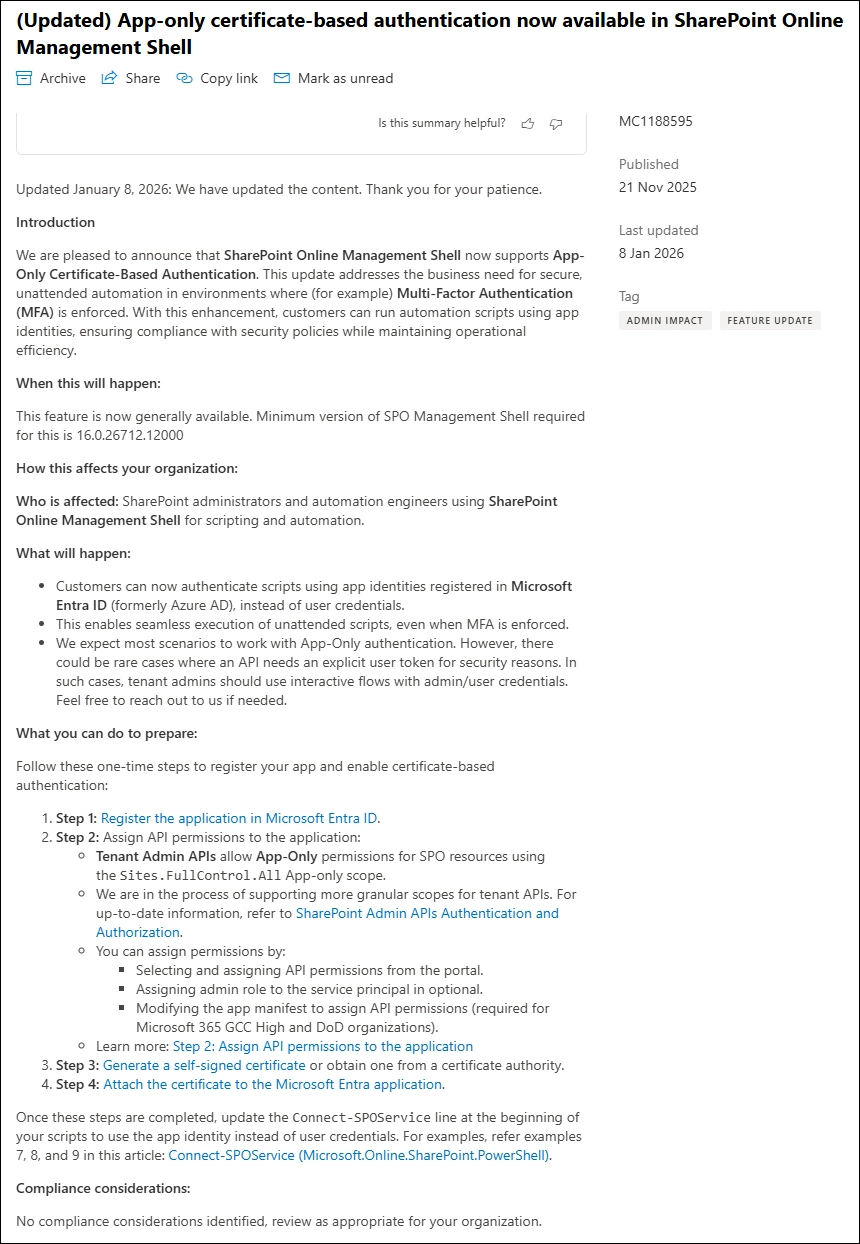
Entra Application
We need an Entra Application
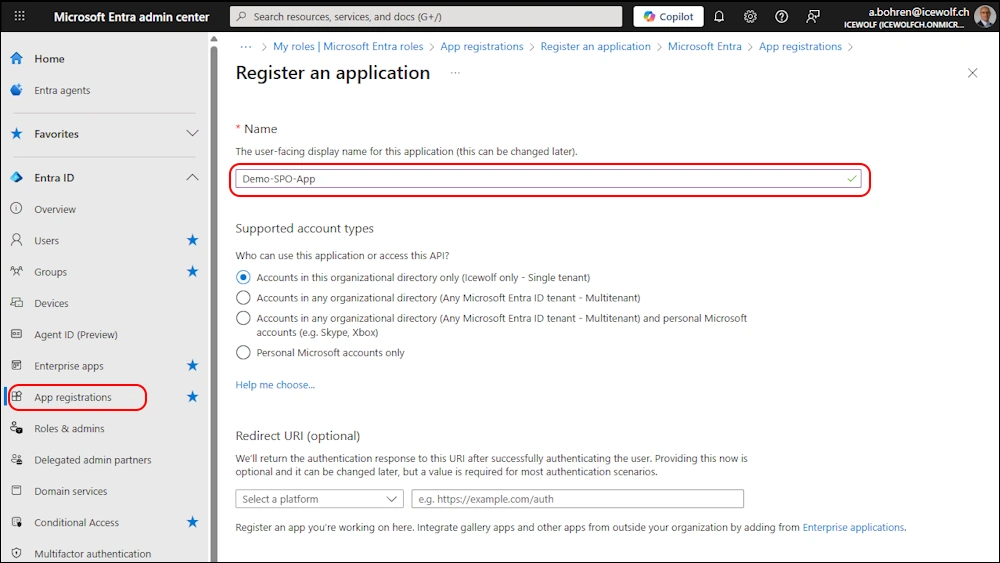
In the “Certificate & Secrets” Section i upload a Certificate (*.cer File)
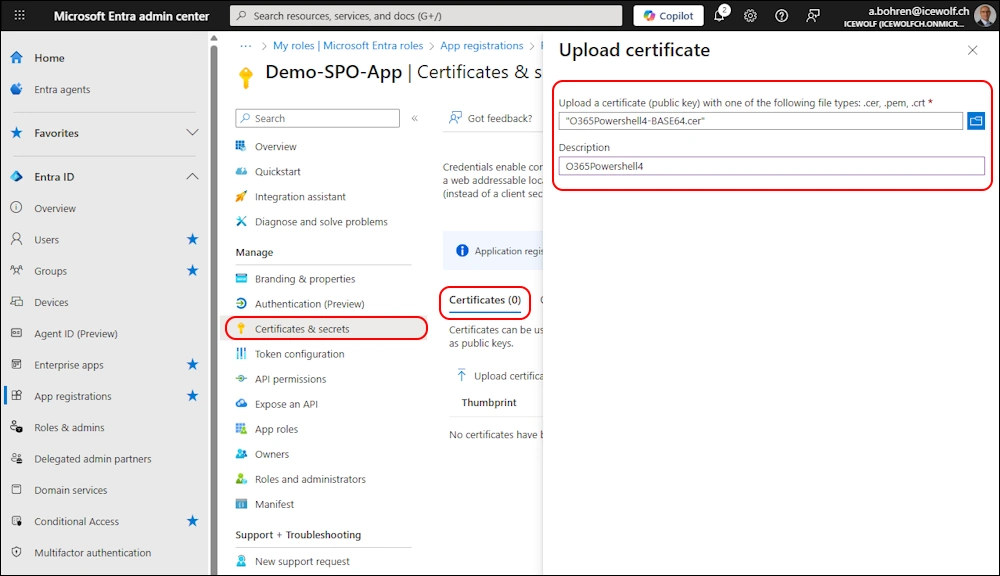
Certificate has been uploaded and configured
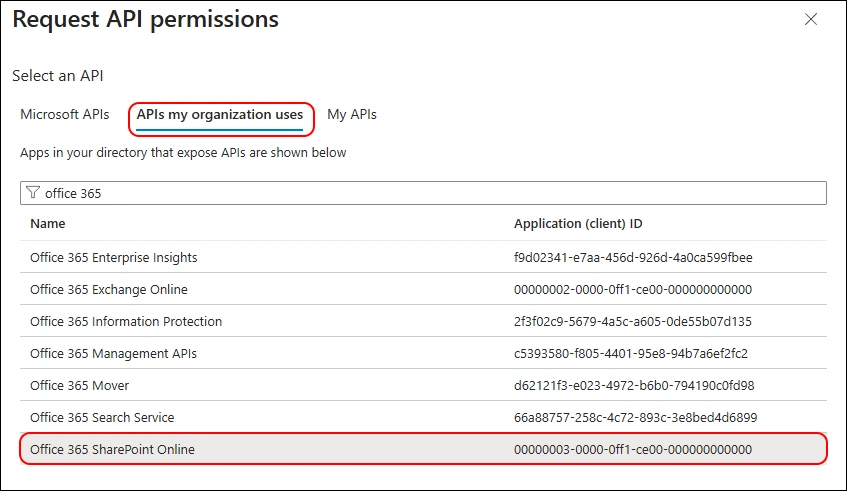
Now we need to add “API permission” and use “API’s my organization uses” and search for “Office 365 SharePoint Online”
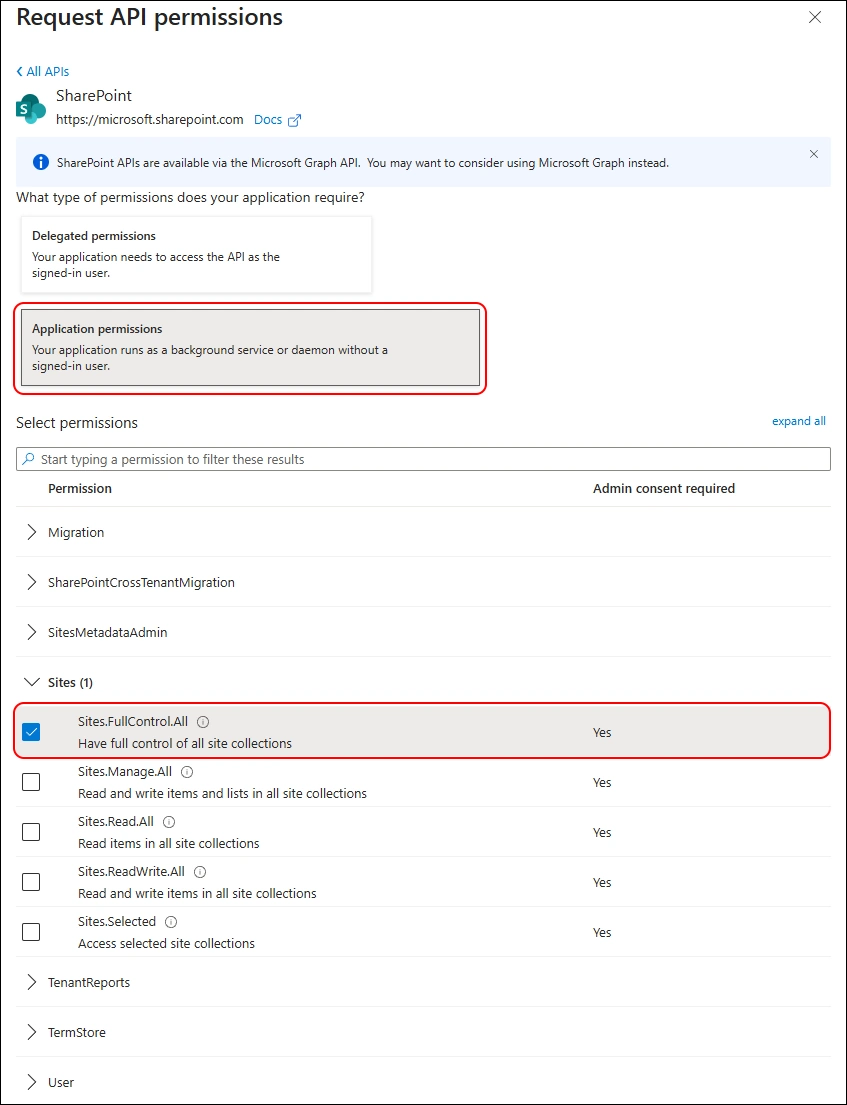
Select “Application permission” and select “Sites.FullControl.All”
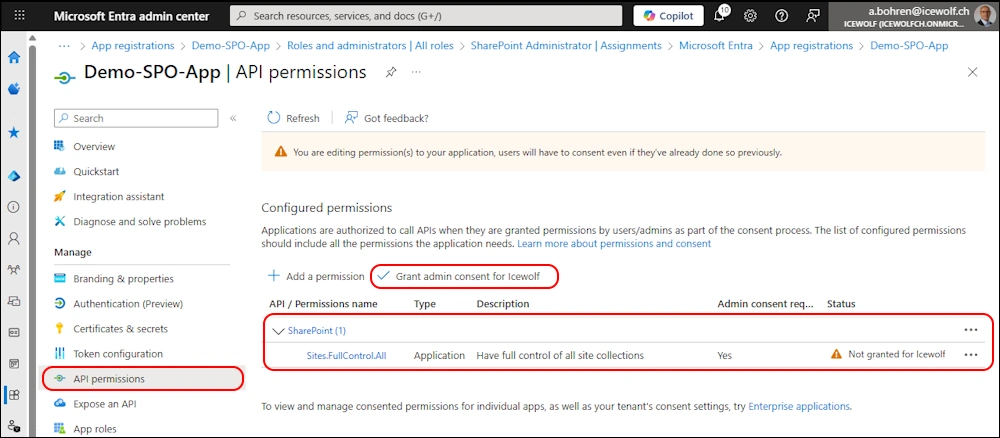
Now we need to grant “Admin Consent”
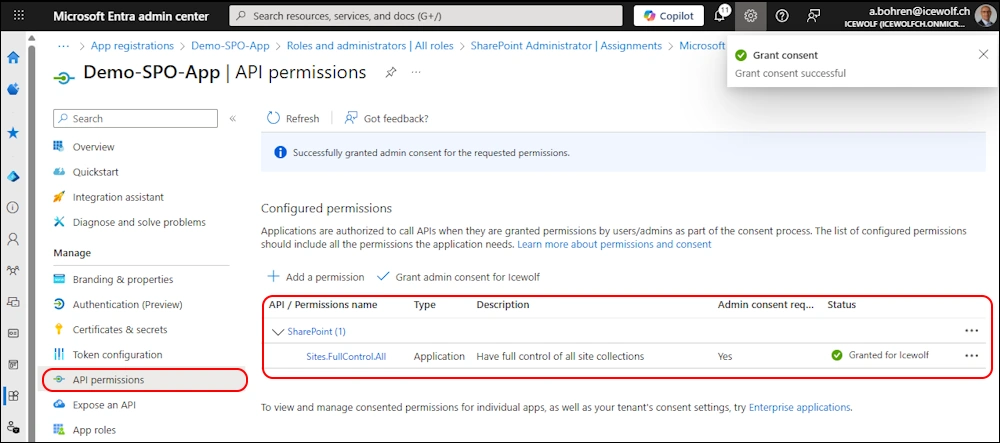
Confirm dialog

Admin Consent has been granted
Entra Roles
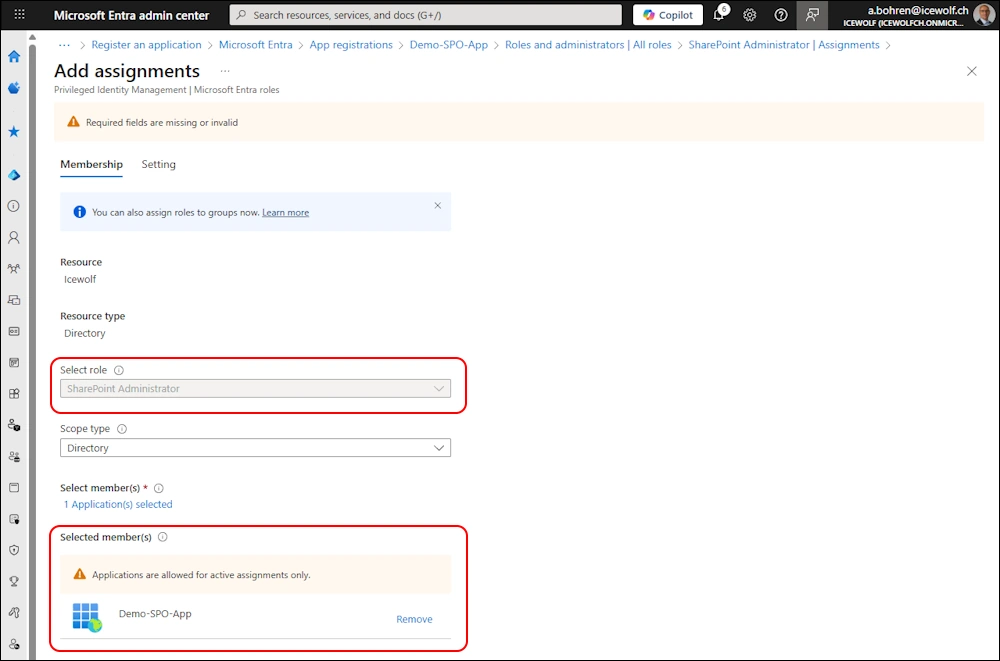
Now let’s add the Service Principal (Entra Application) to the “SharePoint Administrator” Entra Role.
PowerShell
You can find the Connect-SPOService Examples 7 to 9.
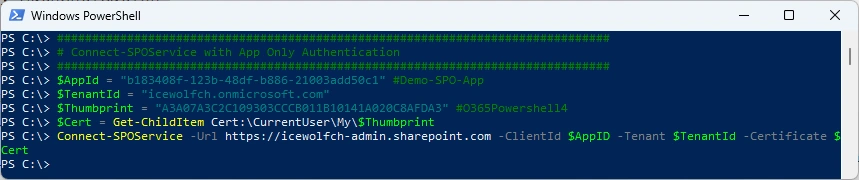
Connect-SPOService with App Authentication and Certificate
###############################################################################
# Connect-SPOService with App Only Authentication
###############################################################################
$AppId = "b183408f-123b-48df-b886-21003add50c1" #Demo-SPO-App
$TenantId = "icewolfch.onmicrosoft.com"
$Thumbprint = "A3A07A3C2C109303CCCB011B10141A020C8AFDA3" #O365Powershell4
$Cert = Get-ChildItem Cert:\CurrentUser\My\$Thumbprint
Connect-SPOService -Url https://icewolfch-admin.sharepoint.com -ClientId $AppID -Tenant $TenantId -Certificate $Cert
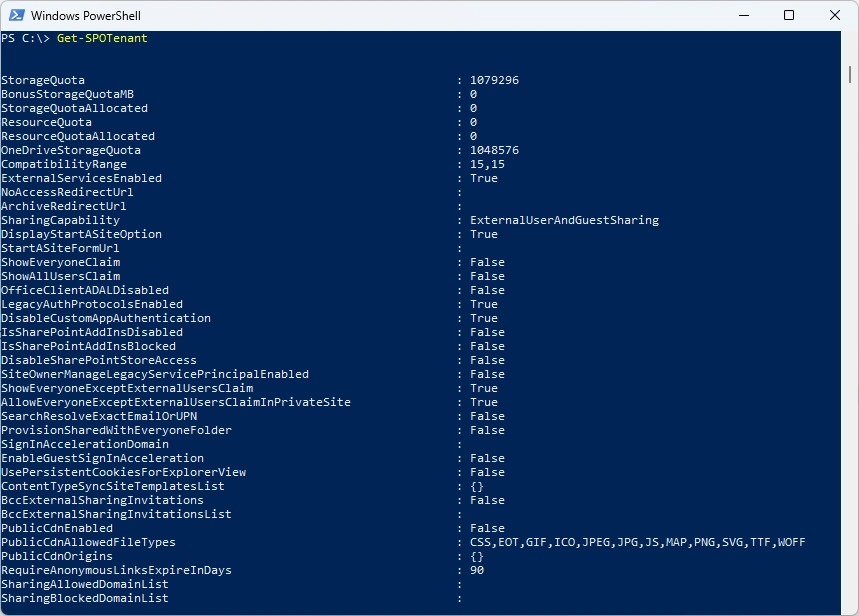
Let’s check some SharePoint Tenant Settings
Get-SPOTenant
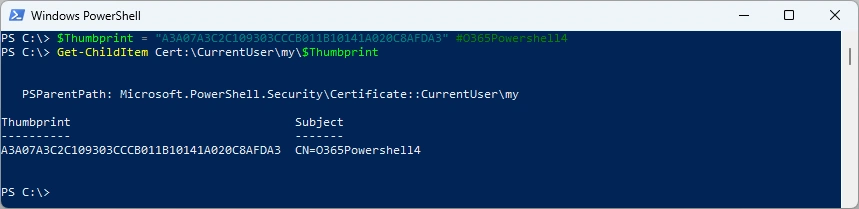
Show Certificate in the CurrentUser Certificate Store
$Thumbprint = "A3A07A3C2C109303CCCB011B10141A020C8AFDA3" #O365Powershell4
Get-ChildItem Cert:\CurrentUser\my\$Thumbprint
Connect-SPOService with the Certificate Thumbprint fails. Also when the Certificate is installed in the LocalMachine Certificate Store and PowerShell is running as Administrator.
###############################################################################
# Connect-SPOService with App Only Authentication and Cert Thumbprint
###############################################################################
$AppId = "b183408f-123b-48df-b886-21003add50c1" #Demo-SPO-App
$TenantId = "icewolfch.onmicrosoft.com"
$Thumbprint = "A3A07A3C2C109303CCCB011B10141A020C8AFDA3" #O365Powershell4
Connect-SPOService -Url https://icewolfch-admin.sharepoint.com -ClientId $AppId -Tenant $TenantId -CertificateThumbprint $Thumbprint

If you have a Password protected *.PFX File you can use the following Code.
###############################################################################
# Connect-SPOService with App Only Authentication with PFX
###############################################################################
$password = Read-Host -Prompt "Enter certificate password" -AsSecureString
Connect-SPOService -Url https://icewolfch-admin.sharepoint.com -ClientId $AppID -Tenant $TenantId -CertificatePath "C:\GIT_WorkingDir\O365Powershell4.pfx" -CertificatePassword $password
Summary
I was not aware, that it was not possible to use App Authentication with SharePoint Online. Since that’s already long available for Exchange Online and Microsoft Teams. So it’s good it’s finally here.
Regards
Andres Bohren
PowerShell Logo SharePoint Logo
