
ExchangeOnlineManagement 3.9.2-Preview1 released

Hi All,
A few days ago, Microsoft has released the ExchangeOnlineManagement 3.9.2-Preview1 PowerShell Module.
- PowerShell Gallery ExchangeOnlineManagement 3.9.2-Preview1
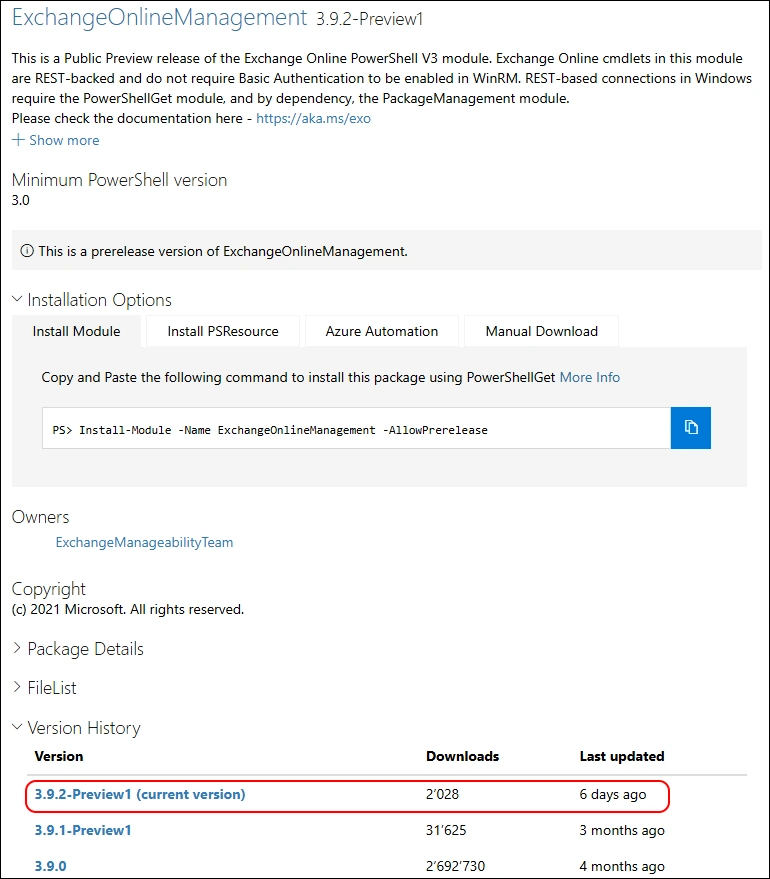
v3.9.2-Preview1:
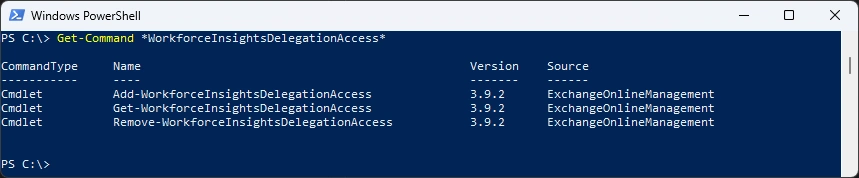
- Added cmdlets: Add-WorkforceInsightsDelegationAccess, Get-WorkforceInsightsDelegationAccess, Remove-WorkforceInsightsDelegationAccess for Workforce Insights delegation.
- Deprecated UseRpsSession parameter from Connect-ExchangeOnline and Connect-IPPSSession.

I am using the new PSResourceGet here instead of the PowerShellGet commands.
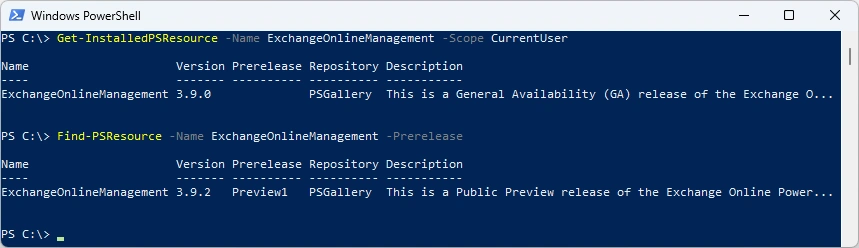
Show installed Versions and what’s available in PowerShell Gallery.
Get-InstalledPSResource ExchangeOnlineManagement -Scope CurrentUser
Find-PSResource ExchangeOnlineManagement -Prerelease
Uninstall old Module
Uninstall-PSResource ExchangeOnlineManagement -Scope CurrentUser

I’ve updated the M365PSProfile PowerShell Module and the Uninstall-M365Module Function with the Parameter -FileMode. It will delete the Module Folder of that Module.
Uninstall-M365Module -Modules ExchangeOnlineManagement -Scope CurrentUser -FileMode

Installing the Module and show the installed Module
Install-PSResource -Name ExchangeOnlineManagement -Scope CurrentUser
Get-InstalledPSResource -Name ExchangeOnlineManagement -Scope CurrentUser

Connect to Exchange Online and get a Mailbox
Connect-ExchangeOnline -ShowBanner:$false
Get-Mailbox -Identity a.bohren@icewolf.ch

WorkforceInsightsDelegationAccess
I’ve checked the new Commandlet’s
Get-Command *WorkforceInsightsDelegationAccess*
According to the Help they need one of the following Roles
- Global Administrator
- AI Administrator
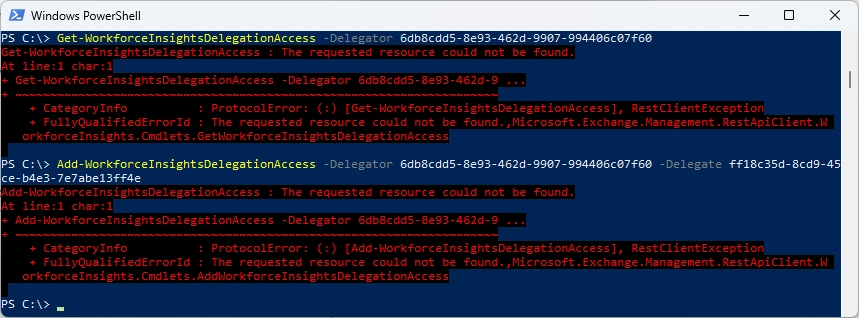
I was logged in as Global Administrator but noe of the commandlets did work. I guess that’s the reason the Module is still in Preview
Get-WorkforceInsightsDelegationAccess -Delegator 6db8cdd5-8e93-462d-9907-994406c07f60
Add-WorkforceInsightsDelegationAccess -Delegator 6db8cdd5-8e93-462d-9907-994406c07f60 -Delegate ff18c35d-8cd9-45ce-b4e3-7e7abe13ff4e
Regards
Andres Bohren
Exchange Logo PowerShell Logo
