
Using Active Directory Service Interfaces (ADSI) with PowerShell

Hi All,
Yesterday i had a challenge. I was on a Customer System and i had to figure out some Attributes from Active Directory. But the Active Directory Module was not installed and i could not install it due to restrictions of the Environment.
So i needed to go OldSchool with the Active Directory Service Interfaces (ADSI) and the Directory Searcher Class
PowerShell
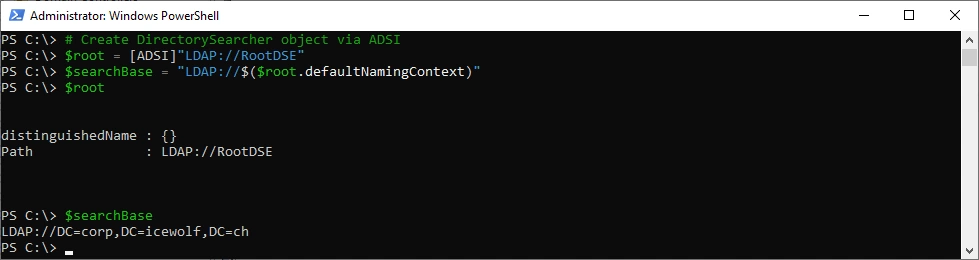
Let’s figure out the Active Directory Domain my Computer is joined to
# Create DirectorySearcher object via ADSI
$root = [ADSI]"LDAP://RootDSE"
$searchBase = "LDAP://$($root.defaultNamingContext)"
$root
$SearchBase
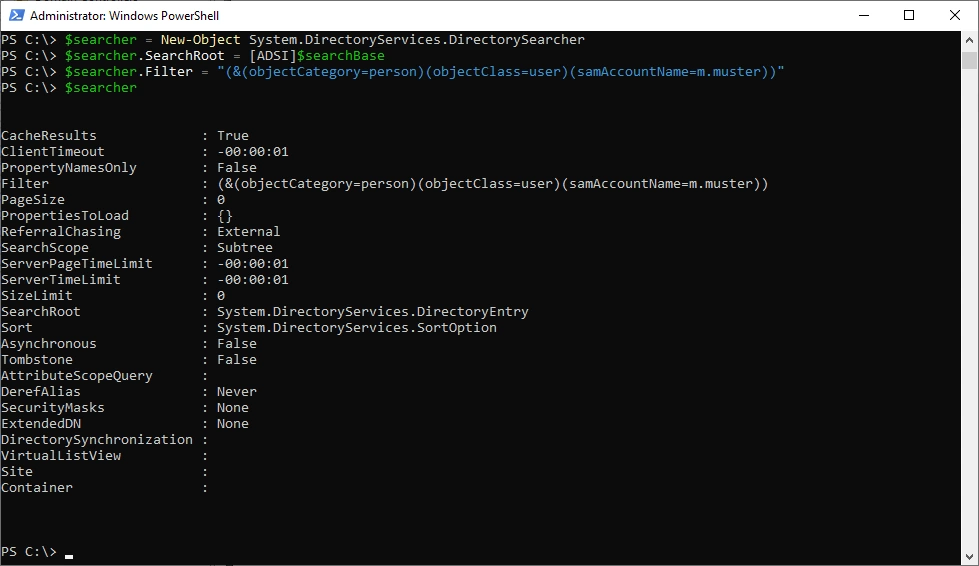
Create the Directory Searcher Object and add the Filter
$searcher = New-Object System.DirectoryServices.DirectorySearcher
$searcher.SearchRoot = [ADSI]$searchBase
$searcher.Filter = "(&(objectCategory=person)(objectClass=user)(samAccountName=m.msuter))"
$searcher
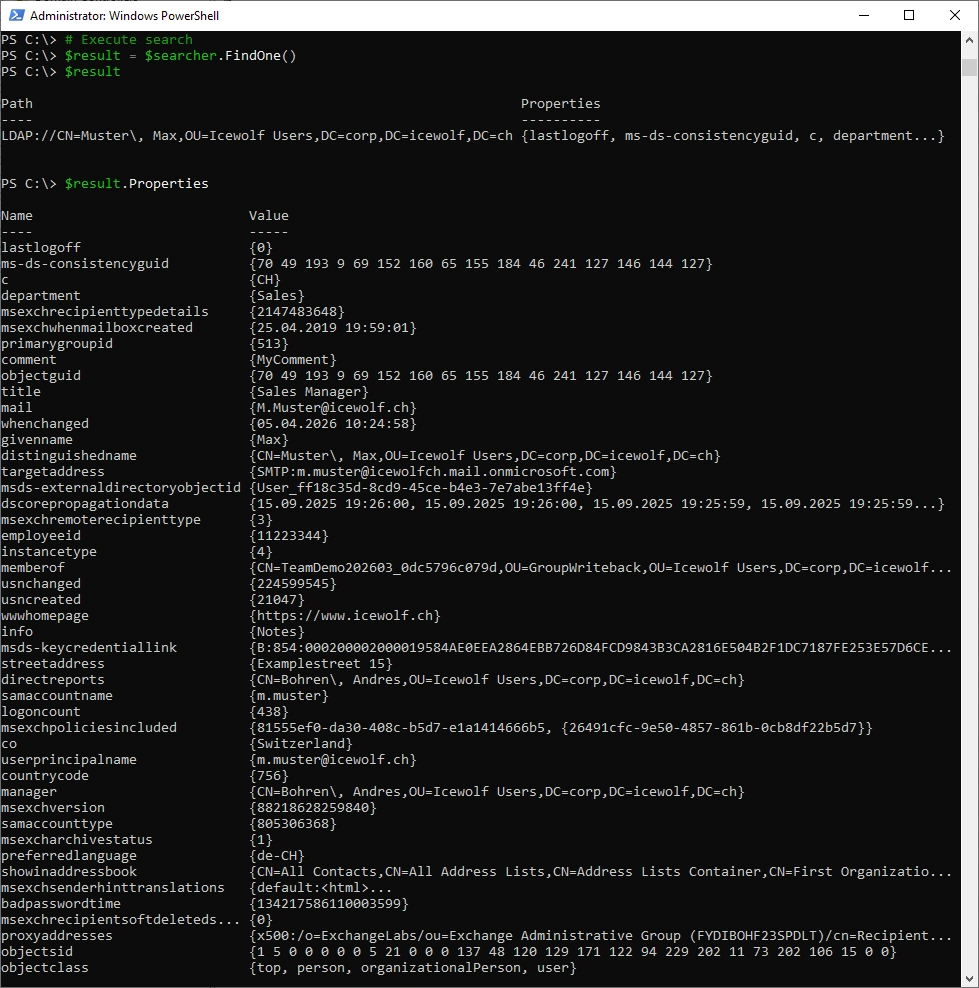
Excecute the Search and return only the first result
# Execute search
$result = $searcher.FindOne()
$result
$result.Properties
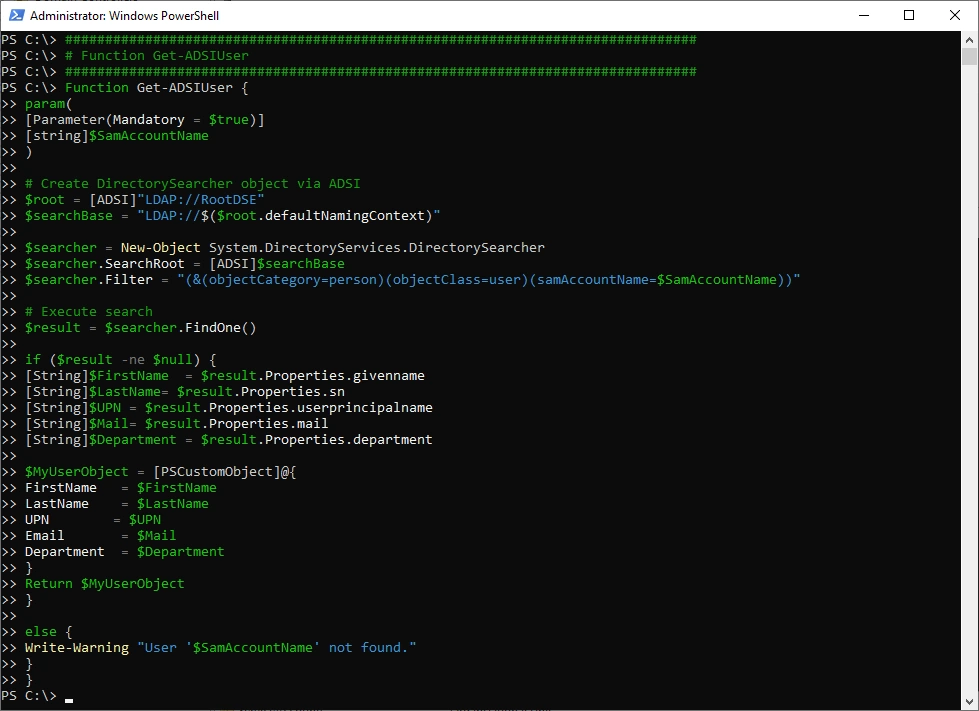
Let’s create a Function
###############################################################################
# Function Get-ADSIUser
###############################################################################
Function Get-ADSIUser {
    param(
        [Parameter(Mandatory = $true)]
        [string]$SamAccountName
    )

    # Create DirectorySearcher object via ADSI
    $root = [ADSI]"LDAP://RootDSE"
    $searchBase = "LDAP://$($root.defaultNamingContext)"

    $searcher = New-Object System.DirectoryServices.DirectorySearcher
    $searcher.SearchRoot = [ADSI]$searchBase
    $searcher.Filter = "(&(objectCategory=person)(objectClass=user)(samAccountName=$SamAccountName))"

    # Execute search
    $result = $searcher.FindOne()

    if ($result -ne $null) {
        [String]$FirstName  = $result.Properties.givenname
        [String]$LastName    = $result.Properties.sn
        [String]$UPN         = $result.Properties.userprincipalname
        [String]$Mail        = $result.Properties.mail
        [String]$Department = $result.Properties.department

        $MyUserObject = [PSCustomObject]@{
            FirstName   = $FirstName
            LastName    = $LastName
            UPN            = $UPN
            Email       = $Mail
            Department  = $Department
        }
        Return $MyUserObject
    }

    else {
        Write-Warning "User '$SamAccountName' not found."
    }
}
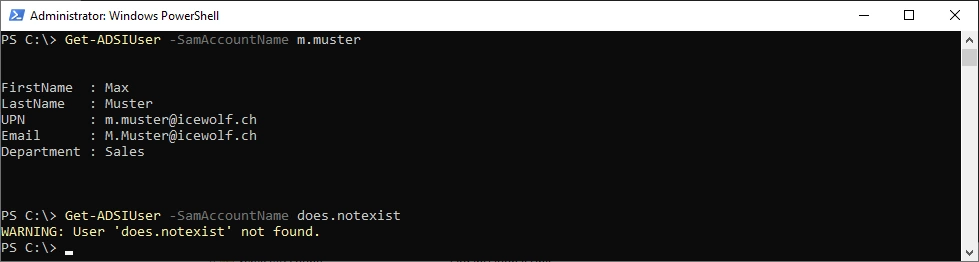
Test the Function with an existing and non existing user
Get-ADSIUser -SamAccountName m.muster
Get-ADSIUser -SamAccountName does.notexist
Summary
Sometimes it’s good to be old experienced, so you know there exists other Methods to archieve your goal.
I could do what i needed to do - and that’s all that matters in the end.
Regards
Andres Bohren
PowerShell Logo Windows Logo
