
ExchangeOnlineManagement 3.11.1 Preview1 released
Hi All,
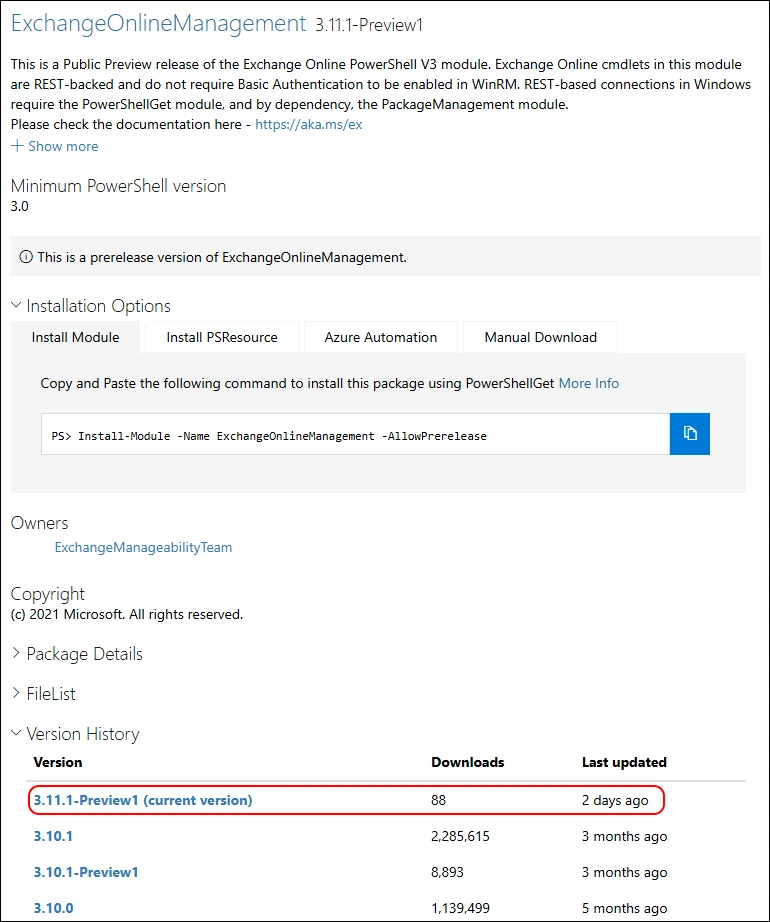
A few days ago, Microsoft has released a new Preview Version of ExchangeOnlineManagement PowerShell Module.
- PowerShell Gallery ExchangeOnlineManagement 3.11.1
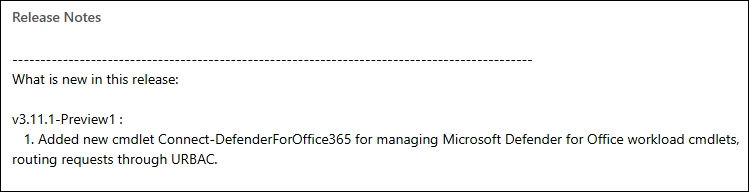
Release Notes v3.11.1-Preview1:
- Added new cmdlet Connect-DefenderForOffice365 for managing Microsoft Defender for Office workload cmdlets, routing requests through URBAC.
Installation
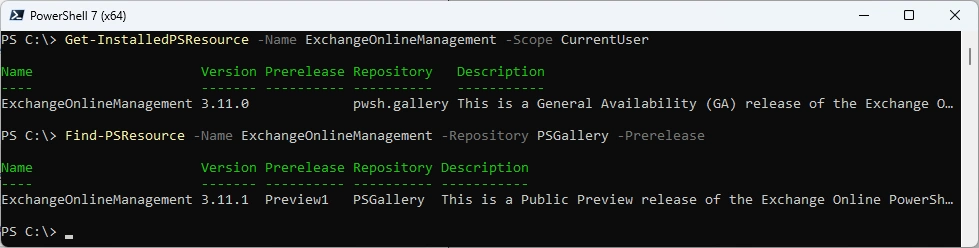
Check the installed Module and what’s available from the PowerShell Gallery
Get-InstalledPSResource -Name ExchangeOnlineManagement -Scope CurrentUser
Find-PSResource -Name ExchangeOnlineManagement -Repository PSGallery -Prerelease
Checking if the Module is on MicrosoftArtifactRegistry by chance
Find-PSResource -Name ExchangeOnlineManagement -Repository MicrosoftArtifactRegistry -Prerelease
Find-PSResource -Name ExchangeOnlineManagement -Repository MicrosoftArtifactRegistry

Let’s uninstall the old Module and install the new Module
Uninstall-PSResource -Name ExchangeOnlineManagement -Scope CurrentUser -SkipDependencyCheck
Install-PSResource -Name ExchangeOnlineManagement -Scope CurrentUser -Repository PSGallery
Get-InstalledPSResource -Name ExchangeOnlineManagement -Scope CurrentUser

Some basic tests
Connect-ExchangeOnline -ShowBanner:$false
Get-Mailbox -Identity a.bohren@icewolf.ch
Disconnect-ExchangeOnline -Confirm:$false

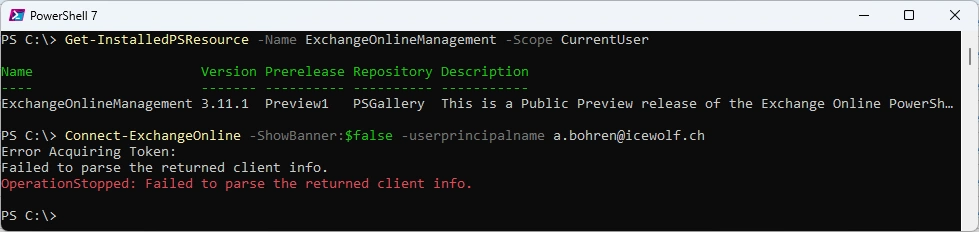
Let’s check if this Version works with PowerShell v7.7.0-preview.5 - still does not work
Get-InstalledPSResource -Name ExchangeOnlineManagement -Scope CurrentUser
Connect-ExchangeOnline -ShowBanner:$false
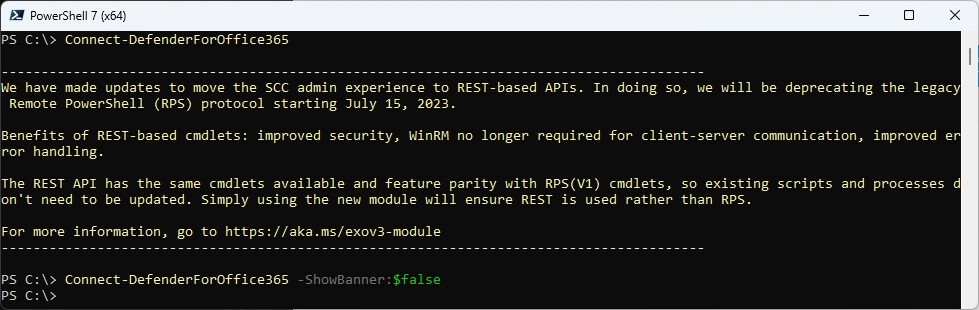
Let’s check the new command
Connect-DefenderForOffice365
Connect-DefenderForOffice365 -ShowBanner:$false
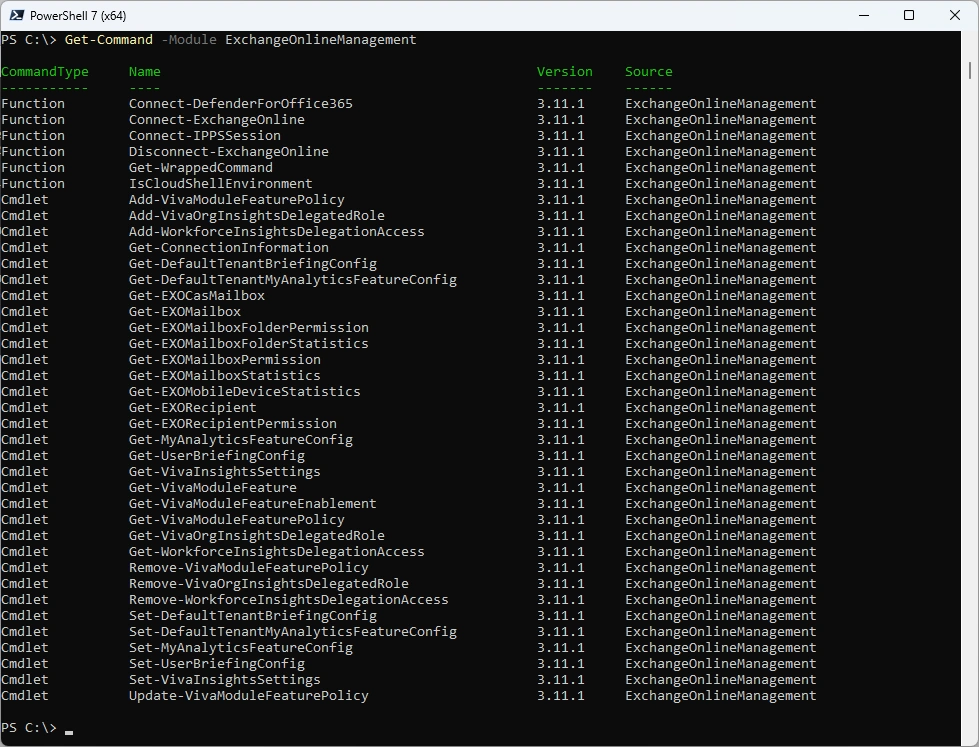
As you can see, there are three Connect-* commands but to disconnect you need to use Disconnect-ExchangeOnline
Get-Command -Module ExchangeOnlineManagement
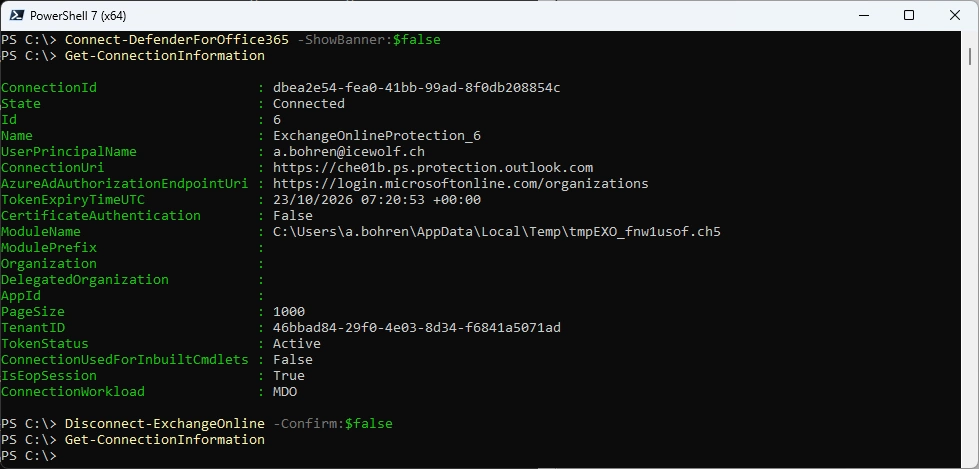
You can use Get-ConnectionInformation to get the Information if you’re connected
Connect-DefenderForOffice365 -ShowBanner:$false
Get-ConnectionInformation
Disconnect-ExchangeOnline -Confirm:$false
Get-ConnectionInformation
Regards
Andres Bohren
Exchange Logo PowerShell Logo
