Hi All,
Yesterday a new Version of the MSIdentityTools PowerShell Module has been released to the PowerShell Gallery.
PSGallery MSIdentityTools 2.0.44 I am using the new PSResourceGet here instead of the PowerShellGet commands.
Check the PowerShell Module that is installed and what is available from the PowerShell Gallery
Get-InstalledPSResource MSIdentityTools -Scope AllUsers Find-PSResource MSIdentityTools Uninstall the old version of the PowerShell Module and install the current version
Uninstall-PSResource MSIdentityTools -Scope AllUsers Install-PSResource MSIdentityTools -Scope AllUsers Get-InstalledPSResource MSIdentityTools -Scope AllUsers List all the Commands from the Module
Hi All,
I noticed today, that there is a new Version of Entra ID Connect Sync available.
Microsoft Entra Connect: Version release history Functional Changes:
The attribute onPremisesObjectIdentifier has been added to the default sync rules. This attribute is required by Microsoft Entra Cloud Sync’s Group Provisioning to AD feature. The minimum .NET runtime requirement has been increased to 4.7.1. Bug Fixes:
Improvements to upgrade and auto-upgrade components. Fixed an issue preventing deprovisioning of group when deletions of both the group and a member belonging to a different domain are processed in the same sync cycle.
Hi All,
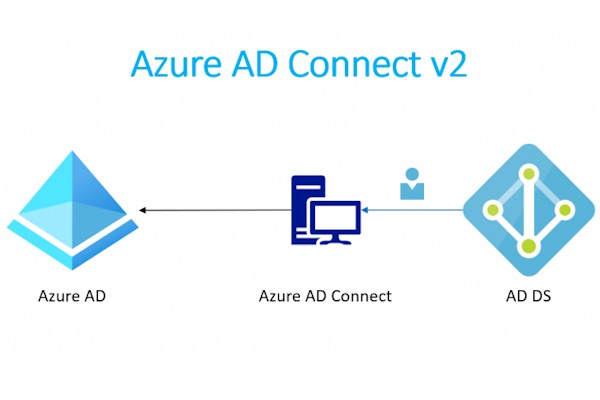
Have you ever wondered, how you can check Azure AD Connect Password Sync?
Of course you find it in the Directory Sync status of the Microsoft 365 Admin Center.
In AAD Connect Here is a more detailed way in AAD Connect.
Open the “Syncronization Service Manager” “C:\Program Files\Microsoft Azure AD Sync\UIShell\miisclient.exe”
Got to “Connectors” and select the Active Directory Domain Services > Select “Search Connector Space”
Search for the Distinguished Name of the User > Select the User in the Result Pane > Click on “Properties”
Hi All,
I am using Azure AD Connect since it was named DirSync.
As i am setting up my new Exchange Hybrid Lab - i had the opportunity to try “Azure AD cloud sync”.
MS Learn What is Azure AD Connect cloud sync?
In the Link abvoe you can find a Table of Features that Azure AD cloud sync is not capable of.
Connect to LDAP directories Support for device objects Support for Pass-Through Authentication Filter on objects’ attribute values Allow advanced customization for attribute flows Support for device writeback > Customers should use Cloud Kerberos trust for this moving forward Support for group writeback Support for merging user attributes from multiple domains Azure AD Domain Services support Unlimited number of objects per AD domain Large groups with up to 250,000 members Exchange hybrid writeback Long time, one of the biggest issue was that Azure AD cloud sync did not support the “Exchange hybrid writeback”.
Hi All,
A few Weeks ago, i was surprised with an Warning in Microsoft 365 Admin Center.
The Directory sync Status showed that i was using an old Version of AAD Connect.
Warning Message: We detected you’re using an outdated directory sync tool, We recommend you go to the Microsoft Download Center to get the latest version of Azure AD Connect.
When i checked in Entra Admin Center, i could clearly see that it was showing the newest AAD Connect Version.