202512s

Exchange Server December 2025 Security Updates

Exchange Server December 2025 Security Updates

Andres Bohren
Hi All, Microsoft has released the Exchange Server Security Updates yesterday for these Exchange Server Versions: Exchange Server Subscription Edition (SE) Exchange Server 2019 CU14 and CU15 (to access, enroll into the ESU program) Exchange Server 2016 CU23 (to access, enroll into the ESU program) Exchange Team Blog Article Released: December 2025 Exchange Server Security Updates Description of the security update for Microsoft Exchange Server Subscription Edition RTM: December 9, 2025 (KB5071876)
Microsoft.PowerShell.PSResourceGet 1.2.0-preview5 released

Microsoft.PowerShell.PSResourceGet 1.2.0-preview5 released

Andres Bohren
Hi All, Two days ago, Microsoft has released the Preview5 of the Microsoft.PowerShell.PSResourceGet PowerShell Module. Powershell Gallery Microsoft.PowerShell.PSResourceGet 1.2.0-preview5 You can check the Release Notes PowerShell 5 Check the Module Path $Env:PSModulePath.Split(";") I’ve simply deleted the Microsoft.PowerShell.PSResourceGet Folder in Windows Explorer - because there is no “Scope” Parameter in the Uninstall-Module command Installing the PSResourceGet with Install-Module Install-Module -Name Microsoft.PowerShell.PSResourceGet -Scope CurrentUser -AllowPrerelease Get-InstalledPSResource -Name Microsoft.PowerShell.PSResourceGet -Scope CurrentUser Uninstalling a Module under PowerShell 5 still fails - like in Preview4
Microsoft.Graph PowerShell Modules 2.33.0 released

Microsoft.Graph PowerShell Modules 2.33.0 released

Andres Bohren
Hi All, A few Hors ago, Microsoft has released the Version 2.33.0 of Microsoft.Graph and Microsoft.Graph.Beta Modules. PowerShell Gallery Microsoft.Graph 2.33.0 PowerShell Gallery Microsoft.Graph.Beta 2.33.0 No Release Notes have been published but you can review the Commit History I am using the new PSResourceGet here instead of the PowerShellGet commands. Show installed Versions and what’s available in PowerShell Gallery Get-InstalledPSResource -Name Microsoft.Graph -Scope CurrentUser Get-InstalledPSResource -Name Microsoft.Graph.Beta -Scope CurrentUser Find-PSResource -Name Microsoft.

Entra Connect Sync 2.5.190 released

Entra Connect Sync 2.5.190 released

Andres Bohren
Hi All, About two weeks ago, Microsoft has released a new Version of Entra Connect Sync. You can download it only in the Microsoft Entra Admin Center Microsoft Entra Connect: Version release history Download Download is only available in Entra Admin Portal and is now not as hidden anymore Entra Admin Center > Identity > Entra Connect > Entra Connect Sync Download the latest Entra Connect Sync Version If you click on the Download Link you have to click on the “Accept terms & download” Button.
Jabra Direct Update (December 2025)

Jabra Direct Update (December 2025)

Andres Bohren
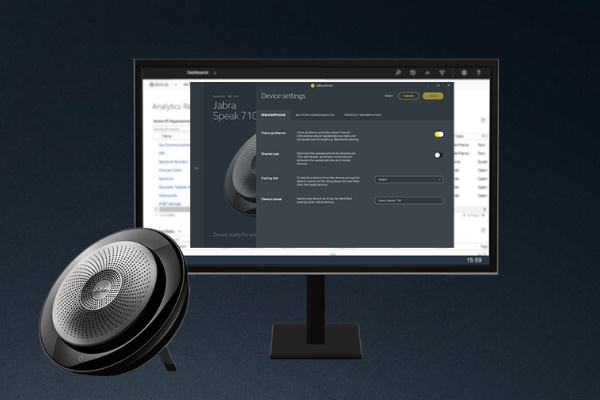
Hi All, Today I have received a notification, that there is a new Jabra Direct release available. In Jabra Direct under Updates you can see, that there is an update available Jabra Direct Release Notes Fixed: Jabra PanaCast 50 was not recognized by Jabra Direct in certain scenarios. Installation Installation starts automatically Installation sucessful completed Everything is up do date Regards Andres Bohren Unified Messaging Logo
Azure PowerShell Module AZ 15.1.0 released

Azure PowerShell Module AZ 15.1.0 released

Andres Bohren
Hi All, Yesterday, a new Version of the AZ (Azure) PowerShell Module has been released to PowerShell Gallery. PowerShell Gallery Az 15.1.0 GitHub Release Notes Az I am using the new PSResourceGet here instead of the PowerShellGet commands. Show installed Versions and what’s available in PowerShell Gallery Get-InstalledPSResource -Name AZ -Scope CurrentUser Find-PSResource -Name AZ Uninstall the old Modules Uninstall-PSResource AZ -Scope CurrentUser -SkipDependencyCheck Uninstall-PSResource AZ.* -Scope CurrentUser -SkipDependencyCheck In the last few weeks i’ve noticed that uninstalling some Modules seems to have Problems.
Exchange Online App Access Policies are replaced by RBAC for Applications

Exchange Online App Access Policies are replaced by RBAC for Applications

Andres Bohren
Hi All, A few Months ago i saw, that the recommendation for New-ApplicationAccessPolicy has changed. App Access Policies are replaced by Role Based Access Control for Applications. To learn more, see Role Based Access Control for Exchange Applications. Don’t create new App Access Policies as these policies will eventually require migration to Role Based Access Control for Applications. In Github you can see that the Change has been Published in August