
Azure Automation Account Runtime Environment 7.6 with AZ PowerShell
Hi All,
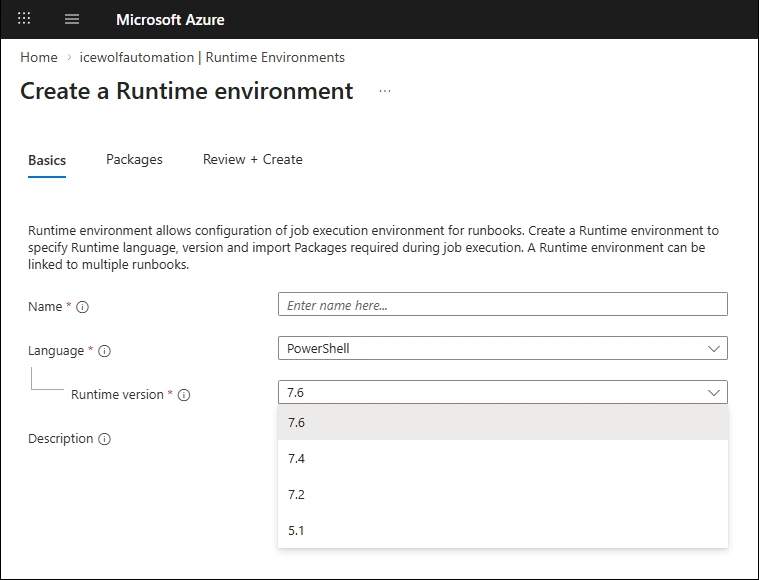
Recently i was checking out Azure Automation Runtime Environments and was happy to see PowerShell 7.6 on that List.
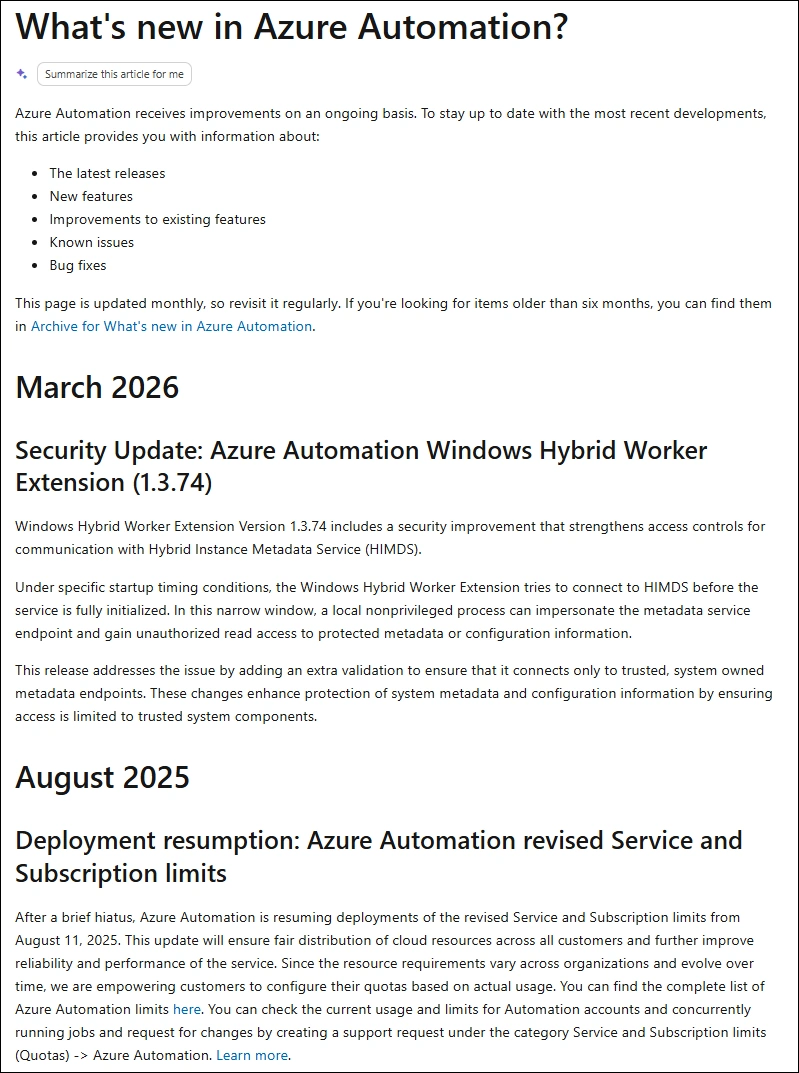
What’s new in Azure Automation?
In June 2025 - Microsoft annouced support for PowerShell 7.4
- General Availability: Azure Automation supports PowerShell 7.4 and Python 3.10 runbooks
- Azure Automation announces General Availability of PowerShell 7.4 and Python 3.10
Since then not much has been addet and the PowerShell 7.6 is completly missing
PowerShell Modules
In this Blog Article, i will show you how to create and manage an Azure Automation Account using the AZ Powershell Module.
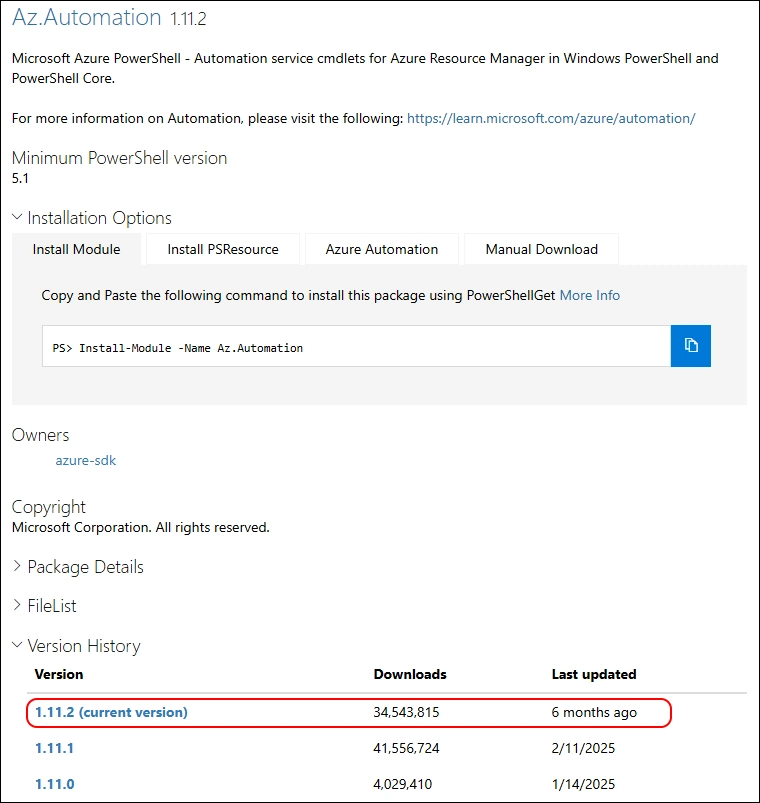
The AZ.Automation Module has not updated in the last half year in the PowerShell Gallery
Check if AZ PowerShell Module has been installed
###############################################################################
# Azure Automation Account with AZ PowerShell
# 19.08.2025 - Initial Version - Andres Bohren
###############################################################################
Get-PSResource -Name AZ -Scope CurrentUser

Connect to Azure
###############################################################################
# Connect to Azure with AZ PowerShell
###############################################################################
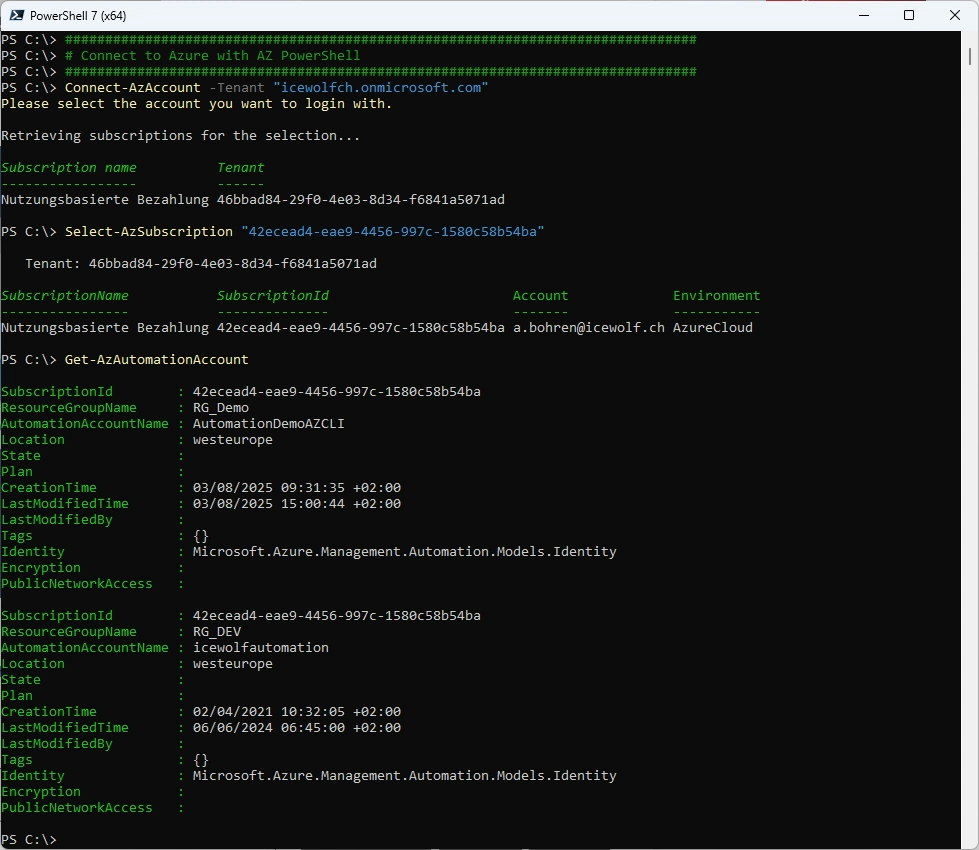
Connect-AzAccount -Tenant "icewolfch.onmicrosoft.com"
Select-AzSubscription "42ecead4-eae9-4456-997c-1580c58b54ba"
Get-AzAutomationAccount
Automation Account and Runtime Environments
For things that are not supported using native Commandlets in AZ.Automation i am using
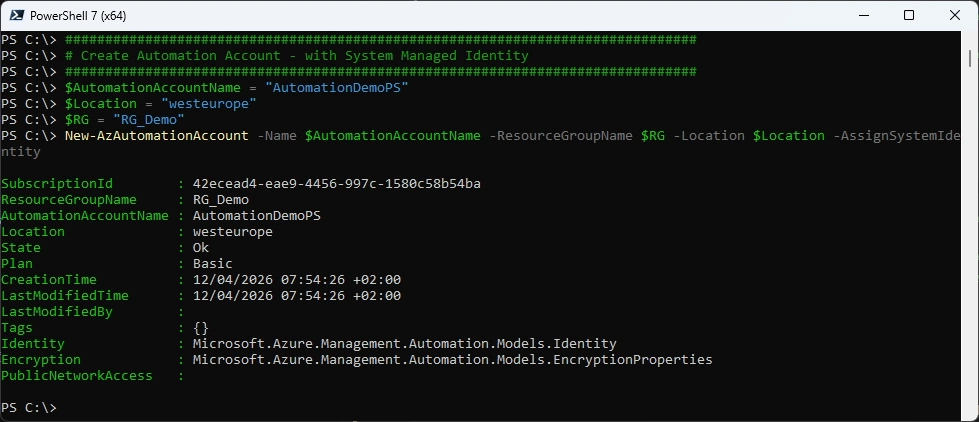
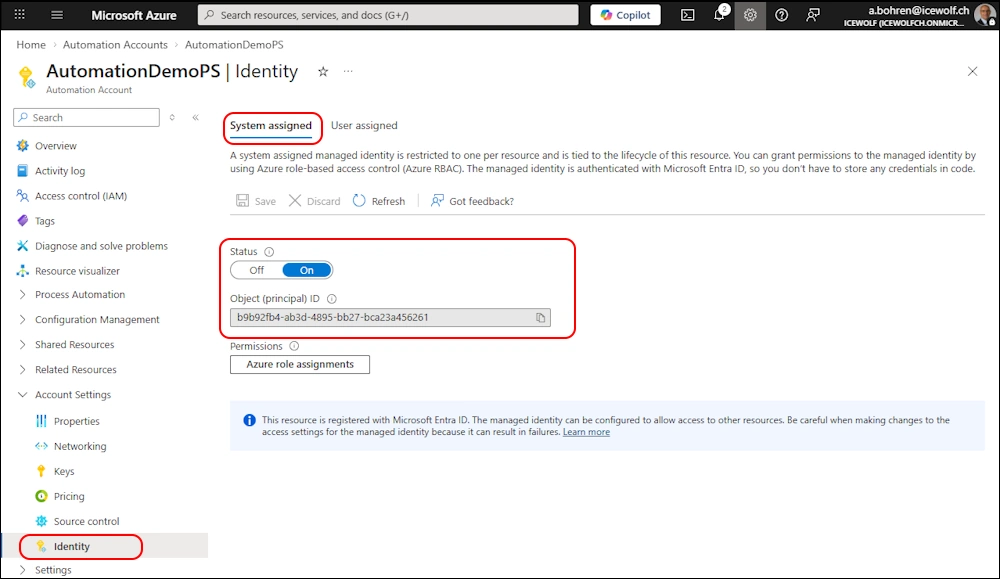
Create new Azure Automation Account with Managed Identity
###############################################################################
# Create Automation Account - with System Managed Identity
###############################################################################
$AutomationAccountName = "AutomationDemoPS"
$Location = "westeurope"
$RG = "RG_Demo"
New-AzAutomationAccount -Name $AutomationAccountName -ResourceGroupName $RG -Location $Location -AssignSystemIdentity
Azure Portal
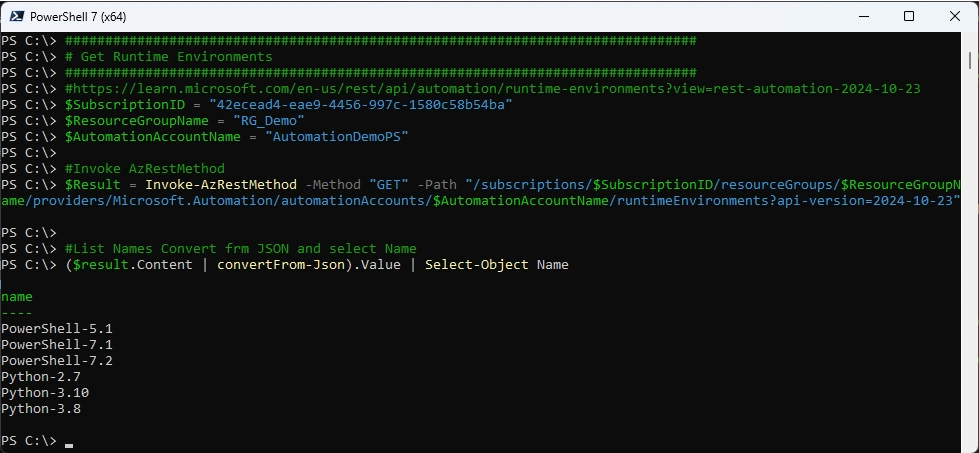
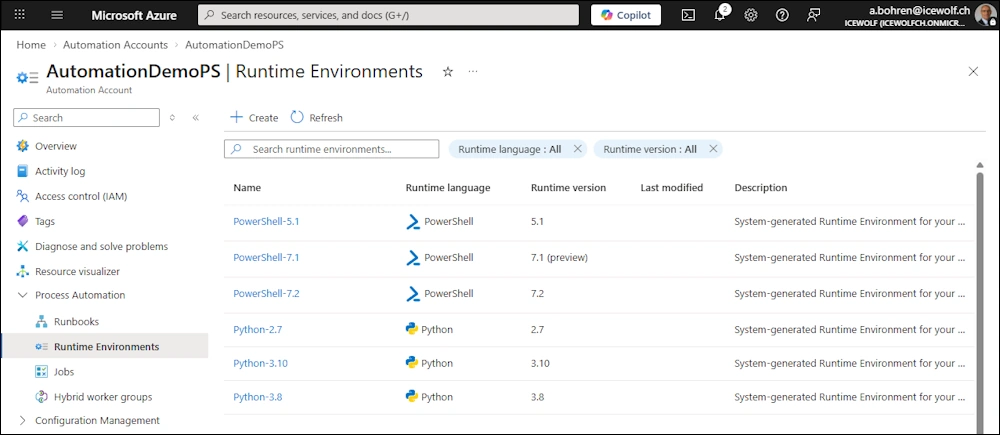
Get Runtime Environements
###############################################################################
# Get Runtime Environments
###############################################################################
#https://learn.microsoft.com/en-us/rest/api/automation/runtime-environments?view=rest-automation-2024-10-23
$SubscriptionID = "42ecead4-eae9-4456-997c-1580c58b54ba"
$ResourceGroupName = "RG_Demo"
$AutomationAccountName = "AutomationDemoPS"

#Invoke AzRestMethod
$Result = Invoke-AzRestMethod -Method "GET" -Path "/subscriptions/$SubscriptionID/resourceGroups/$ResourceGroupName/providers/Microsoft.Automation/automationAccounts/$AutomationAccountName/runtimeEnvironments?api-version=2024-10-23"

#List Names Convert frm JSON and select Name
($result.Content | convertFrom-Json).Value | Select-Object Name
Azure Portal
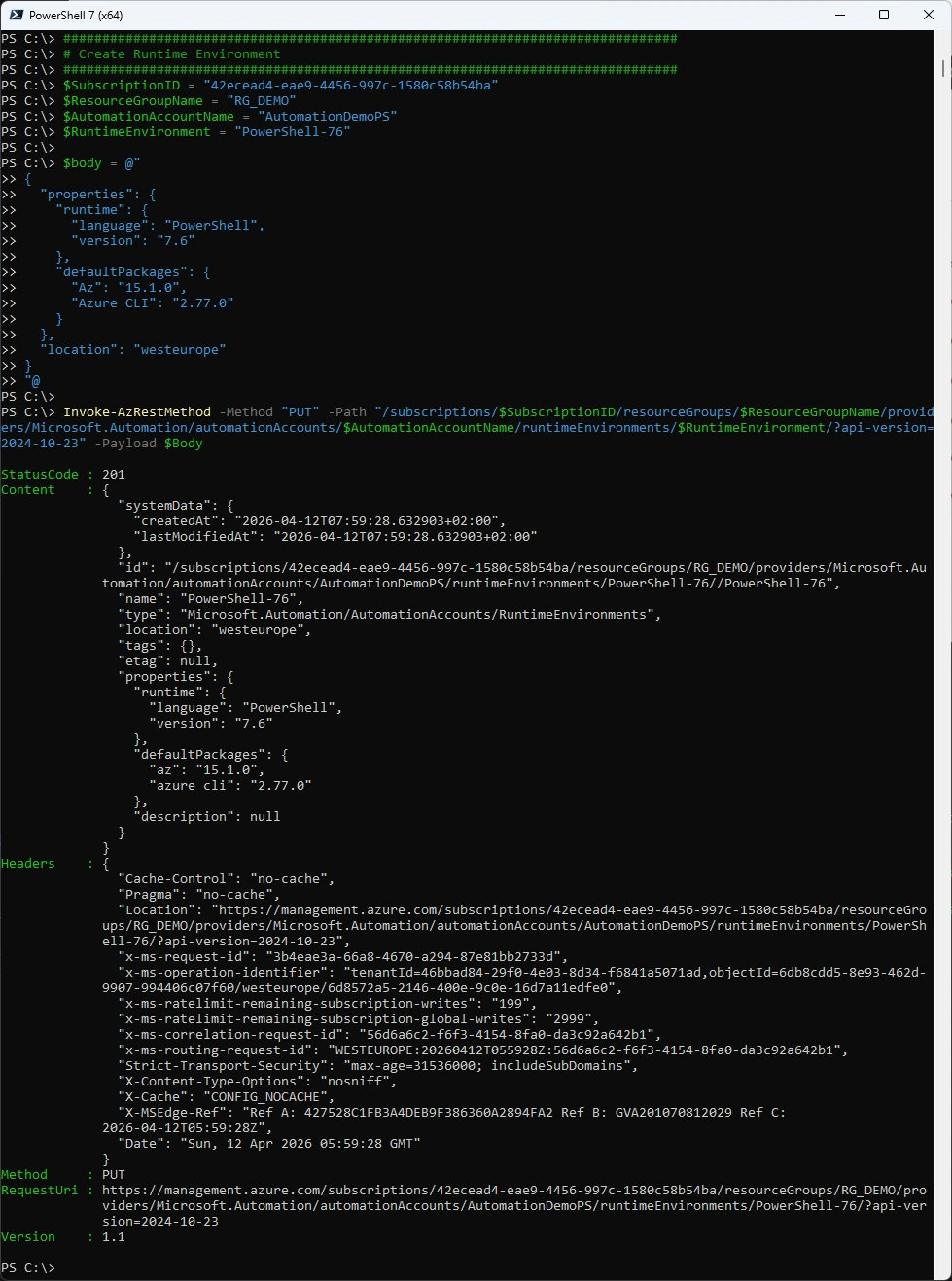
Create Runtime Environement with PowerShell 7.6
###############################################################################
# Create Runtime Environment
###############################################################################
$SubscriptionID = "42ecead4-eae9-4456-997c-1580c58b54ba"
$ResourceGroupName = "RG_DEMO"
$AutomationAccountName = "AutomationDemoPS"
$RuntimeEnvironment = "PowerShell-76"

$body = @"
{
  "properties": {
    "runtime": {
      "language": "PowerShell",
      "version": "7.6"
    },
    "defaultPackages": {
      "Az": "15.1.0",
      "Azure CLI": "2.77.0"
    }
  },
  "location": "westeurope"
}
"@

Invoke-AzRestMethod -Method "PUT" -Path "/subscriptions/$SubscriptionID/resourceGroups/$ResourceGroupName/providers/Microsoft.Automation/automationAccounts/$AutomationAccountName/runtimeEnvironments/$RuntimeEnvironment/?api-version=2024-10-23" -Payload $Body
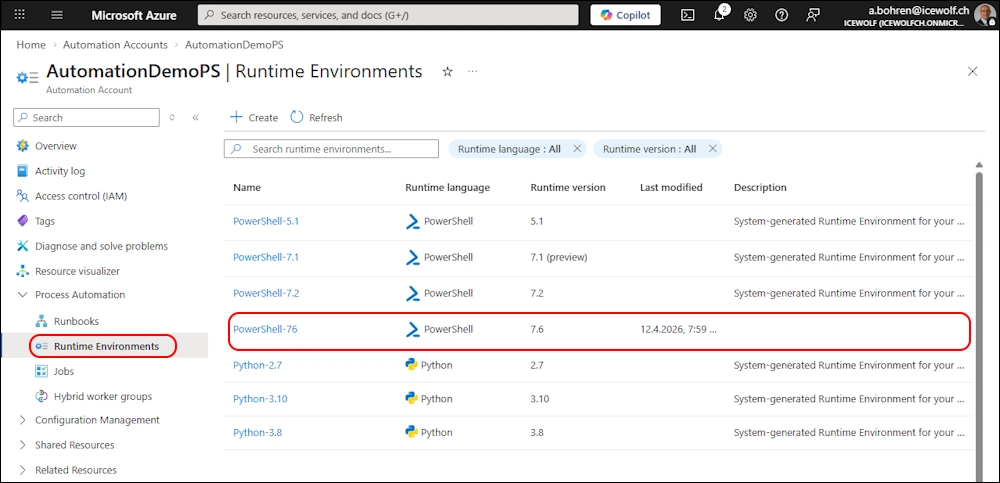
Azure Portal
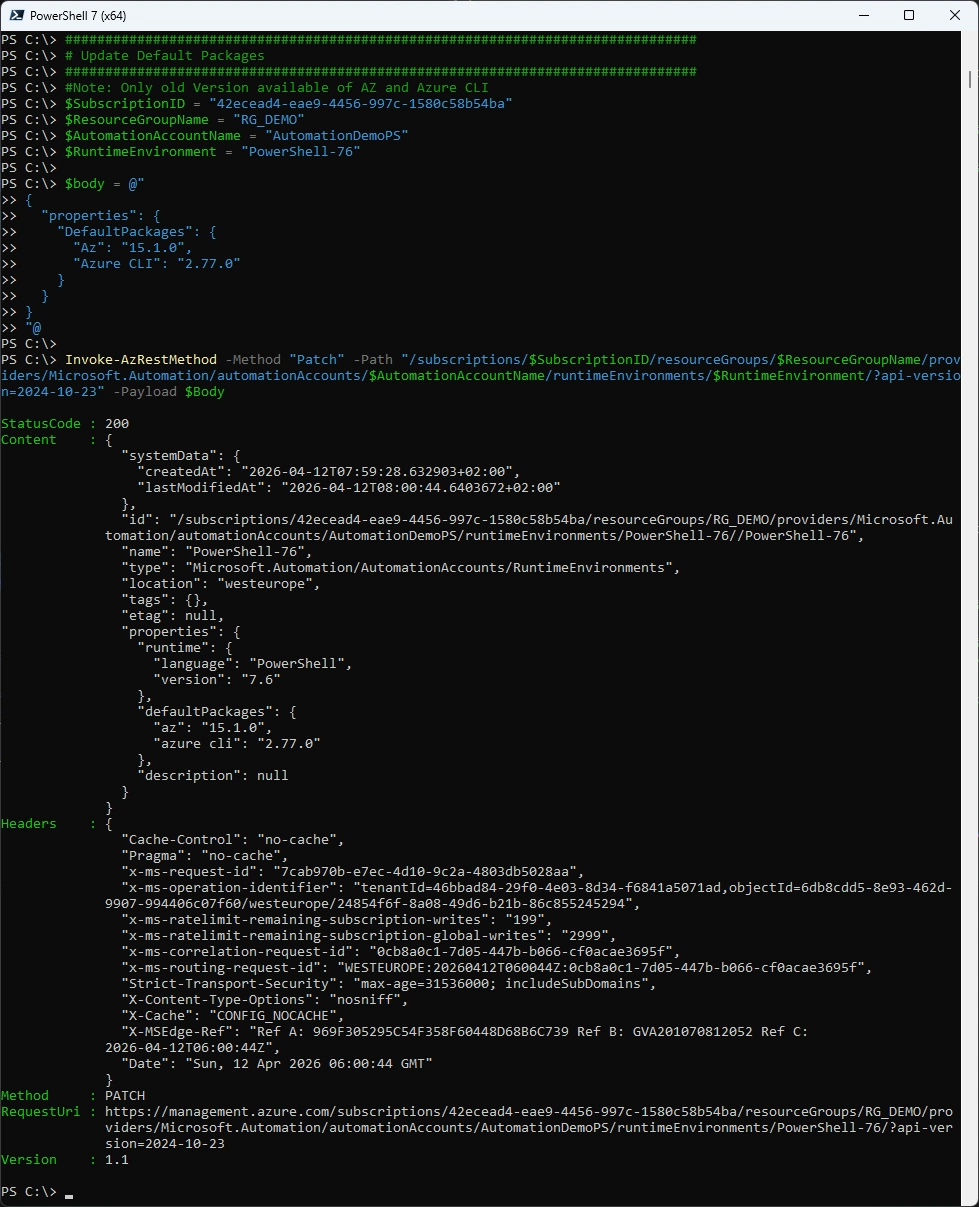
Optional: Update Default Package
###############################################################################
# Update Default Packages
###############################################################################
#Note: Only old Version available of AZ and Azure CLI
$SubscriptionID = "42ecead4-eae9-4456-997c-1580c58b54ba"
$ResourceGroupName = "RG_DEMO"
$AutomationAccountName = "AutomationDemoPS"
$RuntimeEnvironment = "PowerShell-76"

$body = @"
{
  "properties": {
    "DefaultPackages": {
      "Az": "15.1.0",
      "Azure CLI": "2.77.0"
    }
  }
}
"@

Invoke-AzRestMethod -Method "Patch" -Path "/subscriptions/$SubscriptionID/resourceGroups/$ResourceGroupName/providers/Microsoft.Automation/automationAccounts/$AutomationAccountName/runtimeEnvironments/$RuntimeEnvironment/?api-version=2024-10-23" -Payload $Body
Azure Portal
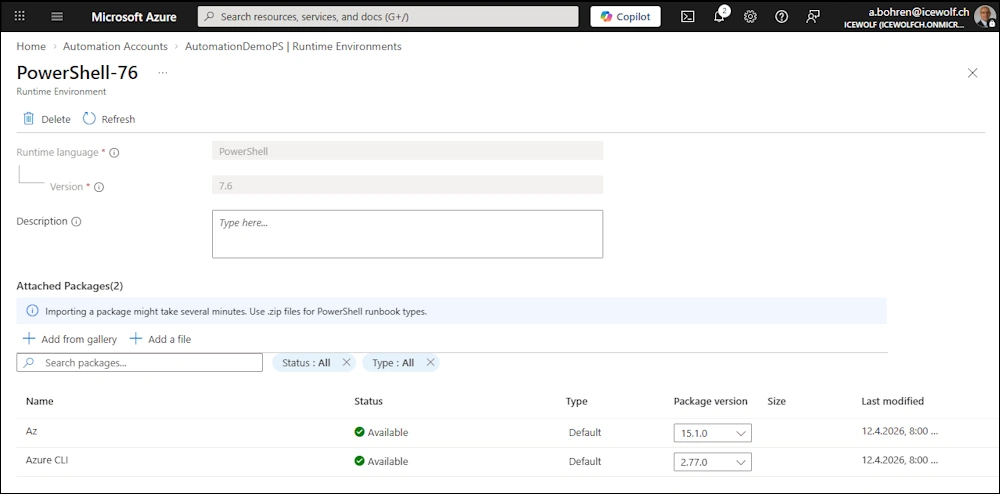
PowerShell Modules
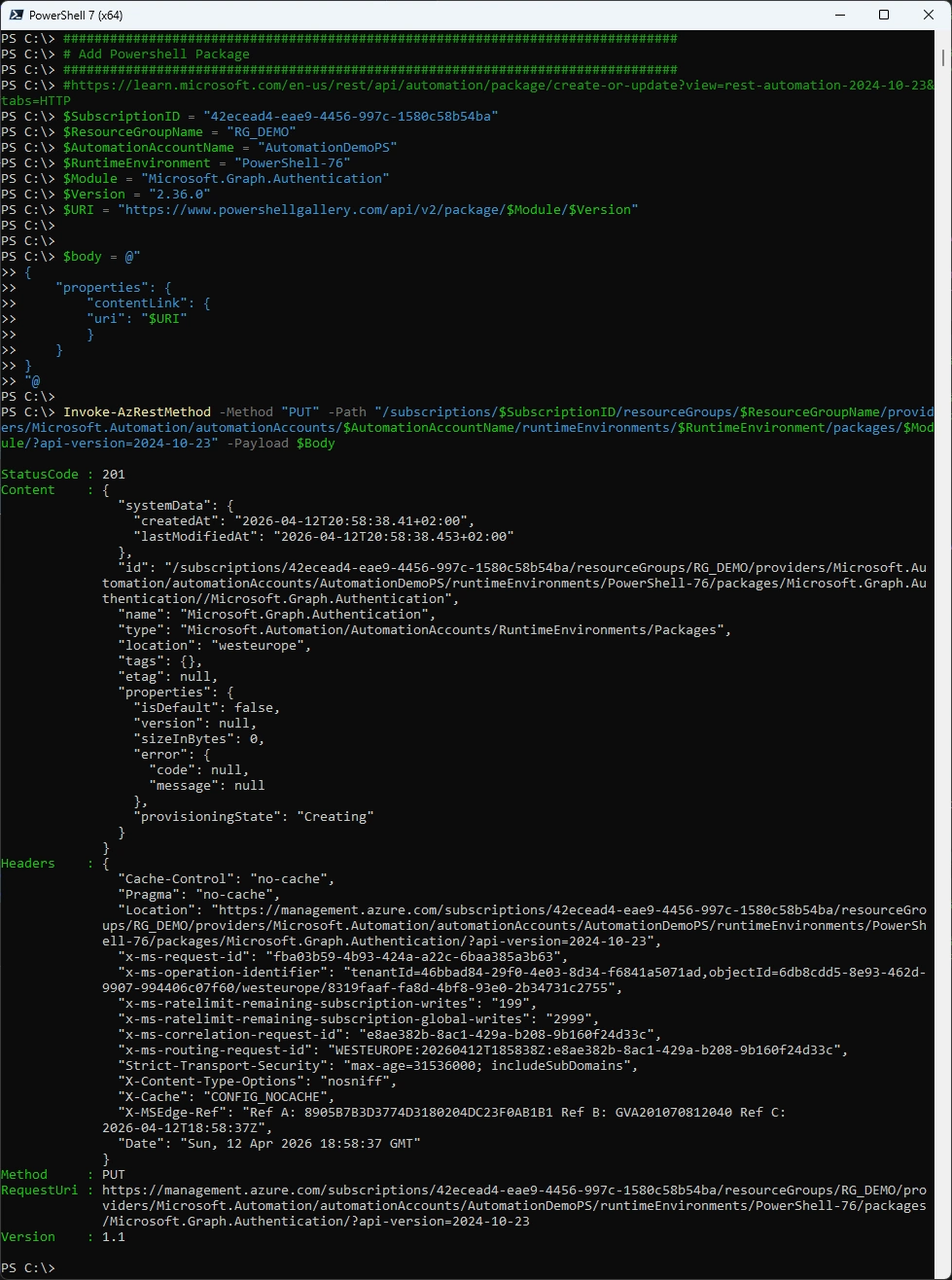
Install PowerShell Module
###############################################################################
# Add Powershell Package
###############################################################################
#https://learn.microsoft.com/de-de/powershell/module/az.automation/new-azautomationmodule?view=azps-15.5.0
#New-AzAutomationModule -RuntimeVersion [5.1,7.2]
$SubscriptionID = "42ecead4-eae9-4456-997c-1580c58b54ba"
$ResourceGroupName = "RG_DEMO"
$AutomationAccountName = "AutomationDemoPS"
$RuntimeVersion = "7.6"
$RuntimeEnvironment = "PowerShell-76"
$Module = "Microsoft.Graph.Authentication"
$Version = "2.36.0"
$URI = "https://www.powershellgallery.com/api/v2/package/$Module/$Version"

New-AzAutomationModule -AutomationAccountName $AutomationAccountName -Name $Module -ContentLink $URI -Version $Version -ResourceGroupName $ResourceGroupName -RuntimeVersion $RuntimeVersion
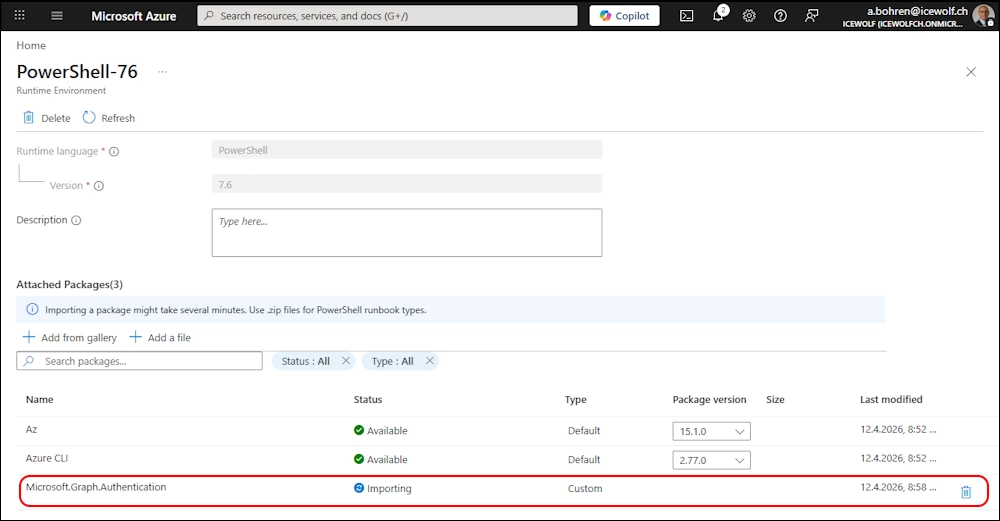
Azure Portal - Installing
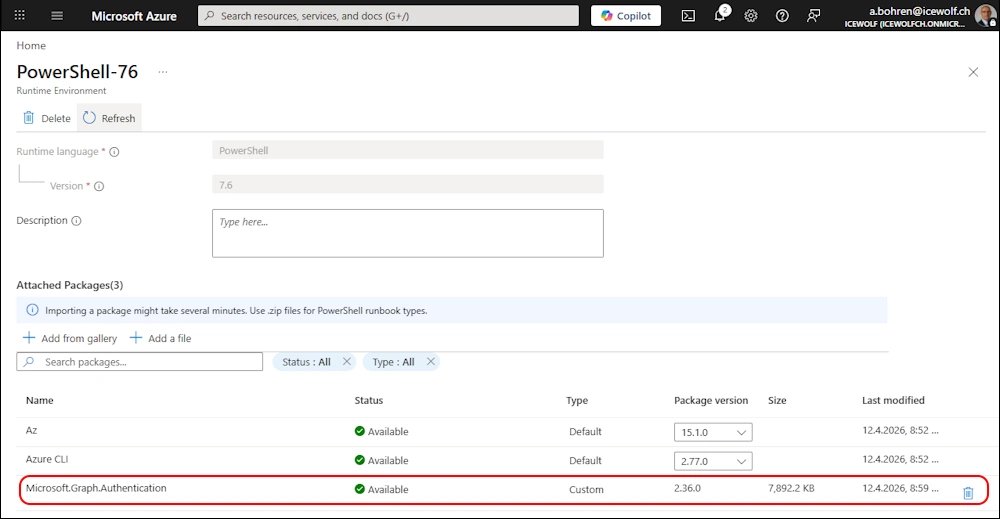
Azure Portal - Installed
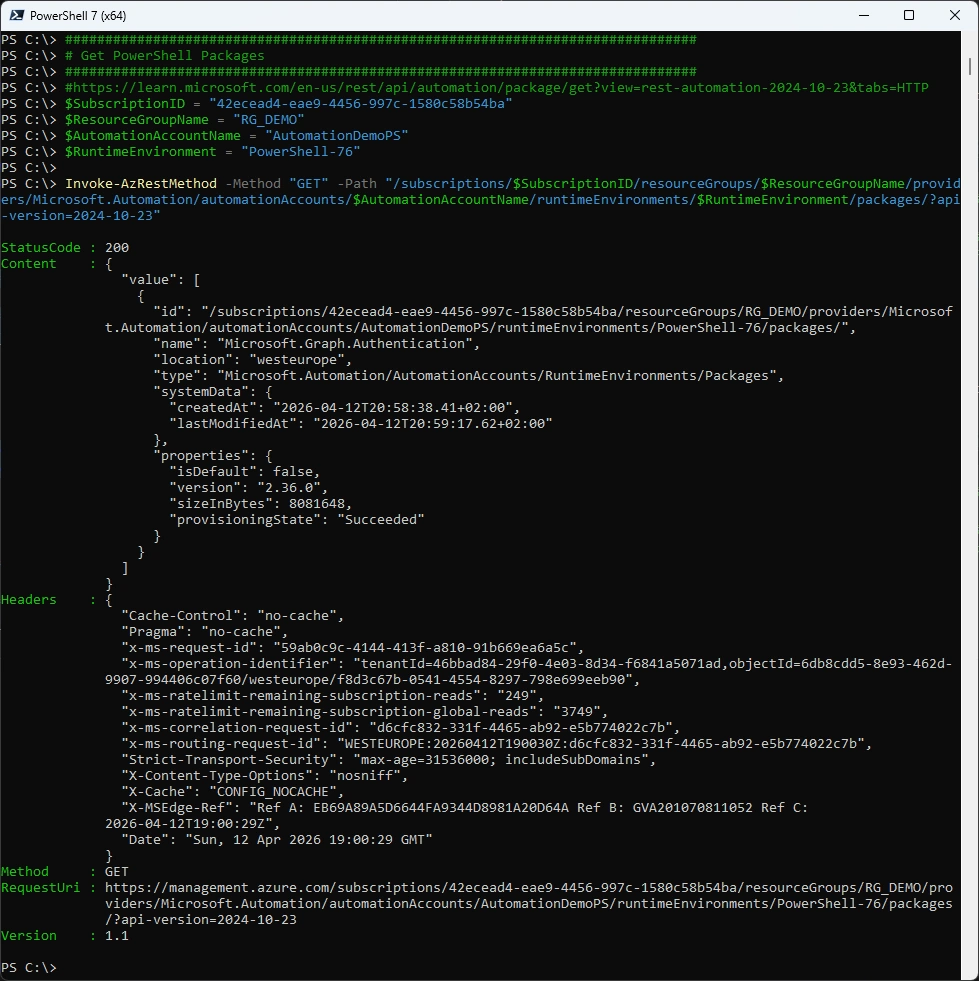
Get Installed PowerShell Module
###############################################################################
# Get PowerShell Packages
###############################################################################
#https://learn.microsoft.com/en-us/rest/api/automation/package/get?view=rest-automation-2024-10-23&tabs=HTTP
$SubscriptionID = "42ecead4-eae9-4456-997c-1580c58b54ba"
$ResourceGroupName = "RG_DEMO"
$AutomationAccountName = "AutomationDemoPS"
$RuntimeEnvironment = "PowerShell-76"

Invoke-AzRestMethod -Method "GET" -Path "/subscriptions/$SubscriptionID/resourceGroups/$ResourceGroupName/providers/Microsoft.Automation/automationAccounts/$AutomationAccountName/runtimeEnvironments/$RuntimeEnvironment/packages/?api-version=2024-10-23"
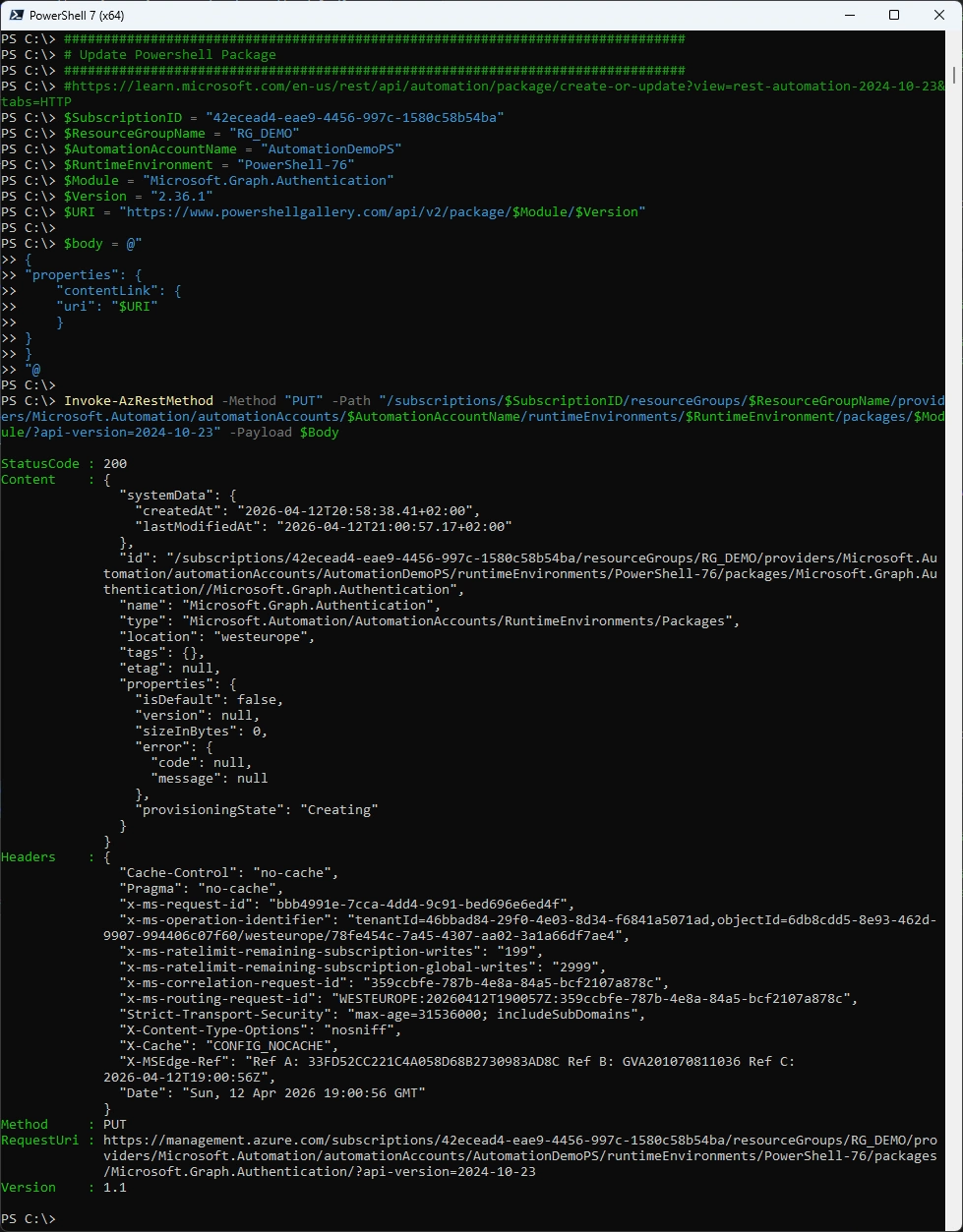
Update installed PowerShell Module
###############################################################################
# Update Powershell Package
###############################################################################
#https://learn.microsoft.com/en-us/rest/api/automation/package/create-or-update?view=rest-automation-2024-10-23&tabs=HTTP
$SubscriptionID = "42ecead4-eae9-4456-997c-1580c58b54ba"
$ResourceGroupName = "RG_DEMO"
$AutomationAccountName = "AutomationDemoPS"
$RuntimeEnvironment = "PowerShell-76"
$Module = "Microsoft.Graph.Authentication"
$Version = "2.36.1"
$URI = "https://www.powershellgallery.com/api/v2/package/$Module/$Version"

$body = @"
{
"properties": {
    "contentLink": {
    "uri": "$URI"
    }
}
}
"@

Invoke-AzRestMethod -Method "PUT" -Path "/subscriptions/$SubscriptionID/resourceGroups/$ResourceGroupName/providers/Microsoft.Automation/automationAccounts/$AutomationAccountName/runtimeEnvironments/$RuntimeEnvironment/packages/$Module/?api-version=2024-10-23" -Payload $Body
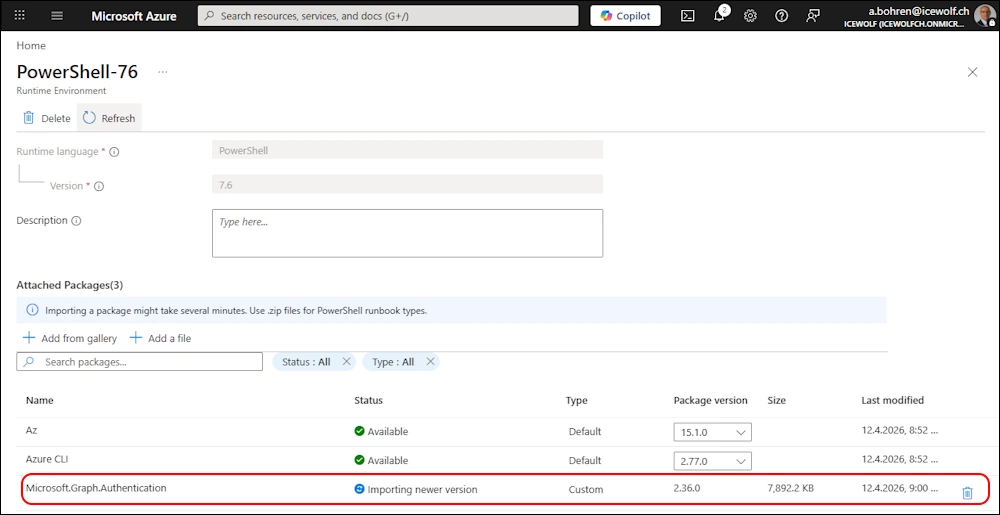
Azure Portal - Updating
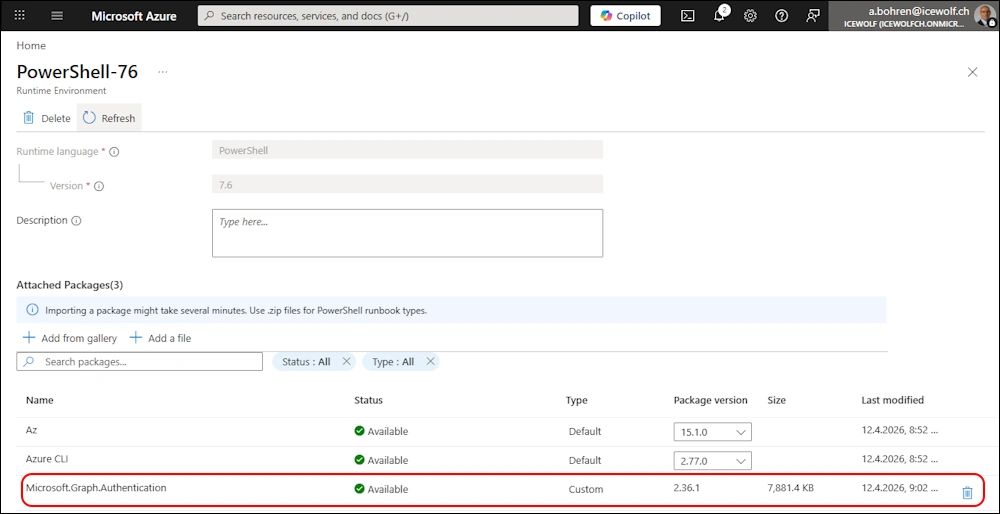
Azure Portal - Updated
Remove installed PowerShell Module
###############################################################################
# Remove Powershell Package
###############################################################################
#https://learn.microsoft.com/en-us/rest/api/automation/package/delete?view=rest-automation-2024-10-23&tabs=HTTP
$SubscriptionID = "42ecead4-eae9-4456-997c-1580c58b54ba"
$ResourceGroupName = "RG_DEMO"
$AutomationAccountName = "AutomationDemoPS"
$RuntimeEnvironment = "PowerShell-76"
$Module = "Microsoft.Graph.Authentication"

Invoke-AzRestMethod -Method "DELETE" -Path "/subscriptions/$SubscriptionID/resourceGroups/$ResourceGroupName/providers/Microsoft.Automation/automationAccounts/$AutomationAccountName/runtimeEnvironments/$RuntimeEnvironment/packages/$Module/?api-version=2024-10-23"
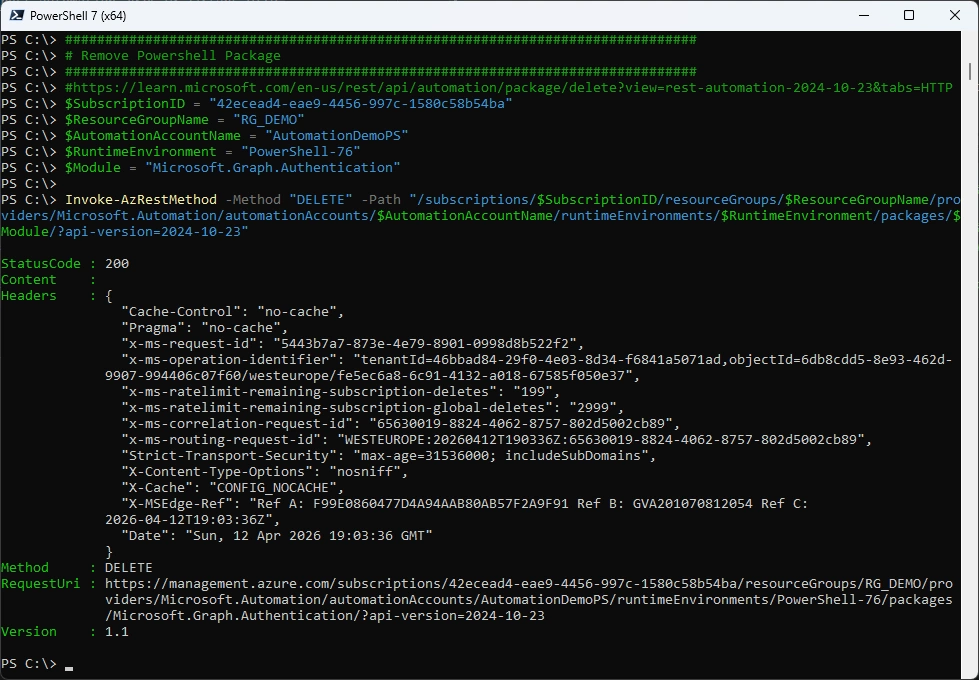
Azure Portal
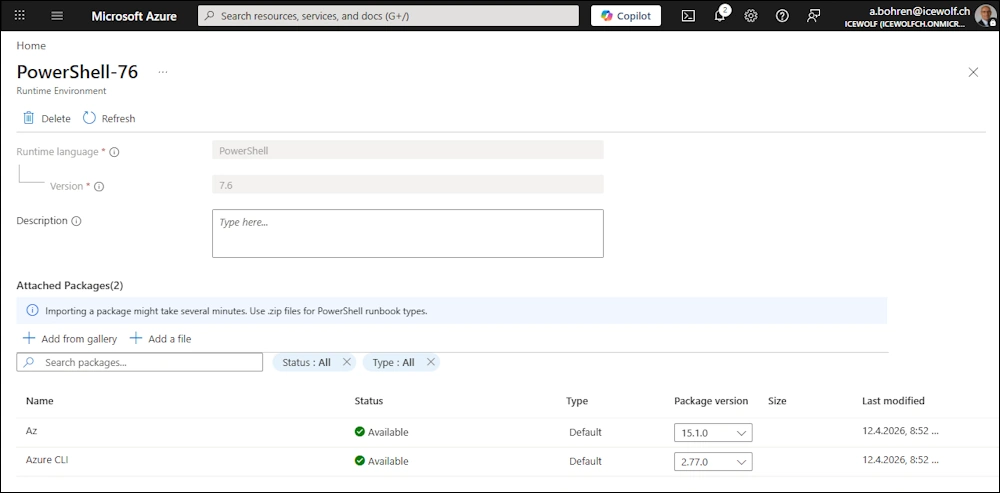
Runbook
Create Runbook Draft
###############################################################################
# Create Runbook Draft
###############################################################################
#New-AzAutomationRunbook -AutomationAccountName $AutomationAccountName -Name $RunbookName -ResourceGroupName $ResourceGroupName -Type "PowerShell"
# ->> Does not Support Runtime Evironment
#https://learn.microsoft.com/en-us/rest/api/automation/runbook/create-or-update?view=rest-automation-2024-10-23&tabs=HTTP
$SubscriptionID = "42ecead4-eae9-4456-997c-1580c58b54ba"
$ResourceGroupName = "RG_DEMO"
$AutomationAccountName = "AutomationDemoPS"
$Location = "westeurope"
$RuntimeEnvironment = "PowerShell-76"
$RunbookName = "Demo_Runbook"

$Body = @"
{
    "name": "$RunbookName",
    "location": "$Location",
    "properties": {
        "runbookType": "PowerShell",
        "runtimeEnvironment": "$RuntimeEnvironment",
        "logProgress": false,
        "logVerbose": false,
        "draft": {}
    },
    "tags": null
}
"@

Invoke-AzRestMethod -Method "PUT" -Path "/subscriptions/$SubscriptionID/resourceGroups/$ResourceGroupName/providers/Microsoft.Automation/automationAccounts/$AutomationAccountName/runbooks/$RunbookName/?api-version=2024-10-23" -Payload $Body
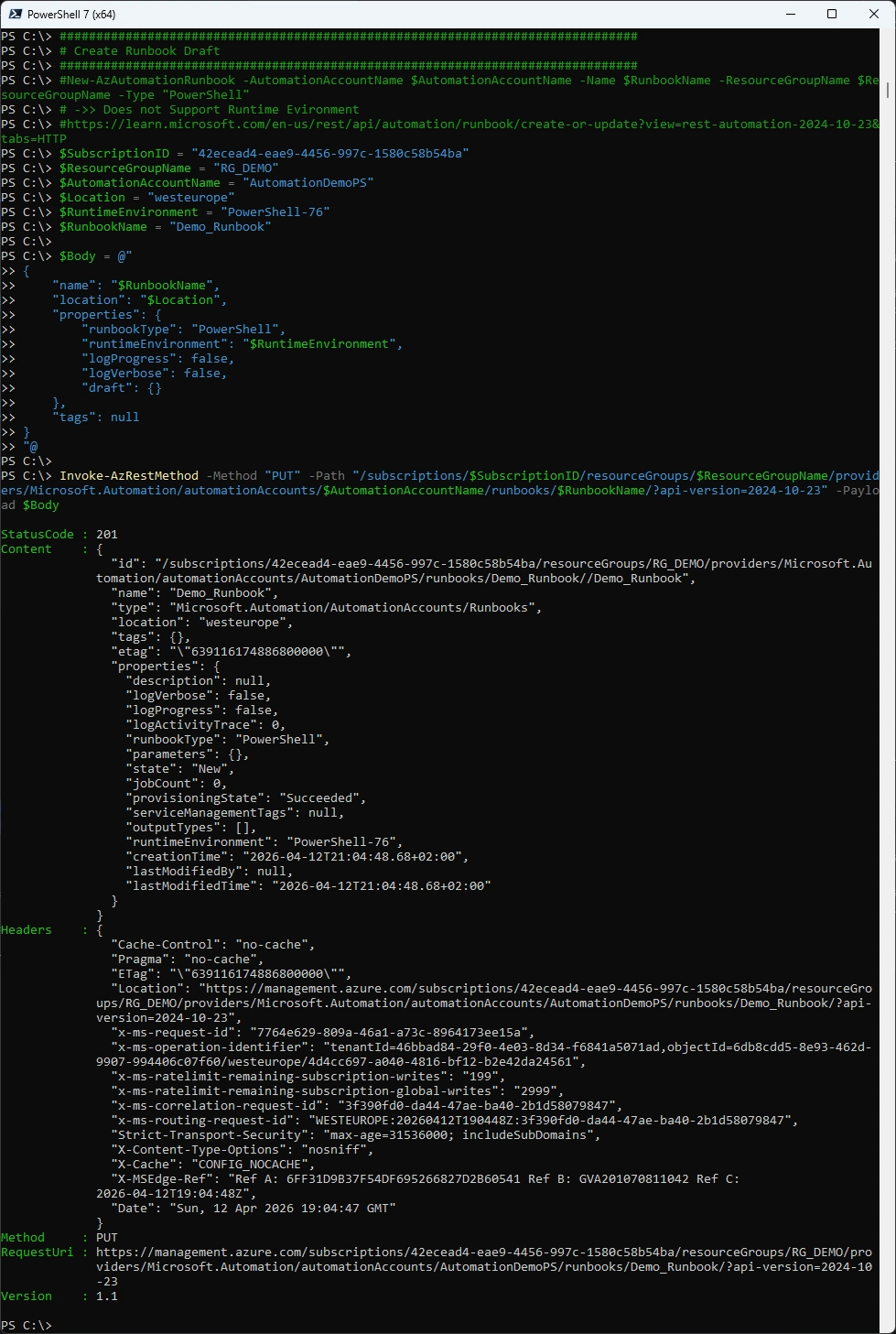
Azure Portal
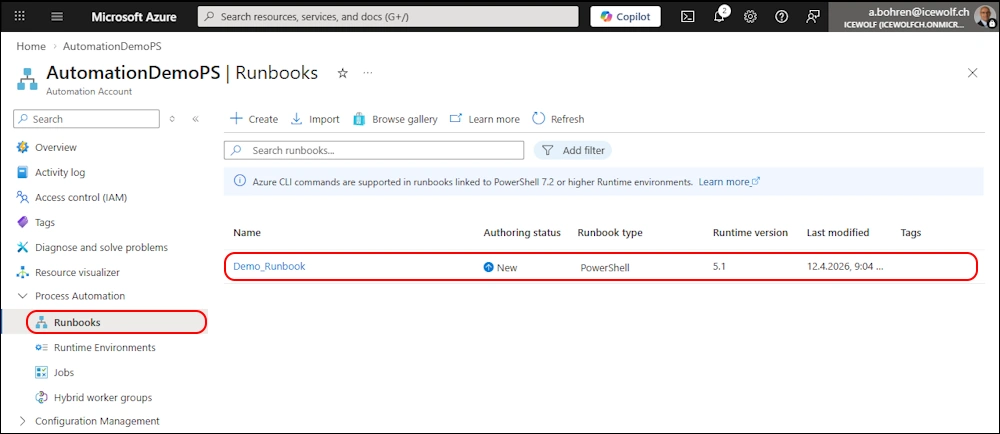
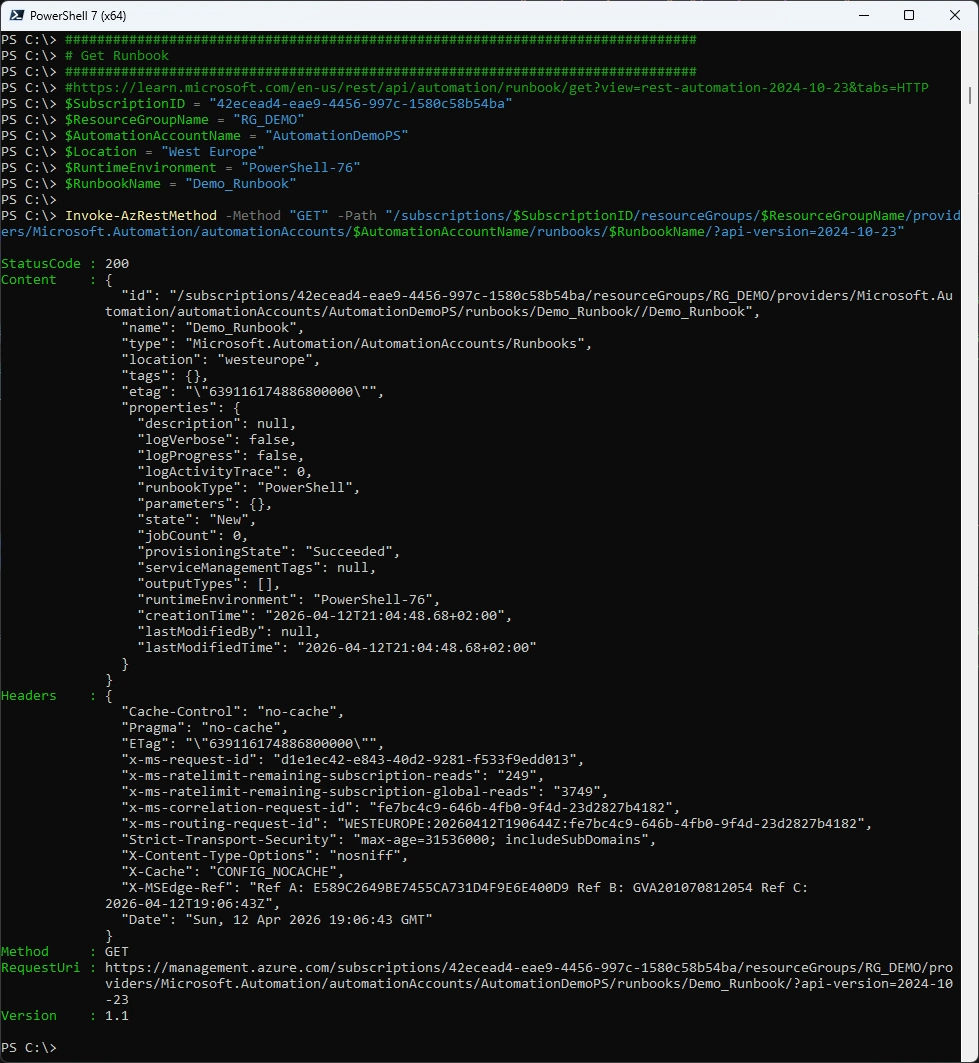
Get Runbooks from Azure Automation Account
###############################################################################
# Get Runbook
###############################################################################
#https://learn.microsoft.com/en-us/rest/api/automation/runbook/get?view=rest-automation-2024-10-23&tabs=HTTP
$SubscriptionID = "42ecead4-eae9-4456-997c-1580c58b54ba"
$ResourceGroupName = "RG_DEMO"
$AutomationAccountName = "AutomationDemoPS"
$Location = "West Europe"
$RuntimeEnvironment = "PowerShell-76"
$RunbookName = "Demo_Runbook"

Invoke-AzRestMethod -Method "GET" -Path "/subscriptions/$SubscriptionID/resourceGroups/$ResourceGroupName/providers/Microsoft.Automation/automationAccounts/$AutomationAccountName/runbooks/$RunbookName/?api-version=2024-10-23"
Update Runbook Draft Content
###############################################################################
# Update Runbook Draft Content
###############################################################################
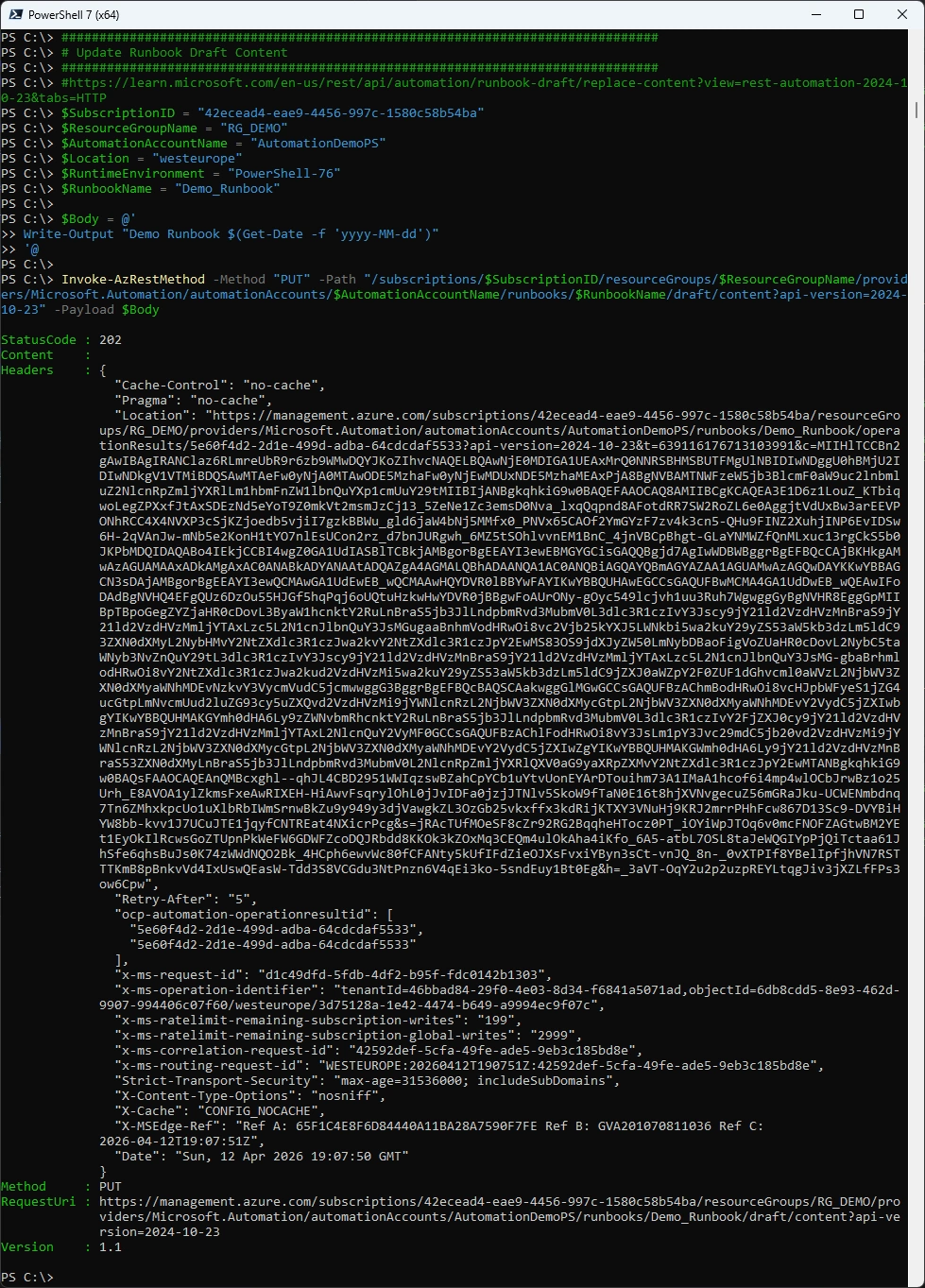
#https://learn.microsoft.com/en-us/rest/api/automation/runbook-draft/replace-content?view=rest-automation-2024-10-23&tabs=HTTP
$SubscriptionID = "42ecead4-eae9-4456-997c-1580c58b54ba"
$ResourceGroupName = "RG_DEMO"
$AutomationAccountName = "AutomationDemoPS"
$Location = "westeurope"
$RuntimeEnvironment = "PowerShell-76"
$RunbookName = "Demo_Runbook"

$Body = @'
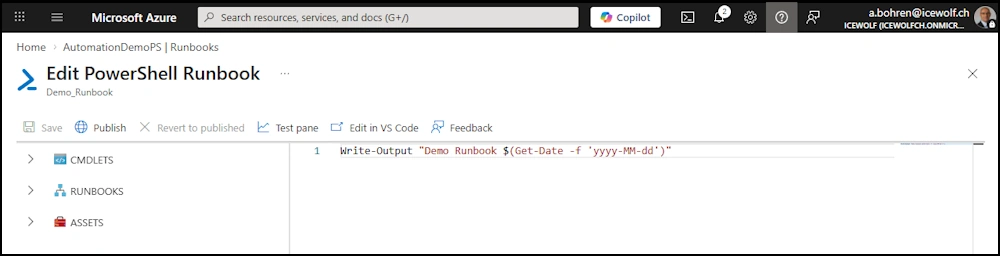
Write-Output "Demo Runbook $(Get-Date -f 'yyyy-MM-dd')"
'@

Invoke-AzRestMethod -Method "PUT" -Path "/subscriptions/$SubscriptionID/resourceGroups/$ResourceGroupName/providers/Microsoft.Automation/automationAccounts/$AutomationAccountName/runbooks/$RunbookName/draft/content?api-version=2024-10-23" -Payload $Body
Azure Portal
Get Runbook Draft Content
###############################################################################
# Get Runbook Draft Content
###############################################################################
#https://learn.microsoft.com/en-us/rest/api/automation/runbook-draft/get-content?view=rest-automation-2024-10-23&tabs=HTTP
$SubscriptionID = "42ecead4-eae9-4456-997c-1580c58b54ba"
$ResourceGroupName = "RG_DEMO"
$AutomationAccountName = "AutomationDemoPS"
$Location = "westeurope"
$RunbookName = "Demo_Runbook"

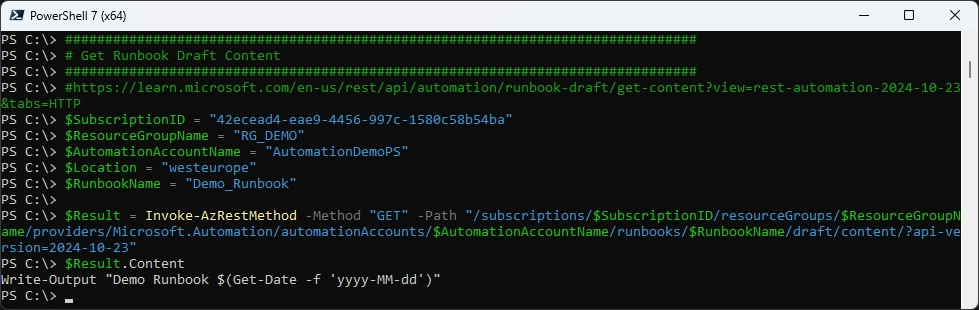
$Result = Invoke-AzRestMethod -Method "GET" -Path "/subscriptions/$SubscriptionID/resourceGroups/$ResourceGroupName/providers/Microsoft.Automation/automationAccounts/$AutomationAccountName/runbooks/$RunbookName/draft/content/?api-version=2024-10-23"
$Result.Content
Publish Runbook
###############################################################################
# Publish-AzAutomationRunbook
###############################################################################
#https://learn.microsoft.com/en-us/powershell/module/az.automation/publish-azautomationrunbook?view=azps-15.5.0
$ResourceGroupName = "RG_DEMO"
$AutomationAccountName = "AutomationDemoPS"
$RunbookName = "Demo_Runbook"

Publish-AzAutomationRunbook -Name $RunbookName -ResourceGroupName $ResourceGroupName -AutomationAccountName $AutomationAccountName
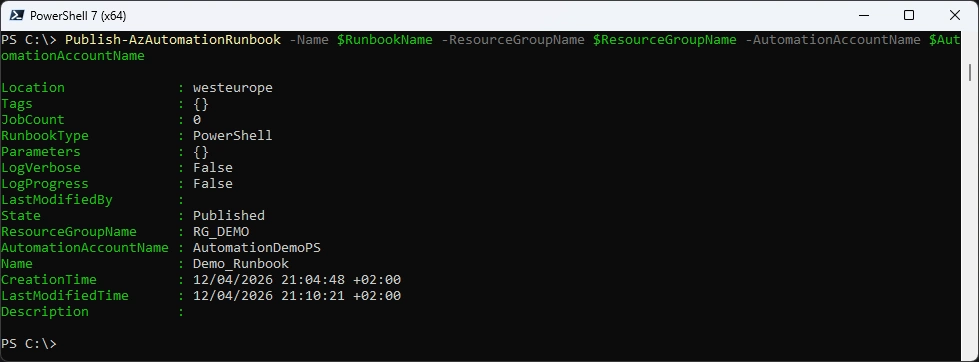
Azure Portal
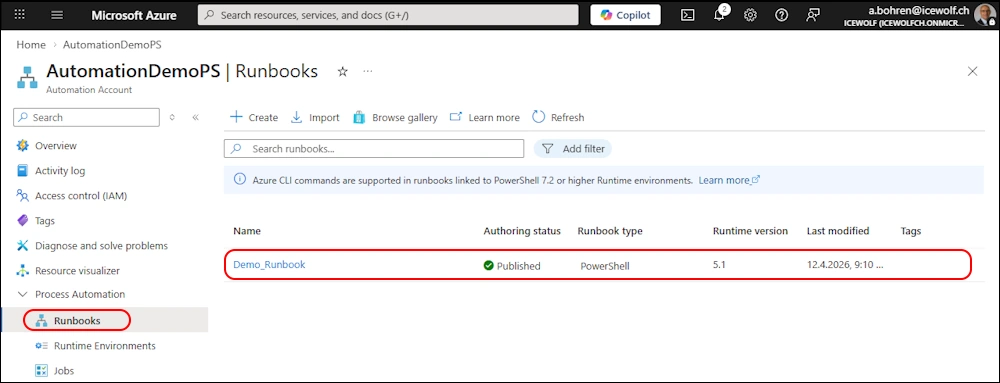
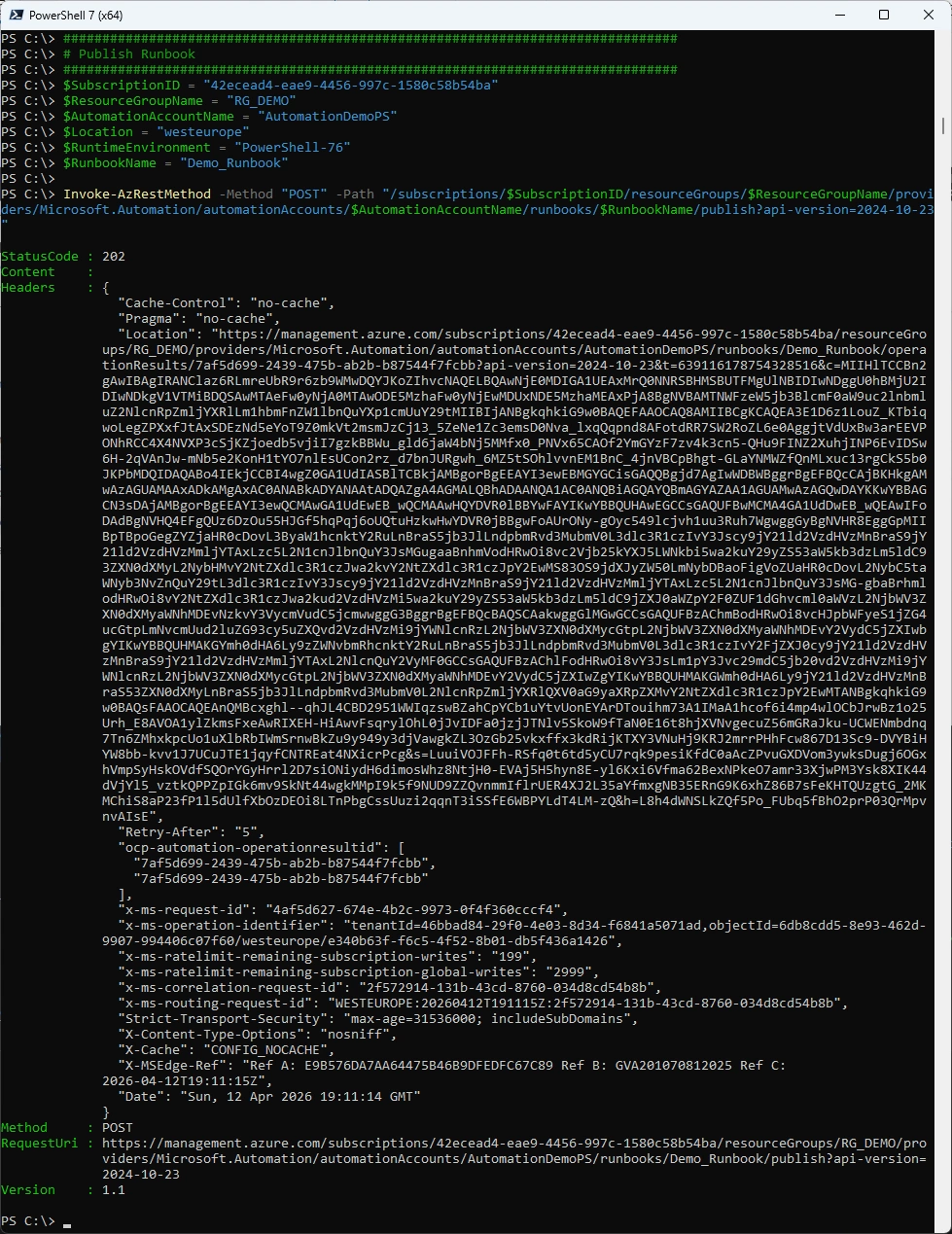
Publish Runbook via Azure REST API
###############################################################################
# Publish Runbook
###############################################################################
$SubscriptionID = "42ecead4-eae9-4456-997c-1580c58b54ba"
$ResourceGroupName = "RG_DEMO"
$AutomationAccountName = "AutomationDemoPS"
$Location = "westeurope"
$RuntimeEnvironment = "PowerShell-76"
$RunbookName = "Demo_Runbook"

Invoke-AzRestMethod -Method "POST" -Path "/subscriptions/$SubscriptionID/resourceGroups/$ResourceGroupName/providers/Microsoft.Automation/automationAccounts/$AutomationAccountName/runbooks/$RunbookName/publish?api-version=2024-10-23"
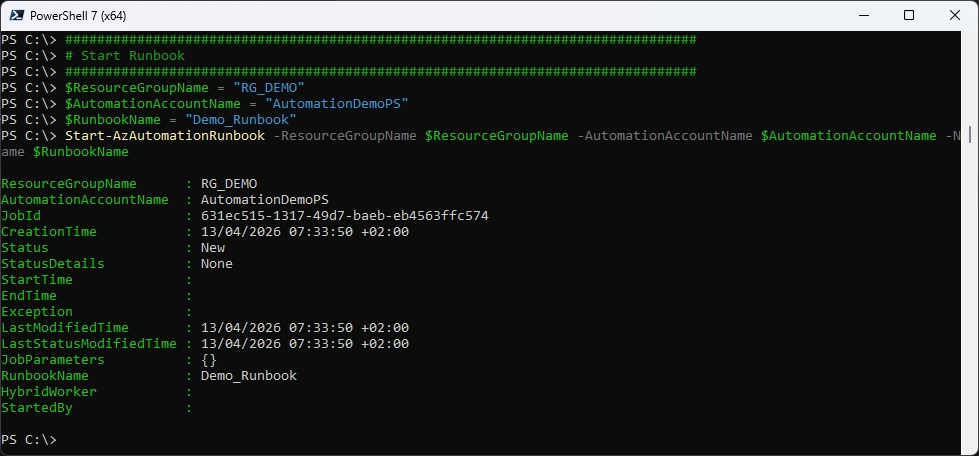
Start Runbook
###############################################################################
# Start Runbook
###############################################################################
$ResourceGroupName = "RG_DEMO"
$AutomationAccountName = "AutomationDemoPS"
$RunbookName = "Demo_Runbook"
Start-AzAutomationRunbook -ResourceGroupName $ResourceGroupName -AutomationAccountName $AutomationAccountName -Name $RunbookName
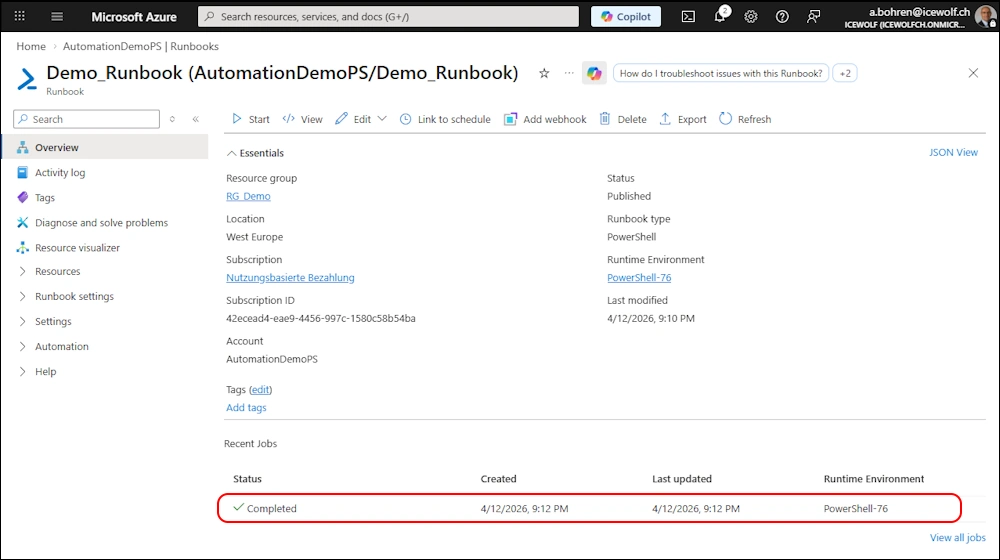
Azure Portal
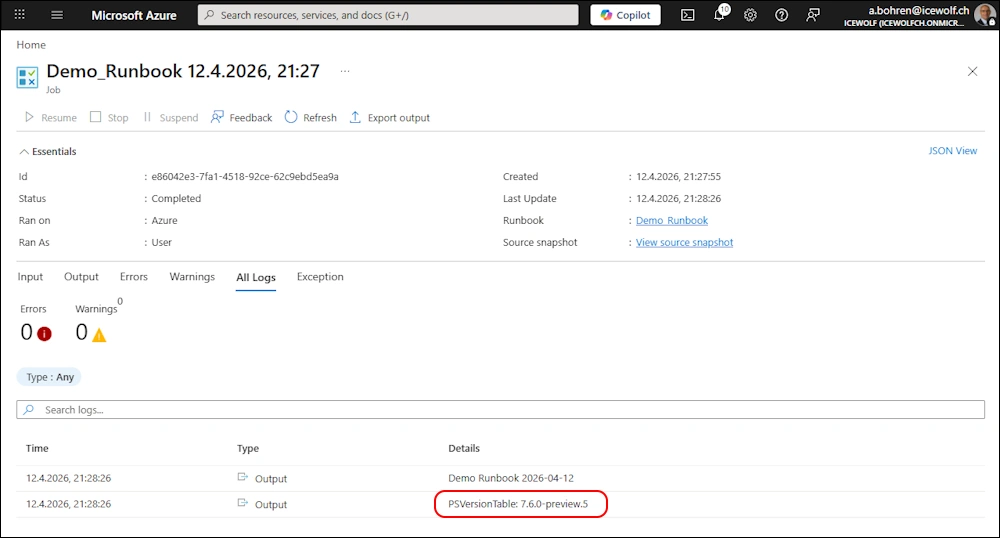
I’ve updated the Script to see the PowerShell Version - as you can see it’s still PowerShell 7.6.0-preview5. That might be the reason, why it’s not annouced in the What’s new Section.
Write-Output "Demo Runbook $(Get-Date -f 'yyyy-MM-dd')"
Write-Output "PSVersionTable: $($psversionTable.PSVersion.ToString())"
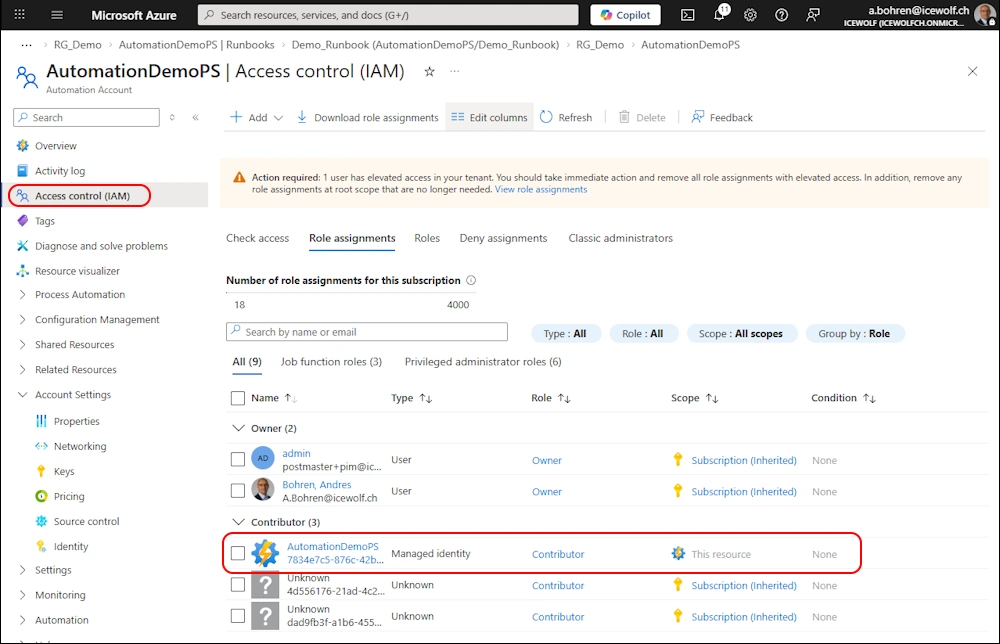
Add Azure Role for Managed Identity
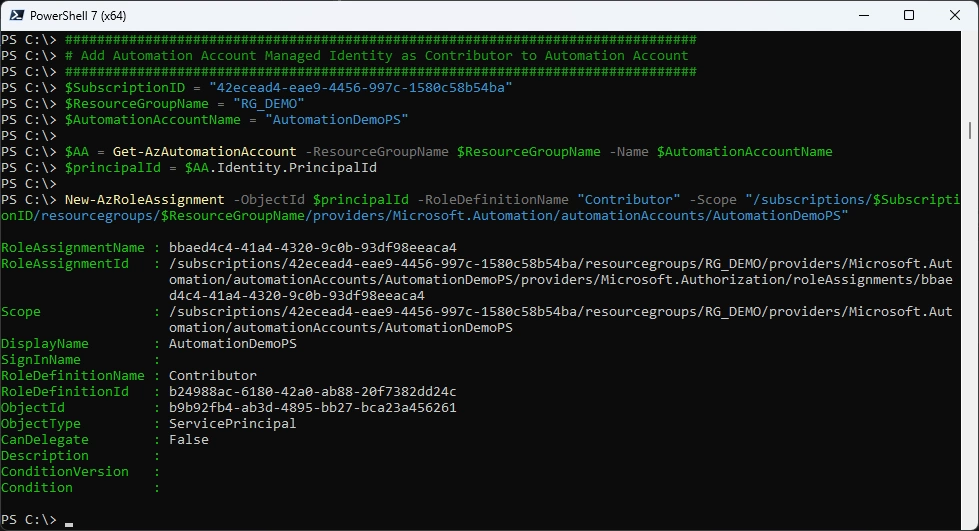
Add Azure Role for Managed Identity
###############################################################################
# Add Automation Account Managed Identity as Contributor to Automation Account
###############################################################################
$SubscriptionID = "42ecead4-eae9-4456-997c-1580c58b54ba"
$ResourceGroupName = "RG_DEMO"
$AutomationAccountName = "AutomationDemoPS"

$AA = Get-AzAutomationAccount -ResourceGroupName $ResourceGroupName -Name $AutomationAccountName
$principalId = $AA.Identity.PrincipalId

New-AzRoleAssignment -ObjectId $principalId -RoleDefinitionName "Contributor" -Scope "/subscriptions/$SubscriptionID/resourcegroups/$ResourceGroupName/providers/Microsoft.Automation/automationAccounts/AutomationDemoPS"
Azure Portal
Source Control
I am using Azure DevOps as a Source and first need to Create a Personal Access Token (PAT)
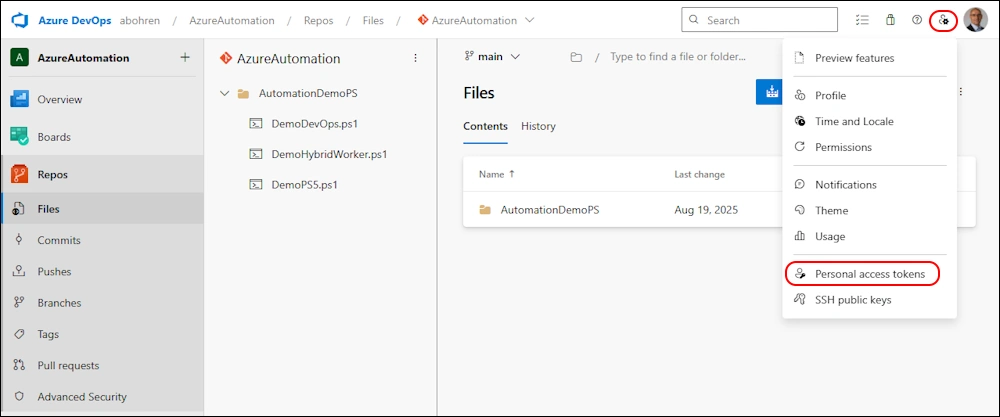
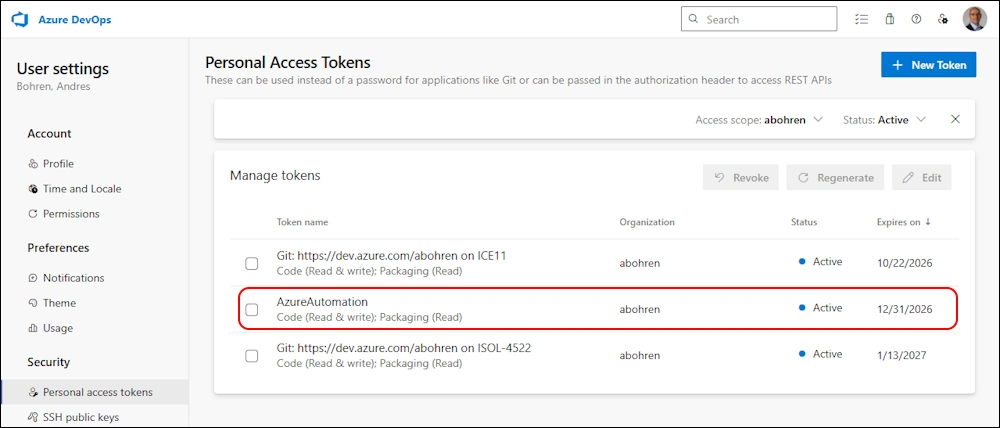
I’ve created a new Personal Access Token for Azure Automation with the following Permissions:
- Code (read/write)
- Packaging (read)
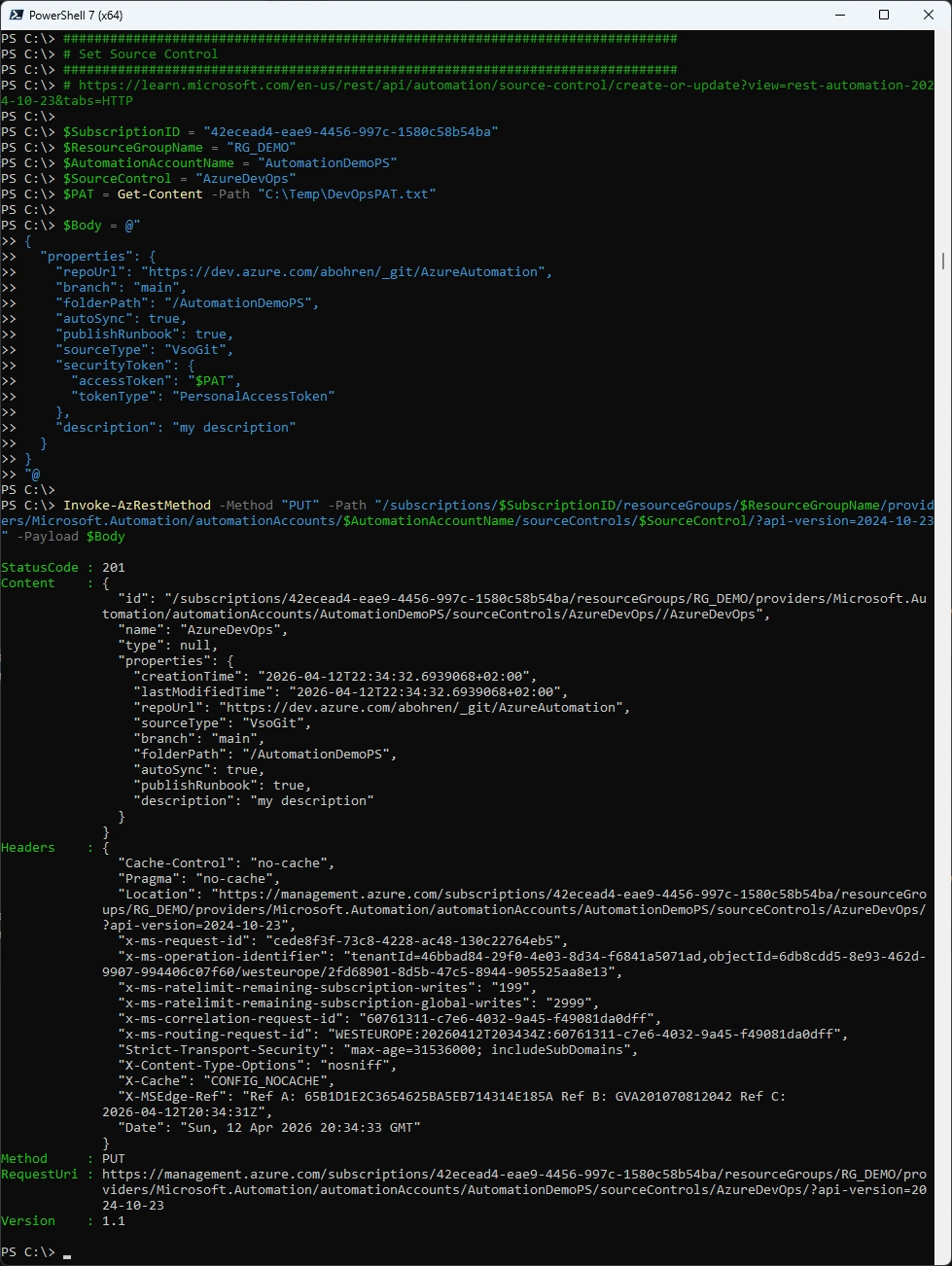
Set Source Control - Azure DevOps in my case
###############################################################################
# Set Source Control
###############################################################################
# https://learn.microsoft.com/en-us/rest/api/automation/source-control/create-or-update?view=rest-automation-2024-10-23&tabs=HTTP

$SubscriptionID = "42ecead4-eae9-4456-997c-1580c58b54ba"
$ResourceGroupName = "RG_DEMO"
$AutomationAccountName = "AutomationDemoPS"
$SourceControl = "AzureDevOps"
$PAT = Get-Content -Path "C:\Temp\DevOpsPAT.txt"

$Body = @"
{
  "properties": {
    "repoUrl": "https://dev.azure.com/abohren/_git/AzureAutomation",
    "branch": "main",
    "folderPath": "/AutomationDemoPS",
    "autoSync": true,
    "publishRunbook": true,
    "sourceType": "VsoGit",
    "securityToken": {
      "accessToken": "$PAT",
      "tokenType": "PersonalAccessToken"
    },
    "description": "my description"
  }
}
"@

Invoke-AzRestMethod -Method "PUT" -Path "/subscriptions/$SubscriptionID/resourceGroups/$ResourceGroupName/providers/Microsoft.Automation/automationAccounts/$AutomationAccountName/sourceControls/$SourceControl/?api-version=2024-10-23" -Payload $Body
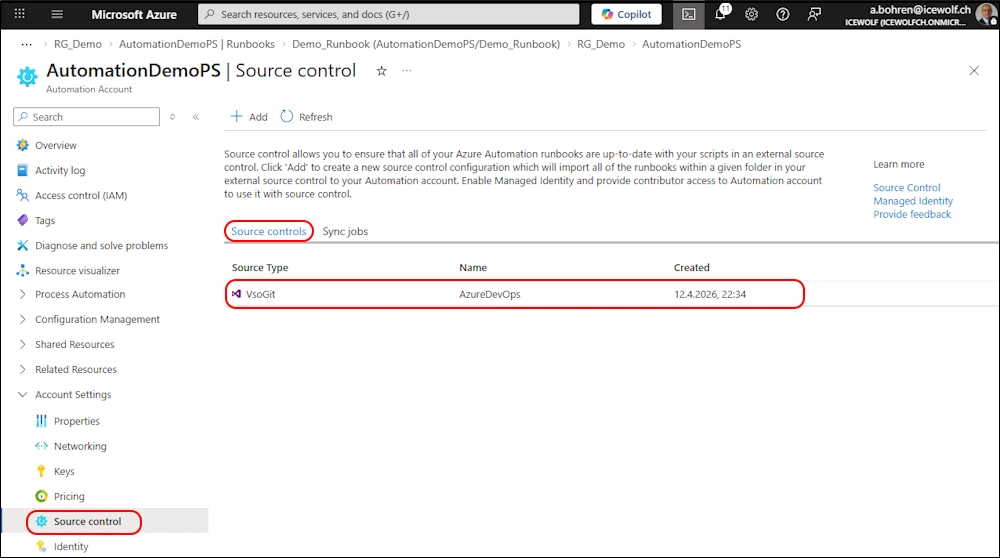
Azure Portal
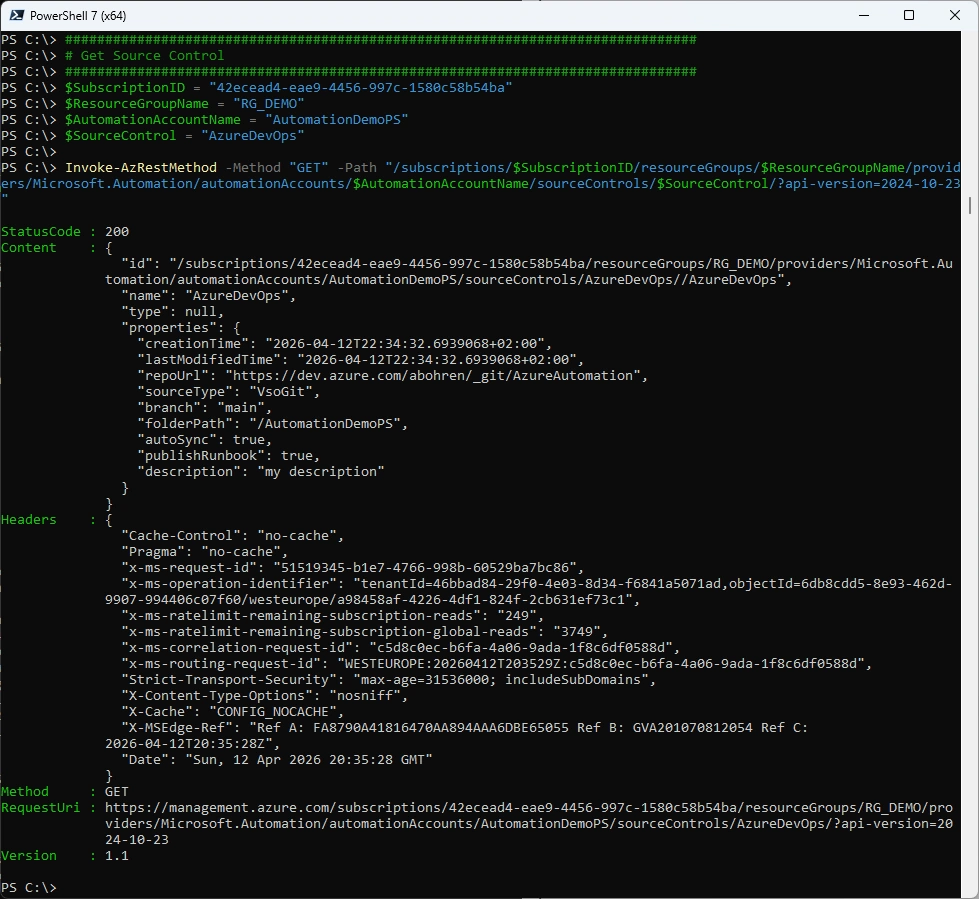
Get Source Control
###############################################################################
# Get Source Control
###############################################################################
$SubscriptionID = "42ecead4-eae9-4456-997c-1580c58b54ba"
$ResourceGroupName = "RG_DEMO"
$AutomationAccountName = "AutomationDemoPS"
$SourceControl = "AzureDevOps"

Invoke-AzRestMethod -Method "GET" -Path "/subscriptions/$SubscriptionID/resourceGroups/$ResourceGroupName/providers/Microsoft.Automation/automationAccounts/$AutomationAccountName/sourceControls/$SourceControl/?api-version=2024-10-23"
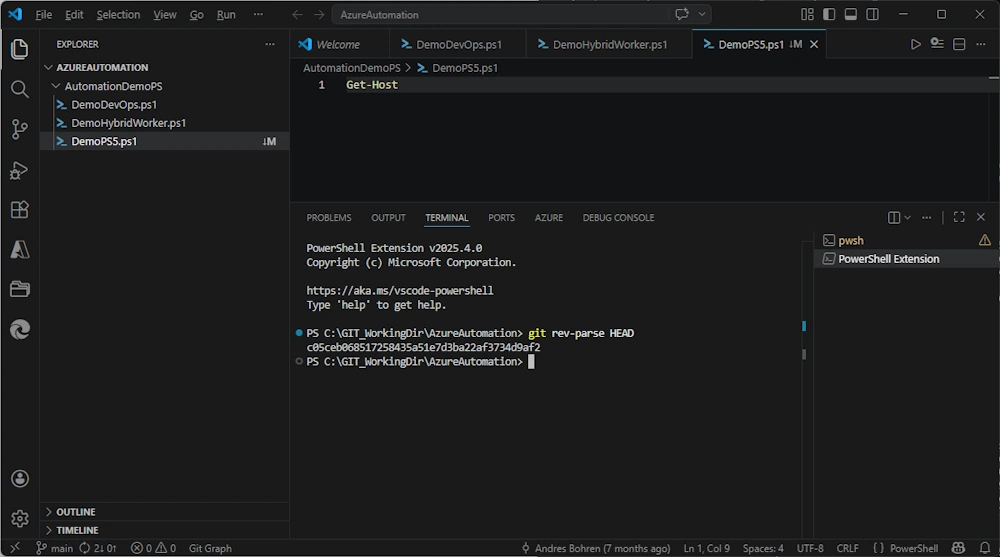
For the Sync Job you need the Git Commit Id
git rev-parse HEAD
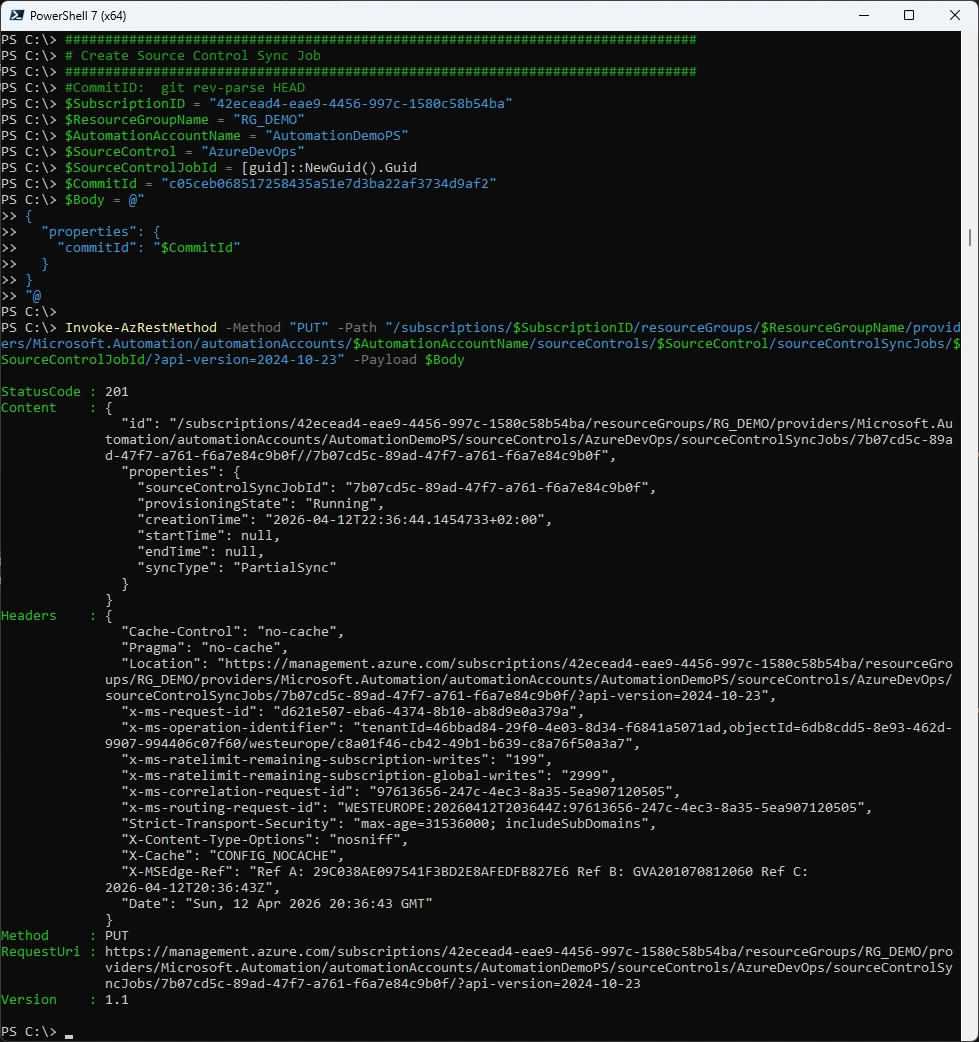
Create Source Control Sync Job
###############################################################################
# Create Source Control Sync Job
###############################################################################
#CommitID:  git rev-parse HEAD
$SubscriptionID = "42ecead4-eae9-4456-997c-1580c58b54ba"
$ResourceGroupName = "RG_DEMO"
$AutomationAccountName = "AutomationDemoPS"
$SourceControl = "AzureDevOps"
$SourceControlJobId = [guid]::NewGuid().Guid
$CommitId = "c05ceb068517258435a51e7d3ba22af3734d9af2"
$Body = @"
{
  "properties": {
    "commitId": "$CommitId"
  }
}
"@

Invoke-AzRestMethod -Method "PUT" -Path "/subscriptions/$SubscriptionID/resourceGroups/$ResourceGroupName/providers/Microsoft.Automation/automationAccounts/$AutomationAccountName/sourceControls/$SourceControl/sourceControlSyncJobs/$SourceControlJobId/?api-version=2024-10-23" -Payload $Body
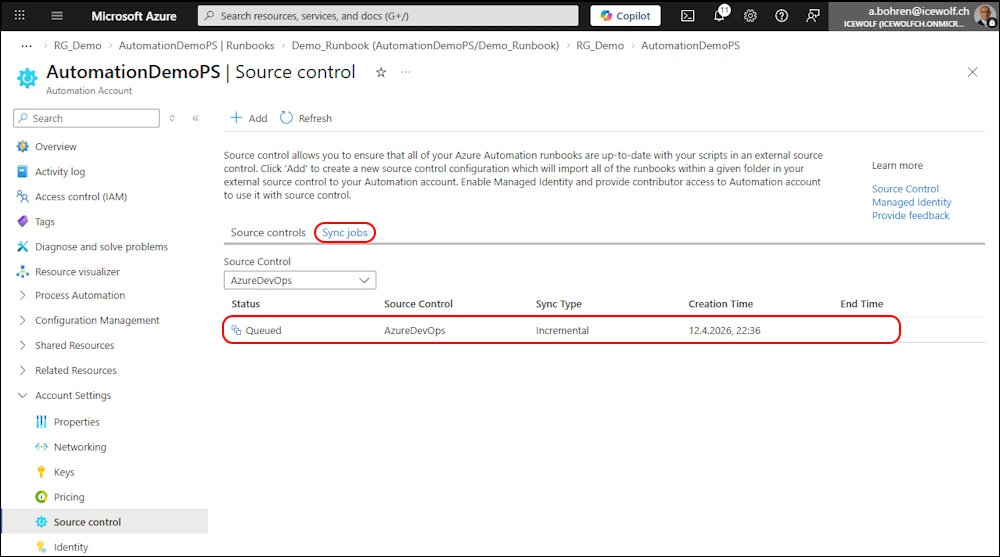
Azure Portal - Queued
Azure Portal - Running
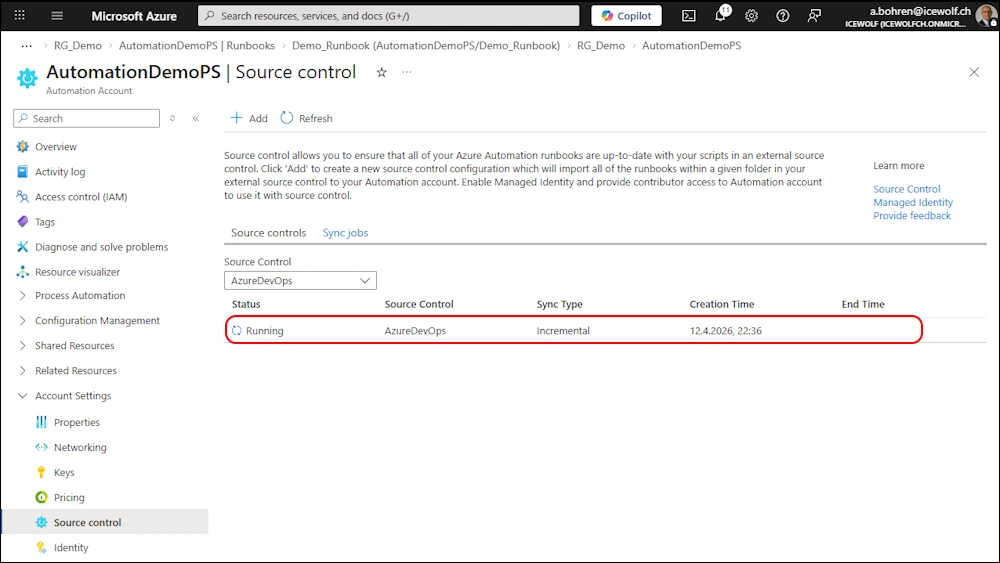
Azure Portal - Succeeded
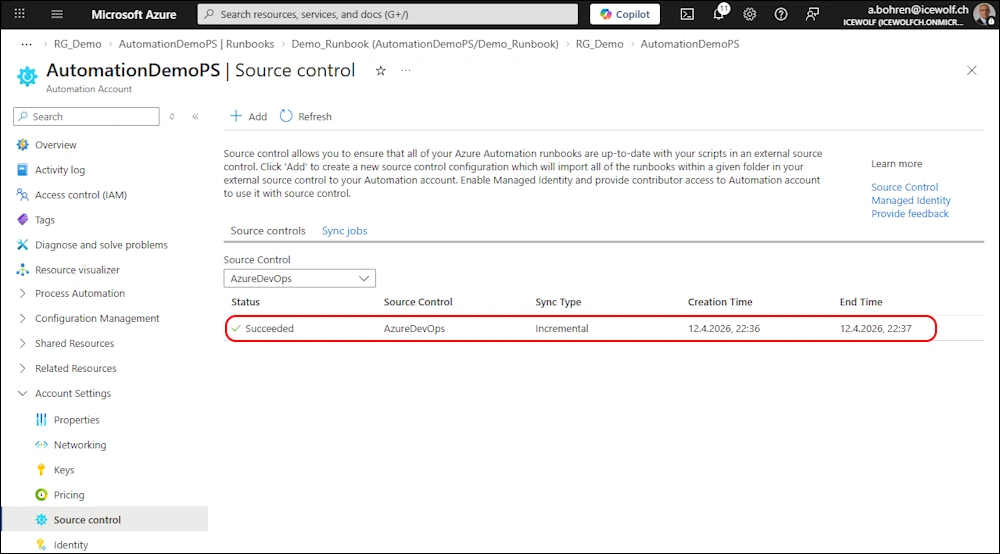
Azure Portal - Runbook was created
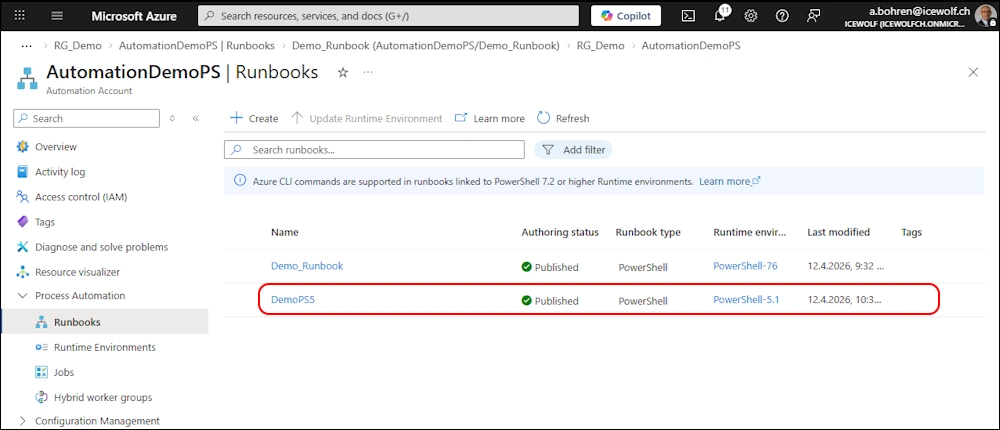
Get Source Control Sync Job
###############################################################################
# Get Source Control Sync Job
###############################################################################
$SubscriptionID = "42ecead4-eae9-4456-997c-1580c58b54ba"
$ResourceGroupName = "RG_DEMO"
$AutomationAccountName = "AutomationDemoPS"
$SourceControl = "AzureDevOps"
Invoke-AzRestMethod -Method "Get" -Path "/subscriptions/$SubscriptionID/resourceGroups/$ResourceGroupName/providers/Microsoft.Automation/automationAccounts/$AutomationAccountName/sourceControls/$SourceControl/sourceControlSyncJobs?api-version=2024-10-23"
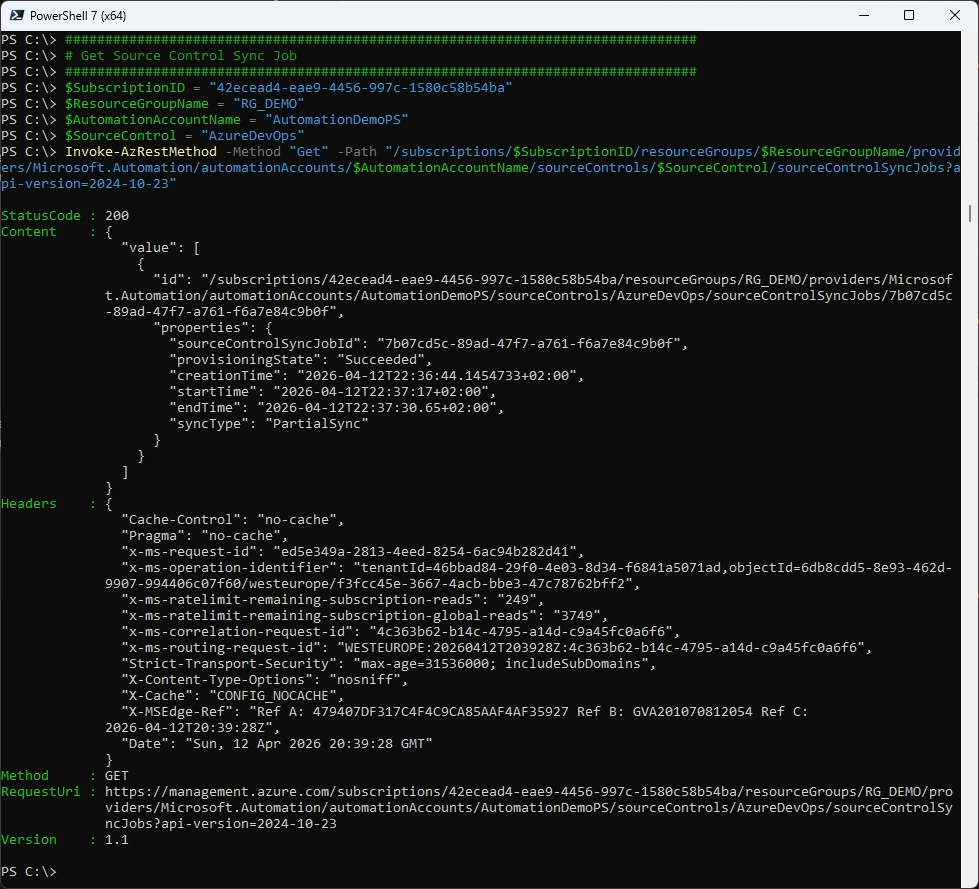
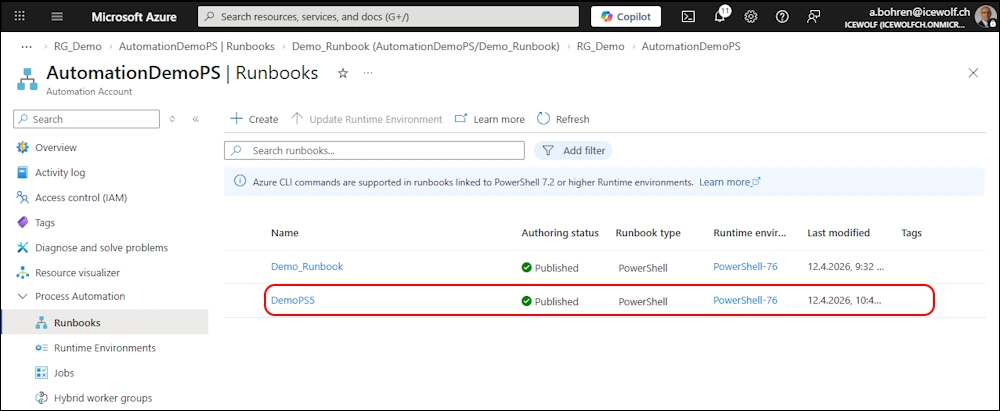
Update Runbook to another Runtime Environment
###############################################################################
# Update Runbook to another Runtime Environment
###############################################################################
#https://learn.microsoft.com/en-us/rest/api/automation/runbook/update?view=rest-automation-2024-10-23&tabs=HTTP
#Write-Output "Demo PS5.1"
$SubscriptionID = "42ecead4-eae9-4456-997c-1580c58b54ba"
$ResourceGroupName = "RG_DEMO"
$AutomationAccountName = "AutomationDemoPS"
$RuntimeEnvironment = "PowerShell-76"
$Runbook = "DemoPS5"

$body = @"
{
  "properties": {
   "runtimeEnvironment": "$RuntimeEnvironment",
   "runbookType": "PowerShell"
  }
}
"@

Invoke-AzRestMethod -Method "PATCH" -Path "/subscriptions/$SubscriptionID/resourceGroups/$ResourceGroupName/providers/Microsoft.Automation/automationAccounts/$AutomationAccountName/runbooks/$Runbook/?api-version=2024-10-23" -Payload $Body
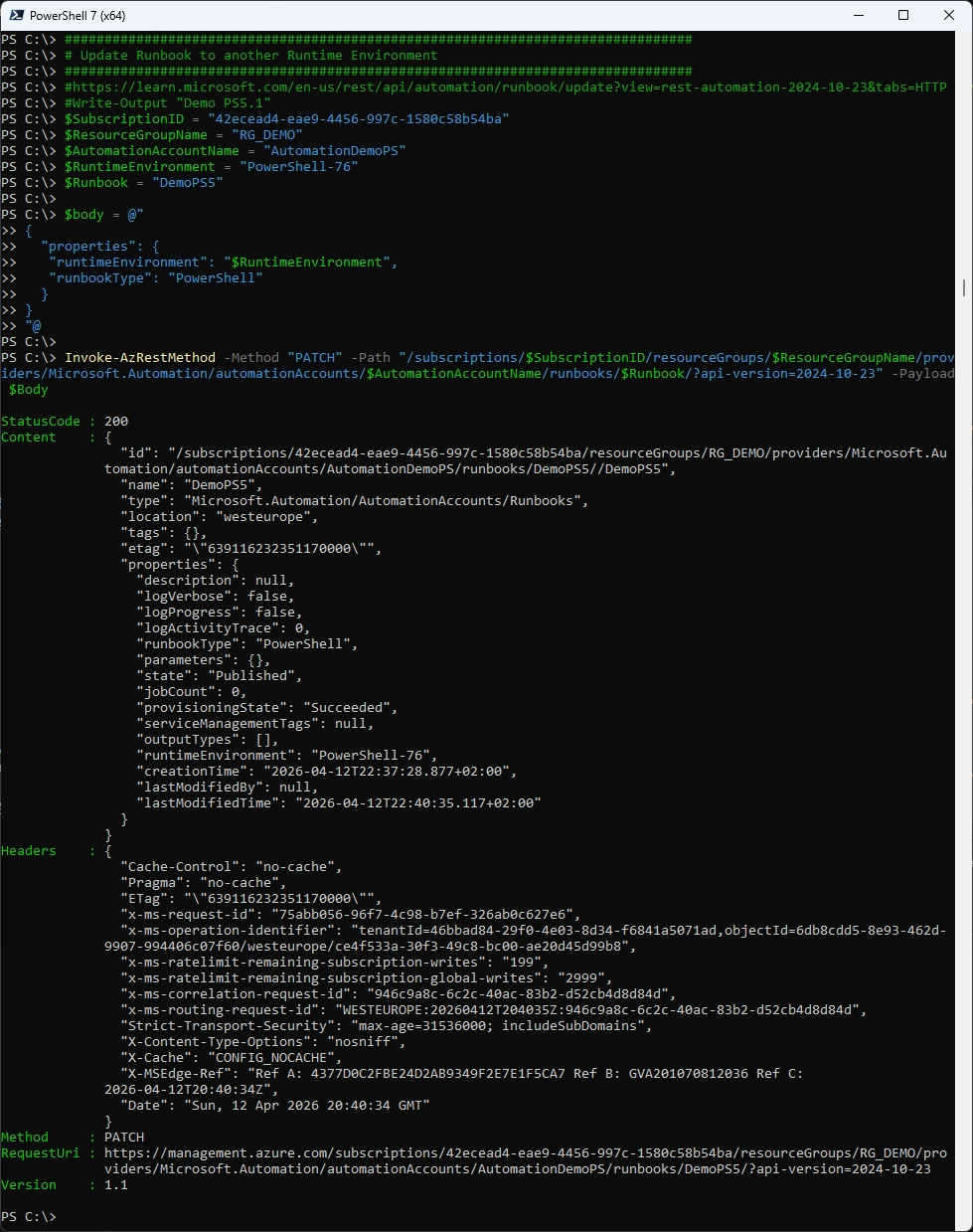
Azure Portal - Runtime Environment updated
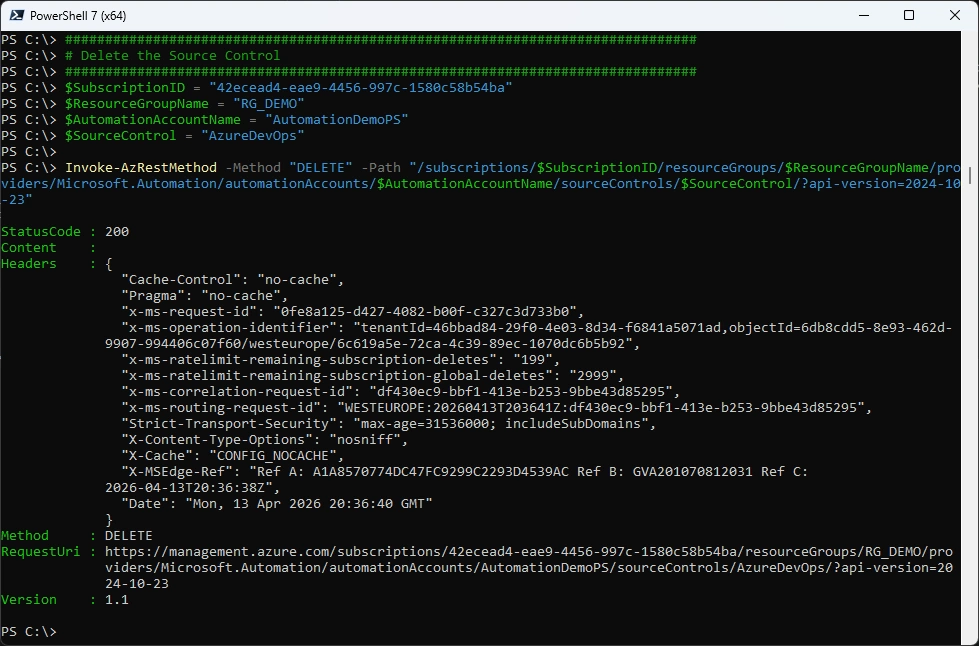
Delete Source Control
###############################################################################
# Delete the Source Control
###############################################################################
$SubscriptionID = "42ecead4-eae9-4456-997c-1580c58b54ba"
$ResourceGroupName = "RG_DEMO"
$AutomationAccountName = "AutomationDemoPS"
$SourceControl = "AzureDevOps"

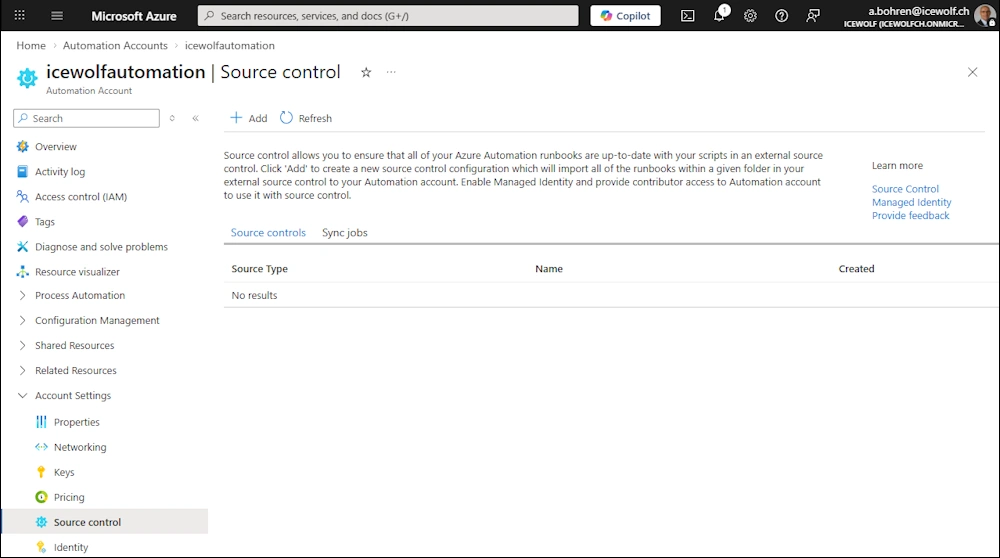
Invoke-AzRestMethod -Method "DELETE" -Path "/subscriptions/$SubscriptionID/resourceGroups/$ResourceGroupName/providers/Microsoft.Automation/automationAccounts/$AutomationAccountName/sourceControls/$SourceControl/?api-version=2024-10-23"
Azure Portal
Schedules
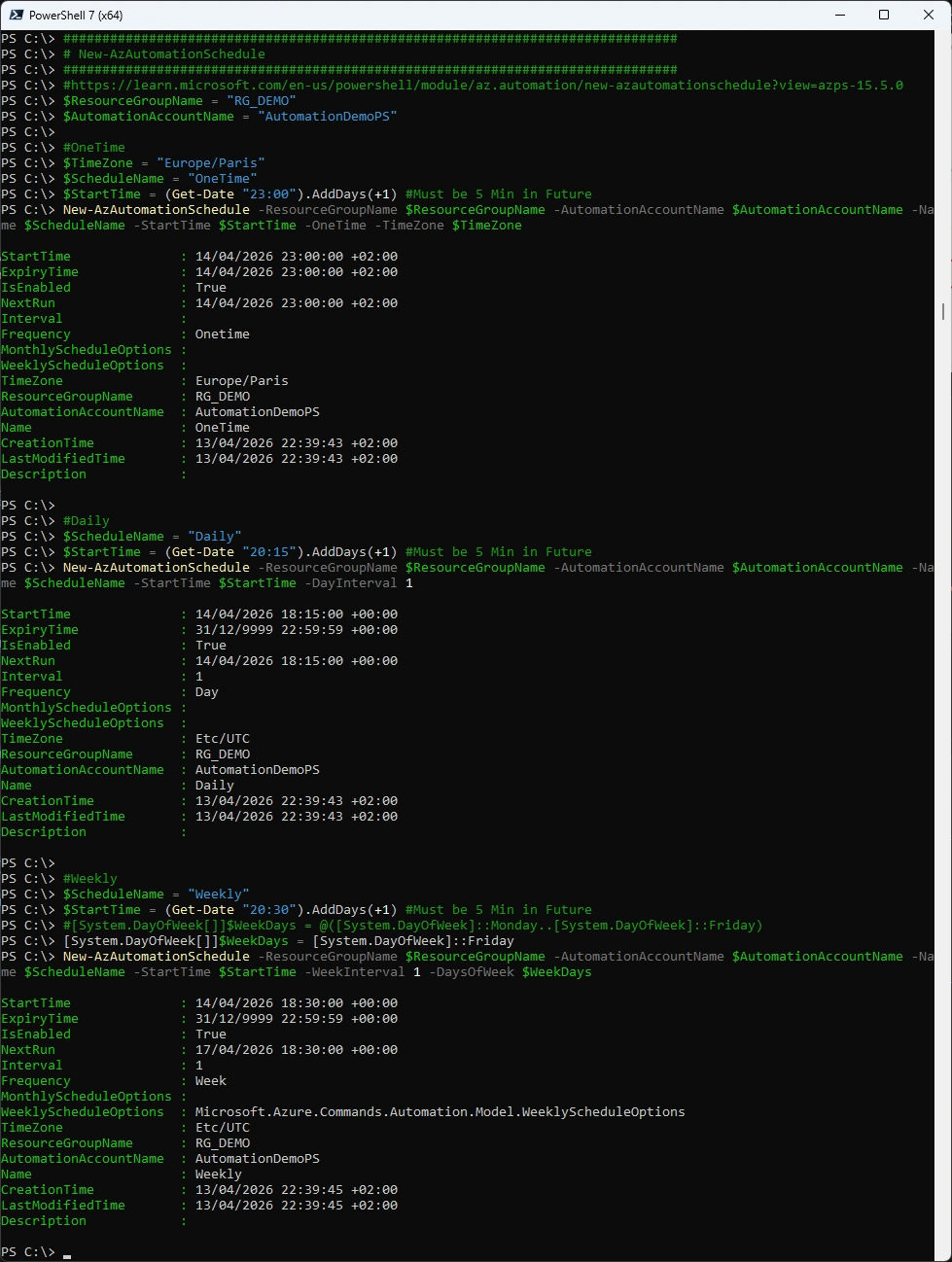
Add Schedules
###############################################################################
# New-AzAutomationSchedule
###############################################################################
#https://learn.microsoft.com/en-us/powershell/module/az.automation/new-azautomationschedule?view=azps-15.5.0
$ResourceGroupName = "RG_DEMO"
$AutomationAccountName = "AutomationDemoPS"

#OneTime
$TimeZone = "Europe/Paris"
$ScheduleName = "OneTime"
$StartTime = (Get-Date "23:00").AddDays(+1) #Must be 5 Min in Future
New-AzAutomationSchedule -ResourceGroupName $ResourceGroupName -AutomationAccountName $AutomationAccountName -Name $ScheduleName -StartTime $StartTime -OneTime -TimeZone $TimeZone

#Daily
$ScheduleName = "Daily"
$StartTime = (Get-Date "20:15").AddDays(+1) #Must be 5 Min in Future
New-AzAutomationSchedule -ResourceGroupName $ResourceGroupName -AutomationAccountName $AutomationAccountName -Name $ScheduleName -StartTime $StartTime -DayInterval 1

#Weekly
$ScheduleName = "Weekly"
$StartTime = (Get-Date "20:30").AddDays(+1) #Must be 5 Min in Future
#[System.DayOfWeek[]]$WeekDays = @([System.DayOfWeek]::Monday..[System.DayOfWeek]::Friday)
[System.DayOfWeek[]]$WeekDays = [System.DayOfWeek]::Friday
New-AzAutomationSchedule -ResourceGroupName $ResourceGroupName -AutomationAccountName $AutomationAccountName -Name $ScheduleName -StartTime $StartTime -WeekInterval 1 -DaysOfWeek $WeekDays
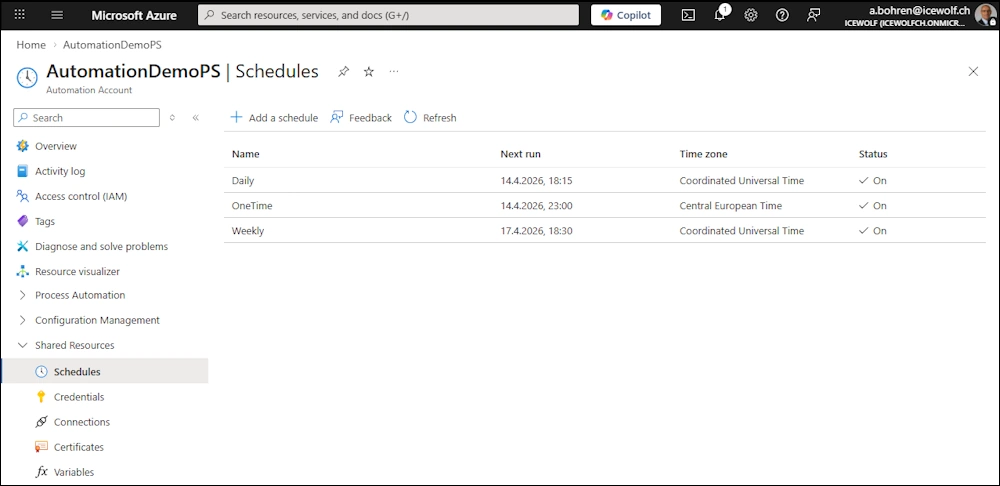
Azure Portal
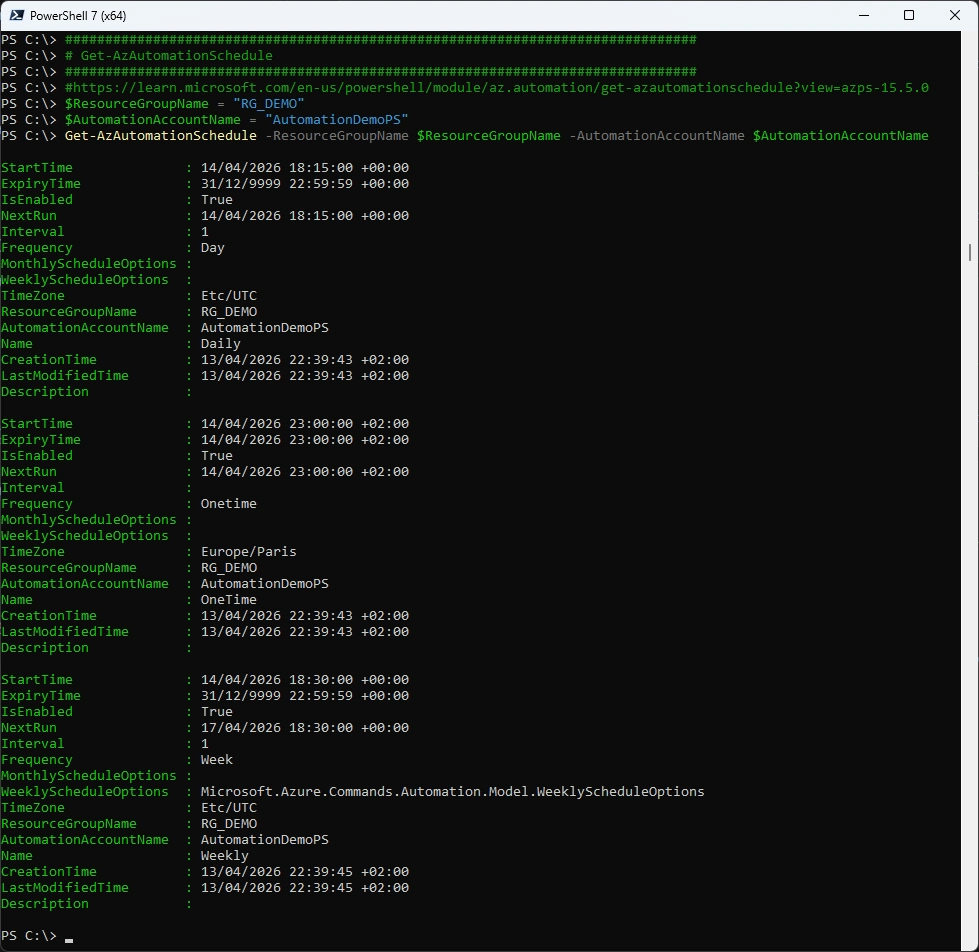
Get Schedule
###############################################################################
# Get-AzAutomationSchedule
###############################################################################
#https://learn.microsoft.com/en-us/powershell/module/az.automation/get-azautomationschedule?view=azps-15.5.0
$ResourceGroupName = "RG_DEMO"
$AutomationAccountName = "AutomationDemoPS"
Get-AzAutomationSchedule -ResourceGroupName $ResourceGroupName -AutomationAccountName $AutomationAccountName
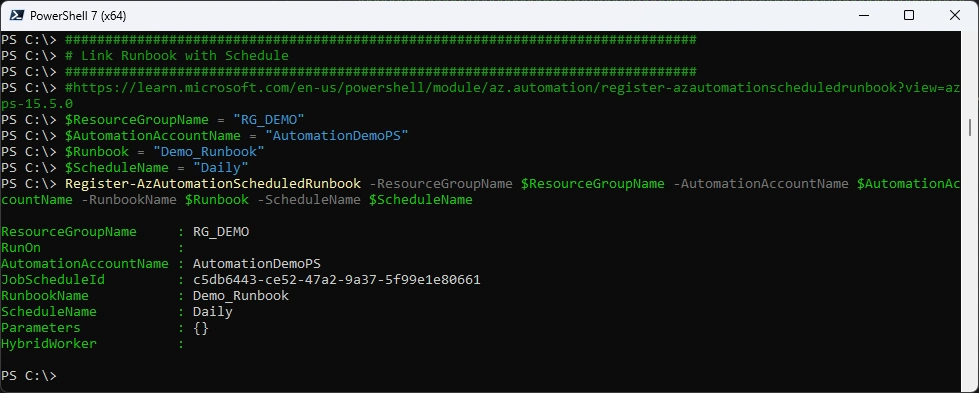
Link Runbook with Schedule
###############################################################################
# Link Runbook with Schedule
###############################################################################
#https://learn.microsoft.com/en-us/powershell/module/az.automation/register-azautomationscheduledrunbook?view=azps-15.5.0
$ResourceGroupName = "RG_DEMO"
$AutomationAccountName = "AutomationDemoPS"
$Runbook = "Demo_Runbook"
$ScheduleName = "Daily"
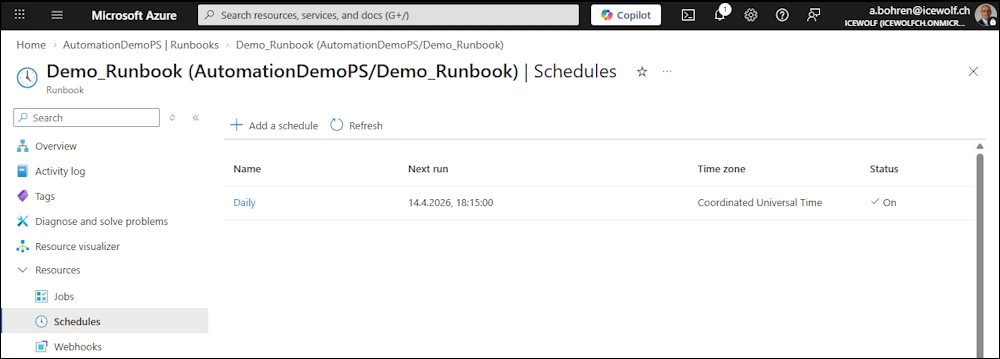
Register-AzAutomationScheduledRunbook -ResourceGroupName $ResourceGroupName -AutomationAccountName $AutomationAccountName -RunbookName $Runbook -ScheduleName $ScheduleName
Azure Portal
Automation Credentials
Add Credentials
###############################################################################
# New AutomationCredential
###############################################################################
#https://learn.microsoft.com/en-us/powershell/module/az.automation/new-azautomationcredential?view=azps-15.5.0
$ResourceGroupName = "RG_DEMO"
$AutomationAccountName = "AutomationDemoPS"
$CredentialName = "DemoCredential"
$User = "Domain\Username"
$Password = ConvertTo-SecureString -String "MySecretPassword" -AsPlainText -Force
$Credential = New-Object -TypeName System.Management.Automation.PSCredential -ArgumentList $User, $Password
New-AzAutomationCredential -ResourceGroupName $ResourceGroupName -AutomationAccountName $AutomationAccountName -Name $CredentialName -Value $Credential
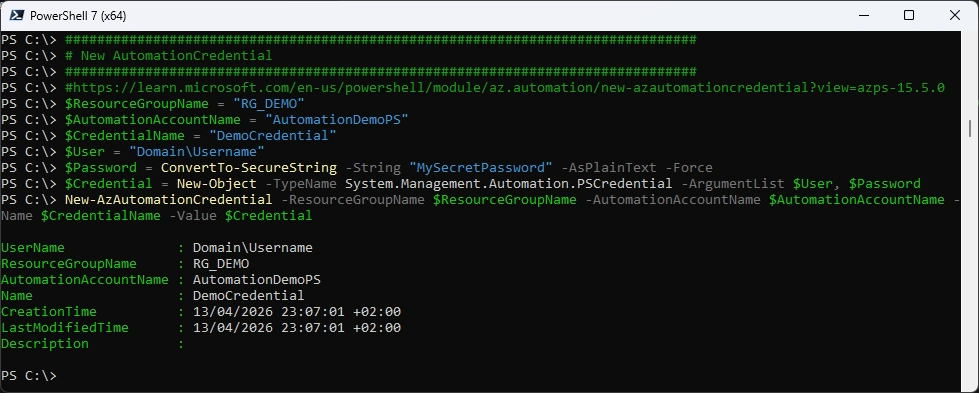
Azure Portal
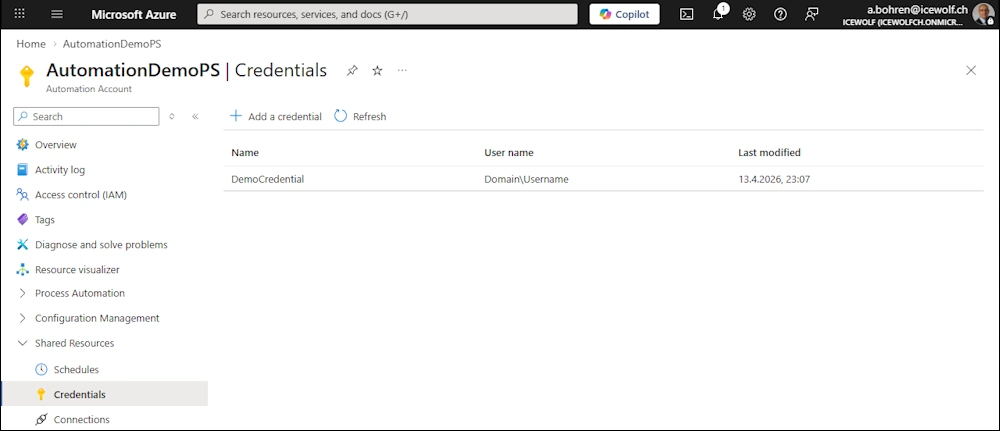
Get Credential
###############################################################################
# Get AutomationCredential
###############################################################################
#https://learn.microsoft.com/en-us/powershell/module/az.automation/get-azautomationcredential?view=azps-15.5.0
$ResourceGroupName = "RG_DEMO"
$AutomationAccountName = "AutomationDemoPS"
Get-AzAutomationCredential -ResourceGroupName $ResourceGroupName -AutomationAccountName $AutomationAccountName
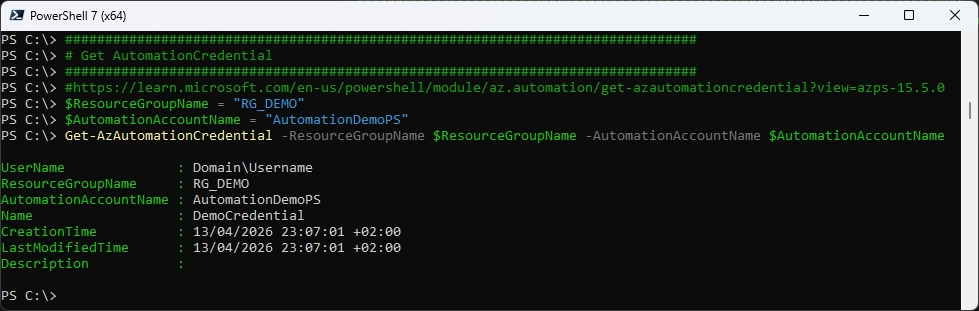
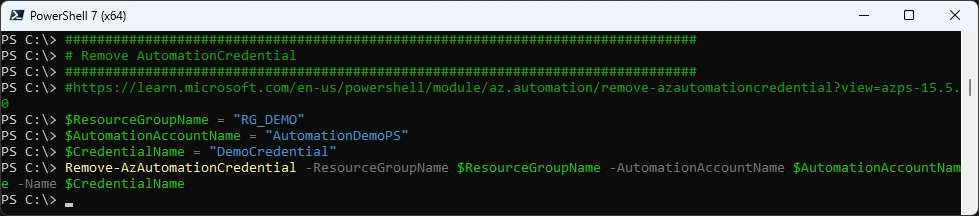
Remove Credential
###############################################################################
# Remove AutomationCredential
###############################################################################
#https://learn.microsoft.com/en-us/powershell/module/az.automation/remove-azautomationcredential?view=azps-15.5.0
$ResourceGroupName = "RG_DEMO"
$AutomationAccountName = "AutomationDemoPS"
$CredentialName = "DemoCredential"
Remove-AzAutomationCredential -ResourceGroupName $ResourceGroupName -AutomationAccountName $AutomationAccountName -Name $CredentialName
Automation Connections
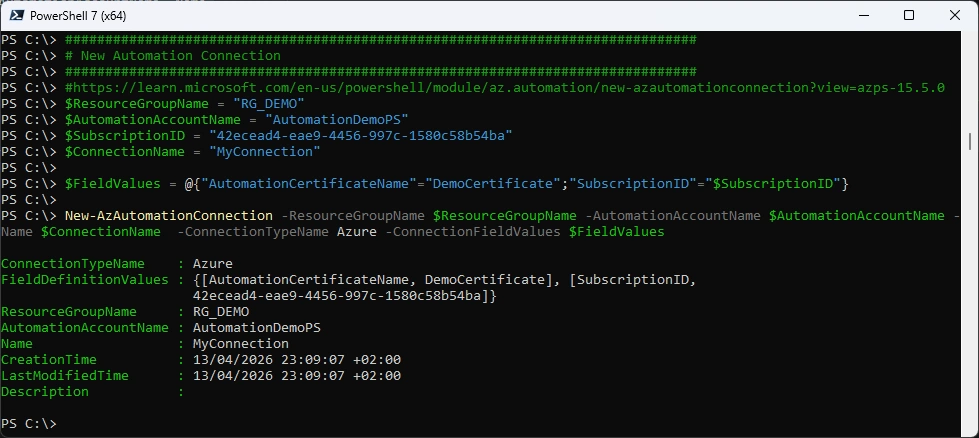
Add Connection
###############################################################################
# New Automation Connection
###############################################################################
#https://learn.microsoft.com/en-us/powershell/module/az.automation/new-azautomationconnection?view=azps-15.5.0
$ResourceGroupName = "RG_DEMO"
$AutomationAccountName = "AutomationDemoPS"
$SubscriptionID = "42ecead4-eae9-4456-997c-1580c58b54ba"
$ConnectionName = "MyConnection"

$FieldValues = @{"AutomationCertificateName"="DemoCertificate";"SubscriptionID"="$SubscriptionID"}

New-AzAutomationConnection -ResourceGroupName $ResourceGroupName -AutomationAccountName $AutomationAccountName -Name $ConnectionName  -ConnectionTypeName Azure -ConnectionFieldValues $FieldValues
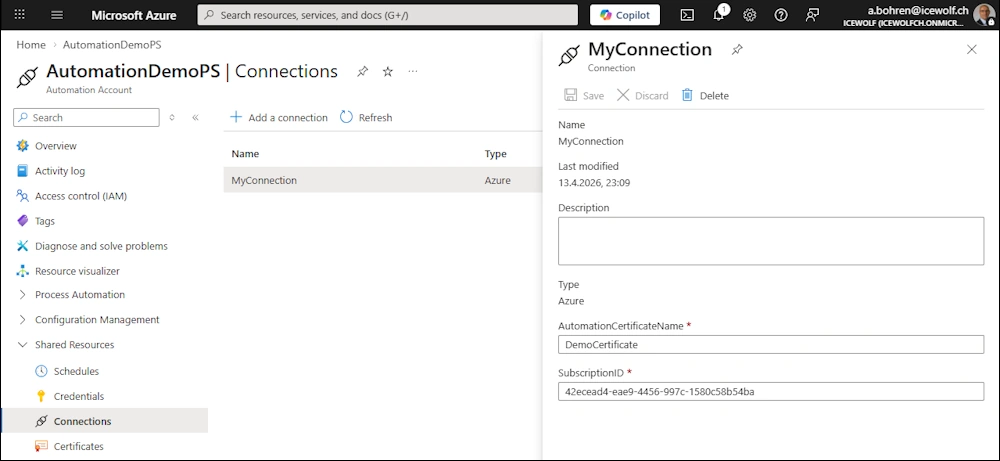
Azure Portal
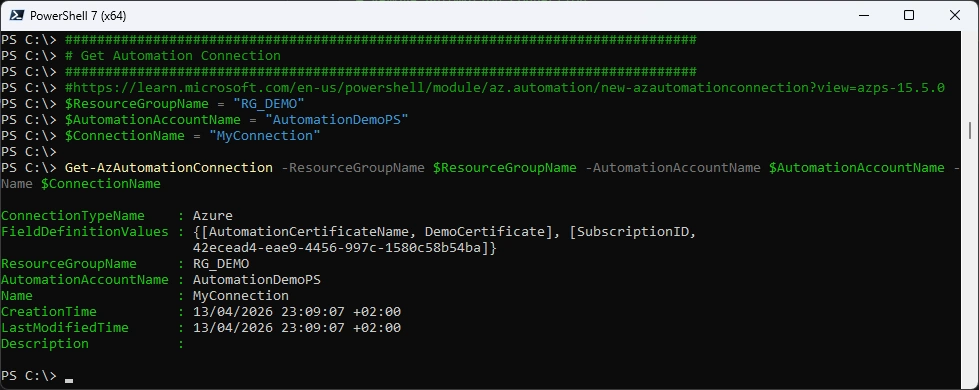
Get Connection
###############################################################################
# Get Automation Connection
###############################################################################
#https://learn.microsoft.com/en-us/powershell/module/az.automation/new-azautomationconnection?view=azps-15.5.0
$ResourceGroupName = "RG_DEMO"
$AutomationAccountName = "AutomationDemoPS"
$ConnectionName = "MyConnection"

Get-AzAutomationConnection -ResourceGroupName $ResourceGroupName -AutomationAccountName $AutomationAccountName -Name $ConnectionName
Remove Connection
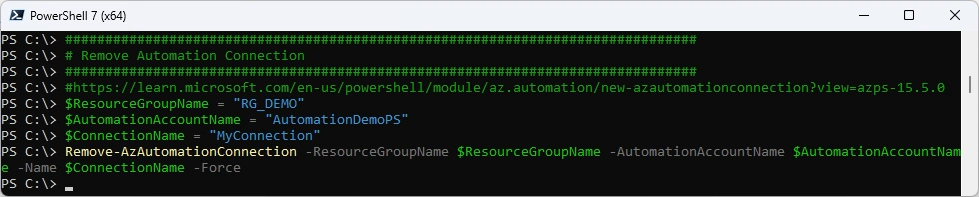
###############################################################################
# Remove Automation Connection
###############################################################################
#https://learn.microsoft.com/en-us/powershell/module/az.automation/new-azautomationconnection?view=azps-15.5.0
$ResourceGroupName = "RG_DEMO"
$AutomationAccountName = "AutomationDemoPS"
$ConnectionName = "MyConnection"
Remove-AzAutomationConnection -ResourceGroupName $ResourceGroupName -AutomationAccountName $AutomationAccountName -Name $ConnectionName -Force
Automation Certificate
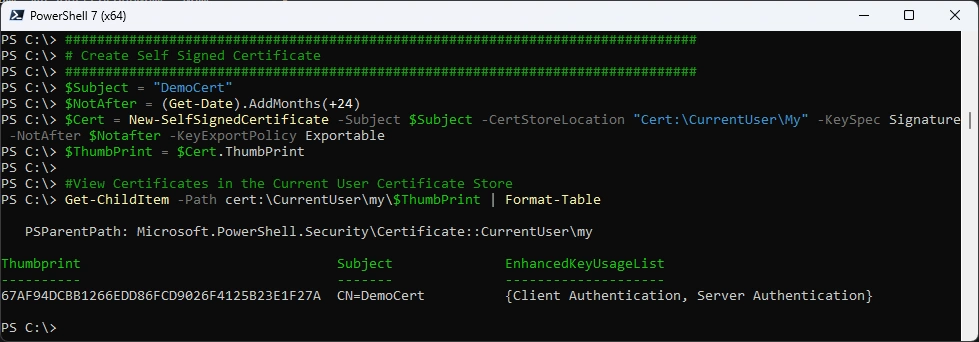
Create Self Signed Certificate
###############################################################################
# Create Self Signed Certificate
###############################################################################
$Subject = "DemoCert"
$NotAfter = (Get-Date).AddMonths(+24)
$Cert = New-SelfSignedCertificate -Subject $Subject -CertStoreLocation "Cert:\CurrentUser\My" -KeySpec Signature -NotAfter $Notafter -KeyExportPolicy Exportable
$ThumbPrint = $Cert.ThumbPrint

#View Certificates in the Current User Certificate Store
Get-ChildItem -Path cert:\CurrentUser\my\$ThumbPrint | Format-Table
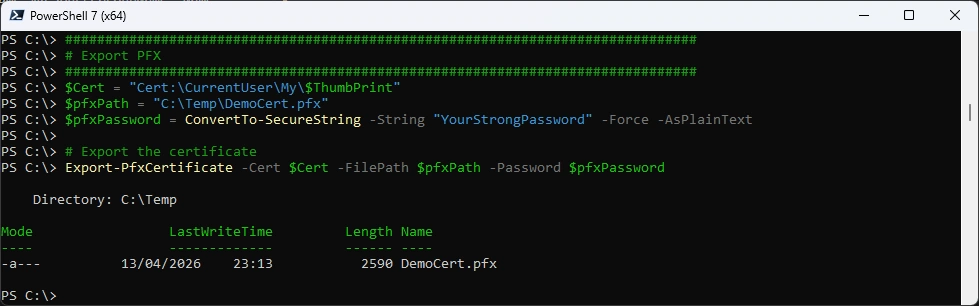
Export to PFX
###############################################################################
# Export PFX
###############################################################################
$Cert = "Cert:\CurrentUser\My\$ThumbPrint"
$pfxPath = "C:\Temp\DemoCert.pfx"
$pfxPassword = ConvertTo-SecureString -String "YourStrongPassword" -Force -AsPlainText

# Export the certificate
Export-PfxCertificate -Cert $Cert -FilePath $pfxPath -Password $pfxPassword
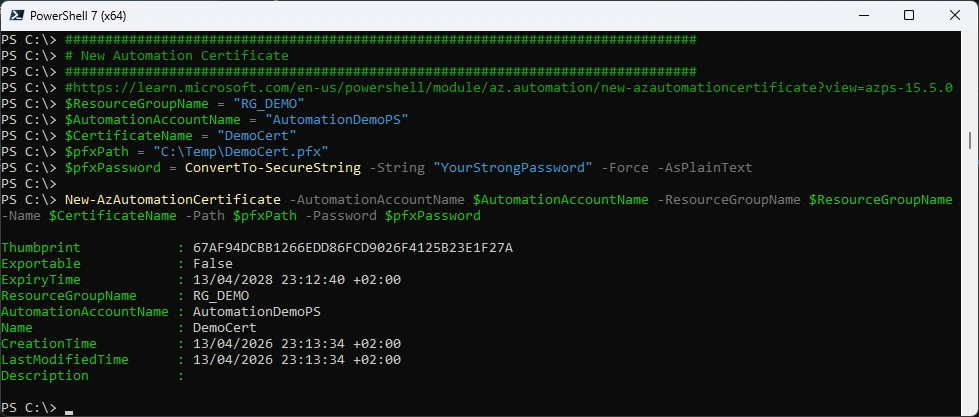
New Automation Certificate
###############################################################################
# New Automation Certificate
###############################################################################
#https://learn.microsoft.com/en-us/powershell/module/az.automation/new-azautomationcertificate?view=azps-15.5.0
$ResourceGroupName = "RG_DEMO"
$AutomationAccountName = "AutomationDemoPS"
$CertificateName = "DemoCert"
$pfxPath = "C:\Temp\DemoCert.pfx"
$pfxPassword = ConvertTo-SecureString -String "YourStrongPassword" -Force -AsPlainText

New-AzAutomationCertificate -AutomationAccountName $AutomationAccountName -ResourceGroupName $ResourceGroupName -Name $CertificateName -Path $pfxPath -Password $pfxPassword
Azure Portal
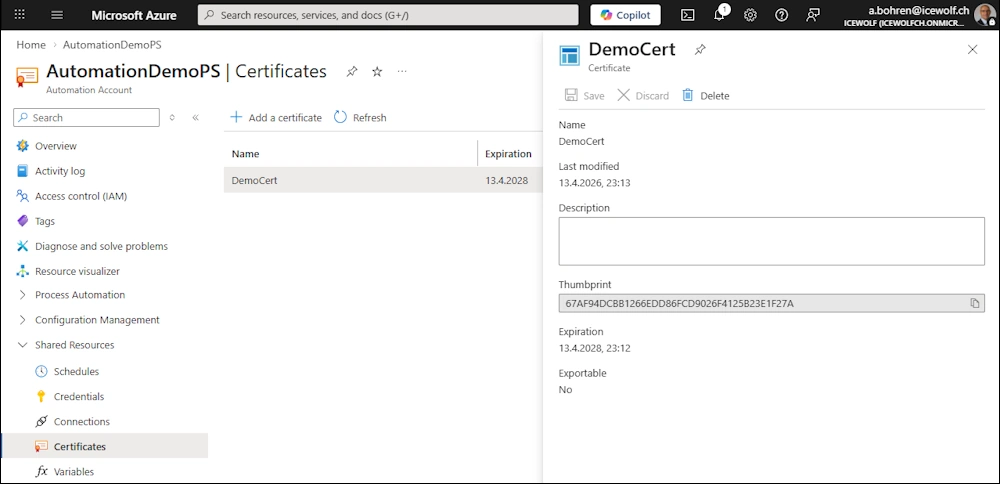
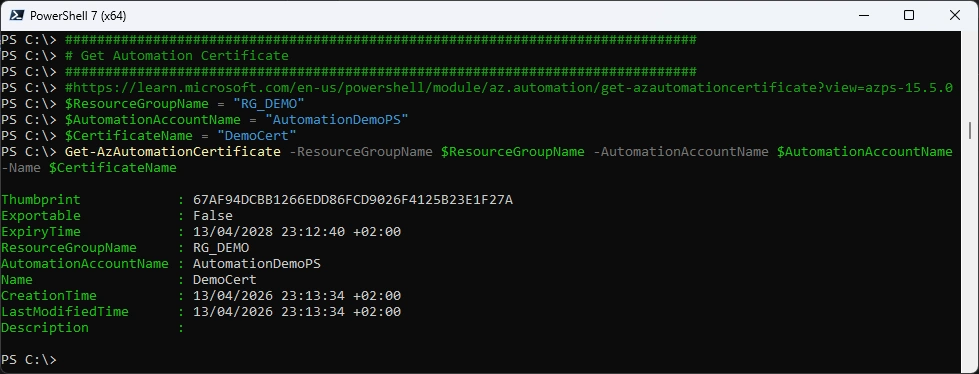
Get Certificate
###############################################################################
# Get Automation Certificate
###############################################################################
#https://learn.microsoft.com/en-us/powershell/module/az.automation/get-azautomationcertificate?view=azps-15.5.0
$ResourceGroupName = "RG_DEMO"
$AutomationAccountName = "AutomationDemoPS"
$CertificateName = "DemoCert"
Get-AzAutomationCertificate -ResourceGroupName $ResourceGroupName -AutomationAccountName $AutomationAccountName -Name $CertificateName
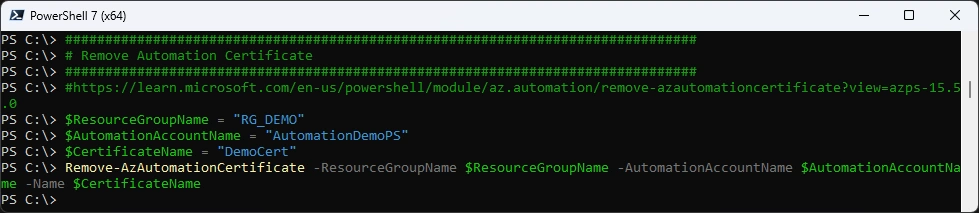
Remove Certificate
###############################################################################
# Remove Automation Certificate
###############################################################################
#https://learn.microsoft.com/en-us/powershell/module/az.automation/remove-azautomationcertificate?view=azps-15.5.0
$ResourceGroupName = "RG_DEMO"
$AutomationAccountName = "AutomationDemoPS"
$CertificateName = "DemoCert"
Remove-AzAutomationCertificate -ResourceGroupName $ResourceGroupName -AutomationAccountName $AutomationAccountName -Name $CertificateName
Automation Variable
Add Variable
###############################################################################
# New Automation Variable
###############################################################################
#https://learn.microsoft.com/en-us/powershell/module/az.automation/new-azautomationvariable?view=azps-15.5.0
<#
String
Boolean
DateTime
Integer
Not specified
Object
#>
$ResourceGroupName = "RG_DEMO"
$AutomationAccountName = "AutomationDemoPS"
$VariableName = "DemoVar"
$VariableValue = "MyValue"

New-AzAutomationVariable -ResourceGroupName $ResourceGroupName  -AutomationAccountName $AutomationAccountName -Name $VariableName -Value $VariableValue -Encrypted $false
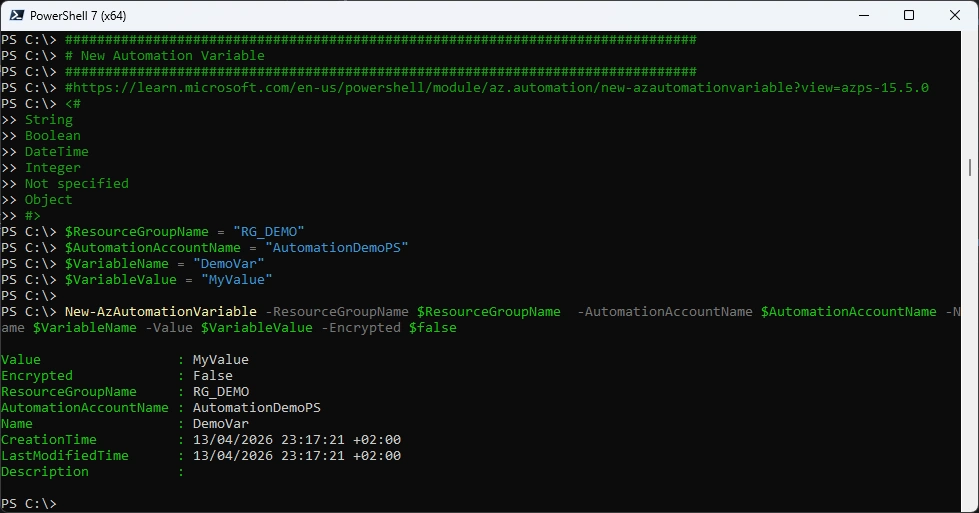
Azure Portal
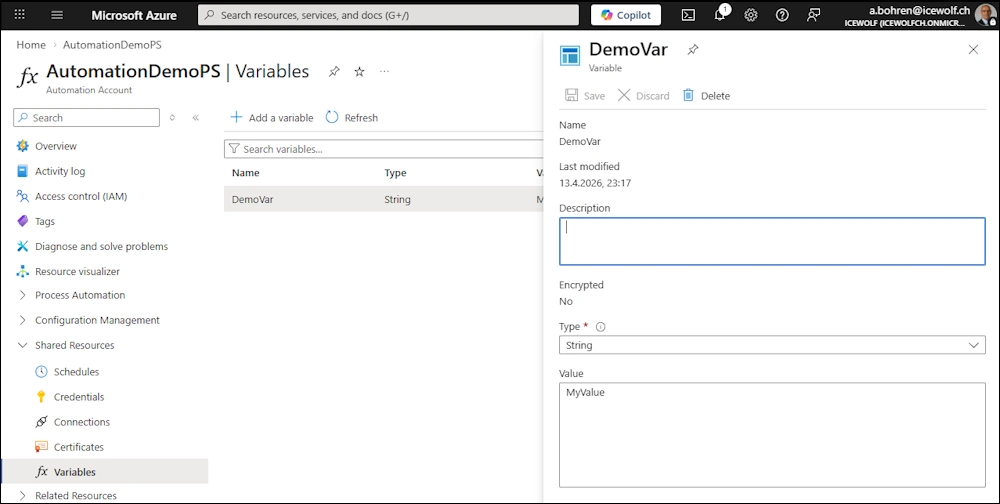
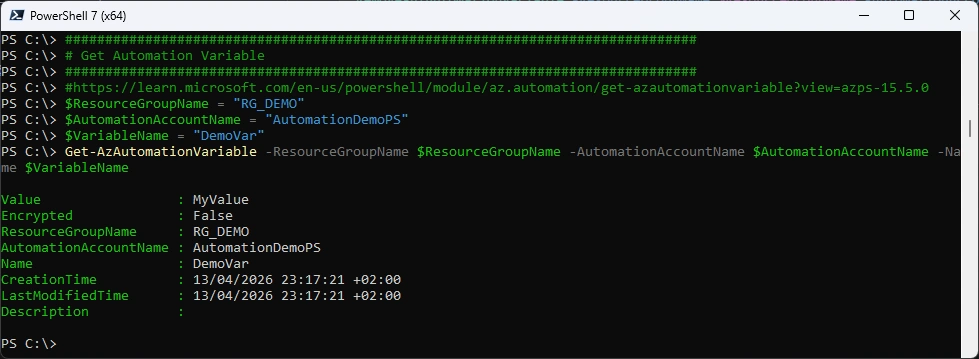
Get Variable
###############################################################################
# Get Automation Variable
###############################################################################
#https://learn.microsoft.com/en-us/powershell/module/az.automation/get-azautomationvariable?view=azps-15.5.0
$ResourceGroupName = "RG_DEMO"
$AutomationAccountName = "AutomationDemoPS"
$VariableName = "DemoVar"
Get-AzAutomationVariable -ResourceGroupName $ResourceGroupName -AutomationAccountName $AutomationAccountName -Name $VariableName
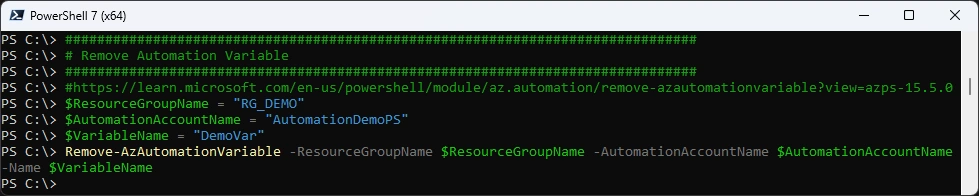
Remove Variable
###############################################################################
# Remove Automation Variable
###############################################################################
#https://learn.microsoft.com/en-us/powershell/module/az.automation/remove-azautomationvariable?view=azps-15.5.0
$ResourceGroupName = "RG_DEMO"
$AutomationAccountName = "AutomationDemoPS"
$VariableName = "DemoVar"
Remove-AzAutomationVariable -ResourceGroupName $ResourceGroupName -AutomationAccountName $AutomationAccountName -Name $VariableName
Hybrid Worker
I have already blogged about this. The Script below is just slightly updated.
###############################################################################
# Create a HyridWorkerGroup with an Azure Arc Enabled Machine - ExtensionBased
# https://learn.microsoft.com/en-us/answers/questions/720043/how-to-deploy-arc-extension-microsoft-azure-automa
###############################################################################
$SubscriptionID = "42ecead4-eae9-4456-997c-1580c58b54ba"
$ResourceGroupName = "RG_DEMO"
$AutomationAccountName = "AutomationDemoPS"
$Token = (Get-AzAccesstoken).Token #Returns SecureString
$AccessToken = ConvertFrom-SecureString -SecureString $Token -AsPlainText
$hybridRunbookWorkerGroupName = "HyridWorkerGroupDemo01" # HRWG group to be created
$ARCSubscriptionId = "1e467fc0-3227-4628-a048-fc5ef79bff93" #ARC machine Subscription ID
$ARCresourceGroupName = "RG_ARC" #ARC machine RG
$ARCmachineName = "ICESRV04" #ARC machine name
$ARCMachinelocation = "westeurope" # ARC Machine location
$ARCServerResourceId = "/subscriptions/$ARCSubscriptionId/resourceGroups/$ARCresourceGroupName/providers/Microsoft.HybridCompute/machines/ICESRV04"

#Create HRW Group URI
Write-Host "Create Hybrid Worker Group" -ForegroundColor Green
$headers = @{Authorization = "Bearer $AccessToken"}
$createHRWGroupuri = "https://management.azure.com/subscriptions/$subscriptionId/resourceGroups/$resourceGroupName/providers/Microsoft.Automation/automationAccounts/$automationAccountName/hybridRunbookWorkerGroups/$($hybridRunbookWorkerGroupName)?api-version=2024-10-23"
$contentType = "application/json"
$body = @{} | ConvertTo-Json
$response = Invoke-WebRequest -Uri $createHRWGroupuri -Method PUT -Headers $headers -Body $body -ContentType $contentType
$response.Content

#To Confirm HRW Group Creation
Write-Host "Confirm Hybrid Worker Group" -ForegroundColor Green
(Invoke-WebRequest -Uri $createHRWGroupuri -Method Get -Headers $headers).Content

#Generate HRW id
$hrwId = New-Guid

#Create HRW URI
Write-Host "Create Hybrid Worker Group URI" -ForegroundColor Green
$createHRWuri = "https://management.azure.com/subscriptions/$subscriptionId/resourceGroups/$resourceGroupName/providers/Microsoft.Automation/automationAccounts/$automationAccountName/hybridRunbookWorkerGroups/$hybridRunbookWorkerGroupName/hybridRunbookWorkers/$($hrwId)?api-version=2024-10-23"

$body = @"
{
"properties":{"vmResourceId": "$ARCServerResourceId"}
}
"@

$response = Invoke-WebRequest -Uri $createHRWuri -Method PUT -Headers $headers -Body $body -ContentType $contentType
$response.Content

#To Confirm HRW Creation make a get
Write-Host "Confirm Hybrid Worker Group" -ForegroundColor Green
(Invoke-WebRequest -Uri $createHRWuri -Method Get -Headers $headers).Content

##### HRW is not Visible yet in the portal#####
Write-Host "Add Azure Automation Windows Hybrid Worker Extension to Arc Machine" -ForegroundColor Green
#Retrieve Automation Account Hybrid URL
$automationAccountInfouri = "https://management.azure.com/subscriptions/$subscriptionId/resourceGroups/$resourceGroupName/providers/Microsoft.Automation/automationAccounts/$($automationAccountName)?api-version=2024-10-23"
$automationHybridServiceUrl = ((Invoke-WebRequest -Uri $automationAccountInfouri -Method Get -Headers $headers).Content) | ConvertFrom-Json | Select -expand properties | Select -expand automationHybridServiceUrl
$automationHybridServiceUrl

$CreateARCExtensionUri = "https://management.azure.com/subscriptions/$ARCSubscriptionId/resourceGroups/$ARCresourceGroupName/providers/Microsoft.HybridCompute/machines/$ARCmachineName/extensions/HybridWorkerExtension?api-version=2025-01-13"
$CreateARCExtensionBody = @{
    'location'   = $($ARCMachinelocation)
    'properties' = @{
        'publisher'               = 'Microsoft.Azure.Automation.HybridWorker'
        'type'                    = 'HybridWorkerForWindows'
        'typeHandlerVersion'      = '1.3.74'
        'autoUpgradeMinorVersion' = $false
        'enableAutomaticUpgrade'  = $true
        'settings'                = @{
            'AutomationAccountURL' = $automationHybridServiceUrl
        }
    }
} | ConvertTo-Json -depth 2

#Create the Extension
Invoke-WebRequest  -Uri $CreateARCExtensionUri -Method "PUT" -Headers $headers -Body $CreateARCExtensionBody -ContentType $contentType
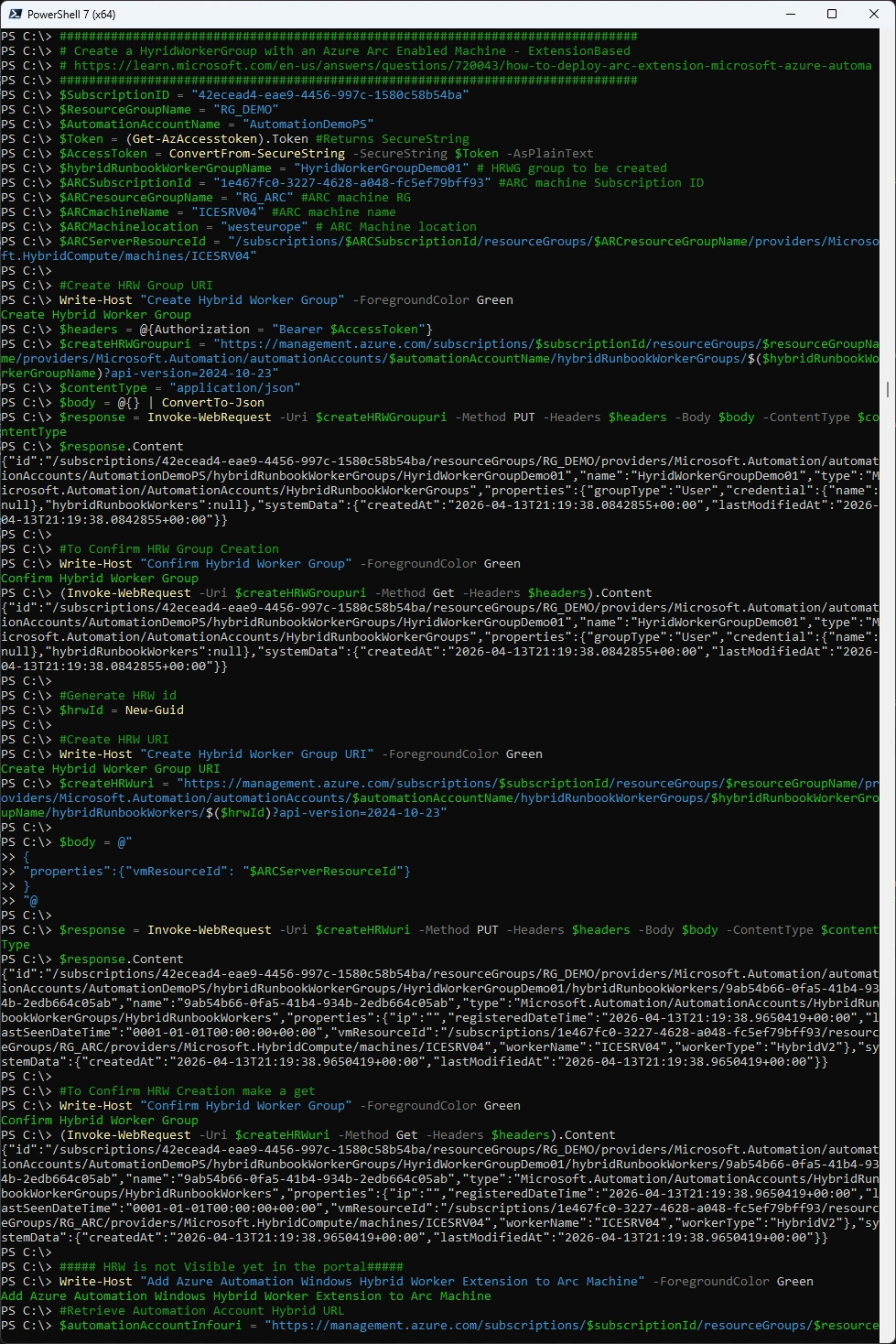
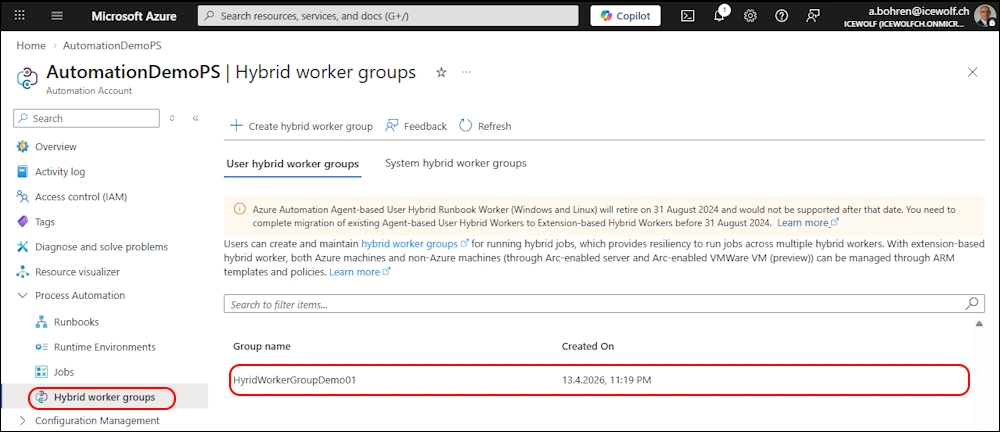
Azure Portal - Hybrid Worker Group
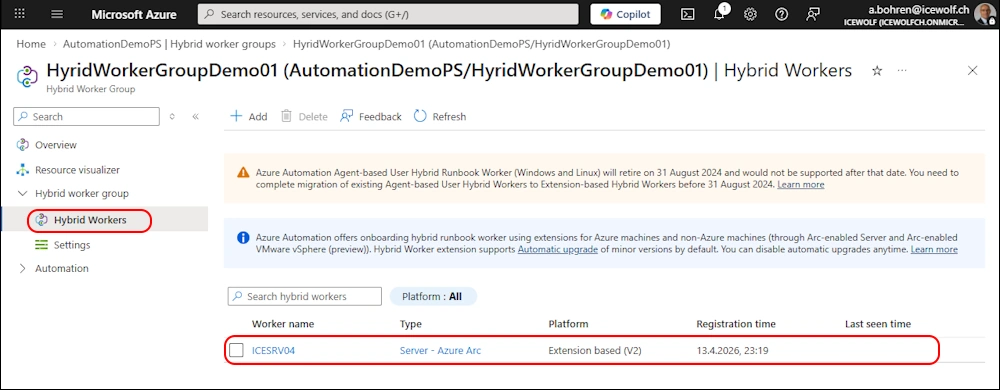
Azure Portal - Hybrid Worker
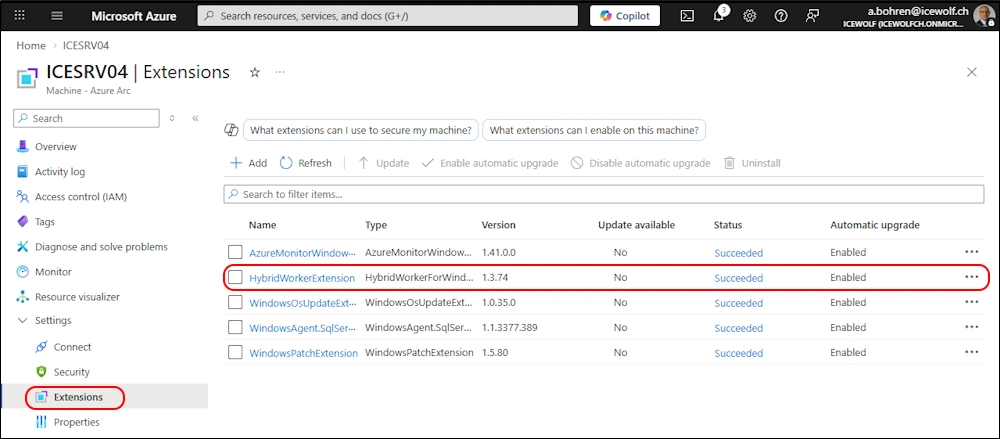
Azure Portal - ARC Extension on Server
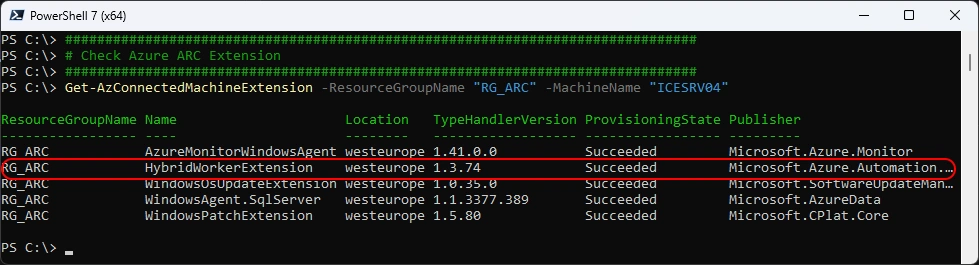
Check Azure ARC Extension
###############################################################################
# Check Azure ARC Extension
###############################################################################
Get-AzConnectedMachineExtension -ResourceGroupName "RG_ARC" -MachineName "ICESRV04"
#Remove-AzConnectedMachineExtension -ResourceGroupName "RG_ARC" -MachineName "ICESRV04" -Name "HybridWorkerExtension"
Create an New Runbook
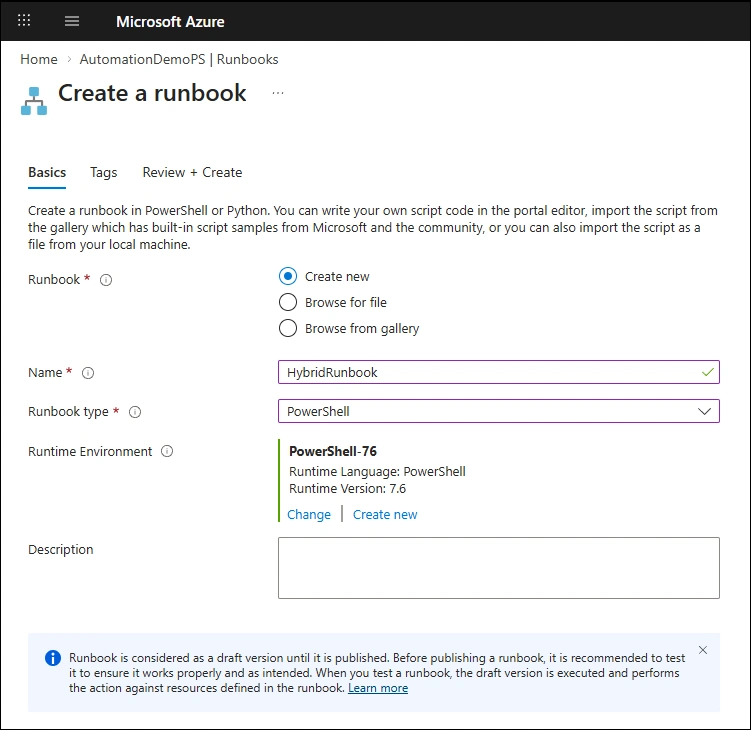
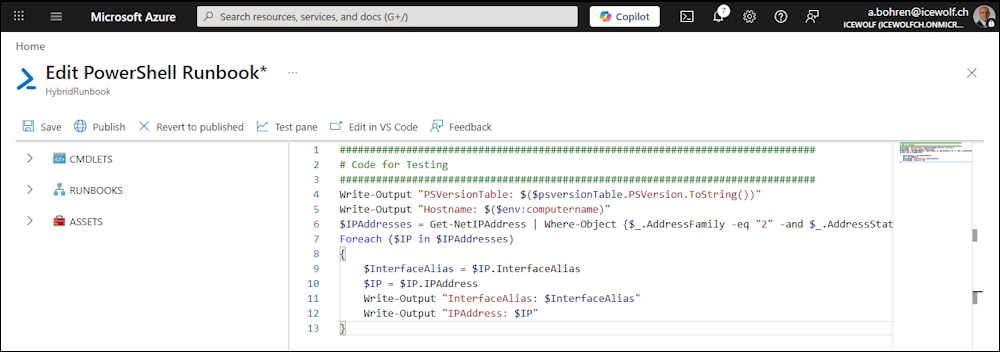
Use the following Code for testing
###############################################################################
# Code for Testing
###############################################################################
Write-Output "PSVersionTable: $($psversionTable.PSVersion.ToString())"
Write-Output "Hostname: $($env:computername)"
$IPAddresses = Get-NetIPAddress | Where-Object {$_.AddressFamily -eq "2" -and $_.AddressState -eq "4"}
Foreach ($IP in $IPAddresses)
{
    $InterfaceAlias = $IP.InterfaceAlias
    $IP = $IP.IPAddress
    Write-Output "InterfaceAlias: $InterfaceAlias"
    Write-Output "IPAddress: $IP"
}
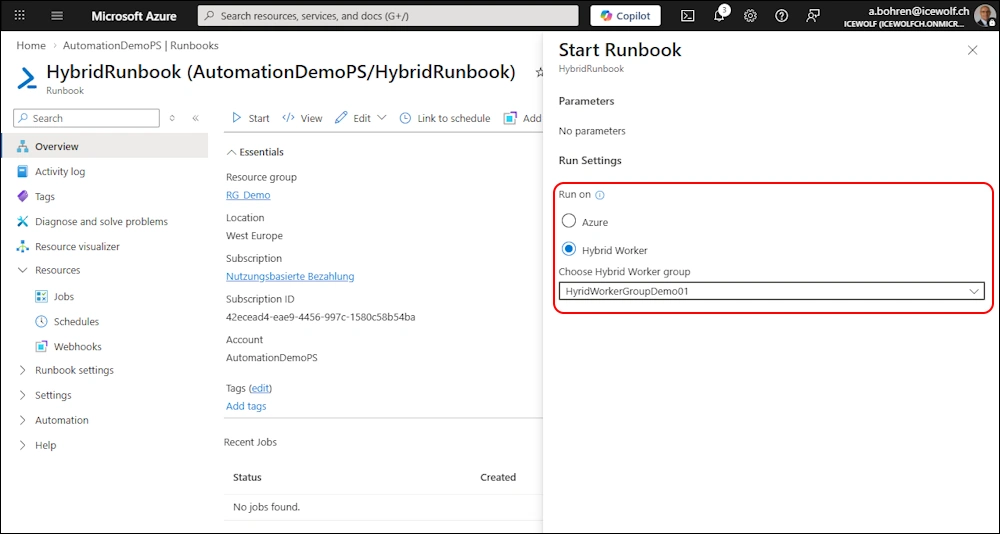
You can run the Runbook on the Hybrid Worker
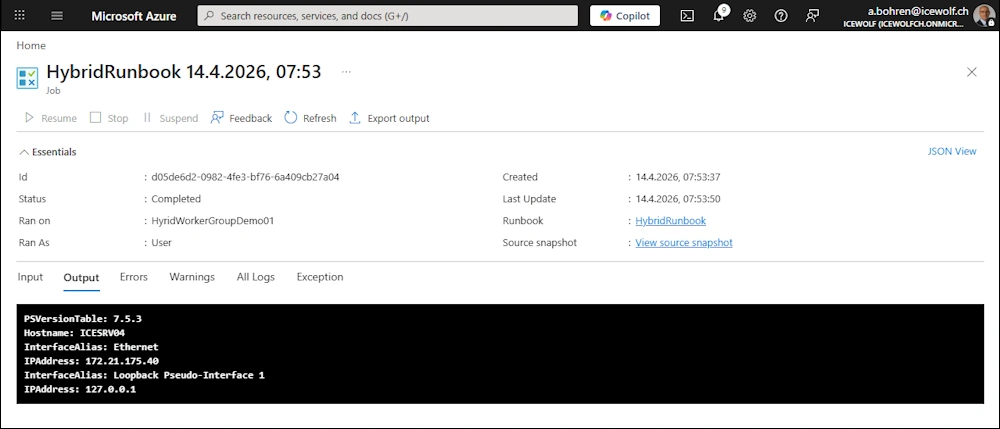
Code has been executed at the Hybrid Worker
Regards
Andres Bohren
Azure Logo PowerShell Logo
