
MSCommerce PowerShell Module 3.0 released

Hi All,
Just a few hours ago, a new Version of MSCommerce PowerShell Module has been released.
- PowerShell Gallery MSCommerce 3.0
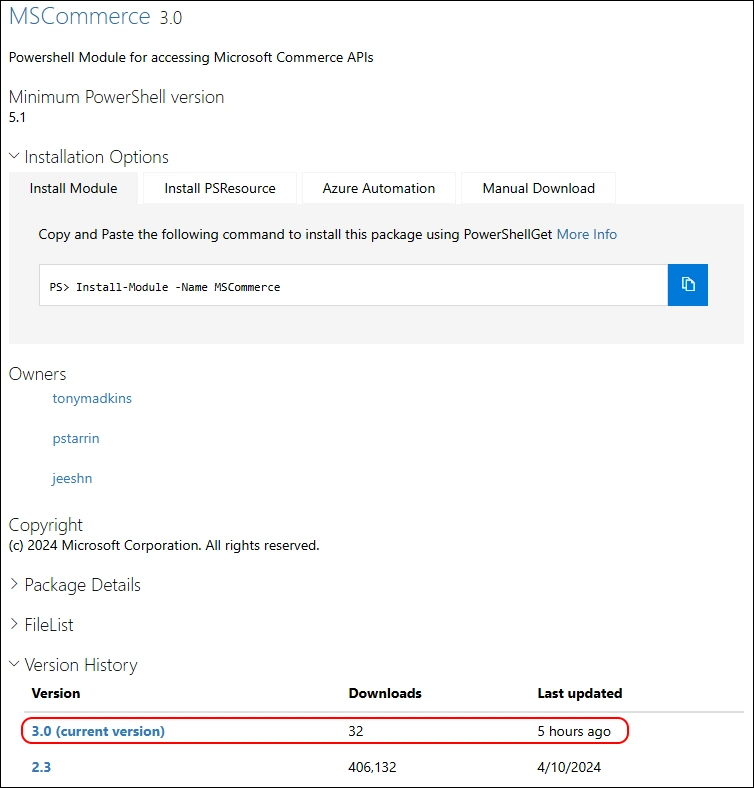
Release Notes:
- 3.0 - Adopted WAM (Web Account Manager) broker authentication on Windows to mitigate SR13 authorization-code phishing risk (ICM 796868403). Windows-only: PowerShell Core on non-Windows hosts will fail at module load with a clear message. The -RedirectUri parameter on Connect-MSCommerce has been removed. Requires Microsoft.Identity.Client 4.67.2.

I am using the new PSResourceGet here instead of the PowerShellGet commands.
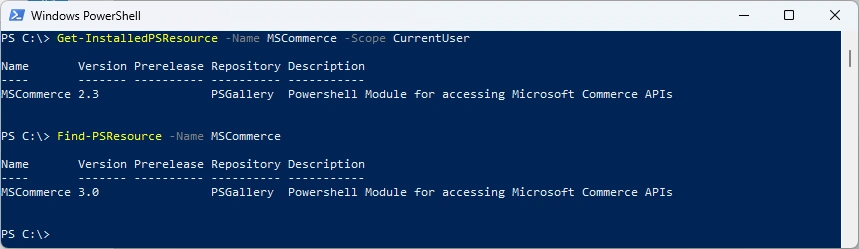
Show installed Versions and what’s available in PowerShell Gallery
Get-InstalledPSResource -Name MSCommerce -Scope CurrentUser
Find-PSResource -Name MSCommerce
In PowerShell 5 there is a .NET Issue that prevents the uninstallation of the PowerShell Module
Uninstall-PSResource -Name MSCommerce -Scope CurrentUser
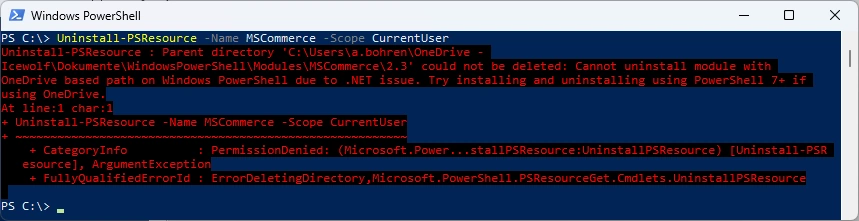
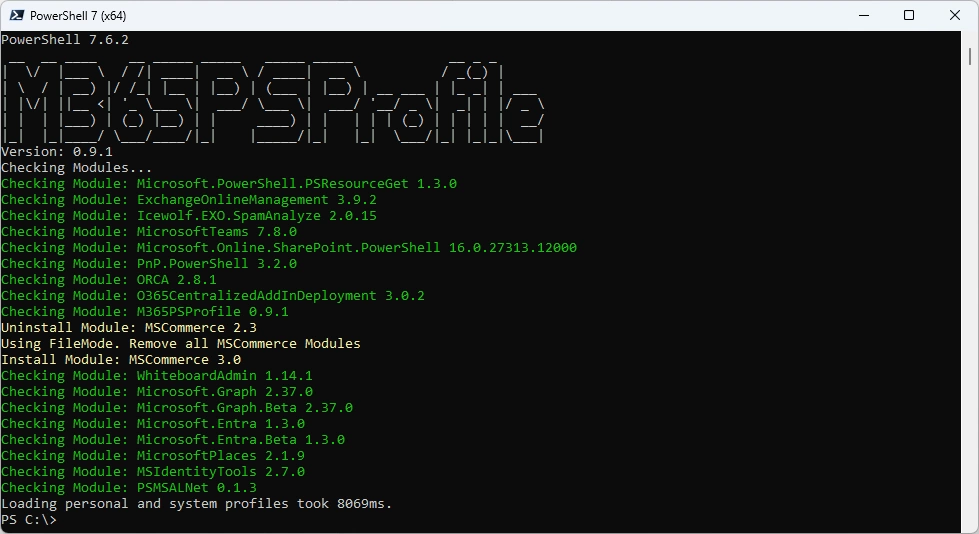
I’ve updated the M365PSProfile PowerShell Module and the Uninstall-M365Module Function with the Parameter -FileMode. It will delete the Module Folder of that Module.
Uninstall-M365Module -Modules MSCommerce -Scope CurrentUser -FileMode

Installation of the newest Module - there seems to be an Error
Install-PSResource -Name MSCommerce -Scope CurrentUser
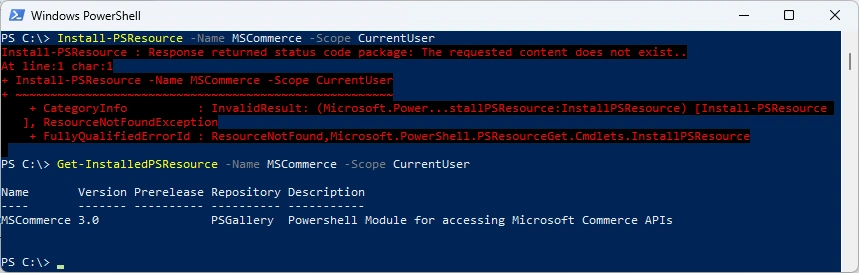
But it seems to work anyway
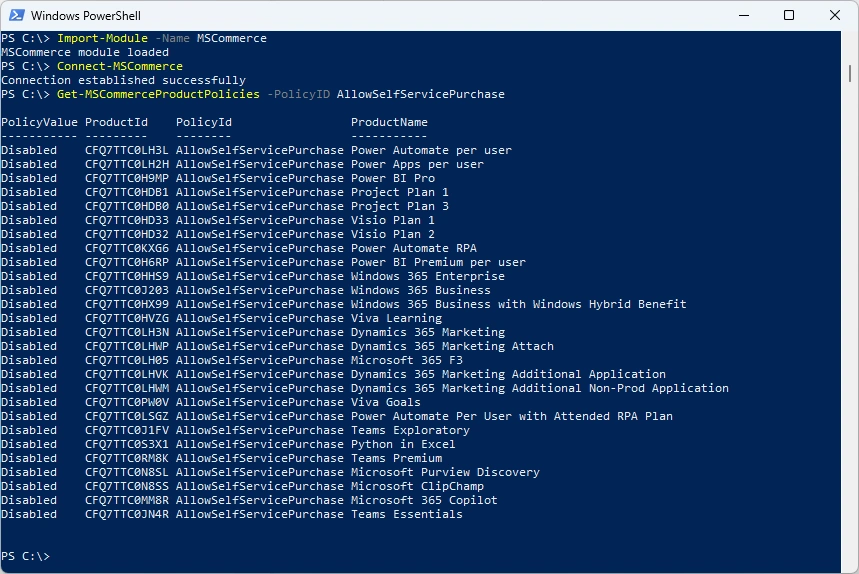
Import-Module -Name MSCommerce
Connect-MSCommerce
Get-MSCommerceProductPolicies -PolicyID AllowSelfServicePurchase
Or you can simply use my M365PSProfile Module - find the Documentation here: GitHub Documentation
# Install-PSResource -Name M365PSProfile
# Add-M365PSProfile
Install-M365Module
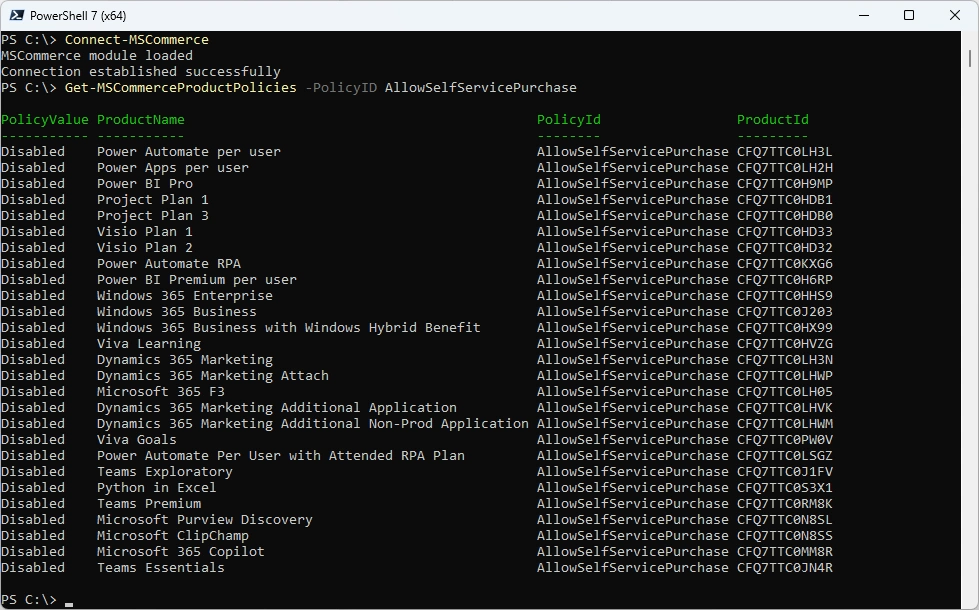
Connect-MSCommerce
Get-MSCommerceProductPolicies -PolicyID AllowSelfServicePurchase
Regards
Andres Bohren
M365 Logo PowerShell Logo
