
Check Azure VM Extension Version

Hi All,
A few months ago, i’ve written a Article on how you can activate VM Automatic Extension Upgrade
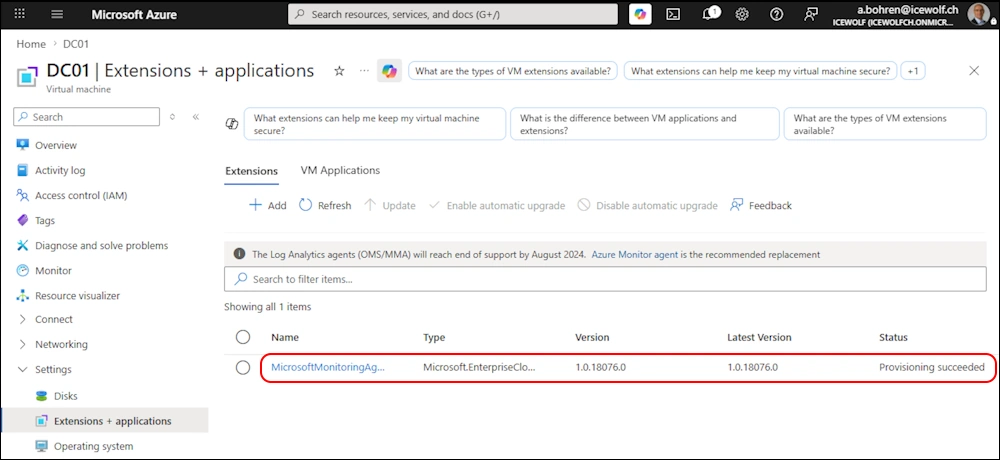
This time i wanted to write a Script to check the Azure VM Extensions, to see if there are new Versions available. This was harder as i thought.
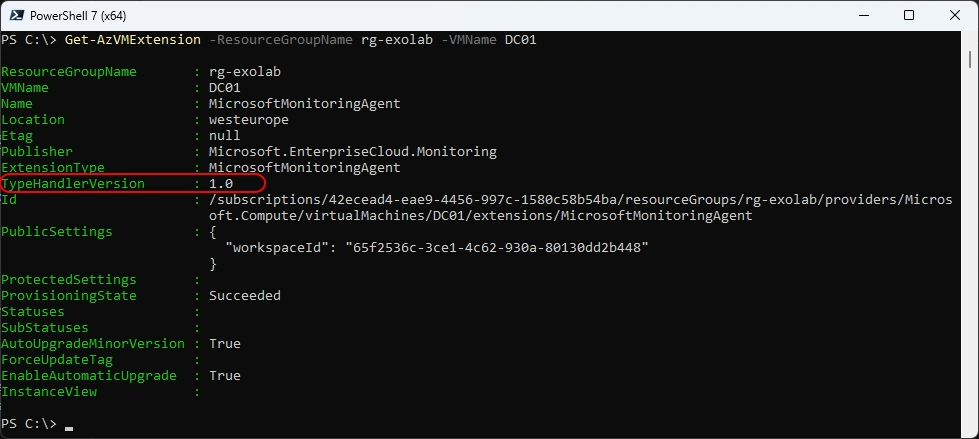
Get AZVMExtension with the AZ PowerShell Module - but you ounly get the Major Version but not the build Number.
Get-AzVMExtension -ResourceGroupName rg-exolab -VMName DC01
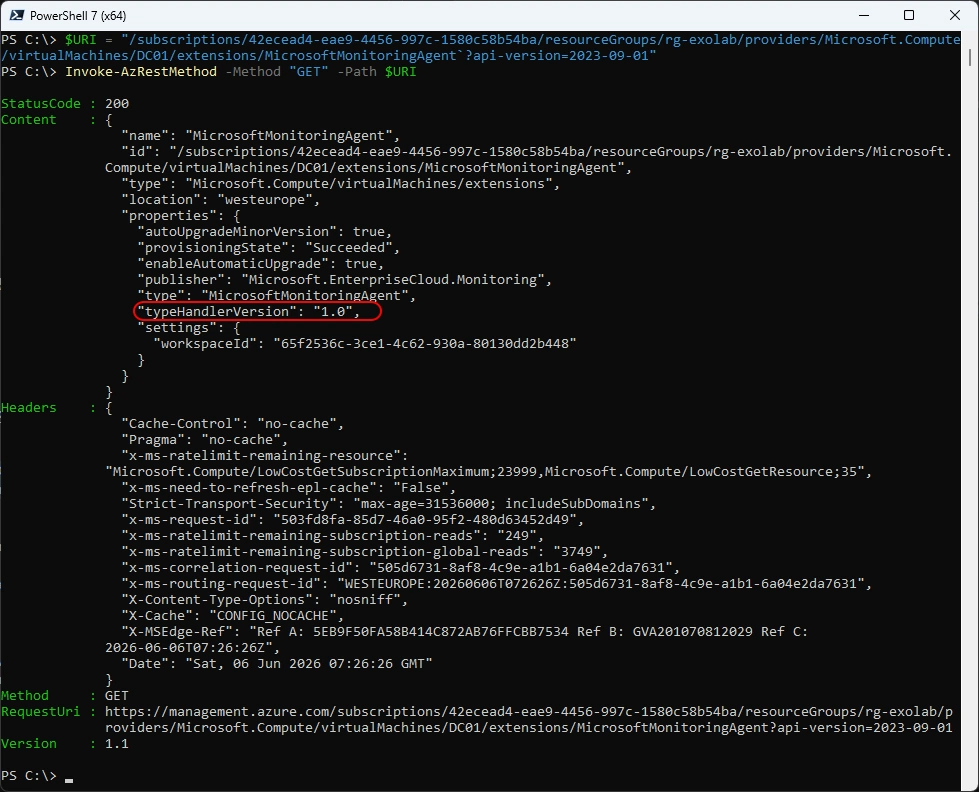
Let’s have a look at the Azure REST API - but even here i only get the Major version without the build number
$URI = "/subscriptions/42ecead4-eae9-4456-997c-1580c58b54ba/resourceGroups/rg-exolab/providers/Microsoft.Compute/virtualMachines/DC01/extensions/MicrosoftMonitoringAgent`?api-version=2023-09-01"
Invoke-AzRestMethod -Method "GET" -Path $URI
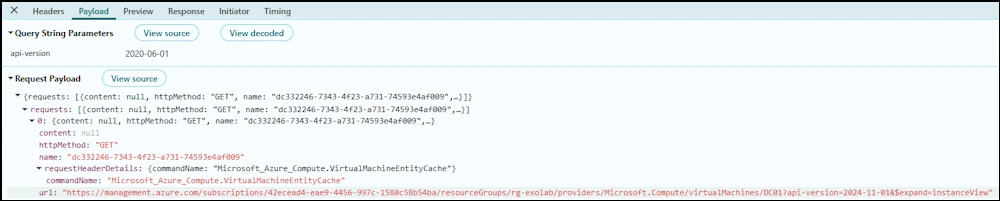
With the Developer Tools from the Browser in the Azure Portal you can see it calls “expand=instanceView”
https://management.azure.com/subscriptions/42ecead4-eae9-4456-997c-1580c58b54ba/resourceGroups/rg-exolab/providers/Microsoft.Compute/virtualMachines/DC01?api-version=2024-11-01&$expand=instanceView
Let’s call that with PowerShell
$URI = "/subscriptions/42ecead4-eae9-4456-997c-1580c58b54ba/resourceGroups/rg-exolab/providers/Microsoft.Compute/virtualMachines/DC01`?api-version=2024-11-01&`$expand=instanceView"
Invoke-AzRestMethod -Method "GET" -Path $URI
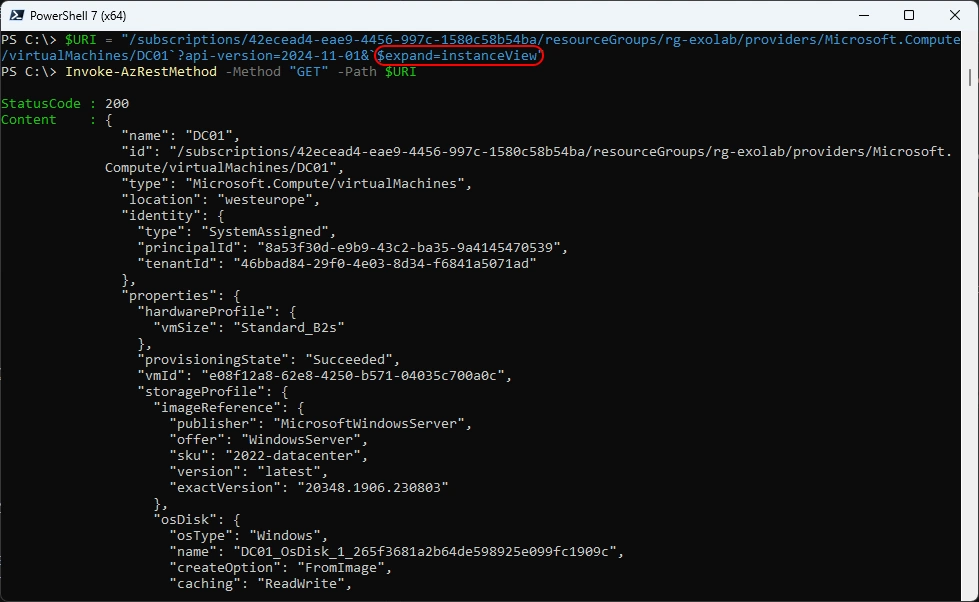
Here is the InstanceView part of the Response
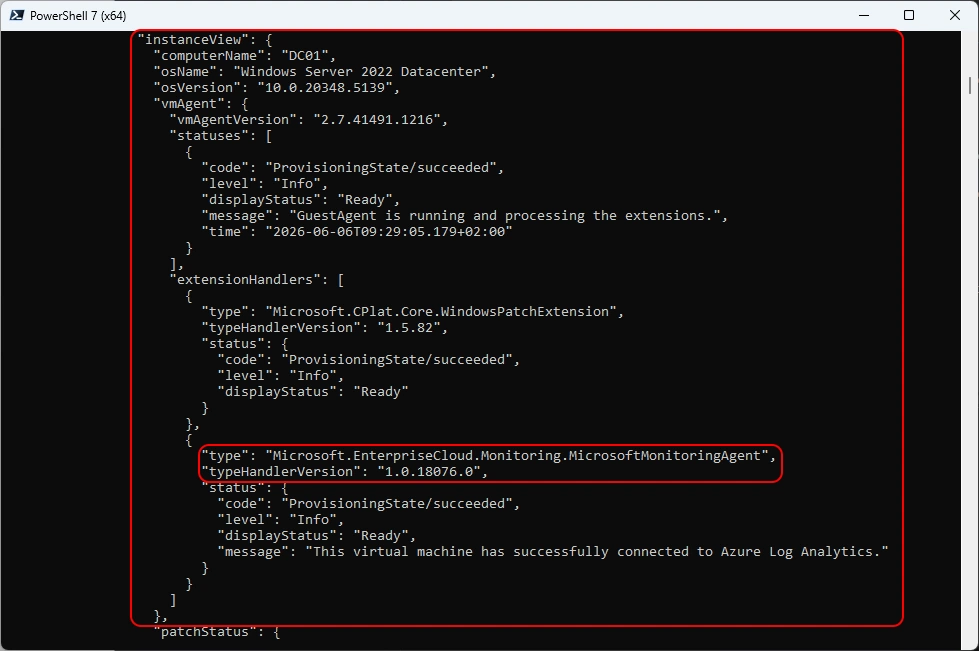
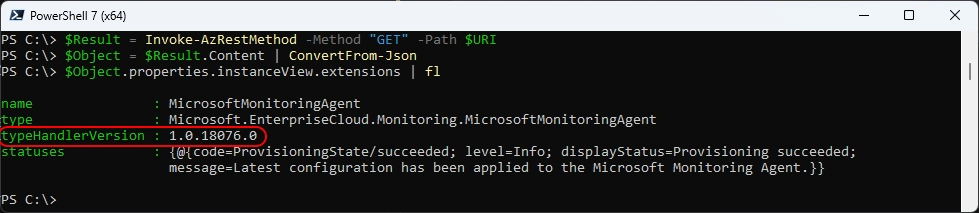
Let’s put that into PowerShell Code - great now we have the Azure VM Extension including the Build number
$URI = "/subscriptions/42ecead4-eae9-4456-997c-1580c58b54ba/resourceGroups/rg-exolab/providers/Microsoft.Compute/virtualMachines/DC01`?api-version=2024-11-01&`$expand=instanceView"
Invoke-AzRestMethod -Method "GET" -Path $URI
$Result = Invoke-AzRestMethod -Method "GET" -Path $URI
$Object = $Result.Content | ConvertFrom-Json
$Object.properties.instanceView.extensions | fl
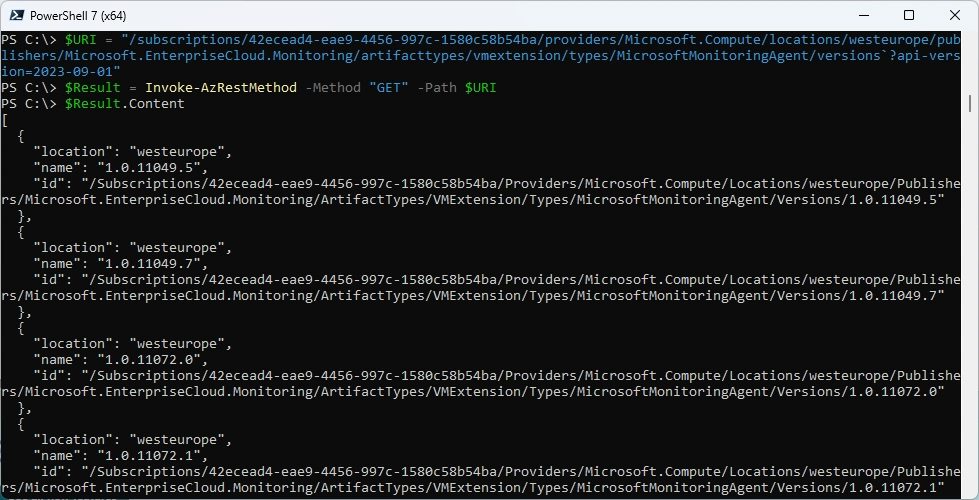
But where do we get tha available Versions? Again the Developer Tools in the Browser helps us here
/subscriptions/42ecead4-eae9-4456-997c-1580c58b54ba/providers/Microsoft.Compute/locations/westeurope/publishers/Microsoft.EnterpriseCloud.Monitoring/artifacttypes/vmextension/types/MicrosoftMonitoringAgent/versions?api-version=2023-09-01

Let’s put that into PowerShell Code
$URI = "/subscriptions/42ecead4-eae9-4456-997c-1580c58b54ba/providers/Microsoft.Compute/locations/westeurope/publishers/Microsoft.EnterpriseCloud.Monitoring/artifacttypes/vmextension/types/MicrosoftMonitoringAgent/versions`?api-version=2023-09-01"
$Result = Invoke-AzRestMethod -Method "GET" -Path $URI
$Result.Content
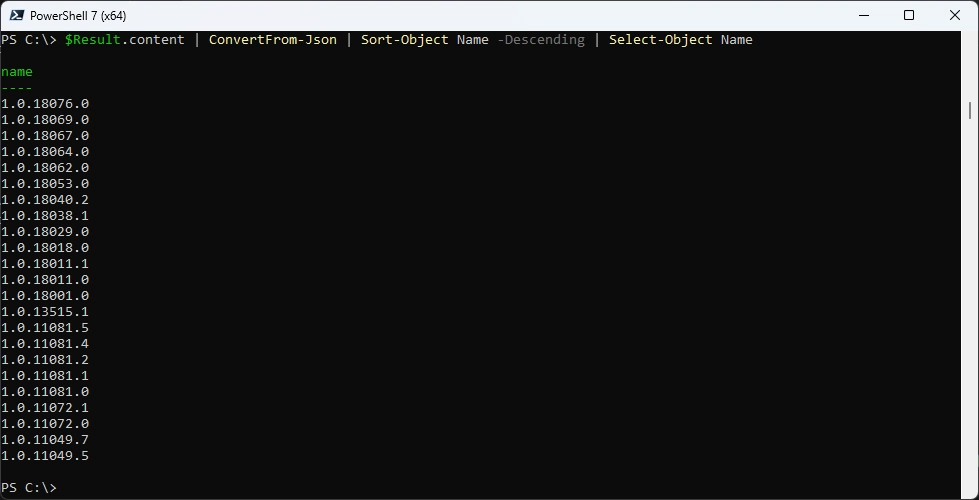
Get only the Name (Version) and Sort the Result
$Result.content | ConvertFrom-Json | Sort-Object Name -Descending | Select-Object Name
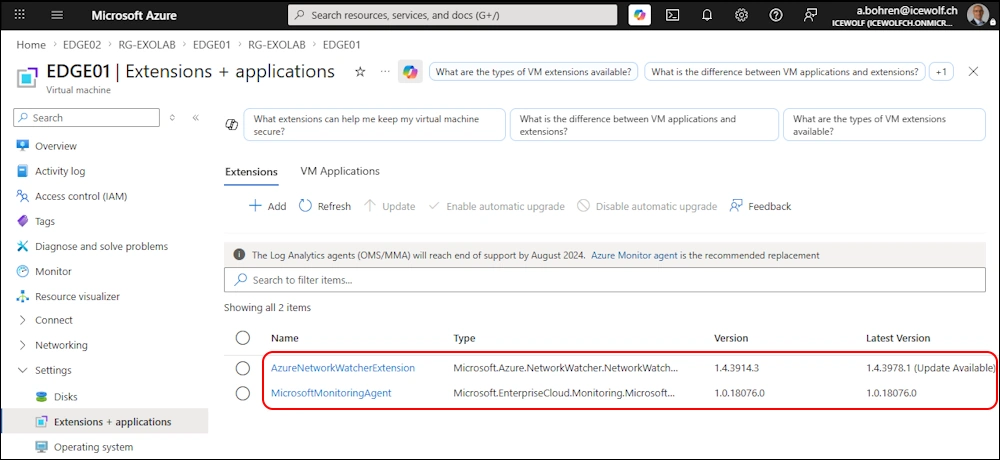
Let’s have another Look at a Azure VM with multiple Extensions
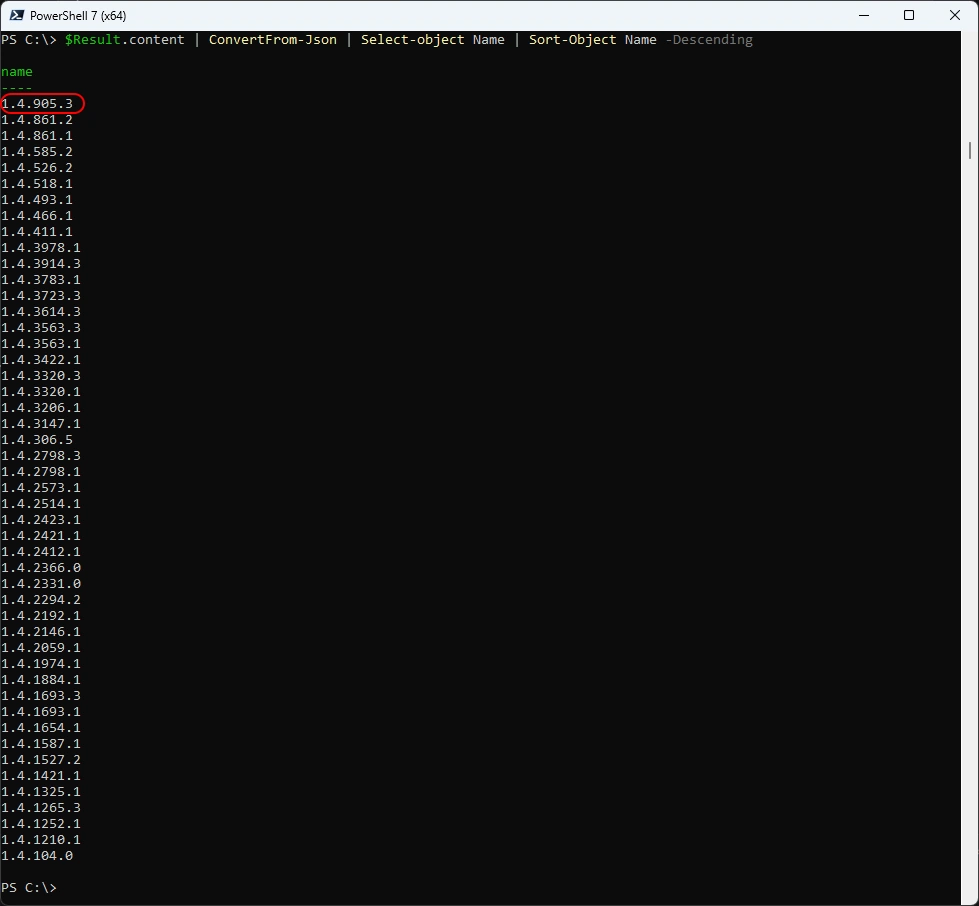
Turns out that the Sorting is just String based 905 is bigger that 3978 - that’s wrong
$Result.content | ConvertFrom-Json | Sort-Object Name -Descending | Select-Object Name
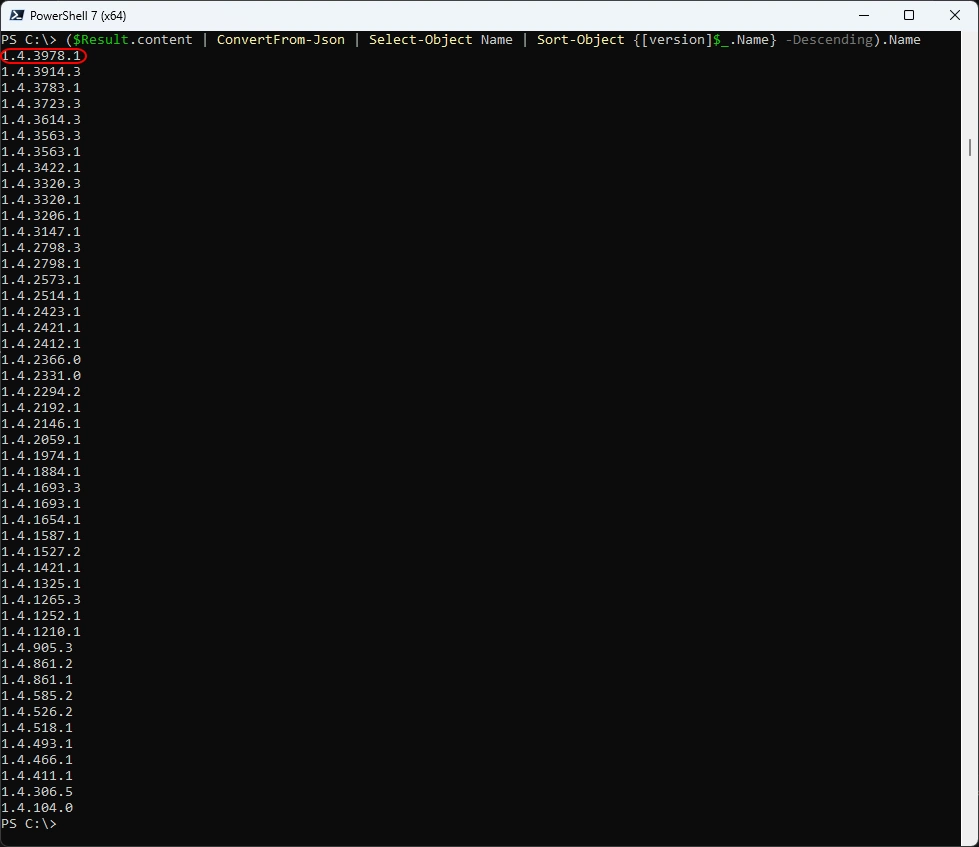
You need to convert the Version String to the [Versions] Class and Sort afterwards
($Result.content | ConvertFrom-Json | Select-Object Name | Sort-Object {[version]$_.Name} -Descending).Name
I’ve created a Function. The VM Needs to be running to get the Extensions
###############################################################################
# Get Extension Version from Azure VM
###############################################################################
Function Get-VMExtensionNumbers {
    Param (
        [parameter(Mandatory=$true)][String]$ResourceGroupName,
        [parameter(Mandatory=$true)][String]$VMName
    )

    # Check if Machine is running
    $AZVM = Get-AzVM -ResourceGroupName $ResourceGroupName -Name $VMName -Status
    $DisplayStatus = ($AZVM.Statuses | where {$_.Code -match "PowerState/"}).DisplayStatus
    If ($DisplayStatus -eq "VM deallocated")
    {
        Write-Host "VM is not Running. Needs to be running to get the Extensions." -ForegroundColor Red
    } else {
        # Get Extension
        $Extensions = Get-AzVMExtension -ResourceGroupName $ResourceGroupName -VMName $VMName
        $VMExtensionArray = [System.Collections.Generic.List[object]]::new()
        Foreach ($Extension in $Extensions)
        {
            $Name = $Extension.Name
            $Location = $Extension.Location
            $Publisher = $Extension.Publisher
            $ExtensionType = $Extension.ExtensionType
            $ResourceGroupName = $Extension.ResourceGroupName
            $ID = $Extension.id

            # Get Instance View
            $URI = $ID.Replace("/extensions/$Name","") + "`?api-version=2025-11-01&`$expand=instanceView"
            $Result = Invoke-AzRestMethod -Method "GET" -Path $URI
            $Object = $Result.Content | ConvertFrom-Json
            $InstanceViewExtensions = $Object.properties.instanceView.extensions
            $InstanceViewExtension = $InstanceViewExtensions | where {$_.Name -eq $Name}
            $InstanceViewVersion = $InstanceViewExtension.TypeHandlerVersion
            #Write-Host "Extension: $Name"
            #Write-Host "Installed Version: $InstanceViewVersion"

            # Get Avaiable Versions
            $URI = $test.split("resourceGroups/")[0] + "providers/Microsoft.Compute/locations/$Location/publishers/$Publisher/artifacttypes/vmextension/types/$ExtensionType/versions`?api-version=2025-11-01"
            $Result = Invoke-AzRestMethod -Method "GET" -Path $URI
            $NewestVersion = ($Result.content | ConvertFrom-Json | Select-Object Name | Sort-Object {[version]$_.Name} -Descending).Name[0]
            #Write-Host "Newest Version: $NewestVersion"

            $Version = [PSCustomObject]@{
                id = $ID
                name = $Name
                installedVersion = $InstanceViewVersion
                newestVersion = $NewestVersion
            }
            $VMExtensionArray.Add($Version)
        }
        return $VMExtensionArray
    }
}
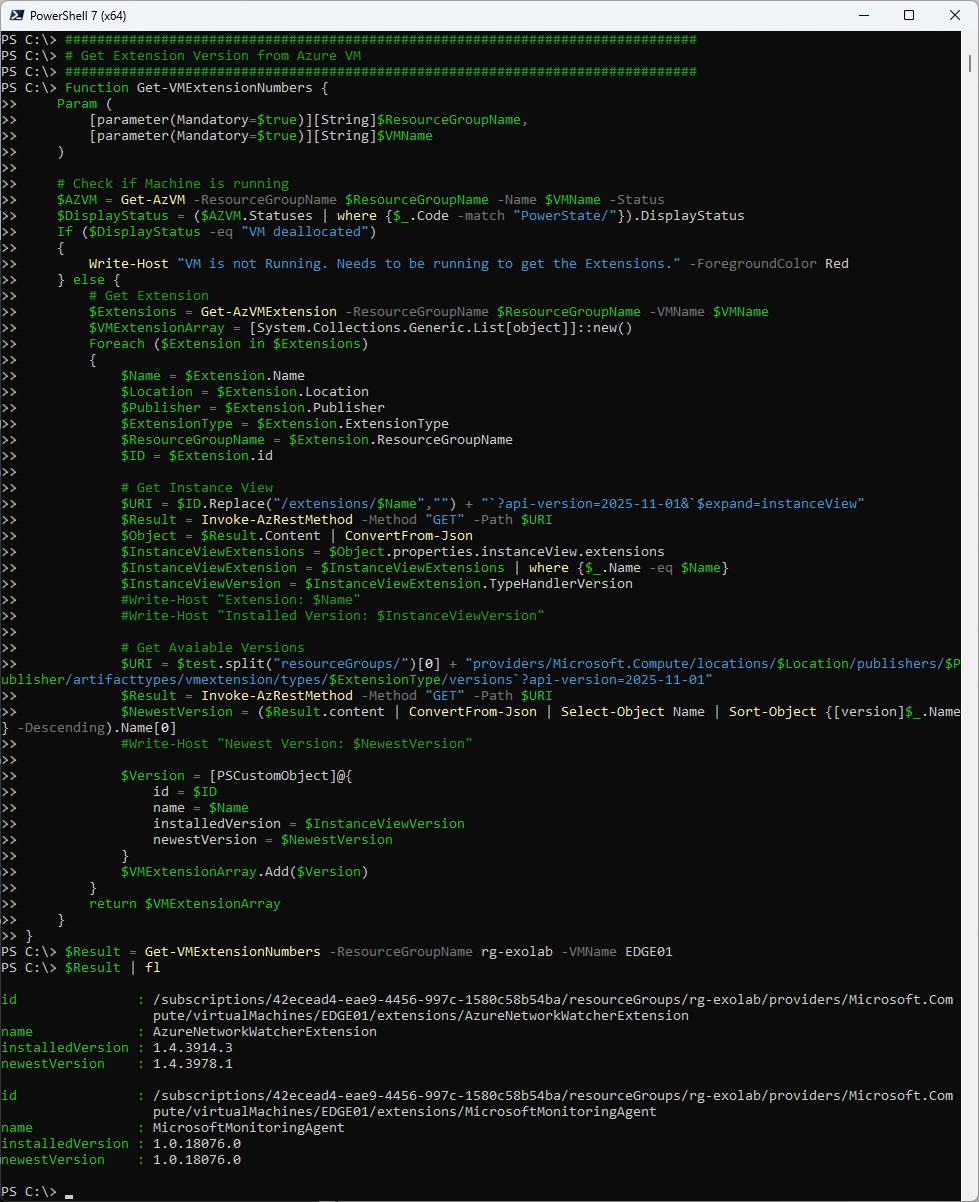
$Result = Get-VMExtensionNumbers -ResourceGroupName rg-exolab -VMName EDGE01
$Result | fl
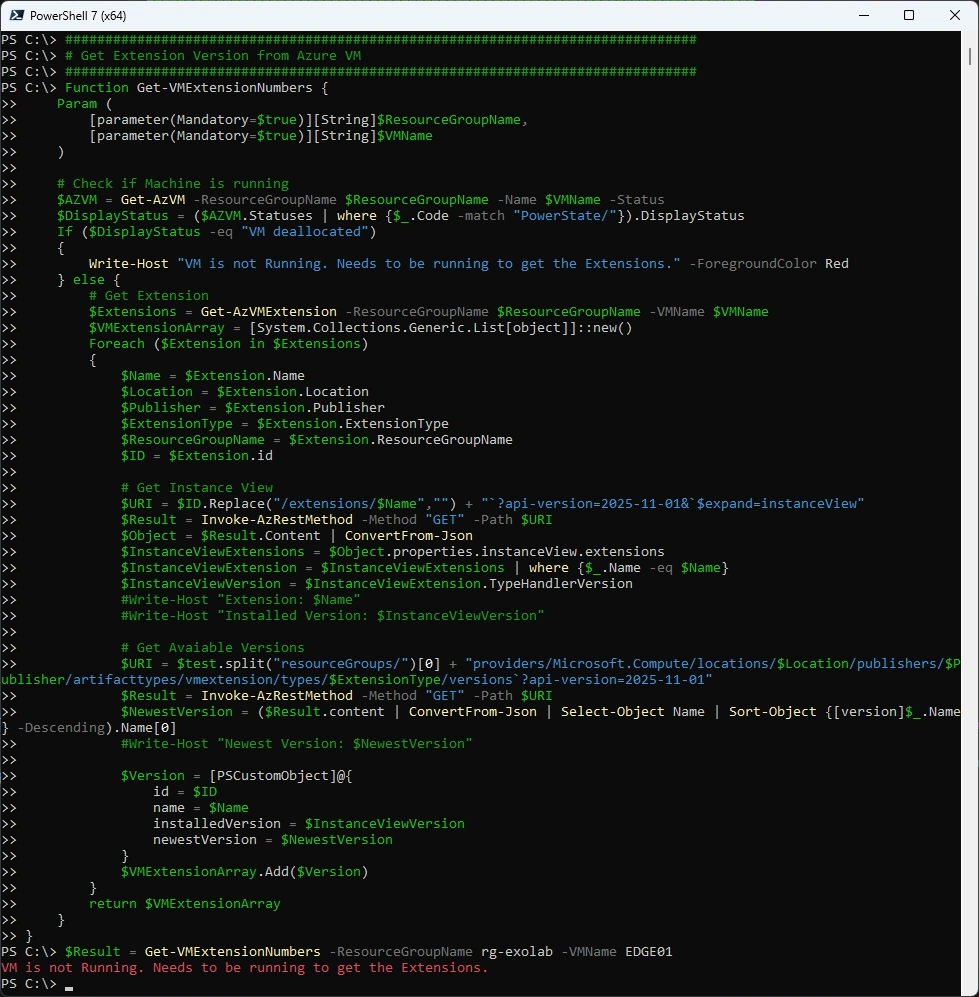
Call the Function when the VM is running
$Result = Get-VMExtensionNumbers -ResourceGroupName rg-exolab -VMName EDGE01
$Result | fl
Summary
Microsoft makes it harder than it should be. Why is the Version including the Build Number not exposed in Get-AzVMExtension or even in the REST API? Hopefully that will change some time.
Regards
Andres Bohren
Azure Logo PowerShell Logo
