
ExchangeOnlineManagement 3.10.0 released
Hi All,
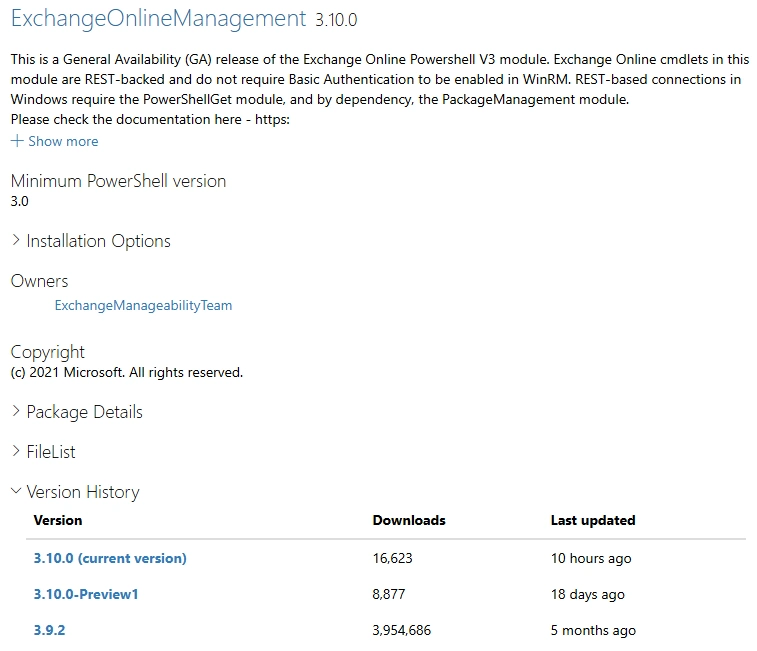
A day ago, Microsoft has released a new Version of ExchangeOnlineManagement PowerShell Module
- PowerShell Gallery ExchangeOnlineManagement 3.10.0
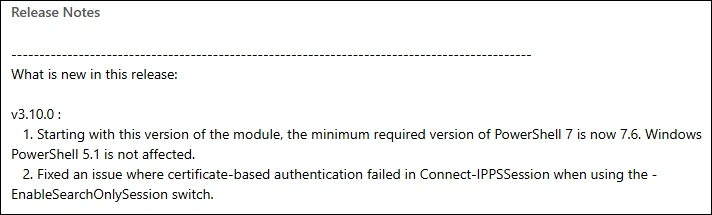
Release Notes v3.10.0:
- Starting with this version of the module, the minimum required version of PowerShell 7 is now 7.6. Windows PowerShell 5.1 is not affected.
- Fixed an issue where certificate-based authentication failed in Connect-IPPSSession when using the -EnableSearchOnlySession switch.
Installation
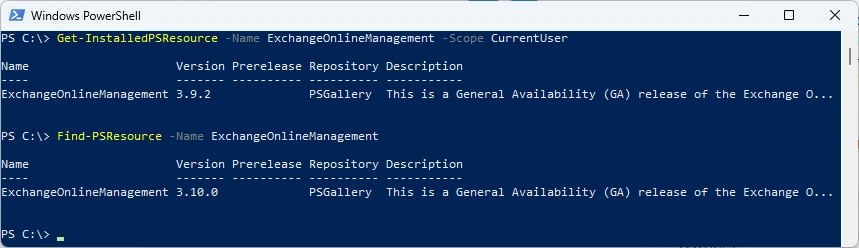
Check the installed Module and what’s available from the PowerShell Gallery
Get-InstalledPSResource -Name ExchangeOnlineManagement -Scope CurrentUser
Find-PSResource -Name ExchangeOnlineManagement
I’ve uses my M365PSProfile Module to update the most important M365 Modules - find the Documentation here: GitHub Documentation
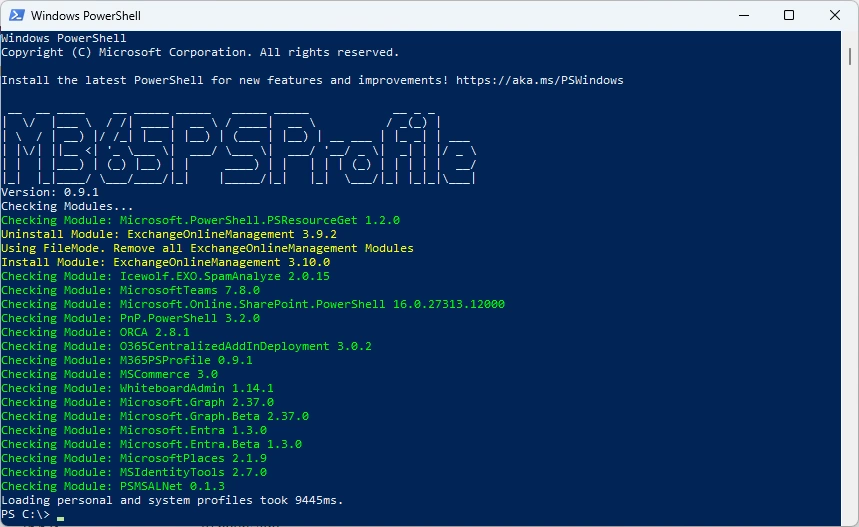
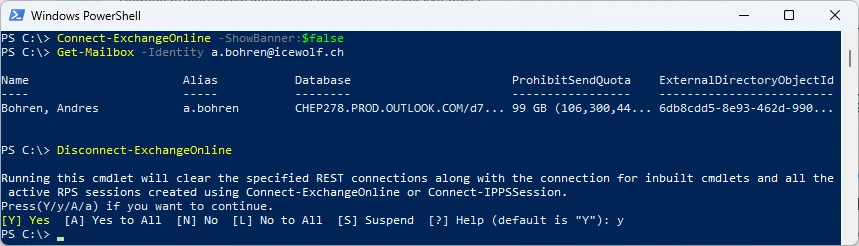
Some basic tests
Connect-ExchangeOnline -ShowBanner:$false
Get-Mailbox -Identity a.bohren@icewolf.ch
Disconnect-ExchangeOnline
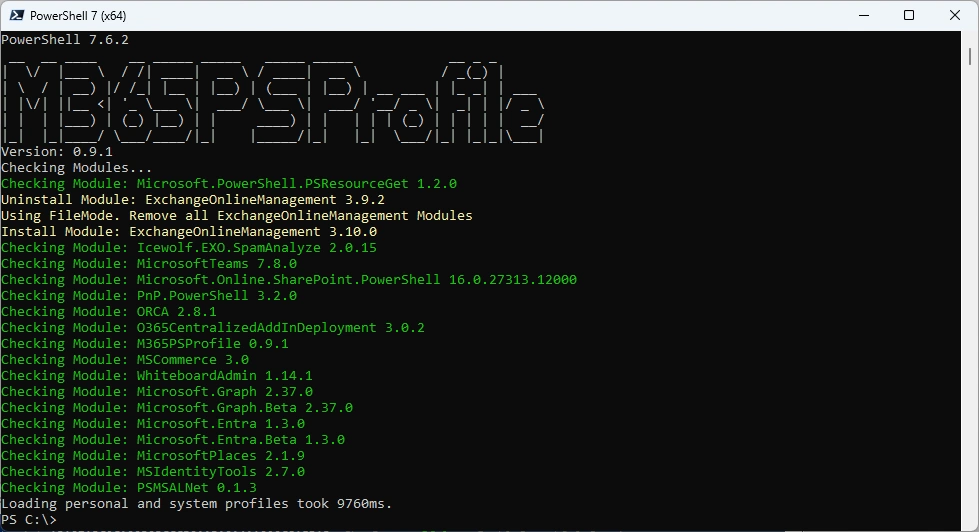
I’ve uses my M365PSProfile Module to update the most important M365 Modules - find the Documentation here: GitHub Documentation
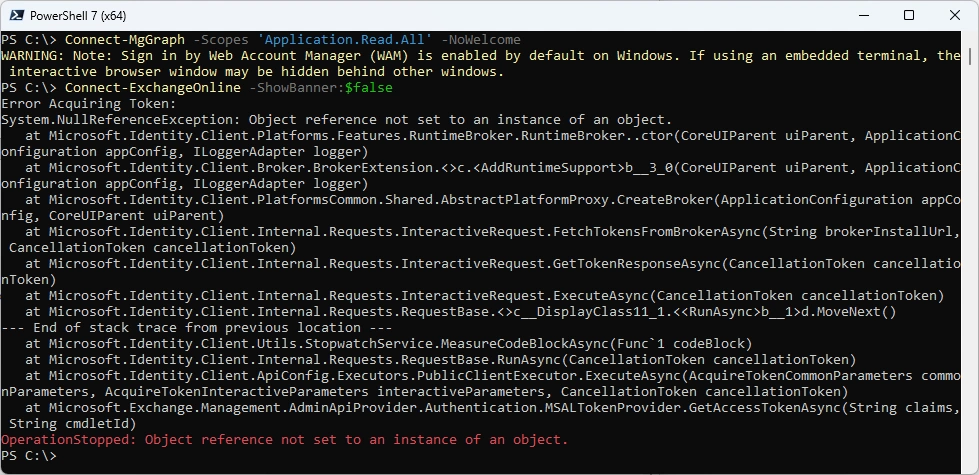
There seems to be a clash on the Authentication Librarys with the Microsoft.Graph PowerShell Module
Connect-ExchangeOnline -ShowBanner:$false
Connect-MgGraph -Scopes "Application.Read.All" -NoWelcome

Let’s flip the order of the two Modules
Connect-MgGraph -Scopes "Application.Read.All" -NoWelcome
Connect-ExchangeOnline -ShowBanner:$false
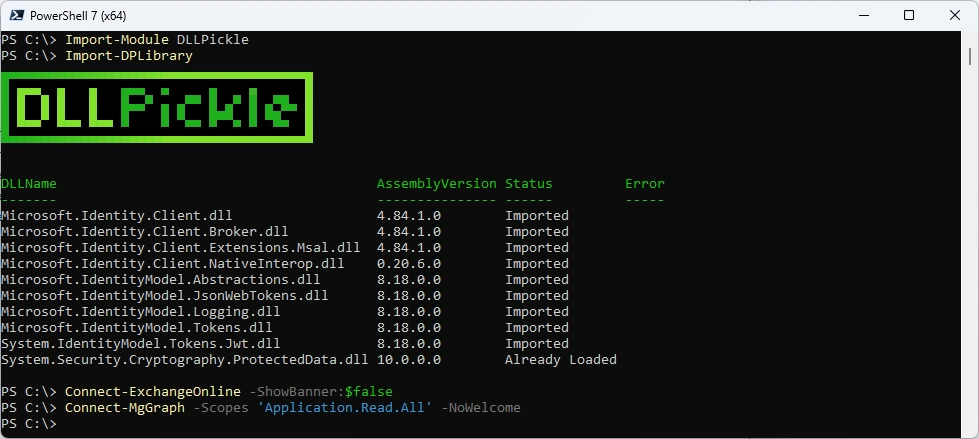
Time to try the DLLPickle Module from Sam Erde - this solves our Issue.
- GitHub DLL Pickle
- PowerShell Gallery DLLPickle 2.2.0
#Install-PSResource -Name DllPickle -Scope CurrentUser
Import-Module DLLPickle
Import-DPLibrary
Connect-ExchangeOnline -ShowBanner:$false
Connect-MgGraph -Scopes "Application.Read.All" -NoWelcome
Azure Automation Account
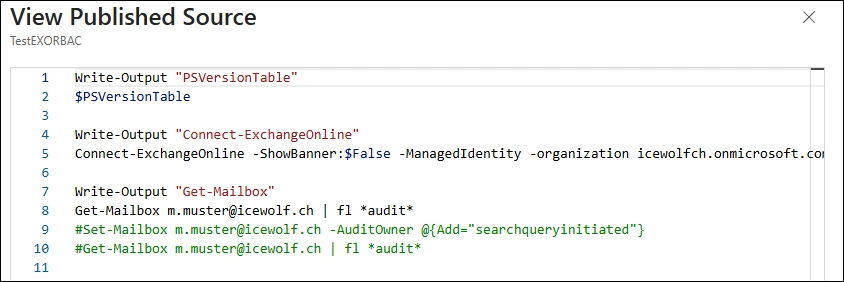
I’ve got a Azure Automation Runbook that is using Managed Identity to Connect to Exchange Online.
Write-Output "PSVersionTable"
$PSVersionTable

Write-Output "Connect-ExchangeOnline"
Connect-ExchangeOnline -ShowBanner:$False -ManagedIdentity -organization icewolfch.onmicrosoft.com

Write-Output "Get-Mailbox"
Get-Mailbox m.muster@icewolf.ch | fl *audit*
#Set-Mailbox m.muster@icewolf.ch -AuditOwner @{Add="searchqueryinitiated"}
#Get-Mailbox m.muster@icewolf.ch | fl *audit*
I was curious if older Versions of PowerShell actually don’t work anymore
Starting with this version of the module, the minimum required version of PowerShell 7 is now 7.6
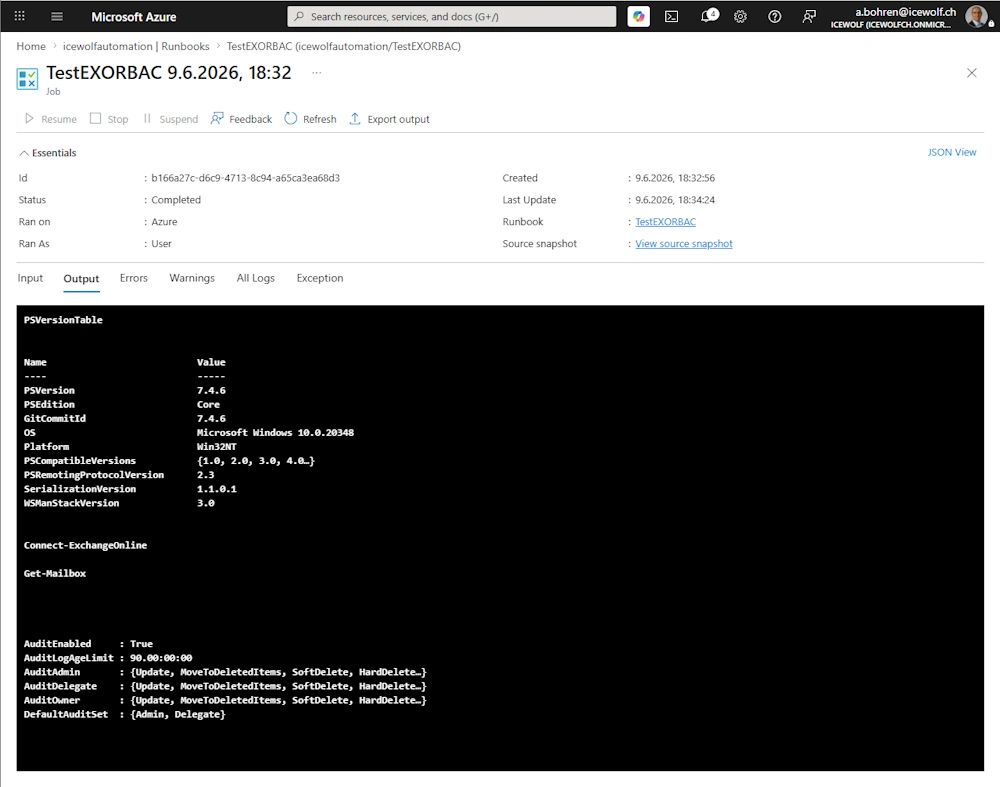
Let’s run it with Azure Automation Runtime Environment 7.4 and the ExchangeOnlineManagement 3.9.2 so we have a good “bevore” state.
Let’s update the Module from the PowerShell Gallery
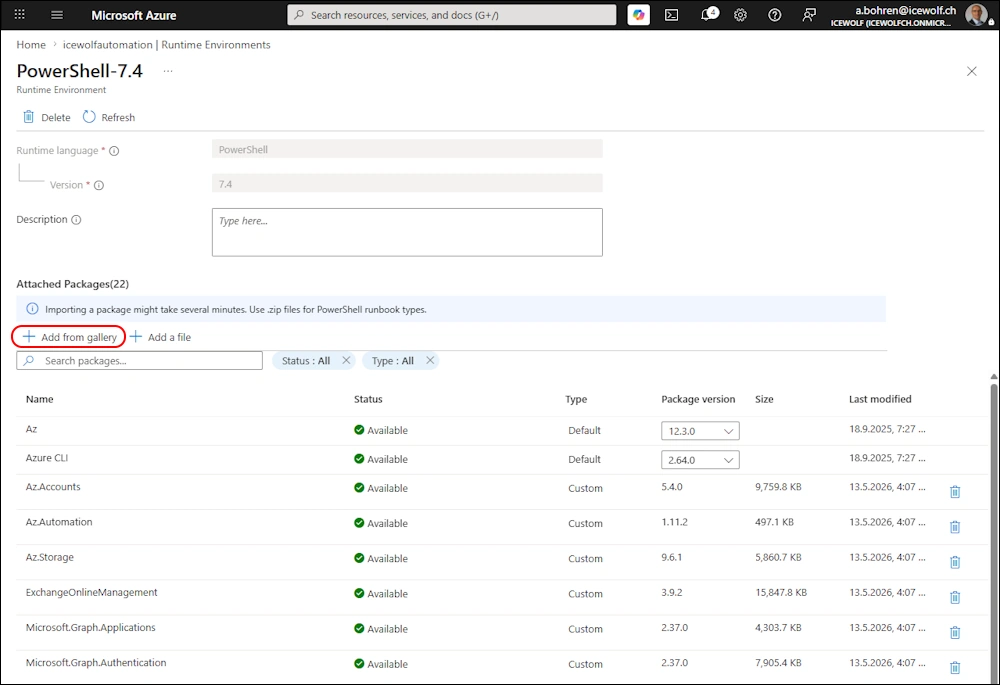
seems that does not work anymore 🤔

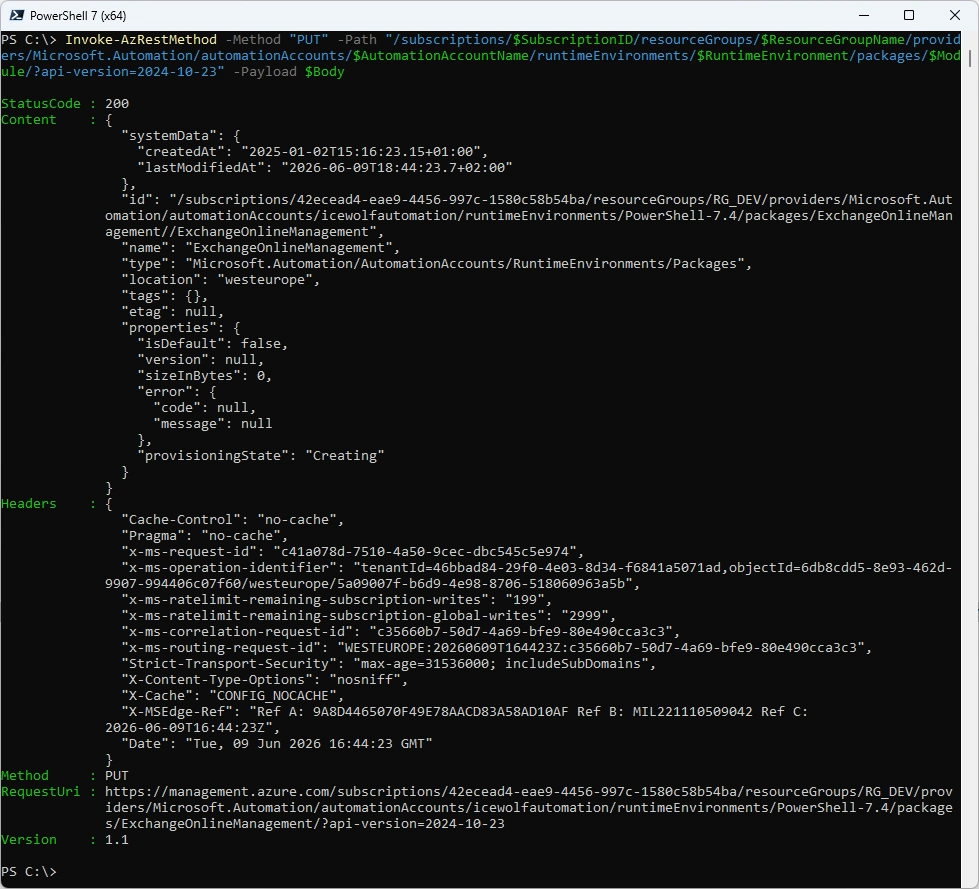
We can do that with PowerShell
###############################################################################
# Update Powershell Package
###############################################################################
#https://learn.microsoft.com/en-us/rest/api/automation/package/create-or-update?view=rest-automation-2024-10-23&tabs=HTTP
$SubscriptionID = "42ecead4-eae9-4456-997c-1580c58b54ba"
$ResourceGroupName = "RG_DEV"
$AutomationAccountName = "icewolfautomation"
$RuntimeEnvironment = "PowerShell-7.4"
$Module = "ExchangeOnlineManagement"
$Version = "3.10.0"
$URI = "https://www.powershellgallery.com/api/v2/package/$Module/$Version"

$body = @"
{
"properties": {
    "contentLink": {
    "uri": "$URI"
    }
}
}
"@

Invoke-AzRestMethod -Method "PUT" -Path "/subscriptions/$SubscriptionID/resourceGroups/$ResourceGroupName/providers/Microsoft.Automation/automationAccounts/$AutomationAccountName/runtimeEnvironments/$RuntimeEnvironment/packages/$Module/?api-version=2024-10-23" -Payload $Body
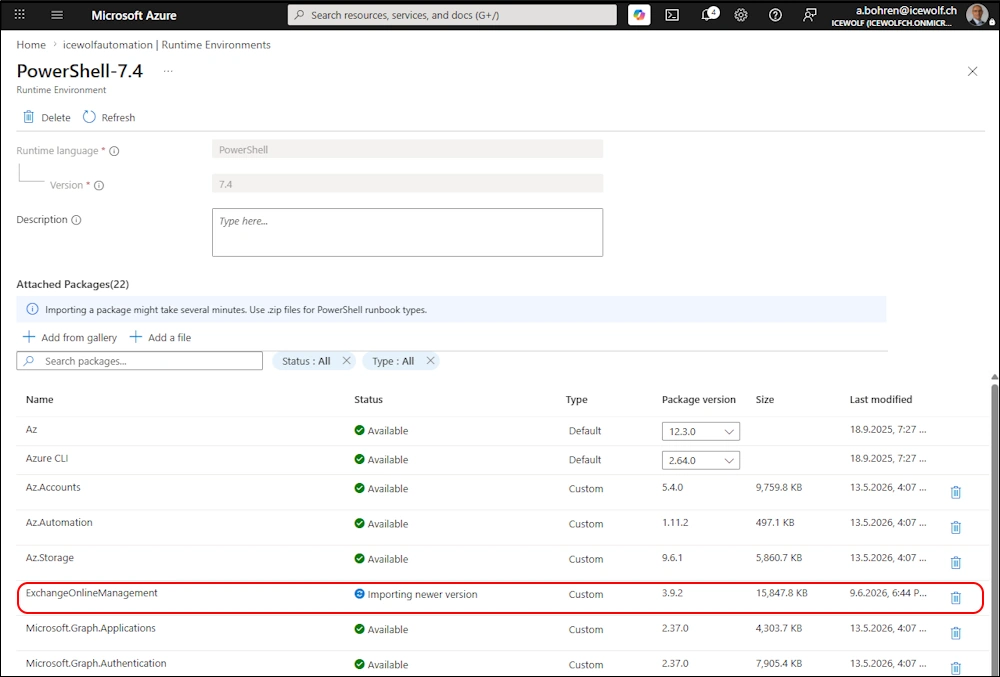
ExchangeOnlineManagement Module is updating
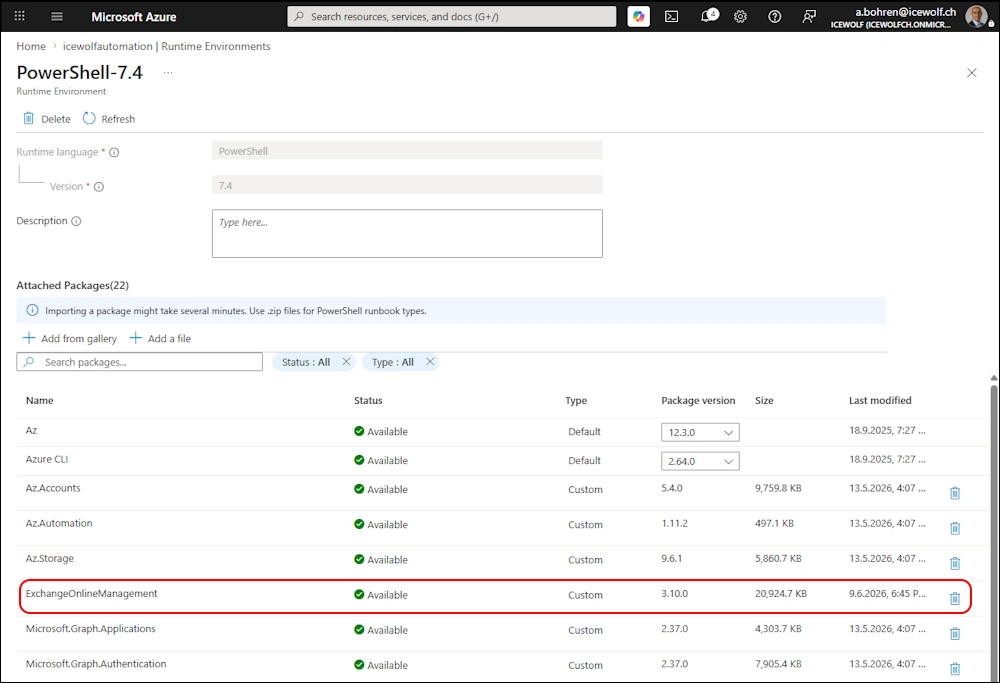
ExchangeOnlineManagement Module has been updated
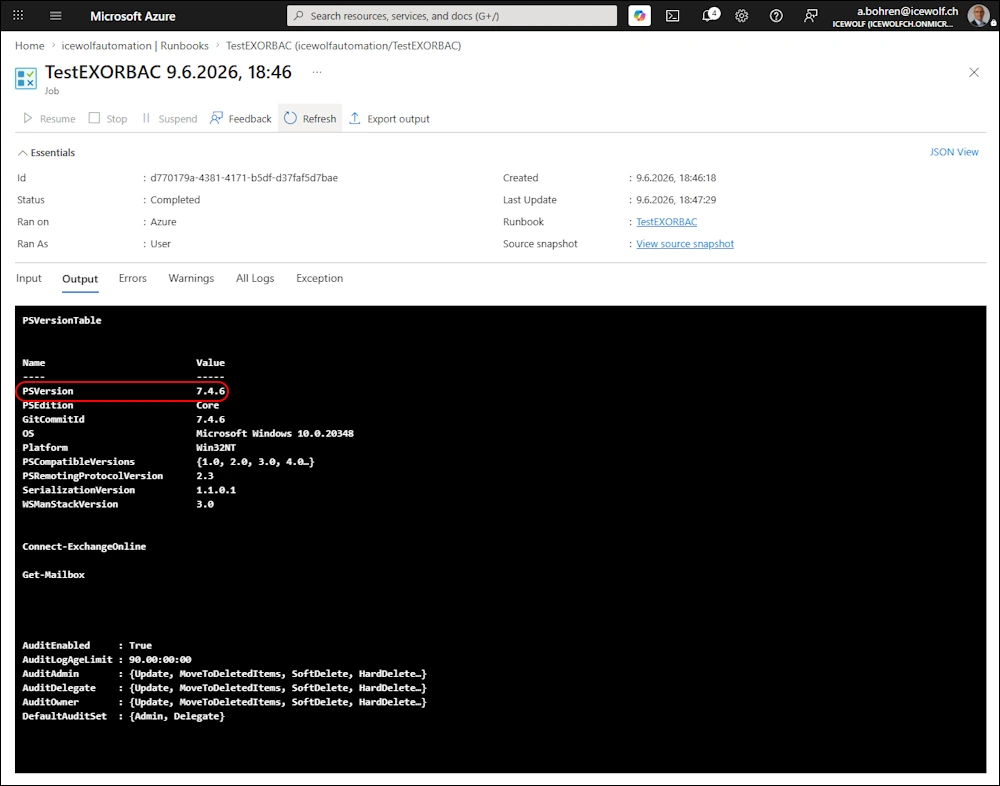
Let’s run it again with PowerShell 7.4.6 - seems to run still fine. At least for the simple commands i used.
Let’s move the Runbook to a PowerShell 7.6 Runtime Environment
###############################################################################
# Update Runbook to another Runtime Environment
###############################################################################
#https://learn.microsoft.com/en-us/rest/api/automation/runbook/update?view=rest-automation-2024-10-23&tabs=HTTP
$SubscriptionID = "42ecead4-eae9-4456-997c-1580c58b54ba"
$ResourceGroupName = "RG_DEV"
$AutomationAccountName = "icewolfautomation"
$RuntimeEnvironment = "PowerShell-76"
$Runbook = "TestEXORBAC"

$body = @"
{
  "properties": {
   "runtimeEnvironment": "$RuntimeEnvironment",
   "runbookType": "PowerShell"
  }
}
"@

Invoke-AzRestMethod -Method "PATCH" -Path "/subscriptions/$SubscriptionID/resourceGroups/$ResourceGroupName/providers/Microsoft.Automation/automationAccounts/$AutomationAccountName/runbooks/$Runbook/?api-version=2024-10-23" -Payload $Body
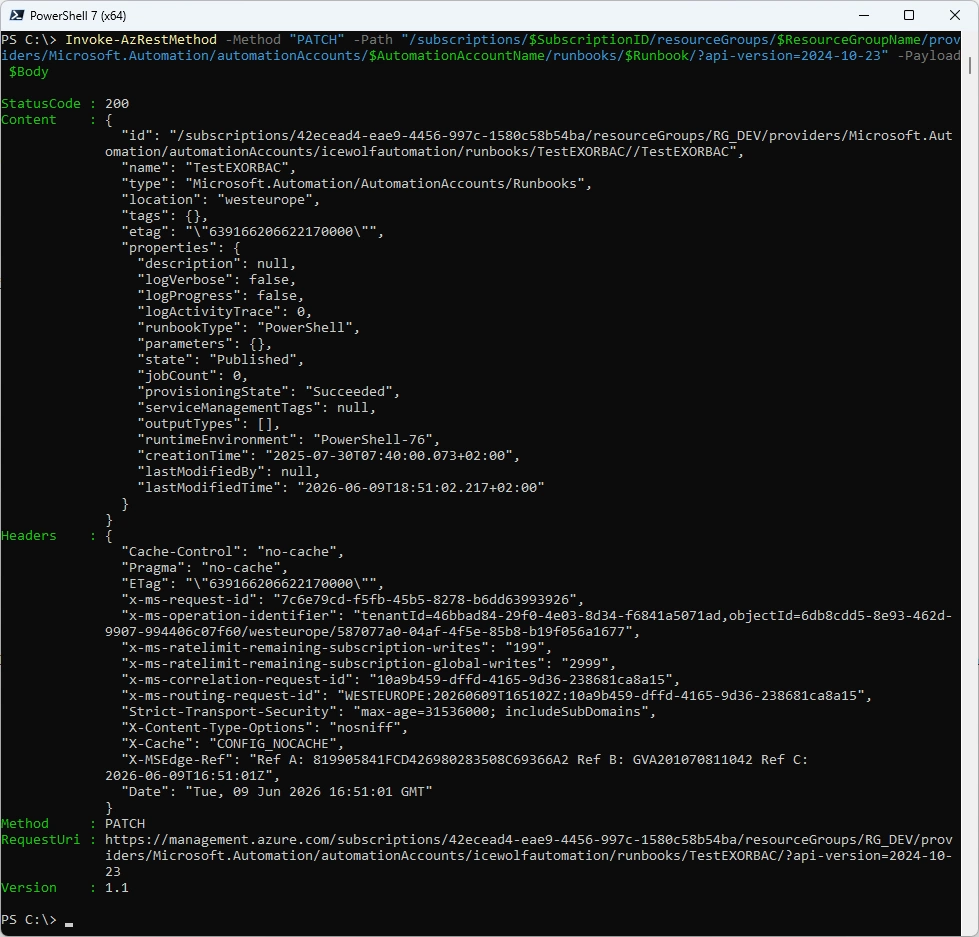
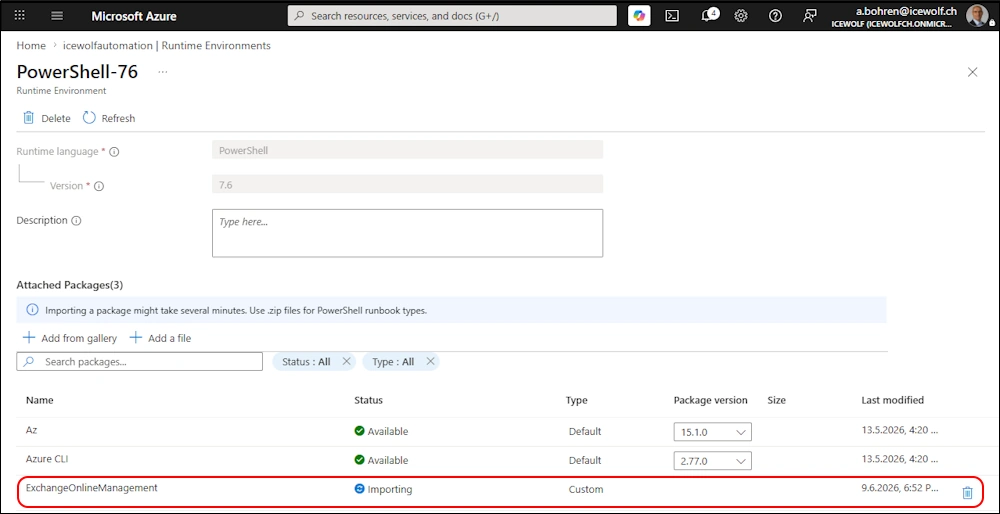
Let’s install ExchangeOnlineManagement 3.10.0 in the PowerShell 7.6 Runtime Environment
###############################################################################
# Update Powershell Package
###############################################################################
#https://learn.microsoft.com/en-us/rest/api/automation/package/create-or-update?view=rest-automation-2024-10-23&tabs=HTTP
$SubscriptionID = "42ecead4-eae9-4456-997c-1580c58b54ba"
$ResourceGroupName = "RG_DEV"
$AutomationAccountName = "icewolfautomation"
$RuntimeEnvironment = "PowerShell-76"
$Module = "ExchangeOnlineManagement"
$Version = "3.10.0"
$URI = "https://www.powershellgallery.com/api/v2/package/$Module/$Version"

$body = @"
{
"properties": {
    "contentLink": {
    "uri": "$URI"
    }
}
}
"@

Invoke-AzRestMethod -Method "PUT" -Path "/subscriptions/$SubscriptionID/resourceGroups/$ResourceGroupName/providers/Microsoft.Automation/automationAccounts/$AutomationAccountName/runtimeEnvironments/$RuntimeEnvironment/packages/$Module/?api-version=2024-10-23" -Payload $Body
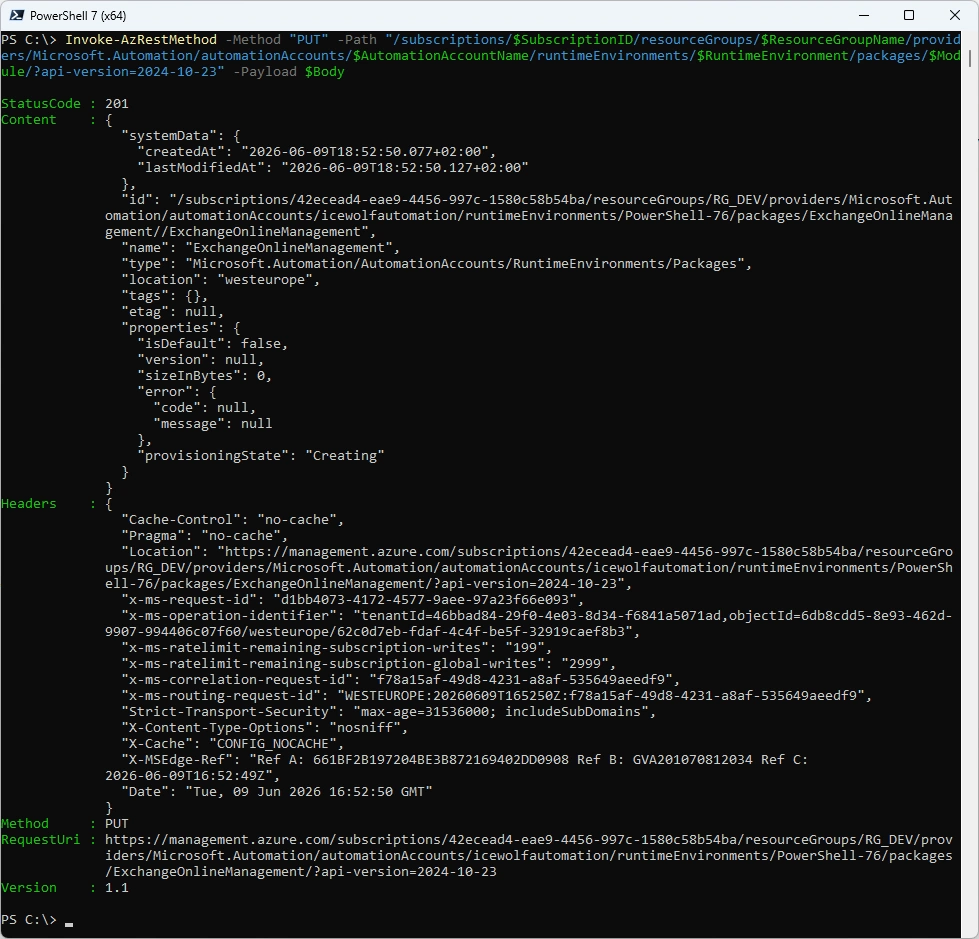
ExchangeOnlineManagement is installing
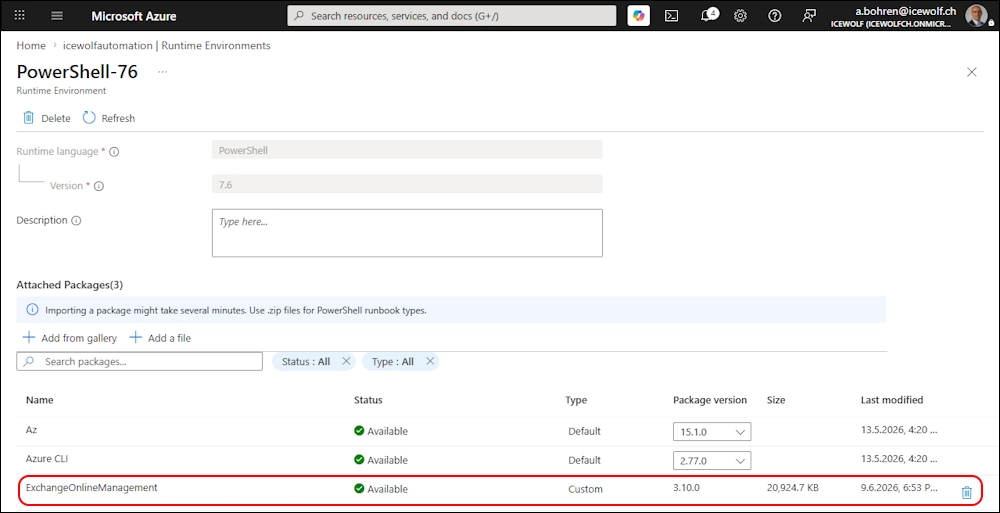
ExchangeOnlineManagement has been installed
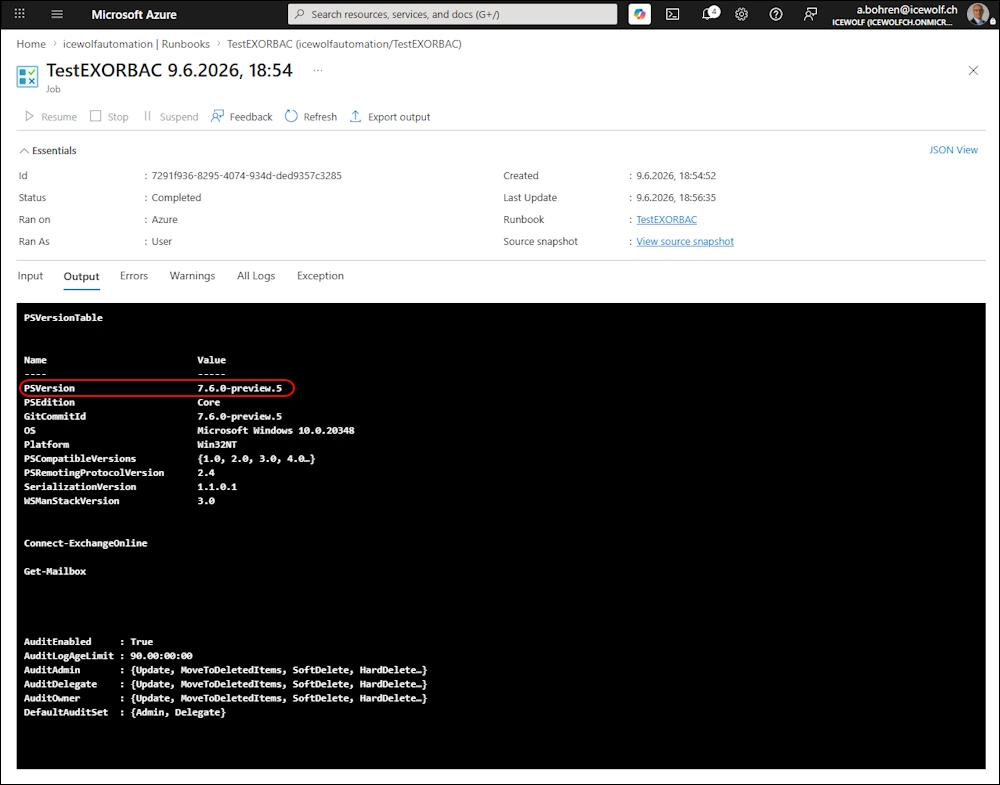
Let’s run the Azure Automation Runbook - so far no diffrence.
Note: It’s still running PowerShell 7.6.0-preview.5 even PowerShell 7.6 is GA since March 2026
Regards
Andres Bohren
Exchange Logo PowerShell Logo
