
Azure Upgrade StorageAccount to general-purpose v2
Hi All,
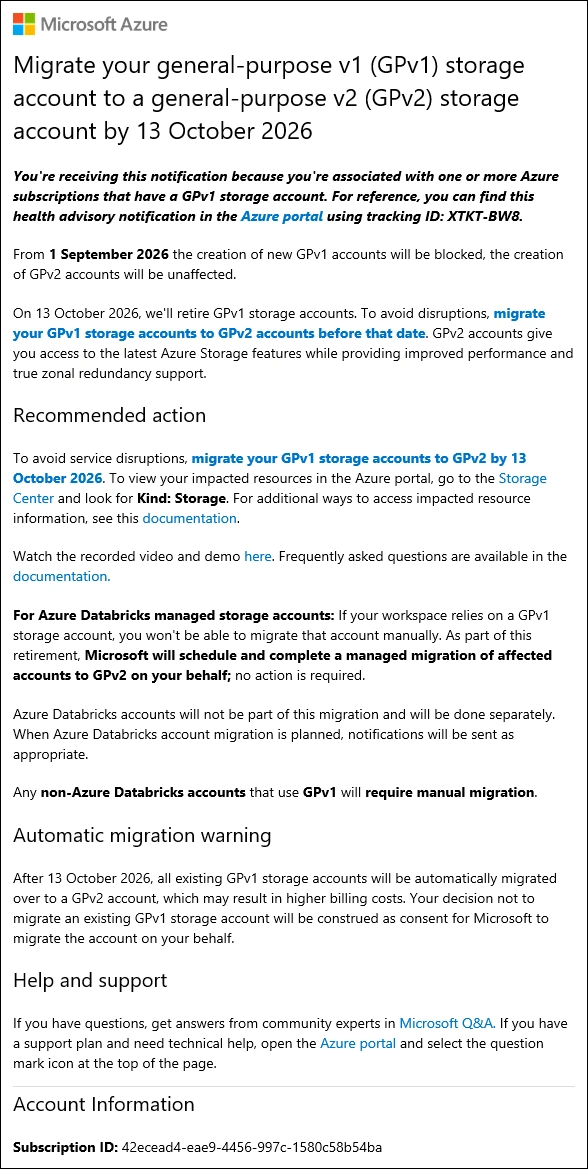
Microsoft has announced the retirement of General Purpose v1 (GPv1) Storage Accounts already long time ago. New GPv1 account creation will be blocked in Q1 2026, and all existing GPv1 accounts must be upgraded to GPv2 by October 13, 2026 to avoid service disruption. Accounts that are not upgraded by then will be automatically migrated by Microsoft. GPv2 provides access to the latest Azure Storage features, lower capacity costs, and flexible access tiers.
Recently i’ve received another Reminder per Email - ignored all the Warnings in the past 😎
Hot to identify affected Resources
Here is how you can identify the affected Azure StorageAccount Resources
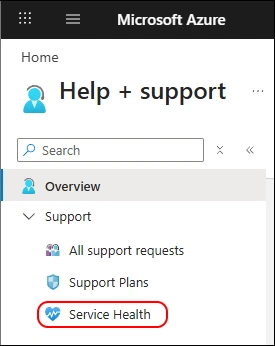
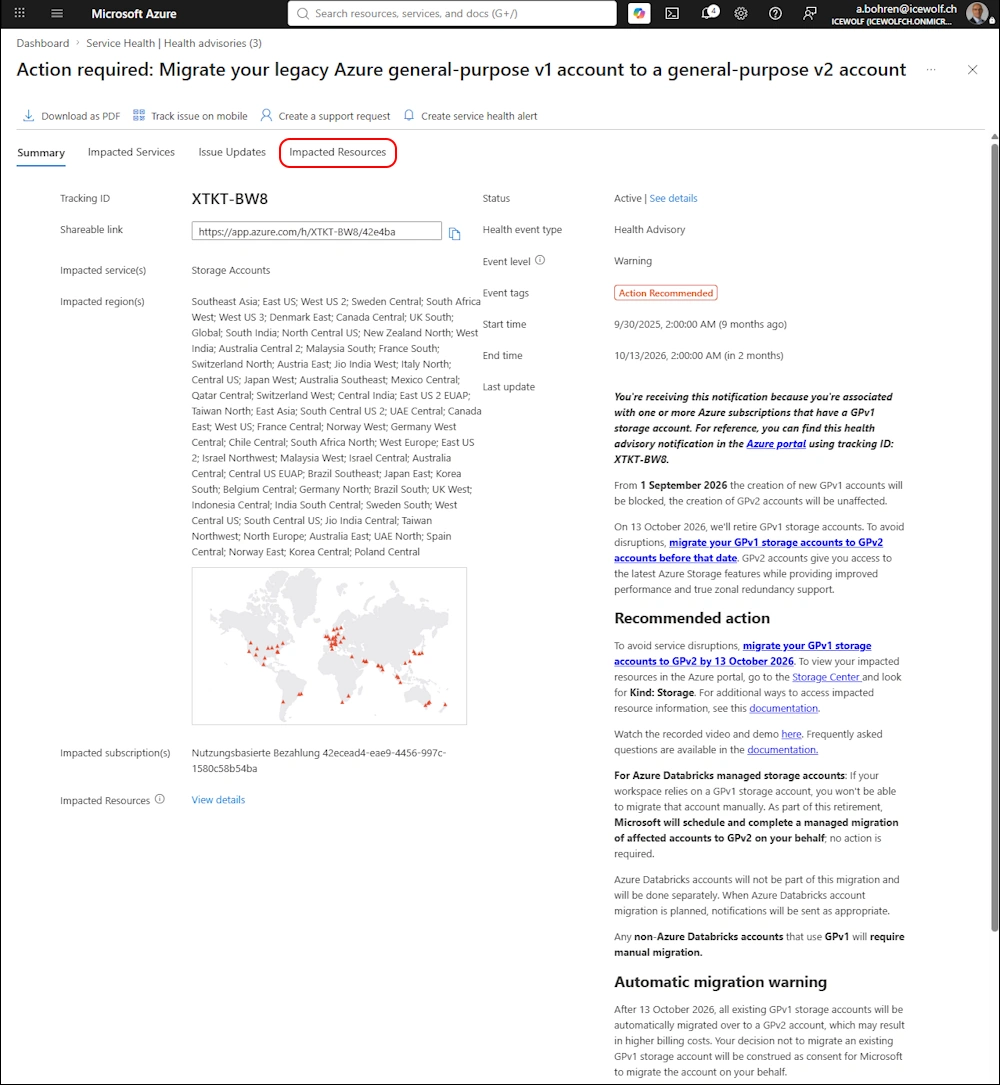
Navigate toe Help + support in the Azure Portal and select “Service Health”
Select “Health advisories” and select the Storage Accounts
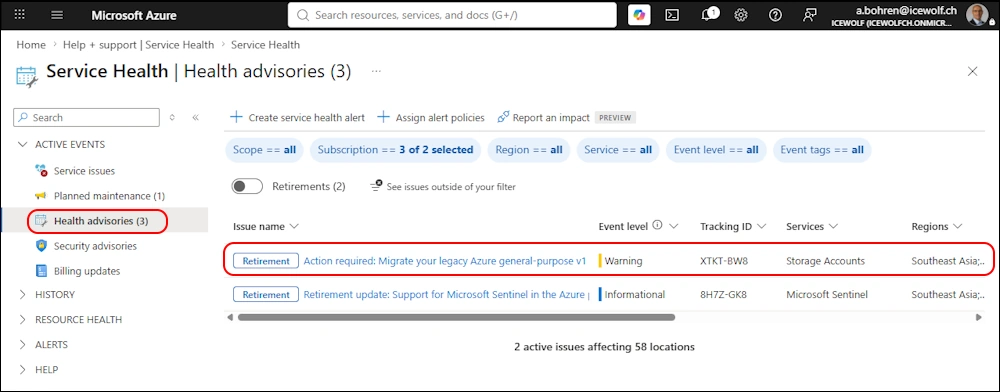
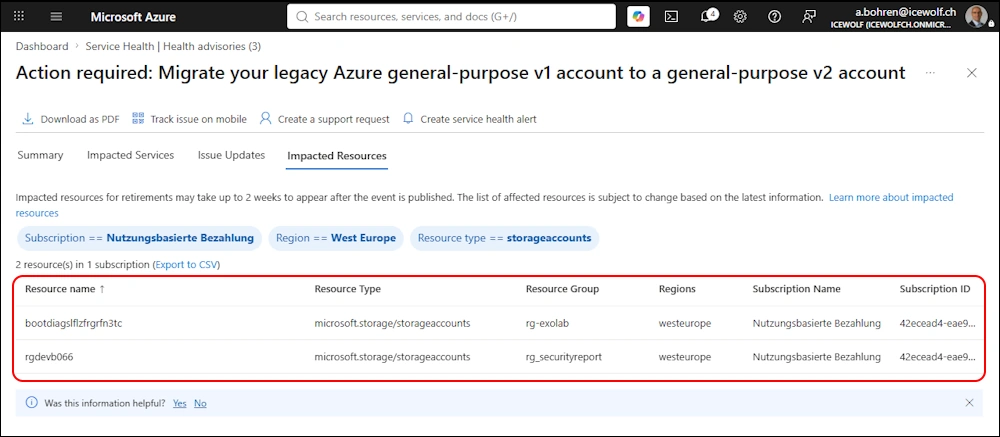
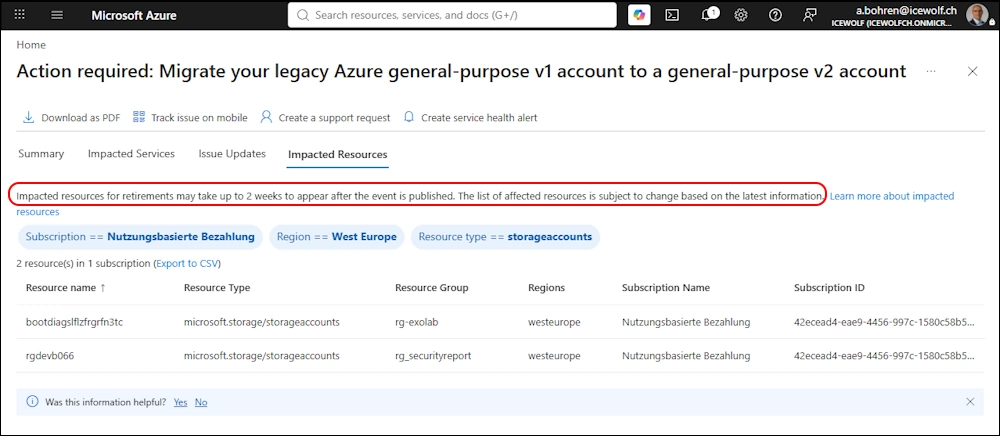
You get the Summary and can view the affected Resources with “Impacted Resources”
Here you can see the affected Storage Accounts
AZ PowerShell
Connect to Azure and list Storage Accounts. You see the Kind “Storage” for Storage Account V1 and “StorageV2” for Storage Account V2.
Connect-AzAccount -Tenant icewolfch.onmicrosoft.com
Get-AzStorageAccount
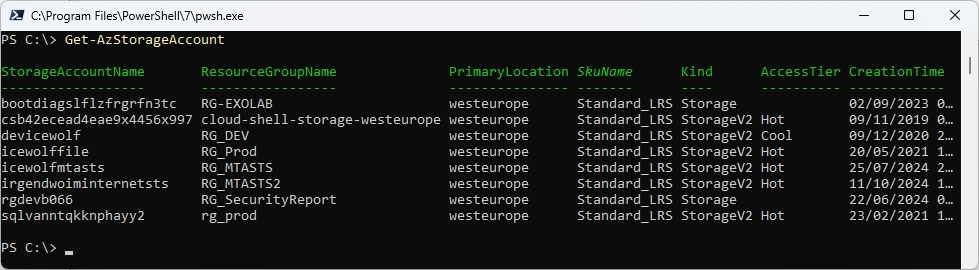
Let’s filter vor Azure StorageAccount V1
Get-AzStorageAccount | where {$_.Kind -eq "Storage"}

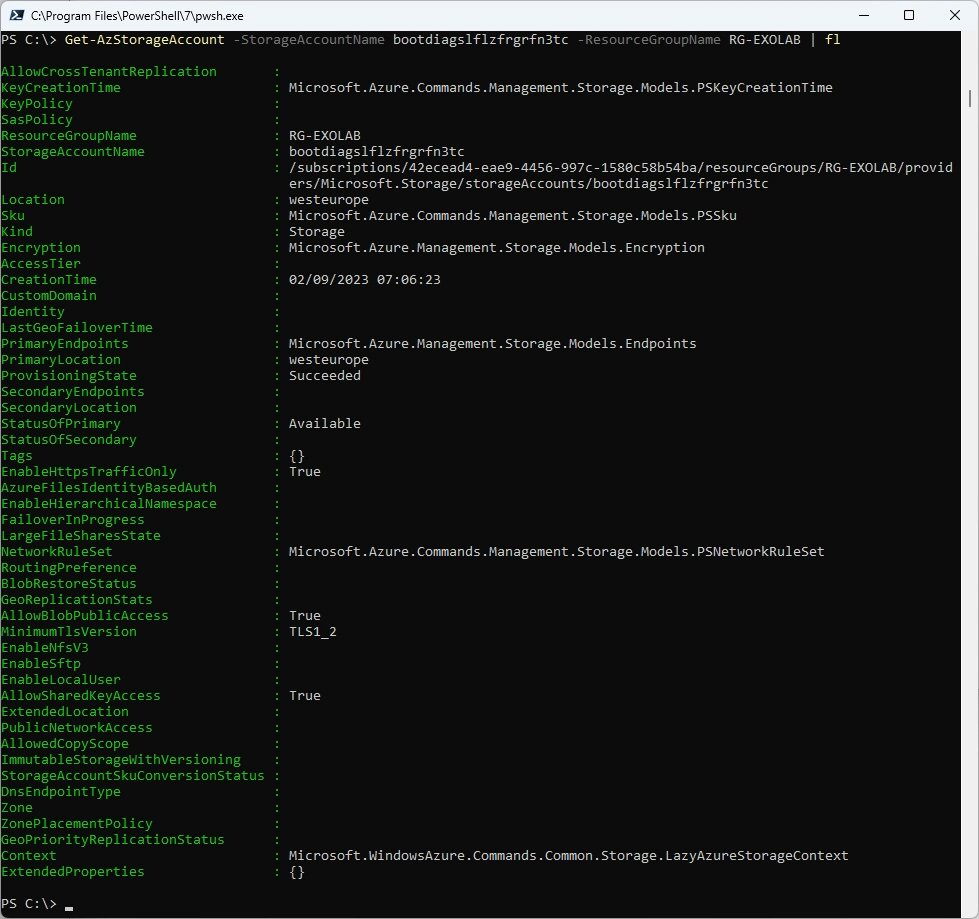
Let’s view the details
Get-AzStorageAccount -StorageAccountName bootdiagslflzfrgrfn3tc -ResourceGroupName RG-EXOLAB | fl
Upgrade to StorageV2 is very easy
Set-AzStorageAccount -StorageAccountName bootdiagslflzfrgrfn3tc -ResourceGroupName RG-EXOLAB -UpgradeToStorageV2
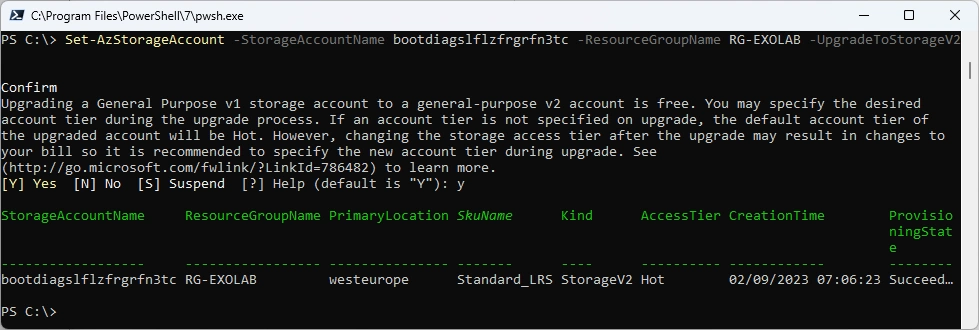
According to Set-AzStorageAccount you can set the Tier to Hot/Cool/Cold/Smart
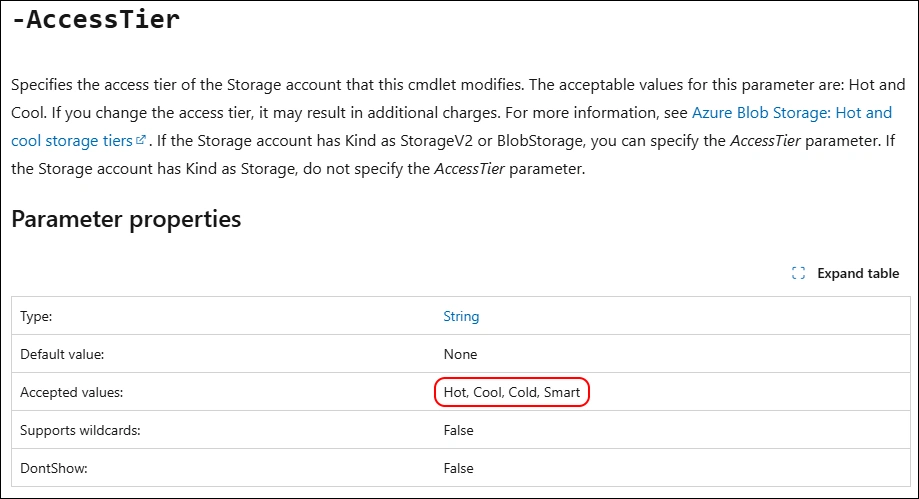
Tried “Smart” but that didn’t work. It works with “Cool”
Set-AzStorageAccount -StorageAccountName rgdevb066 -ResourceGroupName RG_SecurityReport -UpgradeToStorageV2 -AccessTier "Smart"
Set-AzStorageAccount -StorageAccountName rgdevb066 -ResourceGroupName RG_SecurityReport -UpgradeToStorageV2 -AccessTier "Cool"
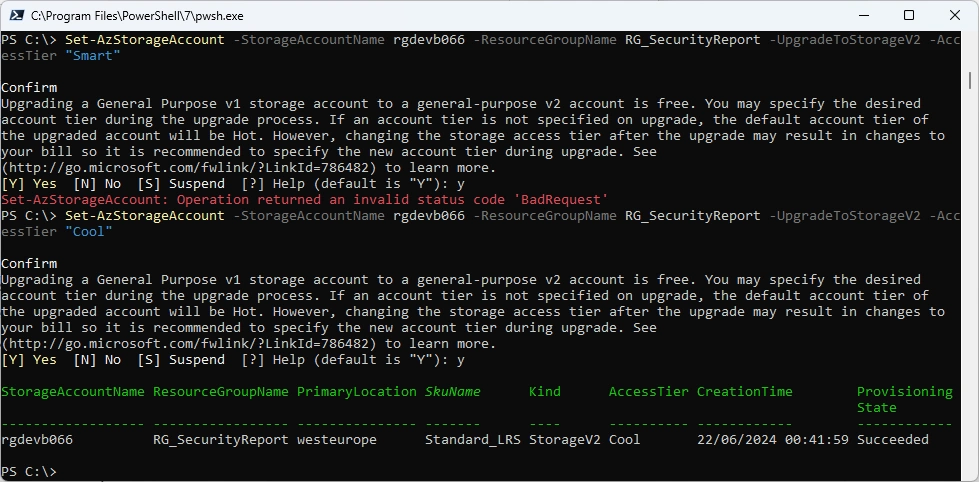
I’ve tried to set the AccessTier to Smart after the upgrade. That did not work
Set-AzStorageAccount -StorageAccountName rgdevb066 -ResourceGroupName RG_SecurityReport -AccessTier Smart

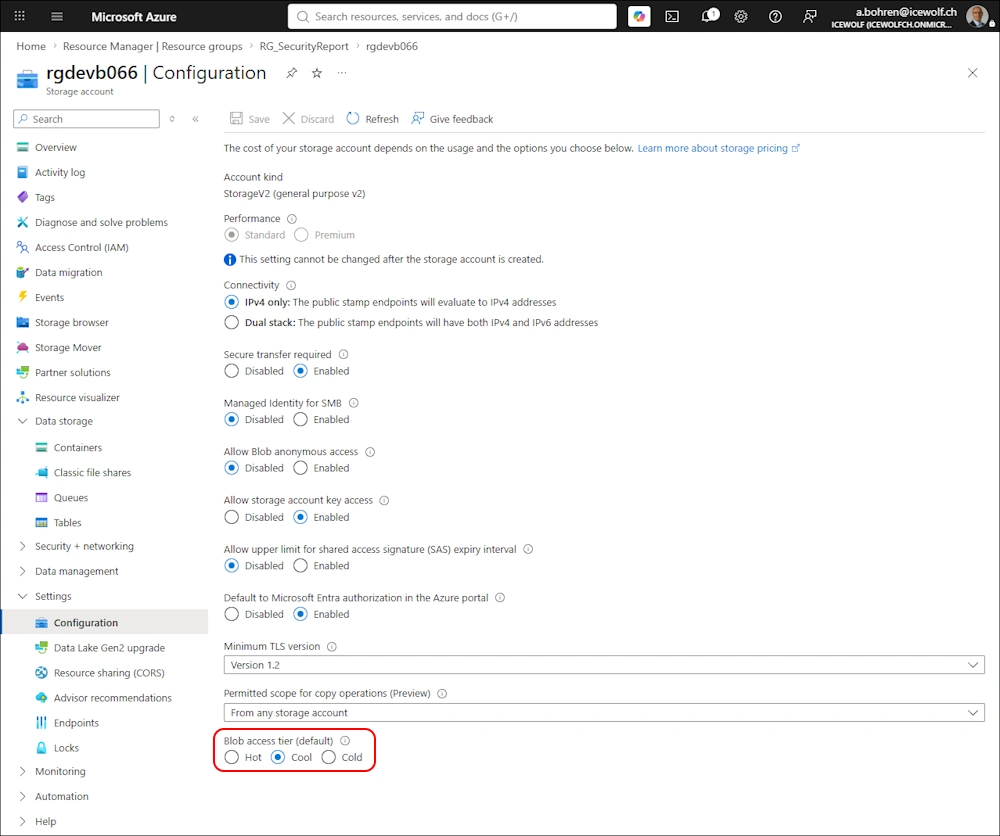
In the Azure Portal only Hot/Cool/Cold are available as Access Tier.
According to Microsoft, it can take up to two Weeks until impacted resources are updated.
Regards
Andres Bohren
Azure Logo