
Entra Disable User Creation of Agent Identity Blueprints
Hi All,
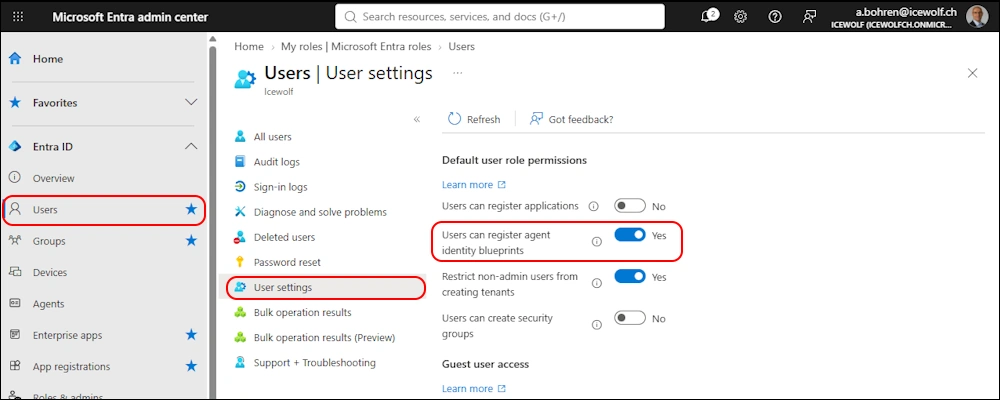
There is a new Option in Entra Admin Center: “Users can register agent identity blueprints”. By default that’s turned on.
What is an agent identity blueprint?
An agent identity blueprint has the following properties that are shared across all its agent identities:
- Description: A brief summary of the agent’s purpose and functions.
- App roles: Define the roles that can be given to users and other principals when using the agent.
- Verified publisher: The organization that built the agent.
- Settings for authentication protocols: Configure which information is included in access tokens issued to the agent, such as OptionalClaims.
PowerShell
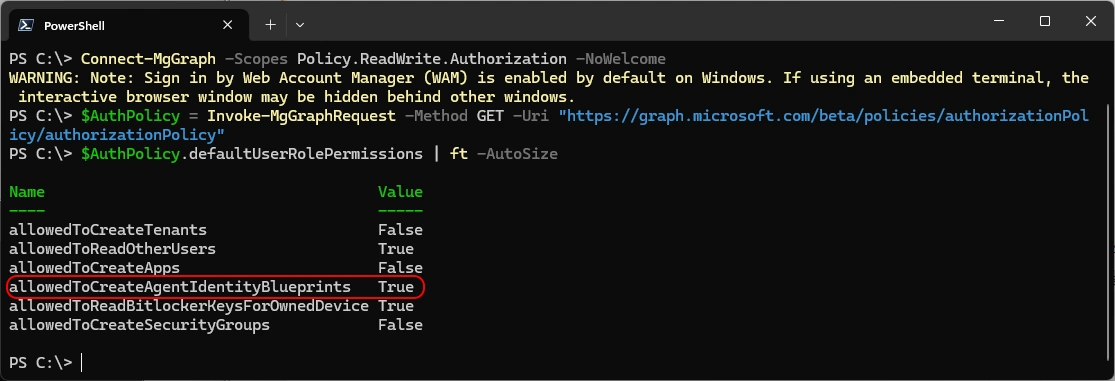
Let’s have a look at this Setting with PowerShell
Connect-MgGraph -Scopes Policy.ReadWrite.Authorization -NoWelcome
$AuthPolicy = Invoke-MgGraphRequest -Method GET -Uri "https://graph.microsoft.com/beta/policies/authorizationPolicy/authorizationPolicy"
$AuthPolicy.defaultUserRolePermissions | ft -AutoSize
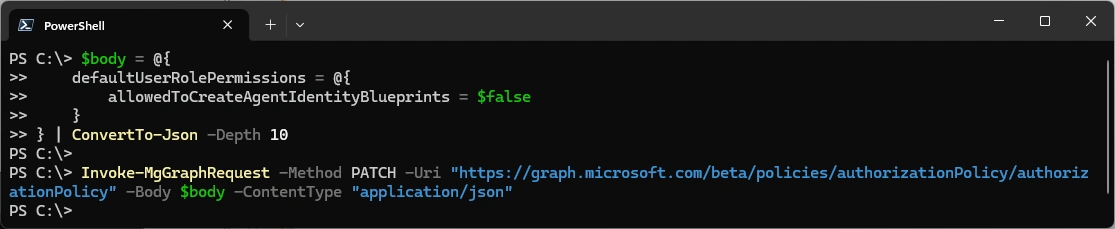
This is how to turn it of with PowerShell
$body = @{
    defaultUserRolePermissions = @{
        allowedToCreateAgentIdentityBlueprints = $false
    }
} | ConvertTo-Json -Depth 10

Invoke-MgGraphRequest -Method PATCH -Uri "https://graph.microsoft.com/beta/policies/authorizationPolicy/authorizationPolicy" -Body $body -ContentType
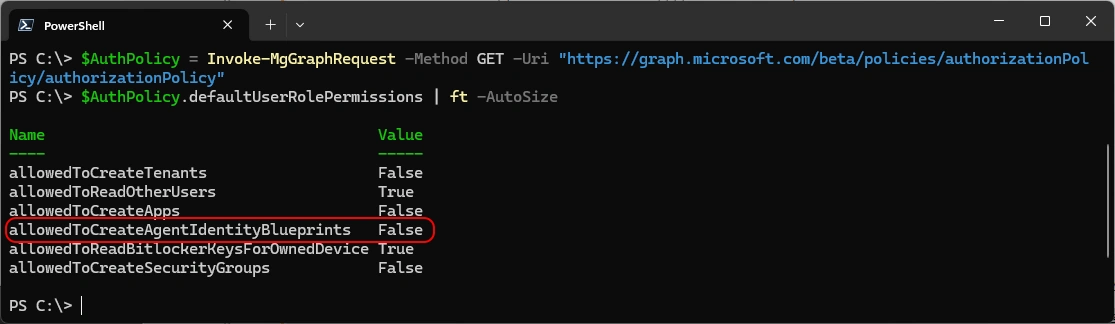
Now it’s turned off
$AuthPolicy = Invoke-MgGraphRequest -Method GET -Uri "https://graph.microsoft.com/beta/policies/authorizationPolicy/authorizationPolicy"
$AuthPolicy.defaultUserRolePermissions | ft -AutoSize
Other Blogs about this Topic
- How to Restrict Users from Creating Agent Identity Blueprints in Microsoft Entra
- Microsoft Plans to Allow Users to Create Agent Blueprints
Regards
Andres Bohren
EntraID Logo PowerShell Logo
