
PSResourceGet 1.3.0-rc1 released
Hi All,
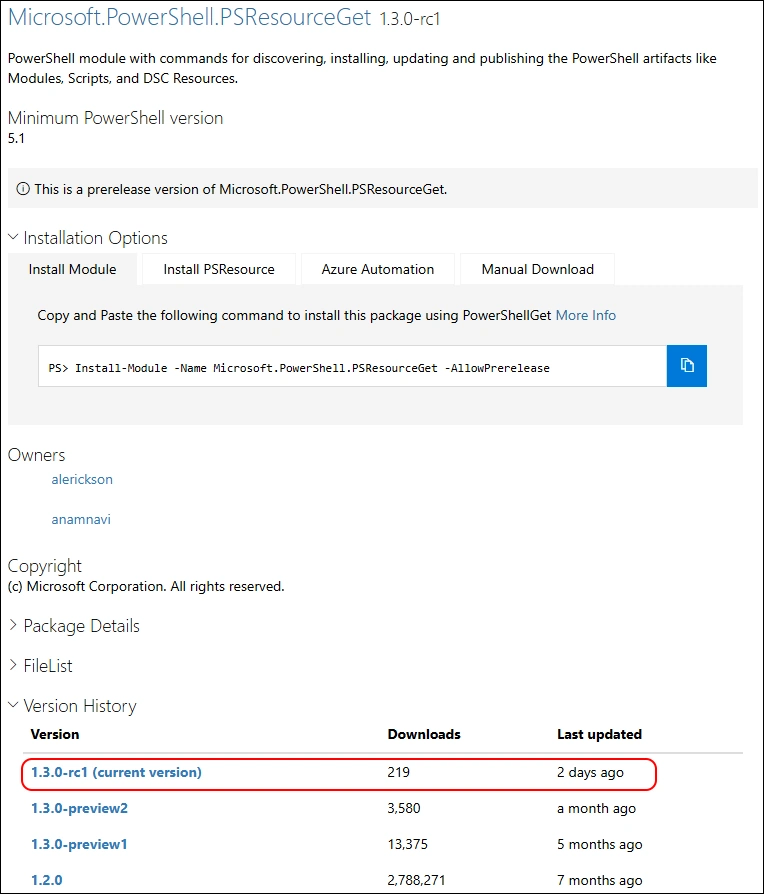
Yesterday Microsoft has released the rc1 (release candidate) Version of Microsoft.PowerShell.PSResourceGet
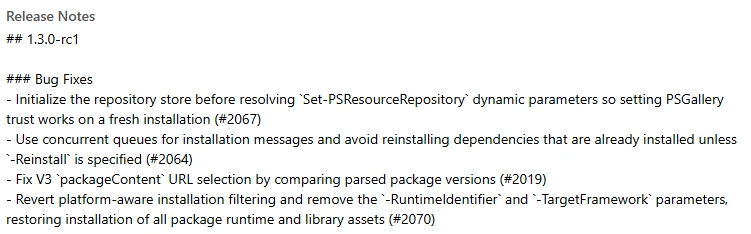
Release Notes 1.3.0-rc1:
Bug Fixes
- Initialize the repository store before resolving
Set-PSResourceRepositorydynamic parameters so setting PSGallery trust works on a fresh installation (#2067) - Use concurrent queues for installation messages and avoid reinstalling dependencies that are already installed unless
-Reinstallis specified (#2064) - Fix V3
packageContentURL selection by comparing parsed package versions (#2019) - Revert platform-aware installation filtering and remove the
-RuntimeIdentifierand-TargetFrameworkparameters, restoring installation of all package runtime and library assets (#2070)
Update
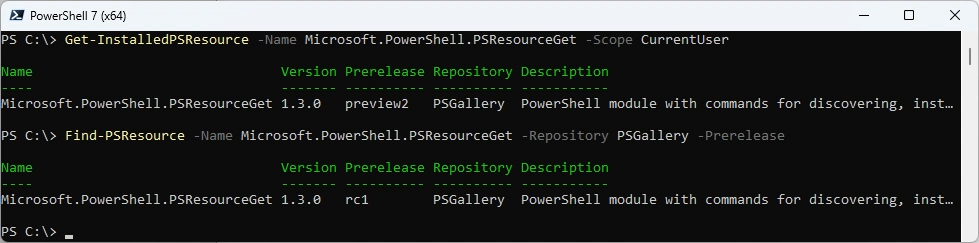
Let’s check what Version is installed and what’s available on the PowerShell Gallery
Get-InstalledPSResource -Name Microsoft.PowerShell.PSResourceGet -Scope CurrentUser
Find-PSResource -Name Microsoft.PowerShell.PSResourceGet -Repository PSGallery -Prerelease
Because i’ve already installed 1.3.0-preview2 it seems to be the only way to delete the Module in the File Explorer
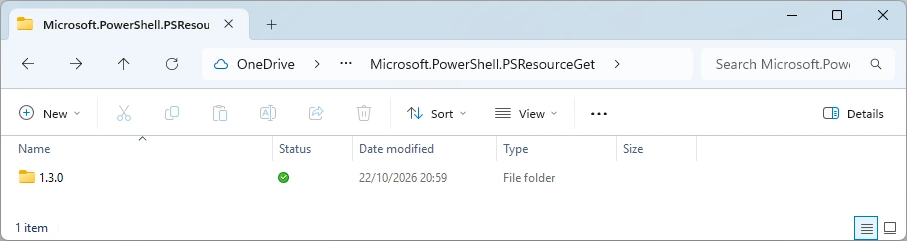
Now we need to install the Module with Install-Module
Install-Module -Name Microsoft.PowerShell.PSResourceGet -Scope CurrentUser -Repository PSGallery -AllowPrerelease
Get-InstalledPSResource -Name Microsoft.PowerShell.PSResourceGet -Scope CurrentUser

I’ve filed an GitHub Issue with the AZ Module with PSResourceGet 1.3.0-preview2. That’s why i uninstall the AZ Modules
Uninstall-M365Module -Modules AZ -Scope CurrentUser -FileMode

Now let’s install it from the PS Gallery
Install-PSResoure -Name AZ -Scope CurrentUser -Repository PSGallery

Let’s try to install it from the MicrosoftArtifactRegistry
Install-PSResoure -Name AZ -Scope CurrentUser -Repository MicrosoftArtifactRegistry

Regards
Andres Bohren
PowerShell Logo