
Microsoft Purview Customer Key
Hi All,
I have customers that have enabled Microsoft Purview Customer Key in theyr Tenant. But i’ve never done it myself. So here is a complete Guide on how to Enable Customer Key in a Tenant.
Overview
A data encryption policy (DEP) defines the encryption hierarchy
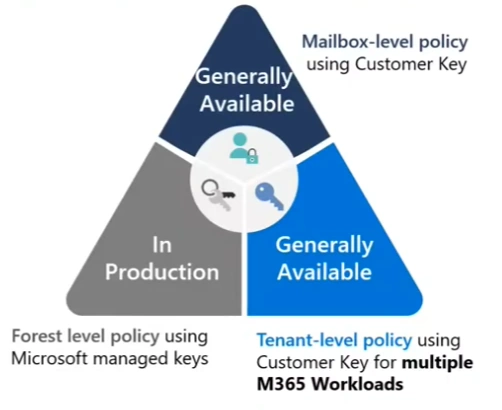
- Forest level policy: First of all, you should know, that Data at Rest in Microsoft 365 is protected with Microsoft Managed Keys (MMK) and you can not change that.
- Tenant-level policy: You can assign Customer Keys for multiple Workloads to protect Windows 365 Cloud PC’s, Teams, Exchange, Purview Information Protection
- Mailbox-Level policy: When you want to use diffrent Customer Key for certain Mailboxes
DEP for Multiple Microsoft 365 workloads These DEPs encrypt data across several Microsoft 365 workloads for all users in the tenant:
- Windows 365 Cloud PCs (Enterprise), including Frontline Dedicated and Shared modes (details)
- Teams: Chat messages, media messages, calls/meeting recordings (in Teams storage), notifications, Cortana suggestions, status messages
- Microsoft 365 Copilot interactions
- Exchange: User/signal information and mailboxes not covered by a mailbox DEP
- Microsoft Purview Information Protection: EDM data (schemas, rule packages, salts), sensitivity label configurations
For EDM and Teams, the DEP encrypts new data from assignment. For Exchange, it encrypts all existing and new data.
Exchange Online
By default, Exchange mailboxes are encrypted using Microsoft-managed keys. When you assign a Customer Key DEP, the service rewraps existing encrypted mailboxes on next access.
Each mailbox must have a persistent, eligible license to receive a data encryption policy. Microsoft periodically validates mailbox licenses. If a mailbox doesn’t have an eligible license, encryption reverts to the default service encryption.
You can assign DEPs to shared, public folder, and group mailboxes as long as your tenant meets the licensing requirements for user mailboxes.
There is a good Video available about Customer Key in Exchange Online from MEC Technical Airlift
If you use the “Multiple Microsoft 365 Workloads (M365DataAtRestEncryption)”, then all Mailboxes are protected with the Tenant-Level mit Customer Key.
If you want to protect only dedicated Mailboxes with a Customer Key, you can use the Mailbox-Level Policy. You have to create an DataEncryptionPolicy for Exchange - see Youtube Video
About Data Encryption Policies (DEPs) in Exchange Online:
- Allows precise control over individual mailboxes within Exchange Online.
- Encrypts data stored in mailboxes of different types such as UserMailbox, MailUser, Group, PublicFolder, and Shared mailboxes.
- There can be up to 50 active DEPS per tenant, and one can assign one DEP to multiple mailboxes.
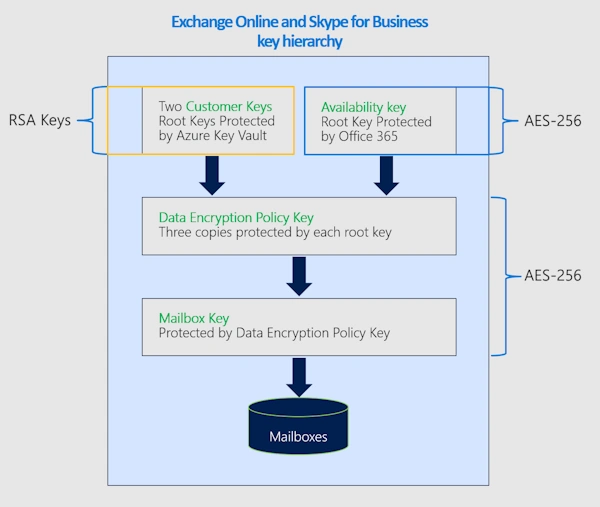
Uses of the Availability Key:
- The availability key serves the 3 key purposes:
- A recovery capability if control over Azure Key Vault is lost.
- Defense-in-depth to protect against malicious attacks.
- High availability against transient issues in reaching Azure Key Vault.
- A customer-visible audit record is generated each time the service uses the availability key
- The availability key gets deleted when an EXO mailbox-level policy is purged.
SharePoint Online, OneDrive for Business and Teams
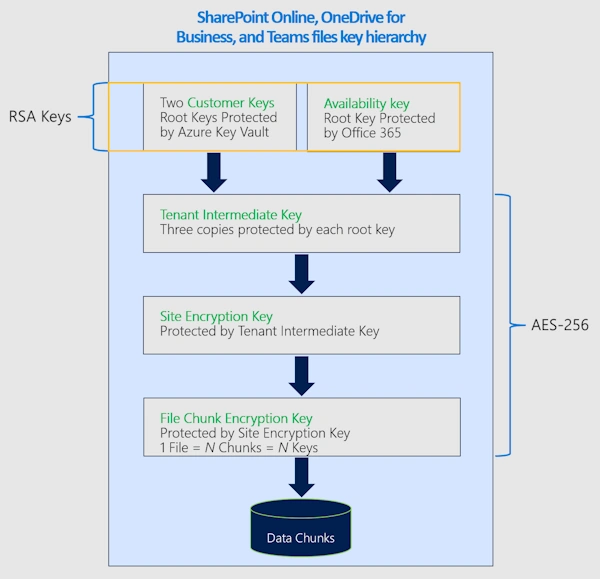
Because data encryption policies apply at the tenant level, the number of Customer Key licenses assigned in your tenant must be at least equal to the number of users assigned SharePoint licenses.
This Data Encryption Policies (DEP) encrypts content stored in SharePoint and OneDrive, including Teams files stored in SharePoint. Multi-geo tenants can create one DEP per geo; single-geo tenants can create one DEP.
If you create a dedicated DEP for SharePoint OnLine an Onedrive for Business be aware that:
Caution: Rolling back from Customer Key to Microsoft-managed keys isn’t supported for SharePoint or OneDrive.
Source: Roll back from Customer Key to Microsoft managed Keys
Prerequisits
Before setting up Customer Key, ensure meet the Requirements:
- Licensing: For licensing requirements, see Microsoft Purview Customer Key Licensing
- Microsoft 365 E5/A5/G5
- Microsoft Purview Suite EDU/GOV/FLW
- Microsoft 365 E5/A5/F5/G5 Information Protection and Governance
- Azure subscriptions: Two paid Azure subscriptions (Free, Trial, Sponsorship, MSDN, or Legacy Support aren’t eligible)
- Permissions: Exchange admin permissions (all Customer Key operations run through Exchange Online PowerShell)
- PowerShell modules:
- Azure PowerShell for Key Vault/HSM operations
- Exchange Online PowerShell for DEP operations
- Azure knowledge: Familiarity with Azure Key Vault and Microsoft Entra tenant concepts
Azure Subscription
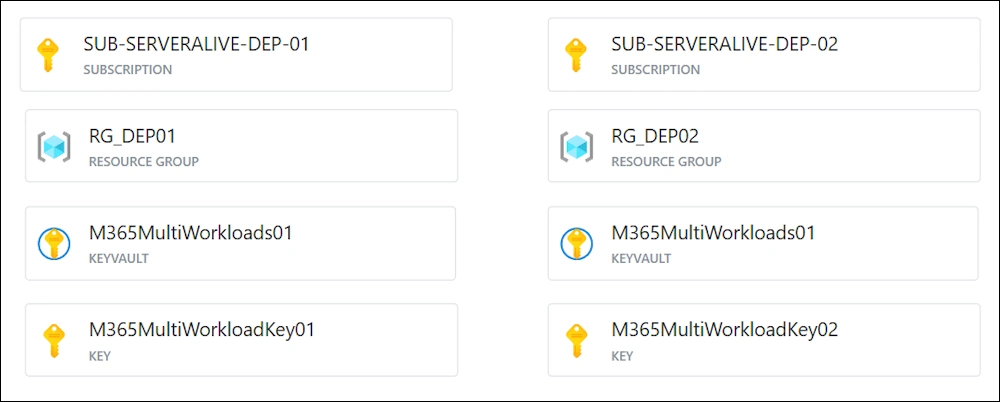
This is the Result we are trying to archieve - i’ve created this Graphic with Azure Diagrams
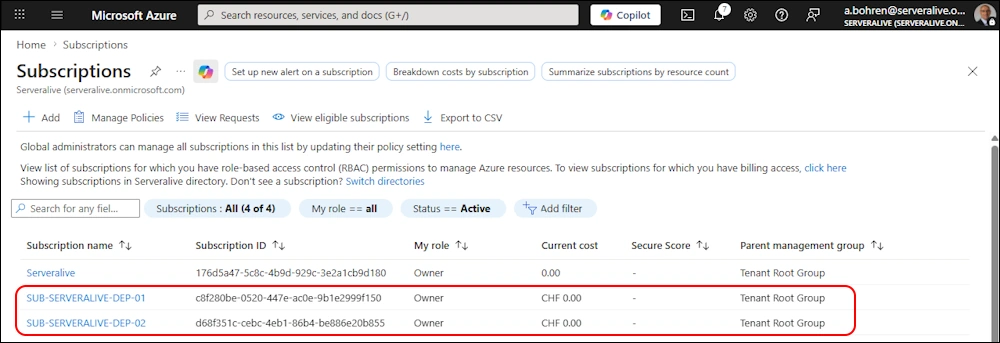
I’ve create the two Azure Subscriptions in Azure Portal.
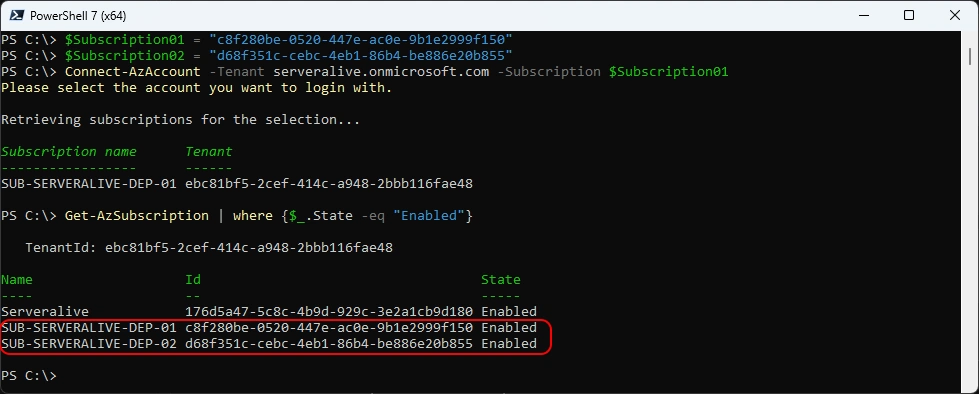
For the following PowerShell commands you need to have the AZ PowerShell Module
###############################################################################
# Get Subscriptions
###############################################################################
$Subscription01 = "c8f280be-0520-447e-ac0e-9b1e2999f150"
$Subscription02 = "d68f351c-cebc-4eb1-86b4-be886e20b855"
Connect-AzAccount -Tenant serveralive.onmicrosoft.com -Subscription $Subscription01
Get-AzSubscription | where {$_.State -eq "Enabled"}
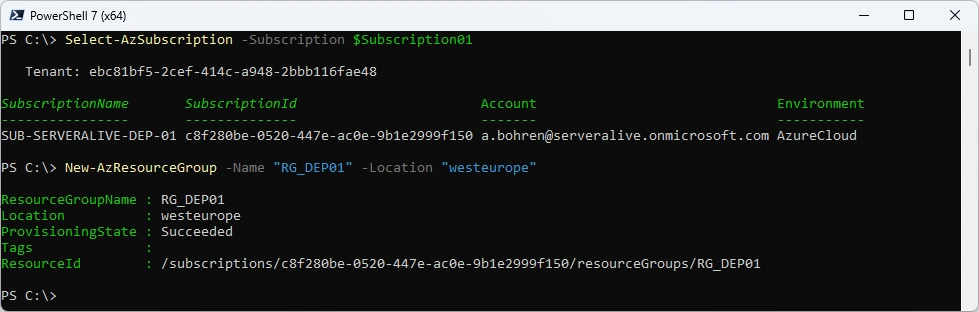
Create Resource Group “RG_DEP01” in Subscription01
###############################################################################
# Create Resource Group
###############################################################################
Select-AzSubscription -Subscription $Subscription01
New-AzResourceGroup -Name "RG_DEP01" -Location "westeurope"
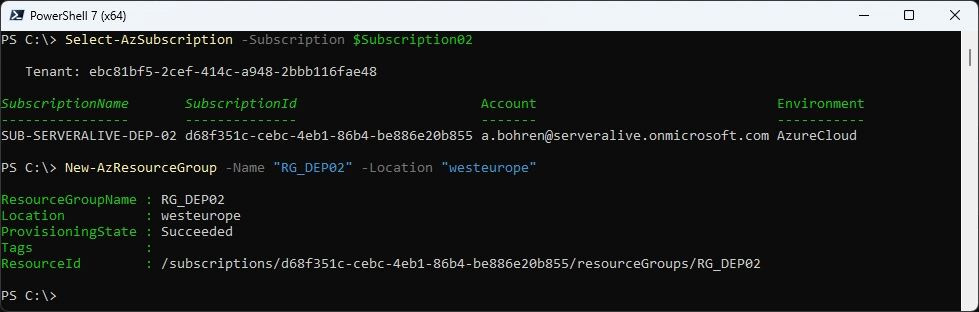
Create Resource Group “RG_DEP02” in Subscription02
###############################################################################
# Create Resource Group
###############################################################################
Select-AzSubscription -Subscription $Subscription02
New-AzResourceGroup -Name "RG_DEP02" -Location "westeurope"
Azure Keyvault
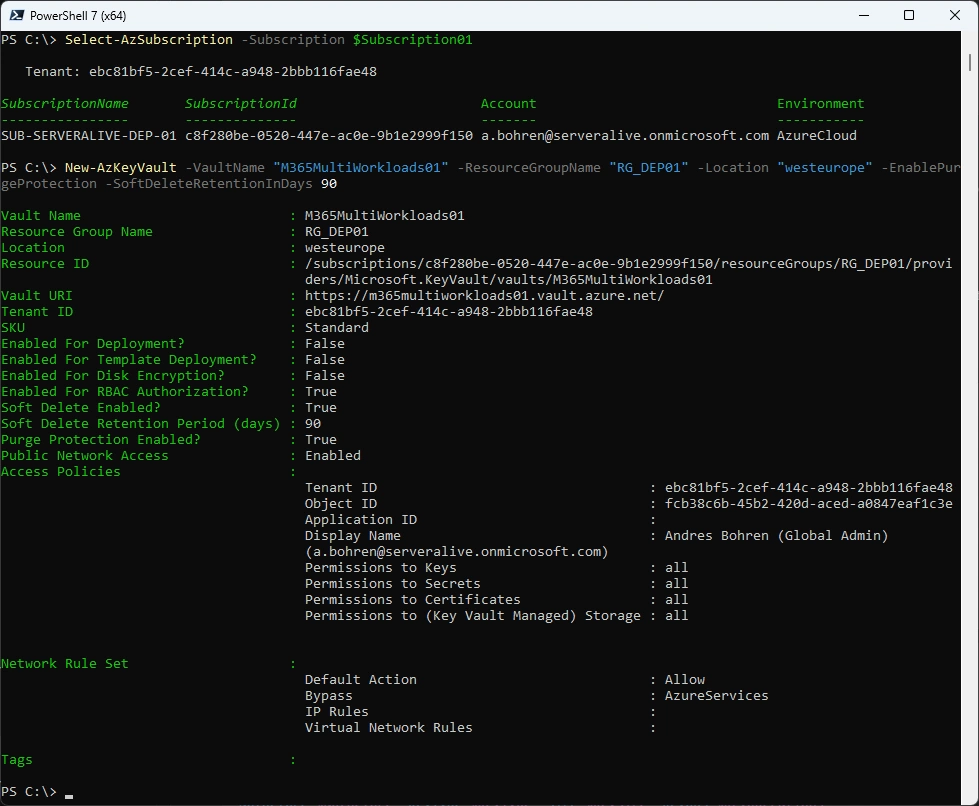
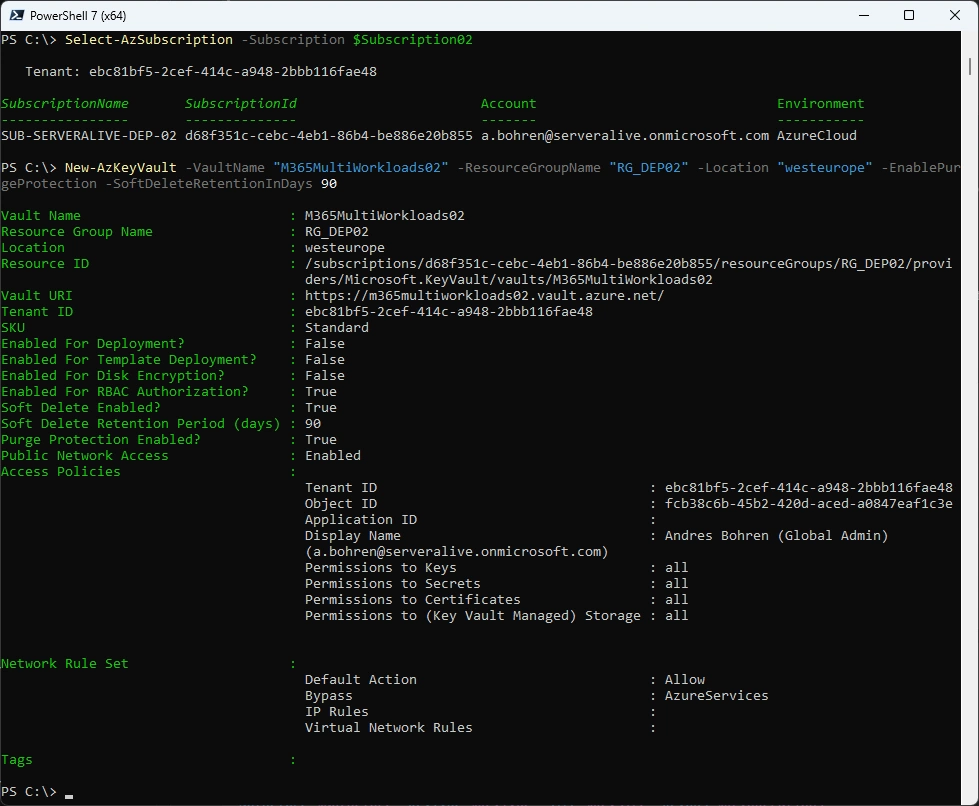
Let’s create an Azure KeyVault in each Subscription
###############################################################################
# Create Azure KeyVault
###############################################################################
Select-AzSubscription -Subscription $Subscription01
New-AzKeyVault -VaultName "M365MultiWorkloads01" -ResourceGroupName "RG_DEP01" -Location "westeurope" -EnablePurgeProtection -SoftDeleteRetentionInDays 90
###############################################################################
# Create Azure KeyVault
###############################################################################
Select-AzSubscription -Subscription $Subscription02
New-AzKeyVault -VaultName "M365MultiWorkloads02" -ResourceGroupName "RG_DEP02" -Location "westeurope" -EnablePurgeProtection -SoftDeleteRetentionInDays 90
Key Type and Cryptography
Here we come to the bottom of all. These are the Keys that will be used to Encrypt your Data. So make sure you understand this section well enough before you proceed.
Use the Premium SKU key vaults and HSM-protected keys for production data. Use Standard SKU key vaults and keys only for testing and validation.
- RSA key is required
- Key size: Minimum 2048-bit
- Recommended / supported: 3072-bit or 4096-bit
- Asymmetric keys only (no symmetric keys)
- Keys must be suitable for encryption and decryption operations (not signing-only keys)
- No expiration date on the key
- Expiring keys will cause service interruption if they expire
- Key must not be disabled
- Key must never be deleted while in use by a Data Encryption Policy (DEP)
Deleting a key causes cryptographic deletion of data (irreversible)
Disclaimer:
I use Standard SKU key vaults here with no HSM-protected Keys
Add Azure Role for Key Vault
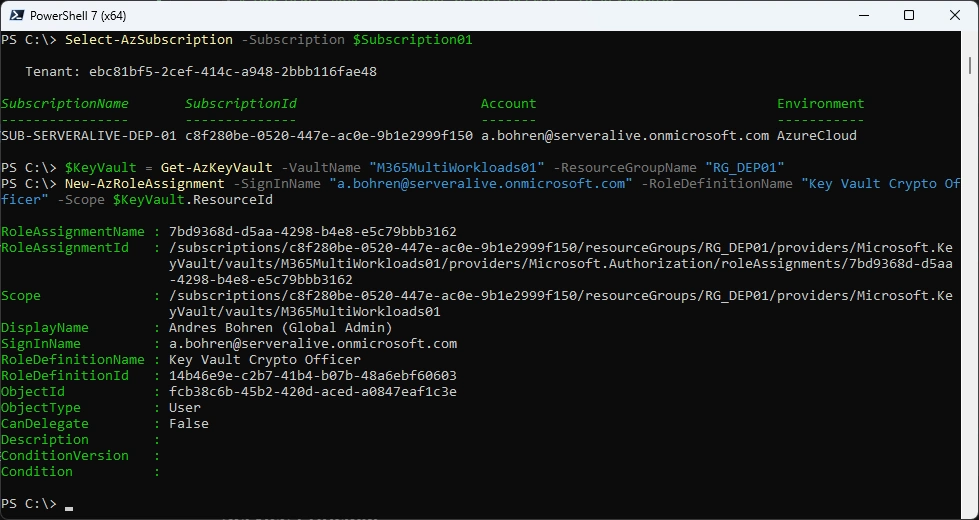
For adding a Key you need to have the “Key Vault Crypto Officer” Azure Role
###############################################################################
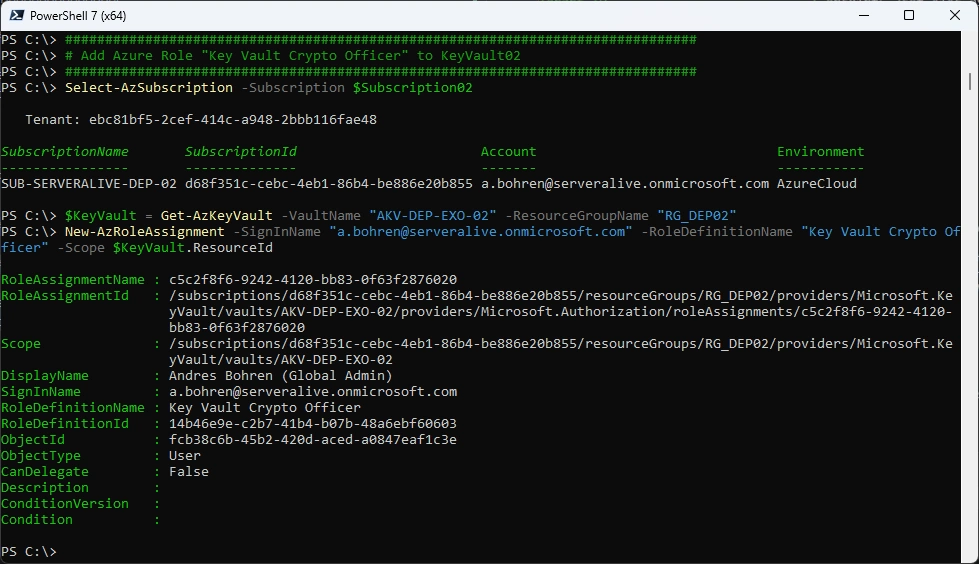
# Add Azure Role "Key Vault Crypto Officer" to KeyVault01
###############################################################################
Select-AzSubscription -Subscription $Subscription01
$KeyVault = Get-AzKeyVault -VaultName "M365MultiWorkloads01" -ResourceGroupName "RG_DEP01"
New-AzRoleAssignment -SignInName "a.bohren@serveralive.onmicrosoft.com" -RoleDefinitionName "Key Vault Crypto Officer" -Scope $KeyVault.ResourceId
###############################################################################
# Add Azure Role "Key Vault Crypto Officer" to KeyVault02
###############################################################################
Select-AzSubscription -Subscription $Subscription02
$KeyVault = Get-AzKeyVault -VaultName "M365MultiWorkloads02" -ResourceGroupName "RG_DEP02"
New-AzRoleAssignment -SignInName "a.bohren@serveralive.onmicrosoft.com" -RoleDefinitionName "Key Vault Crypto Officer" -Scope $KeyVault.ResourceId
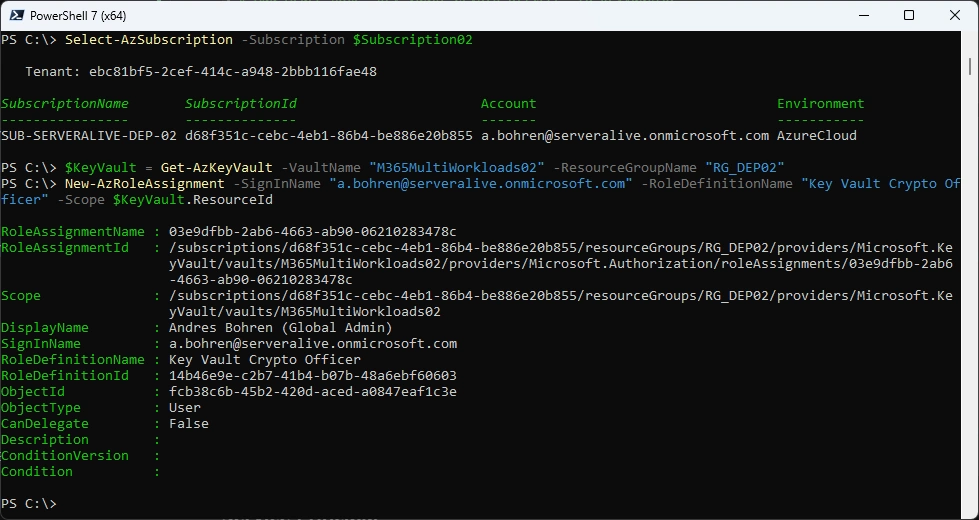
Add Key to Keyvault
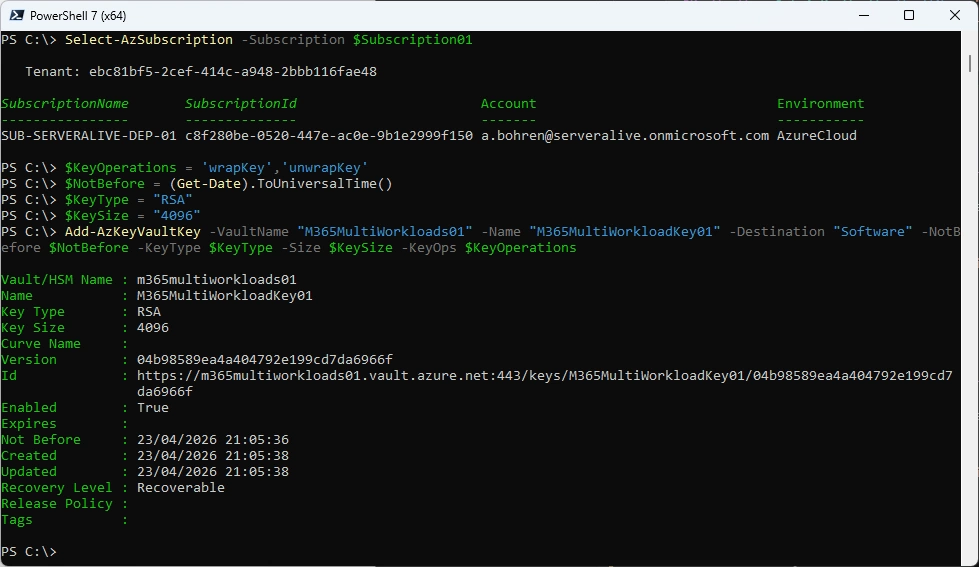
Use the Premium SKU key vaults and HSM-protected keys for production data. Use Standard SKU key vaults and keys only for testing and validation. Note: I am using Standard SKU key vaults with not HSM-protected keys.
###############################################################################
# Add Key to Keyvault
###############################################################################
Select-AzSubscription -Subscription $Subscription01
$KeyOperations = 'wrapKey','unwrapKey'
$NotBefore = (Get-Date).ToUniversalTime()
$KeyType = "RSA"
$KeySize = "4096"
Add-AzKeyVaultKey -VaultName "M365MultiWorkloads01" -Name "M365MultiWorkloadKey01" -Destination "Software" -NotBefore $NotBefore -KeyType $KeyType -Size $KeySize -KeyOps $KeyOperations
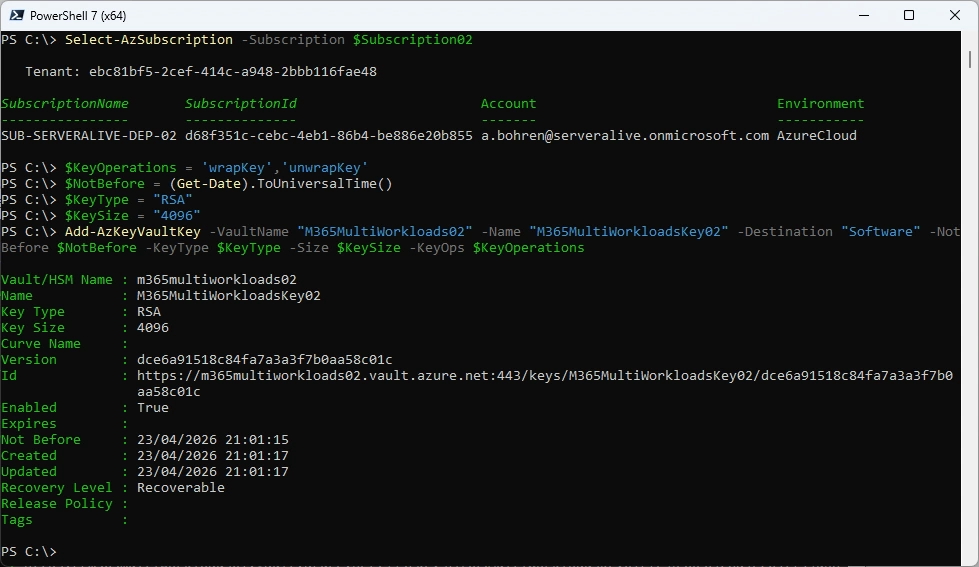
###############################################################################
# Add Key to Keyvault
###############################################################################
Select-AzSubscription -Subscription $Subscription02
$KeyOperations = 'wrapKey','unwrapKey'
$NotBefore = (Get-Date).ToUniversalTime()
$KeyType = "RSA"
$KeySize = "4096"
Add-AzKeyVaultKey -VaultName "M365MultiWorkloads02" -Name "M365MultiWorkloadKey02" -Destination "Software" -NotBefore $NotBefore -KeyType $KeyType -Size $KeySize -KeyOps $KeyOperations
Service Principal
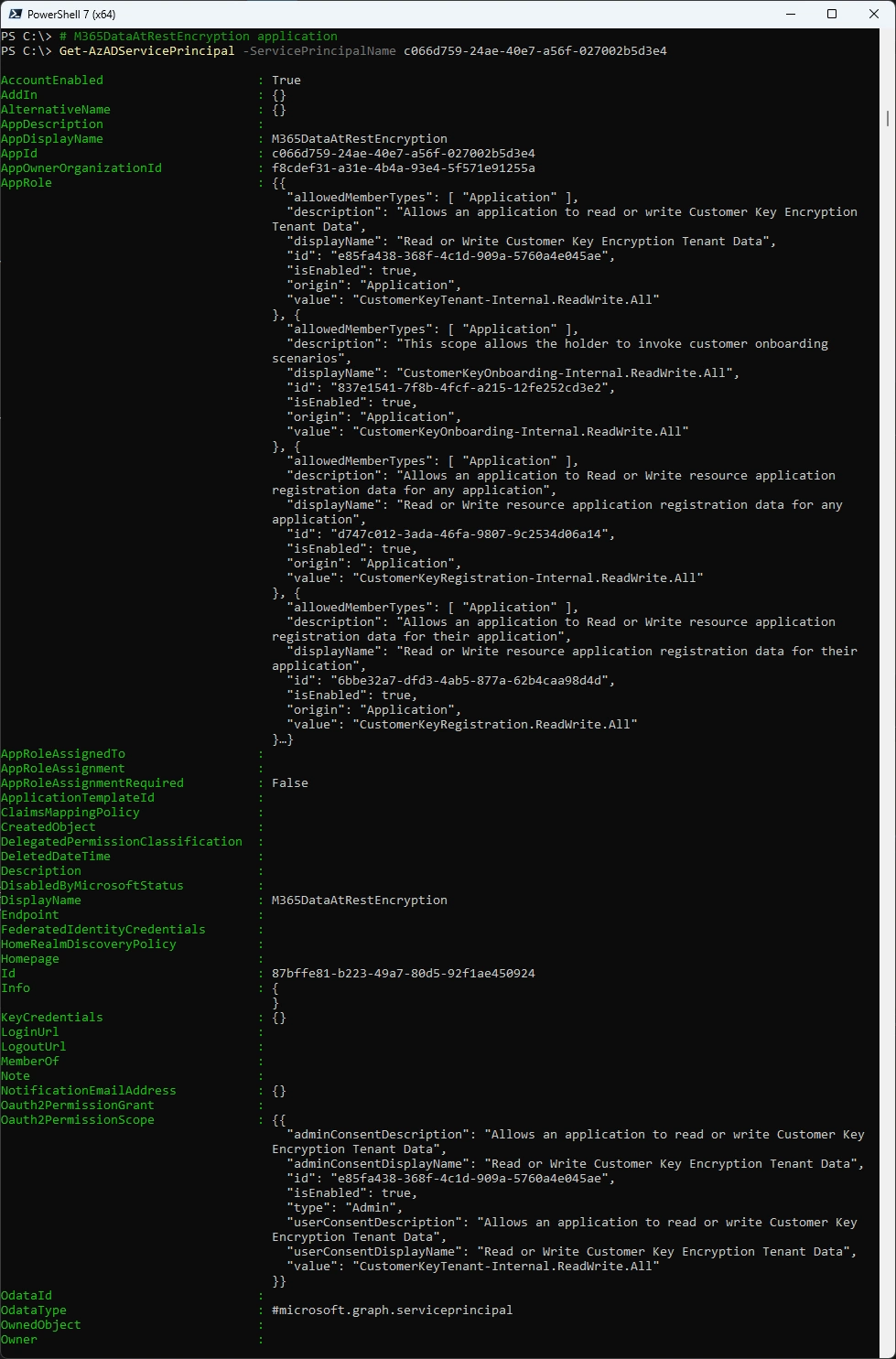
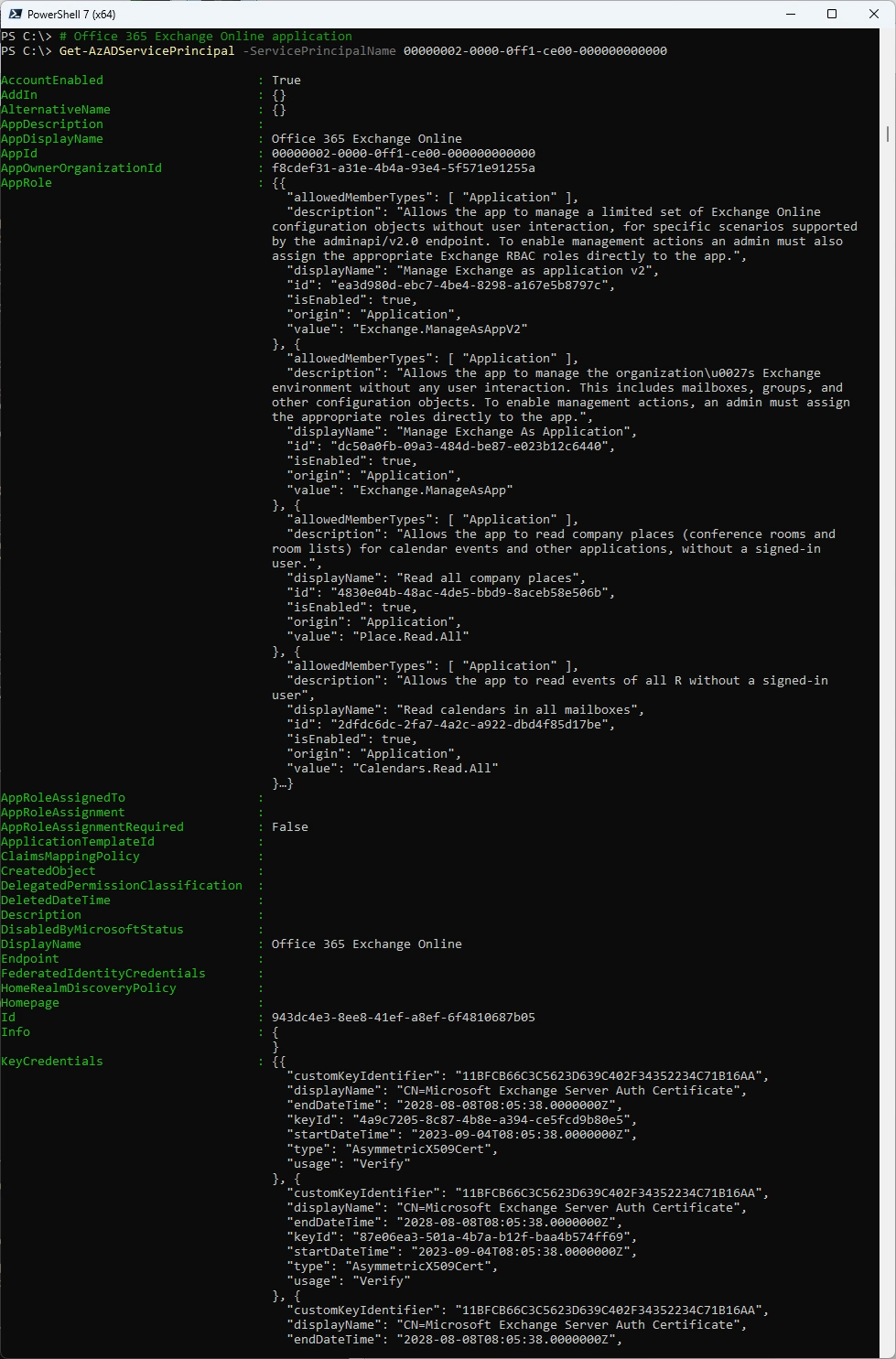
We need to check if the Service Principals are already registered in our Tenant and if not register it
| Service Principal | Service Principal ID |
|---|---|
| Customer Key Onboarding app | 00001111-aaaa-2222-bbbb-3333cccc4444 |
| M365DataAtRestEncryption | 11112222-bbbb-3333-cccc-4444dddd5555 |
| Office 365 Exchange Online | 00000002-0000-0ff1-ce00-000000000000 |
###############################################################################
# Customer Key Onboarding application
###############################################################################
Get-AzADServicePrincipal -ServicePrincipalName 19f7f505-34aa-44a4-9dcc-6a768854d2ea
New-AzADServicePrincipal -ApplicationId 19f7f505-34aa-44a4-9dcc-6a768854d2ea
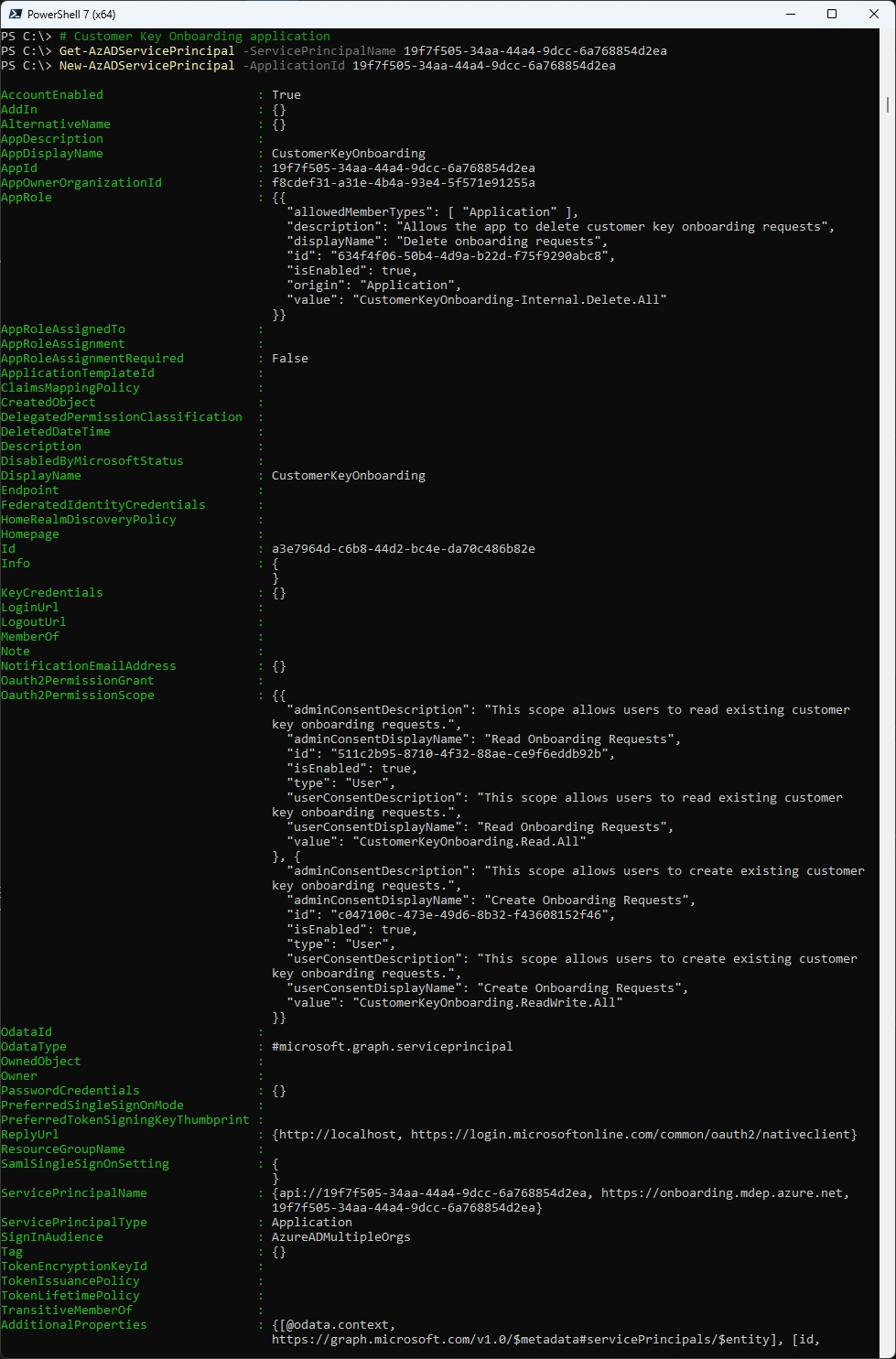
###############################################################################
# M365DataAtRestEncryption application
###############################################################################
Get-AzADServicePrincipal -ServicePrincipalName c066d759-24ae-40e7-a56f-027002b5d3e4
New-AzADServicePrincipal -ApplicationId c066d759-24ae-40e7-a56f-027002b5d3e4
###############################################################################
# Office 365 Exchange Online application
###############################################################################
Get-AzADServicePrincipal -ServicePrincipalName 00000002-0000-0ff1-ce00-000000000000
New-AzADServicePrincipal -ApplicationId 00000002-0000-0ff1-ce00-000000000000
Azure Role for Service Principals
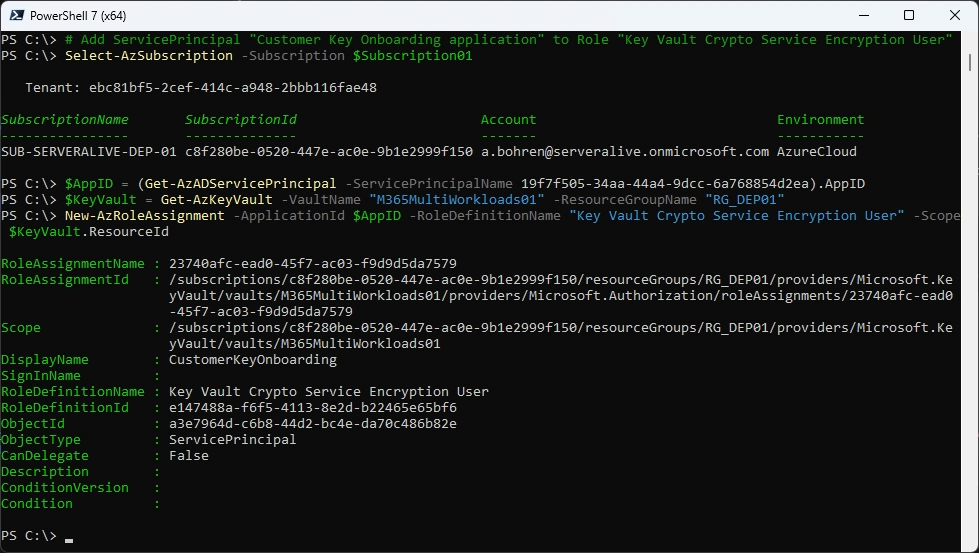
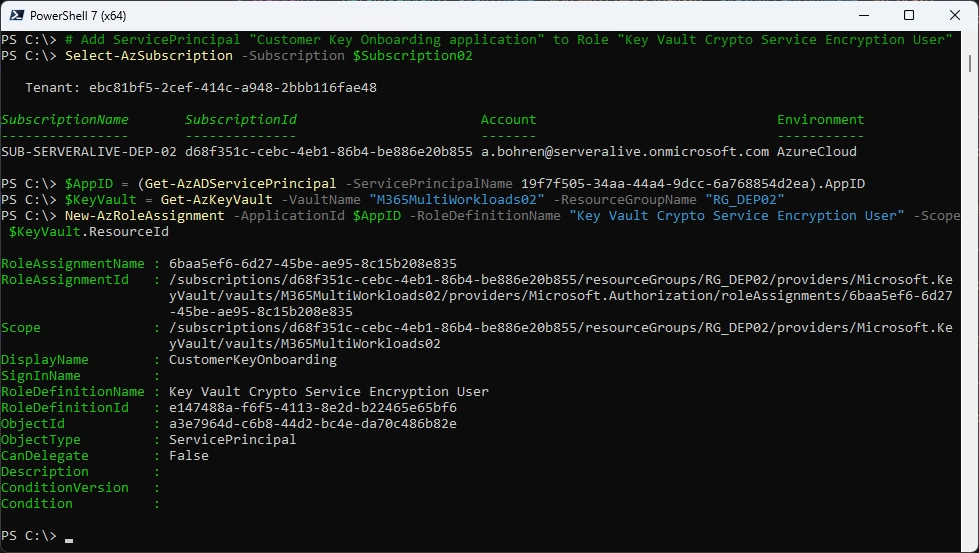
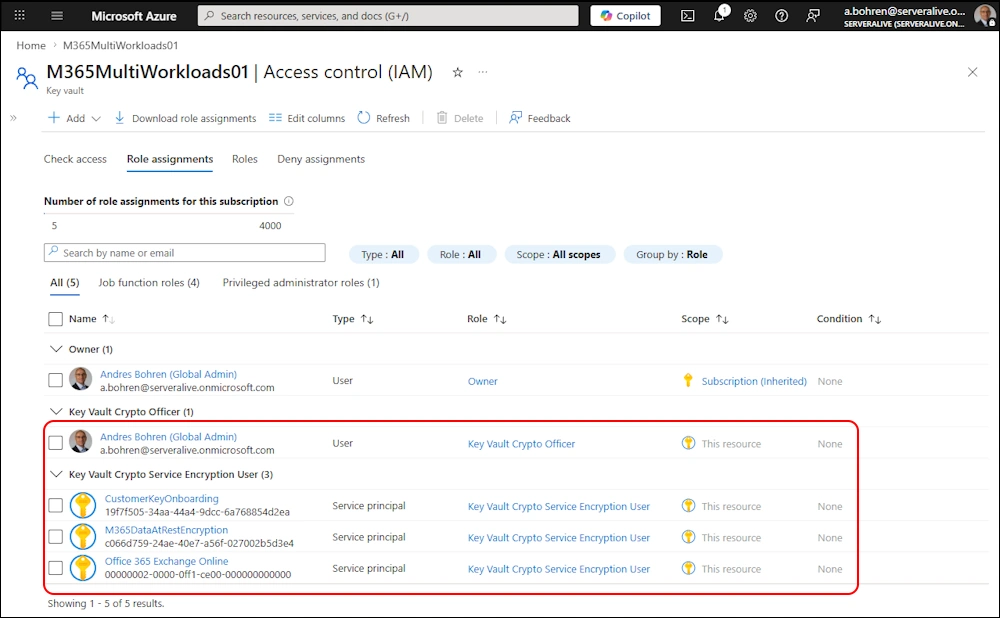
We now need to make sure, the Service Principals can access those Keys, we need to add them to the Azure Role “Key Vault Crypto Service Encryption User” on the KeyVault in each Azure Subscription.
| Service Principal | Service Principal ID | Azure Role |
|---|---|---|
| Customer Key Onboarding app | 00001111-aaaa-2222-bbbb-3333cccc4444 | Key Vault Crypto Service Encryption User |
| M365DataAtRestEncryption | 11112222-bbbb-3333-cccc-4444dddd5555 | Key Vault Crypto Service Encryption User |
| Office 365 Exchange Online | 00000002-0000-0ff1-ce00-000000000000 | Key Vault Crypto Service Encryption User |
###############################################################################
# Add ServicePrincipal "Customer Key Onboarding application" to Role "Key Vault Crypto Service Encryption User"
###############################################################################
Select-AzSubscription -Subscription $Subscription01
$AppID = (Get-AzADServicePrincipal -ServicePrincipalName 19f7f505-34aa-44a4-9dcc-6a768854d2ea).AppID
$KeyVault = Get-AzKeyVault -VaultName "M365MultiWorkloads01" -ResourceGroupName "RG_DEP01"
New-AzRoleAssignment -ApplicationId $AppID -RoleDefinitionName "Key Vault Crypto Service Encryption User" -Scope $KeyVault.ResourceId
###############################################################################
# Add ServicePrincipal "Customer Key Onboarding application" to Role "Key Vault Crypto Service Encryption User"
###############################################################################
Select-AzSubscription -Subscription $Subscription02
$AppID = (Get-AzADServicePrincipal -ServicePrincipalName 19f7f505-34aa-44a4-9dcc-6a768854d2ea).AppID
$KeyVault = Get-AzKeyVault -VaultName "M365MultiWorkloads02" -ResourceGroupName "RG_DEP02"
New-AzRoleAssignment -ApplicationId $AppID -RoleDefinitionName "Key Vault Crypto Service Encryption User" -Scope $KeyVault.ResourceId
###############################################################################
# Add ServicePrincipal "M365DataAtRestEncryption application" to Role "Key Vault Crypto Service Encryption User"
###############################################################################
Select-AzSubscription -Subscription $Subscription01
$AppID = (Get-AzADServicePrincipal -ServicePrincipalName c066d759-24ae-40e7-a56f-027002b5d3e4).AppID
$KeyVault = Get-AzKeyVault -VaultName "M365MultiWorkloads01" -ResourceGroupName "RG_DEP01"
New-AzRoleAssignment -ApplicationId $AppID -RoleDefinitionName "Key Vault Crypto Service Encryption User" -Scope $KeyVault.ResourceId
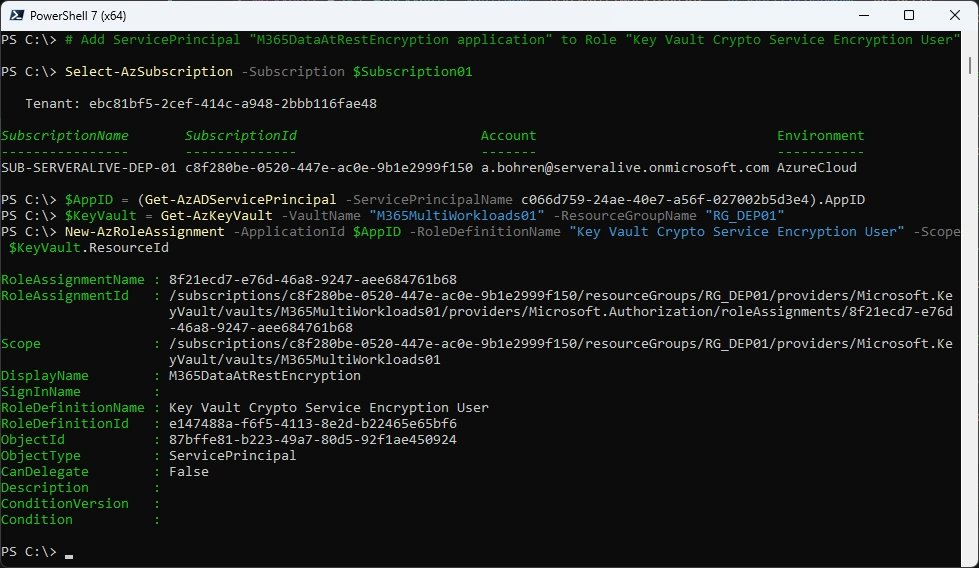
###############################################################################
# Add ServicePrincipal "M365DataAtRestEncryption application" to Role "Key Vault Crypto Service Encryption User"
###############################################################################
Select-AzSubscription -Subscription $Subscription02
$AppID = (Get-AzADServicePrincipal -ServicePrincipalName c066d759-24ae-40e7-a56f-027002b5d3e4).AppID
$KeyVault = Get-AzKeyVault -VaultName "M365MultiWorkloads02" -ResourceGroupName "RG_DEP02"
New-AzRoleAssignment -ApplicationId $AppID -RoleDefinitionName "Key Vault Crypto Service Encryption User" -Scope $KeyVault.ResourceId
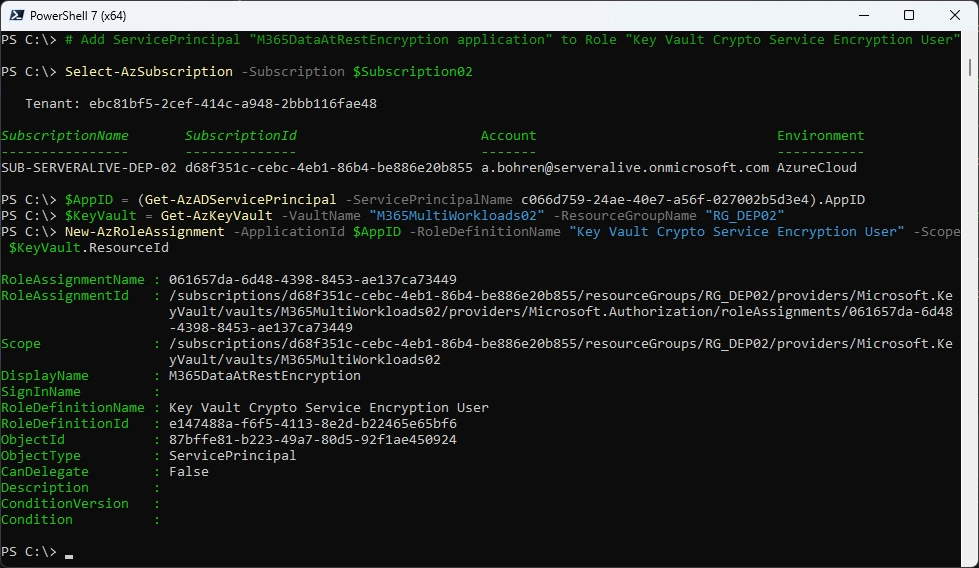
###############################################################################
# Add ServicePrincipal "Office 365 Exchange Online application" to Role "Key Vault Crypto Service Encryption User"
###############################################################################
Select-AzSubscription -Subscription $Subscription01
$AppID = (Get-AzADServicePrincipal -ServicePrincipalName 00000002-0000-0ff1-ce00-000000000000).AppID
$KeyVault = Get-AzKeyVault -VaultName "M365MultiWorkloads01" -ResourceGroupName "RG_DEP01"
New-AzRoleAssignment -ApplicationId $AppID -RoleDefinitionName "Key Vault Crypto Service Encryption User" -Scope $KeyVault.ResourceId
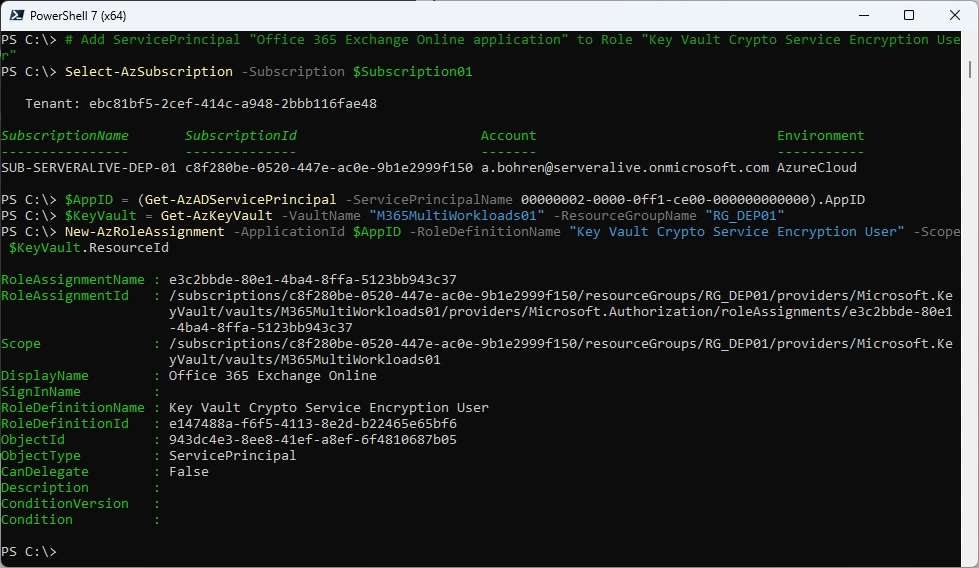
###############################################################################
# Add ServicePrincipal "Office 365 Exchange Online application" to Role "Key Vault Crypto Service Encryption User"
###############################################################################
Select-AzSubscription -Subscription $Subscription02
$AppID = (Get-AzADServicePrincipal -ServicePrincipalName 00000002-0000-0ff1-ce00-000000000000).AppID
$KeyVault = Get-AzKeyVault -VaultName "M365MultiWorkloads02" -ResourceGroupName "RG_DEP02"
New-AzRoleAssignment -ApplicationId $AppID -RoleDefinitionName "Key Vault Crypto Service Encryption User" -Scope $KeyVault.ResourceId
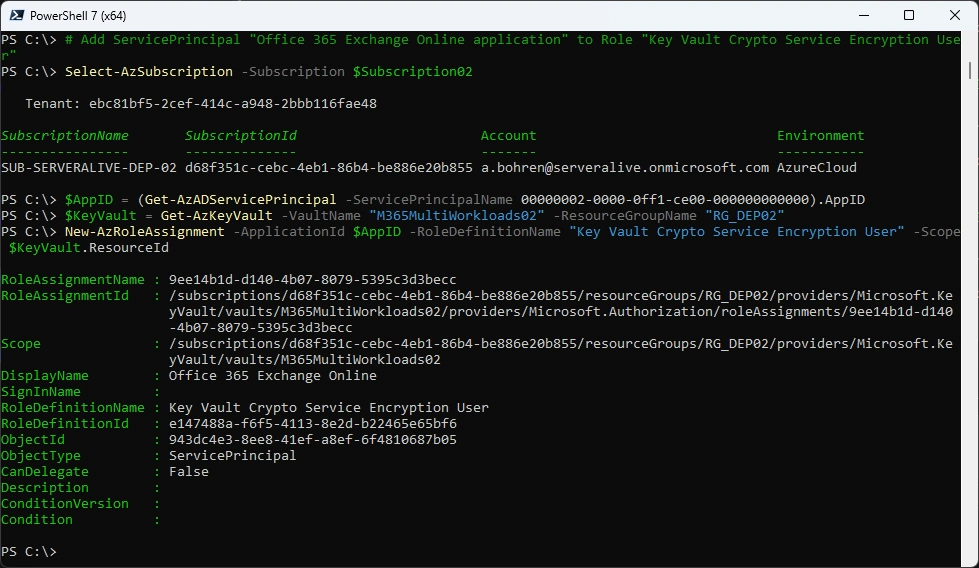
By now that’s how your Azure Permissions on the Azure Keyvault should look like
Customer Key Onboarding
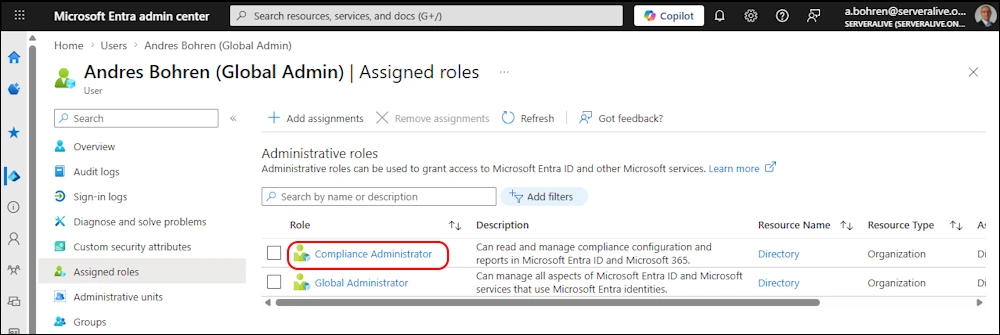
For the next Steps we need to have the Entra Role “Complinace Administrator”
For the Onboarding we need the M365CustomerKeyOnboarding PowerShell Module
###############################################################################
# Install Module
###############################################################################
Install-PSResource M365CustomerKeyOnboarding -Scope CurrentUser

###############################################################################
# Validate Customer Key Onboarding
###############################################################################
$TenantId = "ebc81bf5-2cef-414c-a948-2bbb116fae48" #serveralive.onmicrosoft.com
$Scenario = "MDEP" #MDEP or EXO
$Subscription01 = "c8f280be-0520-447e-ac0e-9b1e2999f150"
$Subscription02 = "d68f351c-cebc-4eb1-86b4-be886e20b855"
$KeyUri01 = "https://m365multiworkloads01.vault.azure.net/keys/M365MultiWorkloadKey01"
$KeyUri02 = "https://m365multiworkloads02.vault.azure.net/keys/M365MultiWorkloadKey02"
$OnboardingMode = "Validate" #Validate or Enable
$request = New-CustomerKeyOnboardingRequest -Organization $TenantId -Scenario $Scenario -Subscription1 $Subscription01 -KeyIdentifier1 $KeyUri01 -Subscription2 $Subscription02 -KeyIdentifier2 $KeyUri02 -OnboardingMode $OnboardingMode
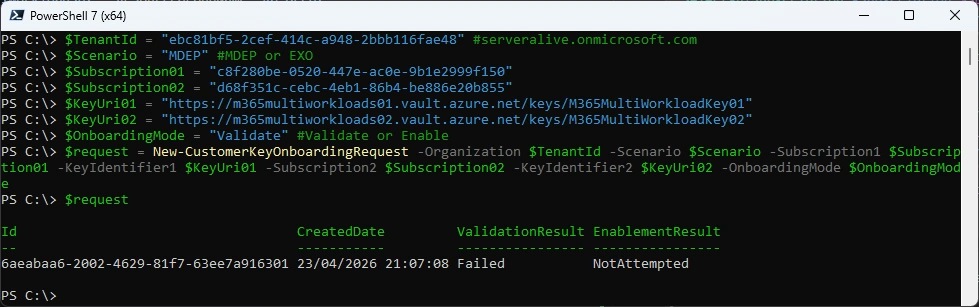
Note the Failed Validation points out that we miss some Licences and the Result is “Failed”
$request | fl
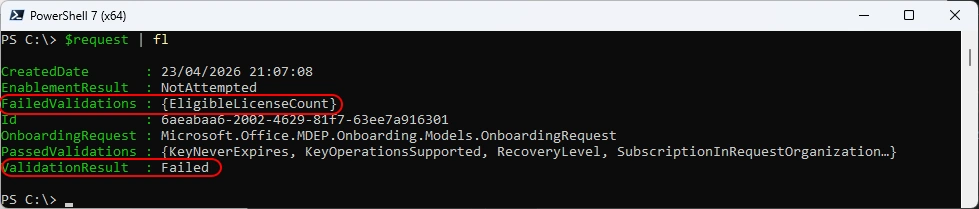
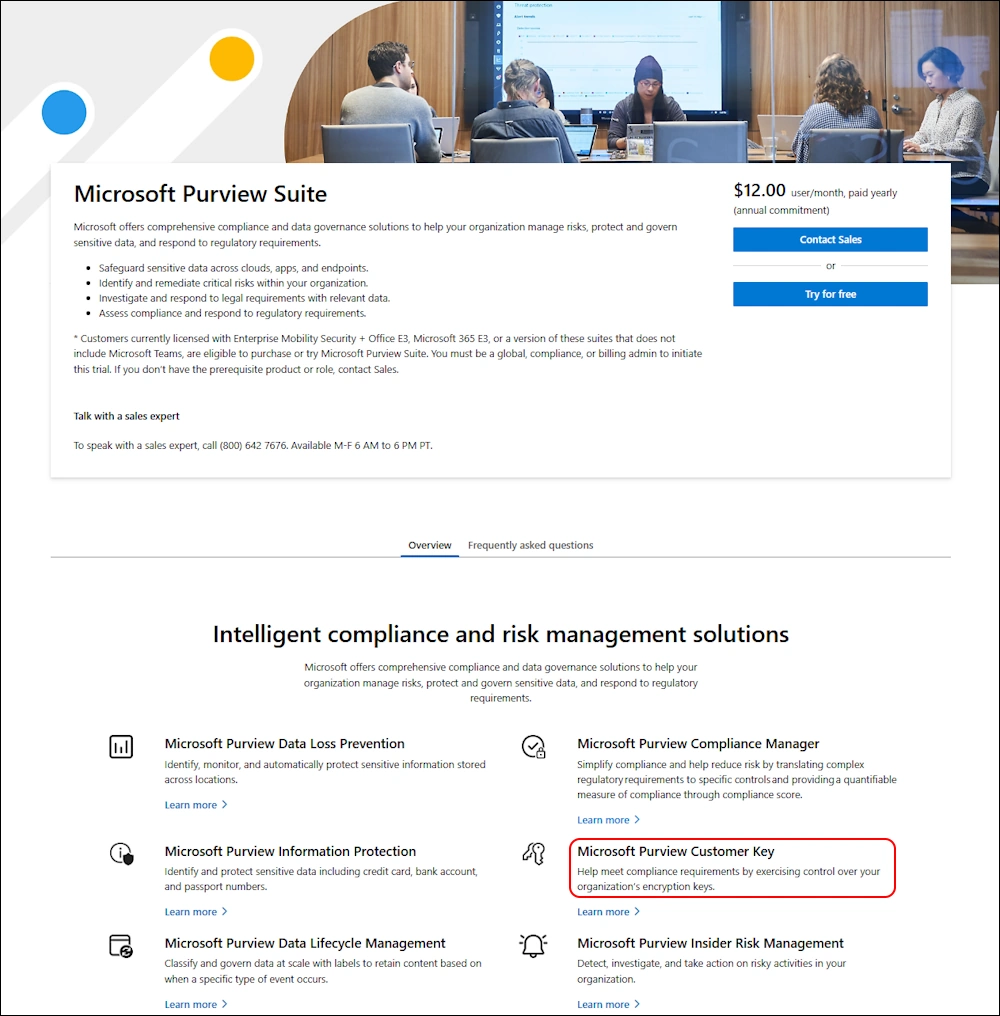
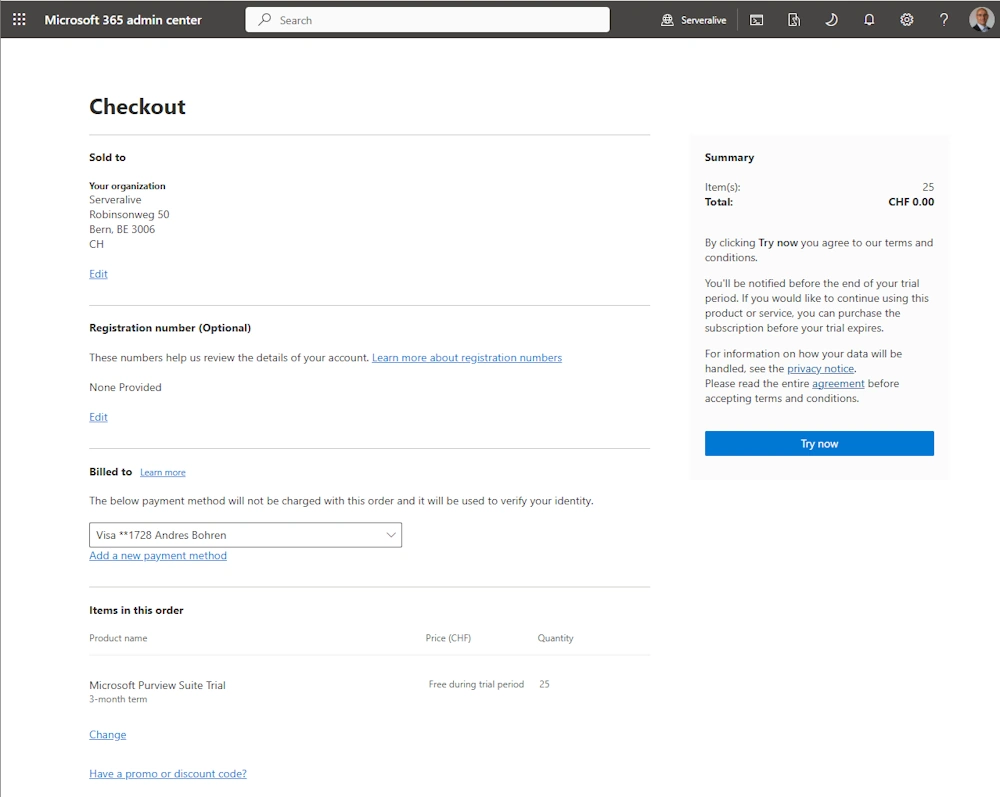
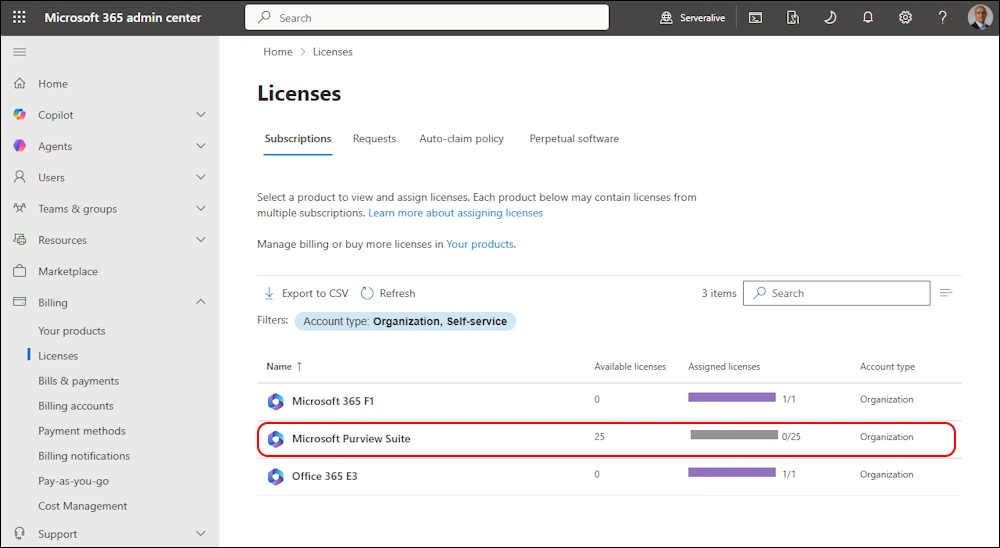
I’ve stated in the Prerequisits, that you need some Licences for Customer Key. I’ve added a Trial for Microsoft Purview Suite just to get this Demo going.
Let’s try again the Validation - no more “Failed Validations” and the Result is “Passed”
###############################################################################
# Validate Customer Key Onboarding
###############################################################################
$TenantId = "ebc81bf5-2cef-414c-a948-2bbb116fae48" #serveralive.onmicrosoft.com
$Scenario = "MDEP" #MDEP or EXO
$Subscription01 = "c8f280be-0520-447e-ac0e-9b1e2999f150"
$Subscription02 = "d68f351c-cebc-4eb1-86b4-be886e20b855"
$KeyUri01 = "https://m365multiworkloads01.vault.azure.net/keys/M365MultiWorkloadKey01"
$KeyUri02 = "https://m365multiworkloads02.vault.azure.net/keys/M365MultiWorkloadKey02"
$OnboardingMode = "Validate" #Validate or Enable
$request = New-CustomerKeyOnboardingRequest -Organization $TenantId -Scenario $Scenario -Subscription1 $Subscription01 -KeyIdentifier1 $KeyUri01 -Subscription2 $Subscription02 -KeyIdentifier2 $KeyUri02 -OnboardingMode $OnboardingMode
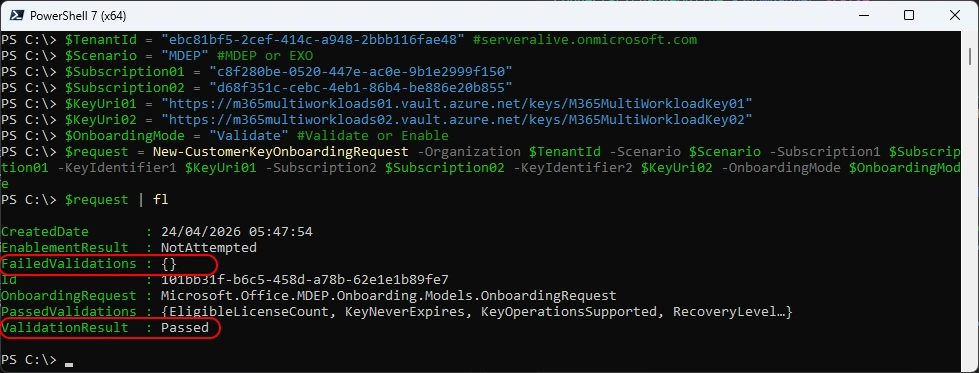
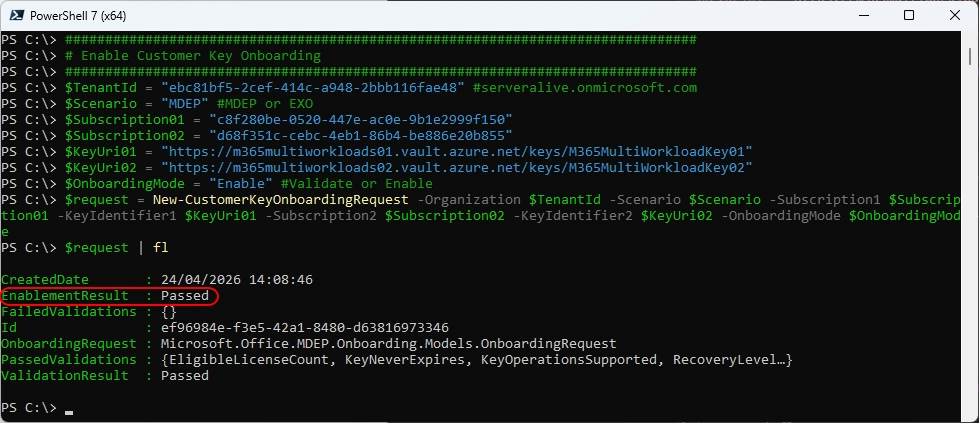
Now we can Enable the Customer Key Onboarding
###############################################################################
# Enable Customer Key Onboarding
###############################################################################
$TenantId = "ebc81bf5-2cef-414c-a948-2bbb116fae48" #serveralive.onmicrosoft.com
$Scenario = "MDEP" #MDEP or EXO
$Subscription01 = "c8f280be-0520-447e-ac0e-9b1e2999f150"
$Subscription02 = "d68f351c-cebc-4eb1-86b4-be886e20b855"
$KeyUri01 = "https://m365multiworkloads01.vault.azure.net/keys/M365MultiWorkloadKey01"
$KeyUri02 = "https://m365multiworkloads02.vault.azure.net/keys/M365MultiWorkloadKey02"
$OnboardingMode = "Enable" #Validate or Enable
$request = New-CustomerKeyOnboardingRequest -Organization $TenantId -Scenario $Scenario -Subscription1 $Subscription01 -KeyIdentifier1 $KeyUri01 -Subscription2 $Subscription02 -KeyIdentifier2 $KeyUri02 -OnboardingMode $OnboardingMode
$request | fl
Check Customer Key Onboarding Request
###############################################################################
# Check Customer Key Onboarding Request
###############################################################################
Get-CustomerKeyOnboardingRequest -OrganizationID ebc81bf5-2cef-414c-a948-2bbb116fae48

Data Encryption Policy (DEP)
Connect-ExchangeOnline -ShowBanner:$false -UserPrincipalName a.bohren@serveralive.onmicrosoft.com
Get-M365DataAtRestEncryptionPolicy

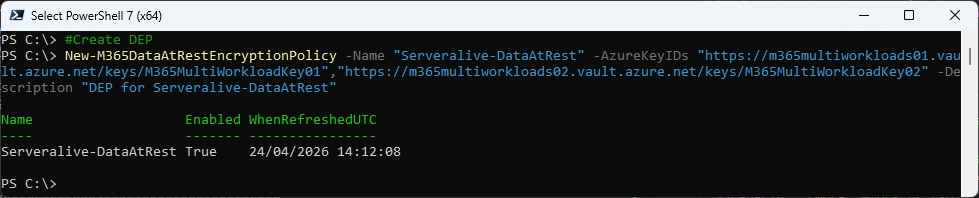
Now we can create a new Data at Rest Encryption Policy (DEP)
###############################################################################
# Create Data Encryption Policy (DEP)
###############################################################################
New-M365DataAtRestEncryptionPolicy -Name "Serveralive-DataAtRest" -AzureKeyIDs "https://m365multiworkloads01.vault.azure.net/keys/M365MultiWorkloadKey01","https://m365multiworkloads02.vault.azure.net/keys/M365MultiWorkloadKey02" -Description "DEP for Serveralive-DataAtRest"
###############################################################################
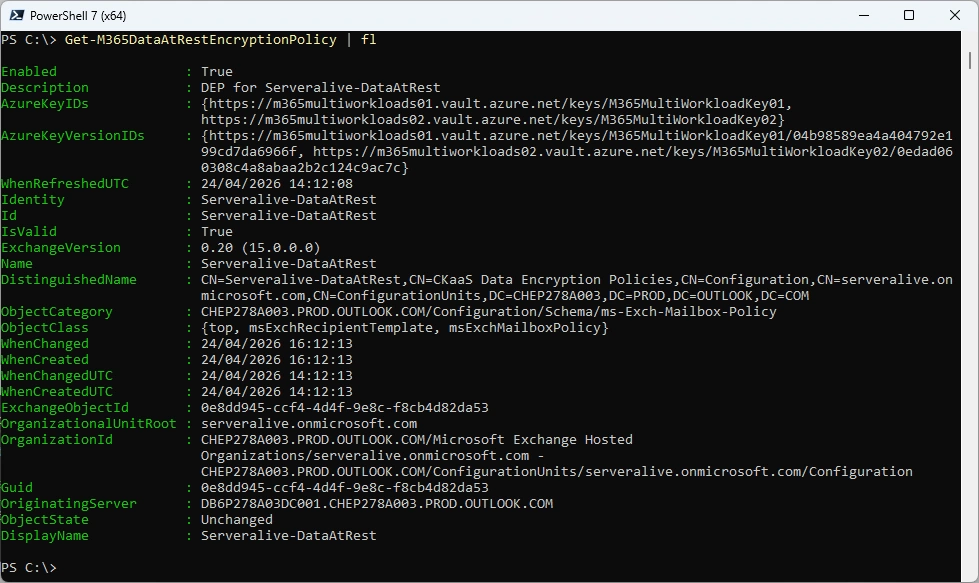
# Check Data Encryption Policy (DEP)
###############################################################################
Get-M365DataAtRestEncryptionPolicy
###############################################################################
# Get Data Encryption Policy (DEP) Assignment
###############################################################################
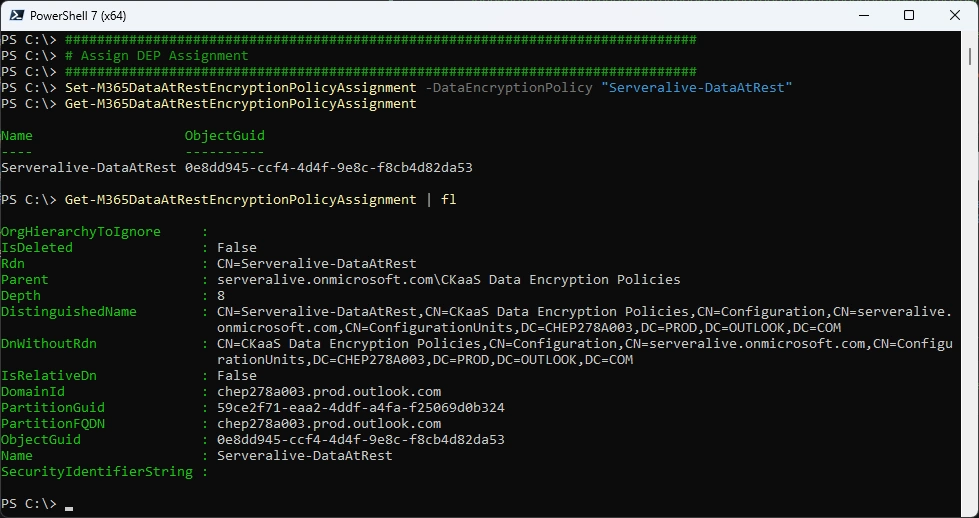
Get-M365DataAtRestEncryptionPolicyAssignment

###############################################################################
# Assign Data Encryption Policy (DEP)
###############################################################################
Set-M365DataAtRestEncryptionPolicyAssignment -DataEncryptionPolicy "Serveralive-DataAtRest"
Get-M365DataAtRestEncryptionPolicyAssignment
###############################################################################
# Check Mailbox
###############################################################################
Get-Mailbox -Identity ABOGA | fl DisplayName, Alias, DataEncryptionPolicy

###############################################################################
# Check Mailbox Statistics
###############################################################################
Get-MailboxStatistics -Identity ABOGA | fl DisplayName, Alias, DataEncryptionPolicyId, IsEncrypted

It’s still the default Policy and you can’t resolve that
###############################################################################
# Try to Resolve the M365DataAtRestEncryptionPolicy
###############################################################################
Get-M365DataAtRestEncryptionPolicy "d174bbfc-d144-4aaf-b5eb-7c43e3247b58"

After 24 Hours the in Get-MailboxStatistics has been changed and the Policy can now be resolved to our created Policy
###############################################################################
# Check Mailbox and Statistics
###############################################################################
Get-MailboxStatistics -Identity ABOGA | fl DisplayName, Alias, DataEncryptionPolicyId, IsEncrypted
Get-M365DataAtRestEncryptionPolicy "0e8dd945-ccf4-4d4f-9e8c-f8cb4d82da53"
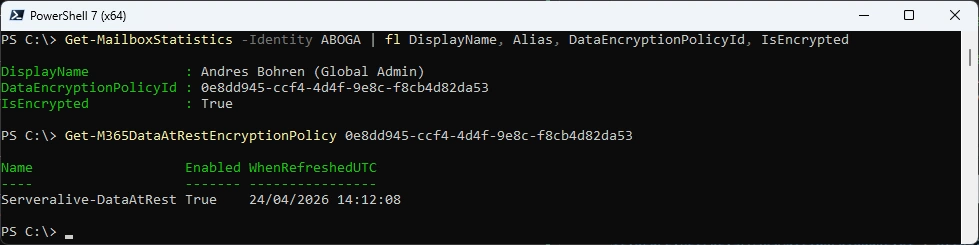
But still no DataEncryptionPolicy on the Mailbox
###############################################################################
# Check Mailbox
###############################################################################
Get-Mailbox -Identity ABOGA | fl DisplayName, Alias, DataEncryptionPolicy

Key Rollover
There are diffrent Opinions how often a Key rollover should take place. I leave that to you guys.
Here is the Process:
- Add Key’s to the two Azure Key vaults
- Refresh DataAtRestEncryptionPolicy
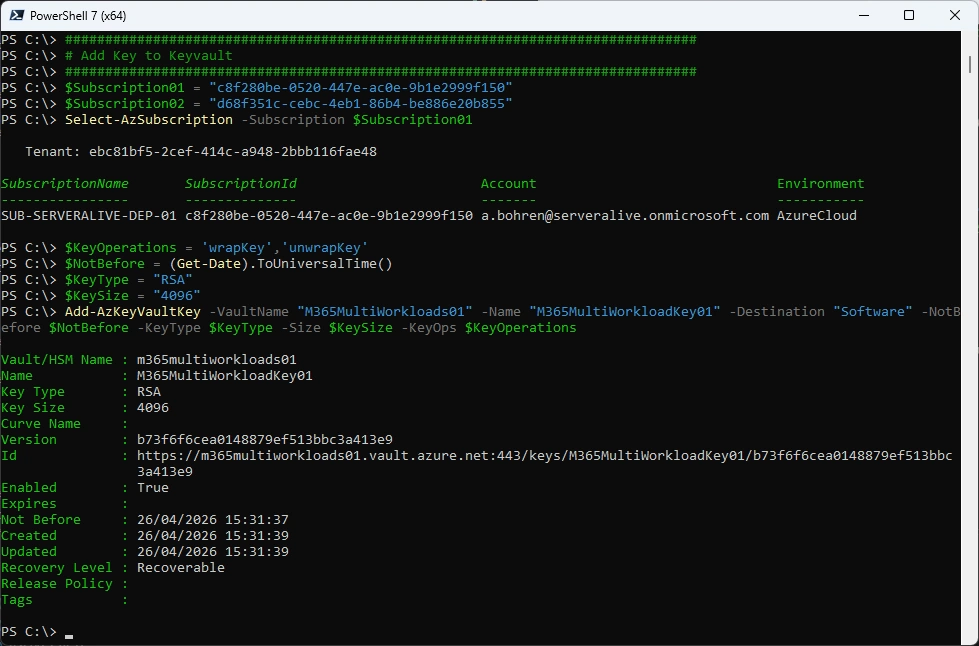
Add Key to KeyVault01 (It’s the same KeyName as the previous key)
###############################################################################
# Add Key to KeyVault
###############################################################################
$Subscription01 = "c8f280be-0520-447e-ac0e-9b1e2999f150"
$Subscription02 = "d68f351c-cebc-4eb1-86b4-be886e20b855"
Select-AzSubscription -Subscription $Subscription01
$KeyOperations = 'wrapKey','unwrapKey'
$NotBefore = (Get-Date).ToUniversalTime()
$KeyType = "RSA"
$KeySize = "4096"
Add-AzKeyVaultKey -VaultName "M365MultiWorkloads01" -Name "M365MultiWorkloadKey01" -Destination "Software" -NotBefore $NotBefore -KeyType $KeyType -Size $KeySize -KeyOps $KeyOperations
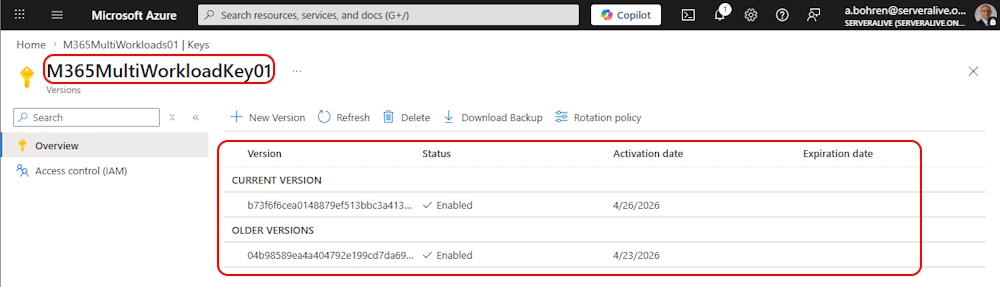
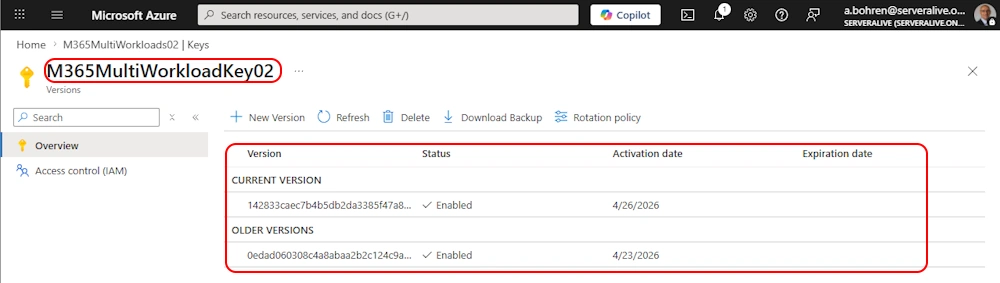
On your KeyVault > Keys it should look like this
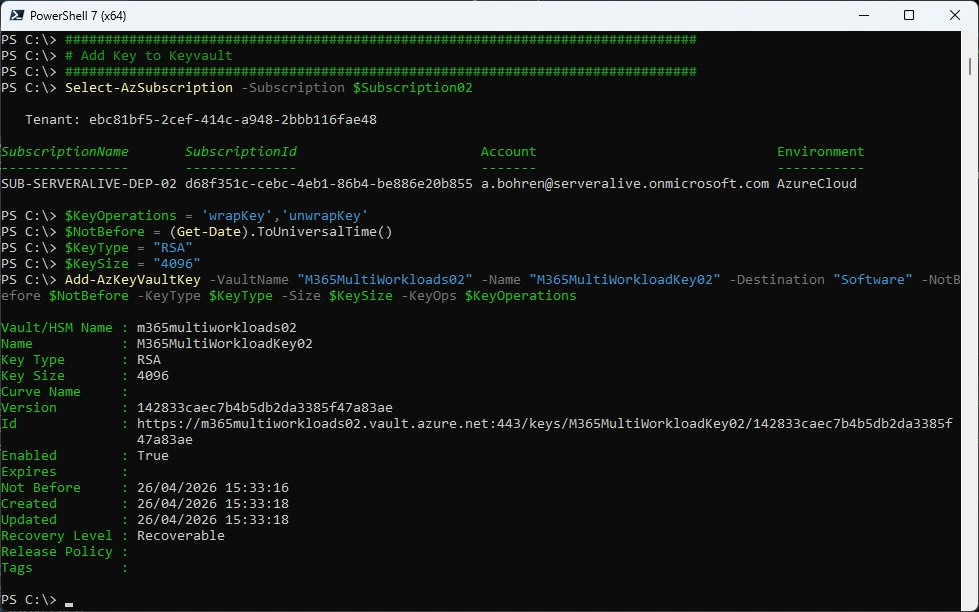
Add Key to KeyVault02
###############################################################################
# Add Key to KeyVault
###############################################################################
Select-AzSubscription -Subscription $Subscription02
$KeyOperations = 'wrapKey','unwrapKey'
$NotBefore = (Get-Date).ToUniversalTime()
$KeyType = "RSA"
$KeySize = "4096"
Add-AzKeyVaultKey -VaultName "M365MultiWorkloads02" -Name "M365MultiWorkloadKey02" -Destination "Software" -NotBefore $NotBefore -KeyType $KeyType -Size $KeySize -KeyOps $KeyOperations
On your KeyVault > Keys it should look like this
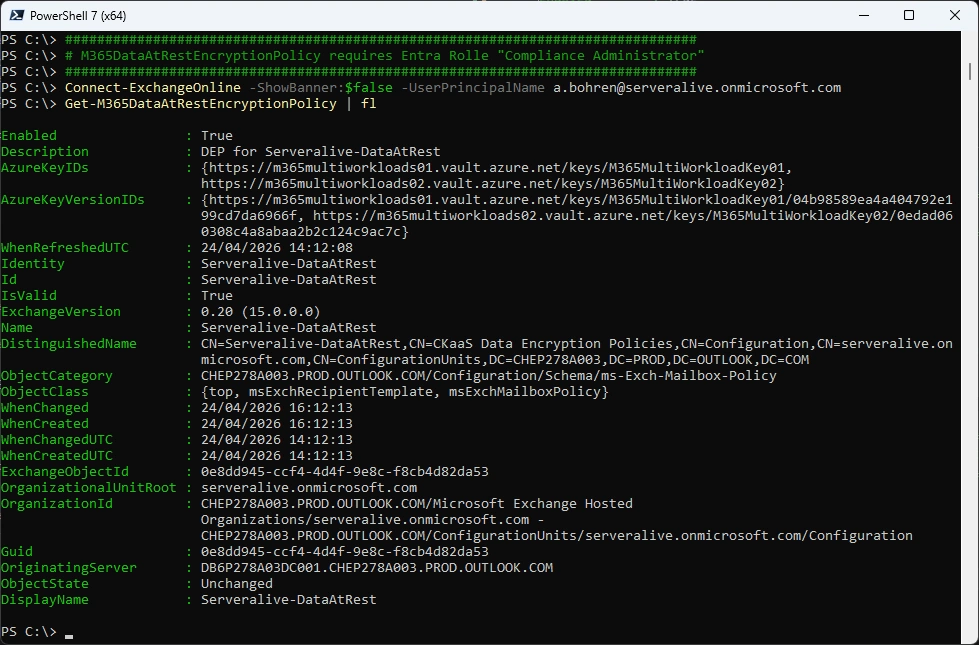
Get-M365DataAtRestEncryptionPolicy
###############################################################################
# Get-M365DataAtRestEncryptionPolicy requires Entra Rolle "Compliance Administrator"
###############################################################################
Connect-ExchangeOnline -ShowBanner:$false -UserPrincipalName a.bohren@serveralive.onmicrosoft.com
Get-M365DataAtRestEncryptionPolicy | f
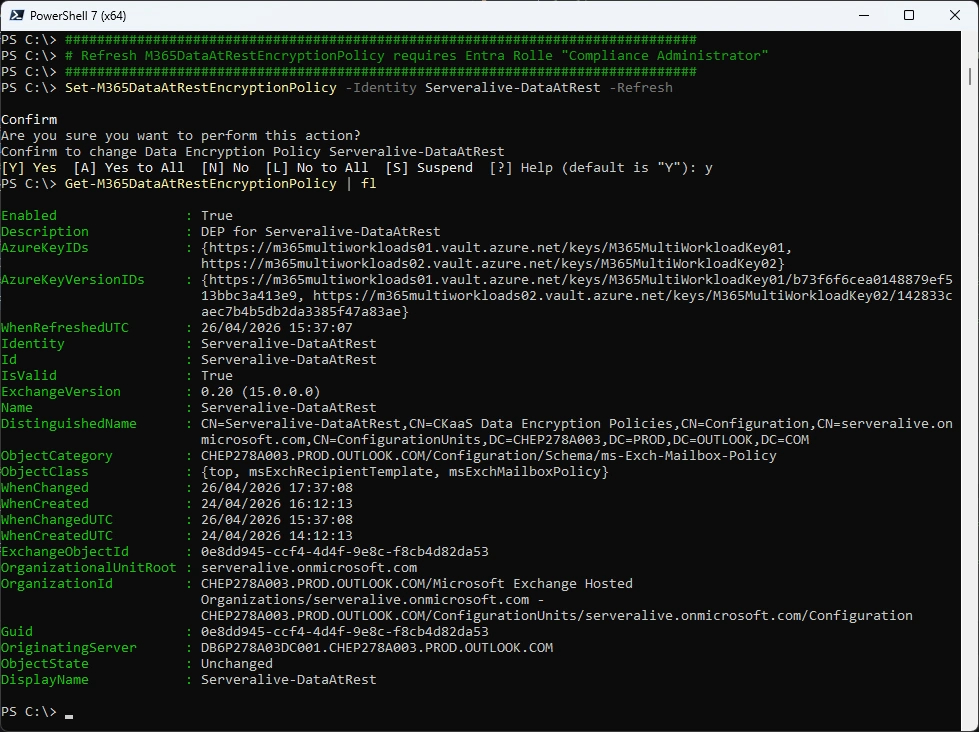
Refresh M365DataAtRestEncryptionPolicy
###############################################################################
# Refresh M365DataAtRestEncryptionPolicy requires Entra Rolle "Compliance Administrator"
###############################################################################
Set-M365DataAtRestEncryptionPolicy -Identity Serveralive-DataAtRest -Refresh
Get-M365DataAtRestEncryptionPolicy | fl
Azure KeyVault for Exchange Online
The whole Process look like this
- Create two Azure Subscriptions (already created)
- Create two Azure KeyVaults in the two Azure Subscriptions (already created)
- Add a user to “Key Vault Crypto Officer” for each KeyVault
- Use this User to add the Keys to each KeyVault
- Add the “Customer Key Onboarding app” to the “Key Vault Crypto Service Encryption User” Role
- Add the “M365DataAtRestEncryption” to the “Key Vault Crypto Service Encryption User” Role
- Add the “Office 365 Exchange Online” to the “Key Vault Crypto Service Encryption User” Role
- Check Onboarding with the two Keys
- Enable Onboarding with the two Keys
- Create a new DataAtRest Encryption Policy (DEP) for Exchange Online
- Set Data Encryption Policy on Mailbox
In the End it should look like this
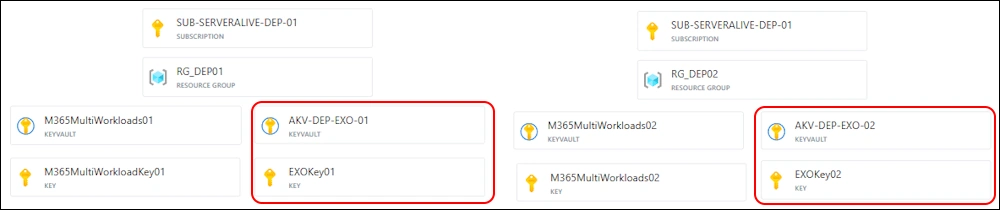
Let’s create an Azure KeyVault in each Subscription
###############################################################################
# Create Azure KeyVault
###############################################################################
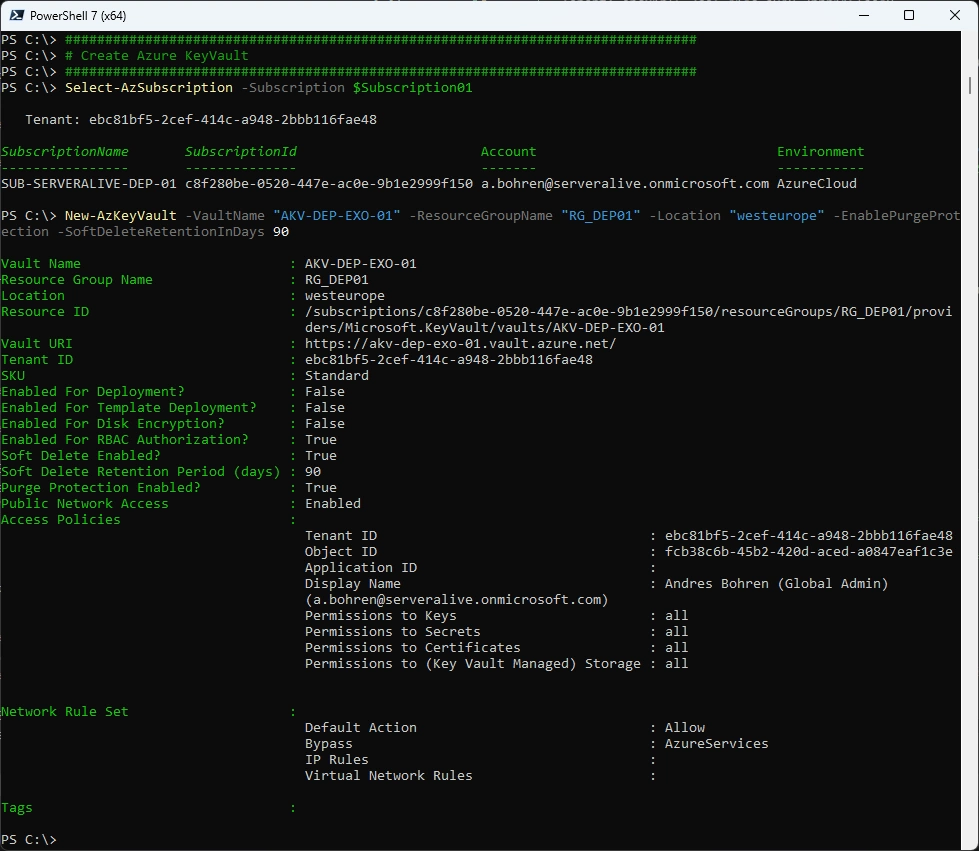
Select-AzSubscription -Subscription $Subscription01
New-AzKeyVault -VaultName "AKV-DEP-EXO-01" -ResourceGroupName "RG_DEP01" -Location "westeurope" -EnablePurgeProtection -SoftDeleteRetentionInDays 90
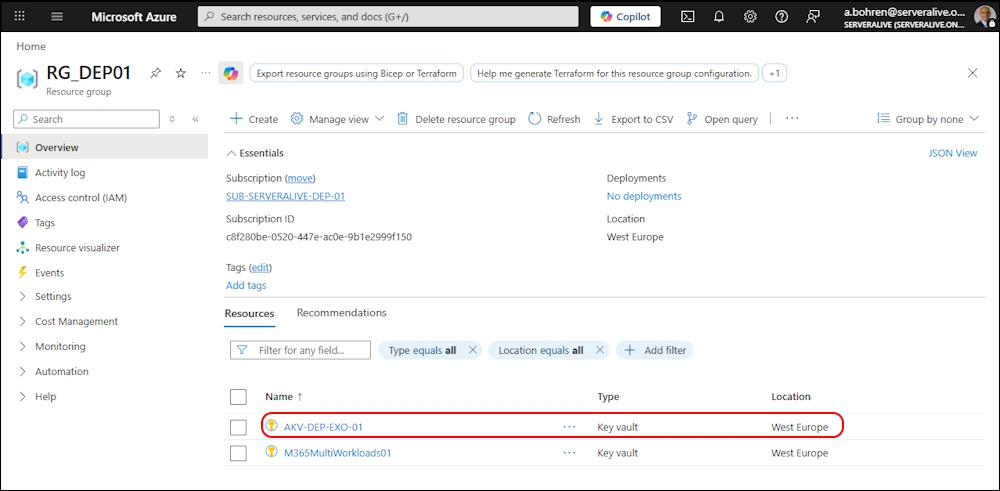
In Azure Portal it should look like this
###############################################################################
# Create Azure KeyVault
###############################################################################
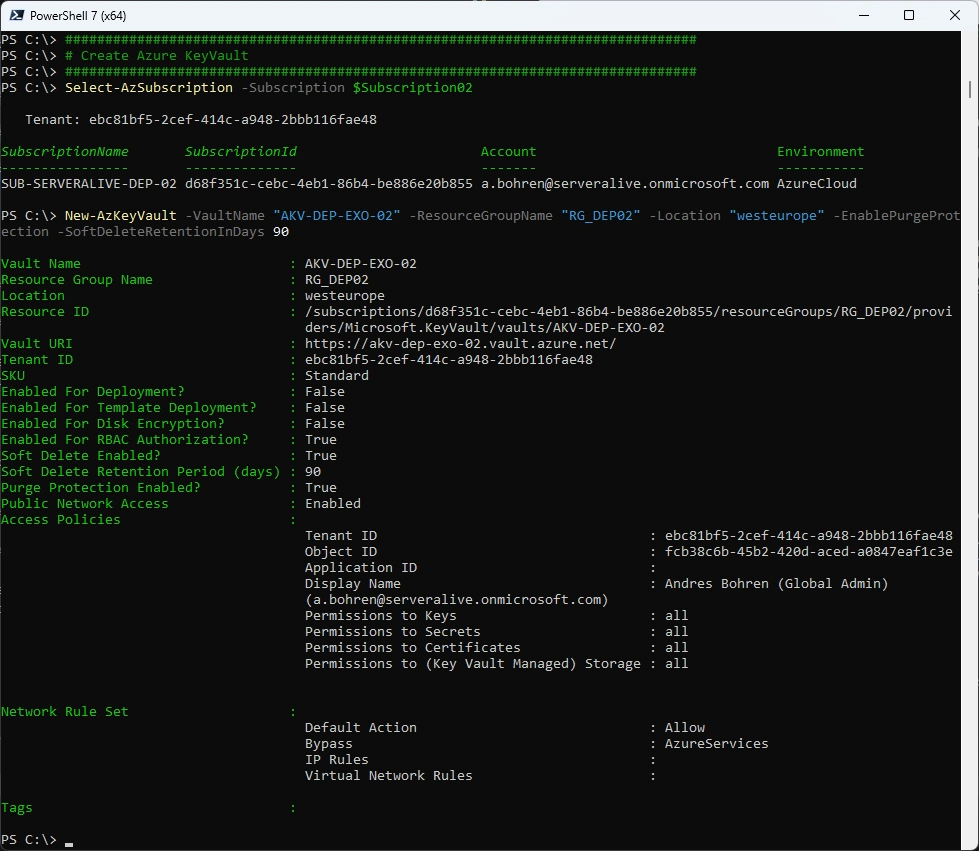
Select-AzSubscription -Subscription $Subscription02
New-AzKeyVault -VaultName "AKV-DEP-EXO-02" -ResourceGroupName "RG_DEP02" -Location "westeurope" -EnablePurgeProtection -SoftDeleteRetentionInDays 90
###############################################################################
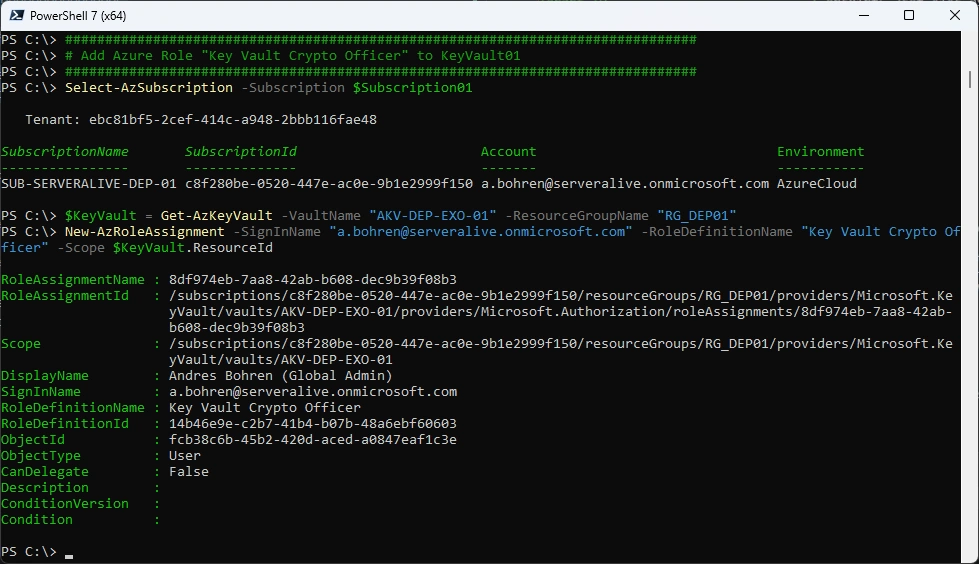
# Add Azure Role "Key Vault Crypto Officer" to KeyVault01
###############################################################################
Select-AzSubscription -Subscription $Subscription01
$KeyVault = Get-AzKeyVault -VaultName "AKV-DEP-EXO-01" -ResourceGroupName "RG_DEP01"
New-AzRoleAssignment -SignInName "a.bohren@serveralive.onmicrosoft.com" -RoleDefinitionName "Key Vault Crypto Officer" -Scope $KeyVault.ResourceId
###############################################################################
# Add Azure Role "Key Vault Crypto Officer" to KeyVault02
###############################################################################
Select-AzSubscription -Subscription $Subscription02
$KeyVault = Get-AzKeyVault -VaultName "AKV-DEP-EXO-02" -ResourceGroupName "RG_DEP02"
New-AzRoleAssignment -SignInName "a.bohren@serveralive.onmicrosoft.com" -RoleDefinitionName "Key Vault Crypto Officer" -Scope $KeyVault.ResourceId
###############################################################################
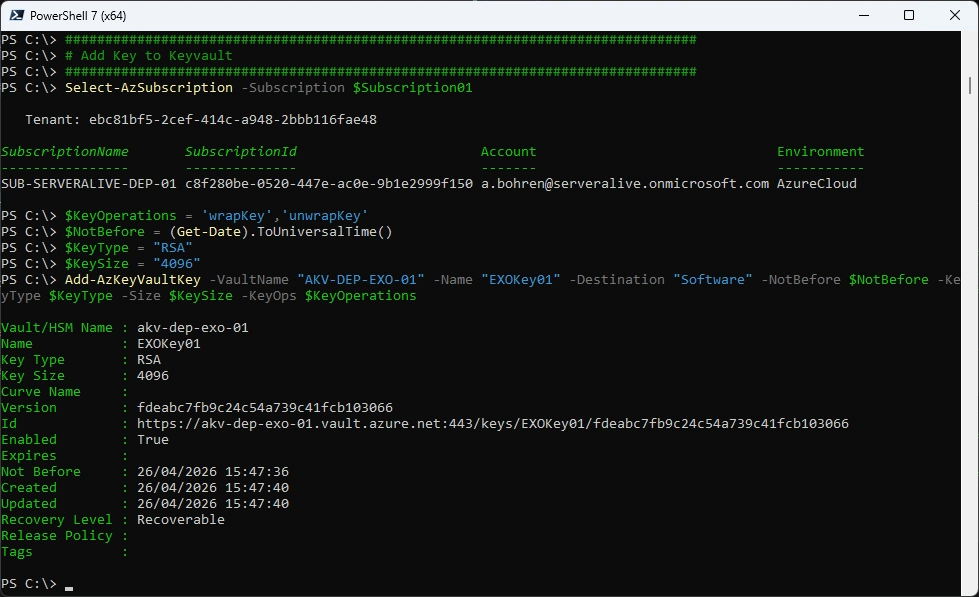
# Add Key to Keyvault
###############################################################################
Select-AzSubscription -Subscription $Subscription01
$KeyOperations = 'wrapKey','unwrapKey'
$NotBefore = (Get-Date).ToUniversalTime()
$KeyType = "RSA"
$KeySize = "4096"
Add-AzKeyVaultKey -VaultName "AKV-DEP-EXO-01" -Name "EXO-Key01" -Destination "Software" -NotBefore $NotBefore -KeyType $KeyType -Size $KeySize -KeyOps $KeyOperations
###############################################################################
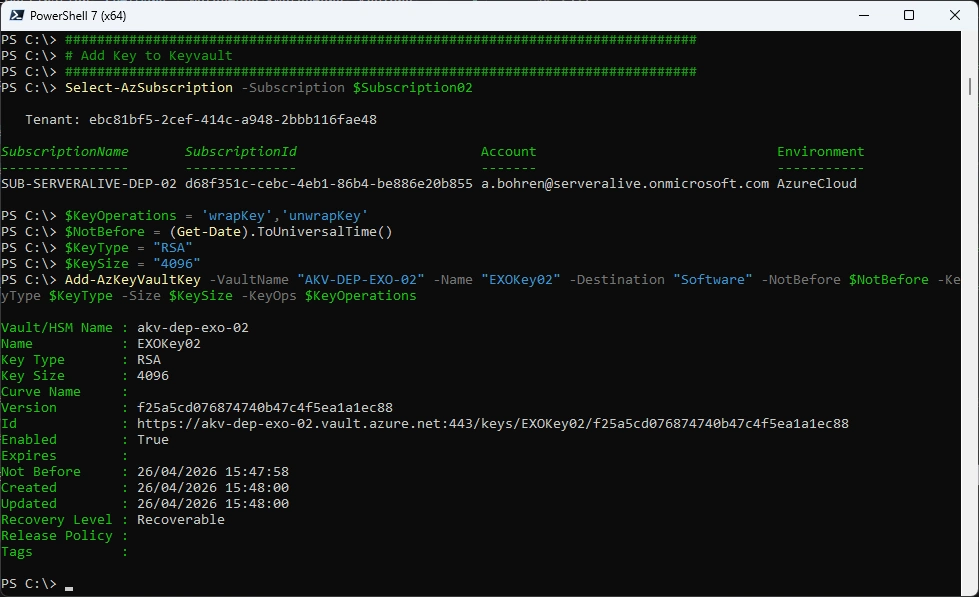
# Add Key to Keyvault
###############################################################################
Select-AzSubscription -Subscription $Subscription02
$KeyOperations = 'wrapKey','unwrapKey'
$NotBefore = (Get-Date).ToUniversalTime()
$KeyType = "RSA"
$KeySize = "4096"
Add-AzKeyVaultKey -VaultName "AKV-DEP-EXO-02" -Name "EXO-Key02" -Destination "Software" -NotBefore $NotBefore -KeyType $KeyType -Size $KeySize -KeyOps $KeyOperations
###############################################################################
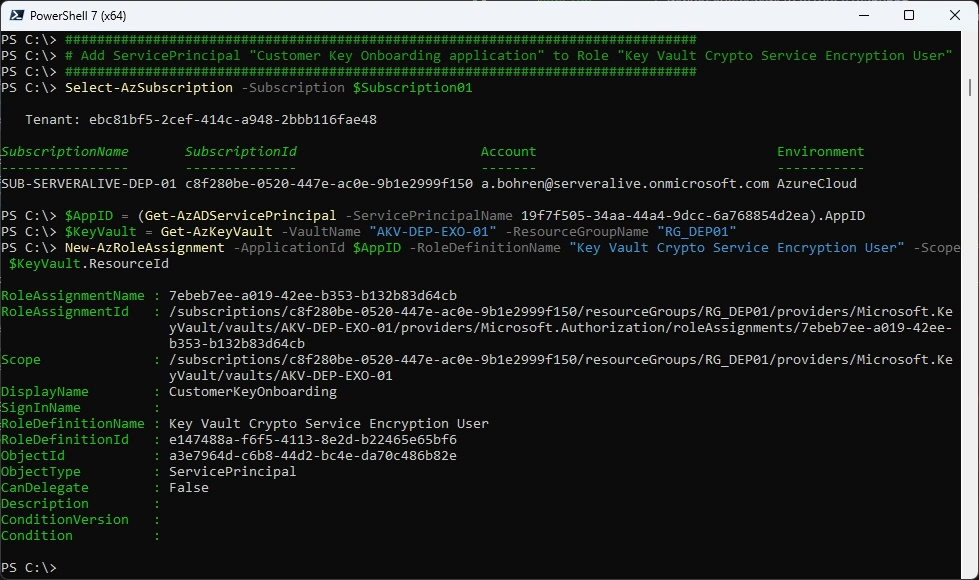
# Add ServicePrincipal "Customer Key Onboarding application" to Role "Key Vault Crypto Service Encryption User"
###############################################################################
Select-AzSubscription -Subscription $Subscription01
$AppID = (Get-AzADServicePrincipal -ServicePrincipalName 19f7f505-34aa-44a4-9dcc-6a768854d2ea).AppID
$KeyVault = Get-AzKeyVault -VaultName "AKV-DEP-EXO-01" -ResourceGroupName "RG_DEP01"
New-AzRoleAssignment -ApplicationId $AppID -RoleDefinitionName "Key Vault Crypto Service Encryption User" -Scope $KeyVault.ResourceId
###############################################################################
# Add ServicePrincipal "Customer Key Onboarding application" to Role "Key Vault Crypto Service Encryption User"
###############################################################################
Select-AzSubscription -Subscription $Subscription02
$AppID = (Get-AzADServicePrincipal -ServicePrincipalName 19f7f505-34aa-44a4-9dcc-6a768854d2ea).AppID
$KeyVault = Get-AzKeyVault -VaultName "AKV-DEP-EXO-02" -ResourceGroupName "RG_DEP02"
New-AzRoleAssignment -ApplicationId $AppID -RoleDefinitionName "Key Vault Crypto Service Encryption User" -Scope $KeyVault.ResourceId
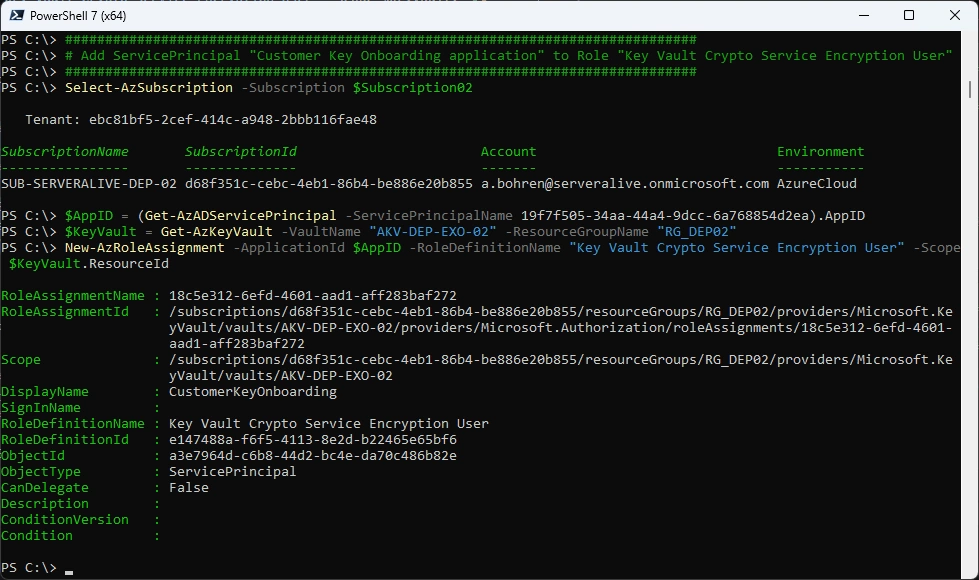
###############################################################################
# Add ServicePrincipal "M365DataAtRestEncryption application" to Role "Key Vault Crypto Service Encryption User"
###############################################################################
Select-AzSubscription -Subscription $Subscription01
$AppID = (Get-AzADServicePrincipal -ServicePrincipalName c066d759-24ae-40e7-a56f-027002b5d3e4).AppID
$KeyVault = Get-AzKeyVault -VaultName "AKV-DEP-EXO-01" -ResourceGroupName "RG_DEP01"
New-AzRoleAssignment -ApplicationId $AppID -RoleDefinitionName "Key Vault Crypto Service Encryption User" -Scope $KeyVault.ResourceId
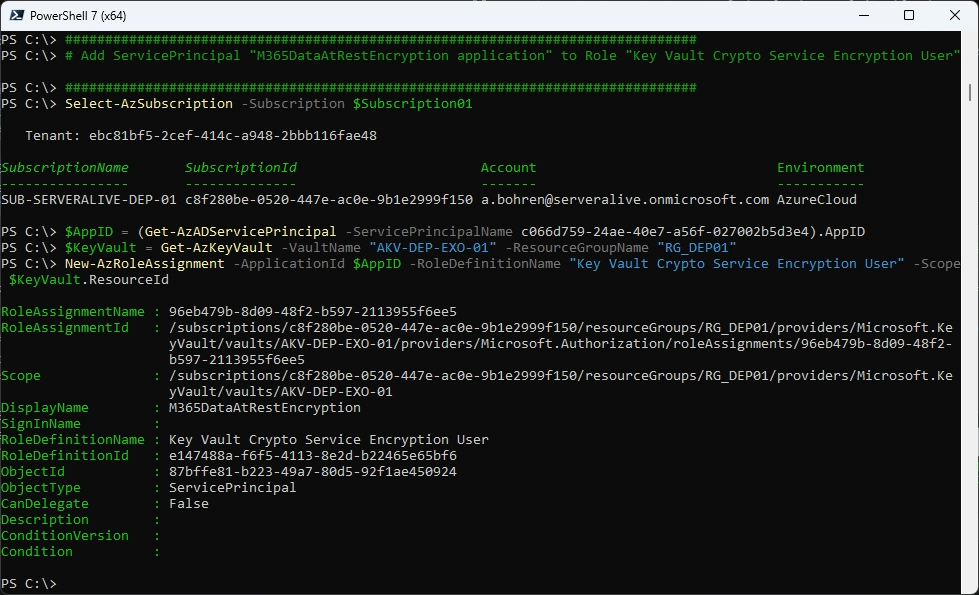
###############################################################################
# Add ServicePrincipal "M365DataAtRestEncryption application" to Role "Key Vault Crypto Service Encryption User"
###############################################################################
Select-AzSubscription -Subscription $Subscription02
$AppID = (Get-AzADServicePrincipal -ServicePrincipalName c066d759-24ae-40e7-a56f-027002b5d3e4).AppID
$KeyVault = Get-AzKeyVault -VaultName "AKV-DEP-EXO-02" -ResourceGroupName "RG_DEP02"
New-AzRoleAssignment -ApplicationId $AppID -RoleDefinitionName "Key Vault Crypto Service Encryption User" -Scope $KeyVault.ResourceId
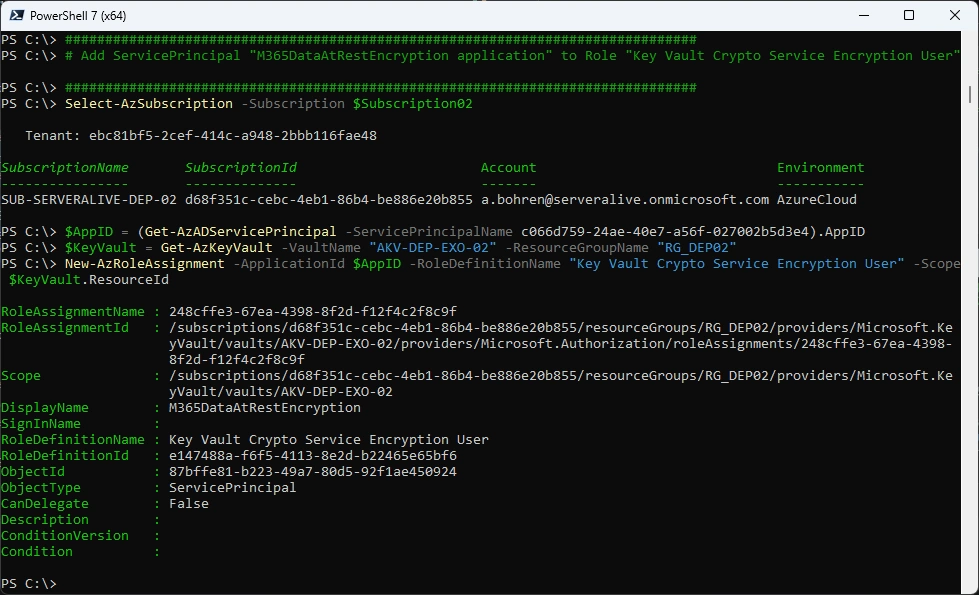
###############################################################################
# Add ServicePrincipal "Office 365 Exchange Online application" to Role "Key Vault Crypto Service Encryption User"
###############################################################################
Select-AzSubscription -Subscription $Subscription01
$AppID = (Get-AzADServicePrincipal -ServicePrincipalName 00000002-0000-0ff1-ce00-000000000000).AppID
$KeyVault = Get-AzKeyVault -VaultName "AKV-DEP-EXO-01" -ResourceGroupName "RG_DEP01"
New-AzRoleAssignment -ApplicationId $AppID -RoleDefinitionName "Key Vault Crypto Service Encryption User" -Scope $KeyVault.ResourceId
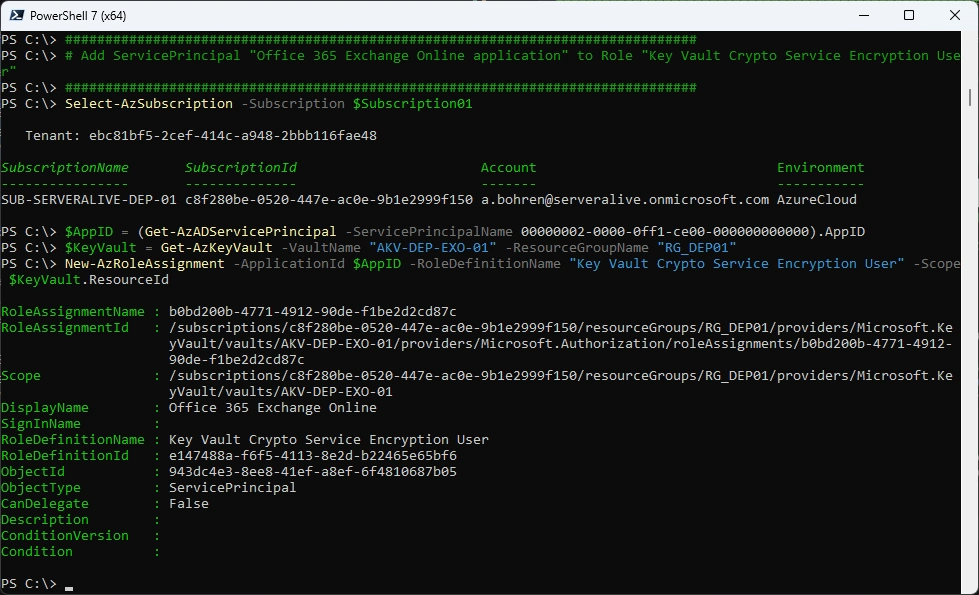
###############################################################################
# Add ServicePrincipal "Office 365 Exchange Online application" to Role "Key Vault Crypto Service Encryption User"
###############################################################################
Select-AzSubscription -Subscription $Subscription02
$AppID = (Get-AzADServicePrincipal -ServicePrincipalName 00000002-0000-0ff1-ce00-000000000000).AppID
$KeyVault = Get-AzKeyVault -VaultName "AKV-DEP-EXO-02" -ResourceGroupName "RG_DEP02"
New-AzRoleAssignment -ApplicationId $AppID -RoleDefinitionName "Key Vault Crypto Service Encryption User" -Scope $KeyVault.ResourceId
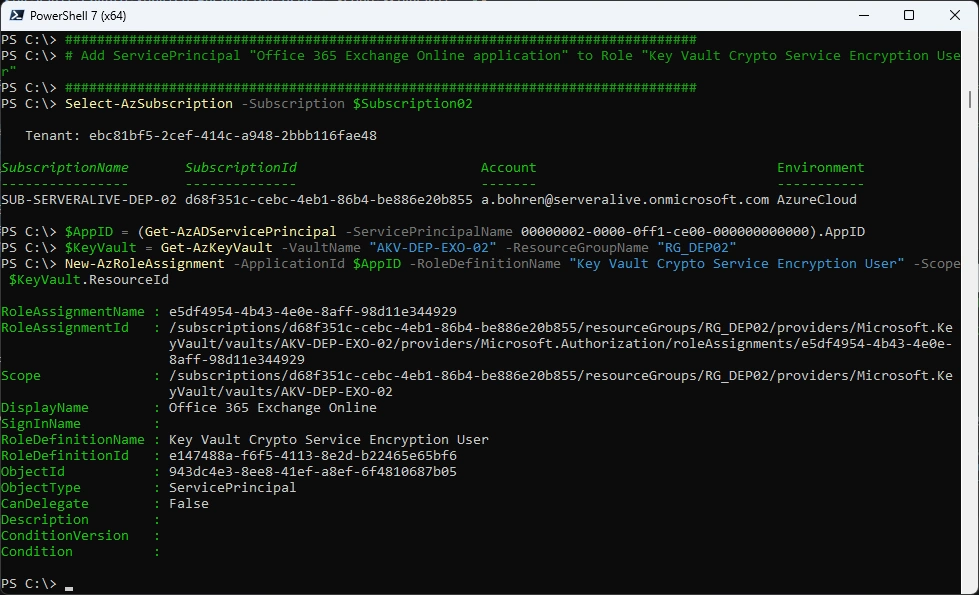
In Azure Portal it should look like this
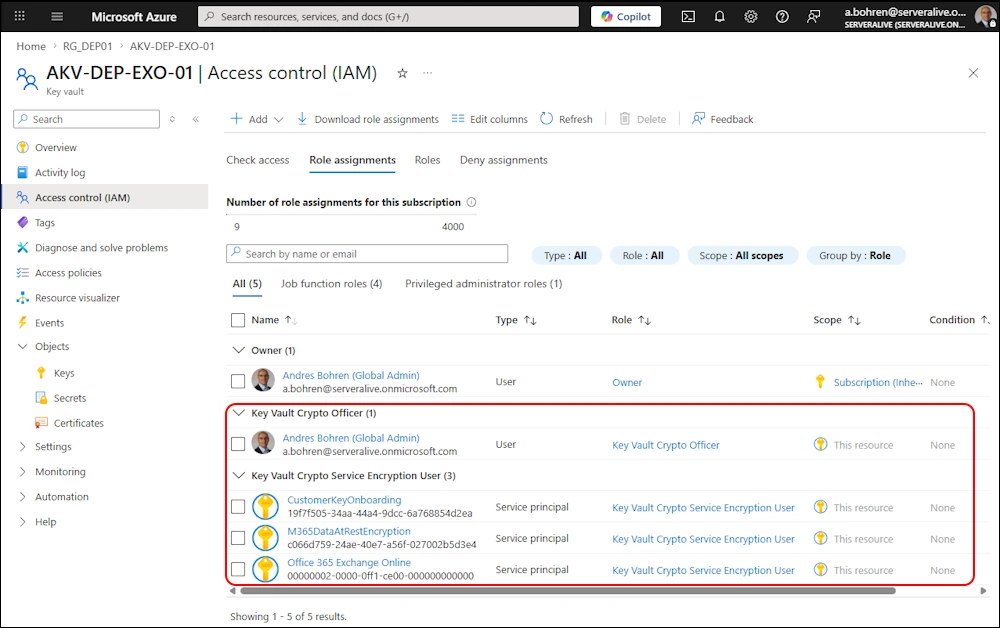
###############################################################################
# Validate Customer Key Onboarding
###############################################################################
$TenantId = "ebc81bf5-2cef-414c-a948-2bbb116fae48" #serveralive.onmicrosoft.com
$Scenario = "EXO" #MDEP or EXO
$Subscription01 = "c8f280be-0520-447e-ac0e-9b1e2999f150"
$Subscription02 = "d68f351c-cebc-4eb1-86b4-be886e20b855"
$KeyUri01 = "https://akv-dep-exo-01.vault.azure.net/keys/EXOKey01"
$KeyUri02 = "https://akv-dep-exo-02.vault.azure.net/keys/EXOKey02"
$OnboardingMode = "Validate" #Validate or Enable
$request = New-CustomerKeyOnboardingRequest -Organization $TenantId -Scenario $Scenario -Subscription1 $Subscription01 -KeyIdentifier1 $KeyUri01 -Subscription2 $Subscription02 -KeyIdentifier2 $KeyUri02 -OnboardingMode $OnboardingMode
$request | fl
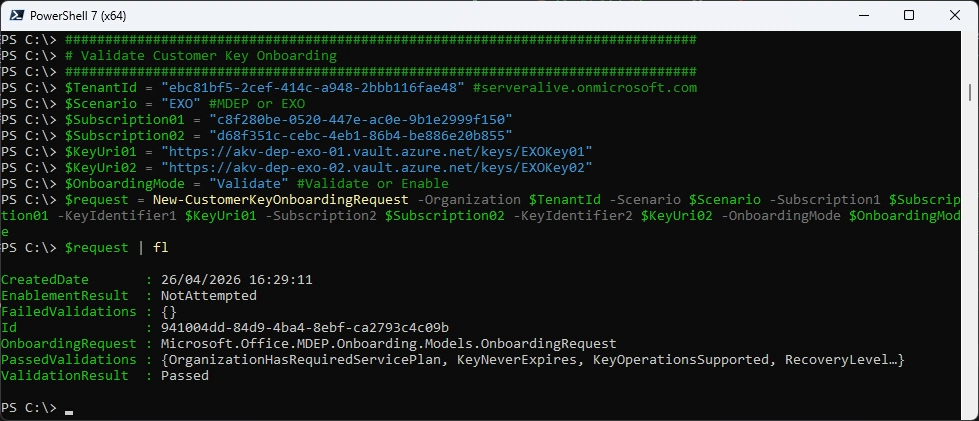
Now we can Enable the Customer Key Onboarding
###############################################################################
# Enable Customer Key Onboarding
###############################################################################
$TenantId = "ebc81bf5-2cef-414c-a948-2bbb116fae48" #serveralive.onmicrosoft.com
$Scenario = "EXO" #MDEP or EXO
$Subscription01 = "c8f280be-0520-447e-ac0e-9b1e2999f150"
$Subscription02 = "d68f351c-cebc-4eb1-86b4-be886e20b855"
$KeyUri01 = "https://akv-dep-exo-01.vault.azure.net/keys/EXOKey01"
$KeyUri02 = "https://akv-dep-exo-02.vault.azure.net/keys/EXOKey02"
$OnboardingMode = "Enable" #Validate or Enable
$request = New-CustomerKeyOnboardingRequest -Organization $TenantId -Scenario $Scenario -Subscription1 $Subscription01 -KeyIdentifier1 $KeyUri01 -Subscription2 $Subscription02 -KeyIdentifier2 $KeyUri02 -OnboardingMode $OnboardingMode
$request | fl
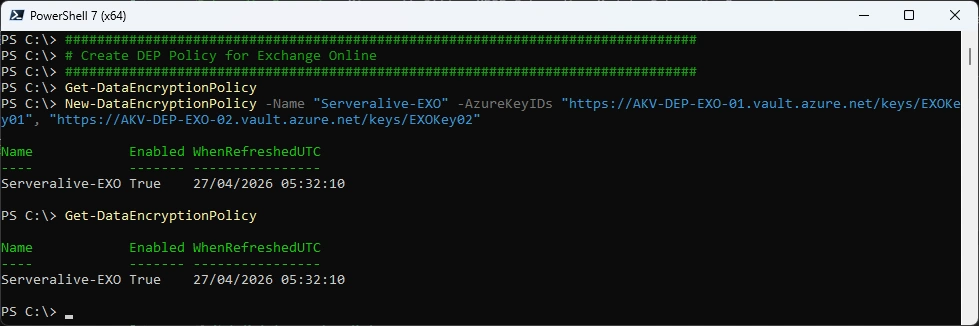
###############################################################################
# Create DEP Policy for Exchange Online
###############################################################################
Get-DataEncryptionPolicy
New-DataEncryptionPolicy -Name "Serveralive-EXO" -AzureKeyIDs "https://AKV-DEP-EXO-01.vault.azure.net/keys/EXOKey01", "https://AKV-DEP-EXO-02.vault.azure.net/keys/EXOKey02"
Get-DataEncryptionPolicy
Set Data Encryption Policy to a Mailbox
###############################################################################
# Set DEP for a Mailbox
###############################################################################
Set-Mailbox -Identity ABOGA -DataEncryptionPolicy "Serveralive-EXO"

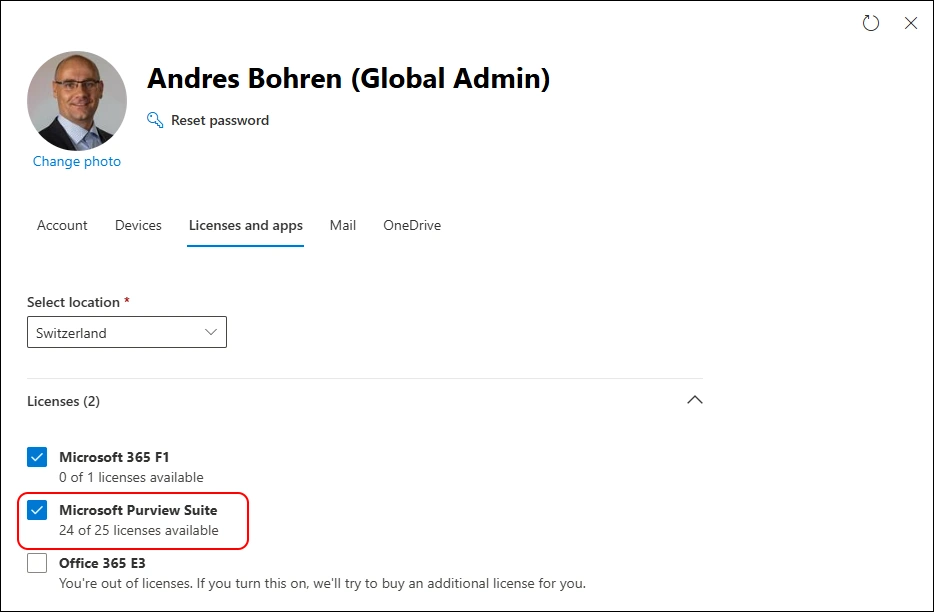
Let’s assign the “Microsoft Purview Suite” License to the Mailbox
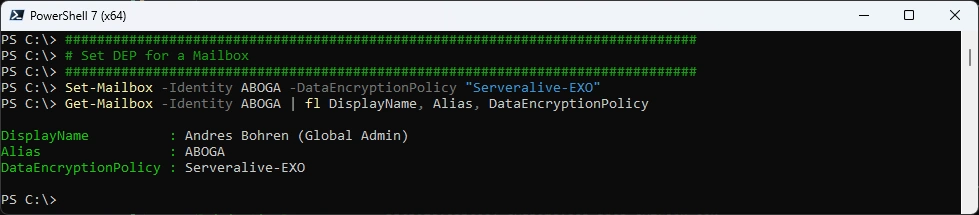
Set Data Encryption Policy to a Mailbox - now it’s set on the Attribute DataEncryptionPolicy
###############################################################################
# Set DEP for a Mailbox
###############################################################################
Set-Mailbox -Identity ABOGA -DataEncryptionPolicy "Serveralive-EXO"
Get-Mailbox -Identity ABOGA | fl DisplayName, Alias, DataEncryptionPolicy
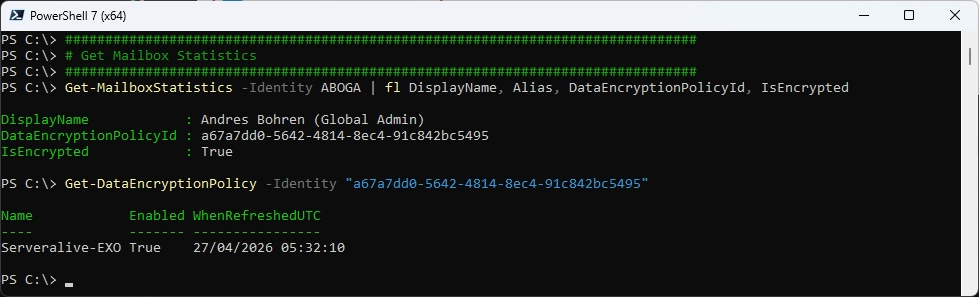
It takes a few hours to apply
###############################################################################
# Get Mailbox Statistics
###############################################################################
Get-MailboxStatistics -Identity ABOGA | fl DisplayName, Alias, DataEncryptionPolicyId, IsEncrypted
Get-DataEncryptionPolicy -Identity "a67a7dd0-5642-4814-8ec4-91c842bc5495"
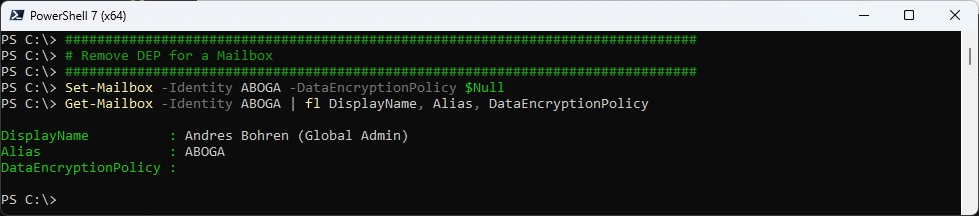
Remove the Exchange DEP - also takes a few hours to apply
###############################################################################
# Remove DEP for a Mailbox
###############################################################################
Set-Mailbox -Identity ABOGA -DataEncryptionPolicy $Null
Get-Mailbox -Identity ABOGA | fl DisplayName, Alias, DataEncryptionPolicy
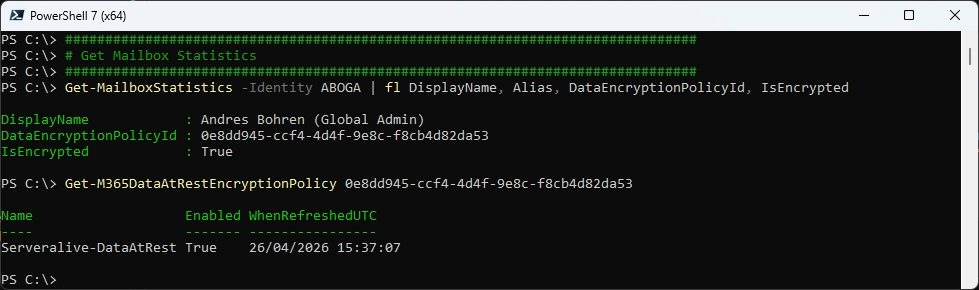
And we are back at the M365DataAtRestEncryptionPolicy
###############################################################################
# Get Mailbox Statistics
###############################################################################
Get-MailboxStatistics -Identity ABOGA | fl DisplayName, Alias, DataEncryptionPolicyId, IsEncrypted
Get-M365DataAtRestEncryptionPolicy 0e8dd945-ccf4-4d4f-9e8c-f8cb4d82da53
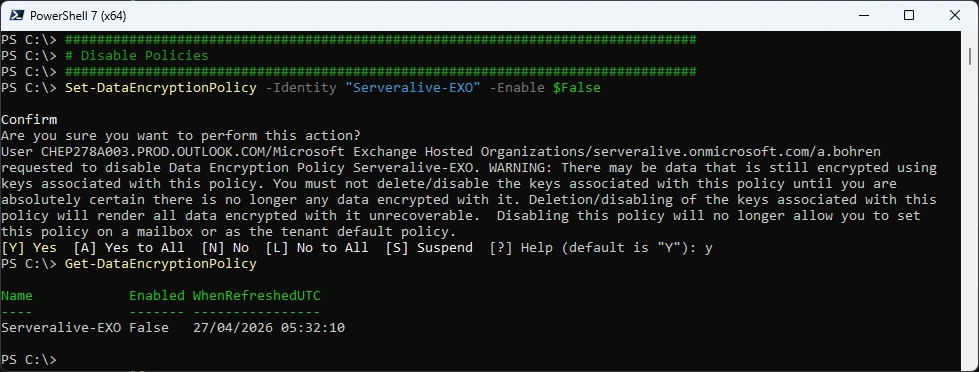
Now we can disable the DataEncryptionPolicy
###############################################################################
# Disable Policies
###############################################################################
Set-DataEncryptionPolicy -Identity "Serveralive-EXO" -Enable $False
Get-DataEncryptionPolicy
SharePoint Online and OneDrive for Business
I didn’t do that, because you can’t revert from Customer Key to Microsoft Managed Key (MMK)
Rolling back from Customer Key to Microsoft-managed keys isn’t supported for SharePoint or OneDrive.
###############################################################################
# SPO/OneDrive
###############################################################################
Connect-SPOService
Register-SPODataEncryptionPolicy -PrimaryKeyVaultName 'stageRG3vault' -PrimaryKeyName 'SPKey3' -PrimaryKeyVersion 'f635a23bd4a44b9996ff6aadd88d42ba' -SecondaryKeyVaultName 'stageRG5vault' -SecondaryKeyName 'SPKey5' -SecondaryKeyVersion '2b3e8f1d754f438dacdec1f0945f251a'
Get-SPODataEncryptionPolicy <SPOAdminSiteUrl>
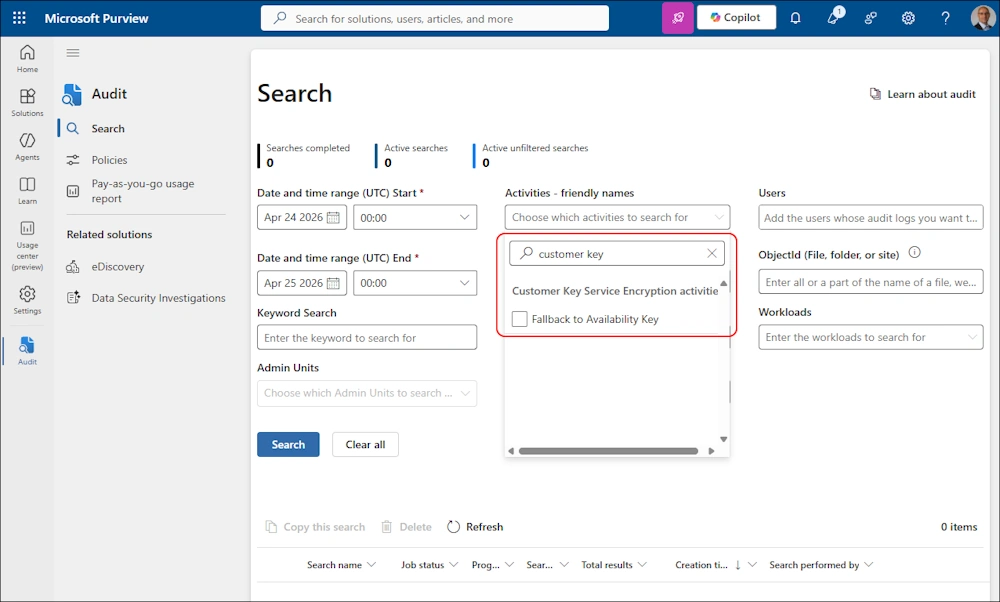
Audit Log
As far as i can see, there is one Action that you can Monitor: “Failback to Availability Key”
Summary
It has taken me longer than i expected, to write the whole Article.
It’s quite interesting, that you can create and modify a M365DataAtRestEncryptionPolicy, but not remove it. From an Exchange Perspective, you need to rely on the DataEncryptionPolicyId in Get-Mailboxstatistics.
As always, it takes a few hours until the changes are applied. And this is only a very small Tenant. Imagine a big Tenant with tons of Mailboxes, M365 Groups, SharePoint Sites and OneDrives…
Regards
Andres Bohren
Azure Logo M365 Logo PowerShell Logo Security Logo


