
Secure your Exchange Hybrid Mailflow

Hi All,
If you are planning or running an Exchange Hybrid Environment, you might have thought about you can secure the Hybrid Mailflow between the Exchange OnPrem and the Exchange Online Infrastructure
Overview
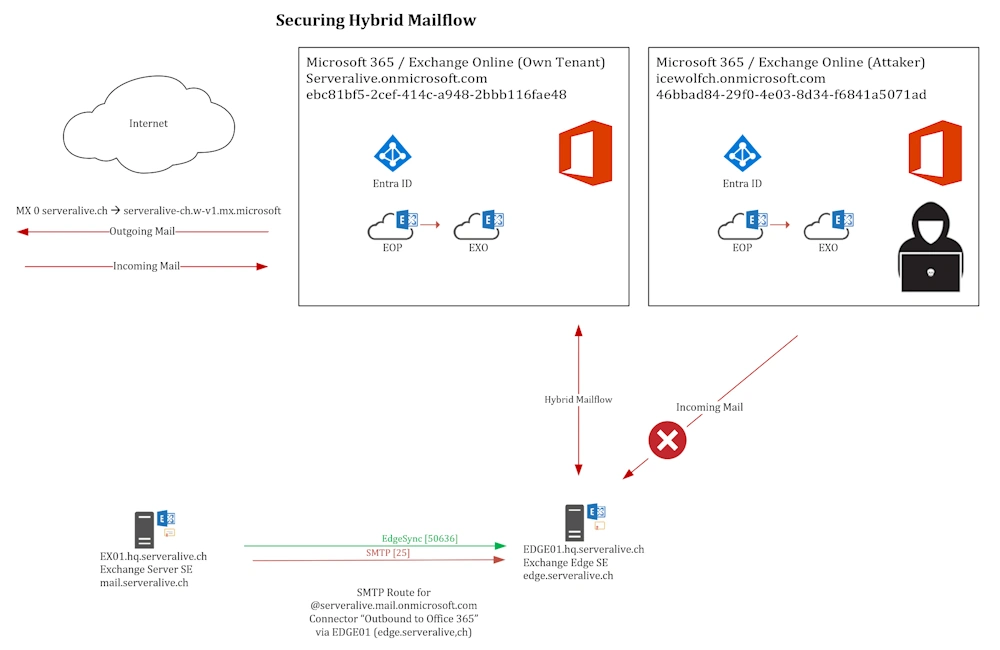
Here is an Overview of the Situation. You can limit the IP Addresses that are allowed to Connect to the Exchange Online Services IP’s on the Firewall or the Receive Connector. But that does not protect you from another “Attacker” Tenant trying to send you Malicious Emails.
Firewall
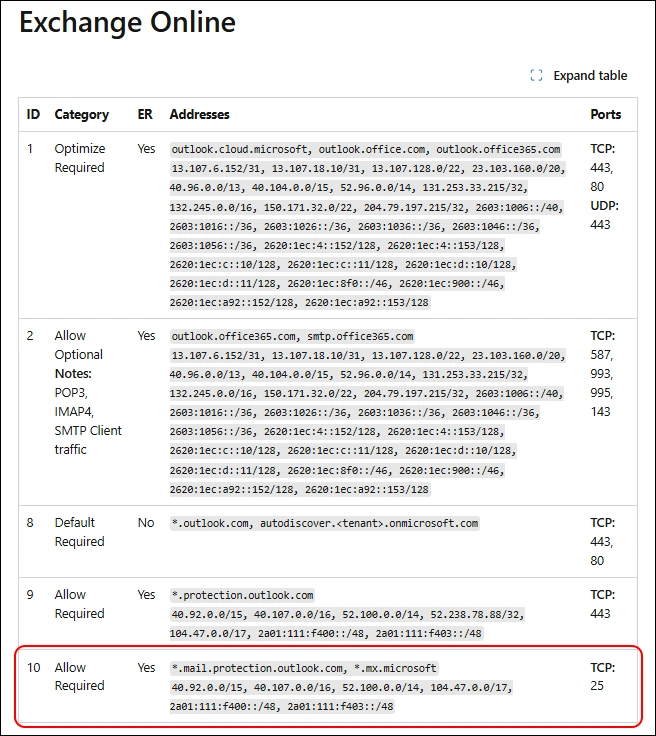
First step is to Limit the IP Adresses that are able to connect to your Exchange Edge to the Exchange Online Service IP’s
Analysis
How can you further improve the Situation. Let’s first check what’s acutally happen and go from there.
Let’s enable Pipeline Tracing and send an Email from karl.klammer@serveralive.ch (Exchange Online) to joe.doe@serveralive.ch (Exchange OnPrem).
Get-TransportService | Set-TransportService –PipelineTracingEnabled $true -PipelineTracingSenderAddress karl.klammer@serveralive.ch

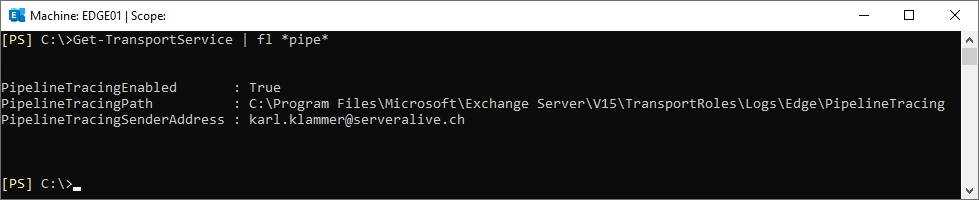
Pipeline Tracing is enabled
Get-TransportService | fl *pipe*
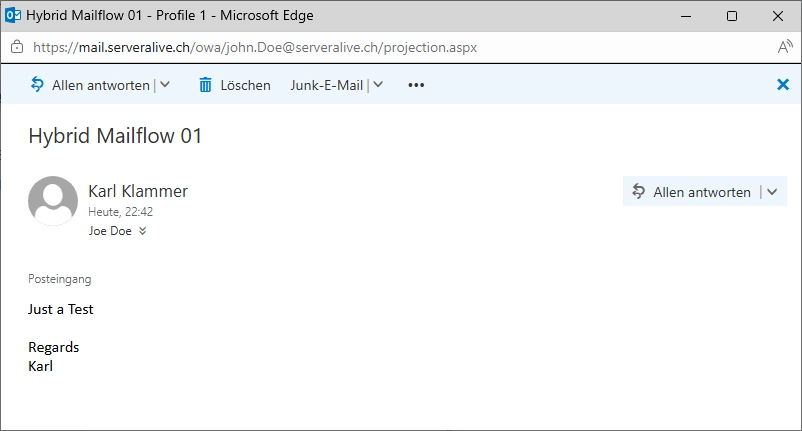
Send an Email from karl.klammer@serveralive.ch (Exchange Online) to joe.doe@serveralive.ch (Exchange OnPrem).
In the Folder “C:\Program Files\Microsoft\Exchange Server\V15\TransportRoles\Logs\Edge\PipelineTracing” a GUID is created that contains all the EML Files bevore and after each step.
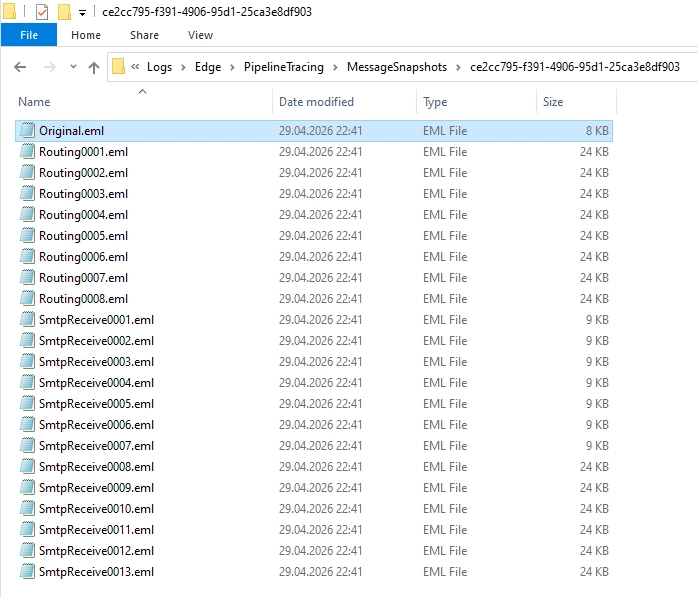
Let’s have a look at the Orginal.eml
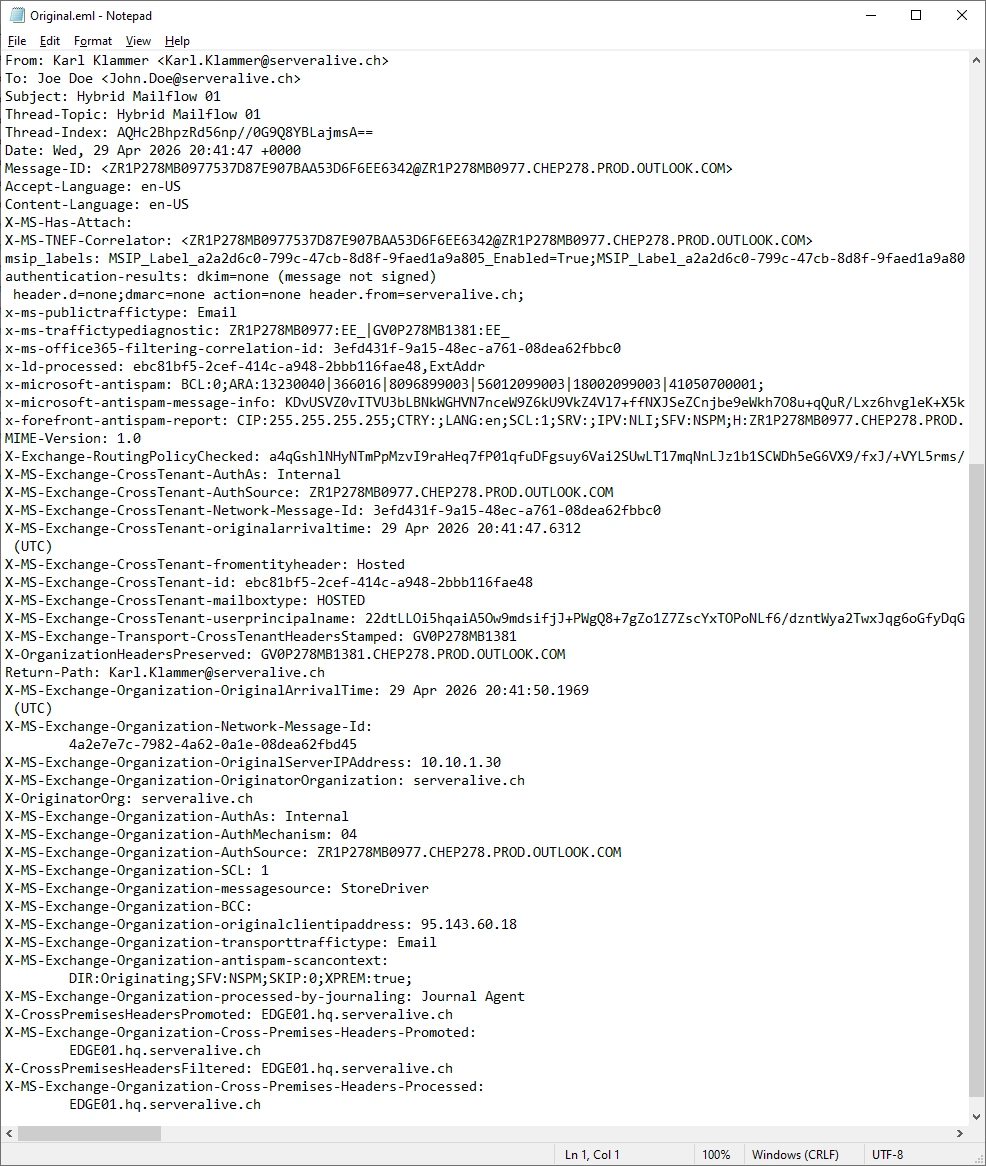
For me the following headers look promising. Let’s play around with them.
X-OriginatorOrg: serveralive.ch
X-MS-Exchange-CrossTenant-id: ebc81bf5-2cef-414c-a948-2bbb116fae48
X-MS-Exchange-Organization-AuthAs: Internal
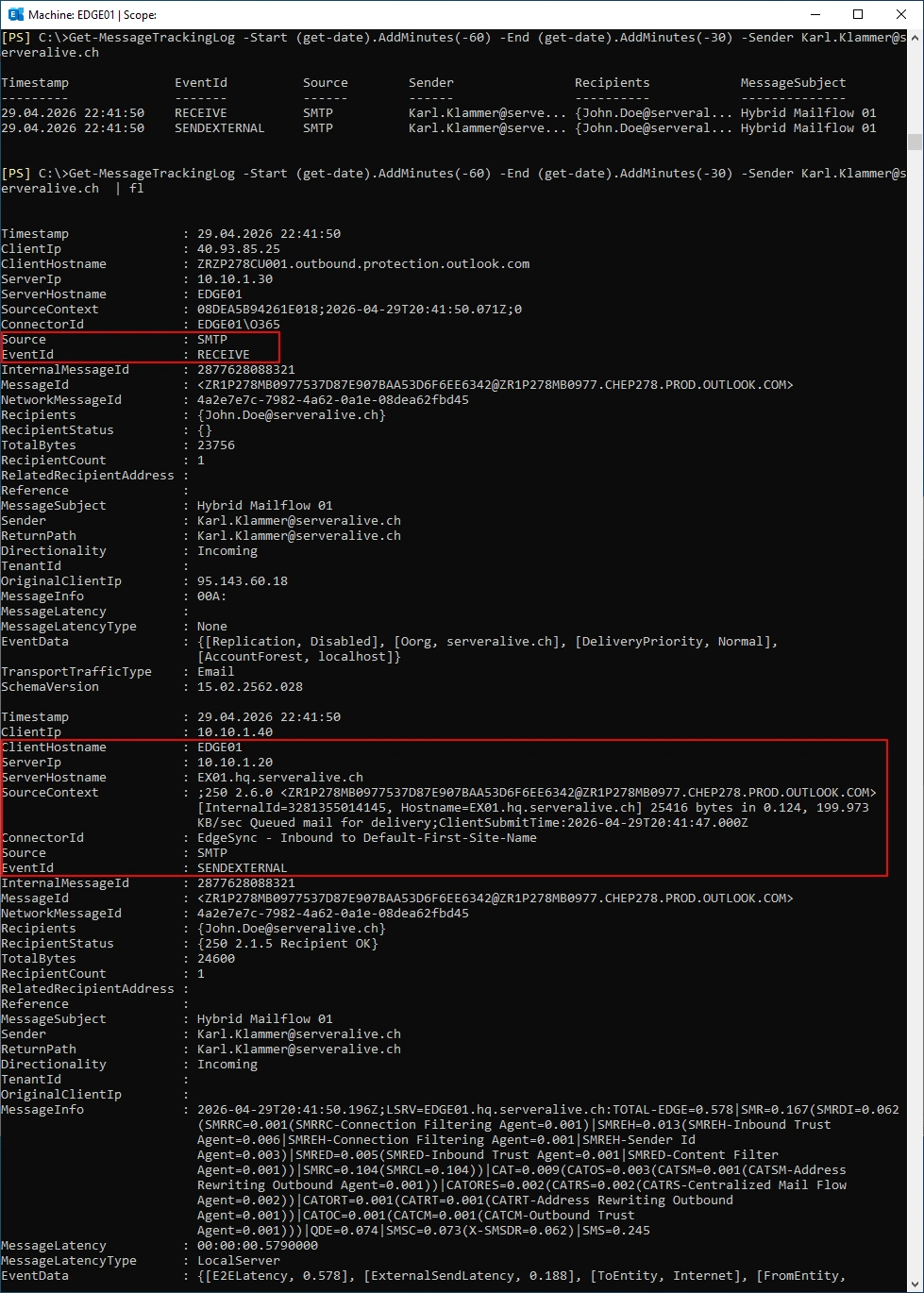
Let’s use Message Trace to see the Details
The Mail is received by the EDGE01 Receive Connector and sent to the Internal Exchange Server EX01.
Get-MessageTrackingLog -Start (get-date).AddMinutes(-60) -End (get-date).AddMinutes(-30) -Sender Karl.Klammer@serveralive.ch
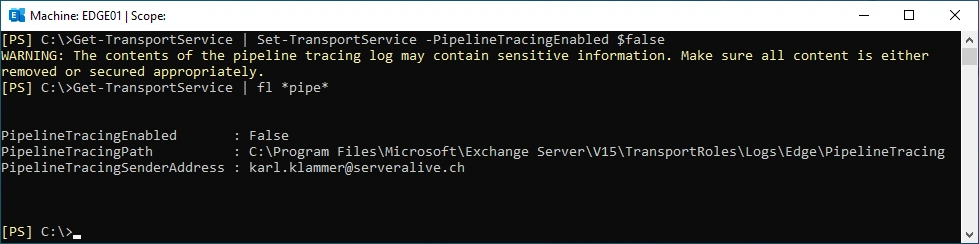
Now we have enough Data and we can stop the Pipeline Tracing
Get-TransportService | Set-TransportService –PipelineTracingEnabled $false
Get-TransportService | fl *pipe*
Transport Rule
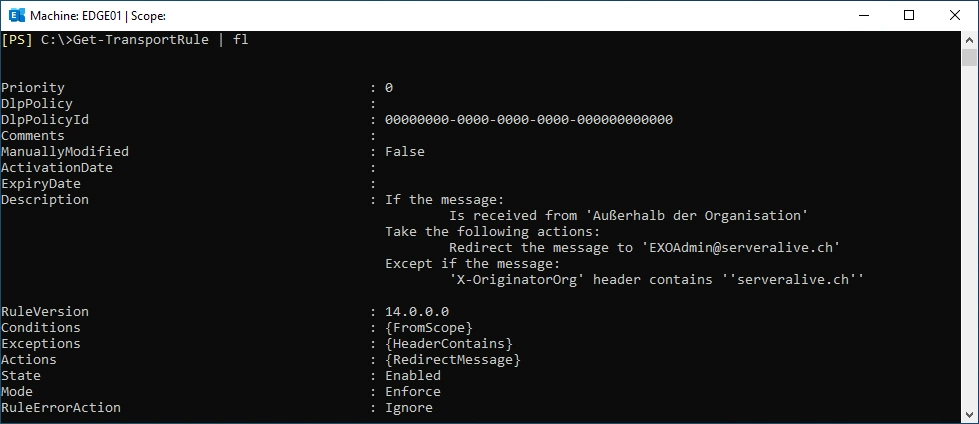
My Plan is to detect Emails from another Tenant with Exchange Transport Rules on the Exchange Edge Server.
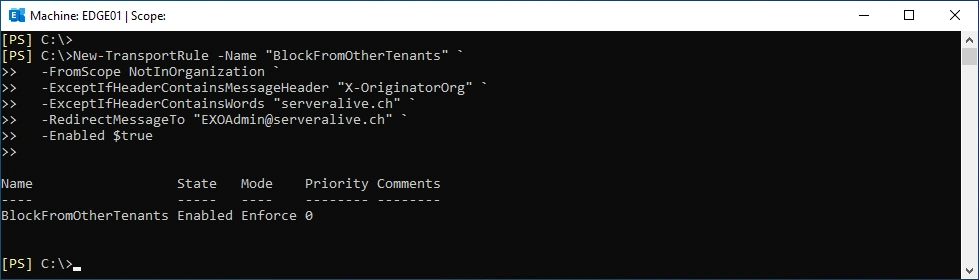
Create the Transport Rule on the EDGE01
New-TransportRule -Name "BlockFromOtherTenants" `
  -FromScope NotInOrganization `
  -ExceptIfHeaderContainsMessageHeader "X-OriginatorOrg" `
  -ExceptIfHeaderContainsWords "serveralive.ch" `
  -RedirectMessageTo "EXOAdmin@serveralive.ch" `
  -Enabled $true
Show Transport Rule
Get-TransportRule | fl
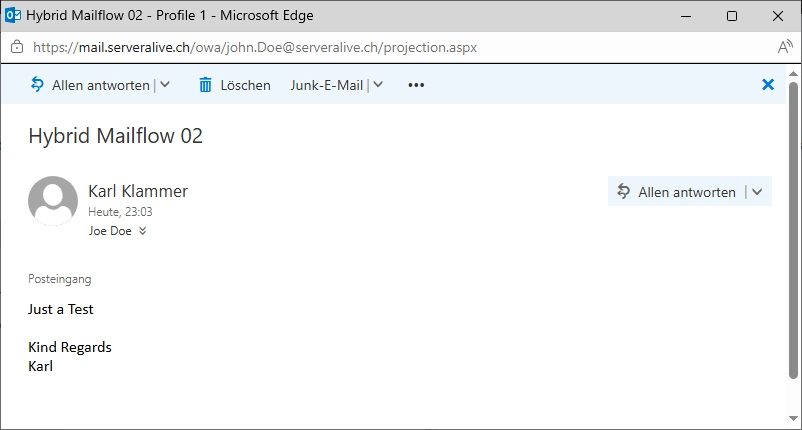
Send an Email from karl.klammer@serveralive.ch (Exchange Online) to joe.doe@serveralive.ch (Exchange OnPrem) - that still is received. So we did not interfere with legitimate Emails.
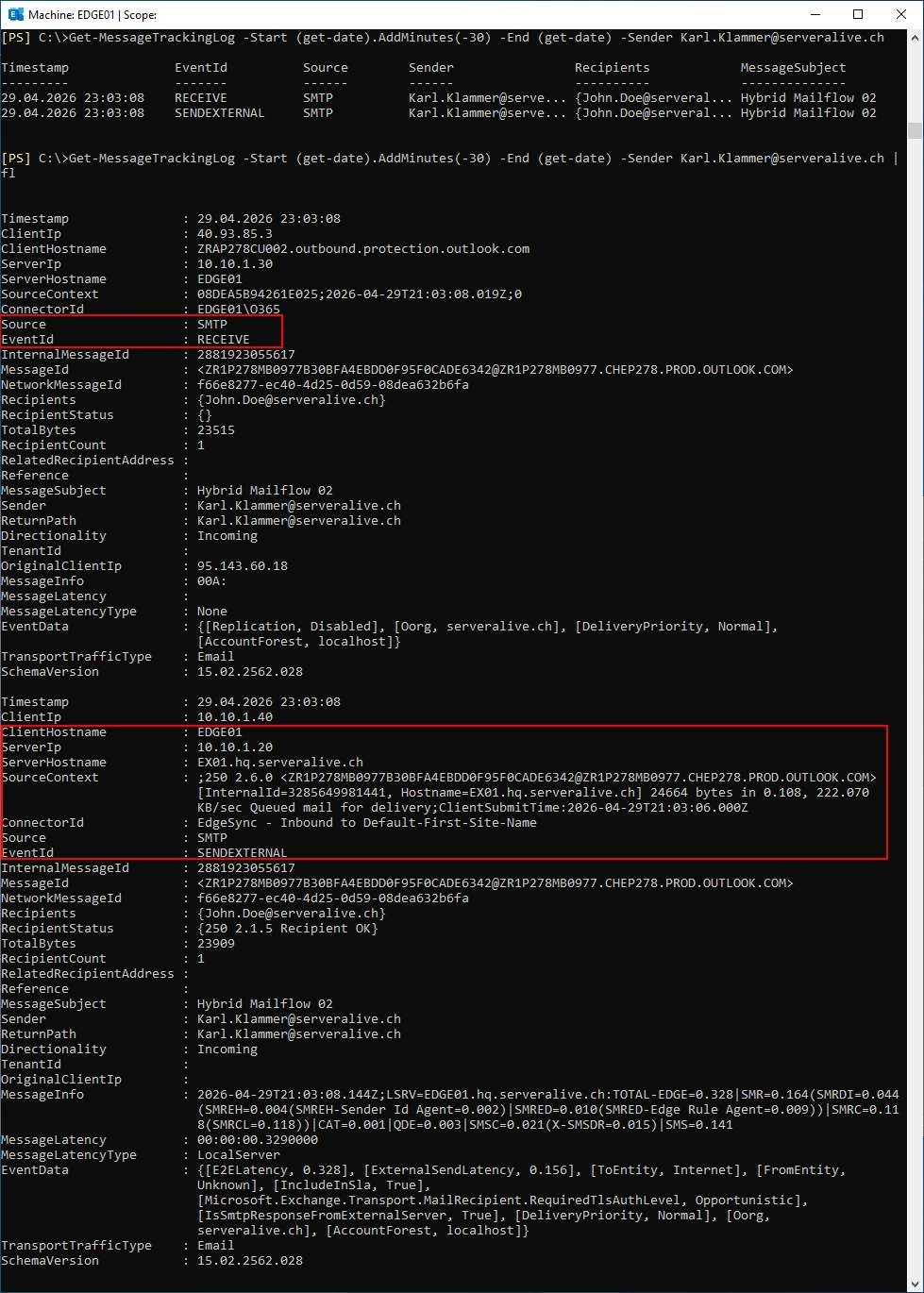
Let’s use Message Trace to see the Details
The Mail is received by the EDGE01 Receive Connector and sent to the Internal Exchange Server EX01.
Get-MessageTrackingLog -Start (get-date).AddMinutes(-30) -End (get-date) -Sender Karl.Klammer@serveralive.ch
Attack
It’s easy to figure out what Certificates exist for a specific Domain. We can see the Hostnames mail.serveralive.ch and edge.serveralive.ch
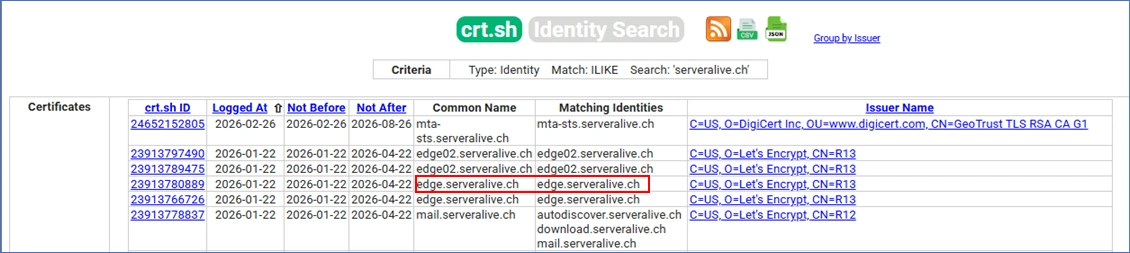
Let’s build a Outbound Partner connector in Exchange Online for the Domain “serveralive.ch” and use edge.serveralive.ch as the Smart Host.
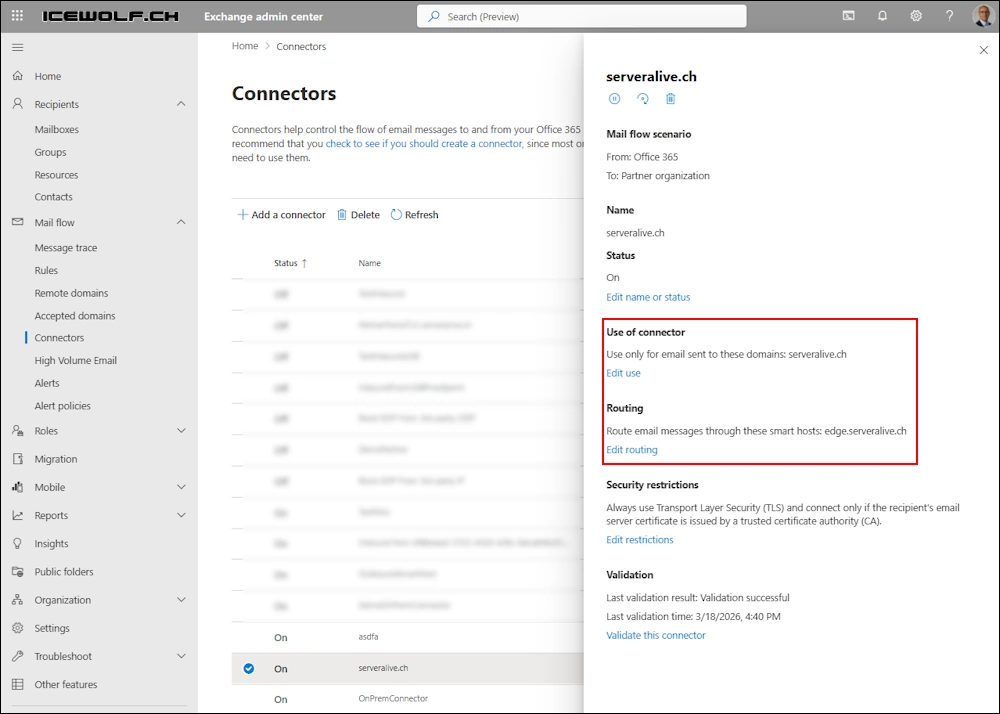
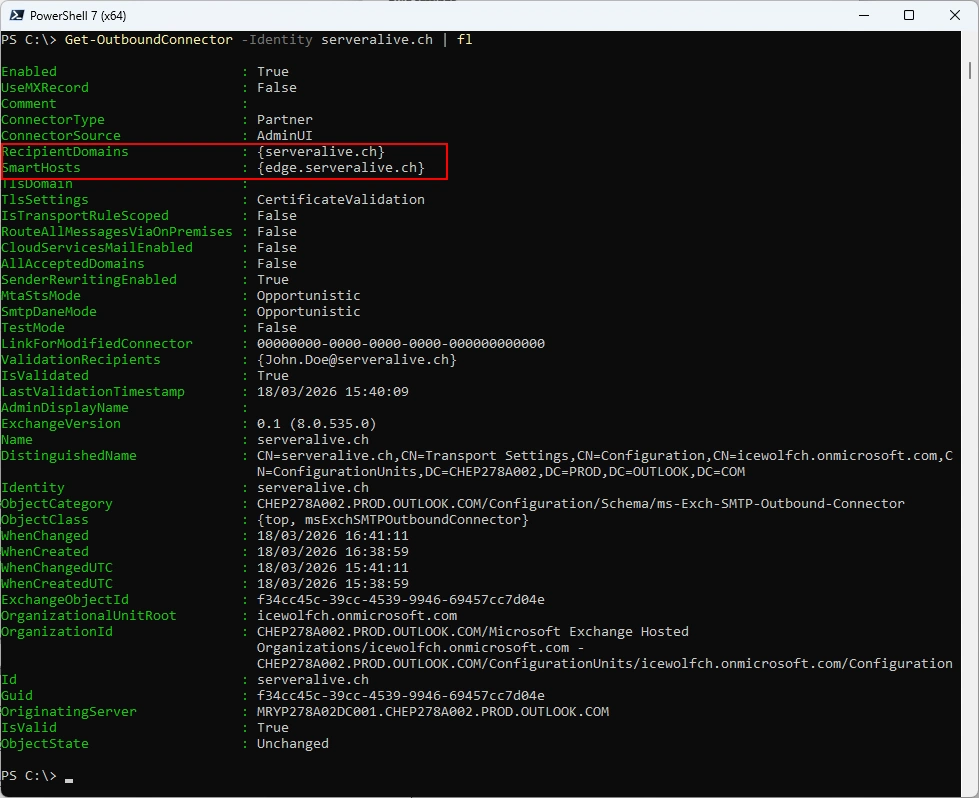
List outbound connector
Get-OutboundConnector -Identity serveralive.ch | fl
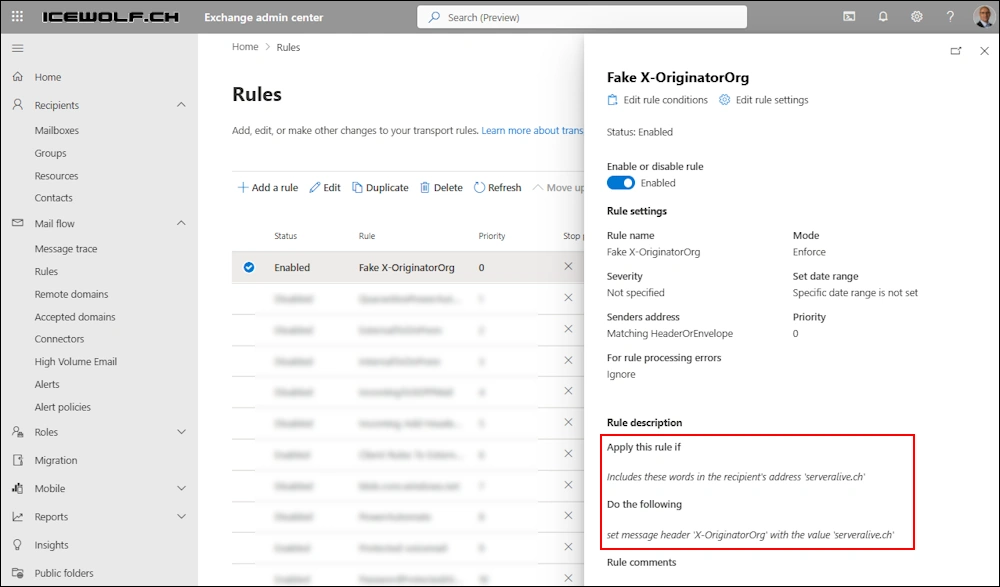
In addition to that, let’s try to fake the “X-OrginatorOrg” Header. It’s facinating that i can create a Transport Rule for that Header.
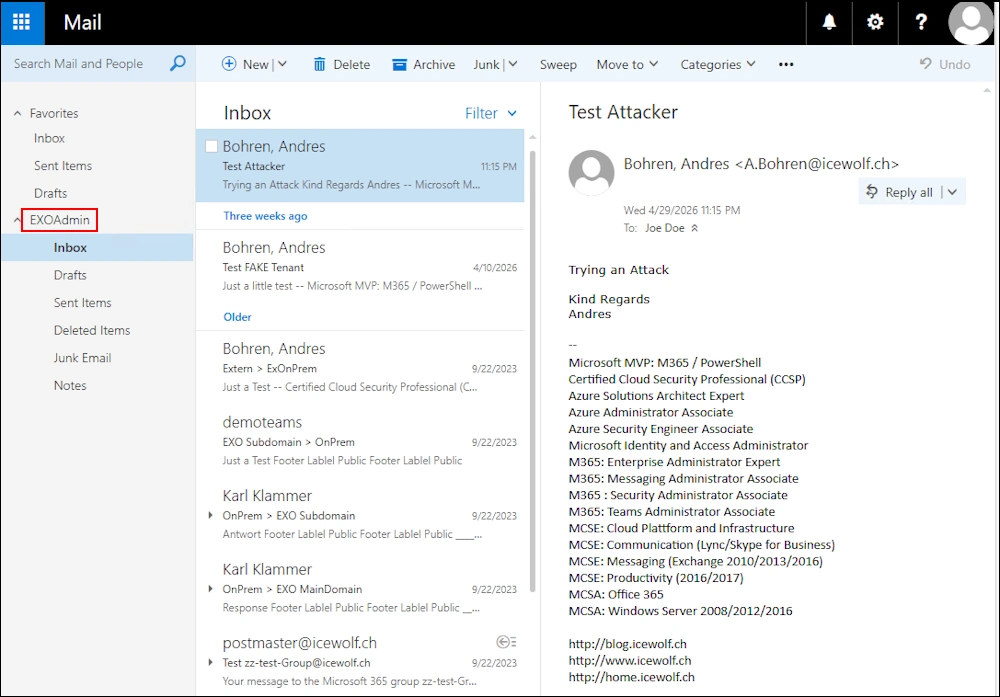
Let’s send an Email from a.bohren@icewolf.ch (Exchange Online Attacker Tenant) to joe.doe@serveralive.ch (Exchange OnPrem Target Account)
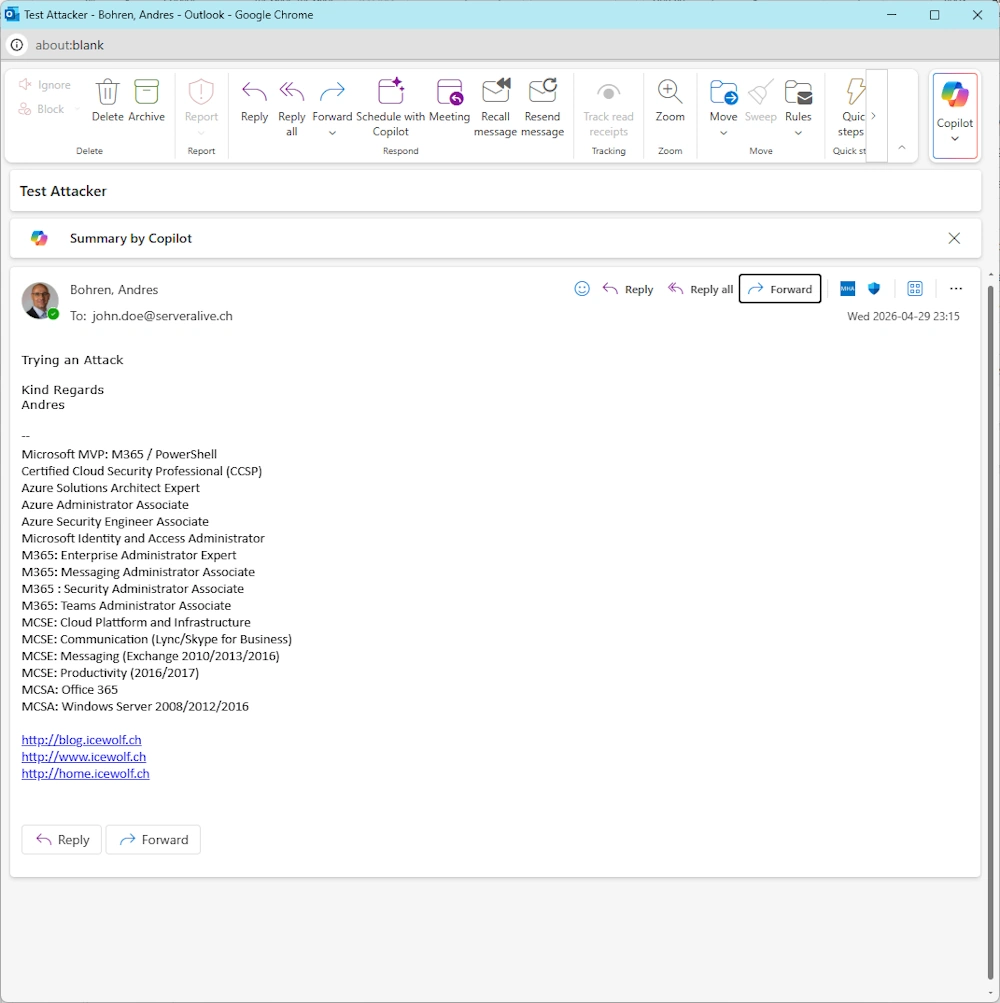
The Rule has worked and the Mail has been forwarded to EXO Admin
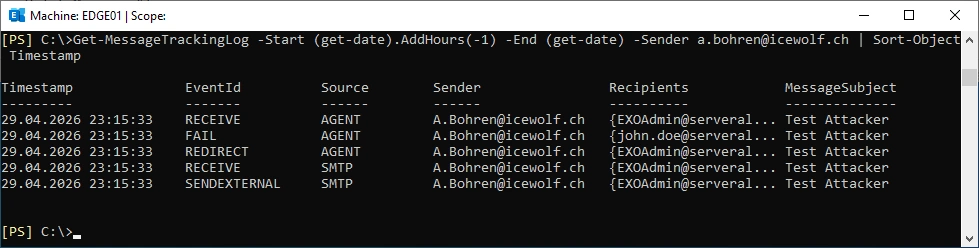
Let’s have a look at the Message Tracking on the Edge Server
Get-MessageTrackingLog -Start (get-date).AddHours(-1) -End (get-date) -Sender a.bohren@icewolf.ch | Sort-Object Timestamp
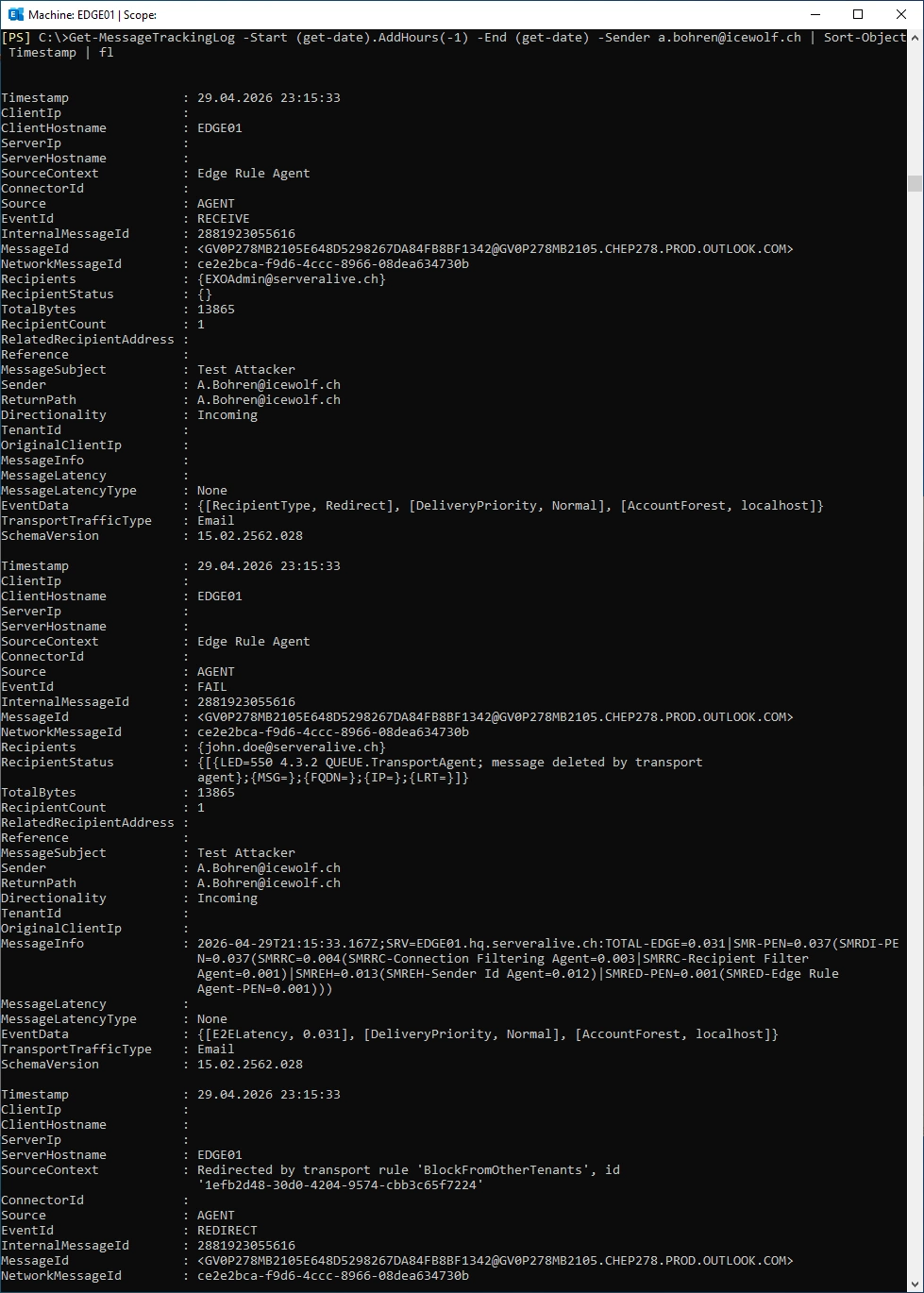
Message Tracking Details
Get-MessageTrackingLog -Start (get-date).AddHours(-1) -End (get-date) -Sender a.bohren@icewolf.ch -MessageSubject "Test Attack 01" | Sort-Object Timestamp | fl
Reject Message
Forwarding a Mail to another Mailbox does not prevent anything - it’s just there for detection.
The better Solution would be to reject the Message. Let’s create a Transport Rule for that on the Exchange Edge Role. Sadly this Transport Rule can not be created on the Exchange Edge Server.
# Does not work on Exchange Edge Role
New-TransportRule -Name "BlockFromOtherTenants" `
   -FromScope NotInOrganization `
   -ExceptIfHeaderContainsMessageHeader "X-OriginatorOrg" `
   -ExceptIfHeaderContainsWords "serveralive.ch" `
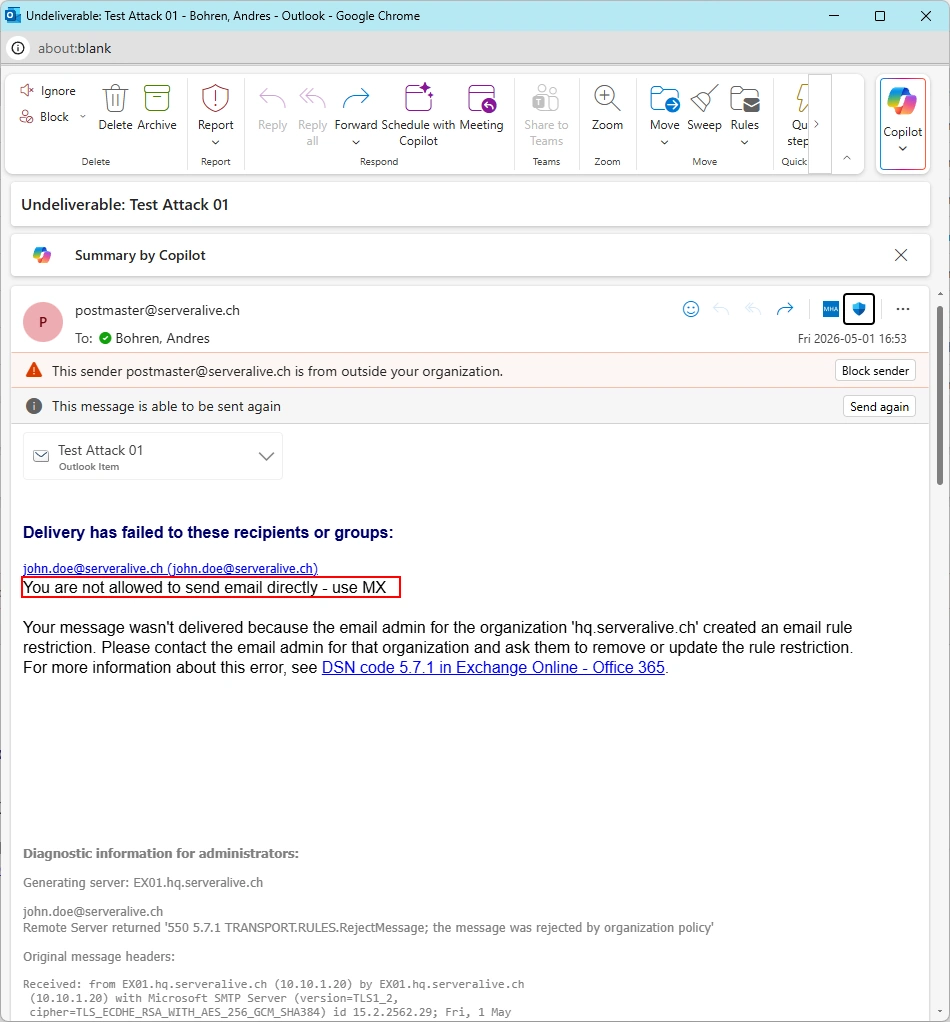
   -RejectMessageReasonText 'You are not allowed to send email directly - use MX' `
   -RejectMessageEnhancedStatusCode 5.7.1 `
   -Enabled $true
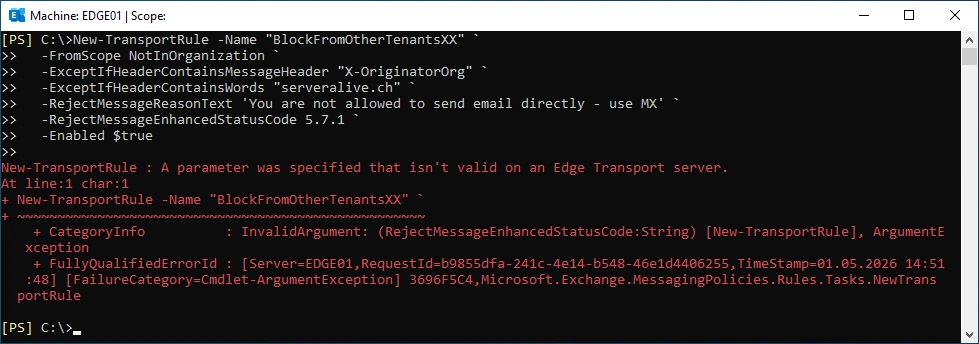
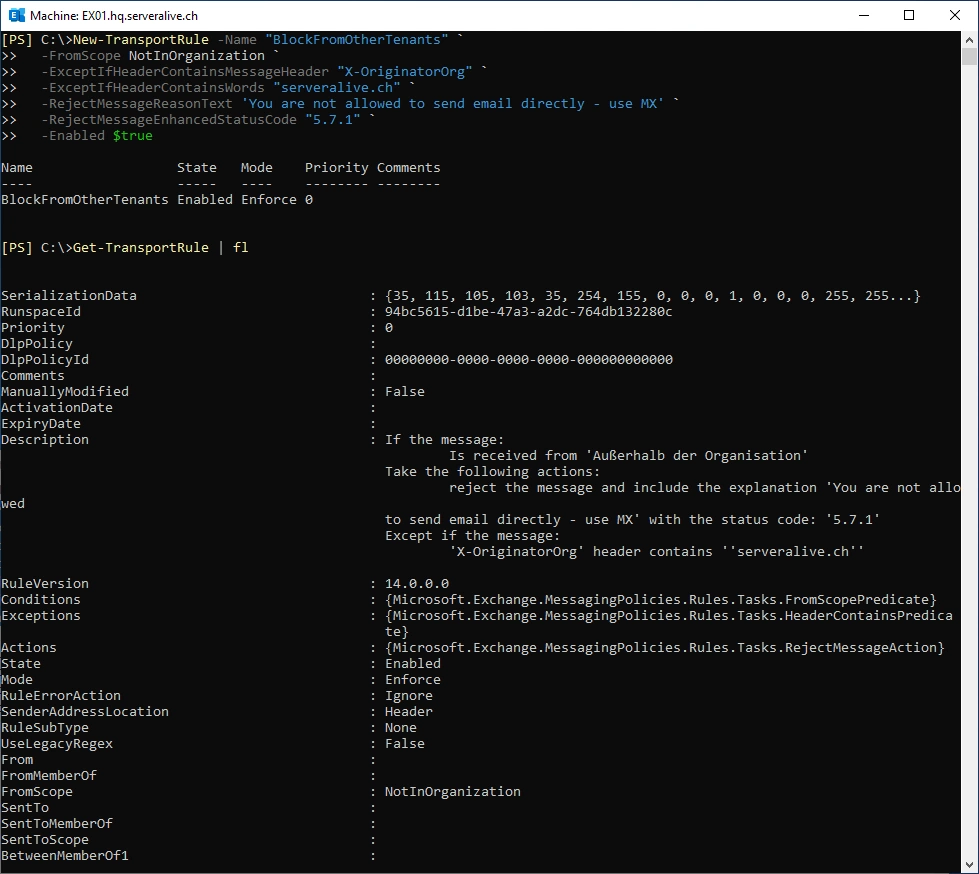
The same Rule works on Exchange Server
# Works on Exchange Server
New-TransportRule -Name "BlockFromOtherTenants" `
   -FromScope NotInOrganization `
   -ExceptIfHeaderContainsMessageHeader "X-OriginatorOrg" `
   -ExceptIfHeaderContainsWords "serveralive.ch" `
   -RejectMessageReasonText 'You are not allowed to send email directly - use MX' `
   -RejectMessageEnhancedStatusCode 5.7.1 `
   -Enabled $true

Get-TransportRule | fl
By the way. Make sure you have set your Postmaster Address for the Non Delivery Report (NDR) or Delivery Status Notification (DSN).
Set-TransportConfig -ExternamPostMasterAddress postmaster@serveralive.ch
Get-TransportConfig | fl *postmaster*

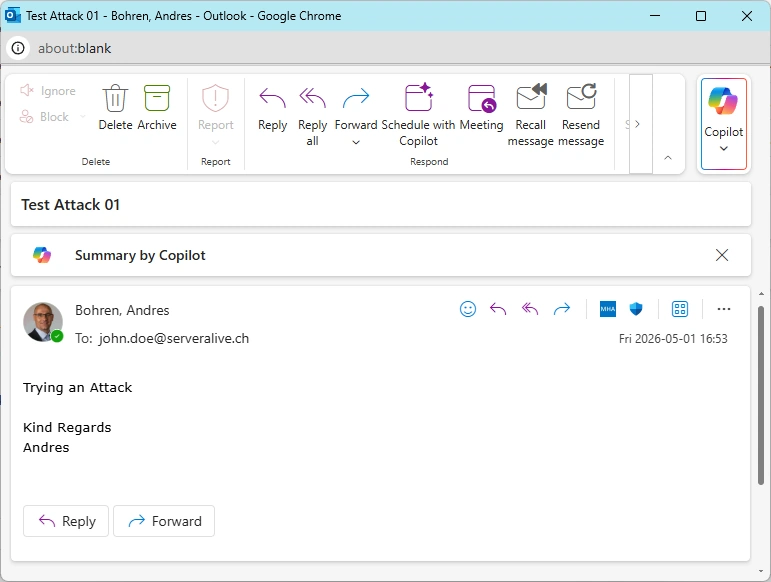
Let’s send an Email from a.bohren@icewolf.ch (Exchange Online Attacker Tenant) to joe.doe@serveralive.ch (Exchange OnPrem Target Account)
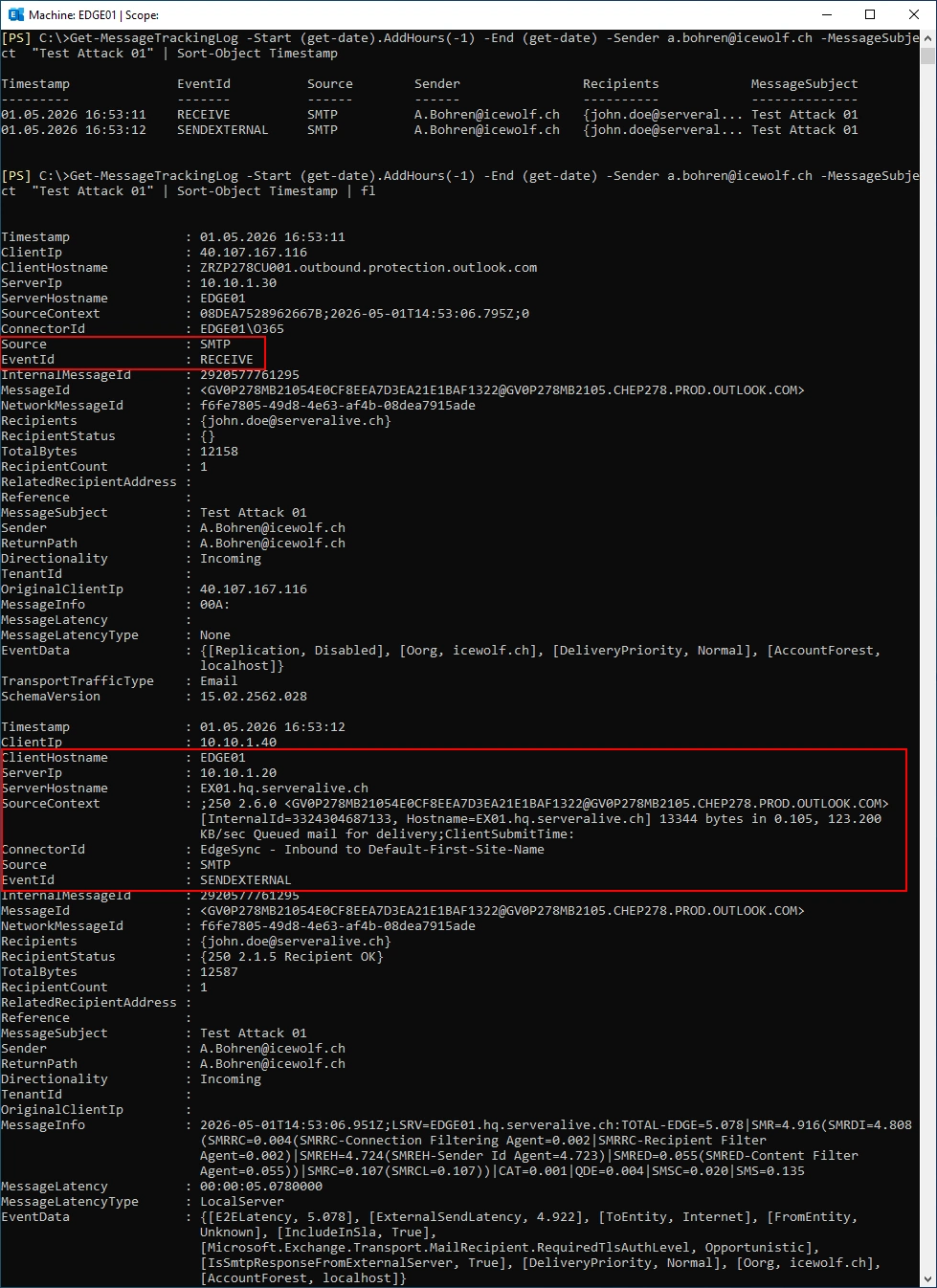
Message Tracking on the Exchange Edge Server. The Mail is received by the Exchange Edge and forwarded to the Exchange Server.
Get-MessageTrackingLog -Start (get-date).AddHours(-1) -End (get-date) -Sender a.bohren@icewolf.ch -MessageSubject  "Test Attack 01"
Get-MessageTrackingLog -Start (get-date).AddHours(-1) -End (get-date) -Sender a.bohren@icewolf.ch -MessageSubject  "Test Attack 01" | Sort-Object Timestamp | fl
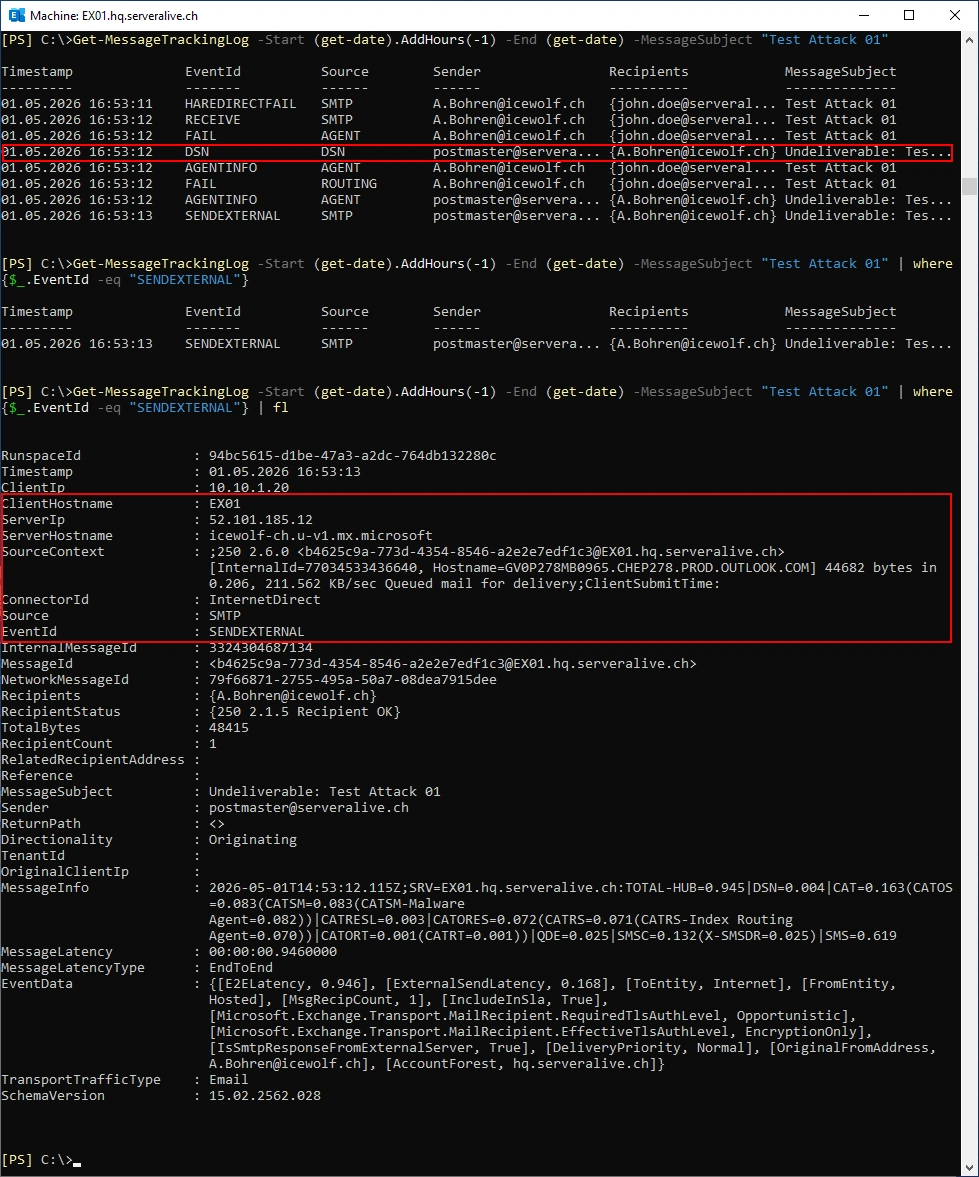
Message Tracking on the Exchange Server. The Mail is received, the Transport Rule applied and a Delivery Status Notification (DSN) is created.
Get-MessageTrackingLog -Start (get-date).AddHours(-1) -End (get-date) -MessageSubject "Test Attack 01"
Get-MessageTrackingLog -Start (get-date).AddHours(-1) -End (get-date) -MessageSubject "Test Attack 01" | where {$_.EventId -eq "SENDEXTERNAL"}
Get-MessageTrackingLog -Start (get-date).AddHours(-1) -End (get-date) -MessageSubject "Test Attack 01" | where {$_.EventId -eq "SENDEXTERNAL"} | fl
The Attacker get’s this Message back.
Silently Drop
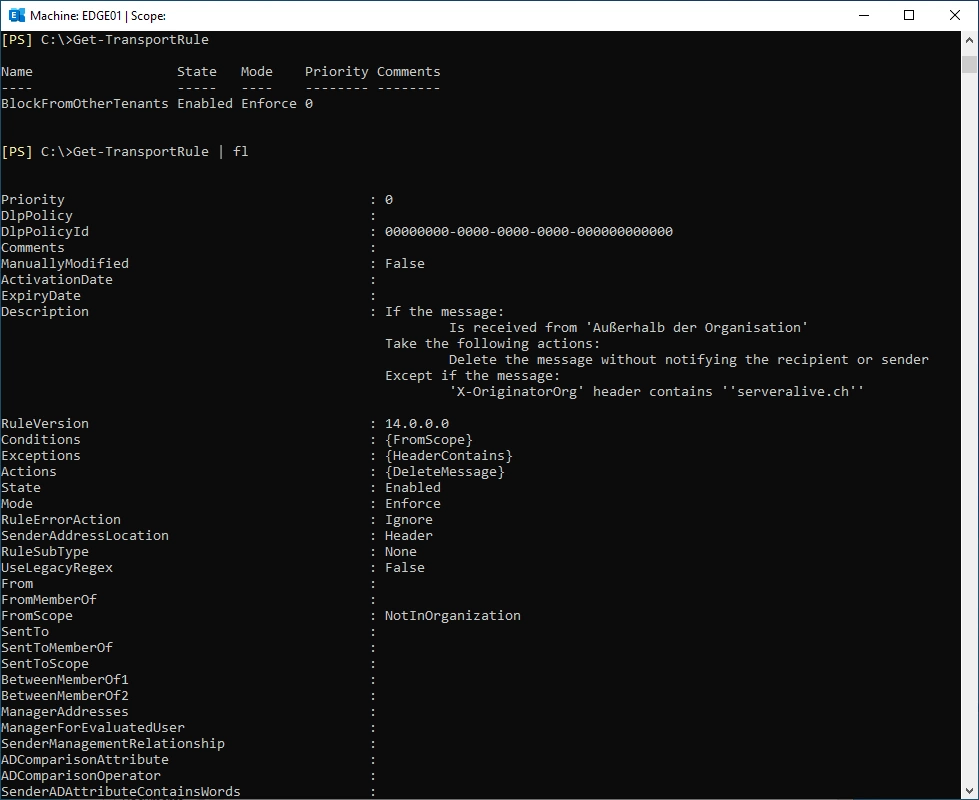
Another way would be to silently drop the Message. Let’s create such a Transport Rule on the Exchange Edge Server.
New-TransportRule -Name "BlockFromOtherTenants" `
  -FromScope NotInOrganization `
  -ExceptIfHeaderContainsMessageHeader "X-OriginatorOrg" `
  -ExceptIfHeaderContainsWords "serveralive.ch" `
  -DeleteMessage $true`
  -Enabled $true
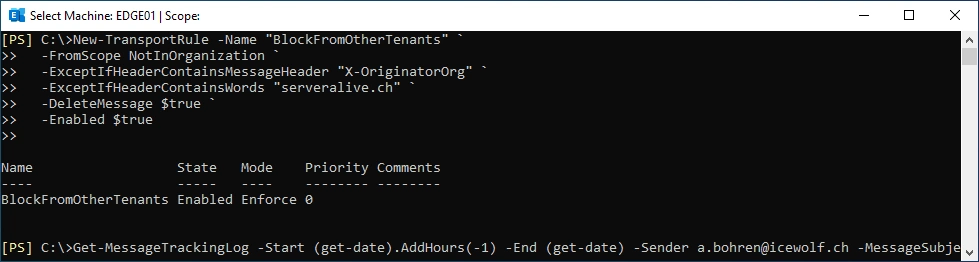
Get-TransportRule
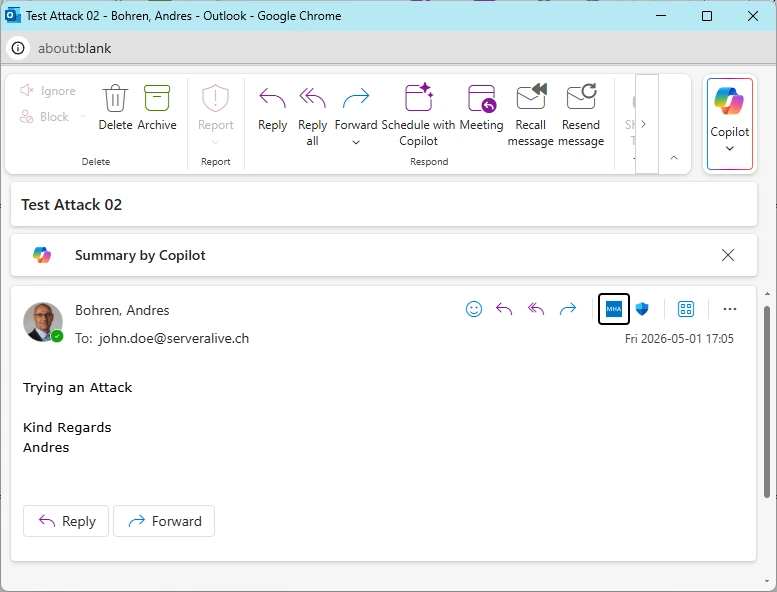
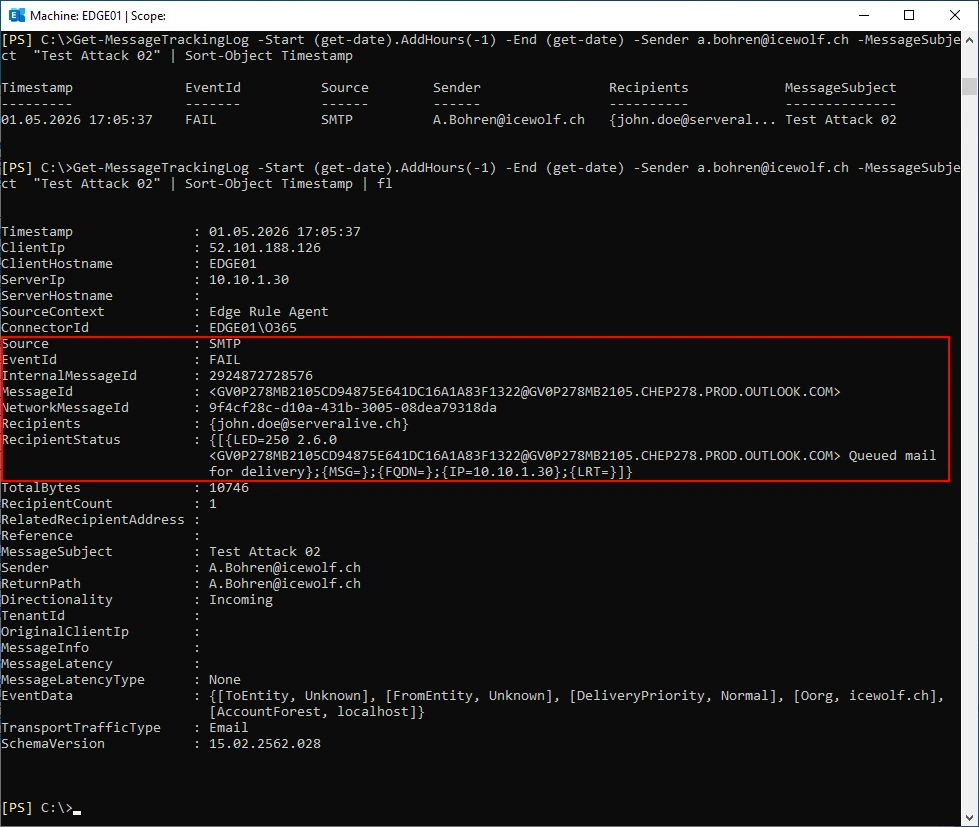
Get-MessageTrackingLog -Start (get-date).AddHours(-1) -End (get-date) -Sender a.bohren@icewolf.ch -MessageSubject  "Test Attack 02"
Get-MessageTrackingLog -Start (get-date).AddHours(-1) -End (get-date) -Sender a.bohren@icewolf.ch -MessageSubject  "Test Attack 02" | Sort-Object Timestamp | fl
Additional Ideas
Initially i thought the following Header could also be used: X-MS-Exchange-CrossTenant-id
It’s easy to figure out the TenantId with whatismytenantid
Let’s create a Transport Rule with in the Attacker Tenant to set the X-MS-Exchange-CrossTenant-id
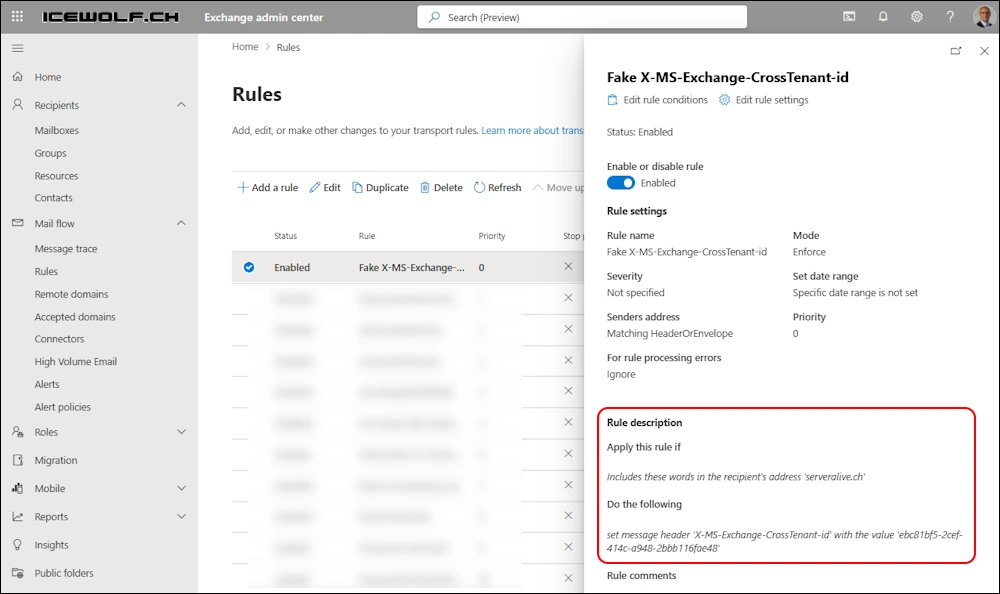
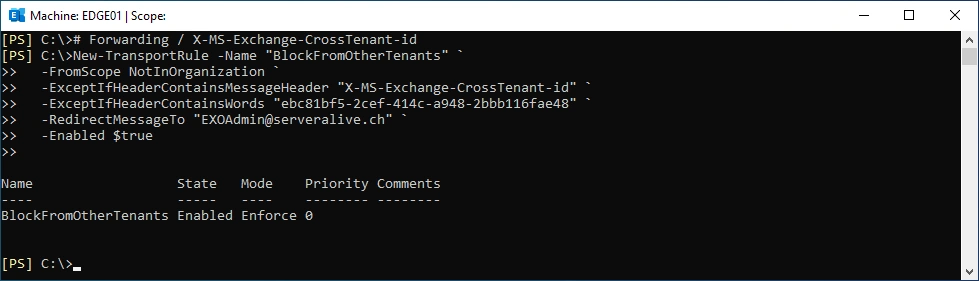
Let’s create a Forwarding Transport Rule on the Exchange Edge Server - so i will be able to capture the Mail Headers also when the Mail matches the Transport Rule.
# Forwarding / X-MS-Exchange-CrossTenant-id
New-TransportRule -Name "BlockFromOtherTenants" `
  -FromScope NotInOrganization `
  -ExceptIfHeaderContainsMessageHeader "X-MS-Exchange-CrossTenant-id" `
  -ExceptIfHeaderContainsWords "ebc81bf5-2cef-414c-a948-2bbb116fae48" `
  -RedirectMessageTo "EXOAdmin@serveralive.ch" `
  -Enabled $true
Let’s send an Email from a.bohren@icewolf.ch (Exchange Online Attacker Tenant) to joe.doe@serveralive.ch (Exchange OnPrem Target Account)
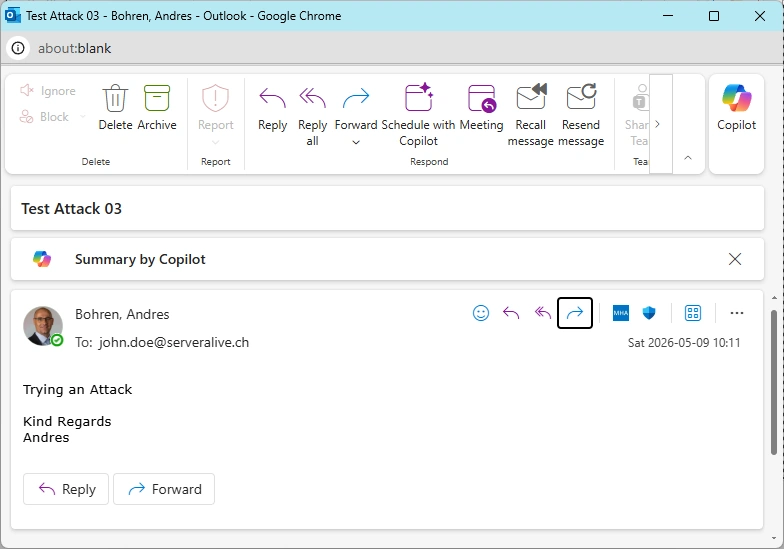
I was surprised - the Mail went through without been catched by the Transport Rule
The analysis of the Header shows, that there are two “x-ms-exchange-crosstenant-id” Headers present in the Mail.
x-ms-exchange-crosstenant-id: ebc81bf5-2cef-414c-a948-2bbb116fae48
X-MS-Exchange-CrossTenant-id: 46bbad84-29f0-4e03-8d34-f6841a5071ad
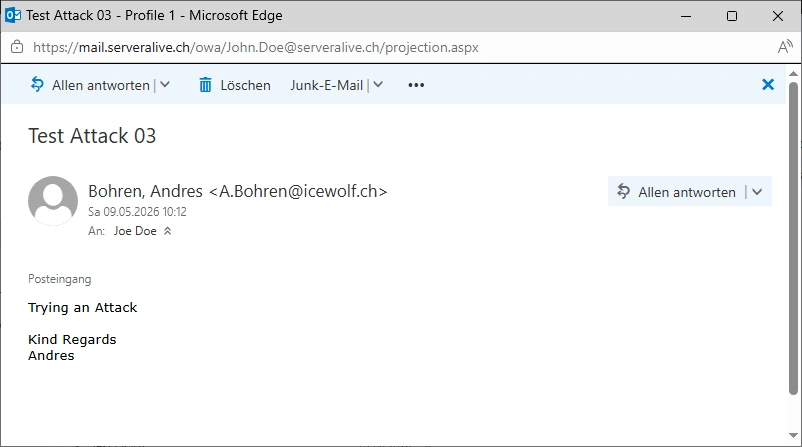
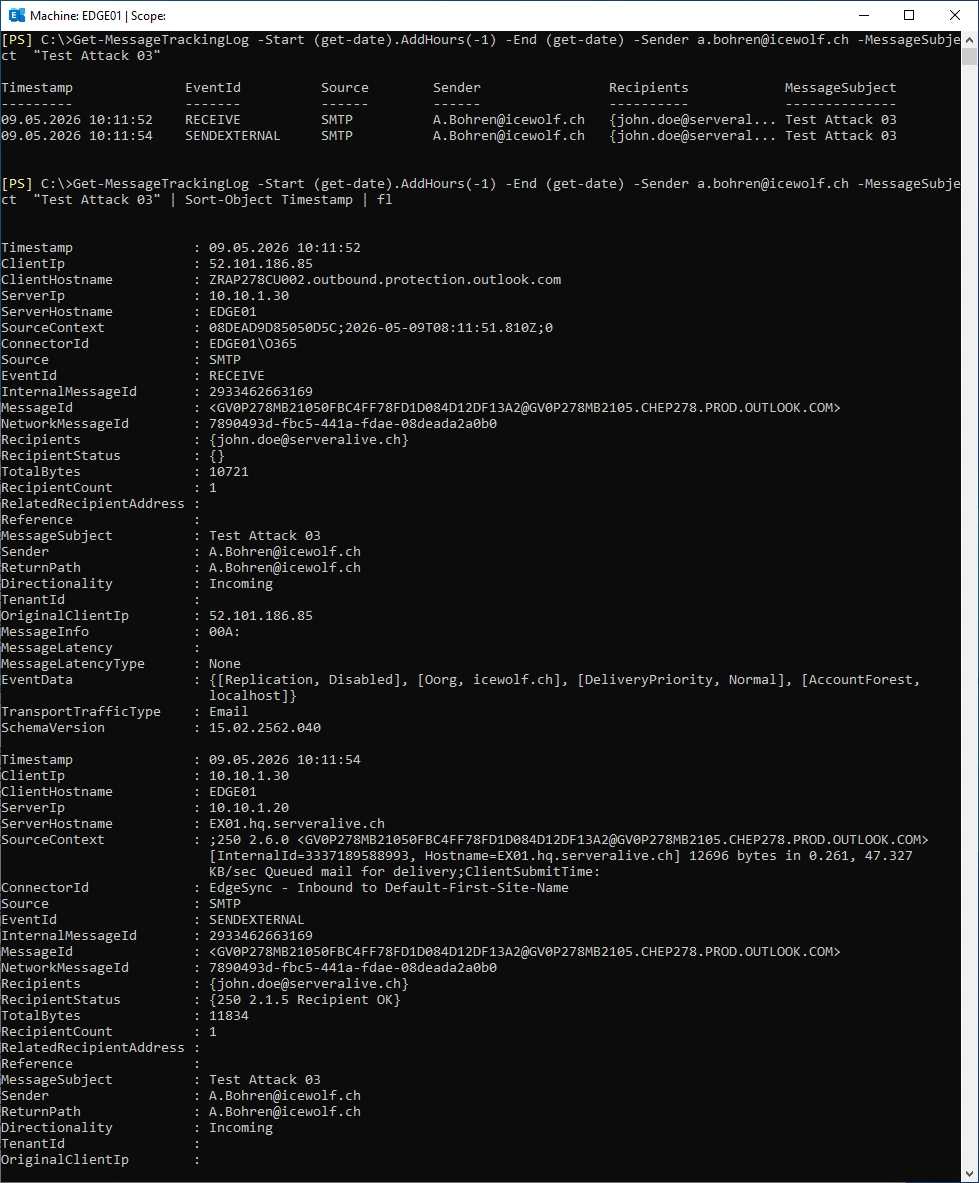
Message Tracking on the Edge Server - the Mail is forwarded to Exchange Server (No Transport Rule Match)
Get-MessageTrackingLog -Start (get-date).AddHours(-1) -End (get-date) -Sender a.bohren@icewolf.ch -MessageSubject  "Test Attack 03"
Get-MessageTrackingLog -Start (get-date).AddHours(-1) -End (get-date) -Sender a.bohren@icewolf.ch -MessageSubject  "Test Attack 03" | Sort-Object Timestamp | fl
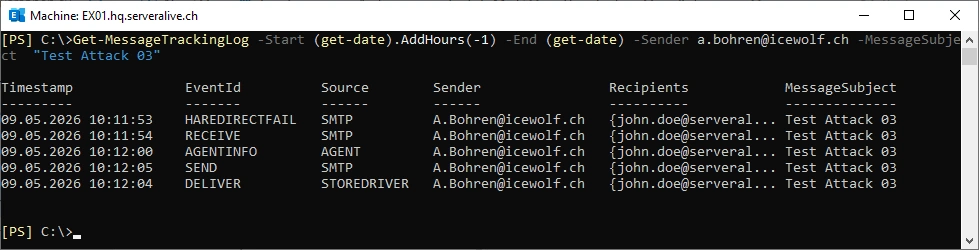
The Mail is delivered to the Store of john.doe@serveralive.ch
Get-MessageTrackingLog -Start (get-date).AddHours(-1) -End (get-date) -Sender a.bohren@icewolf.ch -MessageSubject "Test Attack 03"
Summary
I found this technical Article that describes the same thing i’ve done in my Blog Article here. But it’s very deep burried and you will only find it by luck.
It was interesting to see, that you can overwrite the X-MS-Exchange-CrossTenant-id by a Transport Rule in the Attacker Tenant.
Anyway, you have now some ideas how you can further improve and secure your Exchange Hybrid Mailflow.
Regards
Andres Bohren
Exchange Logo M365 Logo Security Logo

