
Exchange Server SE HU6 has been released

Hi All,
Yesterday, Microsoft has released a Hotfix Update for Exchange Server SE. I was a bit confused, because normally Updates are released on the Microsoft Patchday. They covered this in the FAQ:
Hotfix releases are not tied to the “patch Tuesday” release schedule as they do not contain security updates. Exchange Hotfix Updates are optional.
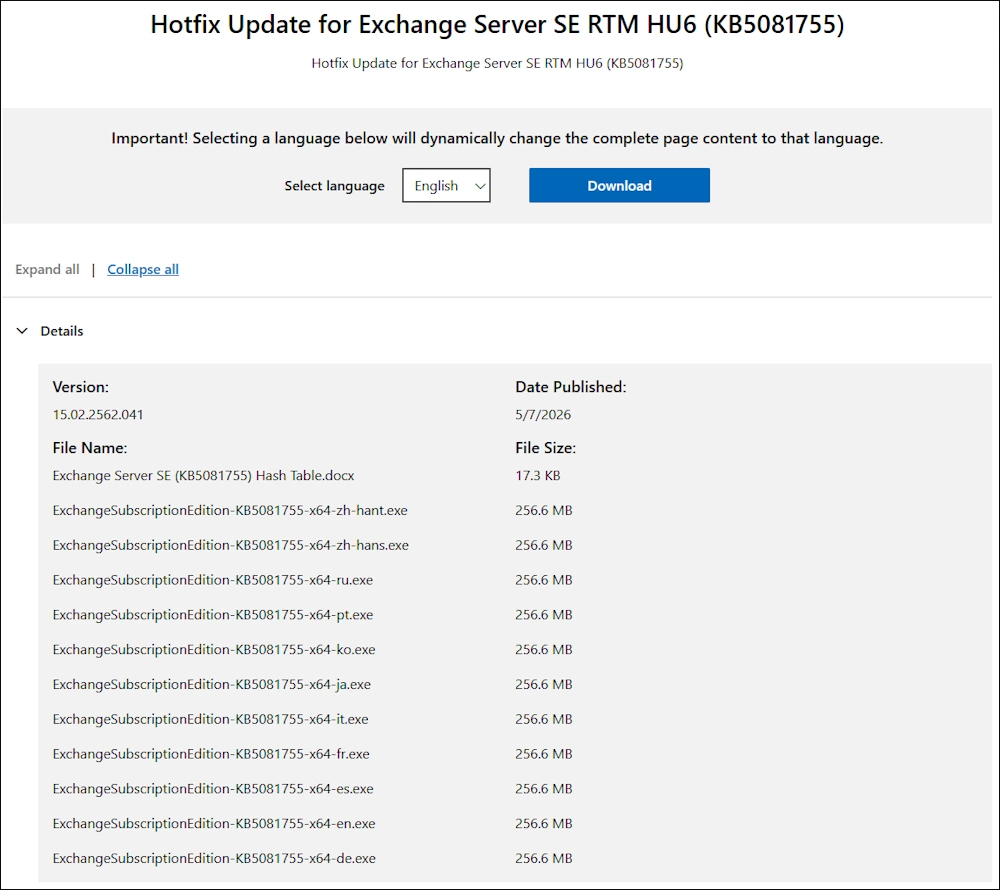
You can download the Hotfix Update here:
Installation
Bevore starting the Installation, i check if there is a pending reboot with a PowerShell Script i’ve wrote
.\Check-PendingReboot.ps1

After a reboot everything is fine
.\Check-PendingReboot.ps1

Let’s start the Installation
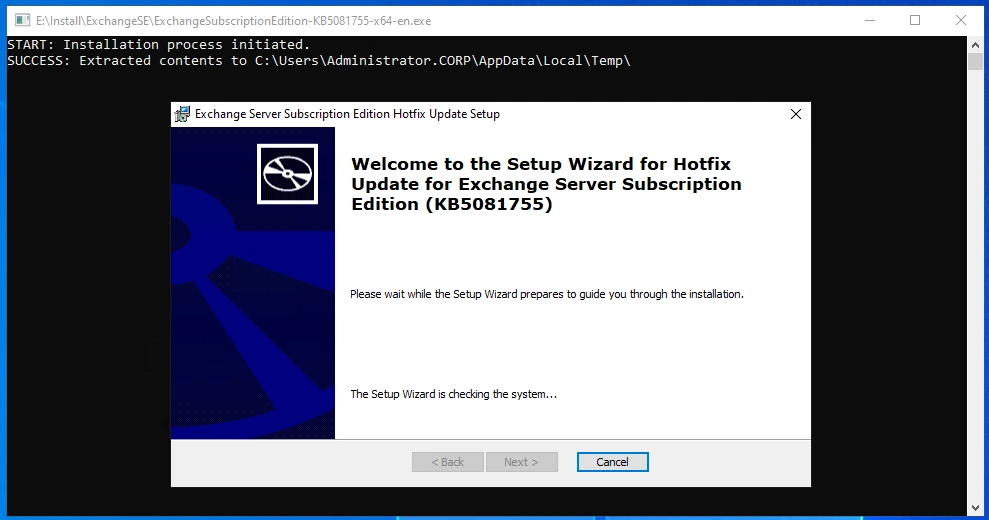
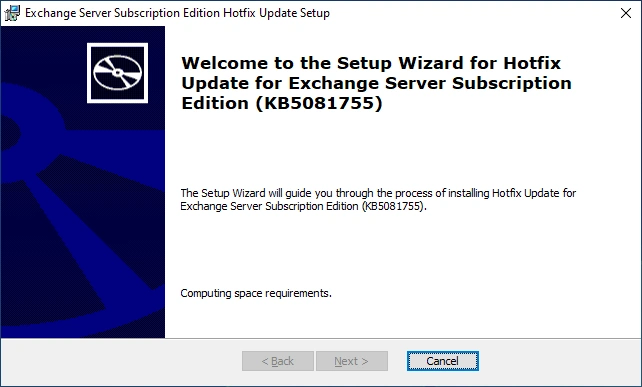
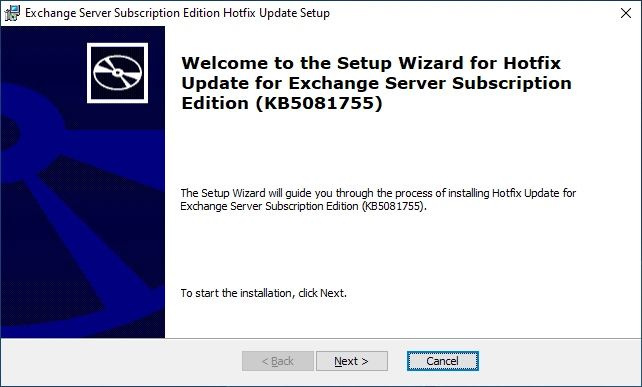
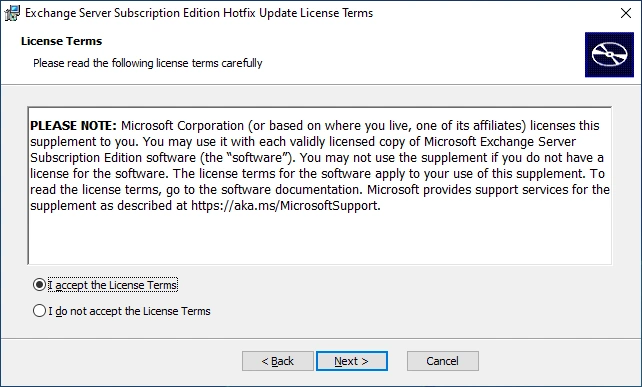
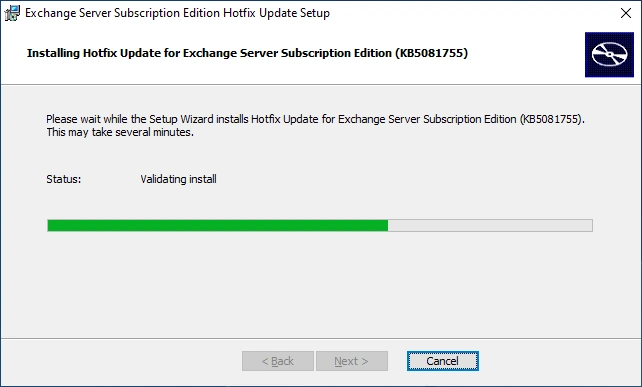
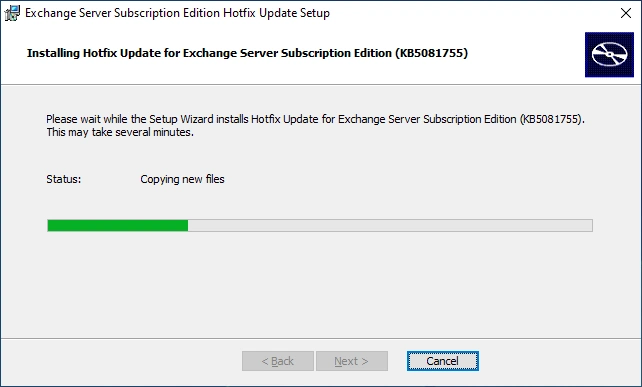
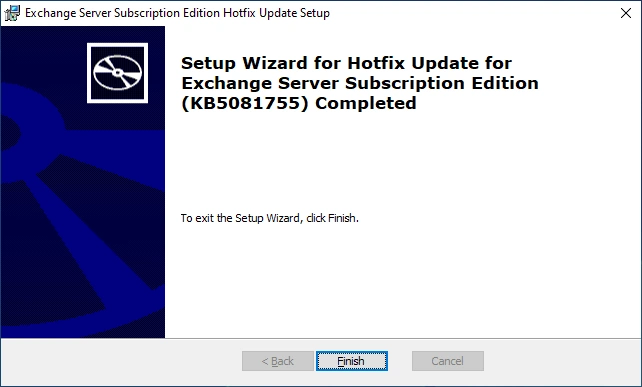
The Installation of the HU was successfully completed
Let’s again check for pending reboot
.\Check-PendingReboot.ps1

Healthchecker
Microsoft recommends to run the HealthChecker after each Installation. The HealthChecker can be downloaded here:
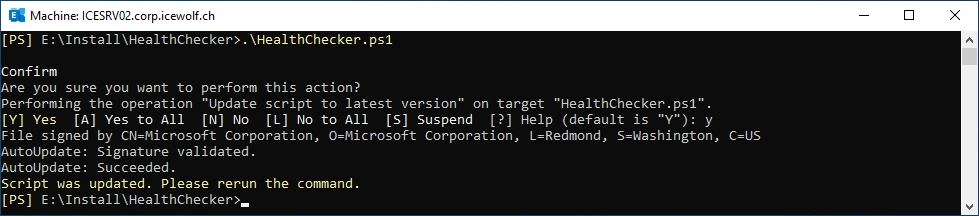
In the first run, the HealthChecker updates the Script
.\HealthChecker.ps1
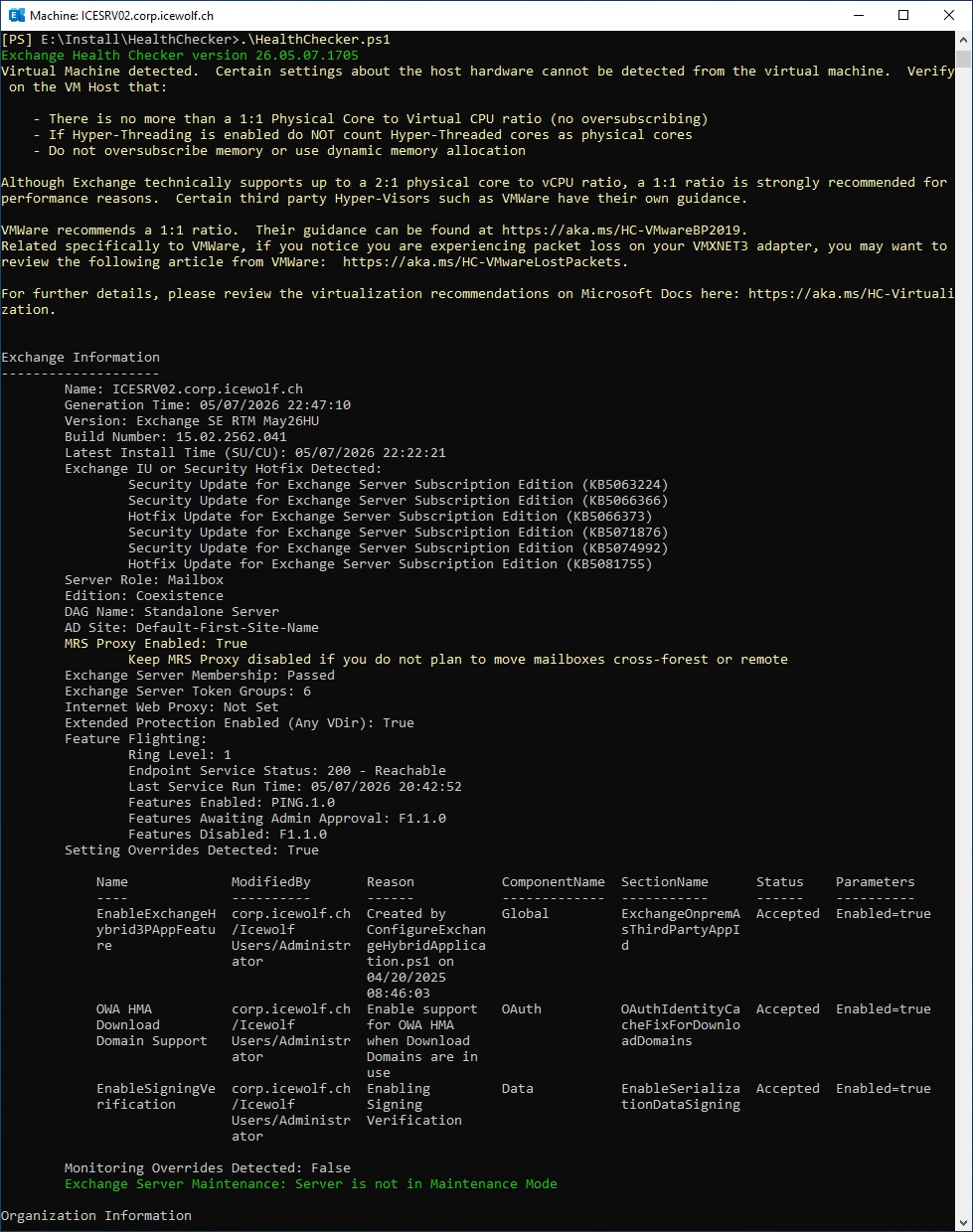
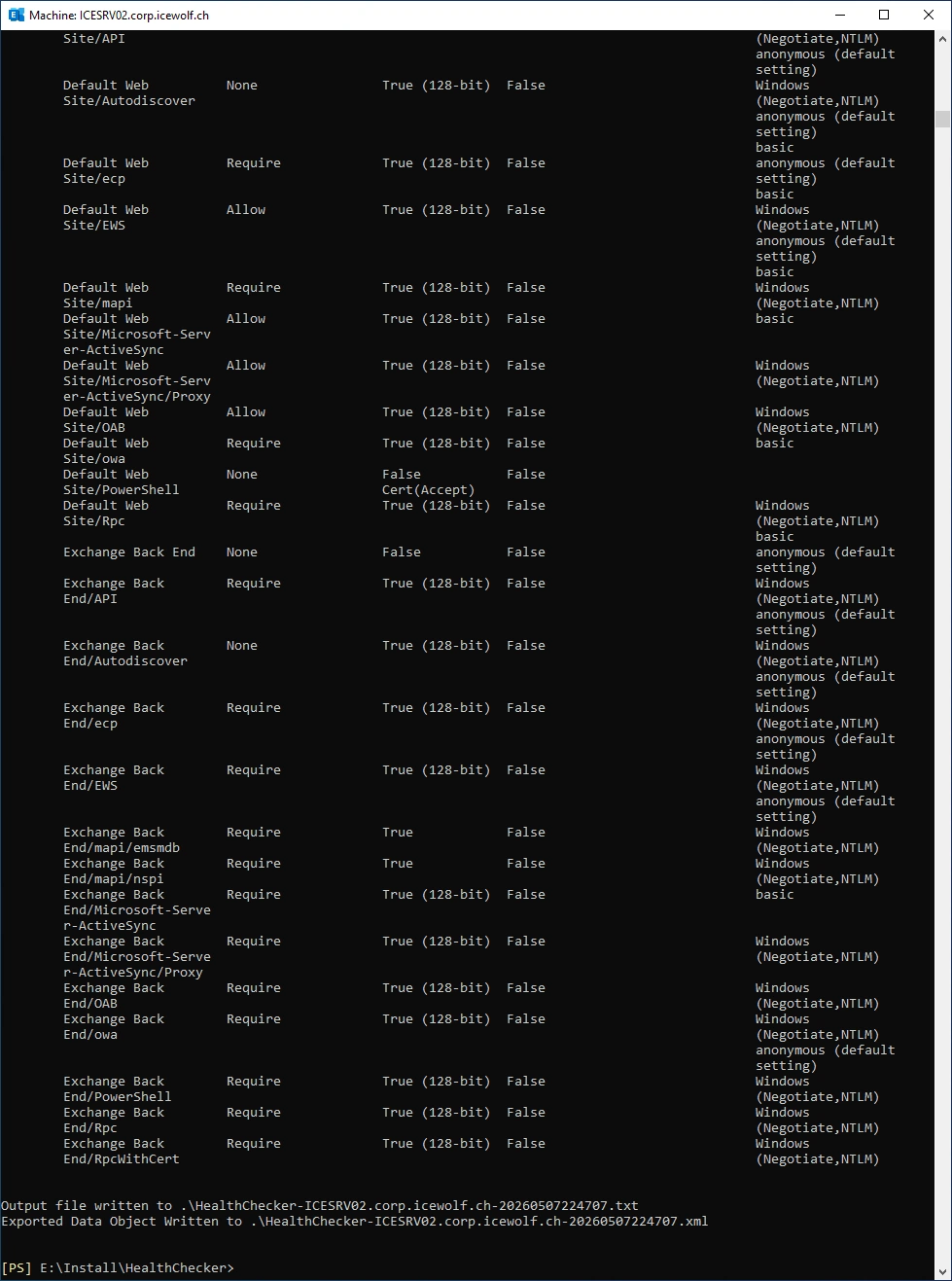
Now we can run the HealthChecker - nothing worring was found
.\HealthChecker.ps1
Dedicated Hybrid App and Graph API workflow
I’ve written about the Dedicated Hybrid App almost a year ago.
- Exchange Server April 2025 Hotfix Update
- New Hybrid Configuration Wizard supports Dedicated Hybrid App
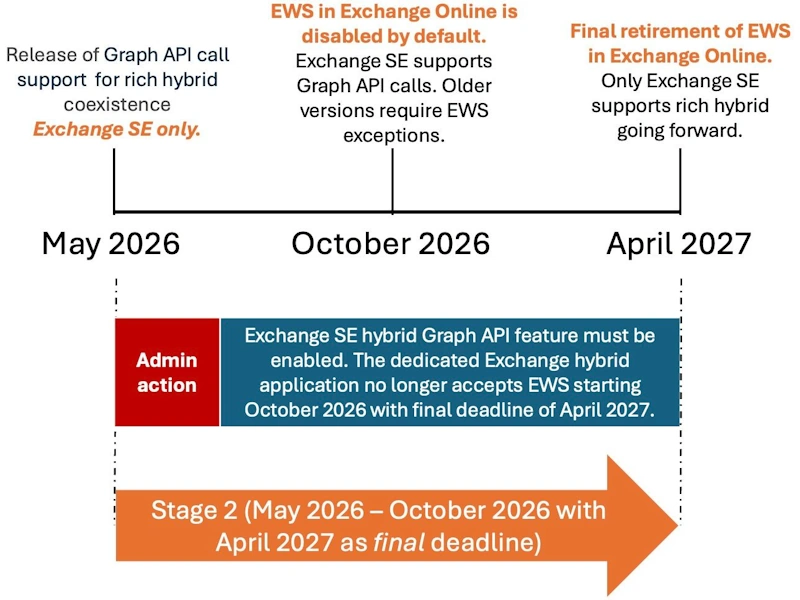
Microsoft has also released a Blog Article about the Dedicated Hybrid App and how to switch from EWS to Graph API Workflow for Exchange Hybrid Scenarios.
- Update Your Exchange SE Hybrid On-premises Rich Coexistence to Graph
- Deploy dedicated Exchange hybrid app
- ConfigureExchangeHybridApplication
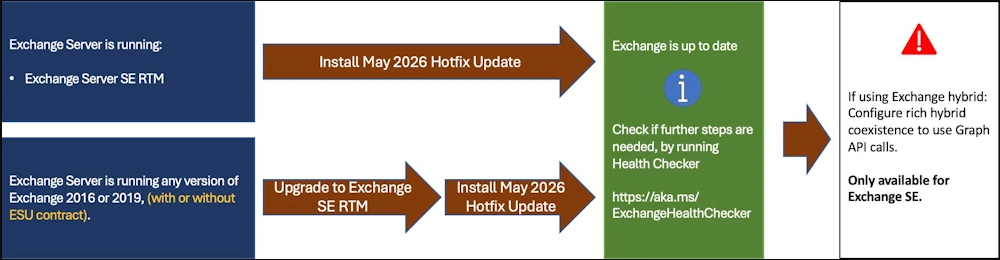
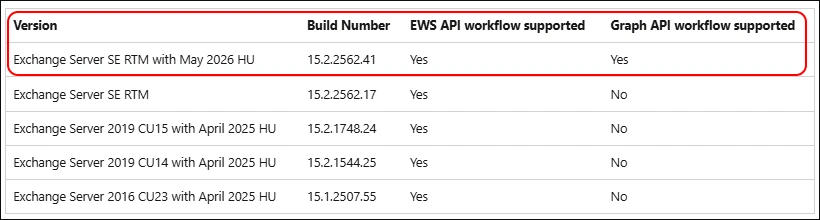
As you can see from the Table below, only Exchange SE with the May HU can use the Graph API workflow
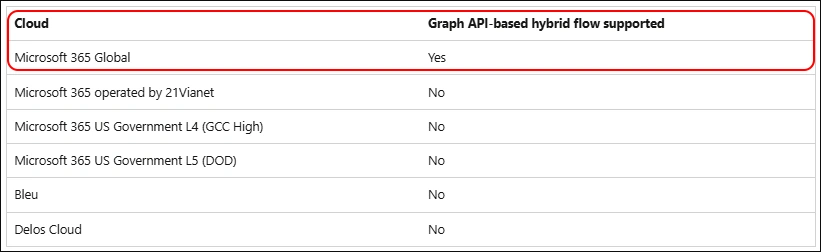
Only M365 Global Tenants are currently supported
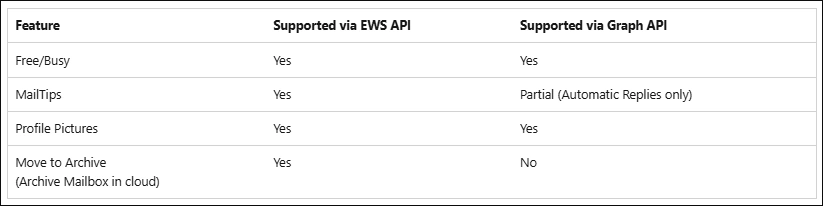
The Features are now mostly available in Graph API
You need the Entra Role “Global Administrator” for the Initial Setup
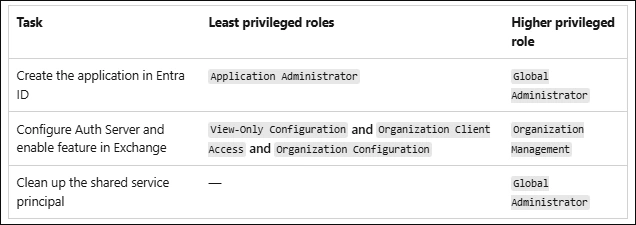
Let’s first update the Script
.\ConfigureExchangeHybridApplication.ps1 -ScriptUpdateOnly

I had the dedicated Hybrid Application already created a year ago. So i tried with the Entra Role “Exchange Administrator” - but with that you are not able to consent to the new Permissions
.\ConfigureExchangeHybridApplication.ps1 -FullyConfigureExchangeHybridApplication -UseGraphApiOnly
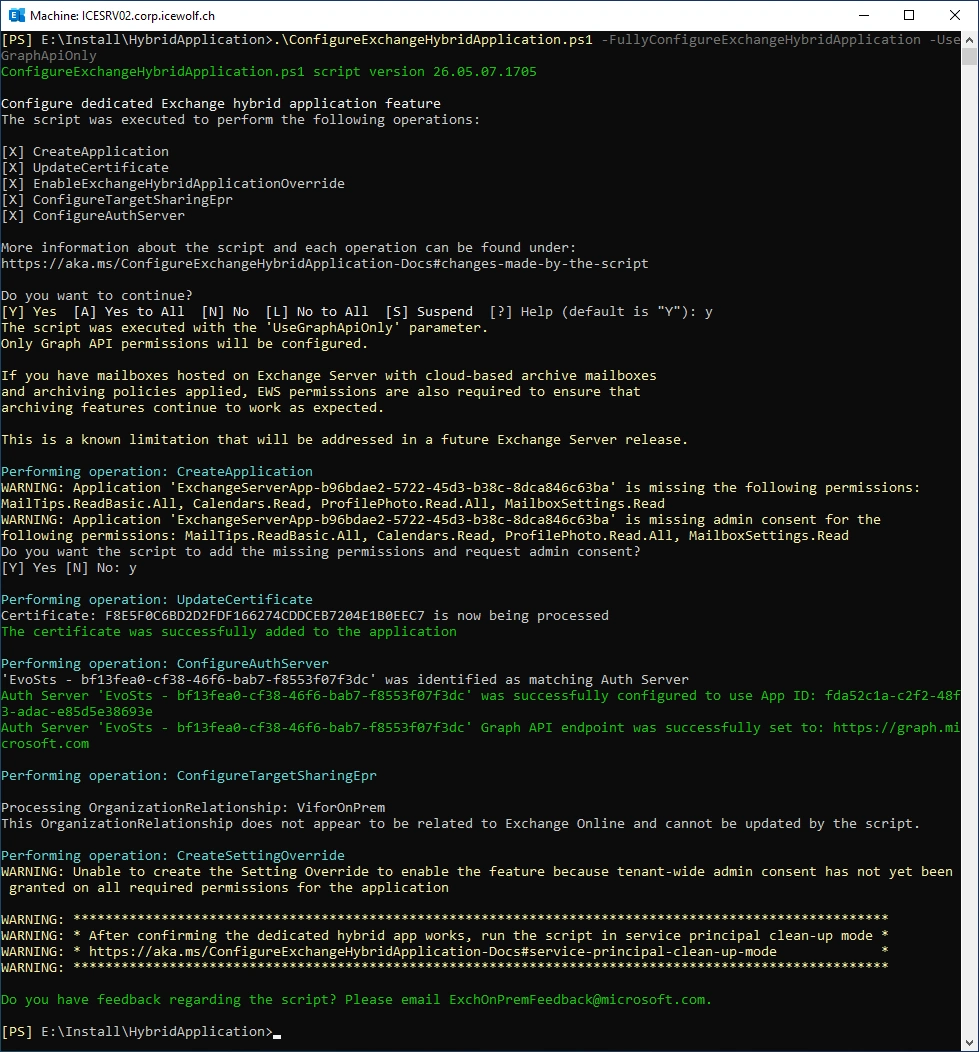
So i rerun the Script with the Entra Role “Global Administrator”
.\ConfigureExchangeHybridApplication.ps1 -FullyConfigureExchangeHybridApplication -UseGraphApiOnly
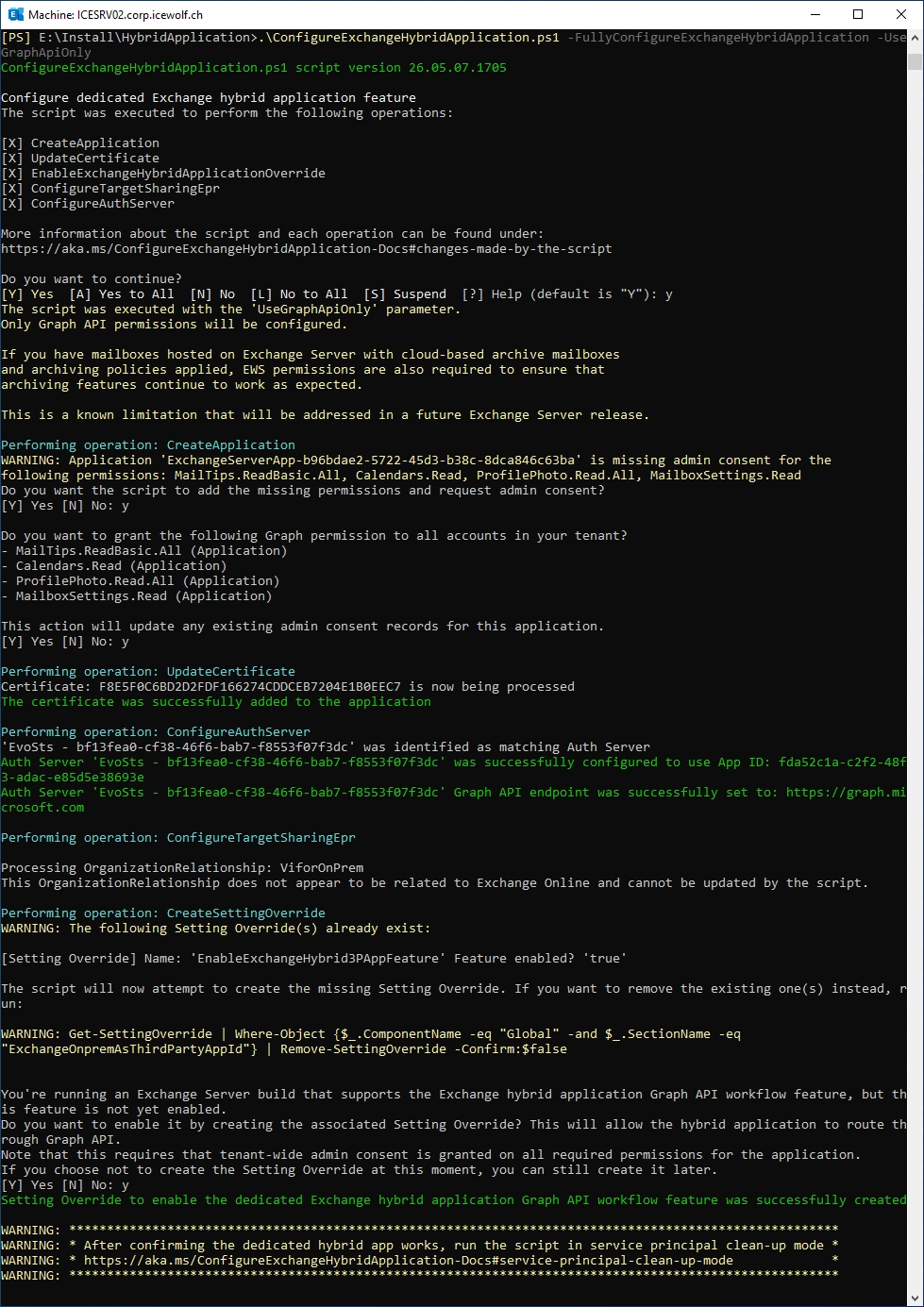
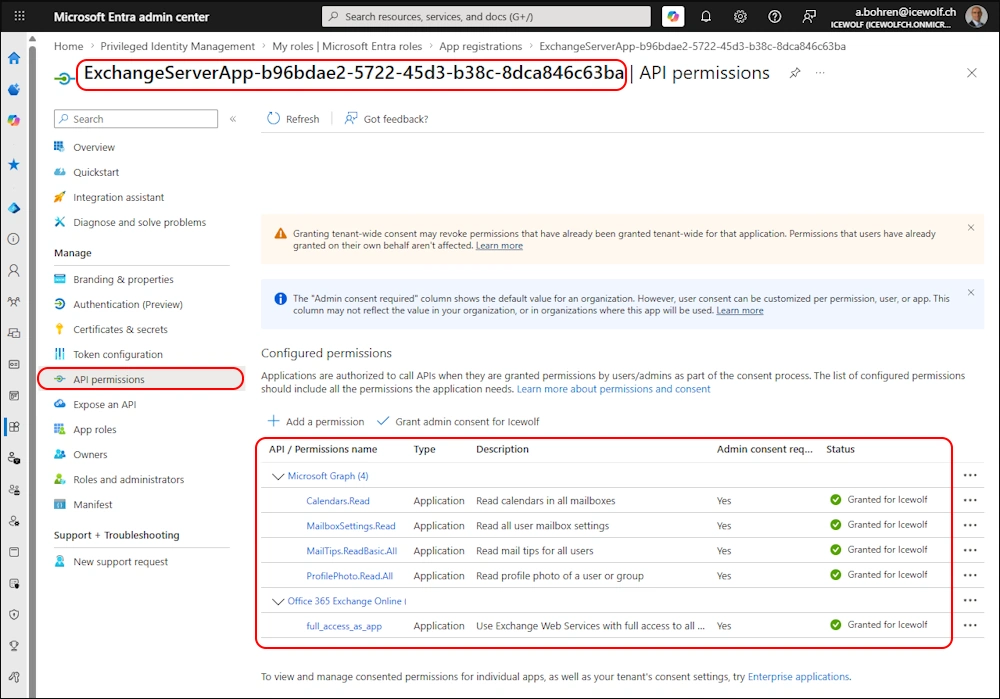
In Entra the dedicated Hybrid App looks like this
Let’s have a look at the SettingOverride
Get-SettingOverride | ft SectionName, Parameters
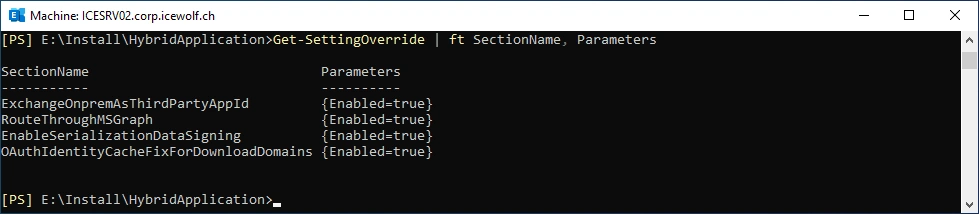
Just to check i’ve run this command - everything looks fine
.\ConfigureExchangeHybridApplication.ps1 -FullyConfigureExchangeHybridApplication
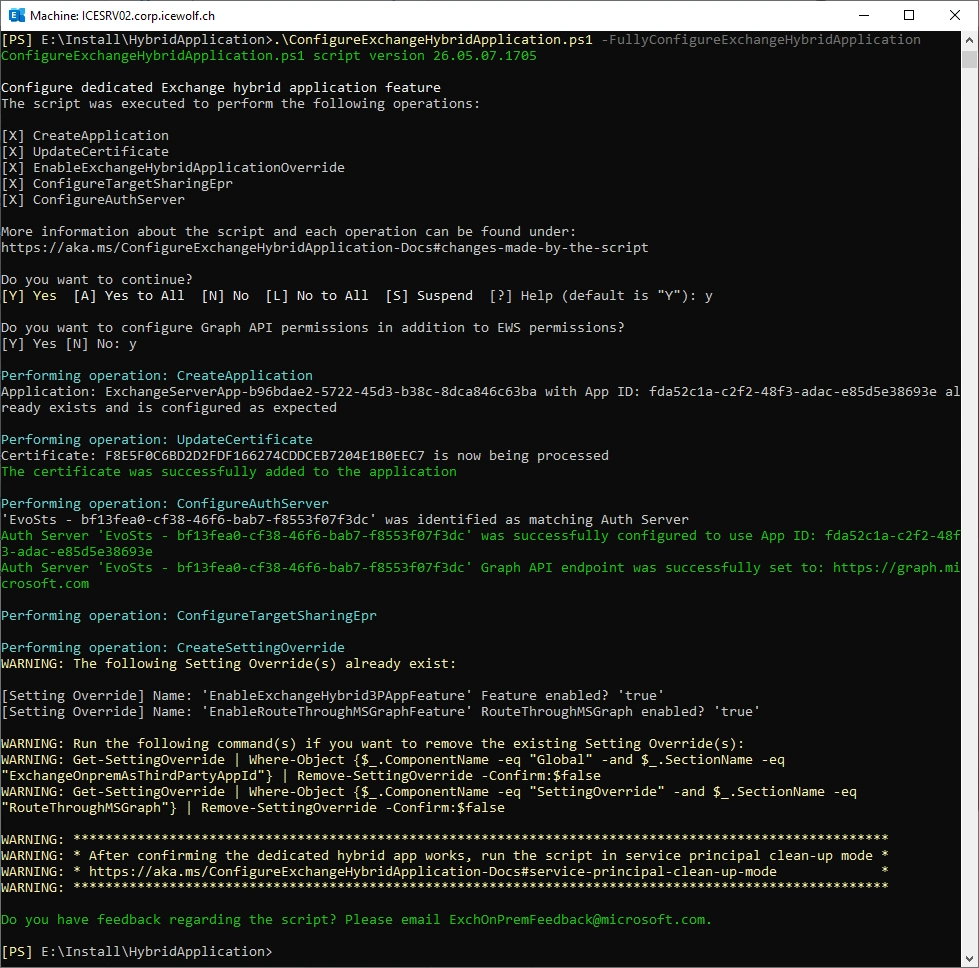
Testing
I’ve tested to see if the Availability Service (Free/Busy) still works.
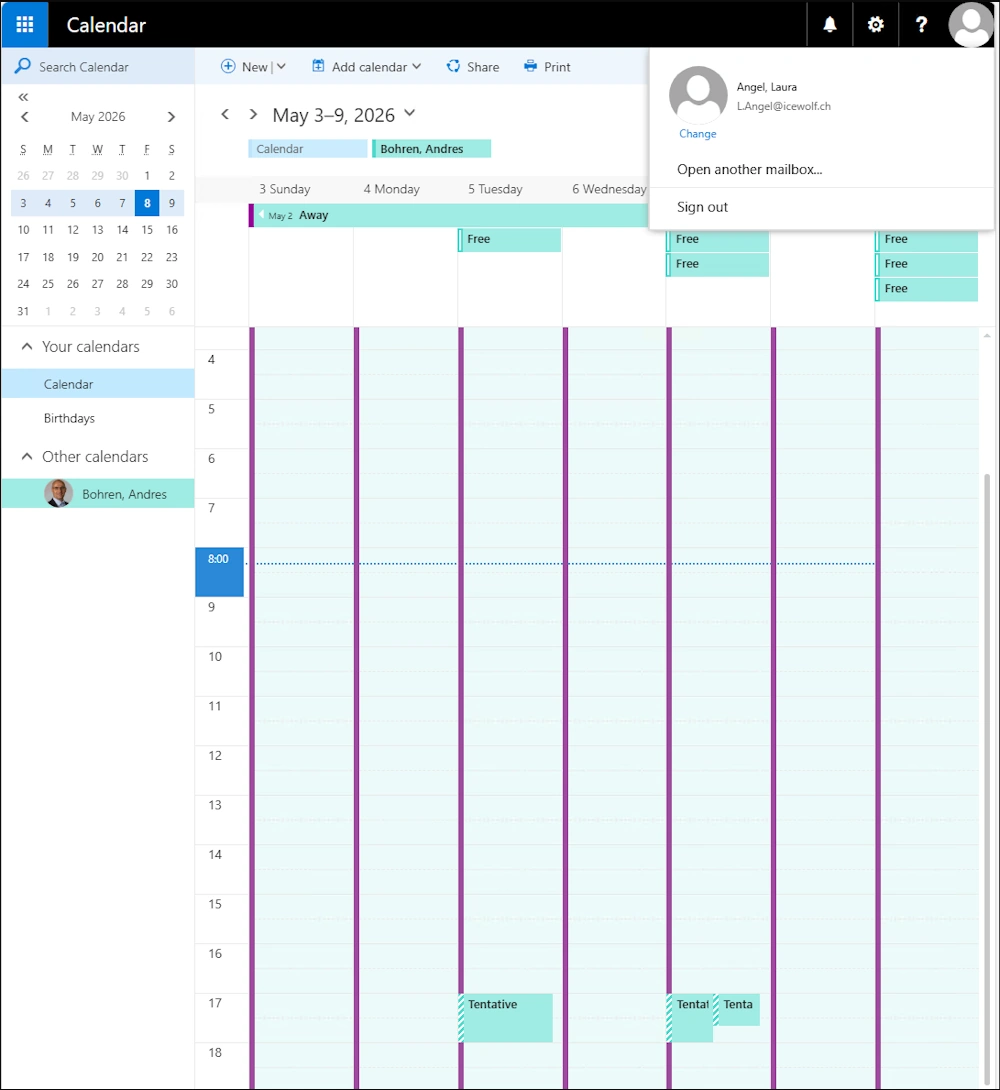
One thing i’ve stumbled over was that it did not work with the Administrator Account - I’ve run the developer Tools and got this Error
    "Header": {
        "ServerVersionInfo": {
            "MajorVersion": 15,
            "MinorVersion": 2,
            "MajorBuildNumber": 2562,
            "MinorBuildNumber": 41,
            "Version": "V2017_07_11"
        }
    },
    "Body": {
        "ResponseCode": "NoError",
        "ResponseClass": "Success",
        "Responses": [
            {
                "CalendarView": {
                    "FreeBusyViewType": "None",
                    "Items": null,
                    "MergedFreeBusy": null,
                    "WorkingHours": null
                },
                "ResponseMessage": {
                    "MessageText": "Proxy web request failed. , inner exception: System.Net.WebException: The remote server returned an error: (403) Forbidden.\u000d\u000a   at System.Net.HttpWebRequest.EndGetResponse(IAsyncResult asyncResult)\u000d\u000a   at Microsoft.Exchange.InfoWorker.Common.Availability.Proxy.RestService.EndFindFreeBusyStatus(IAsyncResult asyncResult)\u000d\u000a   at Microsoft.Exchange.InfoWorker.Common.Availability.FreeBusyApplication.EndGraphWebRequest(GraphWebRequest proxyWebRequest, QueryList queryList, RestService service, IAsyncResult asyncResult)\u000d\u000a   at Microsoft.Exchange.InfoWorker.Common.Availability.GraphWebRequest.EndInvoke(IAsyncResult asyncResult)\u000d\u000a   at Microsoft.Exchange.InfoWorker.Common.Availability.AsyncWebRequest.EndInvokeWithErrorHandling()",
                    "ResponseCode": "ErrorProxyRequestProcessingFailed",
                    "MessageXml": "<?xml version=\"1.0\"?>\u000d\u000a<XmlNodeArray xmlns:t=\"http:\/\/schemas.microsoft.com\/exchange\/services\/2006\/types\" xmlns:m=\"http:\/\/schemas.microsoft.com\/exchange\/services\/2006\/messages\" xmlns=\"http:\/\/www.w3.org\/2001\/XMLSchema-instance\">\u000d\u000a  <ExceptionType xmlns=\"http:\/\/schemas.microsoft.com\/exchange\/services\/2006\/errors\">GraphWebRequestProcessingException<\/ExceptionType>\u000d\u000a  <ExceptionCode xmlns=\"http:\/\/schemas.microsoft.com\/exchange\/services\/2006\/errors\">5016<\/ExceptionCode>\u000d\u000a  <ExceptionServerName xmlns=\"http:\/\/schemas.microsoft.com\/exchange\/services\/2006\/errors\">ICESRV02<\/ExceptionServerName>\u000d\u000a  <ExceptionMessage xmlns=\"http:\/\/schemas.microsoft.com\/exchange\/services\/2006\/errors\">Proxy web request failed. , inner exception: The remote server returned an error: (403) Forbidden. LID: 43532<\/ExceptionMessage>\u000d\u000a<\/XmlNodeArray>",
                    "ResponseClass": "Error"
                }
            }
        ]
    }
}
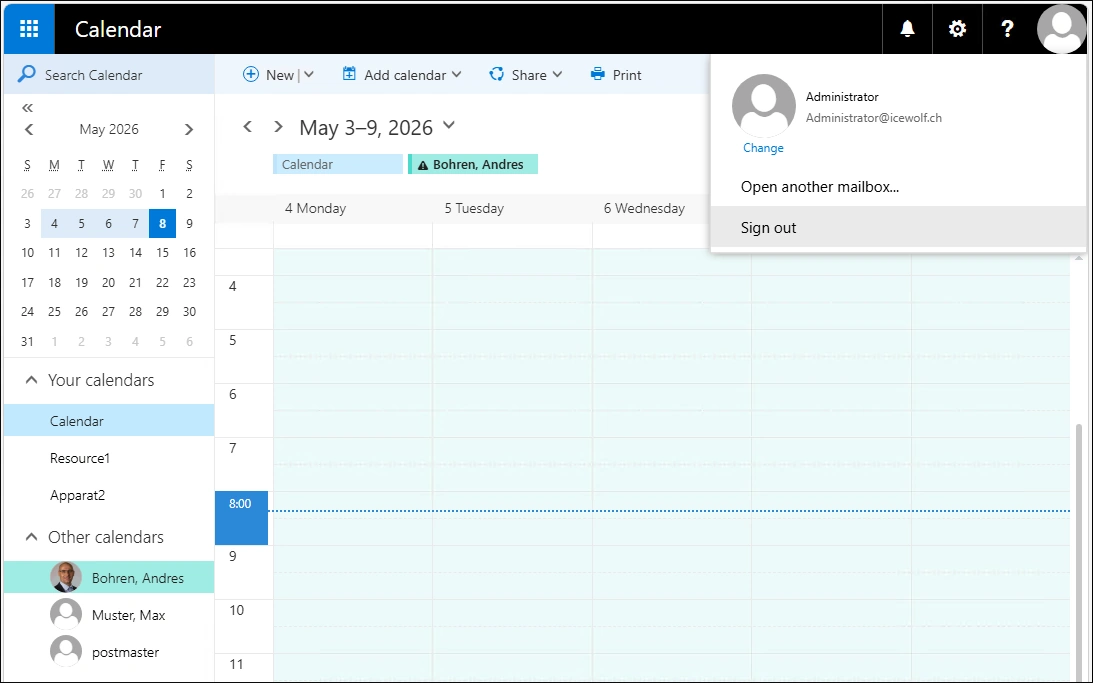
Remove EWS
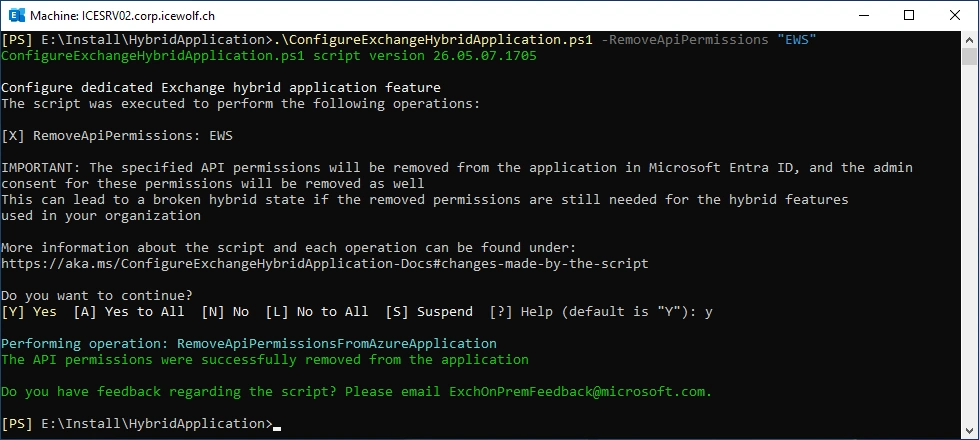
Now let’s remove the EWS Permissions from the dedicated Hybrid App as GlobalAdmin
.\ConfigureExchangeHybridApplication.ps1 -RemoveApiPermissions "EWS"
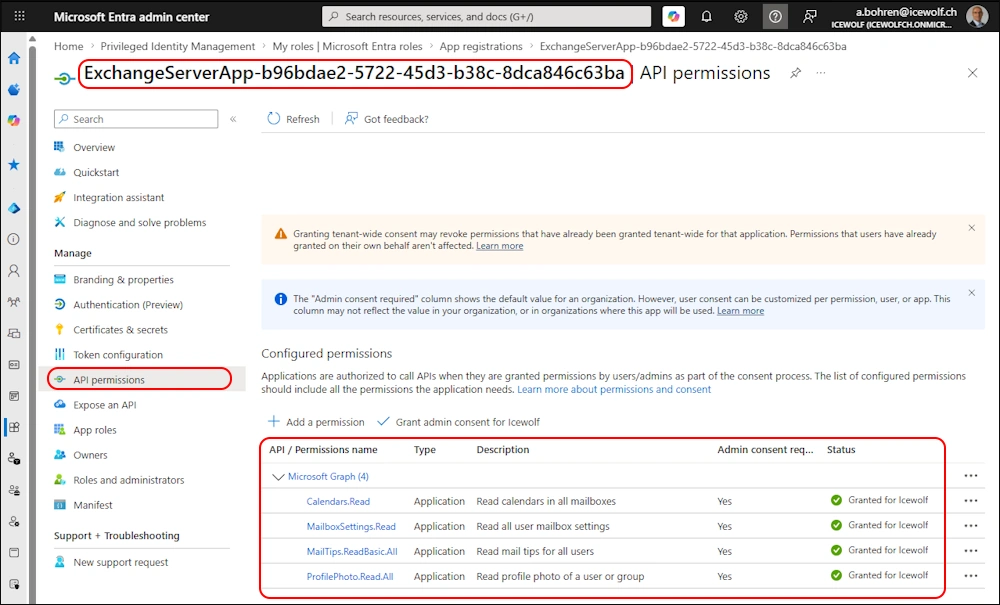
Now the Entra App permissions looks like this
Clean up the shared service principal
I’ve already done that a year ago - but it can’t hurt to do that again.
Note: If you run the HCW after configuring the dedicated Exchange hybrid application feature and select the Oauth, Intra Organization Connector and Organization Relationship configuration option, the Auth Certificate is uploaded to the first-party Service Principal again. It’s strongly recommended to repeat the steps to purge the Auth Certificate from the first-party Service Principal in this case.
.\ConfigureExchangeHybridApplication.ps1 -ResetFirstPartyServicePrincipalKeyCredentials
Summary
That’s all folks. You have learned how to Update Exchange Server, to check the Configuration with the HealthChecker and how to Configure the dedicated Hybrid App, how to switch to the Graph API Workflow, Remove EWS and clean up the shared Service Principal.
Regards
Andres Bohren
EntraID Logo Exchange Logo PowerShell Logo

