
Basic M365 Monitoring with PowerShell 1.7

Hi All,
A few Months ago, i’ve wrote a PowerShell Script to Monitor the M365 Health Center with PowerShell
Updates
I’ve added a bunch of Updates since then
- V1.3 - 2026-04-28 - Multiple Recipients supported - Andres Bohren
- V1.4 - 2026-05-18 - Added ConfigVariable AuthTokenWithoutModule See Function Get-AuthTokenWithoutModule for details - Andres Bohren
- V1.5 - 2026-05-19 - Added Modern HTML / Page Reload - Andres Bohren
- V1.6 - 2026-06-17 - Fixed Modern HTML for Outlook Classic - Andres Bohren
- V1.7 - 2026-06-14 - Fixed Path issues and added date to HTML - Andres Bohren
Script
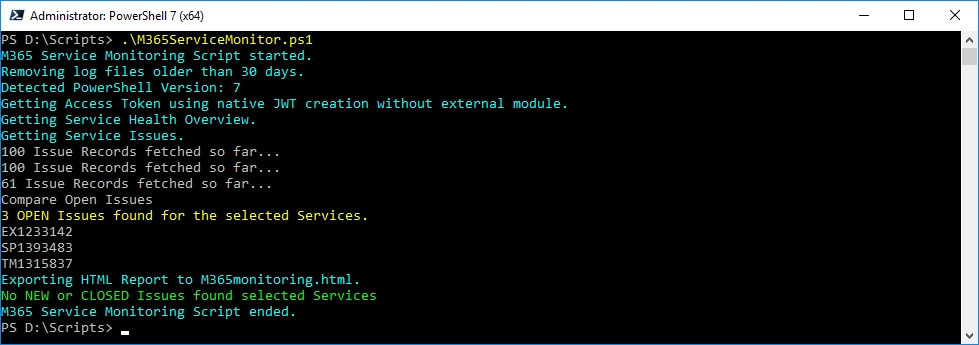
It’s best when the Script is scheduled and you will be notified if Issues are new or closed for the Services you want to monitor.
The Script can be found on my GitHub: M365/M365ServiceMonitor.ps1
.\M365ServiceMonitor
Files
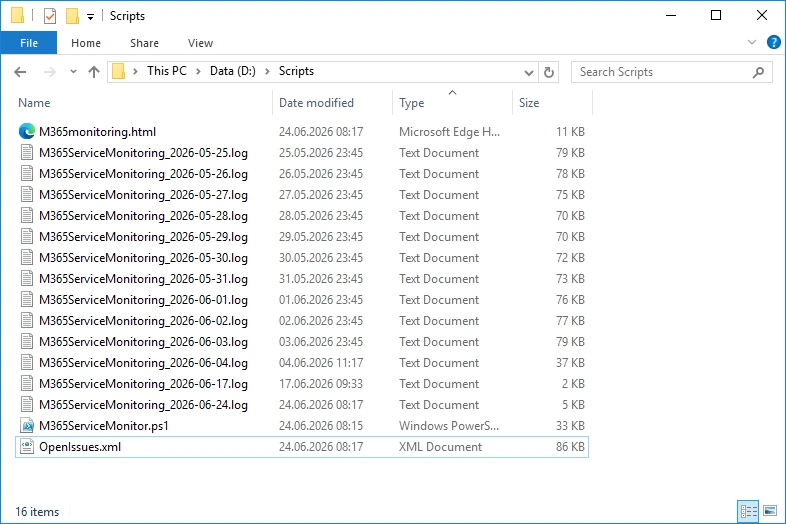
The Script basically creates and updates the “OpenIssues.xml” and compares the current run agains the last run and creates a HTML File. It will also write a logfile, so you can see what’s happening when it’s sheduled.
HTML
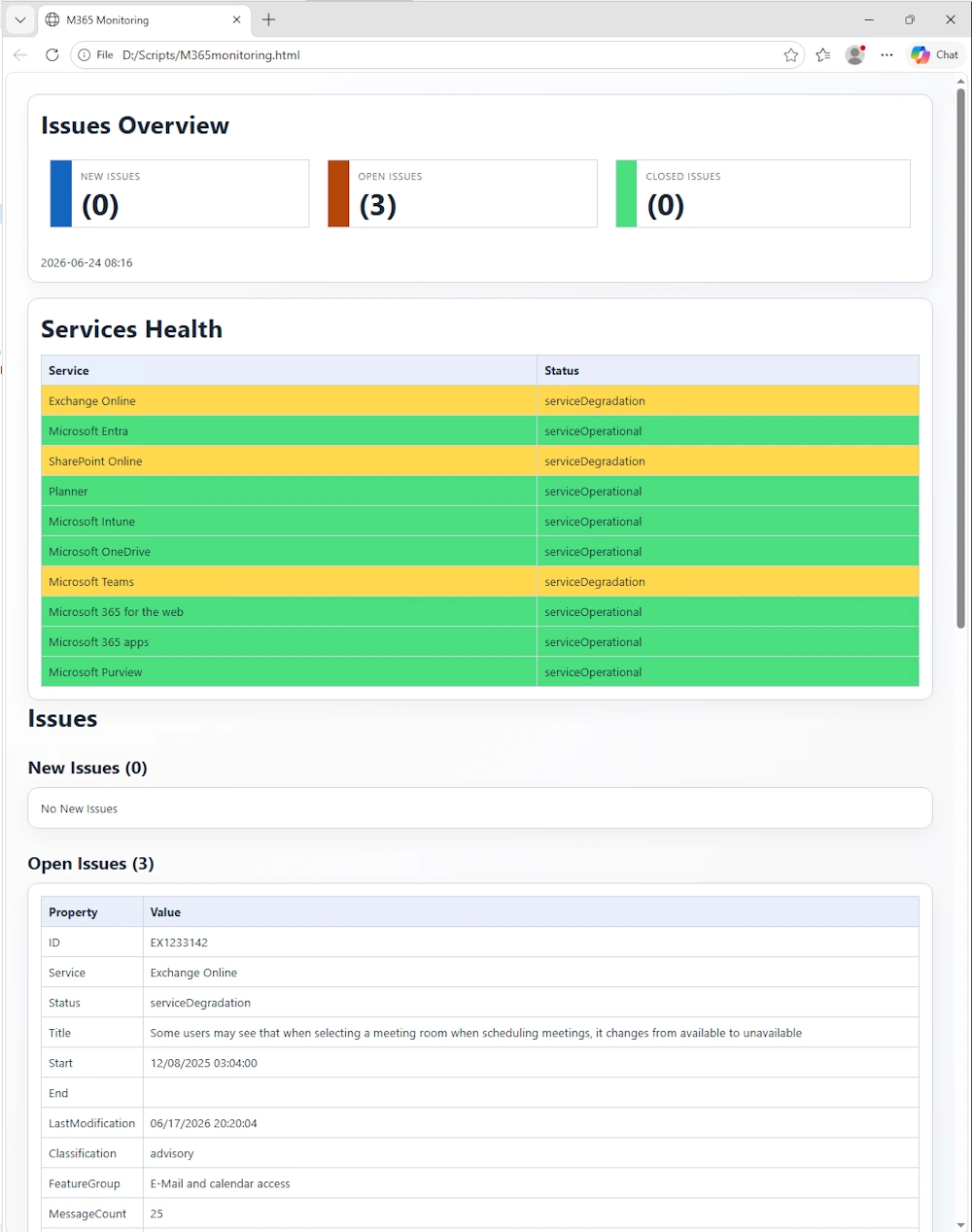
The HTML File has gotten a visual overhaul. It looks now a little bit more modern. If you have a Screen you can also display it there. The HTML will refresh itself.
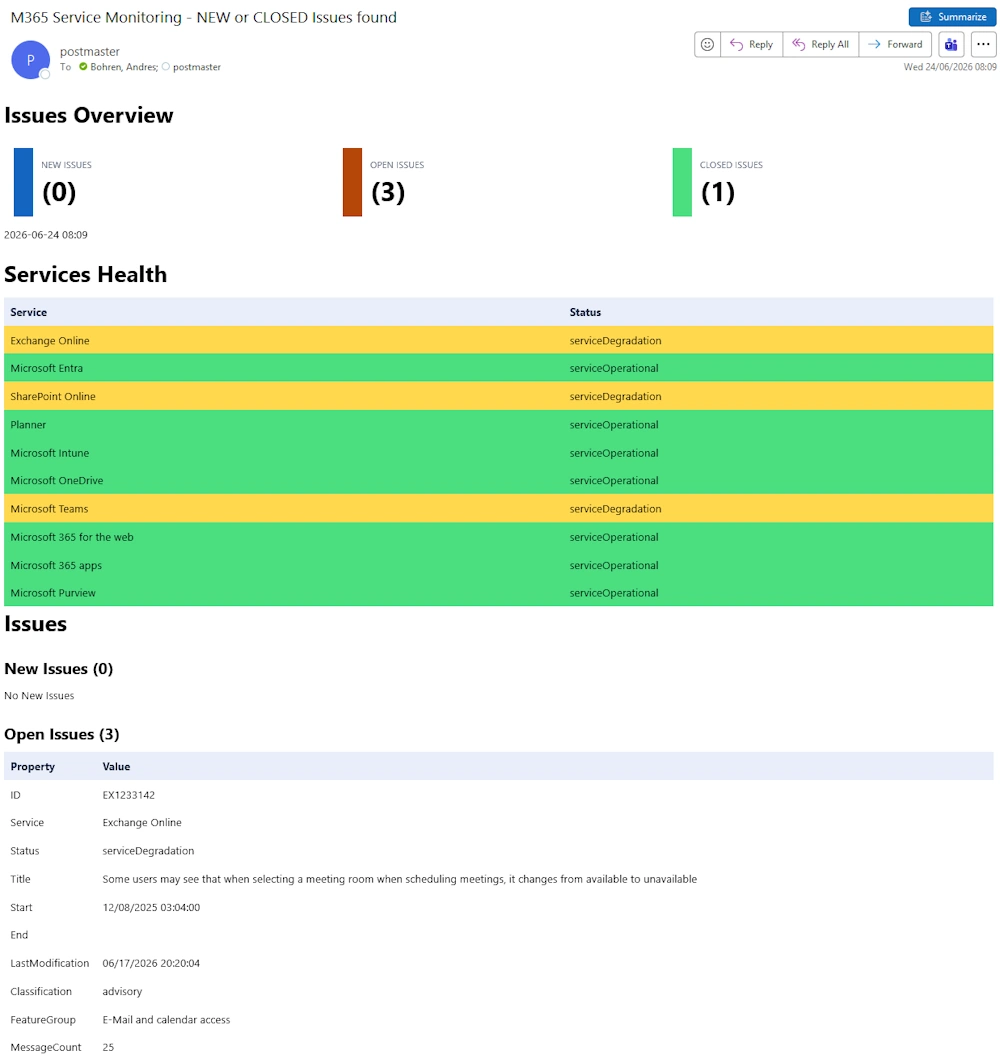
Mails can now be sent to multiple recipients and the design also works in Outlook Classic.
Regards
Andres Bohren
M365 Logo PowerShell Logo
