
Renew Microsoft Exchange Server Auth Certificate with SE

Hi All,
My Exchange Server Auth Certificate is about to expire.
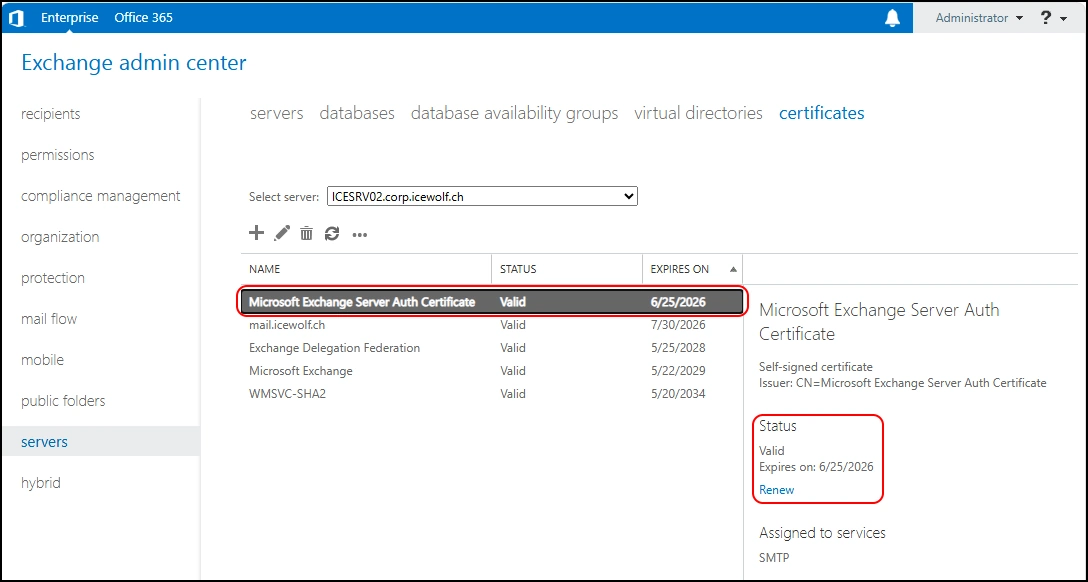
I’ve already blogged about renewing the Exchange Server Auth Certificate.
But there are some new Aspects to it:
- Exchange Server SE
- Dedicated Hybrid App
- Graph API workflow
Before the Renewal
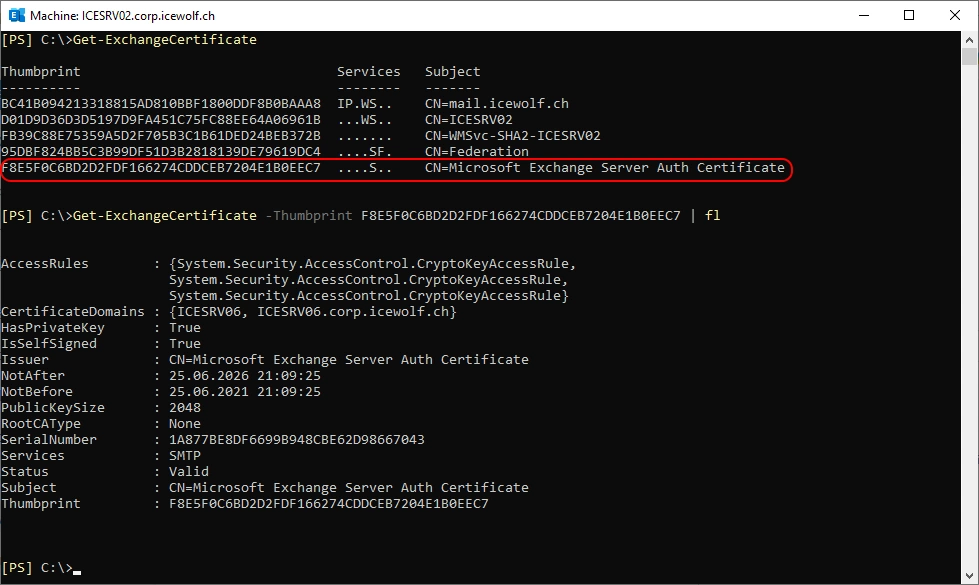
Let’s check the Exchange Server Auth Certificate in PowerShell
Get-ExchangeCertificate
Get-ExchangeCertificate -Thumbprint F8E5F0C6BD2D2FDF166274CDDCEB7204E1B0EEC7  | fl
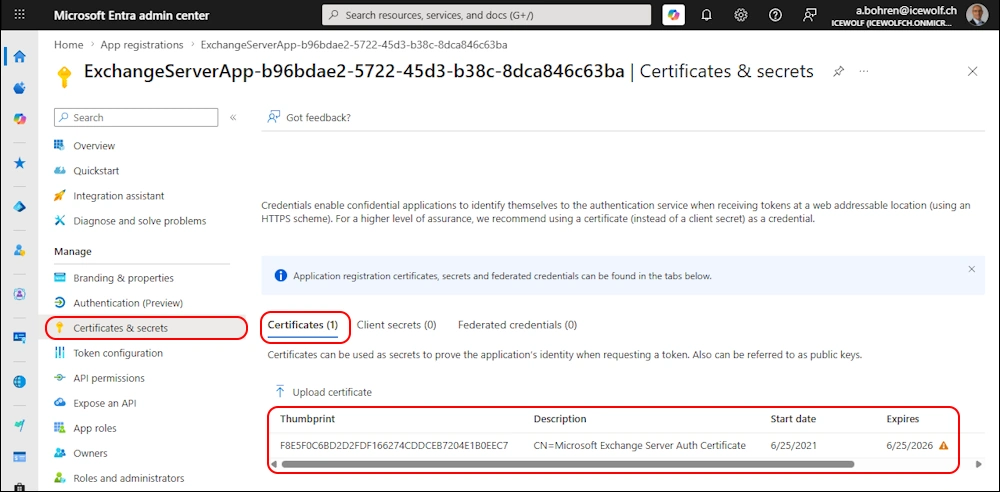
The Certificate of the dedicated Hybrid App in Entra uses the Exchange Server Auth Certificate
Renew Certificate
Let’s renew the Certificate with PowerShell
Get-ExchangeCertificate -Thumbprint F8E5F0C6BD2D2FDF166274CDDCEB7204E1B0EEC7 | New-ExchangeCertificate -PrivateKeyExportable $true
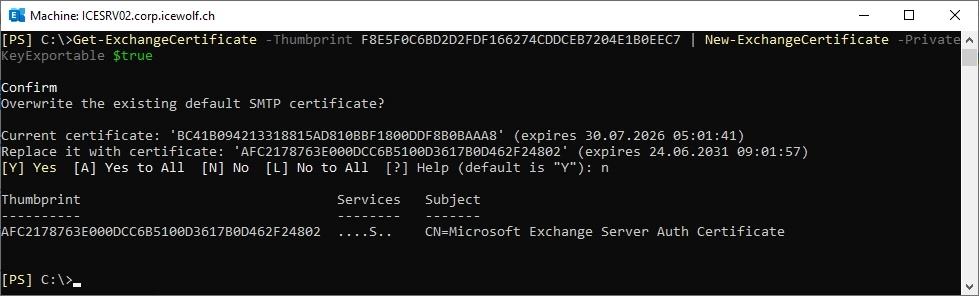
Now we have an old and a new “Exchange Server Auth Certificate”
Get-ExchangeCertificate
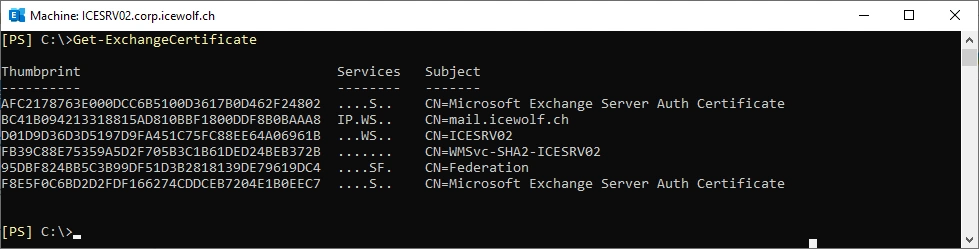
View in Exchange Admin Center
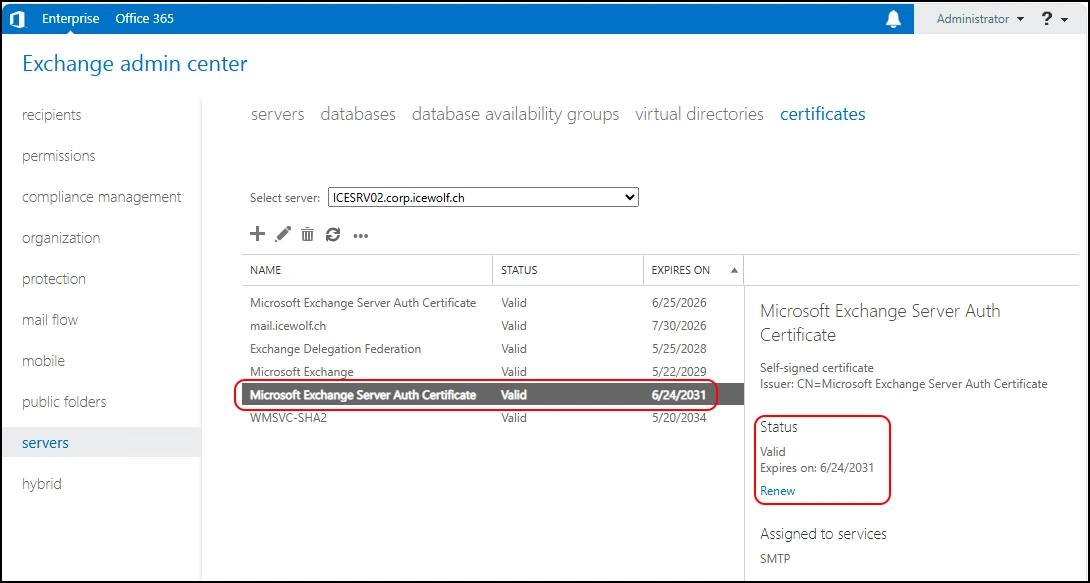
Auth Config
Now let’s remove the AuthConfig
Get-AuthConfig
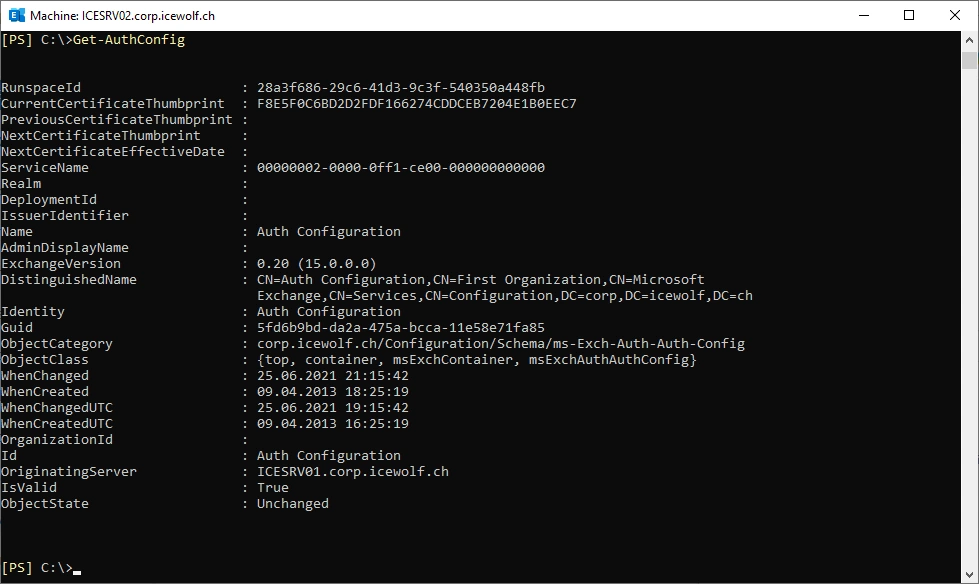
Update the AuthConfig Certificate
$now = get-date
Set-AuthConfig -NewCertificateEffectiveDate $now -NewCertificateThumbprint AFC2178763E000DCC6B5100D3617B0D462F24802
Set-AuthConfig -PublishCertificate
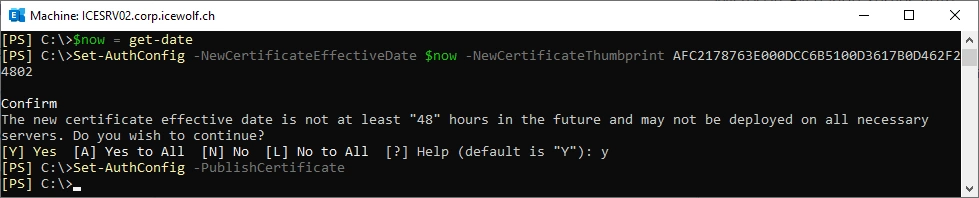
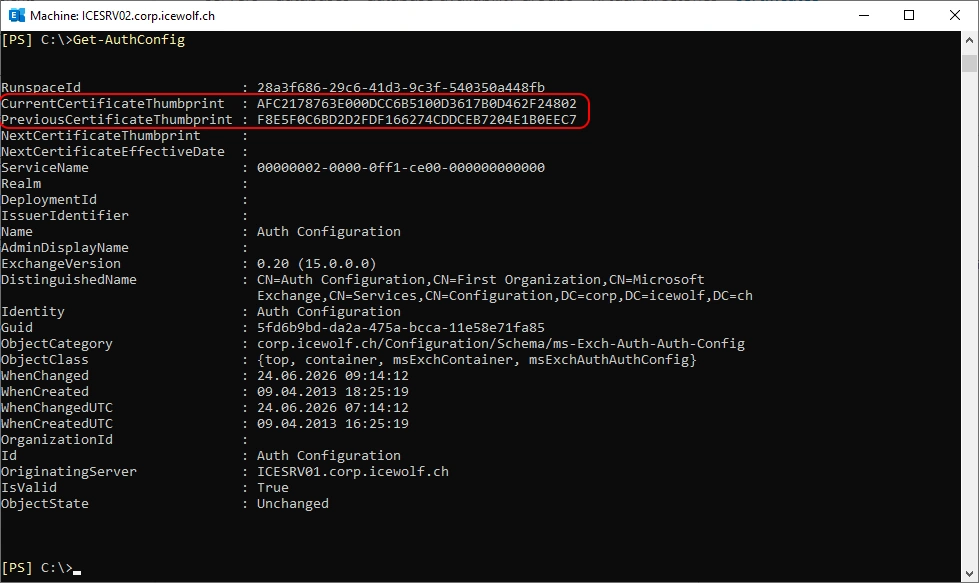
The new Certificate is now listed under CurrentCertificateThumbprint and the old Certificate is now listed under the PreviousCertificateThumbprint.
Get-AuthConfig
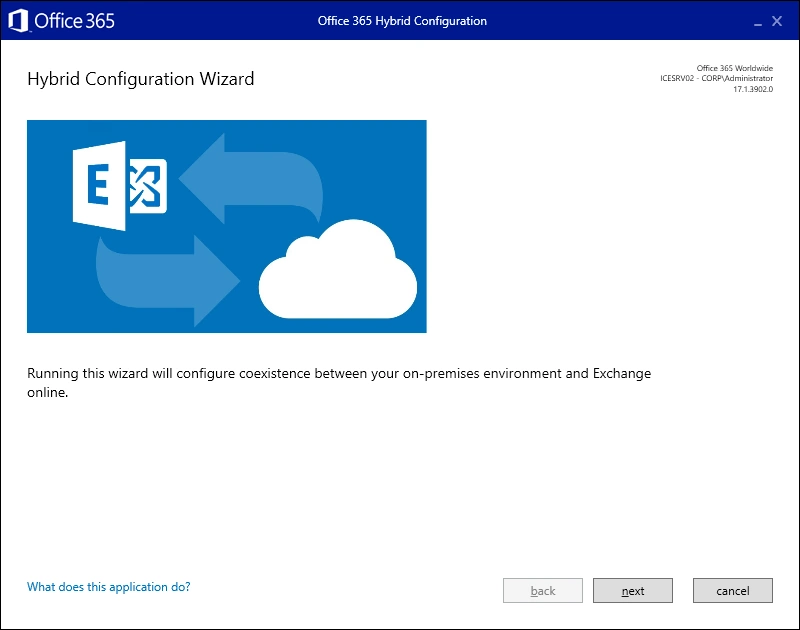
Exchange Hybrid Configuration Wizard
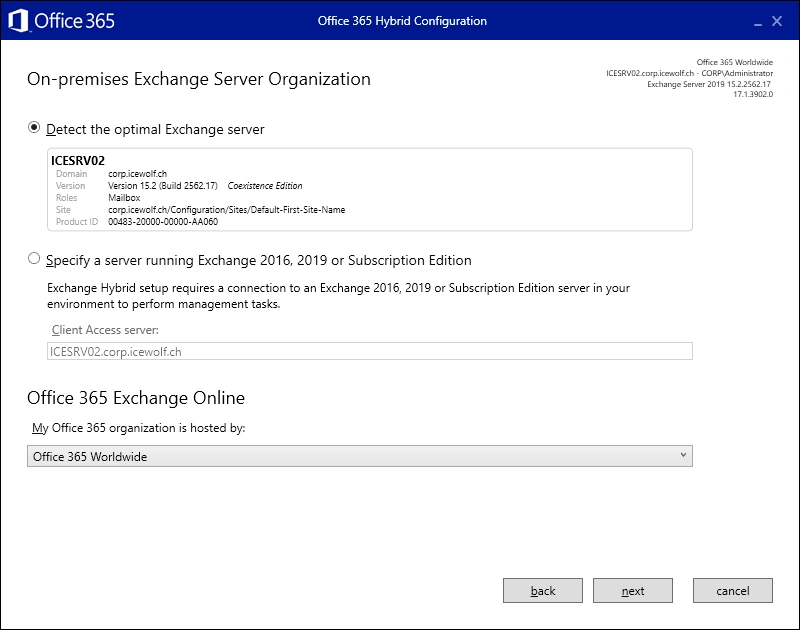
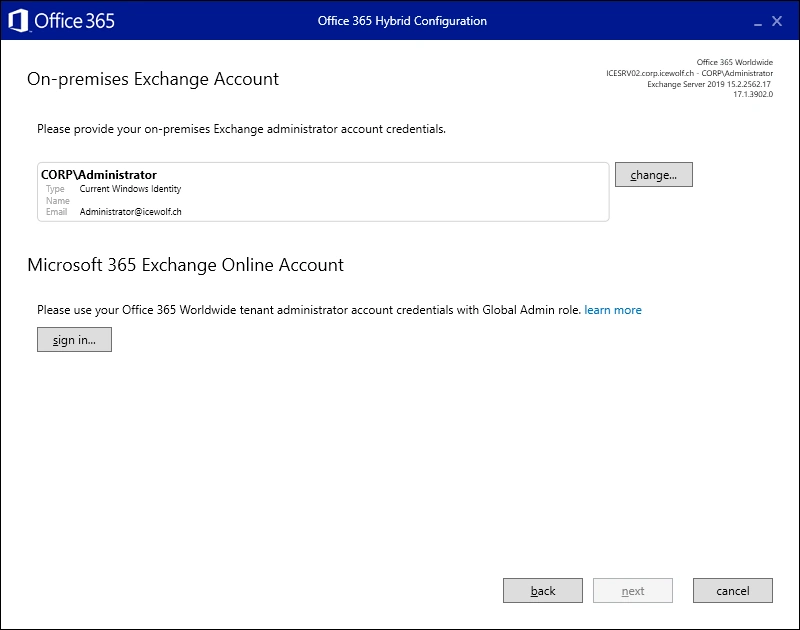
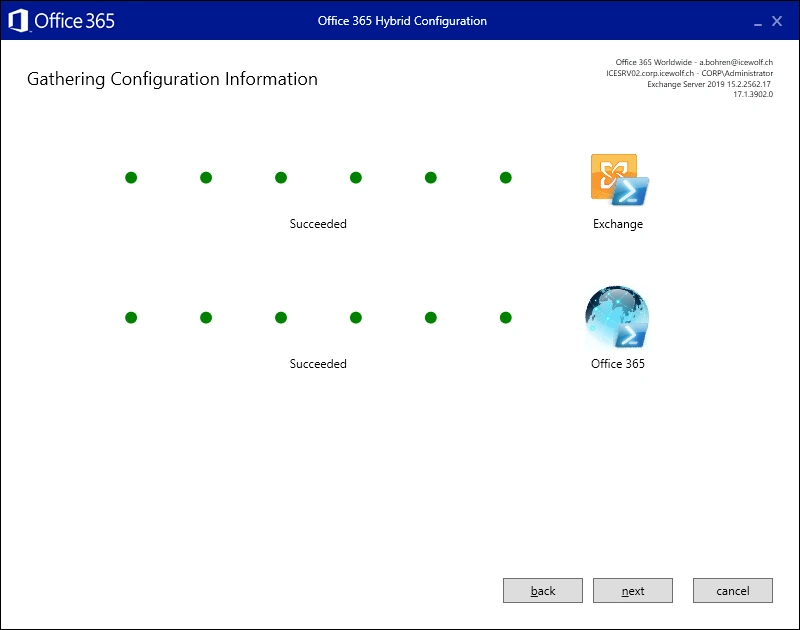
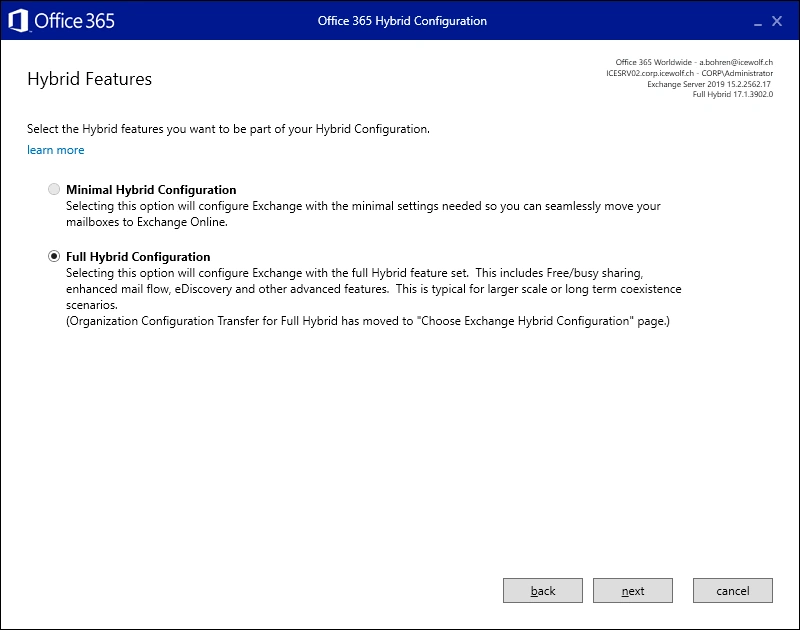
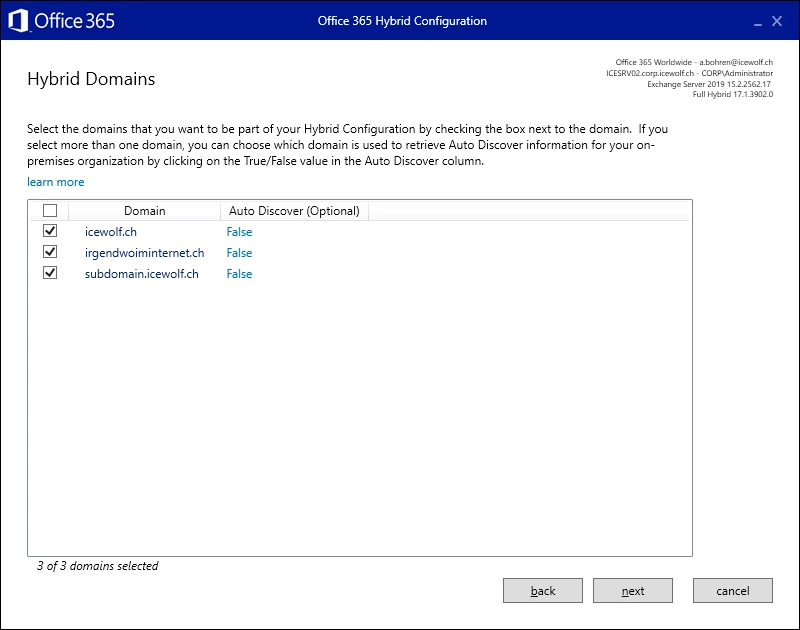
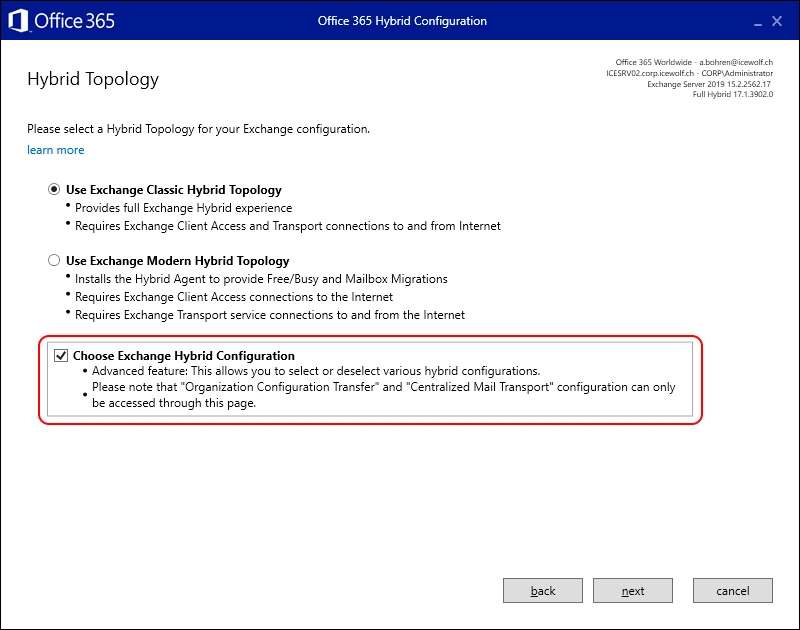
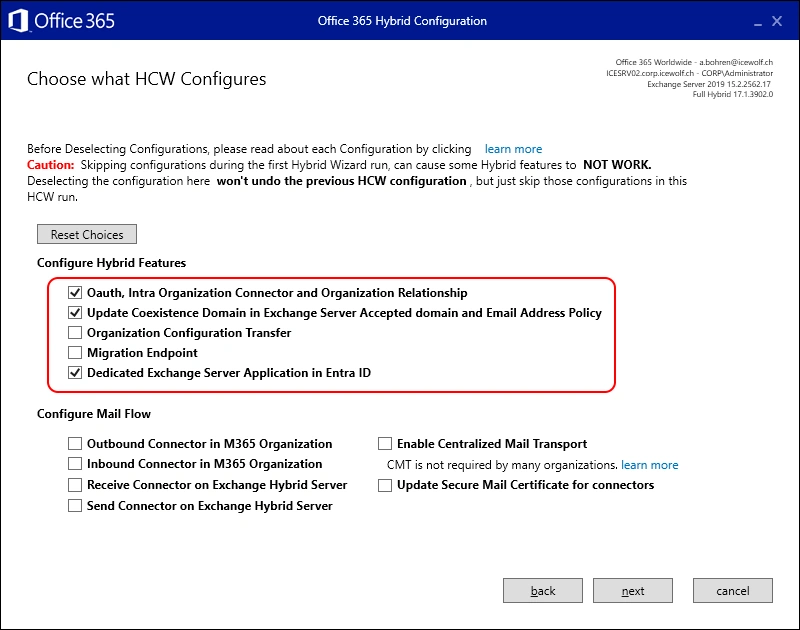
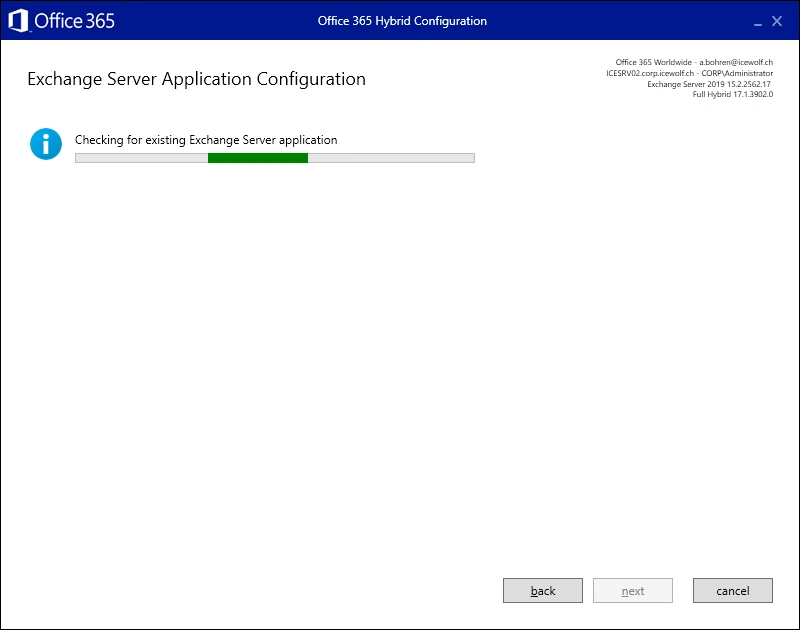
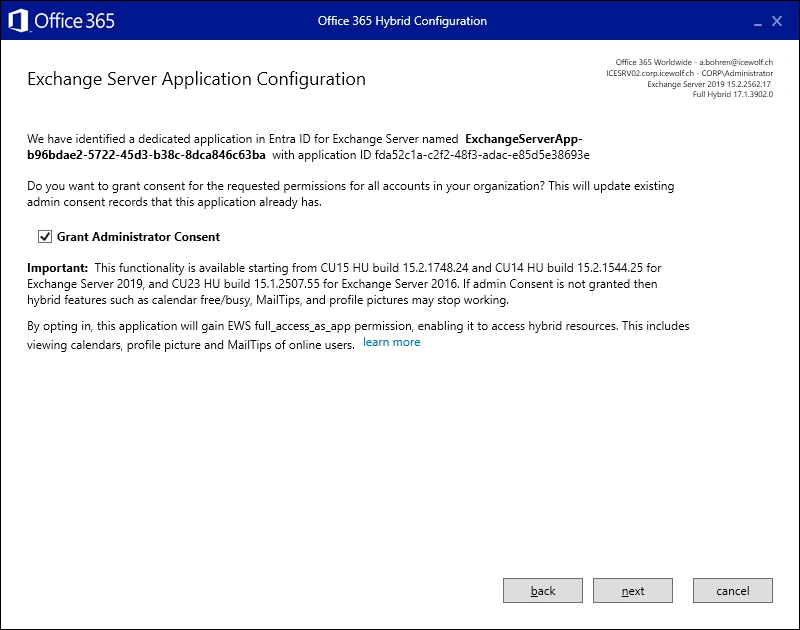
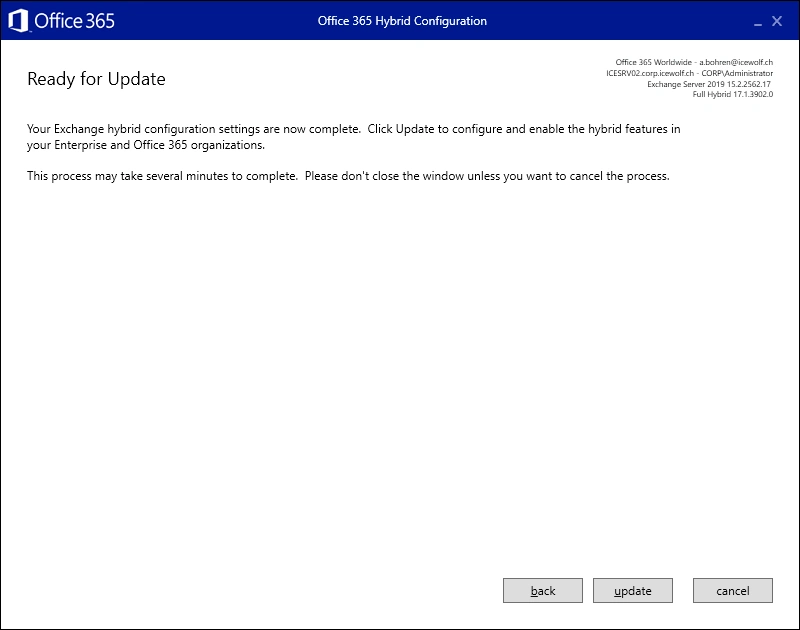
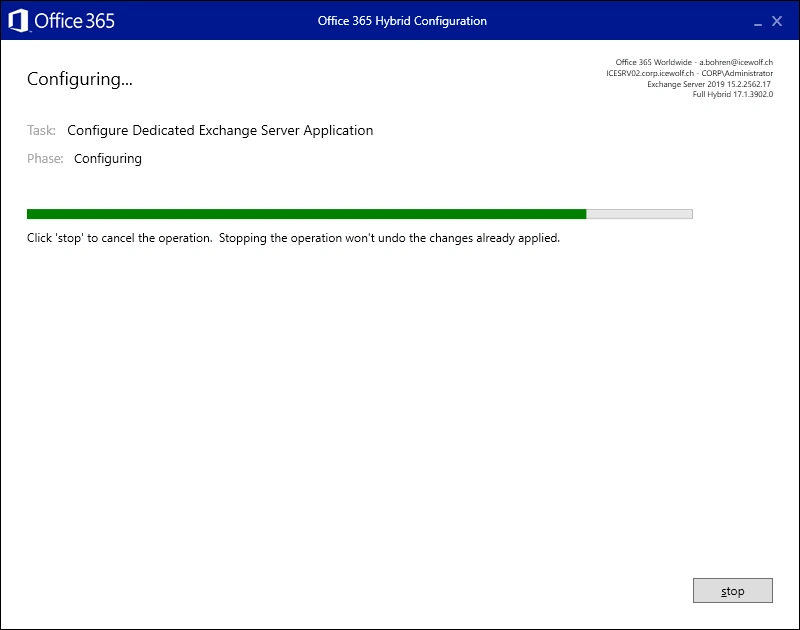
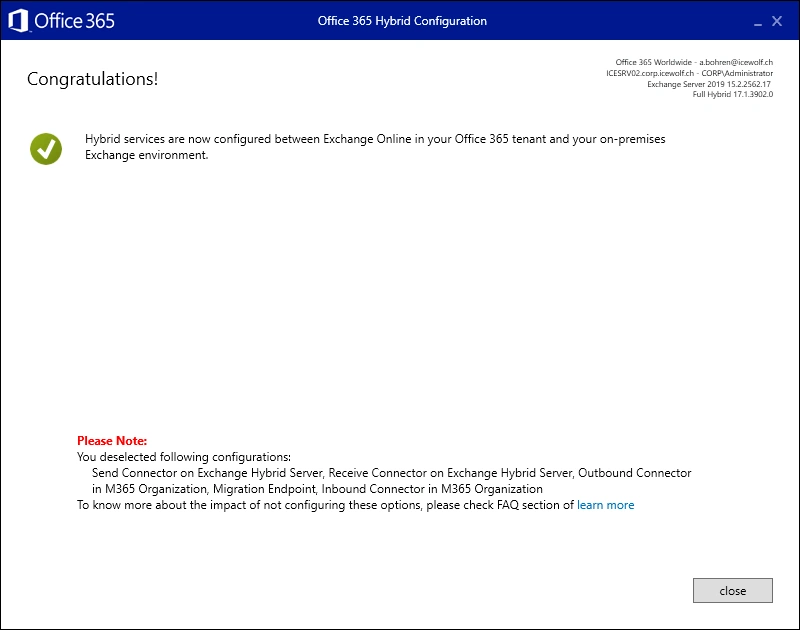
Let’s run the Hybrid Wizard to add the Exchange Server Auth Certificate to the Exchange Server dedicated Hybrid App.
Note: I’ve run the HCW with Global Administrator, so i can update the dedicated Hybrid App
Dedicated Hybrid App
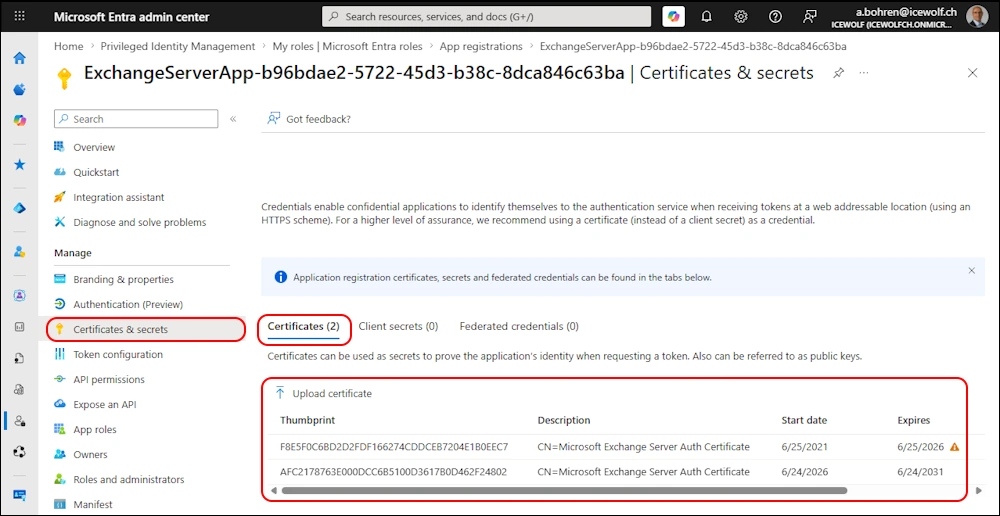
The dedicated Hybrid App (Entra App) has now added the new Exchange Server Auth Certificate.
Remove the old Exchange Server Auth Certificate
Now it’s time to remove the old Exchange Server Auth Certificate from the AuthConfig
Set-AuthConfig -ClearPreviousCertificate
Get-AuthConfig
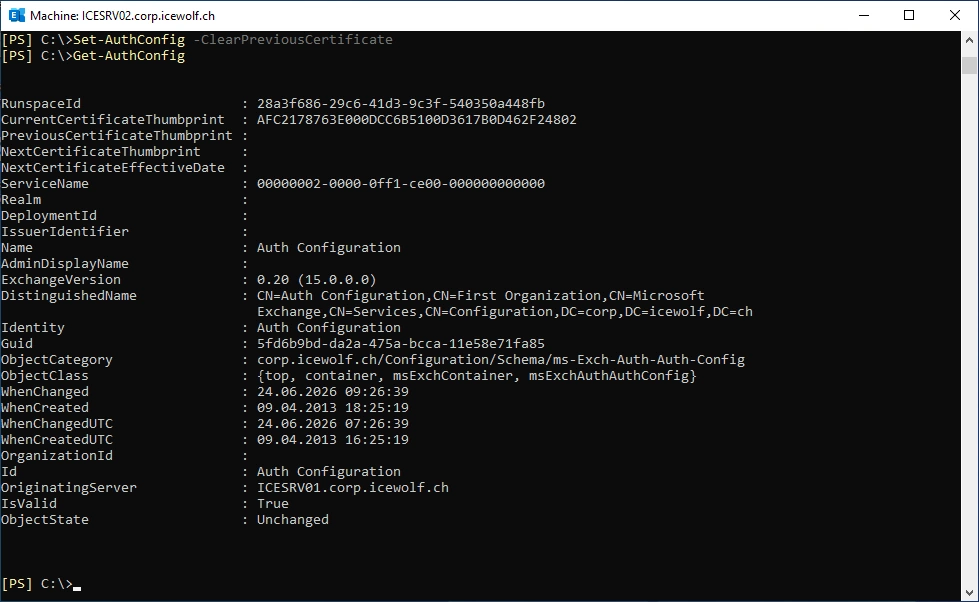
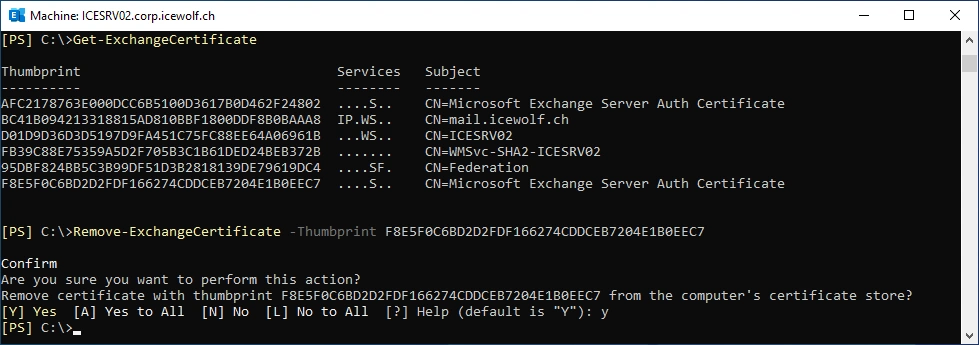
Now we can remove the old Exchange Server Auth Certificate from Exchange and the Computers Certificate Store
Get-ExchangeCertificate
Remove-ExchangeCertificate -Thumbprint F8E5F0C6BD2D2FDF166274CDDCEB7204E1B0EEC7
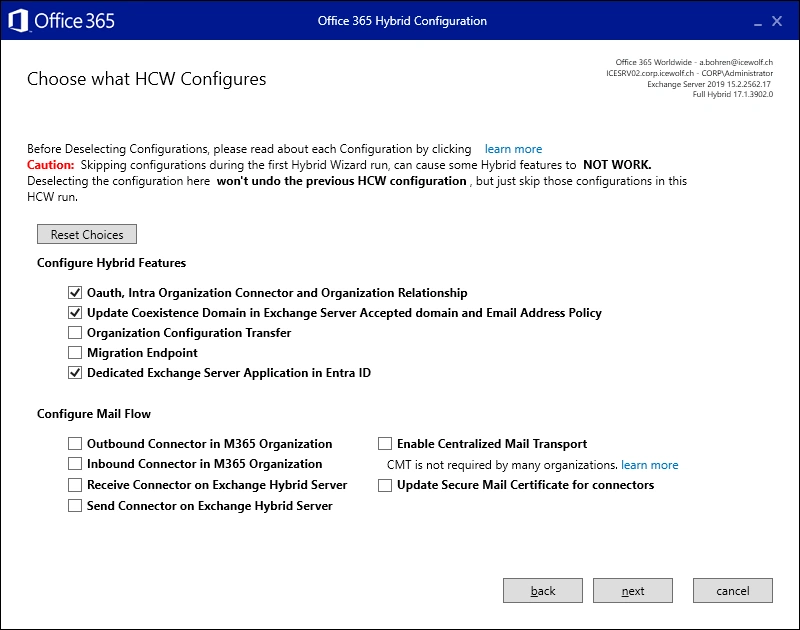
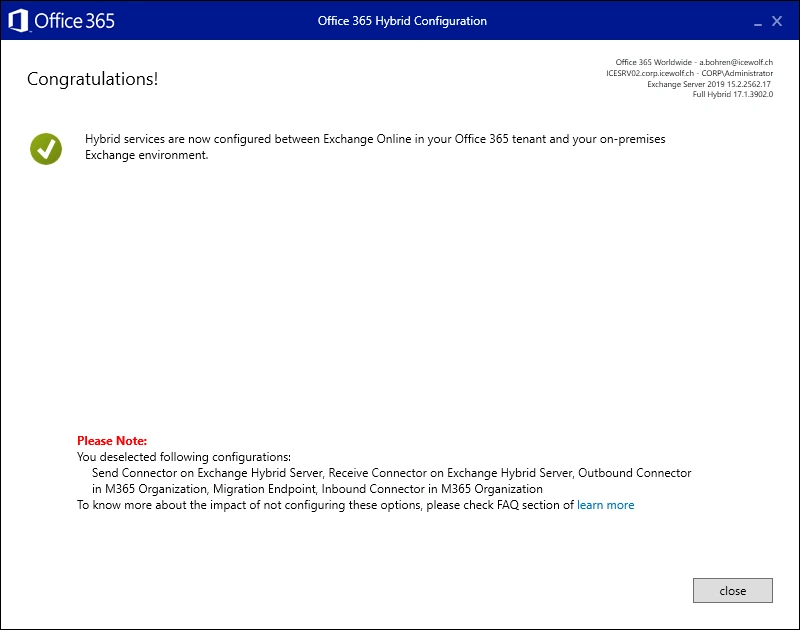
Hybrid Configuration Wizard does not remove old certificates
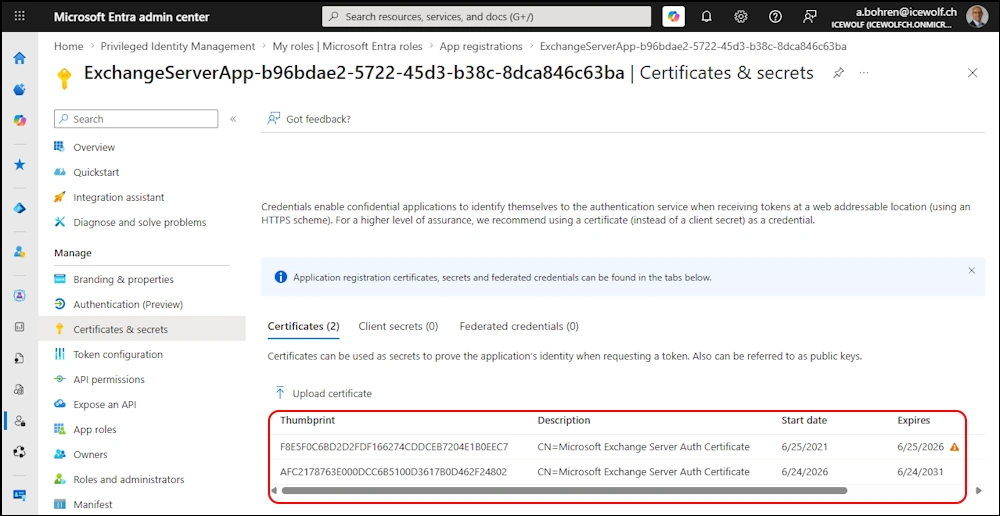
I’ve tested if running the Exchange Hybrid Configuration Wizard (HCW) will remove the old Exchange Server Auth Certificate. But that’s not the case.
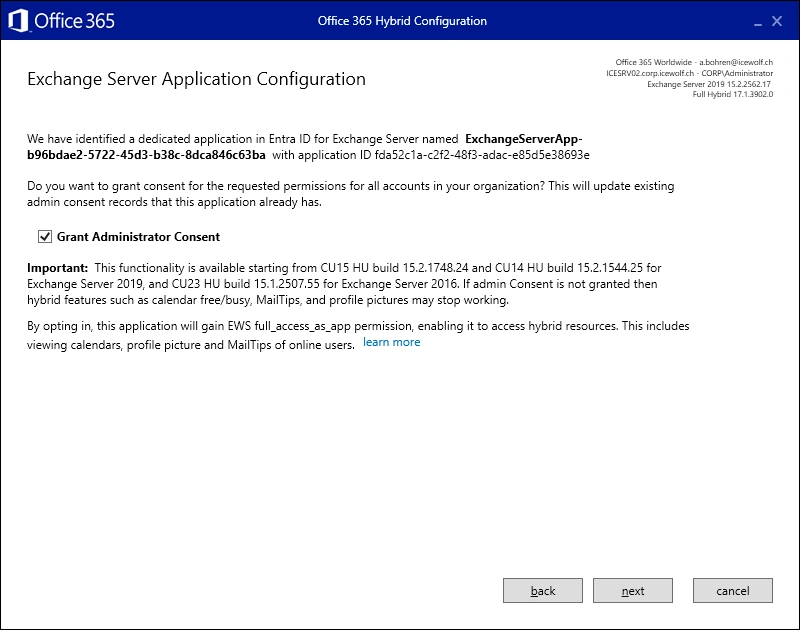
The old Exchange Server Auth Certificate is still on the dedicated Hybrid App
Test-OAuthConnectivity
The Test-OAuthConnectivity with Graph does not work. The Hybrid Configuration Wizard is not aware of the “Graph API workflow” and resets everything back to EWS.
Test-OAuthConnectivity -Service Graph -Mailbox a.bohren@icewolf.ch -TargetUri https://graph.microsoft.com

Let’s use the ConfigureExchangeHybridApplication.ps1 Script to change the Configuration
Update the Script first
.\ConfigureExchangeHybridApplication.ps1 -ScriptUpdateOnly

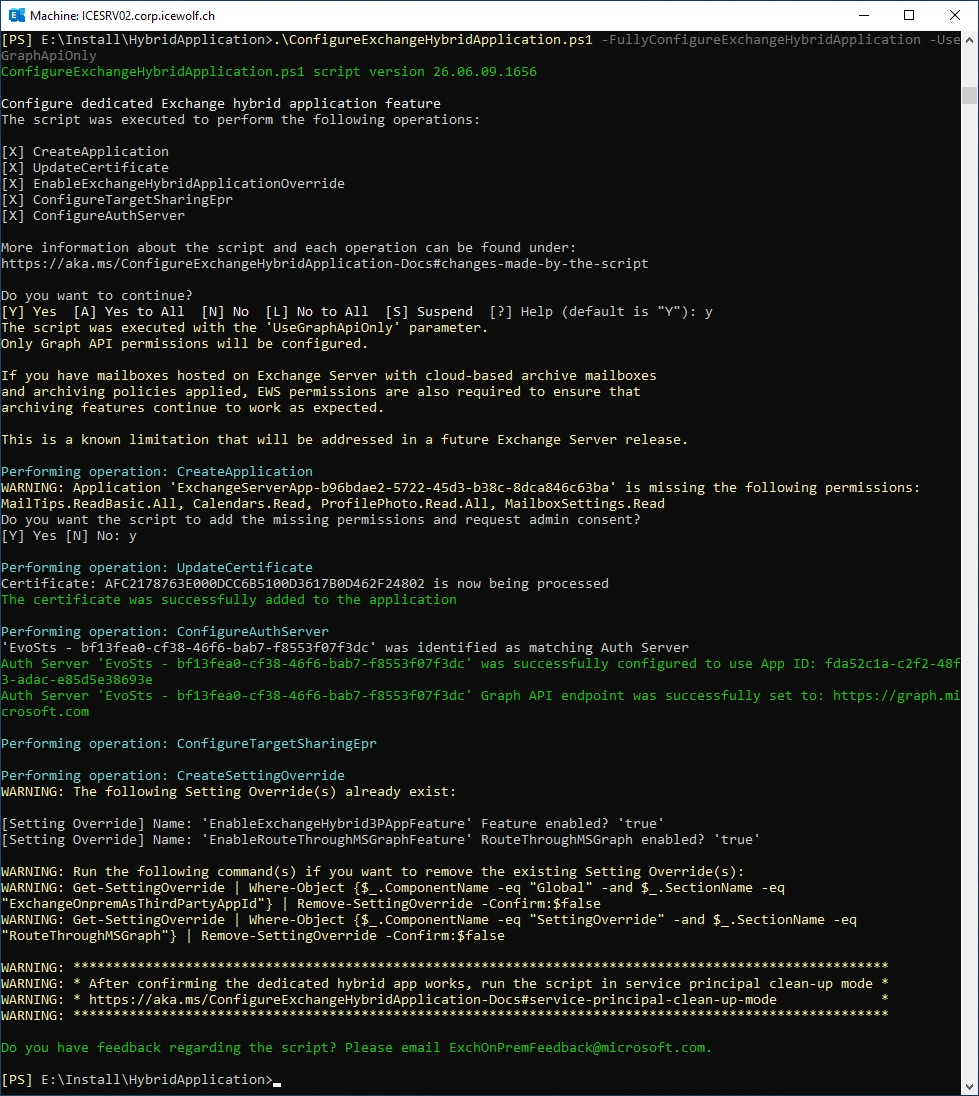
Use the “-UseGraphApiOnly” Parameter
.\ConfigureExchangeHybridApplication.ps1 -FullyConfigureExchangeHybridApplication -UseGraphApiOnly
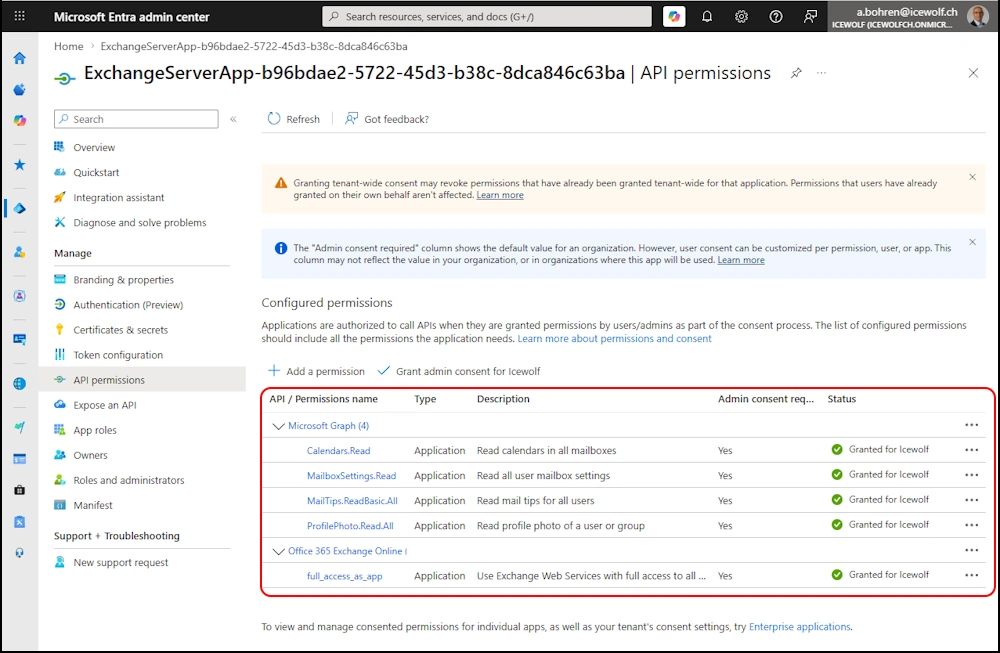
The Exchange Web Services (EWS) Permission “full_access_as_app” is still there
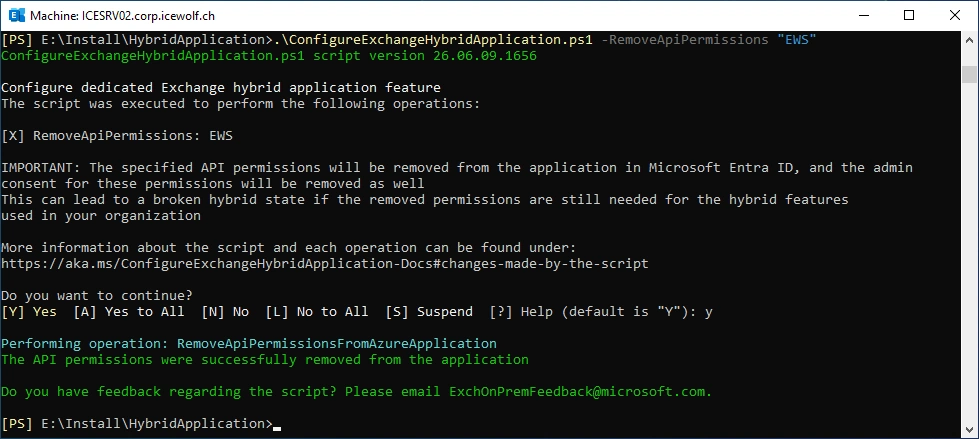
Remove the EWS Permission
.\ConfigureExchangeHybridApplication.ps1 -RemoveApiPermissions "EWS"
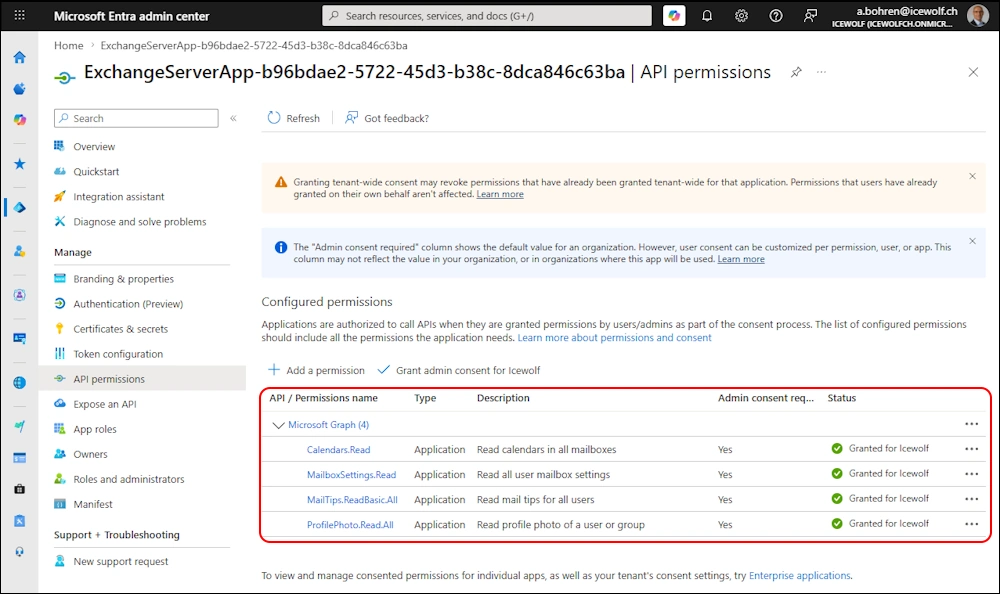
EWS Permissions are gone - only Graph Permissions are left
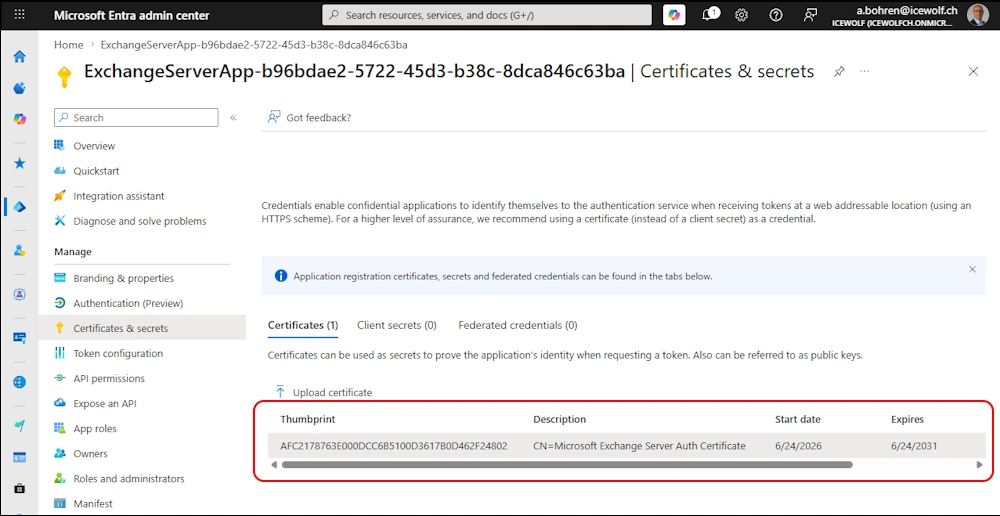
Certificate will not be deleted - i removed it manually
Test OAuth
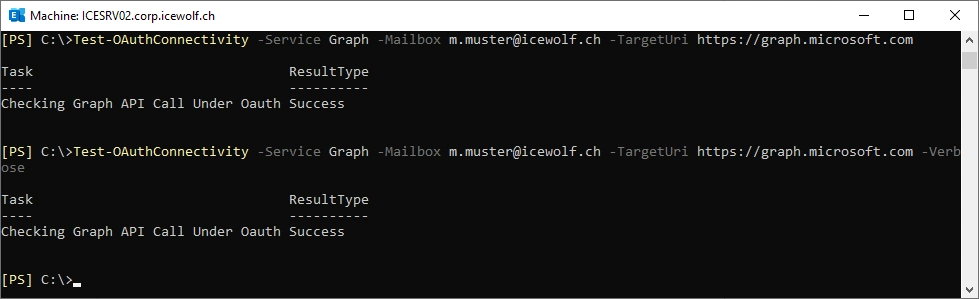
Now we can test OAuth again. No diffrence if we use the -Verbose Parameter
Test-OAuthConnectivity -Service Graph -Mailbox a.bohren@icewolf.ch -TargetUri https://graph.microsoft.com
Test-OAuthConnectivity -Service Graph -Mailbox a.bohren@icewolf.ch -TargetUri https://graph.microsoft.com -Verbose
Summary
I’ve could have used the ConfigureExchangeHybridApplication.ps1 Script to update the Certificate on the dedicated Hybrid App in Entra. But i’ve showed you, that the Exchange Hybrid Configuration Wizard (HCW) will reset the Configuration for the “Graph API Workflow”. So it’s good to know what each Tool does and what to do, to get the Configuration you want.
Regards
Andres Bohren
Exchange Logo PowerShell Logo
