
Teams Phone Agent Public Preview

Hi All,
On June 15 Teams Phone Agent Entered Frontier Public Preview
What is Teams Phone Agent?
Teams Phone Agent is a new AI-powered voice experience for Microsoft Teams Phone that can automatically answer, understand, and handle phone calls using natural language. Built on Microsoft Copilot and integrated with Copilot Studio voice agents, it enables organizations to automate common caller interactions such as answering questions, routing calls, booking appointments, and providing self-service support.
Unlike traditional Auto Attendants with predefined menus (“Press 1 for Sales”), Teams Phone Agent allows callers to speak naturally and interact conversationally. Organizations can also extend the experience with custom business logic and knowledge sources using Microsoft Copilot Studio.
At the time of writing, Teams Phone Agent is available as part of Microsoft’s Frontier Public Preview program and represents Microsoft’s next step in bringing AI-powered customer engagement to Teams Phone environments.
Auto Attendant with Teams Phone Agent
In Teams Admin Center (TAC) go to Voice > Auto Attendants > Add
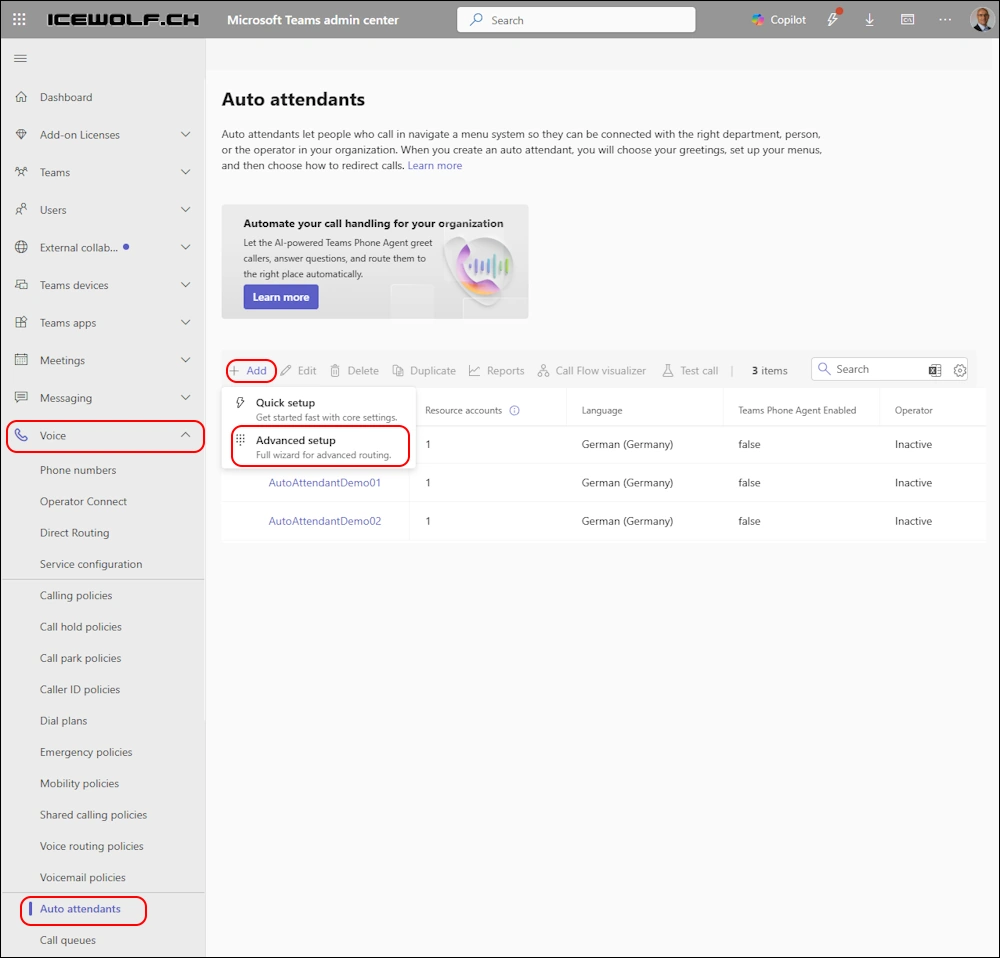
Give the Auto Attendant a Name and Enable “Teams Phone Agent (Frontier)”
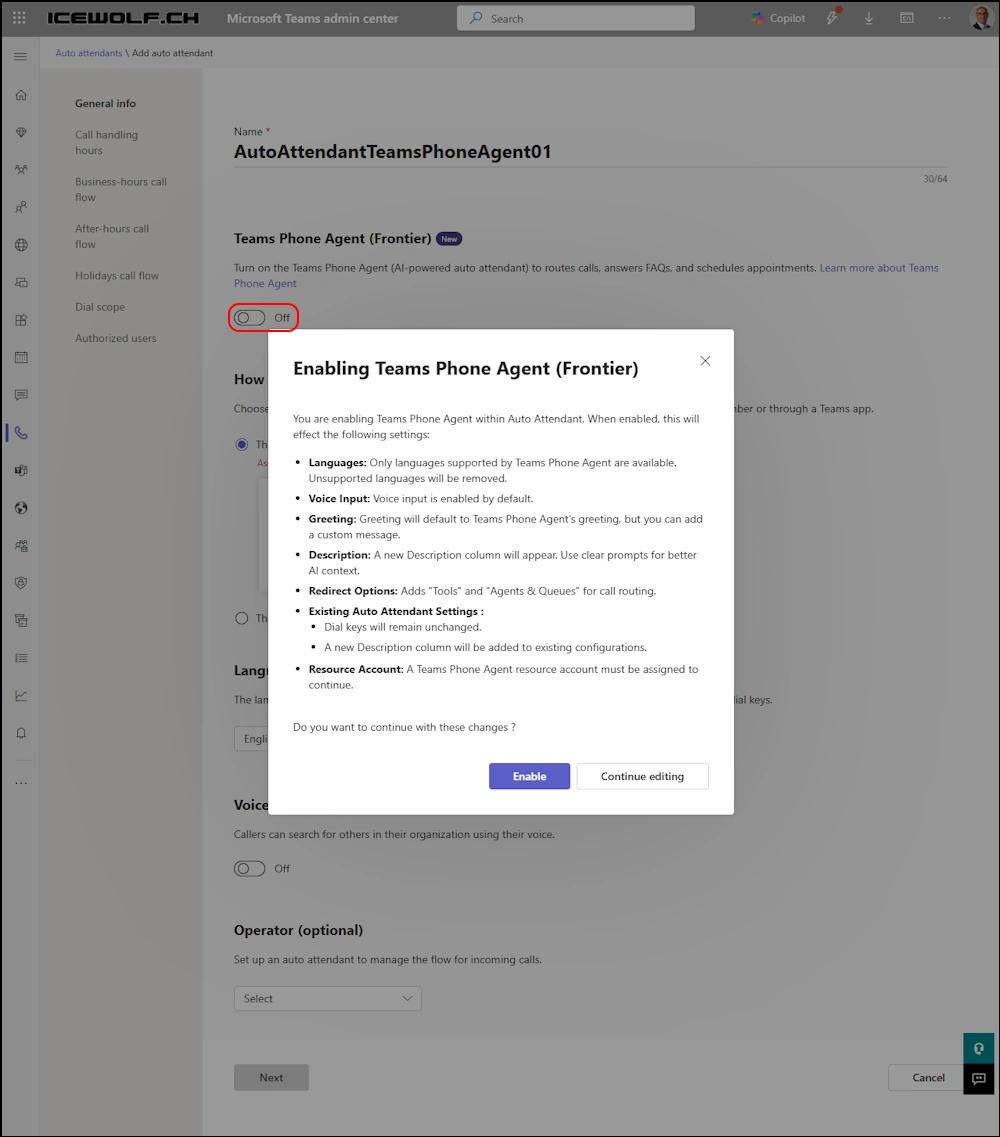
Assign Resource Account. To create a Resource Account you need to have Teams administrator role and the User Administrator role
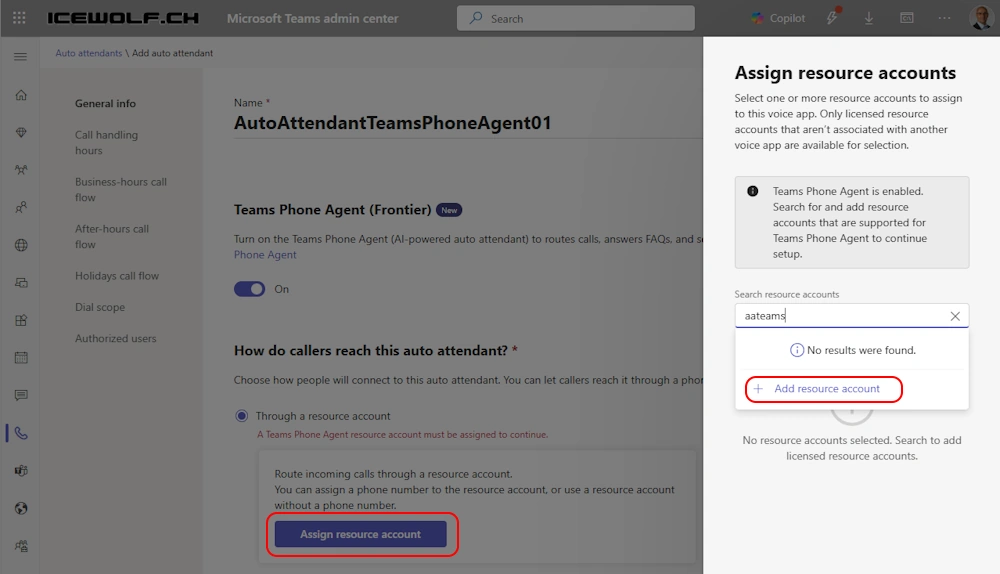
There are new Resource Account Types:
| ApplicationId | Type |
|---|---|
| ce933385-9390-45d1-9512-c8d228074e07 | Autoattendant |
| 11cd3e2e-fccb-42ad-ad00-878b93575e07 | CallQueue |
| 7d563055-b6cc-4d7a-93c1-38aa762b34ae | TeamsPhoneAgent |
| 0378dbb5-390c-4a04-84a9-b017d03f7447 | AI Agent |
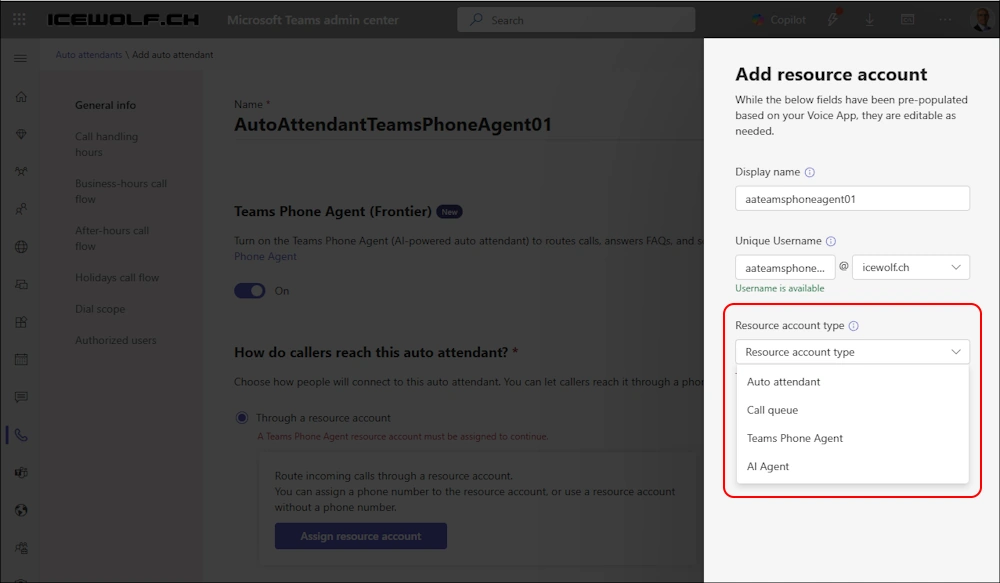
The Resource Account has been created
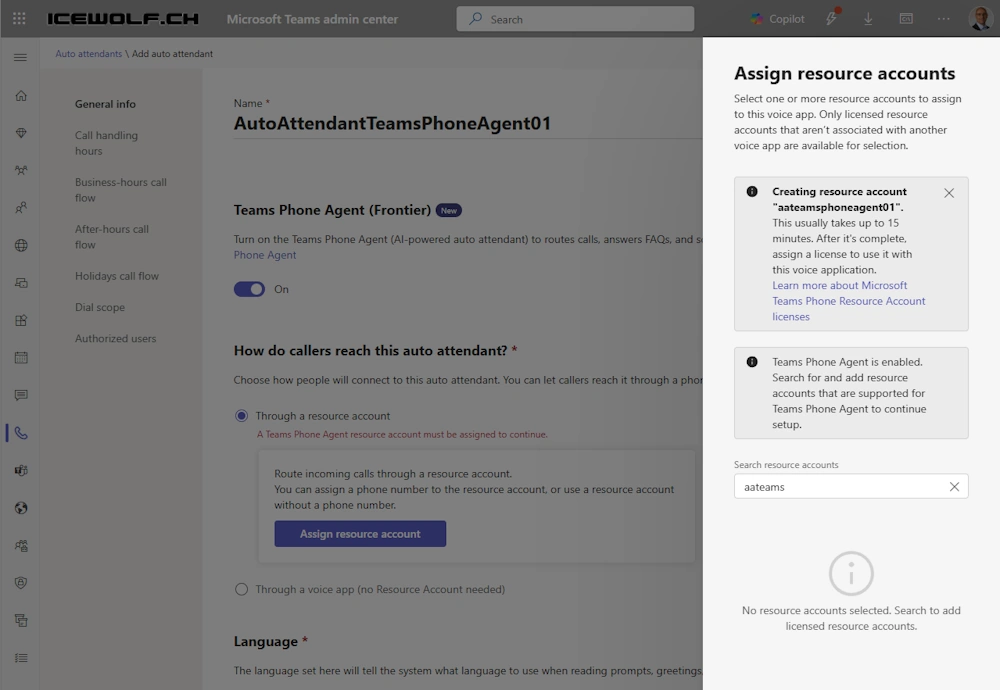
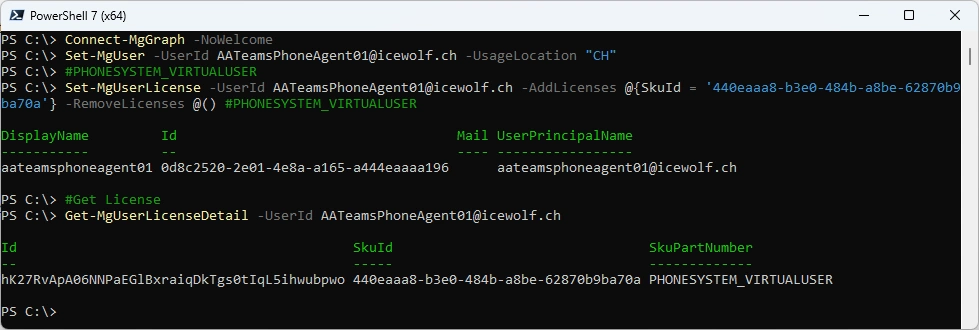
Set Usage Location and Assign PHONESYSTEM_VIRTUALUSER License
Connect-MgGraph -NoWelcome
Set-MgUser -UserId AATeamsPhoneAgent01@icewolf.ch -UsageLocation "CH"

#PHONESYSTEM_VIRTUALUSER
Set-MgUserLicense -UserId AATeamsPhoneAgent01@icewolf.ch -AddLicenses @{SkuId = '440eaaa8-b3e0-484b-a8be-62870b9ba70a'} -RemoveLicenses @() #PHONESYSTEM_VIRTUALUSER

#Get License
Get-MgUserLicenseDetail -UserId AATeamsPhoneAgent01@icewolf.ch
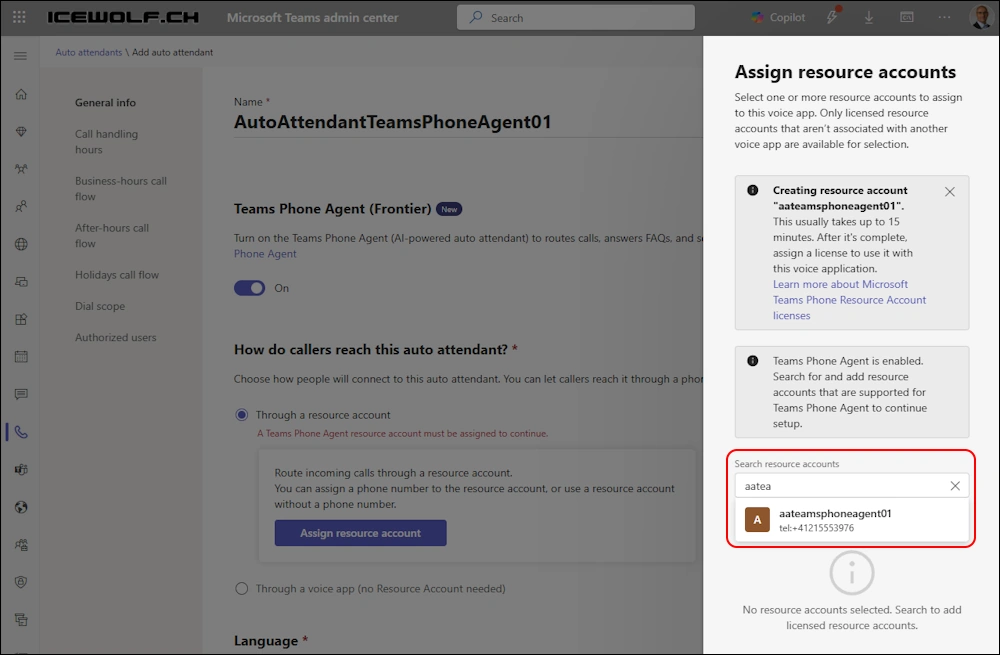
Assign a Phone Number to the Resource Account
Connect-MicrosoftTeams
Set-CsPhoneNumberAssignment -Identity AATeamsPhoneAgent01@icewolf.ch -PhoneNumber "+41215553976" -PhoneNumberType DirectRouting

Now we can assign the Resource Account
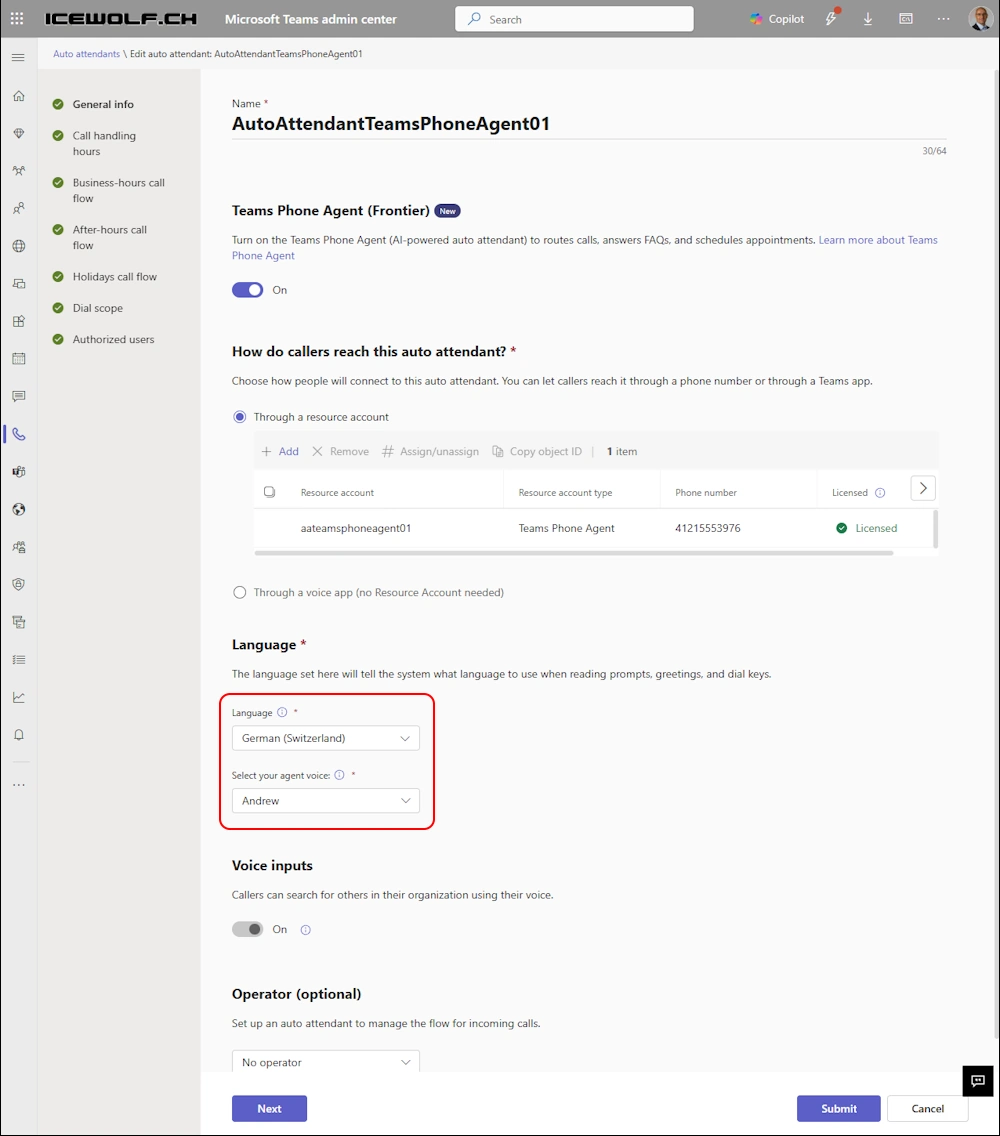
Select the Language and the Agent Voice
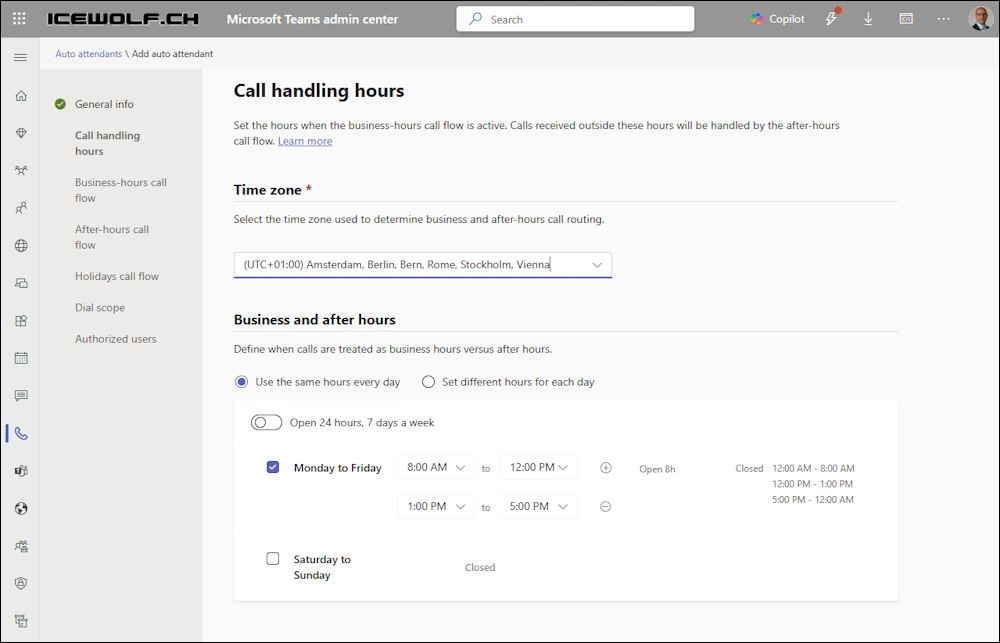
Select TimeZone and the Business-hours
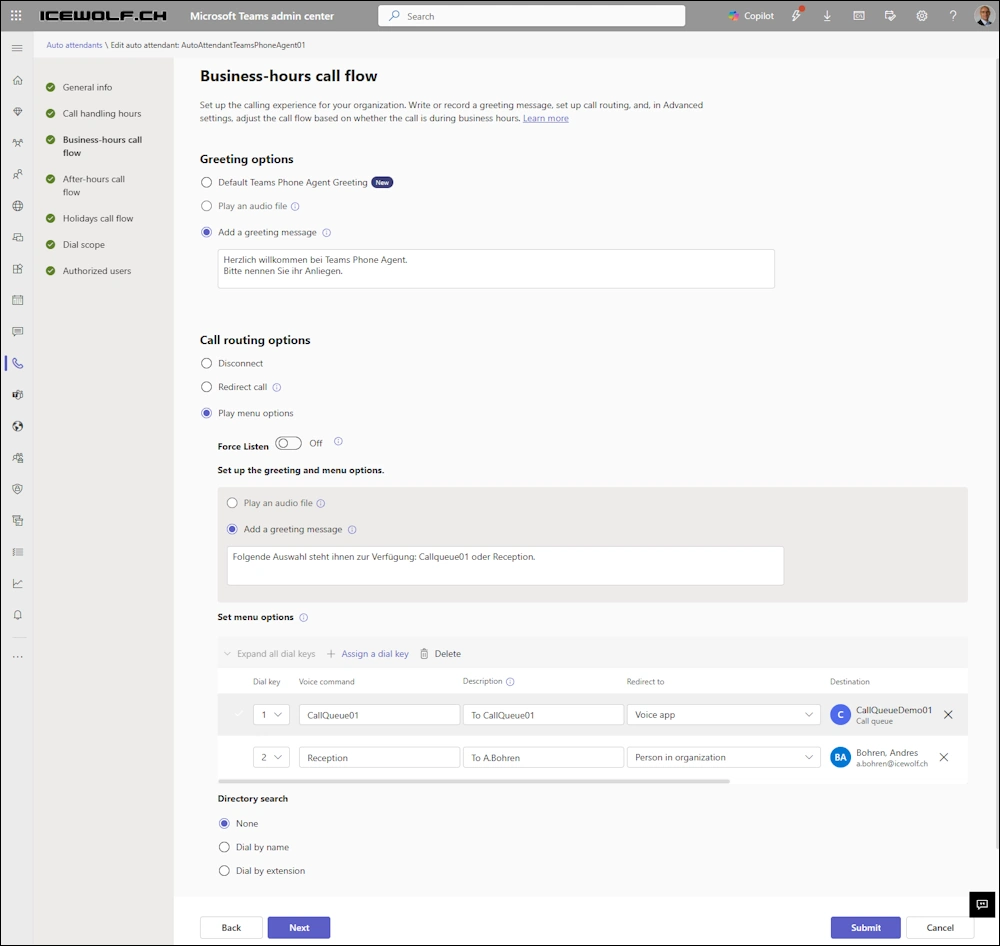
Create the Business-hours Call Flow
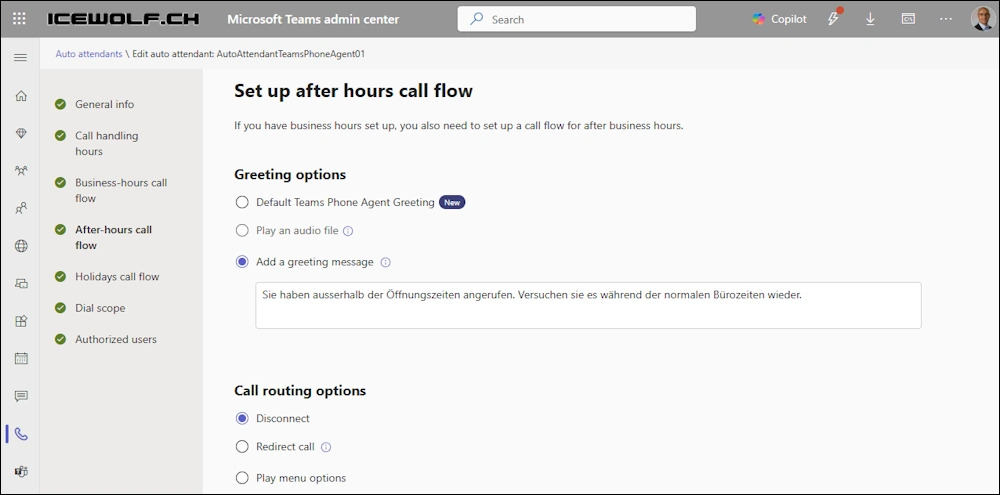
Configure the after hours call flow
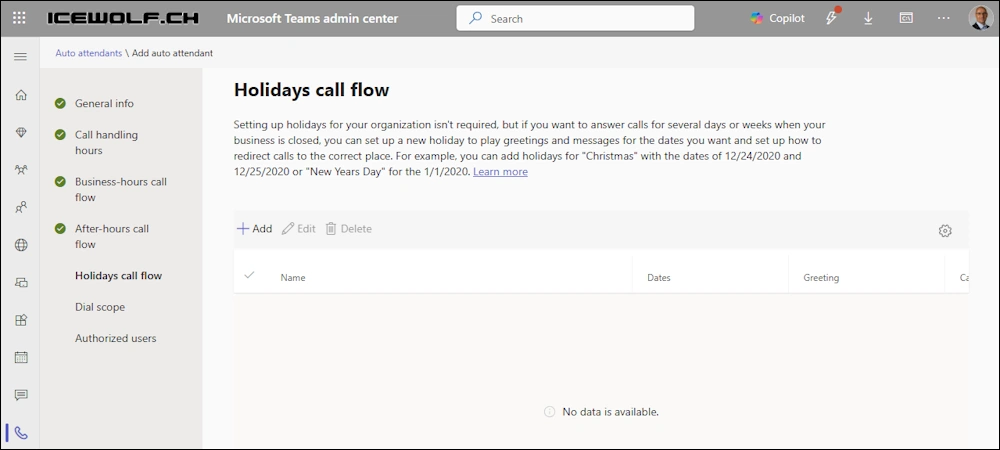
Select the Holidays
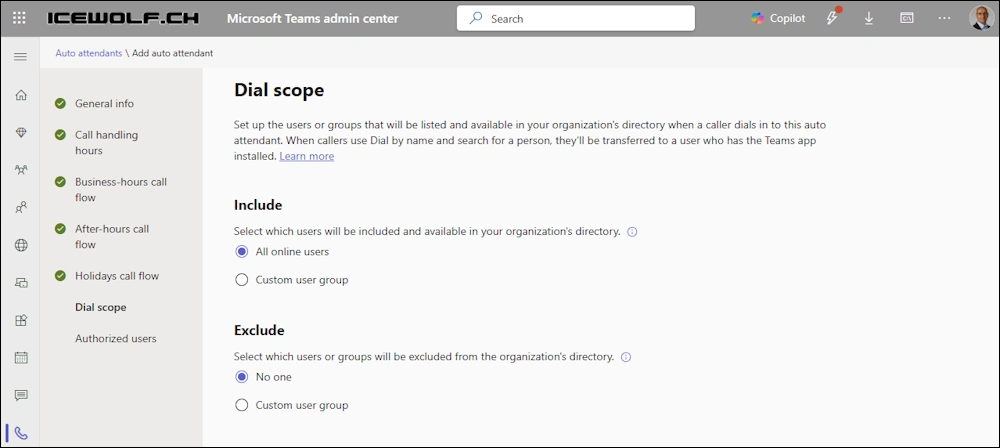
Configure Dial Scope
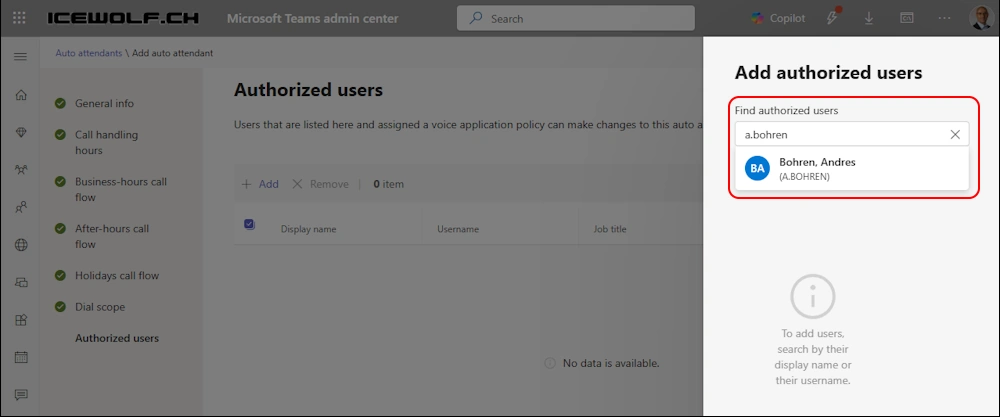
Add Authorized Users
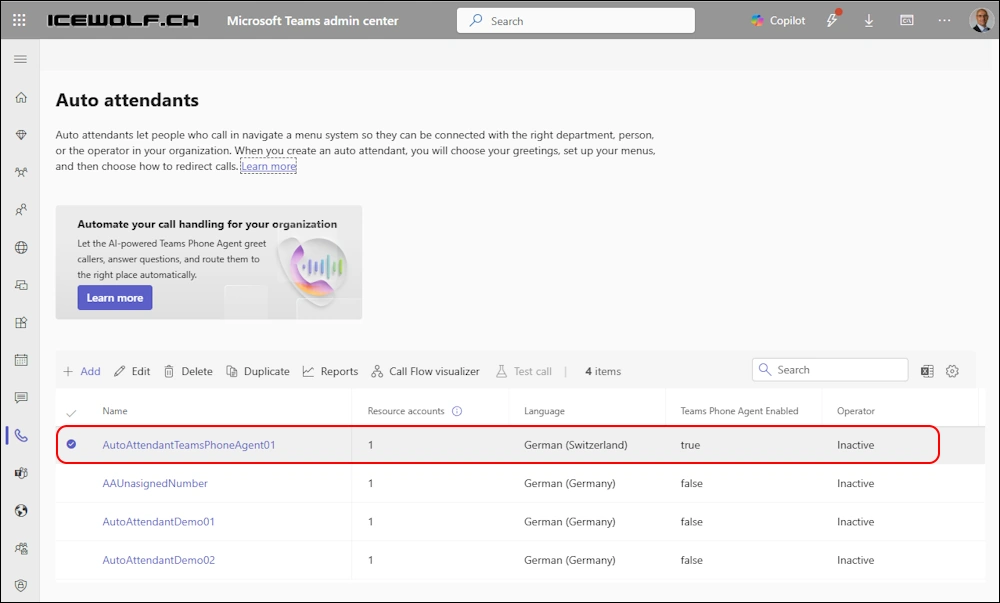
Now you have created an Auto Attendant with Teams Phone Agent
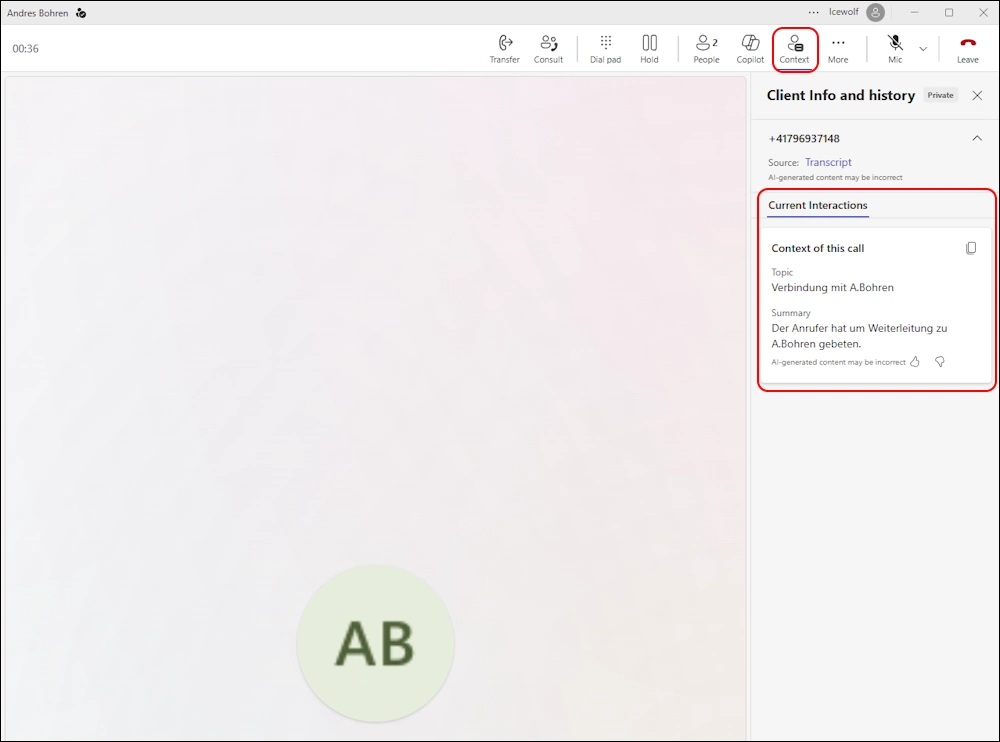
If you call the Auto Attendant with the Number and select the Transfer to the Reception the user sees the Context of the interaction with the Teams Phone Agent
Let’s list the Resource Accounts in Teams PowerShell
Get-CsOnlineApplicationInstance
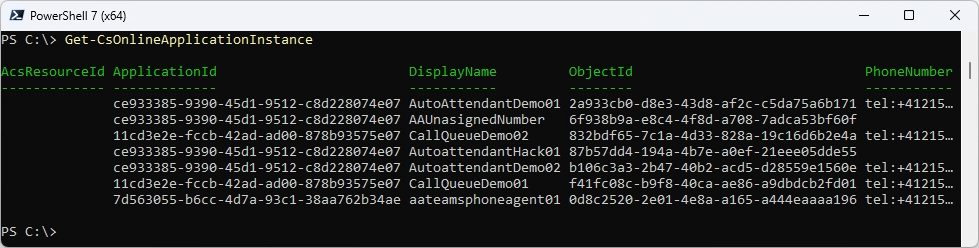
In case you want to create the Resource Account in Advance using PowerShell
###############################################################################
# Create Resource Account / Set Usage Location / Assign License / Assign PhoneNumber
###############################################################################
# Connect to Microsoft Teams
Connect-MicrosoftTeams

# Resource Account for Teams Phone Agent
New-CsOnlineApplicationInstance -UserPrincipalName AATeamsPhoneAgent01@icewolf.ch -ApplicationId "7d563055-b6cc-4d7a-93c1-38aa762b34ae" -DisplayName "Auto Attendant TeamsPhoneAgent01"

# Resource Account for AI Agent
New-CsOnlineApplicationInstance -UserPrincipalName AAAIAgent01@icewolf.ch -ApplicationId "0378dbb5-390c-4a04-84a9-b017d03f7447" -DisplayName "AAAIAgent01"

# Set Usage Logation
Connect-MgGraph -NoWelcome
Set-MgUser -UserId AATeamsPhoneAgent01@icewolf.ch -UsageLocation "CH"

# PHONESYSTEM_VIRTUALUSER
Set-MgUserLicense -UserId AATeamsPhoneAgent01@icewolf.ch -AddLicenses @{SkuId = '440eaaa8-b3e0-484b-a8be-62870b9ba70a'} -RemoveLicenses @() #PHONESYSTEM_VIRTUALUSER

# Get License
Get-MgUserLicenseDetail -UserId AATeamsPhoneAgent01@icewolf.ch

# Assign Telephone Number
Set-CsPhoneNumberAssignment -Identity AATeamsPhoneAgent01@icewolf.ch -PhoneNumber "+41215553976" -PhoneNumberType DirectRouting
Summary
It’s a nice that AI enters the scene in the Telephony world. Still have to dig deeper and play around more with those Options. What are your expectations?
Regards
Andres Bohren
PowerShell Logo Teams Logo
