
Microsoft Introduces MAI-Image-2.5-Pro and MAI-Voice-2-Flash
Hi All,
Microsoft AI (MAI) has introduced two new in-house AI models:
- MAI-Image-2.5-Pro
- MAI-Voice-2-Flash
Microsoft has announced the public preview of MAI-Image-2.5-Pro and MAI-Voice-2-Flash, expanding its growing family of in-house AI models. The goal is to provide developers and organizations with purpose-built models optimized for quality, speed, and cost depending on the workload.
MAI-Image-2.5-Pro focuses on high-quality image generation and editing, offering improved image fidelity, precise text rendering, and advanced natural-language-based editing capabilities. The model is designed for creative and professional scenarios where image quality is critical.
MAI-Voice-2-Flash is optimized for real-time voice applications, delivering natural speech with lower latency. According to Microsoft, it is twice as fast as MAI-Voice-2 while reducing costs by 32%, making it ideal for large-scale voice experiences and AI-powered call centers.
Microsoft is already using these models across products such as Bing Image Creator, PowerPoint, OneDrive, Dynamics 365 Contact Center, and Azure Voice Live, demonstrating improvements in performance, efficiency, and user experience. The models are available through Microsoft Foundry, allowing developers to build and integrate AI-powered image and voice solutions into their own applications.
Microsoft Foundry
I’ve wanted to check if these Models are available in Microsoft Foundry and test them.
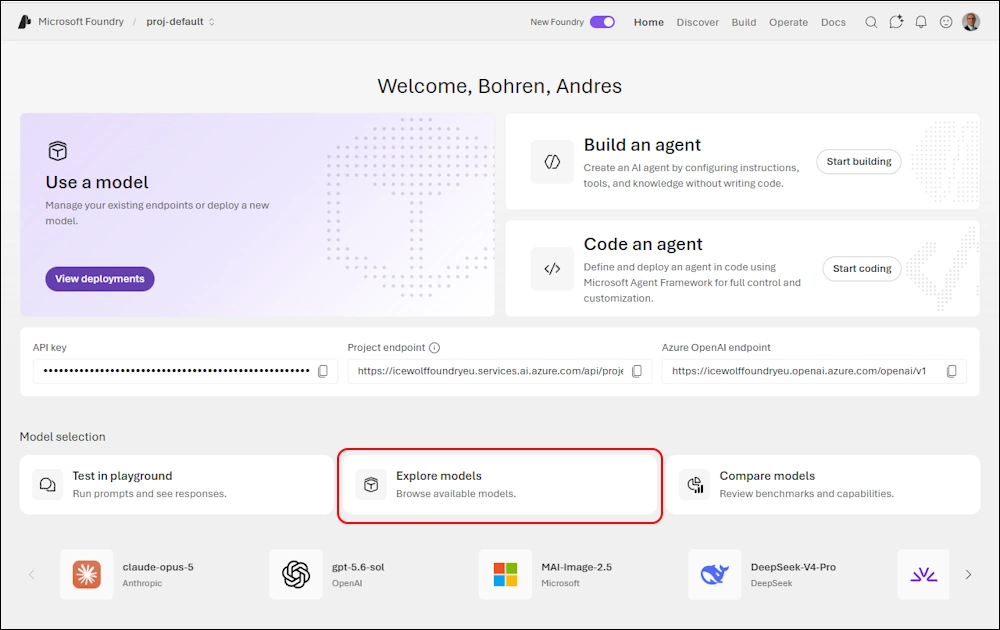
Let’s choose “Explore Models”
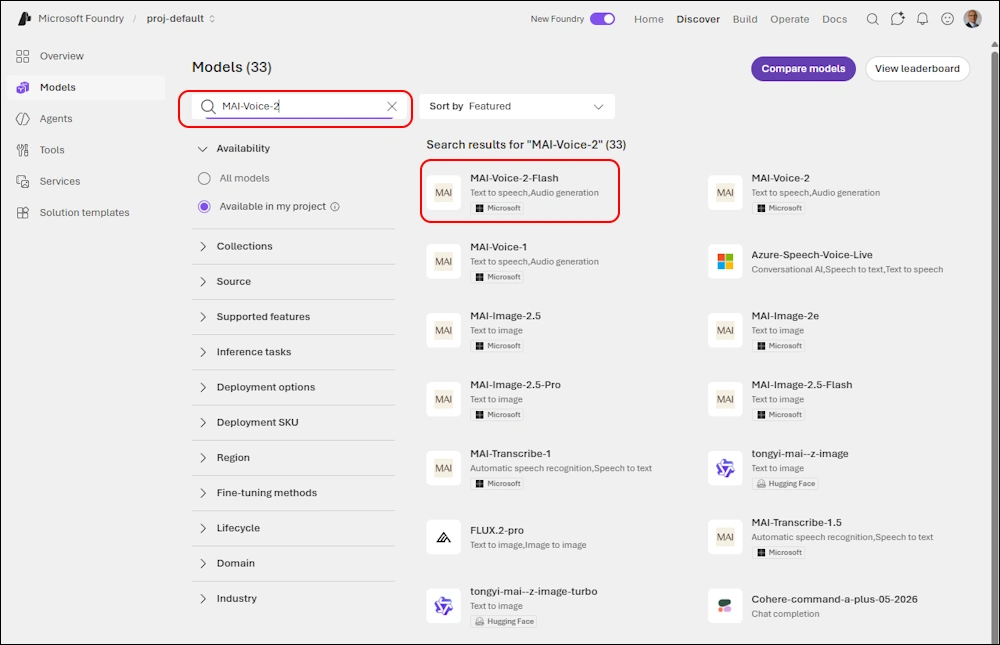
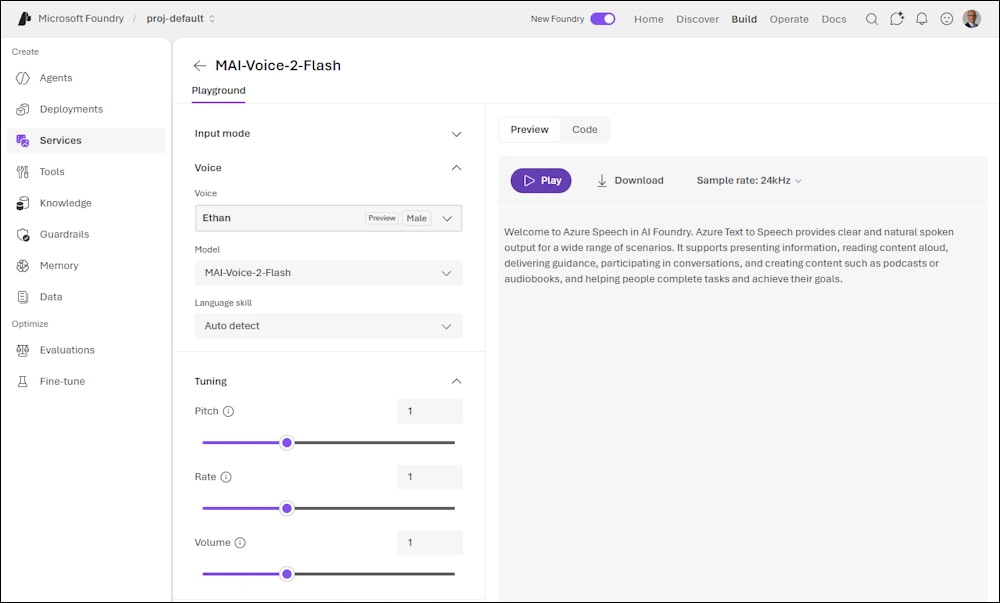
Search for “MAI-Voice-2” and select “MAI-Voice-2-Flash”
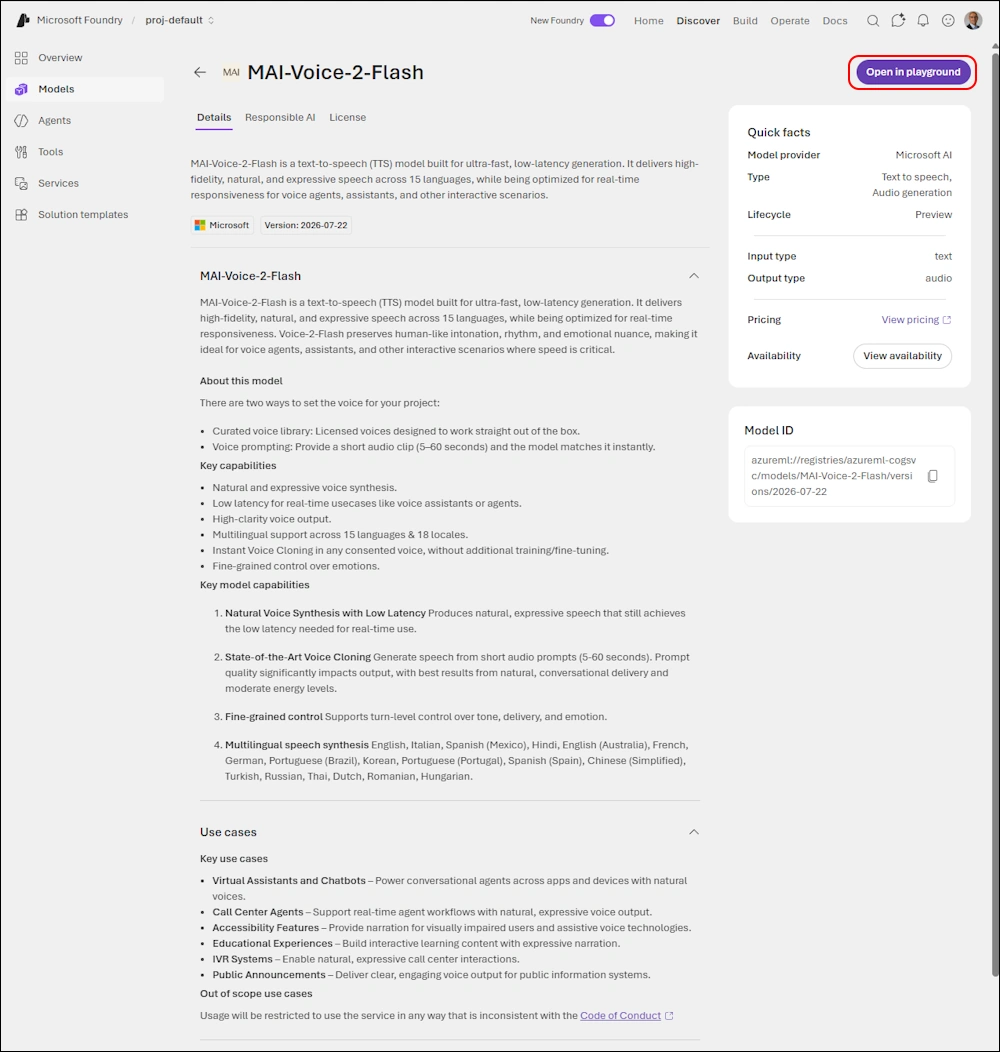
You get the details and can open it in the playground
Here is the playground wheere you can choos the Voice and change some of the parameters
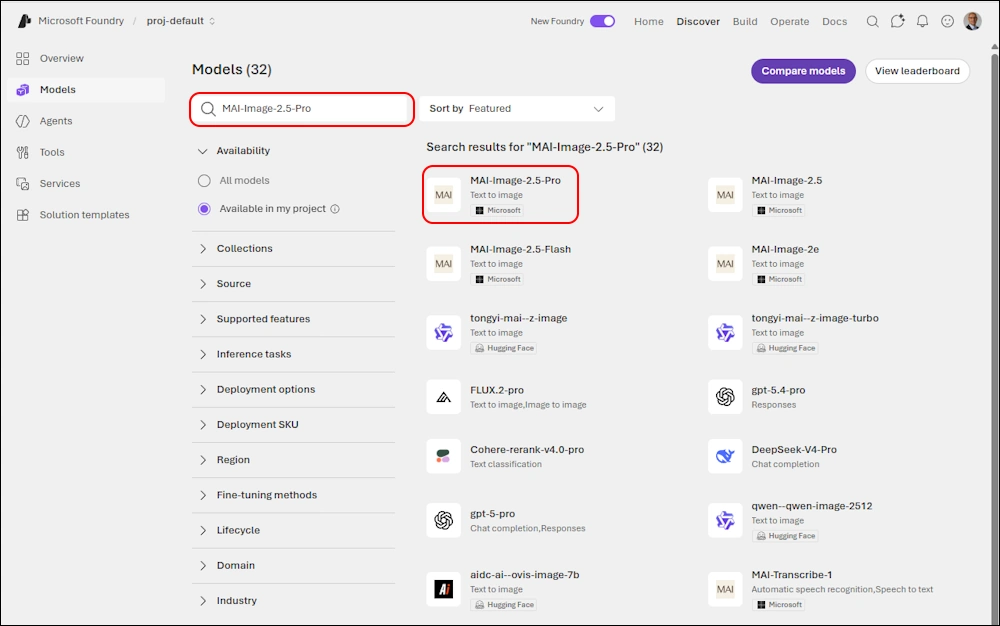
Let’s search vor “MAI-Image-2.5-Pro” and select it
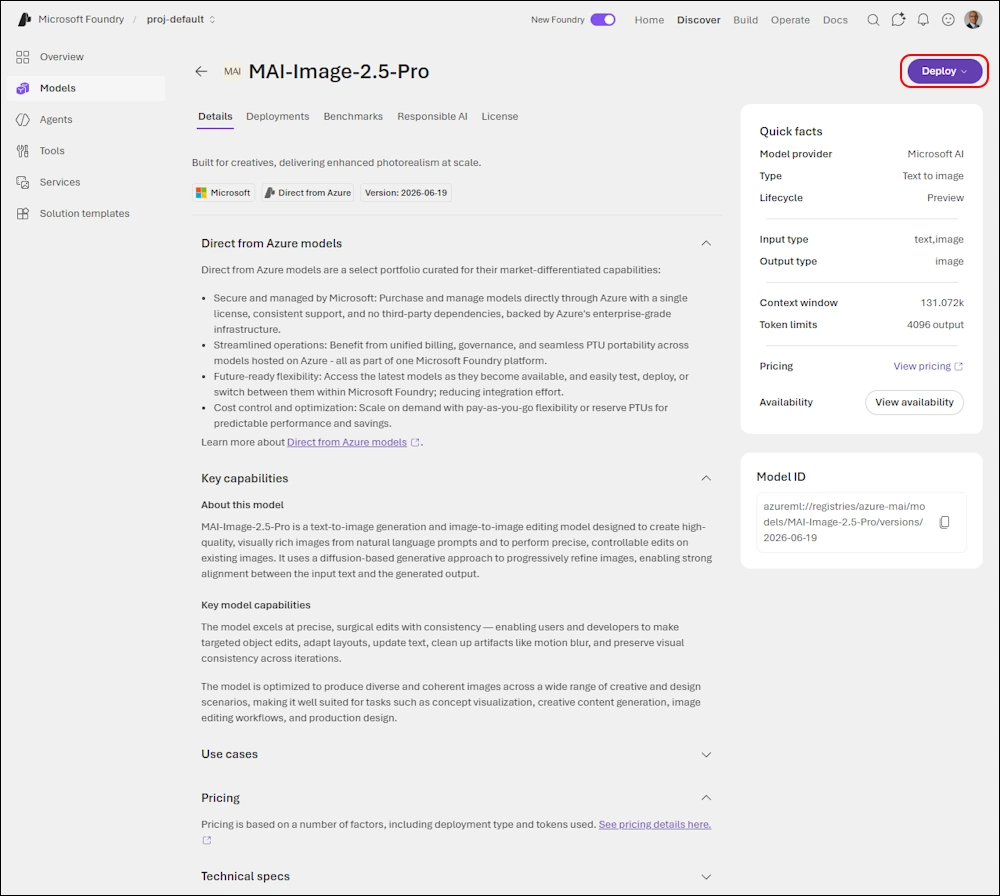
You get the Details but need to deploy it in order to test the Model
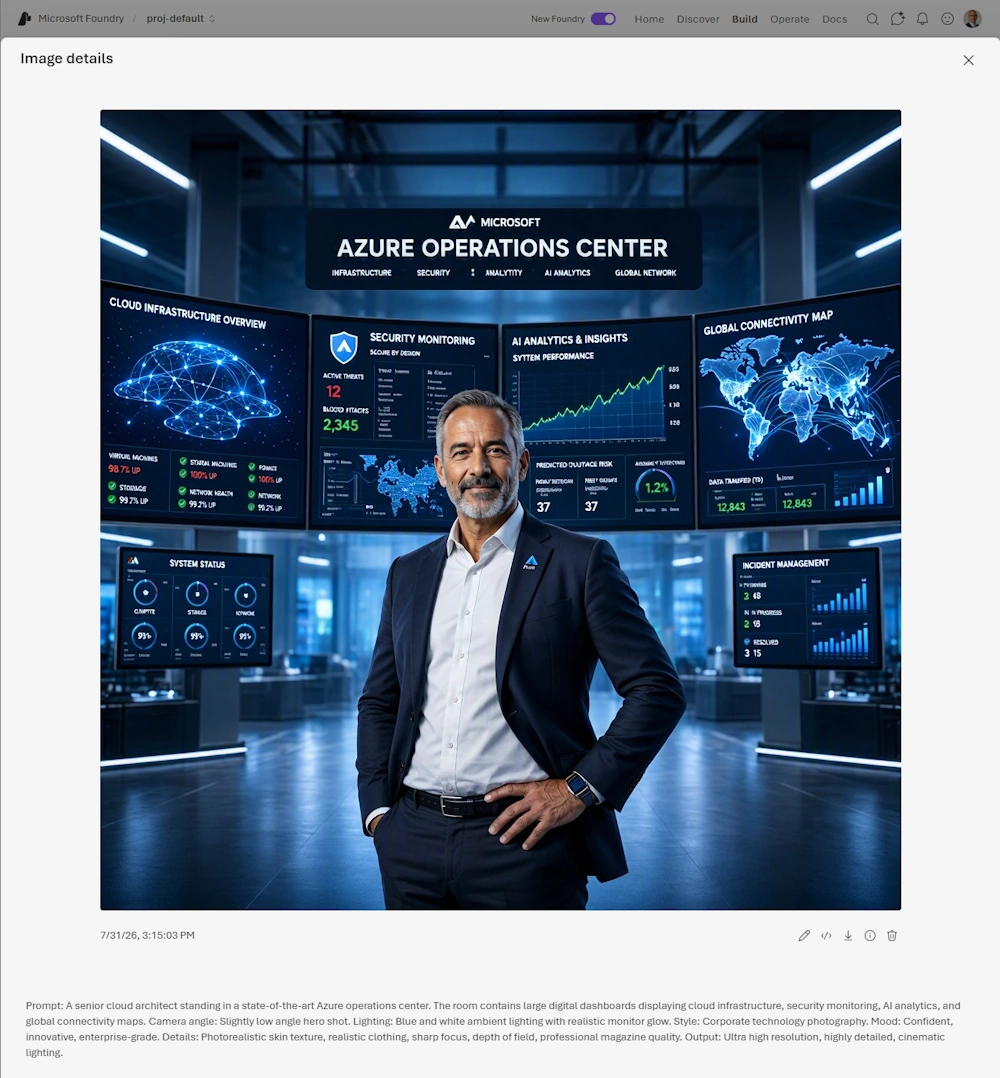
Here is my Promt that i generated with Copilot. I think the Result it’s quite impressive.
A senior cloud architect standing in a state-of-the-art Azure operations center.

The room contains large digital dashboards displaying cloud infrastructure, security monitoring, AI analytics, and global connectivity maps.

Camera angle:
Slightly low angle hero shot.

Lighting:
Blue and white ambient lighting with realistic monitor glow.

Style:
Corporate technology photography.

Mood:
Confident, innovative, enterprise-grade.

Details:
Photorealistic skin texture, realistic clothing, sharp focus, depth of field, professional magazine quality.

Output:
Ultra high resolution, highly detailed, cinematic lighting.
PowerShell
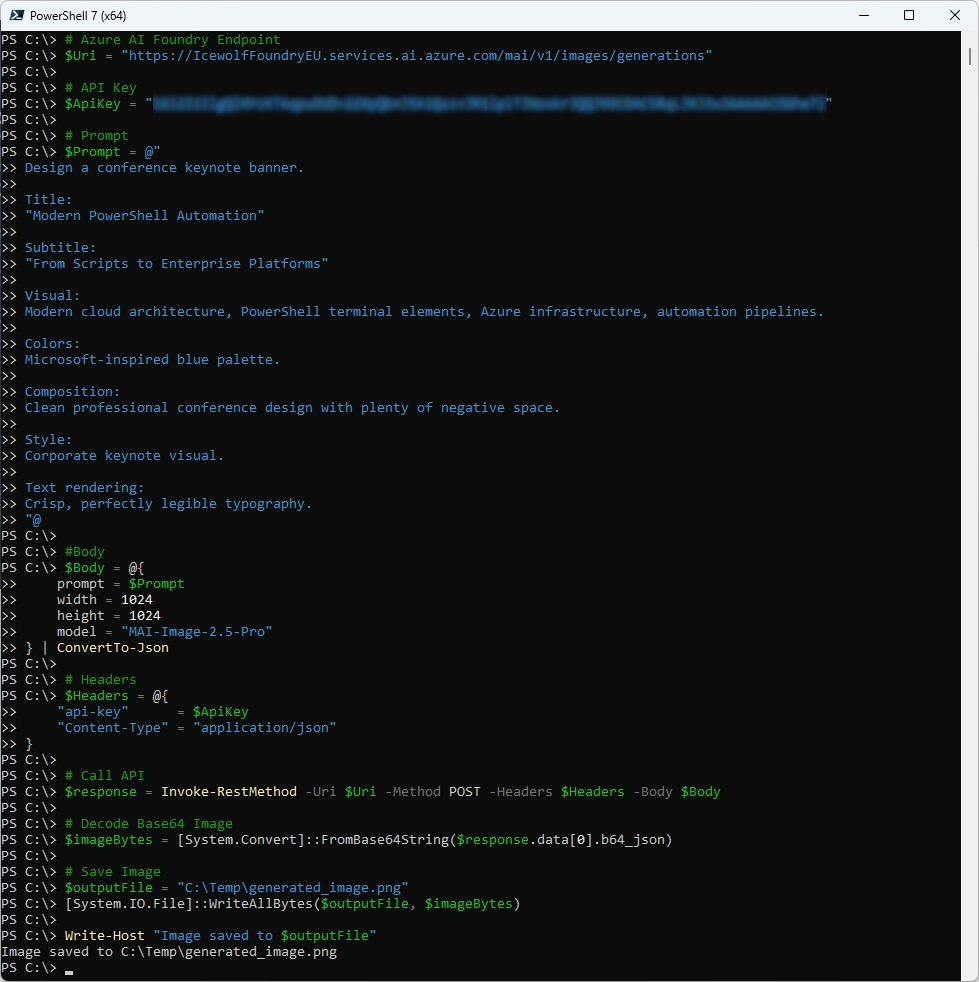
Let’s try to generate an image with PowerShell and use Microsoft Foundry as the Backend
# Azure AI Foundry Endpoint
$Uri = "https://IcewolfFoundryEU.services.ai.azure.com/mai/v1/images/generations"

# API Key
$ApiKey = "YourSecretAPIKey"

# Prompt
$Prompt = @"
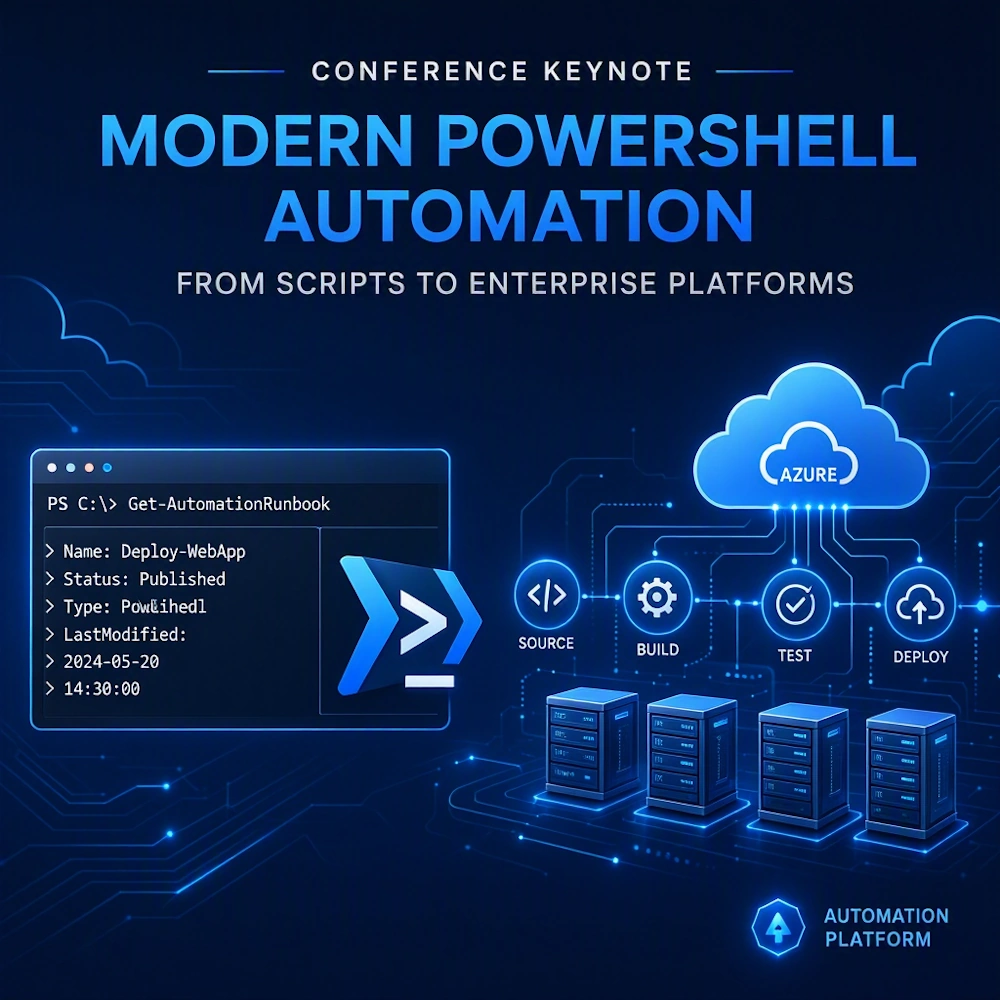
Design a conference keynote banner.

Title:
"Modern PowerShell Automation"

Subtitle:
"From Scripts to Enterprise Platforms"

Visual:
Modern cloud architecture, PowerShell terminal elements, Azure infrastructure, automation pipelines.

Colors:
Microsoft-inspired blue palette.

Composition:
Clean professional conference design with plenty of negative space.

Style:
Corporate keynote visual.

Text rendering:
Crisp, perfectly legible typography.
"@

#Body
$Body = @{
    prompt = $Prompt
    width = 1024
    height = 1024
    model = "MAI-Image-2.5-Pro"
} | ConvertTo-Json

# Headers
$Headers = @{
    "api-key"      = $ApiKey
    "Content-Type" = "application/json"
}

# Call API
$response = Invoke-RestMethod -Uri $Uri -Method POST -Headers $Headers -Body $Body

# Decode Base64 Image
$imageBytes = [System.Convert]::FromBase64String($response.data[0].b64_json)

# Save Image
$outputFile = "C:\Temp\generated_image.png"
[System.IO.File]::WriteAllBytes($outputFile, $imageBytes)

Write-Host "Image saved to $outputFile"
This is the generated Output
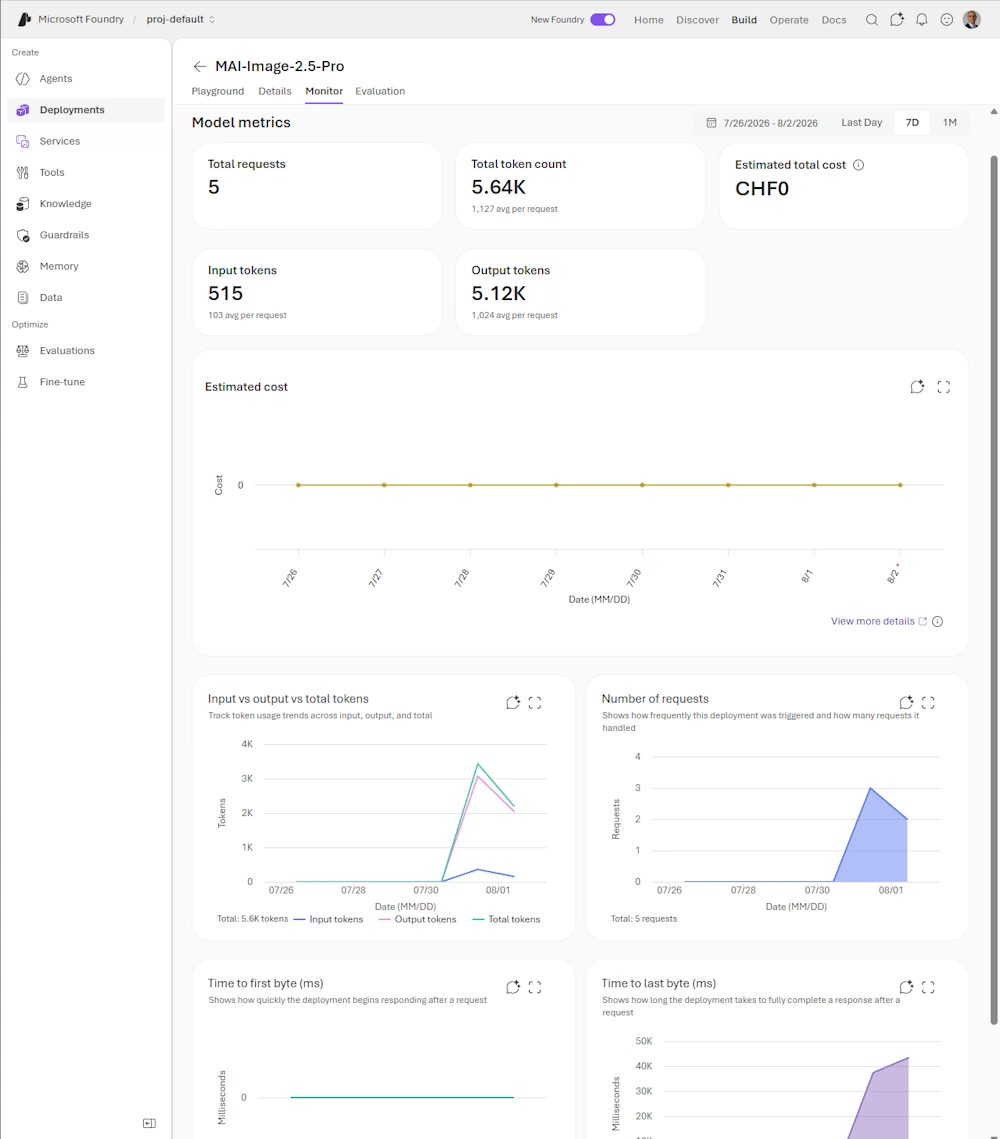
In Foundry under Monitor you can see the Statistics
Happy testing with Microsoft Foundry
Regards
Andres Bohren
Azure Logo Foundry Logo
