
Azure Automation Updates July 2026

Hi All,
Did you notice that there has been an Update to Azure Automation in July 2026?
Language Support by Azure Automation has been changed
- PowerShell 5.1 supported
- PowerShell 7.1 retired by Sept 30 2026
- PowerShell 7.2 retired by Sept 30 2026
- PowerShell 7.4 supported
- PowerShell 7.6 supported
- Python 2.7 retired by Sept 30 2026
- Python 3.8 retired by Sept 30 2026
- Python 3.8
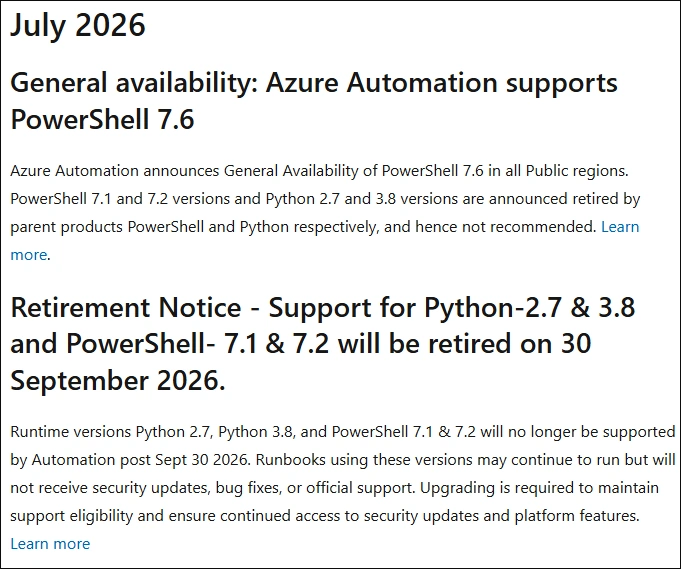
Runbooks and Runtime Environment
These are my Azure Runbooks and they are scattered around all diffrent Runtime Environments.
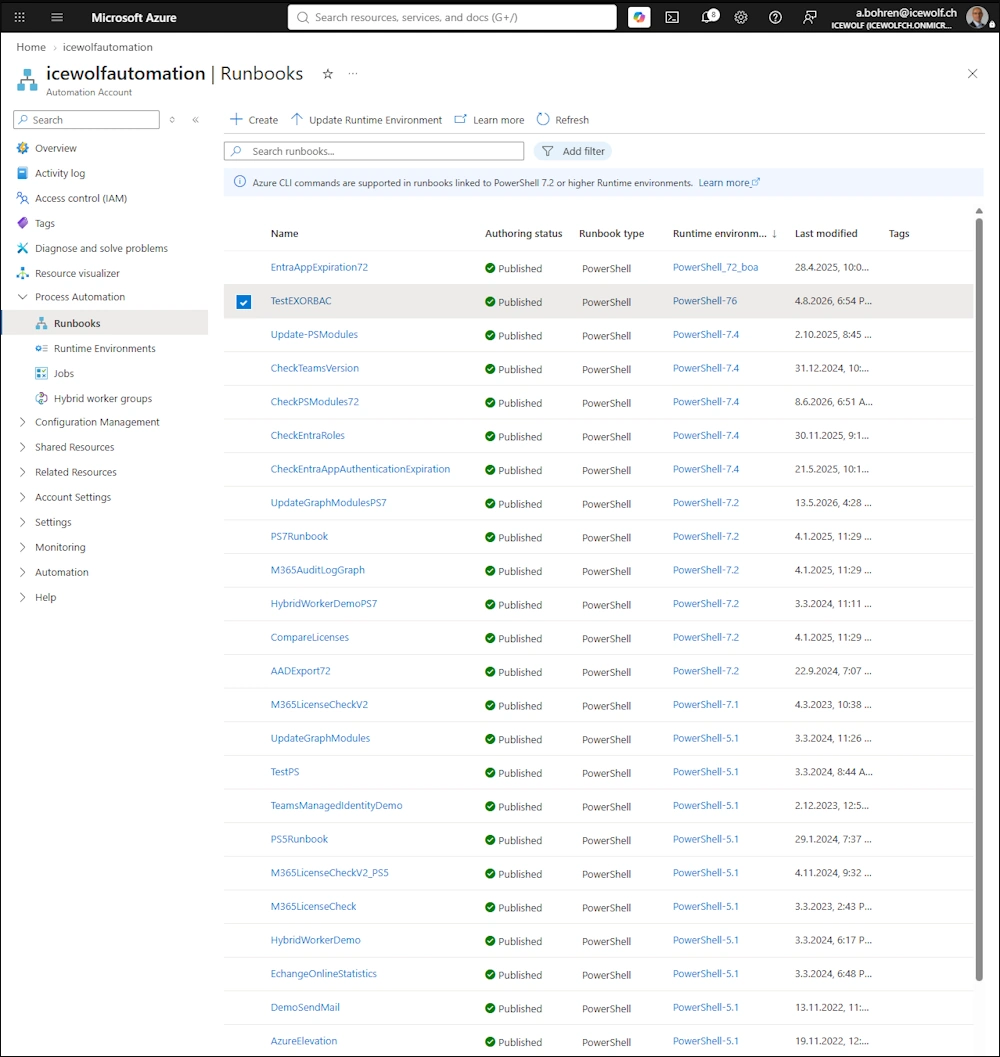
With the AZ PowerShell Modules you can get the Runbook Type, but not the Runtime Environment.
Get-AzAutomationRunbook -ResourceGroupName "RG_DEV" -AutomationAccountName "icewolfautomation" | Sort-Object RunbookType | ft RunbookType, Name
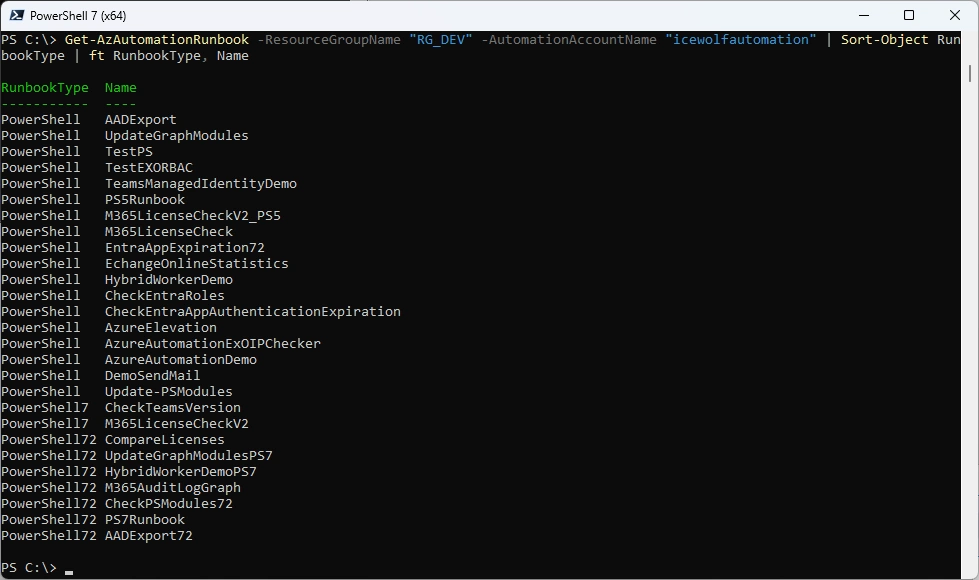
You can get the Runtime Environment with the following API Call
###############################################################################
# Get Runtime Environments
###############################################################################
#https://learn.microsoft.com/en-us/rest/api/automation/runtime-environments?view=rest-automation-2024-10-23
$SubscriptionID = "42ecead4-eae9-4456-997c-1580c58b54ba"
$ResourceGroupName = "RG_DEV"
$AutomationAccountName = "IcewolfAutomation"

#Invoke AzRestMethod
$Result = Invoke-AzRestMethod -Method "GET" -Path "/subscriptions/$SubscriptionID/resourceGroups/$ResourceGroupName/providers/Microsoft.Automation/automationAccounts/$AutomationAccountName/runtimeEnvironments?api-version=2024-10-23"

#List Names Convert frm JSON and select Name
($result.Content | convertFrom-Json).Value | Select-Object Name
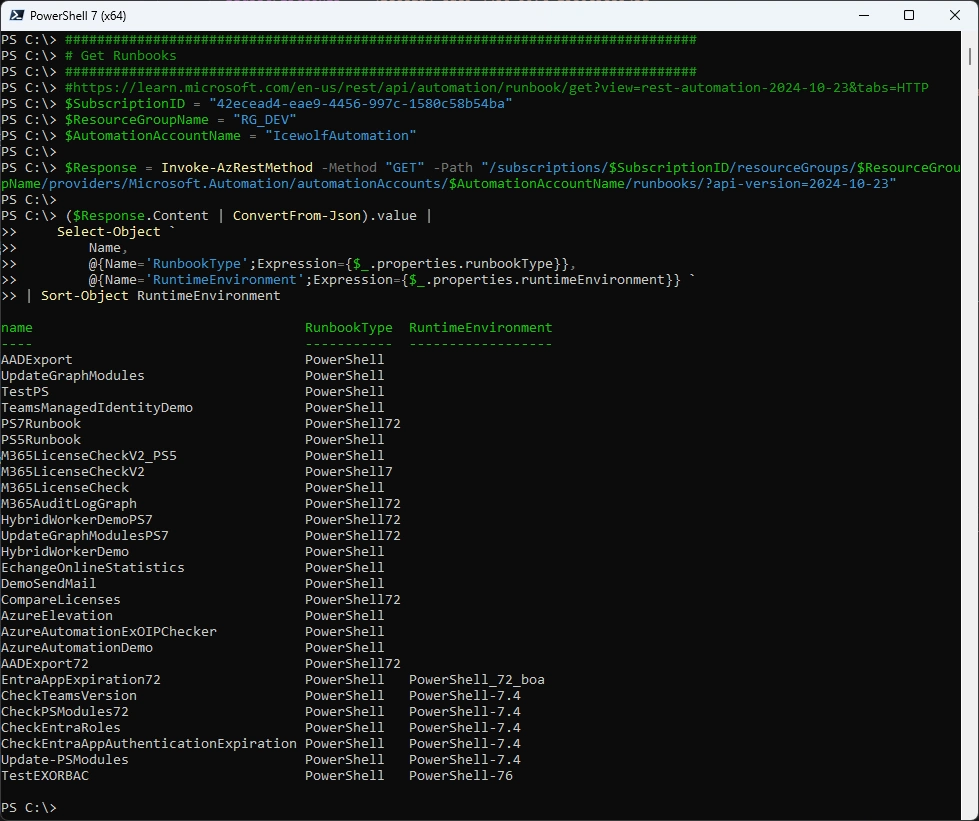
When you list the Runbooks via API you can get the Runtime Environment too
###############################################################################
# Get Runbooks
###############################################################################
#https://learn.microsoft.com/en-us/rest/api/automation/runbook/get?view=rest-automation-2024-10-23&tabs=HTTP
$SubscriptionID = "42ecead4-eae9-4456-997c-1580c58b54ba"
$ResourceGroupName = "RG_DEV"
$AutomationAccountName = "IcewolfAutomation"

$Response = Invoke-AzRestMethod -Method "GET" -Path "/subscriptions/$SubscriptionID/resourceGroups/$ResourceGroupName/providers/Microsoft.Automation/automationAccounts/$AutomationAccountName/runbooks/?api-version=2024-10-23"

($Response.Content | ConvertFrom-Json).value |
    Select-Object `
        Name,
        @{Name='RunbookType';Expression={$_.properties.runbookType}},
        @{Name='RuntimeEnvironment';Expression={$_.properties.runtimeEnvironment}} `
| Sort-Object RuntimeEnvironment`
Migrate Runbooks to a Runbook Environment
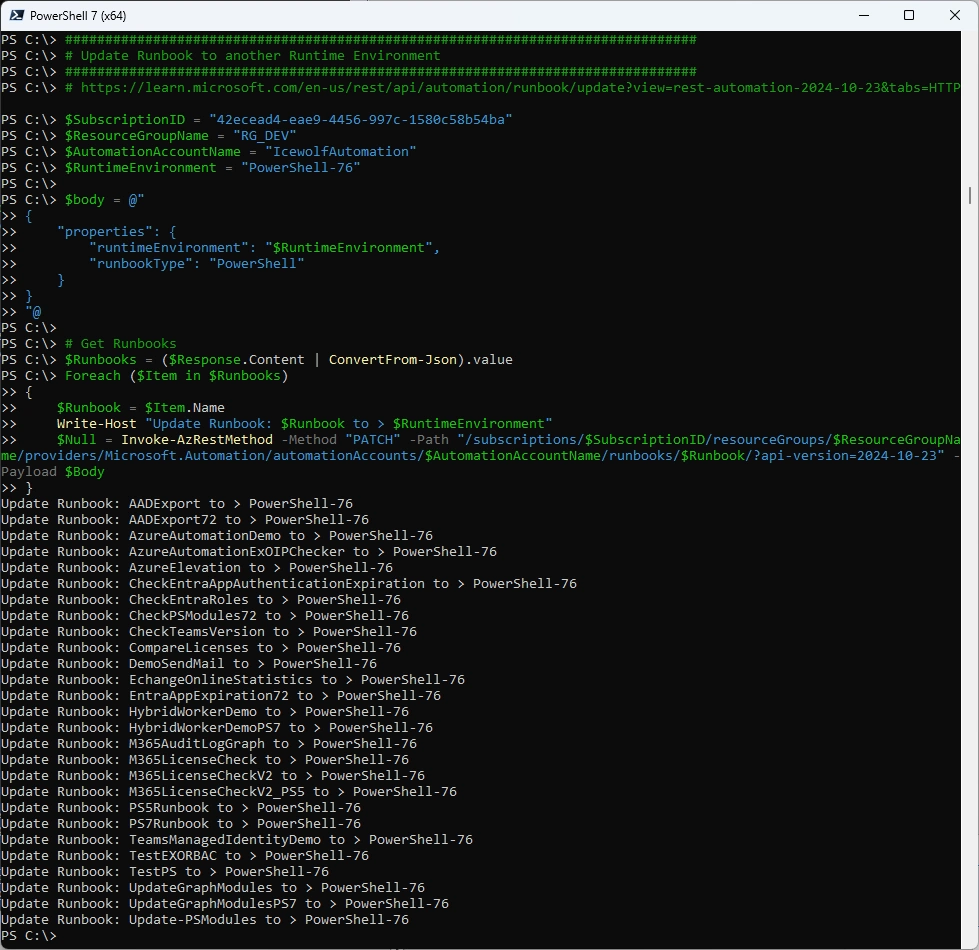
With the following Script i update all Azure Runbooks from an Automation Account to PowerShell 7.6 Runtime Environment
###############################################################################
# Update Runbook to another Runtime Environment
###############################################################################
# https://learn.microsoft.com/en-us/rest/api/automation/runbook/update?view=rest-automation-2024-10-23&tabs=HTTP
$SubscriptionID = "42ecead4-eae9-4456-997c-1580c58b54ba"
$ResourceGroupName = "RG_DEV"
$AutomationAccountName = "IcewolfAutomation"
$RuntimeEnvironment = "PowerShell-76"

$body = @"
{
    "properties": {
        "runtimeEnvironment": "$RuntimeEnvironment",
        "runbookType": "PowerShell"
    }
}
"@

# Get Runbooks
$Runbooks = ($Response.Content | ConvertFrom-Json).value
Foreach ($Item in $Runbooks)
{
    $Runbook = $Item.Name
    Write-Host "Update Runbook: $Runbook to > $RuntimeEnvironment"
    $Null = Invoke-AzRestMethod -Method "PATCH" -Path "/subscriptions/$SubscriptionID/resourceGroups/$ResourceGroupName/providers/Microsoft.Automation/automationAccounts/$AutomationAccountName/runbooks/$Runbook/?api-version=2024-10-23" -Payload $Body
}
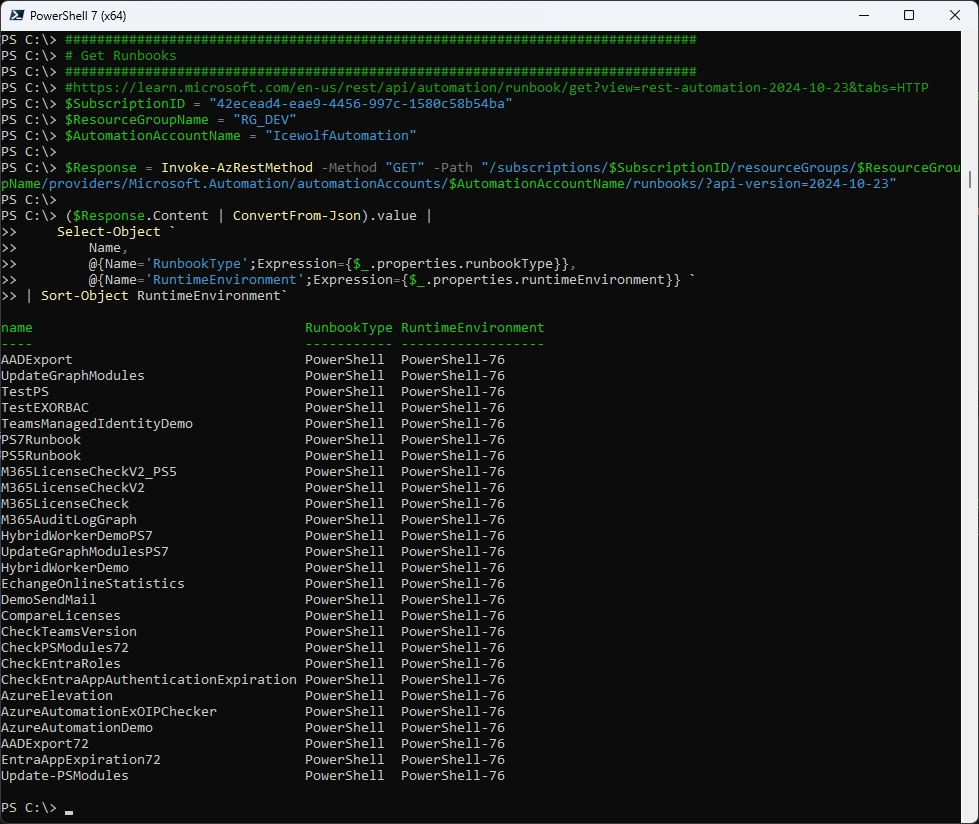
Let’s check the Azure Runbooks again
###############################################################################
# Get Runbooks
###############################################################################
#https://learn.microsoft.com/en-us/rest/api/automation/runbook/get?view=rest-automation-2024-10-23&tabs=HTTP
$SubscriptionID = "42ecead4-eae9-4456-997c-1580c58b54ba"
$ResourceGroupName = "RG_DEV"
$AutomationAccountName = "IcewolfAutomation"

$Response = Invoke-AzRestMethod -Method "GET" -Path "/subscriptions/$SubscriptionID/resourceGroups/$ResourceGroupName/providers/Microsoft.Automation/automationAccounts/$AutomationAccountName/runbooks/?api-version=2024-10-23"

($Response.Content | ConvertFrom-Json).value |
    Select-Object `
        Name,
        @{Name='RunbookType';Expression={$_.properties.runbookType}},
        @{Name='RuntimeEnvironment';Expression={$_.properties.runtimeEnvironment}} `
| Sort-Object RuntimeEnvironment`
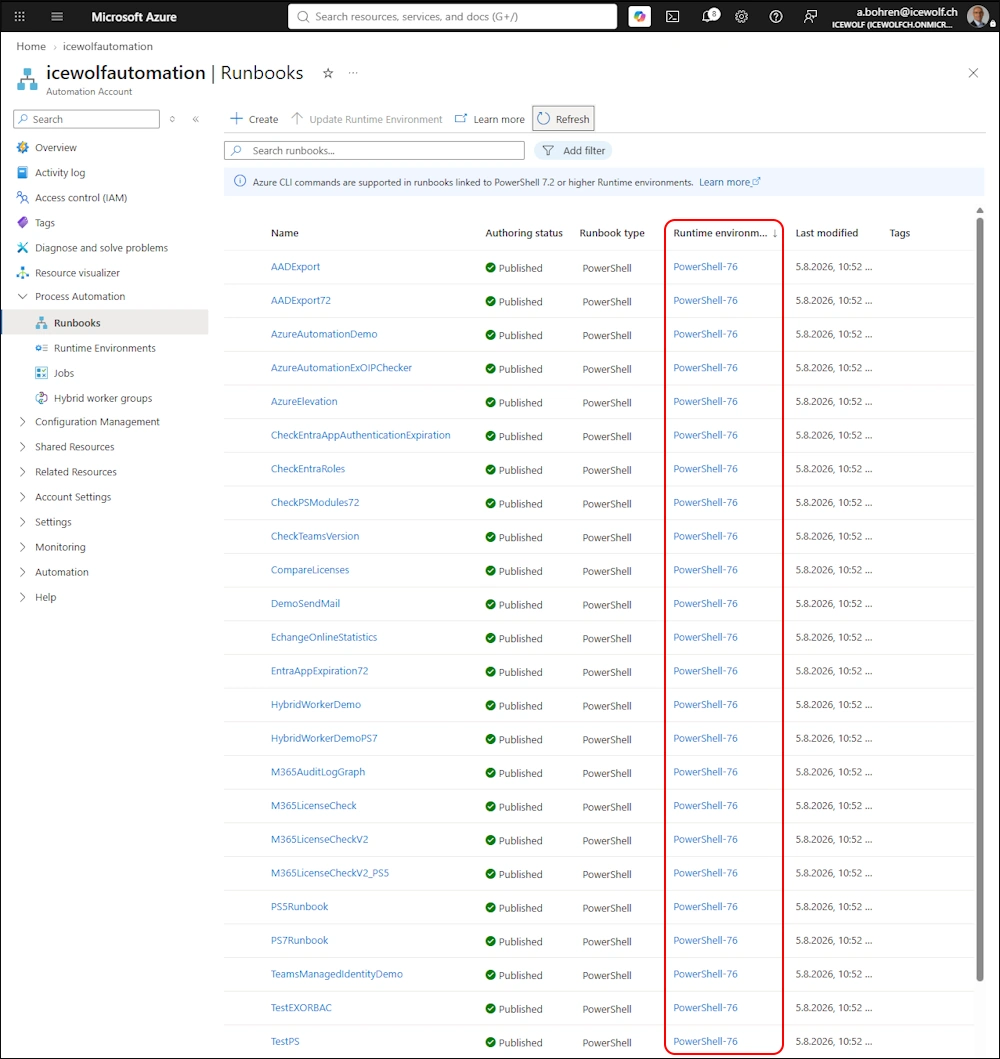
In the Azure Portal is the same view
If you look at the Runtime Environments, there are “System-generated Runtime Environements”
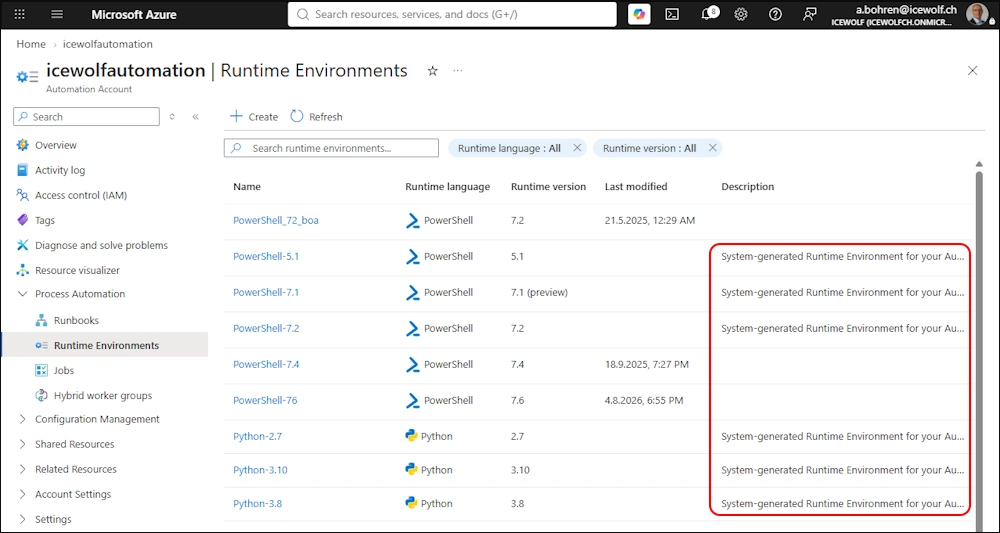
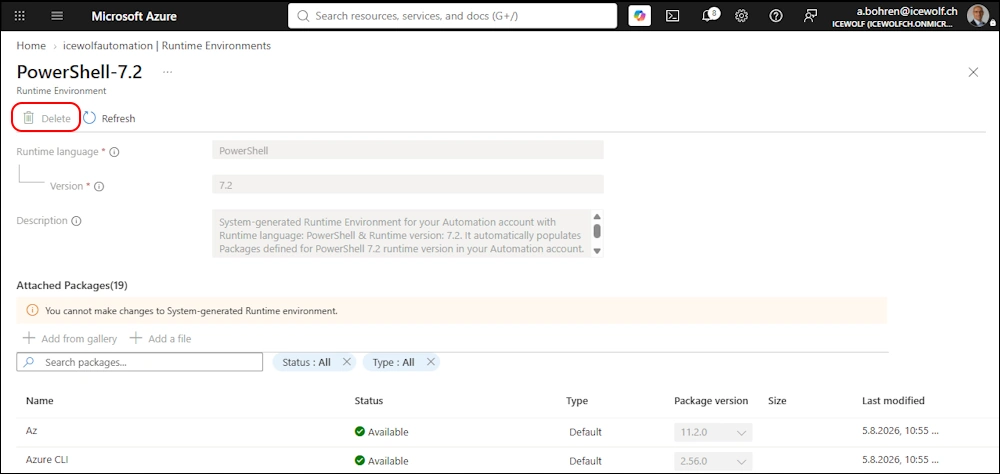
System-generated Runtime Environements can’t be deleted
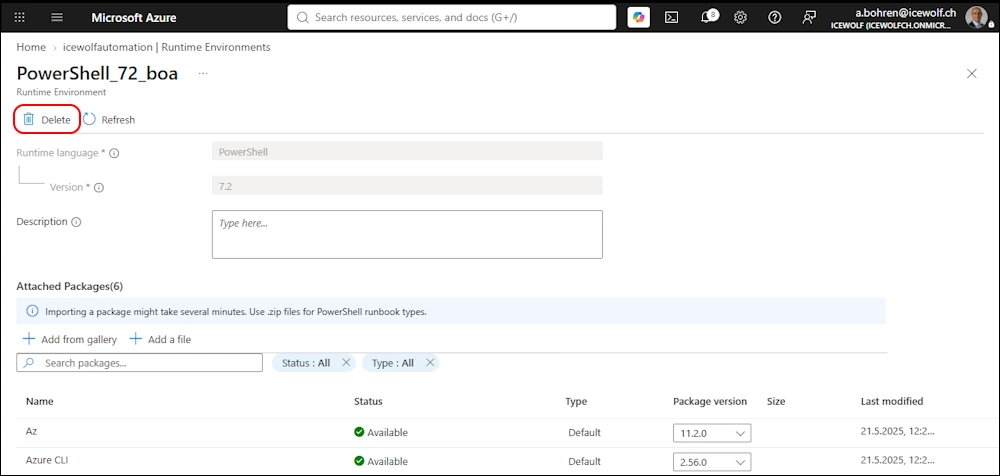
Custom created Runtime Environments can be deleted
PowerShell 7.6 Version
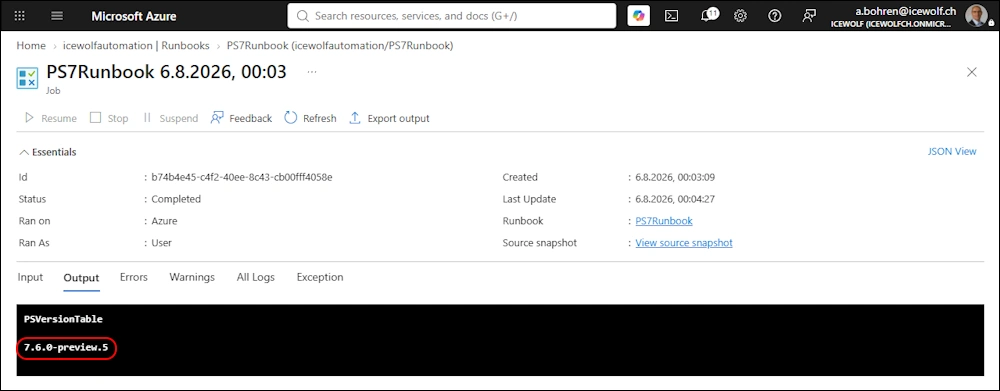
Let’s check the Version of PowerShell 7.6 - it’s still the 7.6.0-preview5
Write-Output "PSVersionTable"
Write-Output "$($PSVersionTable.PSVersion.ToString())"
Packages / PowerShell Modules
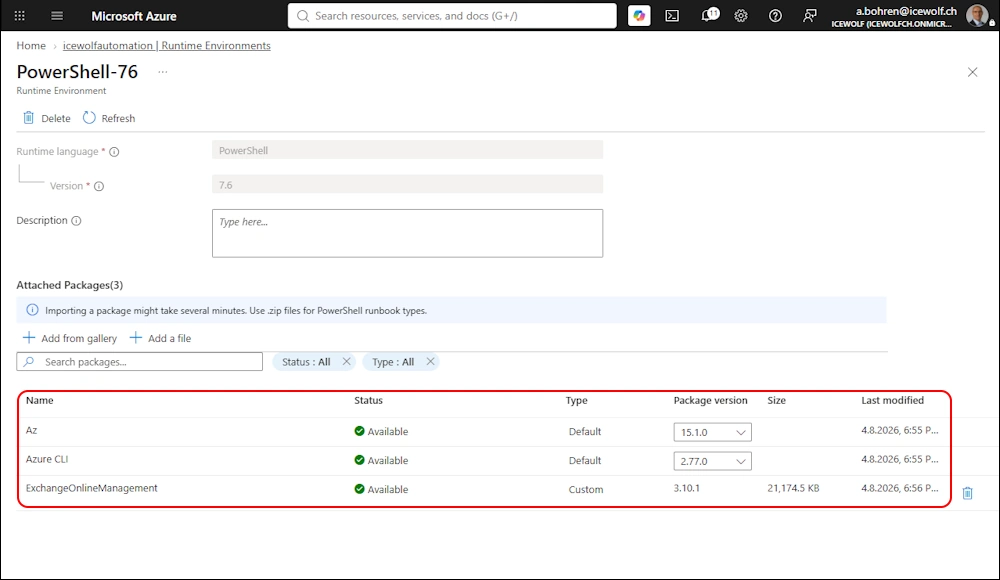
Now that i have migrated all Azure Runbooks to PowerShell 7.6 Runtime Environment, i need to make sure, i have all the required Packages (PowerShell Modules) in there
###############################################################################
# Variables
###############################################################################
$SubscriptionID = "42ecead4-eae9-4456-997c-1580c58b54ba"
$ResourceGroupName = "RG_DEV"
$AutomationAccountName = "icewolfautomation"
$RuntimeEnvironment = "PowerShell-76"

###############################################################################
# Array of Modules
###############################################################################
$Modules = @()
$Modules += "Microsoft.PowerShell.PSResourceGet"
$Modules += "PackageManagement"
$Modules += "Az.Accounts"
$Modules += "Az.Automation"
$Modules += "Az.Storage"
$Modules += "Microsoft.Graph.Authentication"
$Modules += "Microsoft.Graph.Applications"
$Modules += "Microsoft.Graph.Beta.Security"
$Modules += "Microsoft.Graph.Groups"
$Modules += "Microsoft.Graph.Identity.DirectoryManagement"
$Modules += "Microsoft.Graph.Mail"
$Modules += "Microsoft.Graph.Users"
$Modules += "Microsoft.Graph.Users.Actions"
$Modules += "MicrosoftTeams"
$Modules += "ExchangeOnlineManagement"
$Modules += "MSIdentityTools"
$Modules += "Microsoft.Online.SharePoint.PowerShell"
$Modules += "PnP.PowerShell"
$Modules += "PSMSALNet"

###############################################################################
# Connect to Azure
###############################################################################
Write-Output "Connect-AzAccount"
Connect-AzAccount -Identity

###############################################################################
# Add Powershell Package
###############################################################################
Foreach ($Module in $Modules)
{
    Write-Output "Module: $Module"
    $PSGallery = Find-PSResource -Name $Module
    $Version = $PSGallery.Version.ToString()
    #$NupkgURI = ("https://psg-prod-eastus.azureedge.net/packages/$Module.$Version.nupkg").ToLower()
    $NupkgURI = "https://www.powershellgallery.com/api/v2/package/$Module/$Version"
    Write-Output "NupkgURI: $NupkgURI"

#Create NuGetURL
$body = @"
{
"properties": {
    "contentLink": {
    "uri": "$NupkgURI"
    }
  }
}
"@

    #Invoke Package Installation
    $Result = Invoke-AzRestMethod -Method "PUT" -Path "/subscriptions/$SubscriptionID/resourceGroups/$ResourceGroupName/providers/Microsoft.Automation/automationAccounts/$AutomationAccountName/runtimeEnvironments/$RuntimeEnvironment/packages/$Module/?api-version=2023-05-15-preview" -Payload $Body
}

###############################################################################
# Get PowerShell Packages
###############################################################################
Do {
Write-Host "Checking Packages..."
$Result = Invoke-AzRestMethod -Method "GET" -Path "/subscriptions/$SubscriptionID/resourceGroups/$ResourceGroupName/providers/Microsoft.Automation/automationAccounts/$AutomationAccountName/runtimeEnvironments/$RuntimeEnvironment/packages/?api-version=2023-05-15-preview"

$Object = ($Result.Content | convertFrom-Json).Value
$Array = $Object | select name, @{Name="Version";Expression={$_.properties.version}},@{Name="provisioningState";Expression={$_.properties.provisioningState}}
$Packages = $Array | where {$_.provisioningState -ne "Succeeded" -and $_.provisioningState -ne "Failed"}
Start-Sleep -Seconds 15
}
While ($Null -ne $Packages)
Write-Output "No installation pending"

###############################################################################
# Disconnect from Azure
###############################################################################
Write-Output "Disconnect-AzAccount"
Disconnect-AzAccount
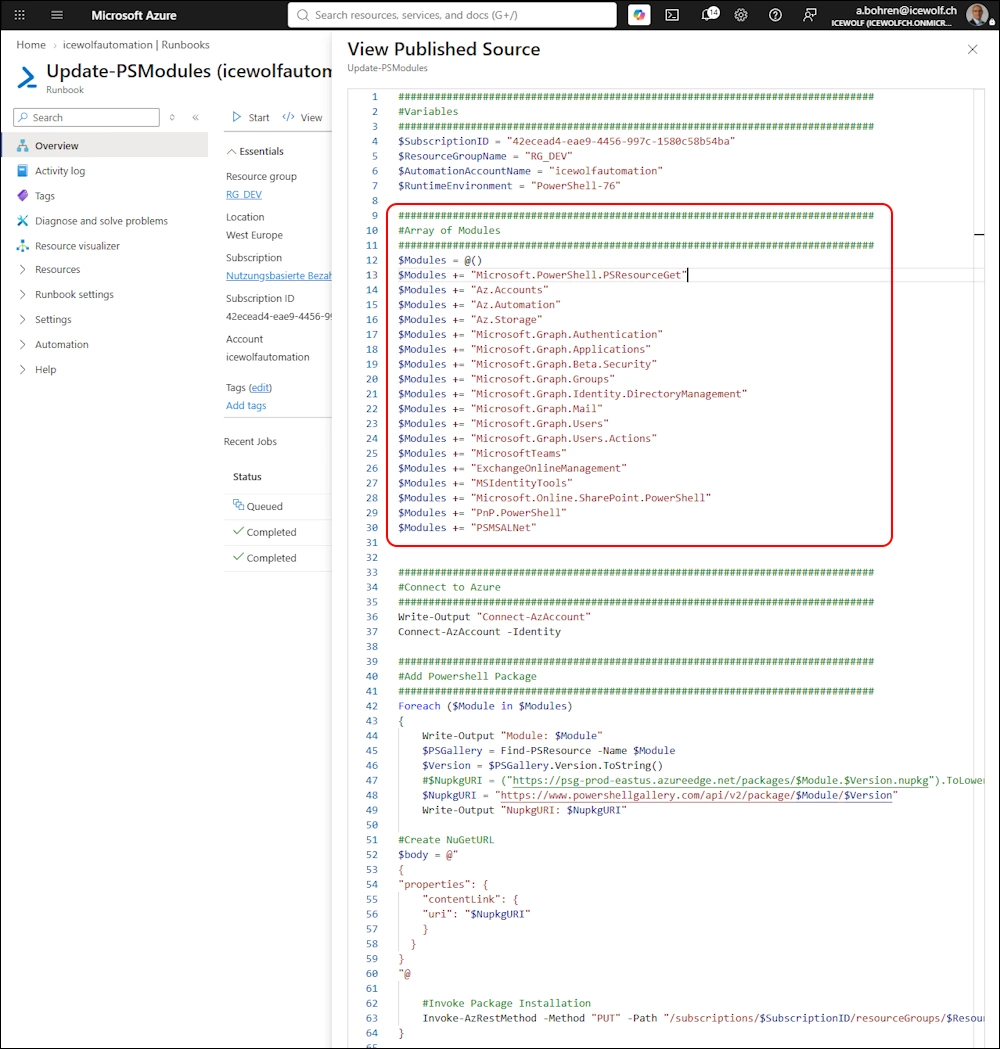
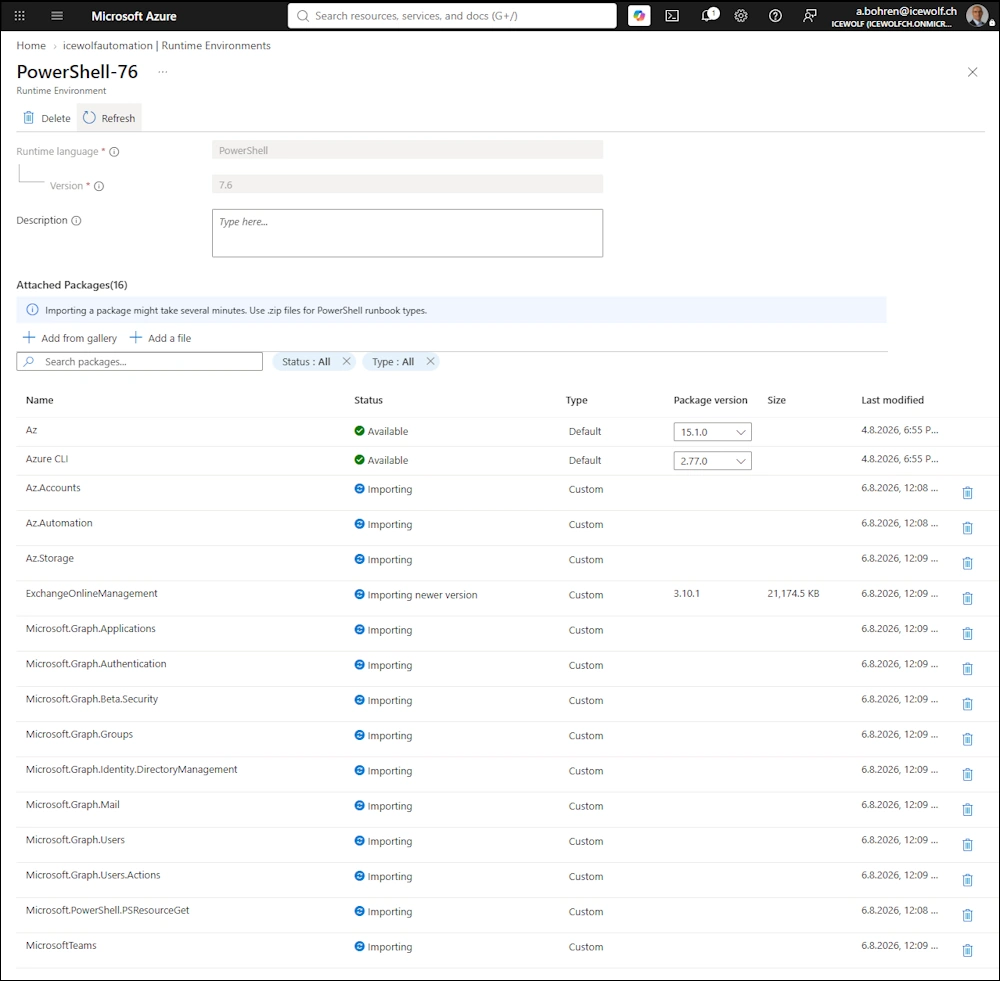
Modules are beeing installed
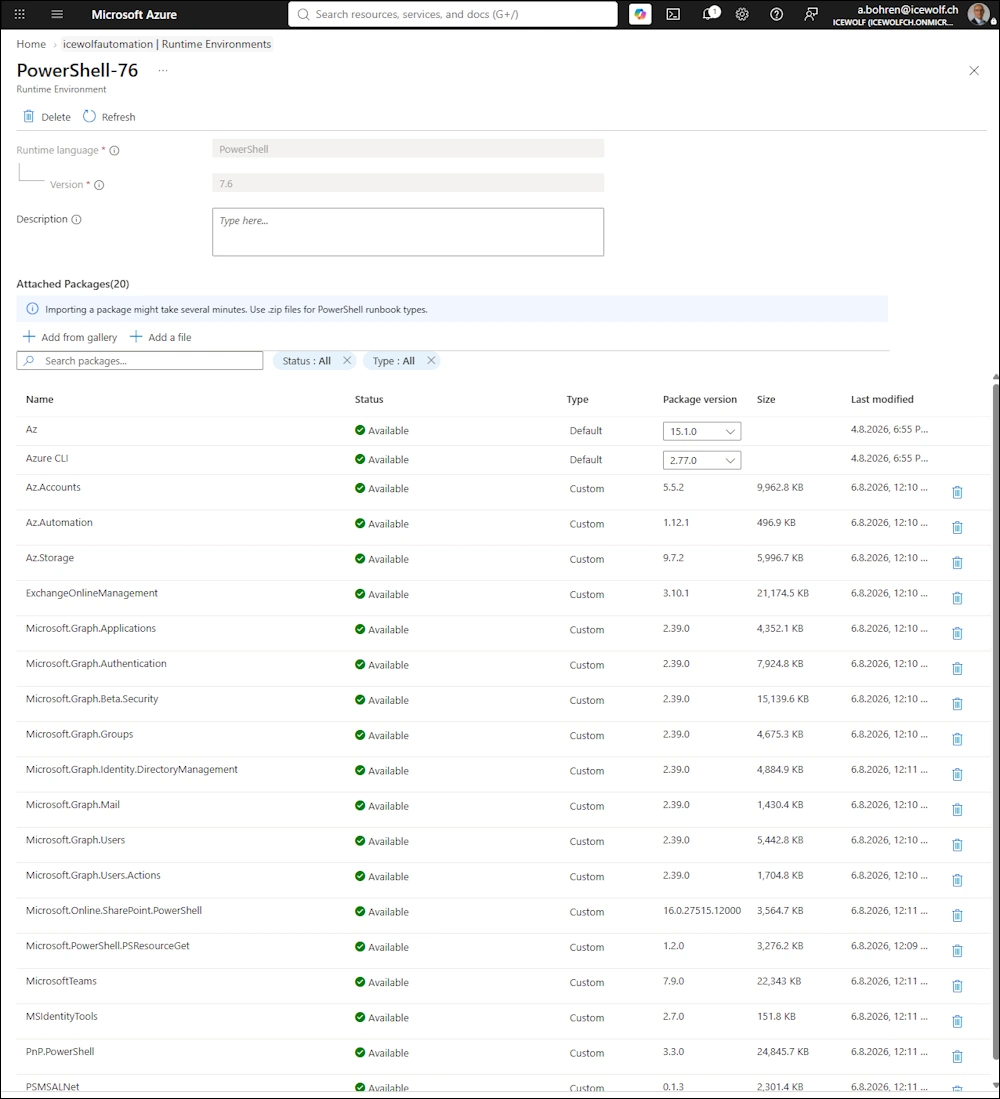
Modules are installed
Testing
Now make sure you test all your Runbooks so they work properly with the new PowerShell Version and have all the Modules they need.
Additional Information
Here are some additional Informations:
- Azure Automation Runtime Environments Preview
- Update PowerShell Modules on Azure Automation Runtime Environments
- Azure Automation Account Runtime Environment 7.6 with AZ PowerShell
Regards
Andres Bohren
Azure Logo PowerShell Logo
