
MicrosoftTeams PowerShell Module 8.0.0 released

Hi All,
A few days ago, Microsoft has released the MicrosoftTeams PowerShell Module 8.0.0 to the PowerShell Gallery.
- PowerShell Gallery MicrosoftTeams 8.0.0
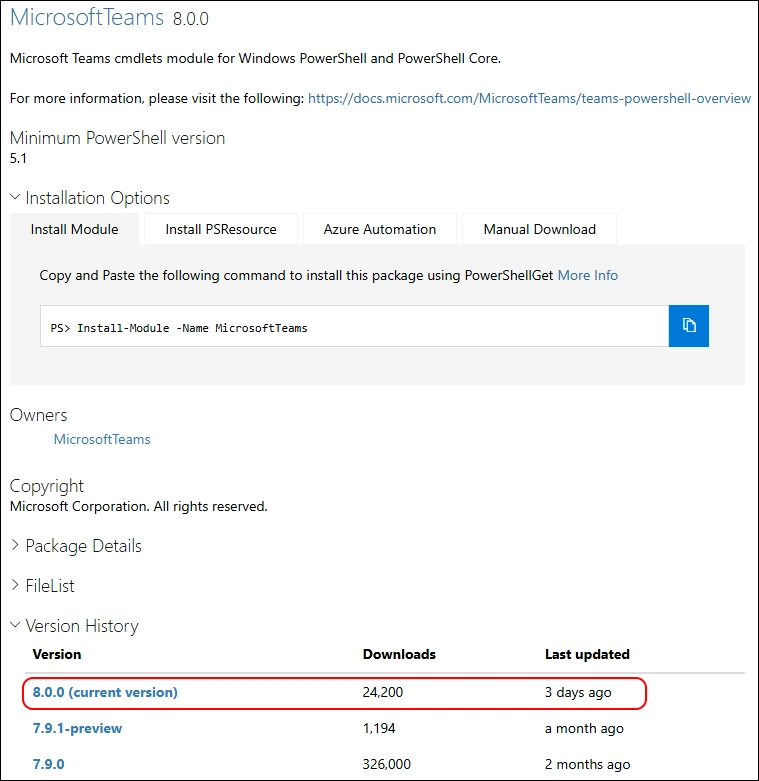
Release Notes:
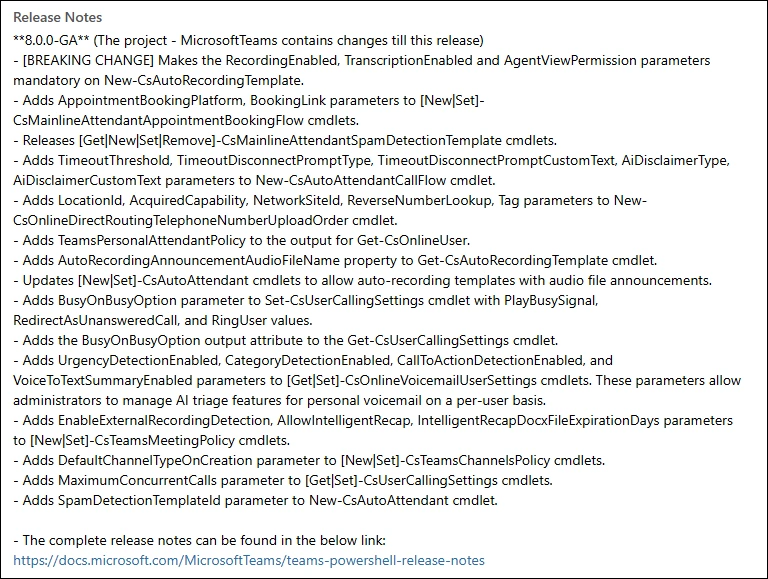
- [BREAKING CHANGE] Makes the RecordingEnabled, TranscriptionEnabled and AgentViewPermission parameters mandatory on New-CsAutoRecordingTemplate.
- Adds AppointmentBookingPlatform, BookingLink parameters to [New|Set]-CsMainlineAttendantAppointmentBookingFlow cmdlets.
- Releases [Get|New|Set|Remove]-CsMainlineAttendantSpamDetectionTemplate cmdlets.
- Adds TimeoutThreshold, TimeoutDisconnectPromptType, TimeoutDisconnectPromptCustomText, AiDisclaimerType, AiDisclaimerCustomText parameters to New-CsAutoAttendantCallFlow cmdlet.
- Adds LocationId, AcquiredCapability, NetworkSiteId, ReverseNumberLookup, Tag parameters to New-CsOnlineDirectRoutingTelephoneNumberUploadOrder cmdlet.
- Adds TeamsPersonalAttendantPolicy to the output for Get-CsOnlineUser.
- Adds AutoRecordingAnnouncementAudioFileName property to Get-CsAutoRecordingTemplate cmdlet.
- Updates [New|Set]-CsAutoAttendant cmdlets to allow auto-recording templates with audio file announcements.
- Adds BusyOnBusyOption parameter to Set-CsUserCallingSettings cmdlet with PlayBusySignal, RedirectAsUnansweredCall, and RingUser values.
- Adds the BusyOnBusyOption output attribute to the Get-CsUserCallingSettings cmdlet.
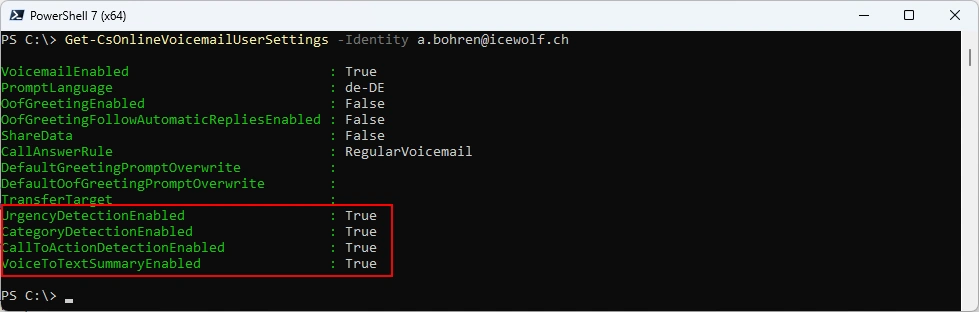
- Adds UrgencyDetectionEnabled, CategoryDetectionEnabled, CallToActionDetectionEnabled, and VoiceToTextSummaryEnabled parameters to [Get|Set]-CsOnlineVoicemailUserSettings cmdlets. These parameters allow administrators to manage AI triage features for personal voicemail on a per-user basis.
- Adds EnableExternalRecordingDetection, AllowIntelligentRecap, IntelligentRecapDocxFileExpirationDays parameters to [New|Set]-CsTeamsMeetingPolicy cmdlets.
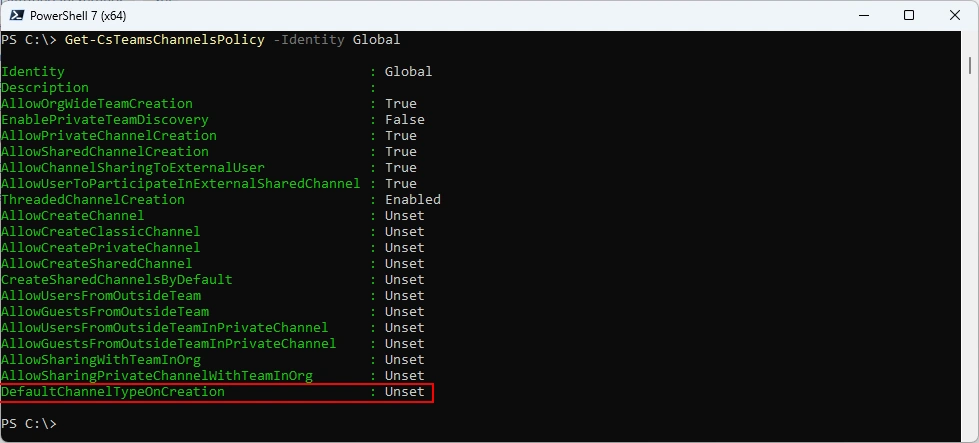
- Adds DefaultChannelTypeOnCreation parameter to [New|Set]-CsTeamsChannelsPolicy cmdlets.
- Adds MaximumConcurrentCalls parameter to [Get|Set]-CsUserCallingSettings cmdlets.
- Adds SpamDetectionTemplateId parameter to New-CsAutoAttendant cmdlet.
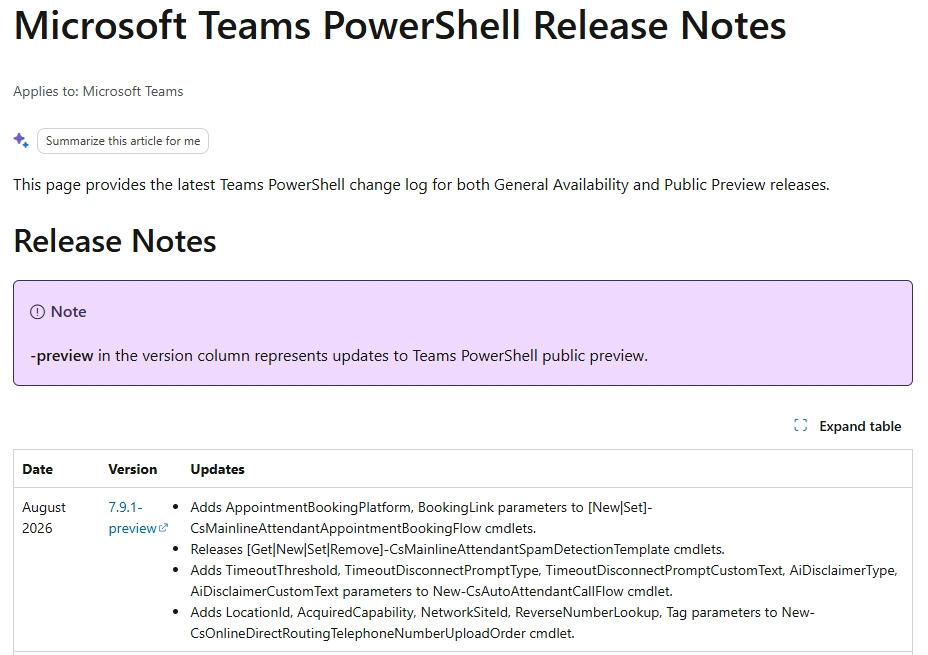
The Release Notes Website seems not yet updated
I am using the new PSResourceGet here instead of the PowerShellGet commands.
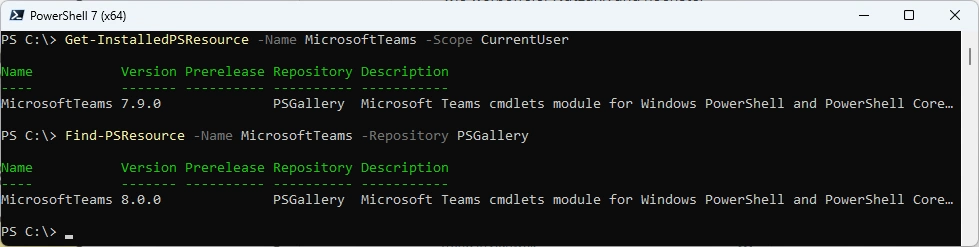
Check installed Module and what’s available in the PowerShell Gallery
Get-InstalledPSResource -Name MicrosoftTeams -Scope CurrentUser
Find-PSResource -Name MicrosoftTeams -Prerelease
Uninstall the old Module
Uninstall-PSResource -Name MicrosoftTeams -Scope CurrentUser

Install the new Version and check it
Install-PSResource -Name MicrosoftTeams -Scope CurrentUser -Repository PSGallery
Get-InstalledPSResource -Name MicrosoftTeams -Scope CurrentUser

Some basic testing
Connect-MicrosoftTeams
Get-Team
Get-CsOnlineUser -Identity a.bohren@icewolf.ch | fl *Ent*,*host*,*voice*, *line*
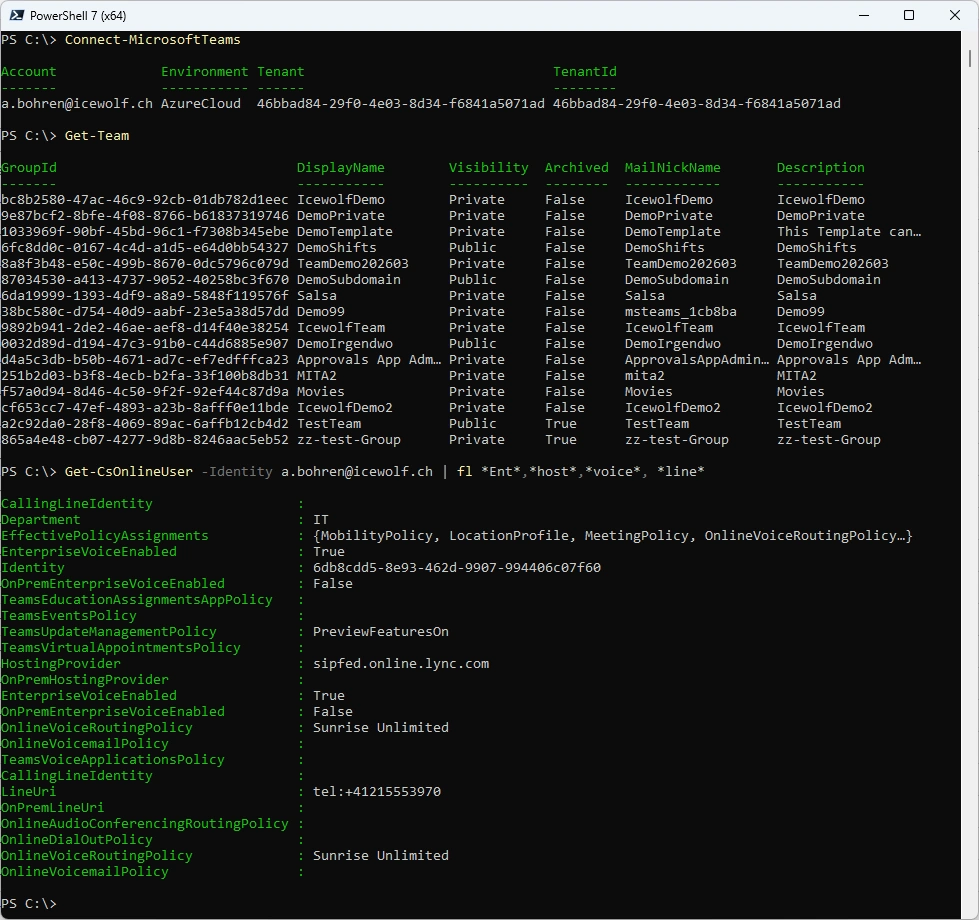
New Commandlets or updates
- Adds TeamsPersonalAttendantPolicy to the output for Get-CsOnlineUser.
Get-CsOnlineUser -Identity a.bohren@icewolf.ch | fl TeamsPersonalAttendantPolicy

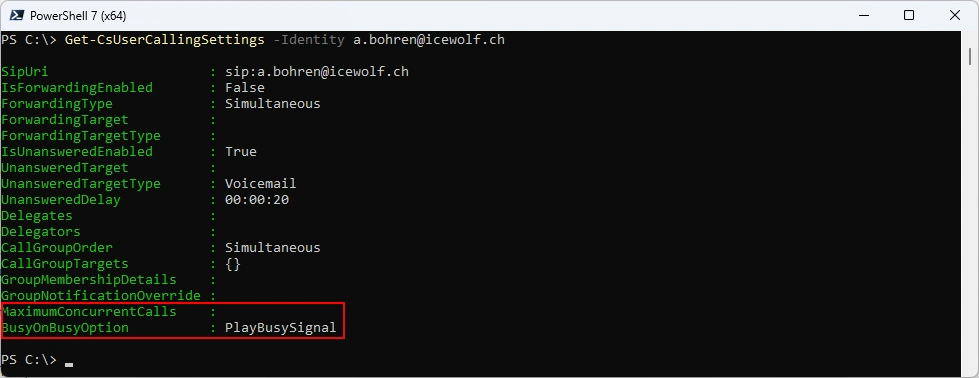
- Adds BusyOnBusyOption parameter to Set-CsUserCallingSettings cmdlet with PlayBusySignal, RedirectAsUnansweredCall, and RingUser values.
- Adds the BusyOnBusyOption output attribute to the Get-CsUserCallingSettings cmdlet.
- Adds MaximumConcurrentCalls parameter to [Get|Set]-CsUserCallingSettings cmdlets.
Get-CsUserCallingSettings -Identity a.bohren@icewolf.ch
- Adds UrgencyDetectionEnabled, CategoryDetectionEnabled, CallToActionDetectionEnabled, and VoiceToTextSummaryEnabled parameters to [Get|Set]-CsOnlineVoicemailUserSettings cmdlets. These parameters allow administrators to manage AI triage features for personal voicemail on a per-user basis.
Get-CsOnlineVoicemailUserSettings -Identity a.bohren@icewolf.ch
- Adds EnableExternalRecordingDetection, AllowIntelligentRecap, IntelligentRecapDocxFileExpirationDays parameters to [New|Set]-CsTeamsMeetingPolicy cmdlets.
Get-CsTeamsMeetingPolicy -Identity Global | fl EnableExternalRecordingDetection, AllowIntelligentRecap, IntelligentRecapDocxFileExpirationDays

- Adds EnableExternalRecordingDetection, AllowIntelligentRecap, IntelligentRecapDocxFileExpirationDays parameters to [New|Set]-CsTeamsMeetingPolicy cmdlets.
Get-CsTeamsChannelsPolicy -Identity Global
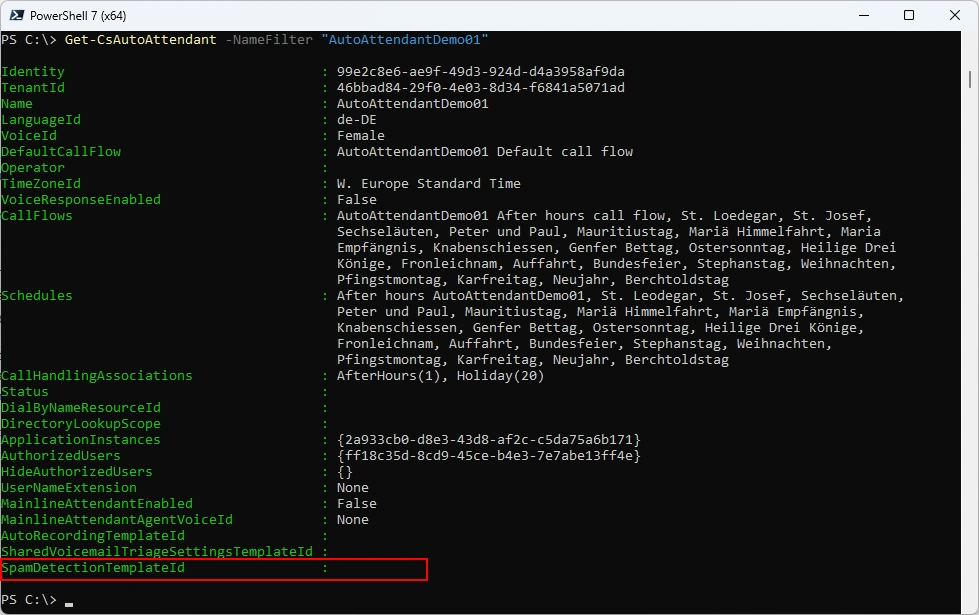
- Adds SpamDetectionTemplateId parameter to New-CsAutoAttendant cmdlet.
Get-CsAutoAttendant -NameFilter "AutoAttendantDemo01"
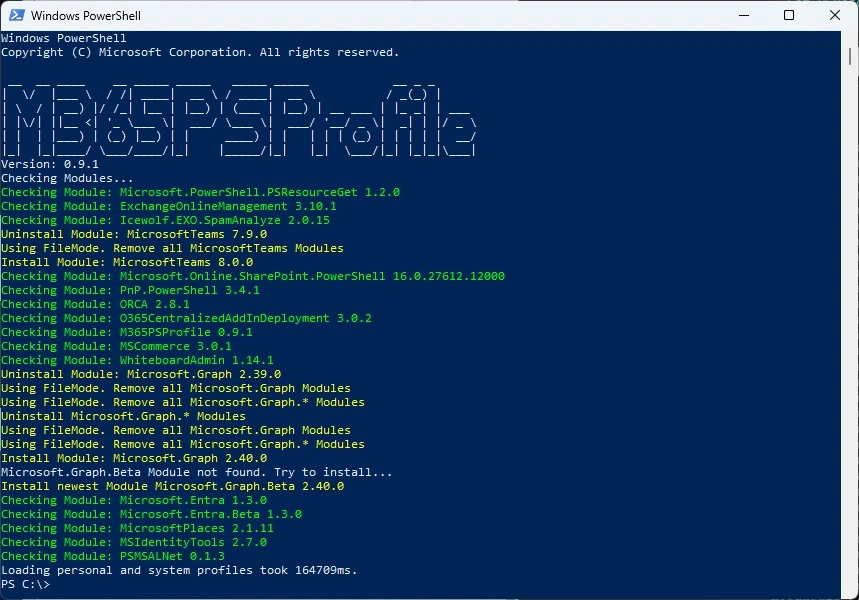
Or you can simply use my M365PSProfile Module - find the Documentation here: GitHub Documentation
Install-PSResource -Name M365PSProfile -Scope CurrentUser
Install-M365Module
Regards
Andres Bohren
PowerShell Logo Teams Logo
