
M365 Group Writeback when MX Points to OnPrem

Hi All,
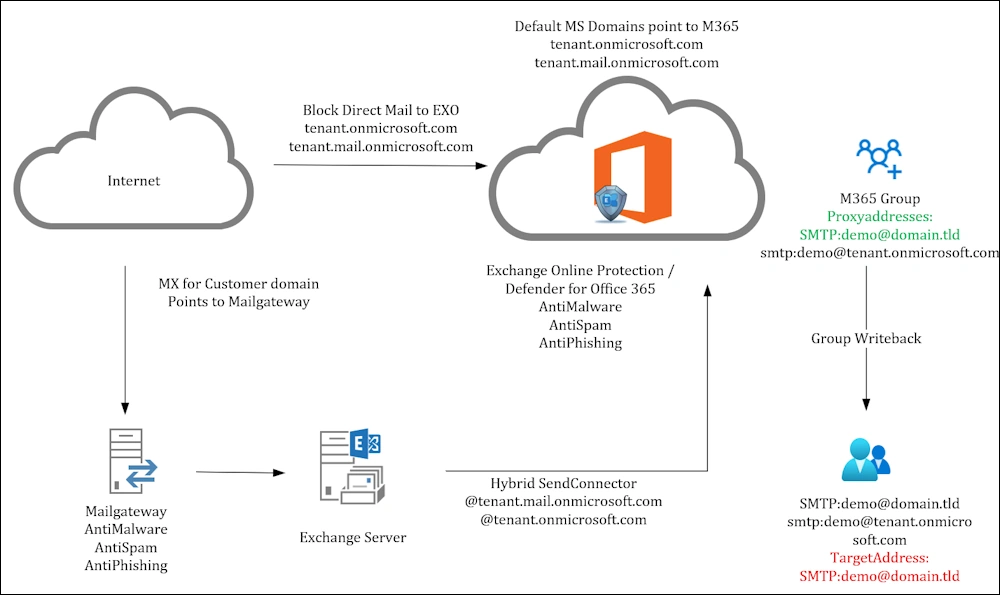
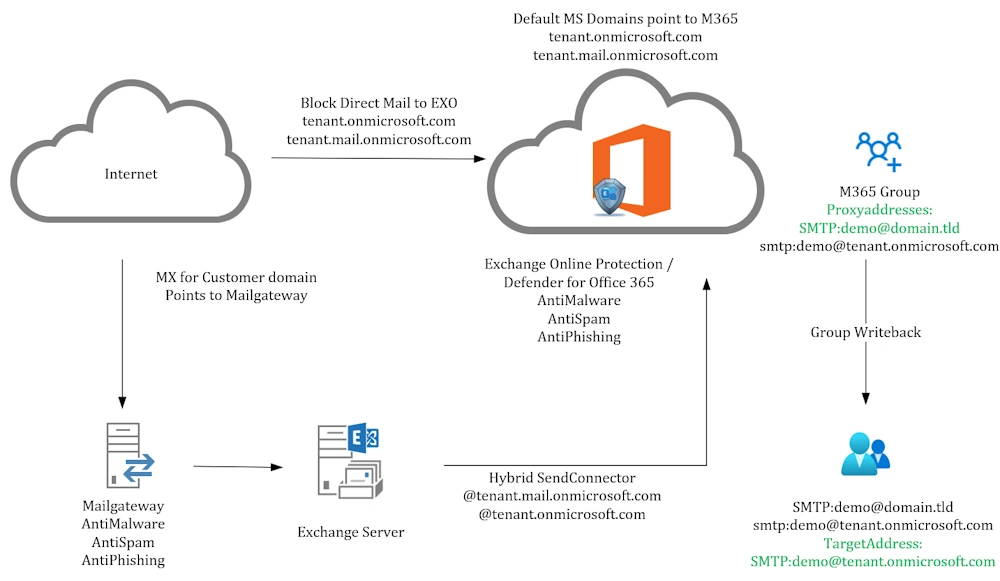
If you’re a customer that Routes the MX Records for your Domain to your Mailgateway and via Exchange (Hybrid) to Exchange Online and use M365 Groups with custom Domain you run into a routing Issue.
With such a Szenario, you probably also want to protect Mails send directly to Exchange Online via the default domains:
- tenant.onmicrosoft.com
- tenant.mail.onmicrosoft.com
Make sure you understand this to block Mails directly to Exchange Online
Group Writeback
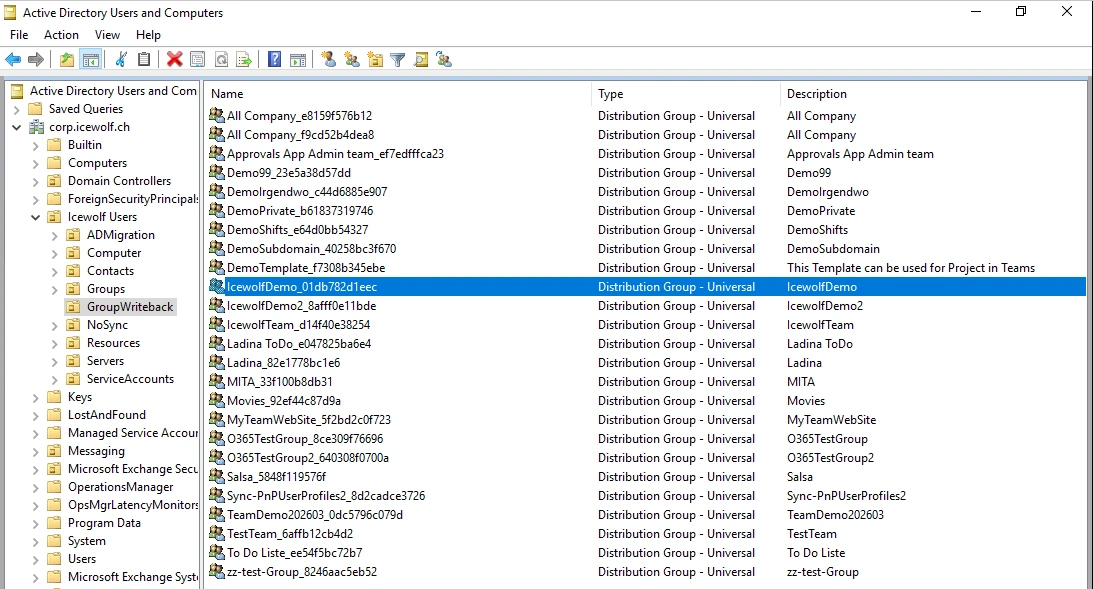
Most of the Mailgateways use LDAP to your Active Directory to figure out, if a recipient Emailaddres exists. If it’s not in Active Directory, the Sender will receive a Non Delivery Report. So we need the Group Writeback to write back the M365 Groups to Active Directory.
It’s a little bit confusing. Group Writeback V2 is discontinued. But Group Writeback V1 still allows to Write back your M365 Groups to Active Directory
- Entra Connect Sync 2.3.2 - Group Writeback V2 will be discontinued
- Azure Active Directory Connect Group Writeback
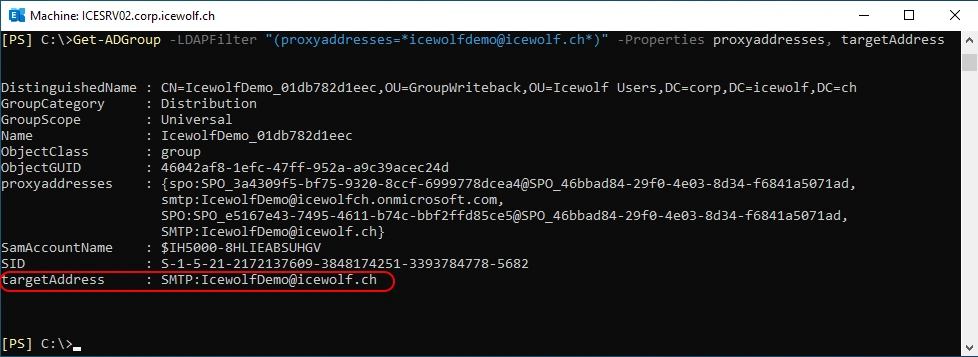
Let’s take a closer look at the Attribute “targetAddress”. It’s set to the custom Domain.
Get-ADGroup -LDAPFilter "(proxyaddresses=*icewolfdemo@icewolf.ch*)" -Properties proxyaddresses, targetAddress
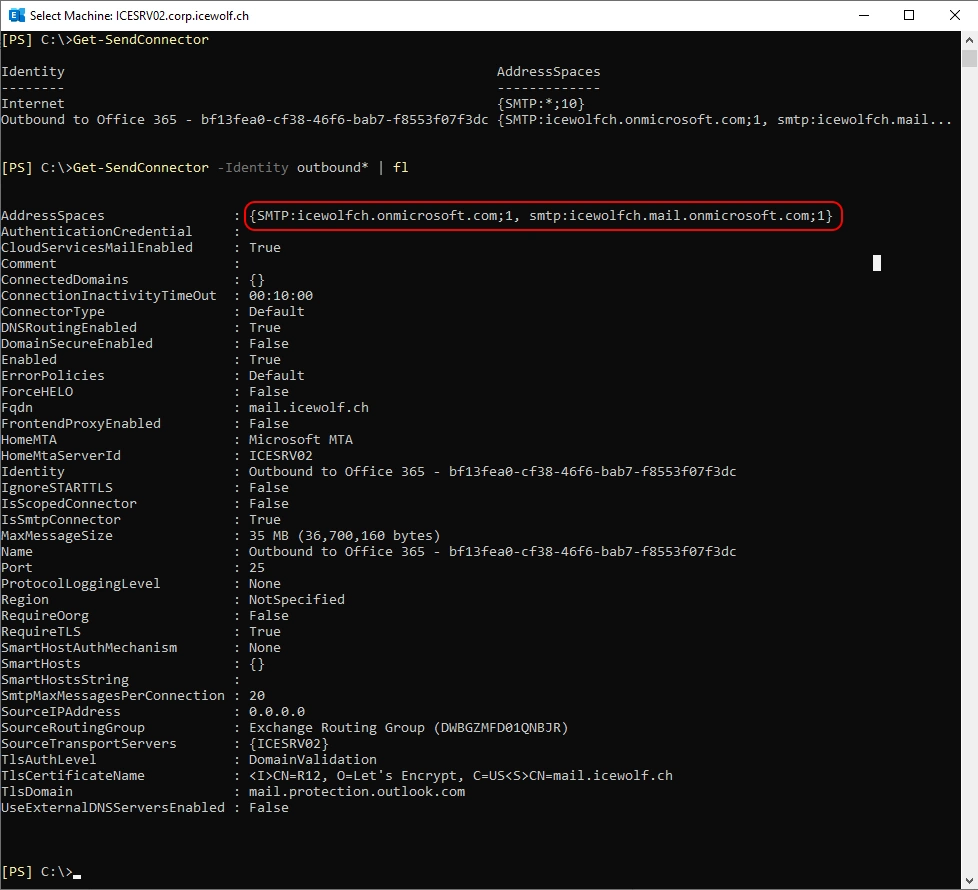
If we look at the Send Connector in Exchange Server, only the “tenant.onmicrosoft.com” and “tenant.mail.onmicrosoft.com” are routed through this connector.
Get-SendConnector
Get-SendConnector -Identity outbound* | fl
Entra Connect Sync
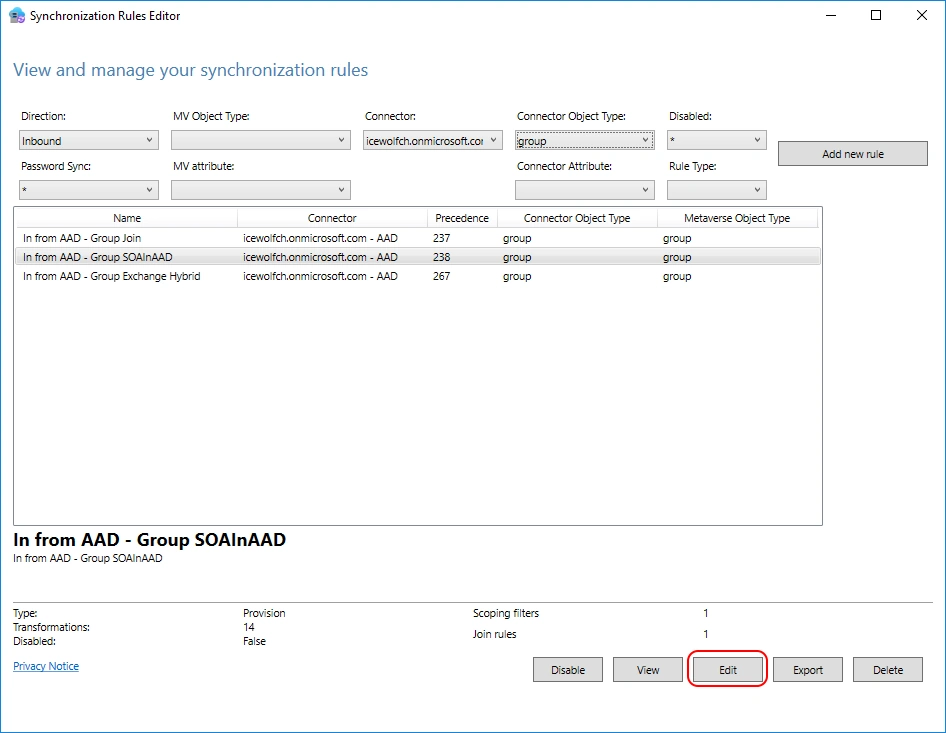
Let’s figure out with the “Syncronization Rules Editor” what Rule needs to be changed.
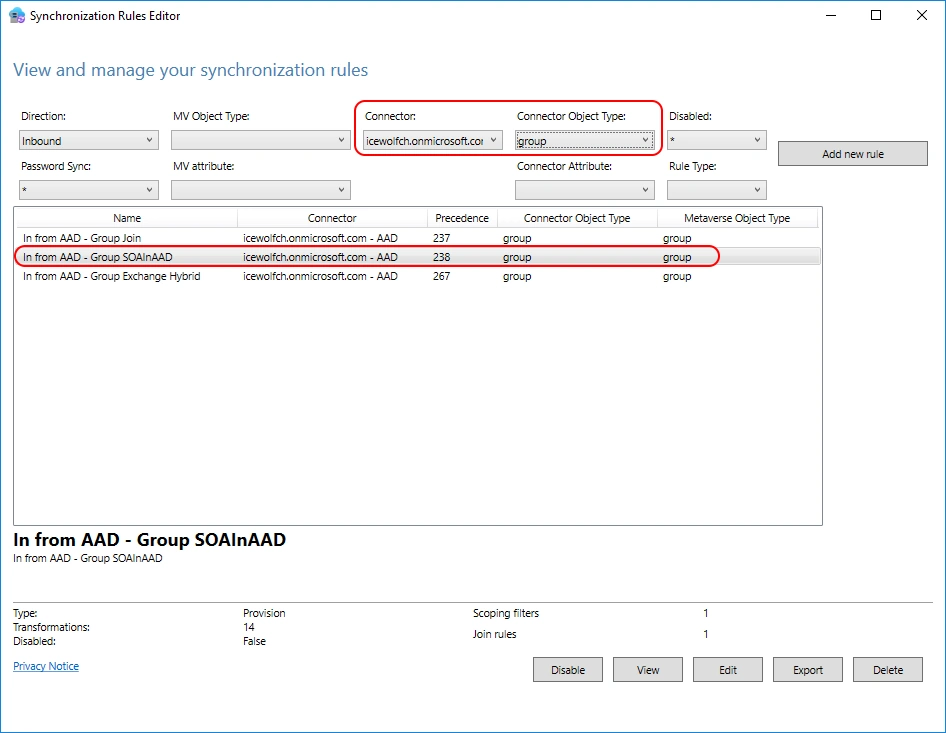
Rule details
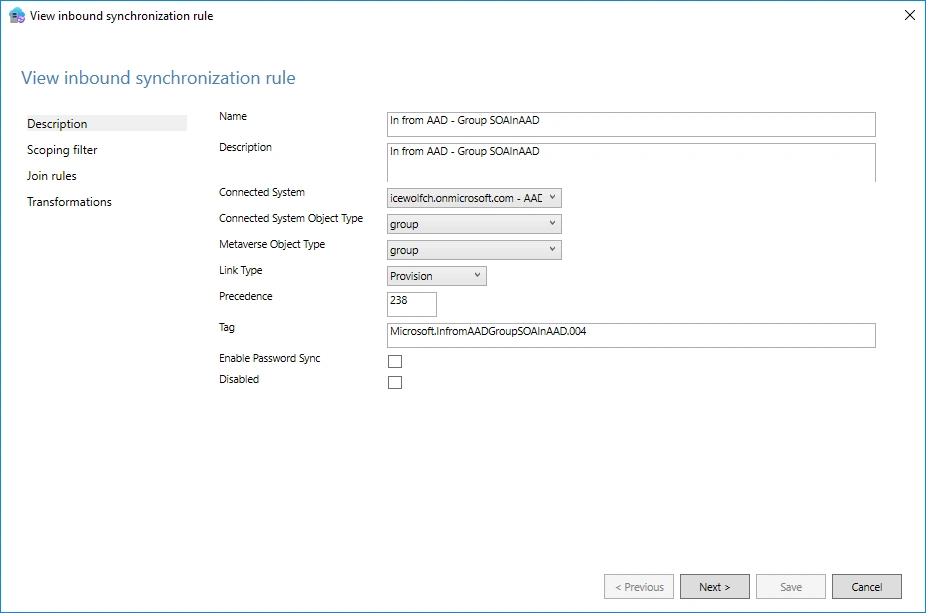
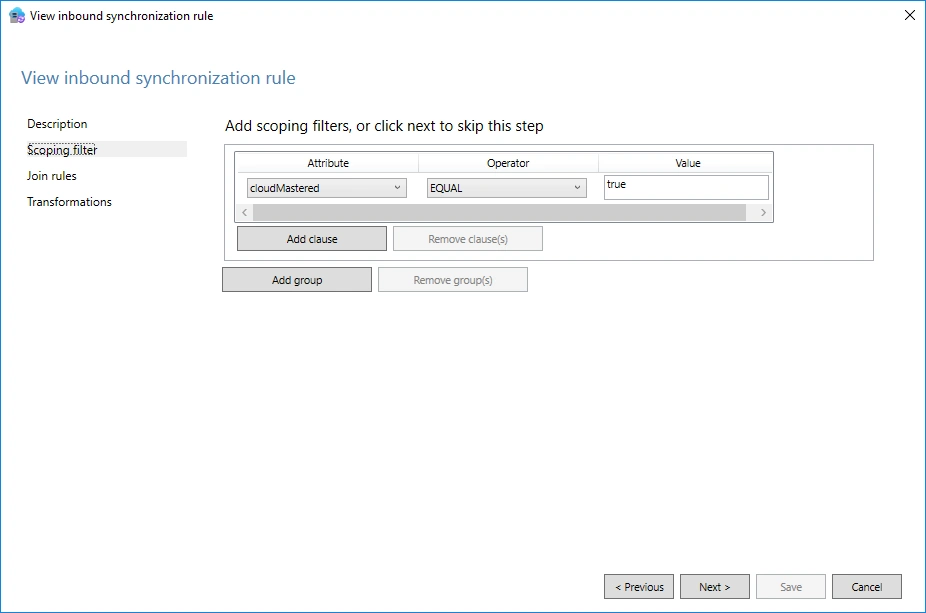
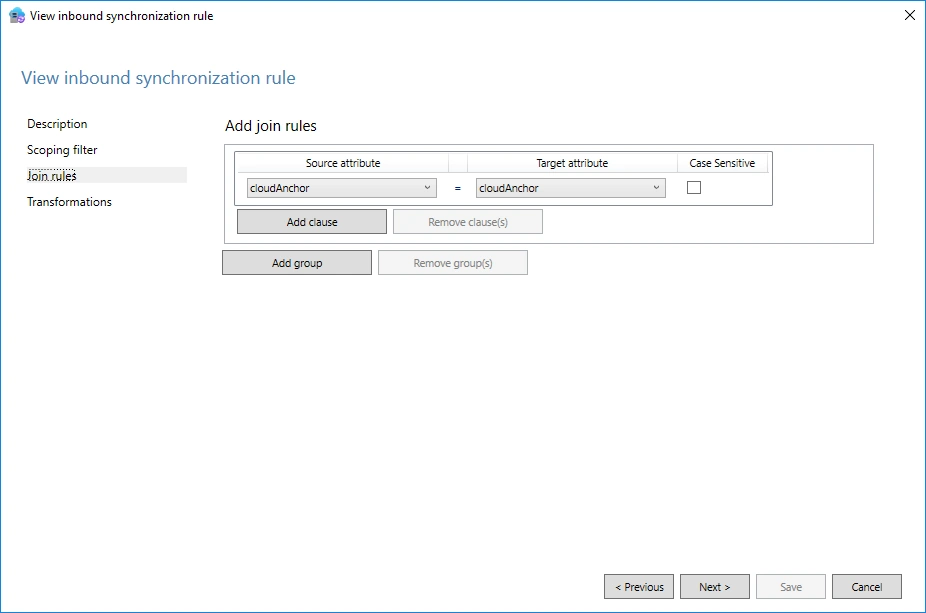
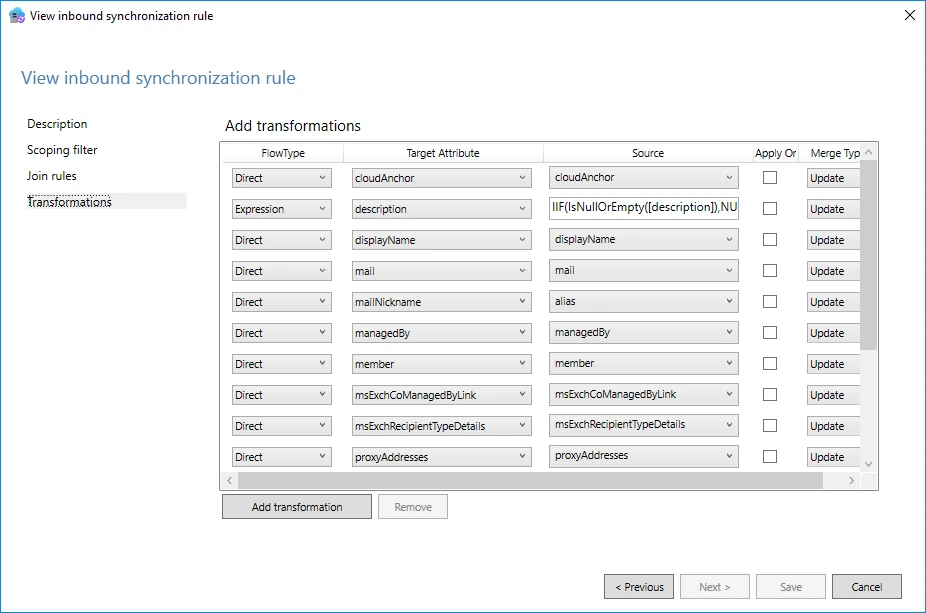
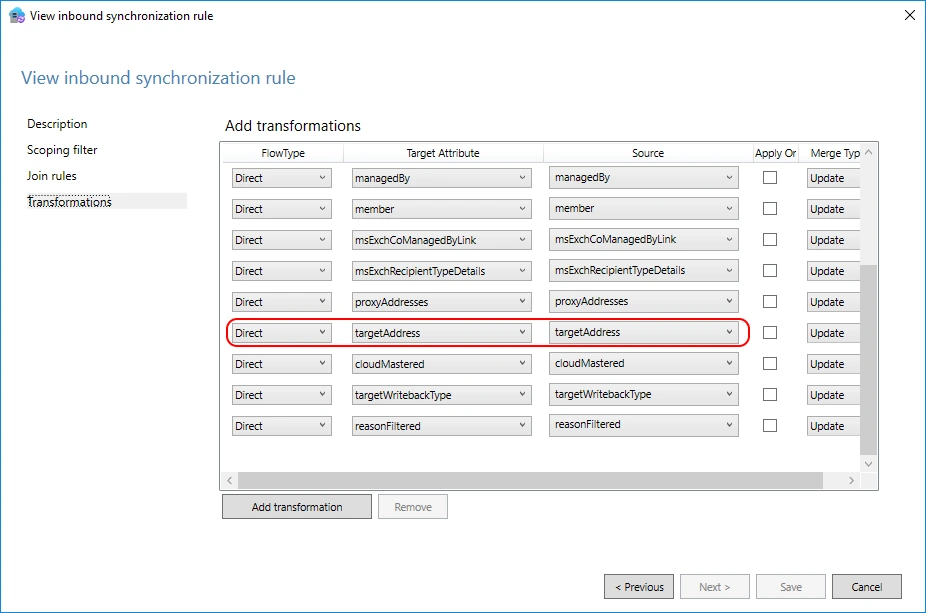
Here is the “targetAddress” that we need to change
Edit the Sync Rule
Let’s edit the Rule
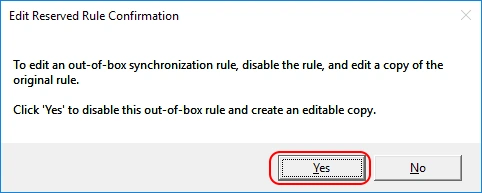
Out-Of-Box Rules schould not be changed. It proposes to create a copy > “Yes”
We need to assign a free Predecence Rule Number
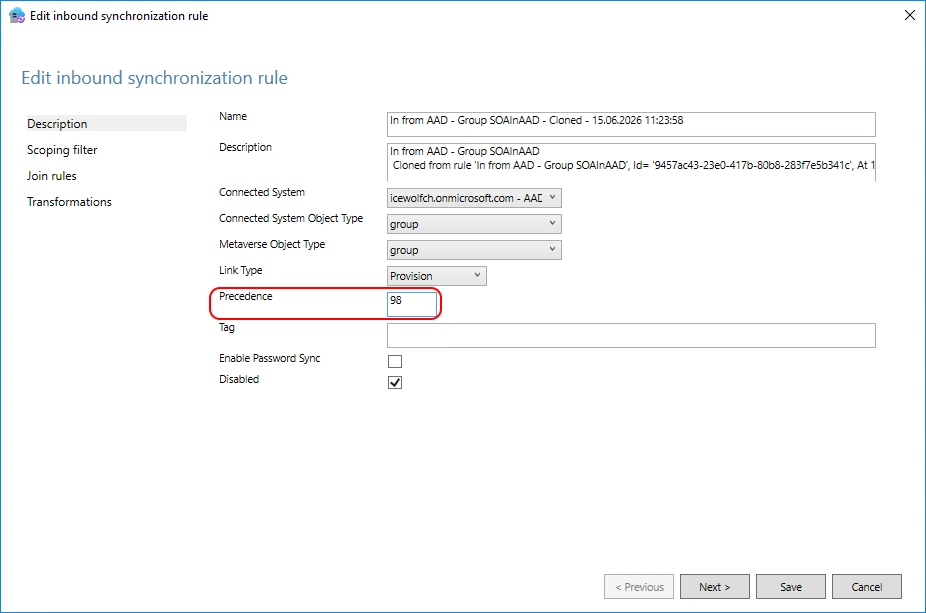
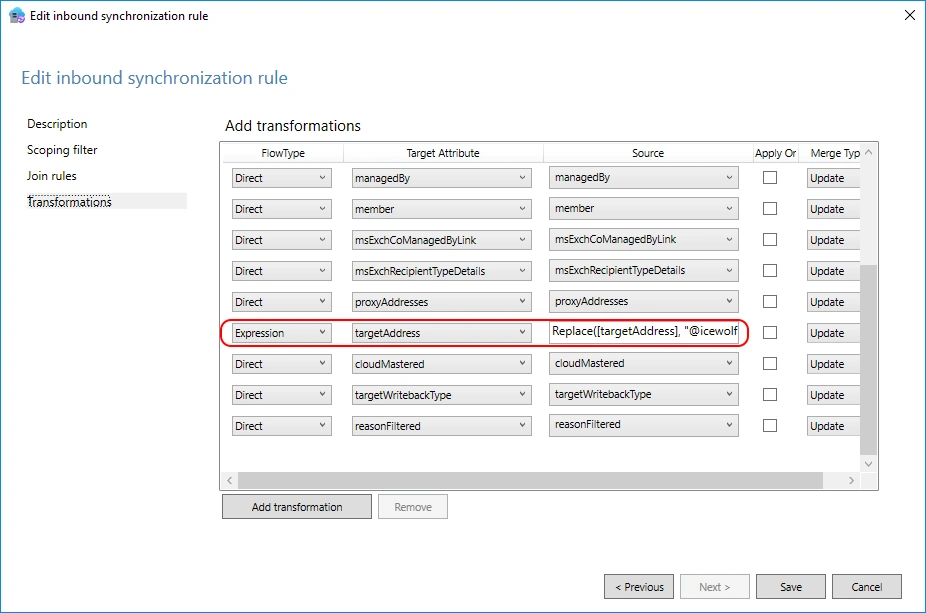
Let’s change the targetAddress to an “Expression” and use the Replace Function
Replace([targetAddress], "@icewolf.ch", "@icewolfch.onmicrosoft.com")
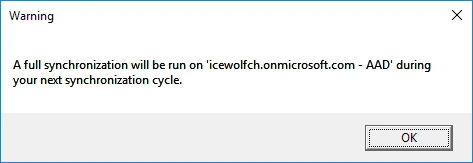
This will initiate a “Full Sync” on the Connector during the next synchronization cycle.
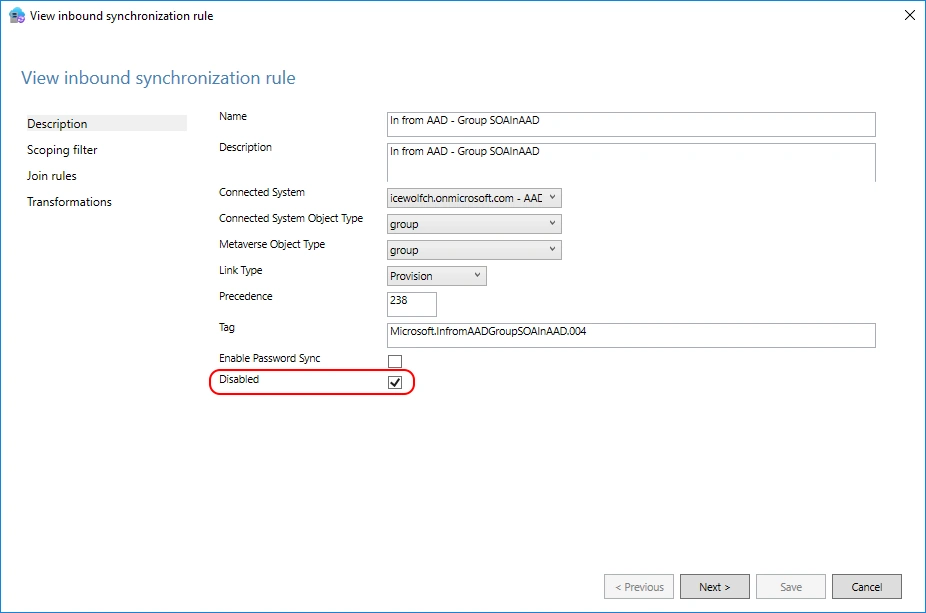
Make sure the original Sync Rule is disabled
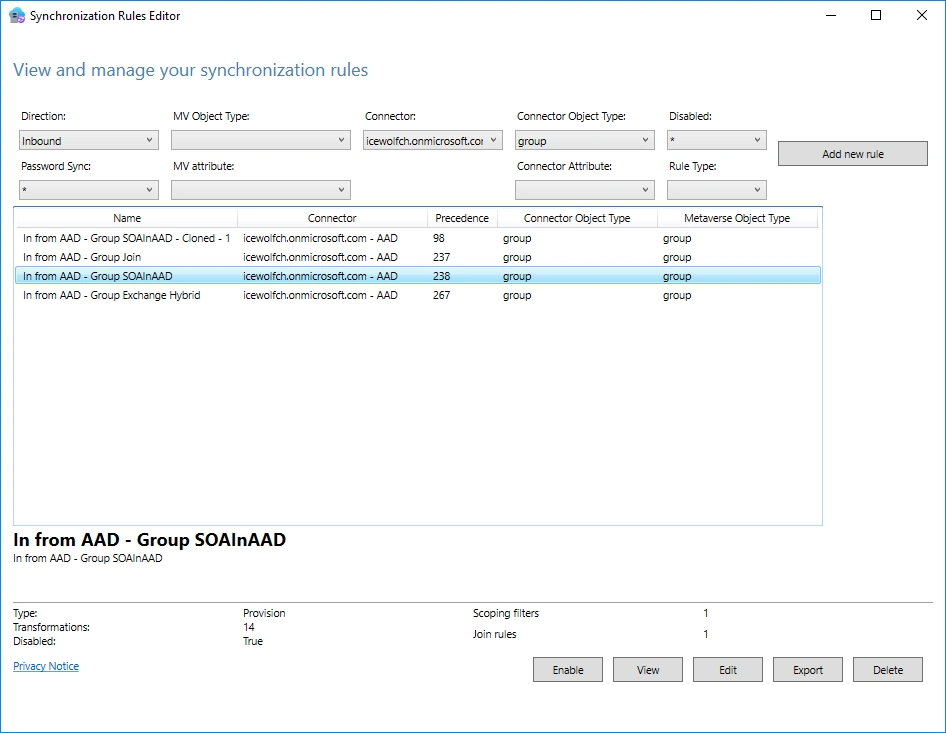
And the copied Sync Rule is enabled
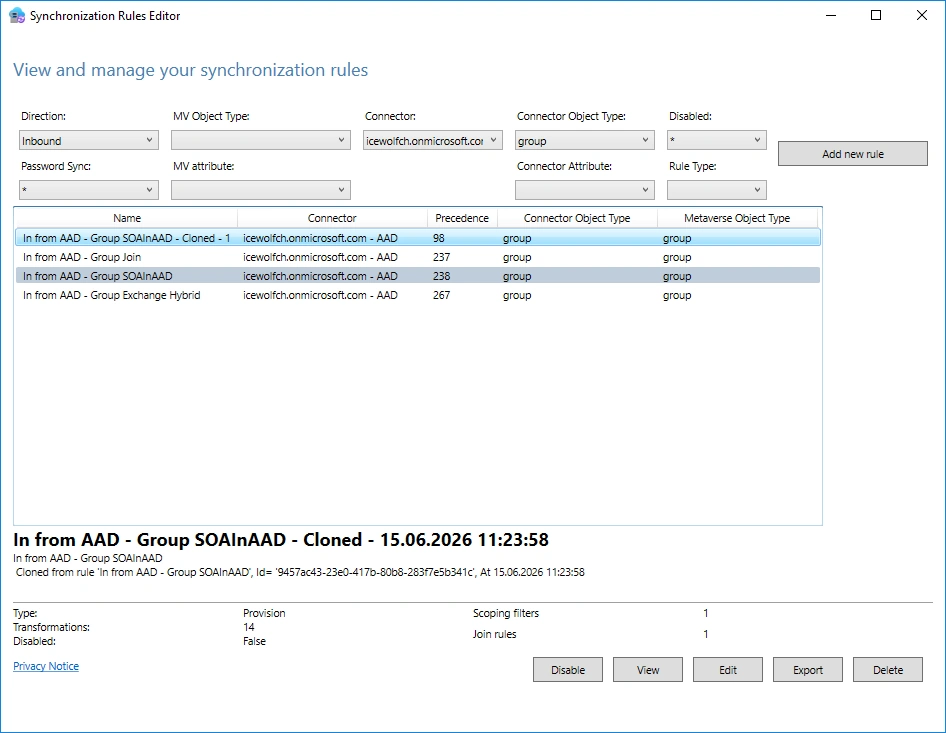
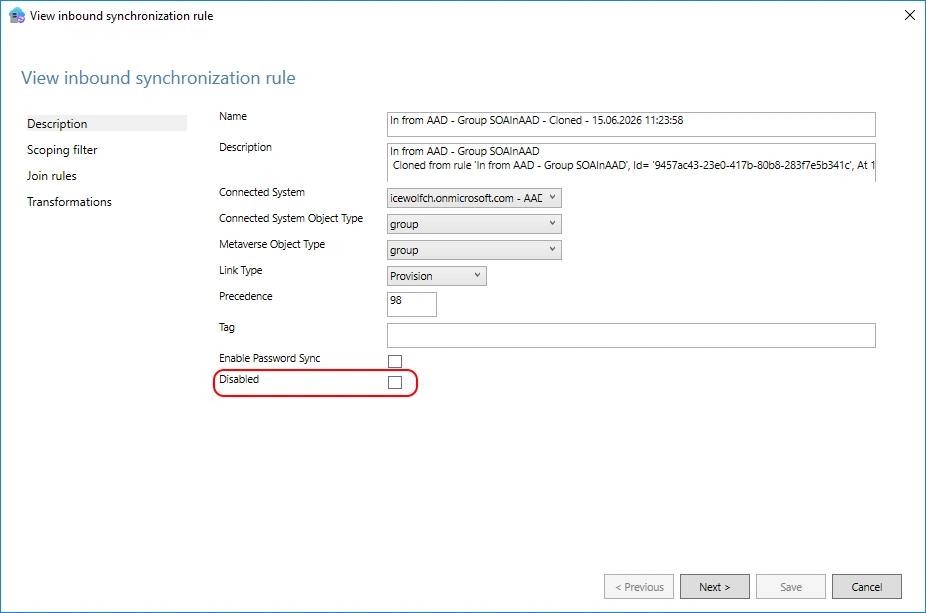
Sync Job
On the next Entra Connect Sync the new Rule will be applied
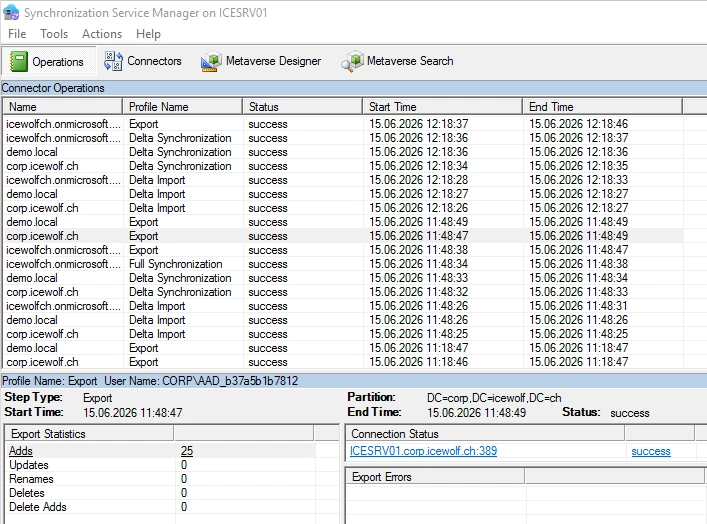
We can see that the Objects from the Group Writeback are changed
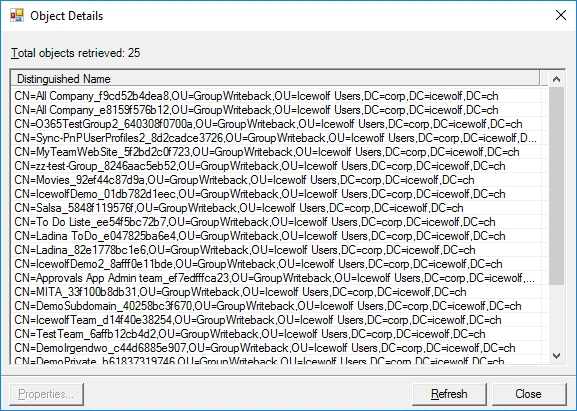
Check targetAddress
Let’s check the targetAddress Attribute - it has worked. But i found another domain that i didn’t take into account.
$OU = "OU=GroupWriteback,OU=Icewolf Users,DC=corp,DC=icewolf,DC=ch"
$Groups = Get-ADGroup -SearchBase $OU -Filter * -Properties DisplayName,TargetAddress
$Groups | Format-Table DisplayName,TargetAddress
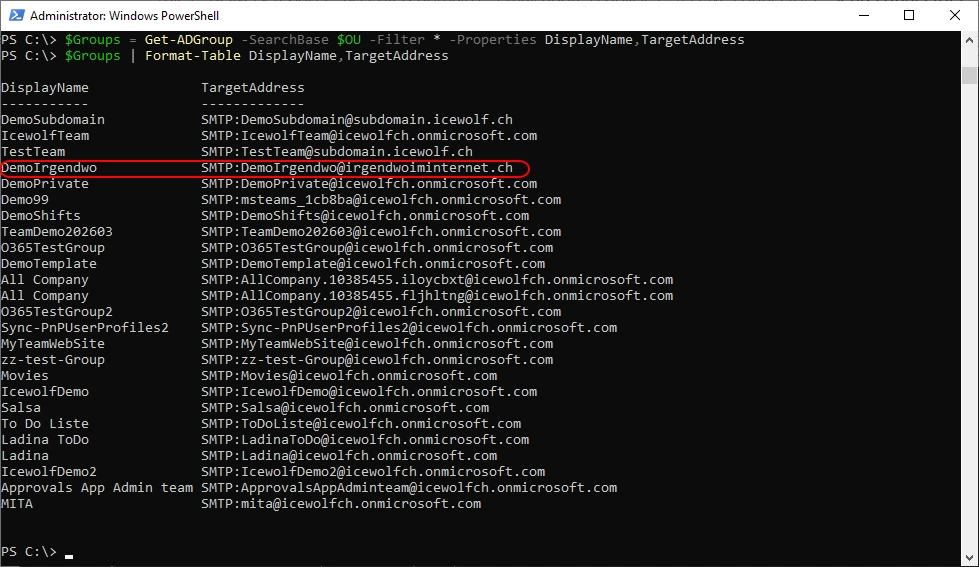
If you have multiple Domains, you need to stack your Replace Functions
Replace(Replace([targetAddress], "@icewolf.ch", "@icewolfch.onmicrosoft.com"),"@irgendwoiminternet.ch","@icewolfch.onmicrosoft.com")
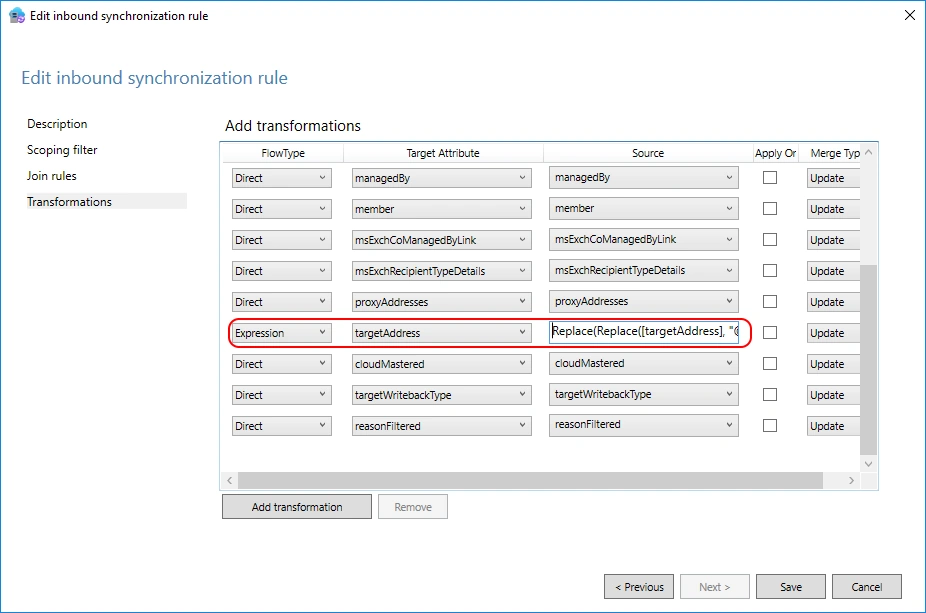
This will initiate a “Full Sync” on the Connector during the next synchronization cycle.
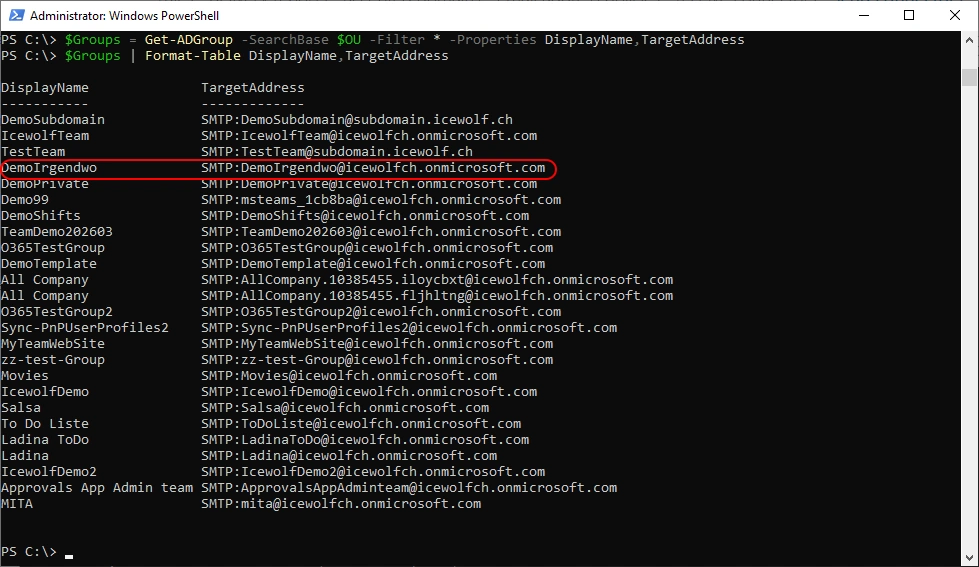
Let’s check the targetAddress Attribute
$OU = "OU=GroupWriteback,OU=Icewolf Users,DC=corp,DC=icewolf,DC=ch"
$Groups = Get-ADGroup -SearchBase $OU -Filter * -Properties DisplayName,TargetAddress
$Groups | Format-Table DisplayName,TargetAddress
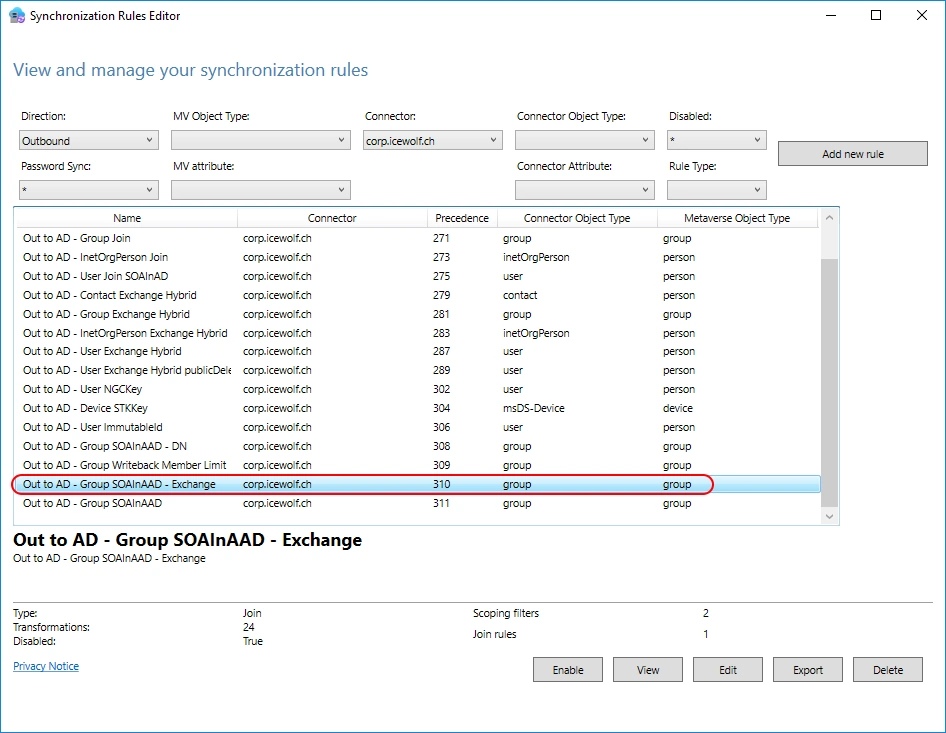
Outbound Rule
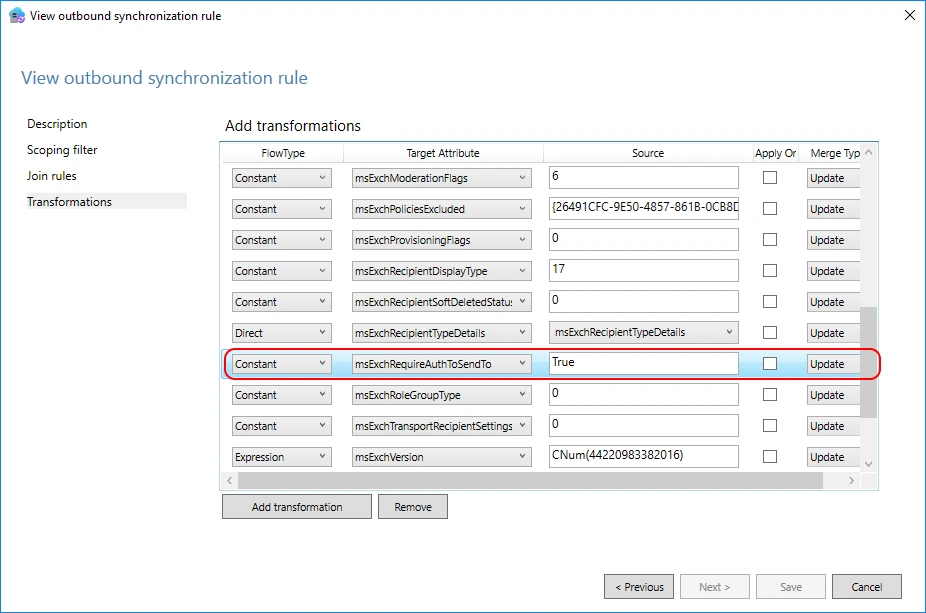
There is also an Outbound Rule to Active Directory involved.
The msExchangeRequireAuthToSendTo defined as a constant and set to TRUE
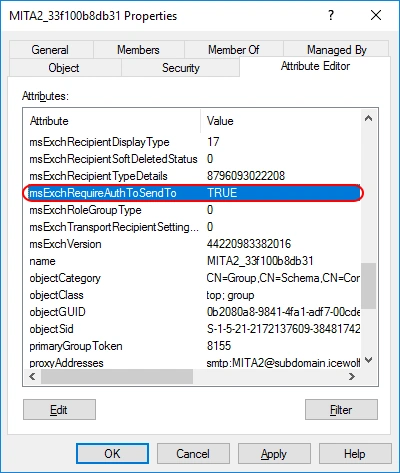
Active Directory Attribute View
I’ve copyed the Rule and set the Constant to “FALSE”
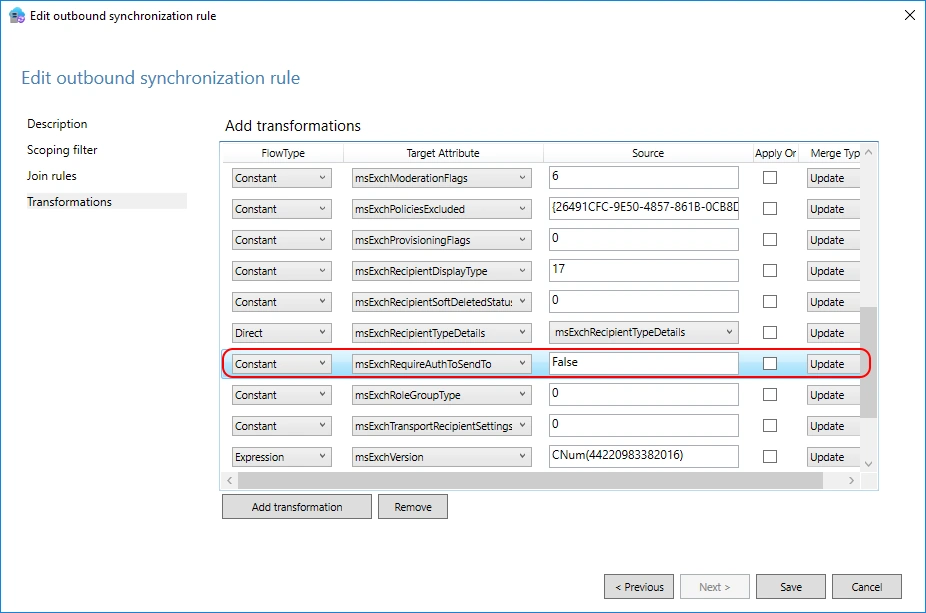
Active Directory Attribute View
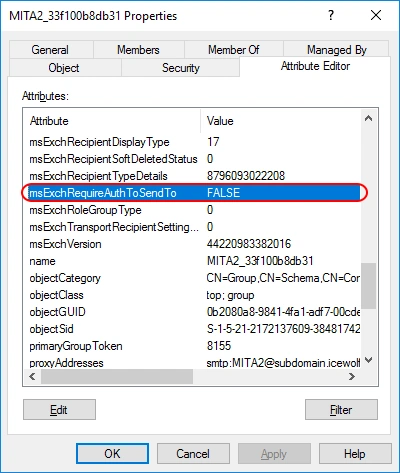
Now we can control it via the Unified
Connect-ExchangeOnline -ShowBanner:$false
Set-UnifiedGroup -Identity MITA2 -RequireSenderAuthenticationEnabled $false
Get-UnifiedGroup -Identity MITA2 | fl Primary*, *auth*

Mail in Outlook
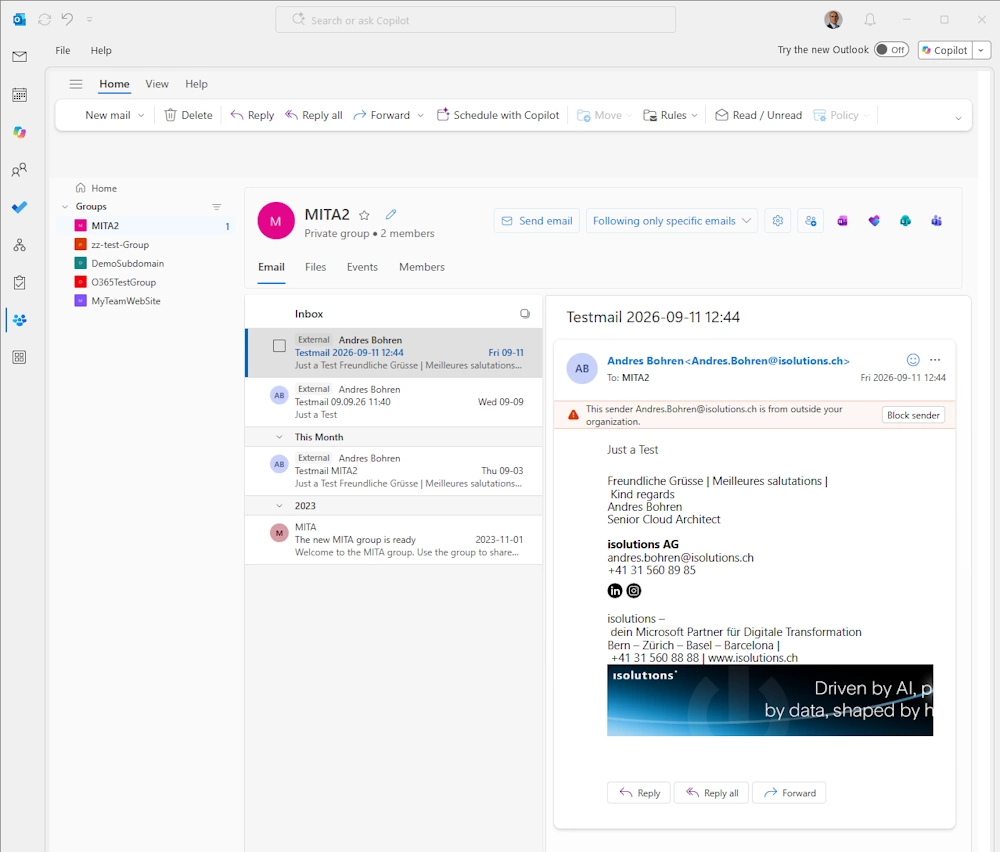
Enable RequireSenderAuthenticationEnabled for the Group (that’s the default)
Set-UnifiedGroup -Identity MITA2 -RequireSenderAuthenticationEnabled $true
Get-UnifiedGroup -Identity MITA2 | fl Primary*, *auth*

Non Delivery Report
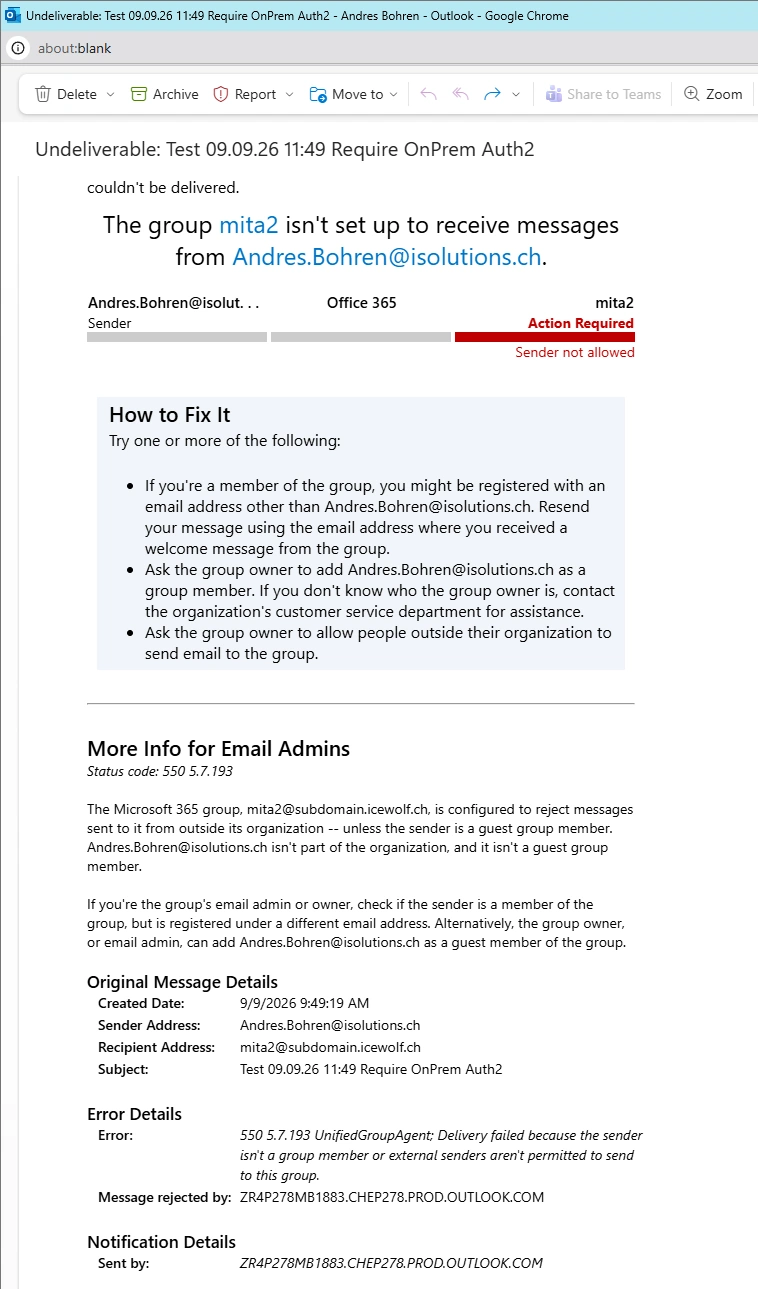
Solution
We have sucessfully changed the Entra connect Sync Rule to change the “targedAddress” Attribute. Now the Routing to Exchange Online will work.
Regards
Andres Bohren
EntraID Logo Exchange Logo M365 Logo

