
PowerShell Constrained Language Mode and M365 Management

Hi All,
In the last Week i came across two Customers where the PowerShell Constrained Language Mode was active and they had issues to Manage Microsoft 365.
What does Constrained Language constrain?
- PowerShell module script files must explicitly export functions by name without the use of wildcard characters. This is to prevent inadvertently exposing powerful helper function not meant to be used publicly.
- PowerShell module manifest files must explicitly export functions by name without the use of wildcards. Again, to prevent inadvertent exposure of functions.
- COM objects are blocked. They can expose Win32 APIs that have likely never been rigorously hardened as part of an attack surface.
- Only approved .NET types are allowed. Many .NET types can be used to invoke arbitrary Win32 APIs. As a result only specific whitelisted types are allowed.
- Add-Type is blocked. It allows the creation of arbitrary types defined in different languages.
- The use of PowerShell classes are disallowed. PowerShell classes are just arbitrary C# type definitions.
- PowerShell type conversion is not allowed. Type conversion implicitly creates types and runs type constructors.
- Dot sourcing across language modes is disallowed. Dot sourcing a script file brings all functions, variables, aliases from that script into the current scope. So this blocks a trusted script from being dot sourced into an untrusted script and exposing all of its internal functions. Similarly, an untrusted script is prevented from being dot sourced into a trusted script so that it cannot pollute the trusted scope.
- Command resolution automatically hides commands you cannot run. For example, a function created in Constrained Language mode is not visible to script running in Full Language mode.
- XAML based workflows are blocked since they cannot be constrained by PowerShell. But script based workflows and trusted - XAML based workflows shipped in-box are allowed.
- The SupportedCommand parameter for Import-LocalizedData is disabled. It allows additional commands prevented by Constrained Language.
- Invoke-Expression cmdlet always runs in Constrained Language. Invoke-Expression cannot validate input as trusted.
- Set-PSBreakpoint command is blocked unless there is a system-wide lockdown through UMCI.
- Command completers are always run in Constrained Language. Command completers are not validated as trustworthy.
- Commands and script run within the script debugger will always be run in Constrained Language if there is a system-wide lockdown.
- The DSC Configuration keyword is disabled.
- Supported commands and Statements are not allowed in script DATA sections.
- Start-Job is unavailable if the system is not locked-down. Start-Job starts PowerShell in a new process and if the system is not locked-down the new process runs in Full Language mode.
Language Mode
Let’s display the PowerShell Language Mode
###############################################################################
# Display PowerShell Language Mode
###############################################################################
$ExecutionContext.SessionState.LanguageMode

Let’s set the Language Mode to Constrained
###############################################################################
# Set PowerShell Constrained Language Mode
###############################################################################
$ExecutionContext.SessionState.LanguageMode = "ConstrainedLanguage"
$ExecutionContext.SessionState.LanguageMode

Try to go from Constrained to Full Language - that fails
###############################################################################
# You can't get from Constrained Language Mode to Full Language mode
###############################################################################
$ExecutionContext.SessionState.LanguageMode = "FullLanguage"
$ExecutionContext.SessionState.LanguageMode

M365 Management Modules
The Customers where facing issues with M365 Management Modules. Here is the List of PowerShell Modules i often use to Manage M365.
Modules
- ExchangeOnlineManagement
- ORCA
- MicrosoftTeams
- Microsoft.Online.SharePoint.PowerShell
- PnP.PowerShell
- O365CentralizedAddInDeployment
- MSCommerce
- WhiteboardAdmin
- Microsoft.Graph
- MicrosoftPlaces
- MSIdentityTools
- PSMSALNet
- M365PSProfile
Let’s see what happens when using them in Constrained Language Mode
Exchange Online
Try to Import ExchangeOnlineManagement Module
InvalidOperation: Cannot set property. Property setting is supported only on core types in this language mode.
###############################################################################
# Exchange Online
###############################################################################
$ExecutionContext.SessionState.LanguageMode = "ConstrainedLanguage"
Import-Module ExchangeOnlineManagement

ORCA
###############################################################################
# ORCA
###############################################################################
$ExecutionContext.SessionState.LanguageMode = "ConstrainedLanguage"
Import-Module ORCA

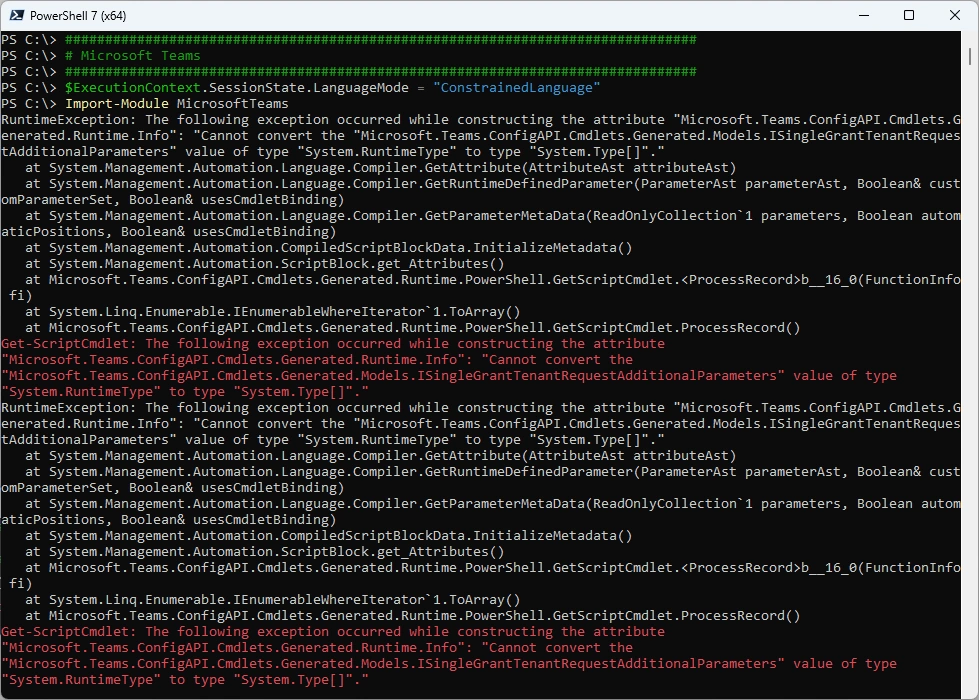
Microsoft Teams
###############################################################################
# Microsoft Teams
###############################################################################
$ExecutionContext.SessionState.LanguageMode = "ConstrainedLanguage"
Import-Module MicrosoftTeams
SharePoint Online
###############################################################################
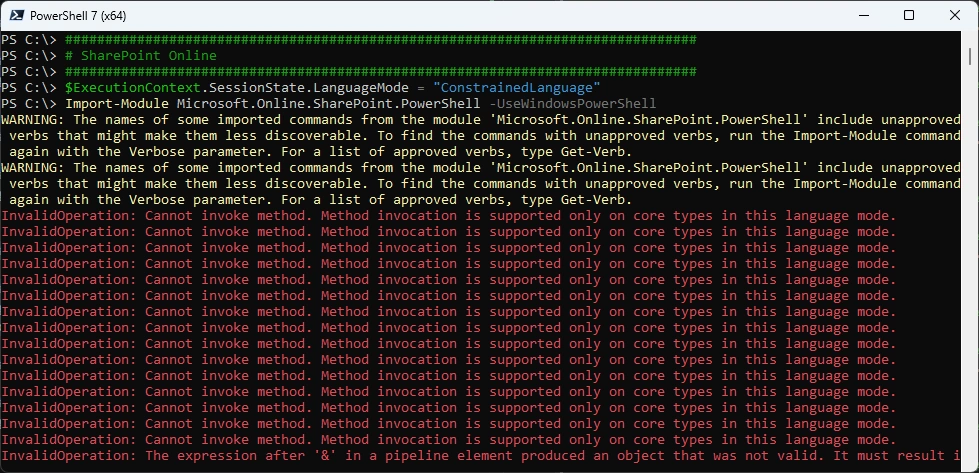
# SharePoint Online
###############################################################################
$ExecutionContext.SessionState.LanguageMode = "ConstrainedLanguage"
Import-Module Microsoft.Online.SharePoint.PowerShell -UseWindowsPowerShell
PnP.PowerShell
###############################################################################
# PnP.PowerShell
###############################################################################
$ExecutionContext.SessionState.LanguageMode = "ConstrainedLanguage"
Import-Module PnP.PowerShell
Connect-PnPOnline -Url "https://icewolfch.sharepoint.com/sites/DemoTemplate/" -ApplicationId "7bc9048b-ba56-4fe0-9b52-ba8f8a6e18a6" -Tenant "icewolfch.onmicrosoft.com" -Thumbprint "55ebadf1a14df8e088ef985730a8cfb01749400c"

O365CentralizedAddInDeployment
###############################################################################
# O365CentralizedAddInDeployment
###############################################################################
$ExecutionContext.SessionState.LanguageMode = "ConstrainedLanguage"
Import-Module O365CentralizedAddInDeployment
Connect-OrganizationAddInService

MSCommerce
###############################################################################
# MSCommerce
###############################################################################
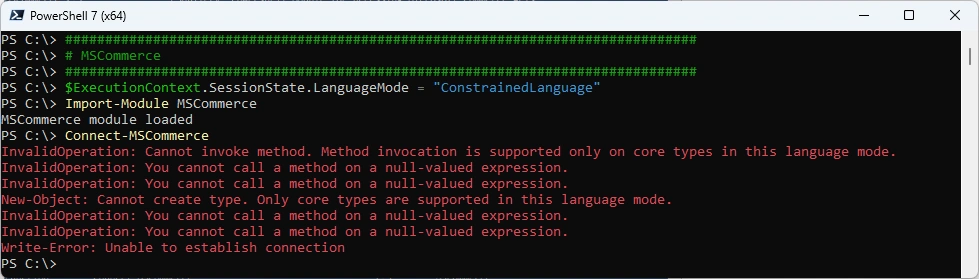
$ExecutionContext.SessionState.LanguageMode = "ConstrainedLanguage"
Import-Module MSCommerce
Connect-MSCommerce
WhiteboardAdmin
###############################################################################
# WhiteboardAdmin
###############################################################################
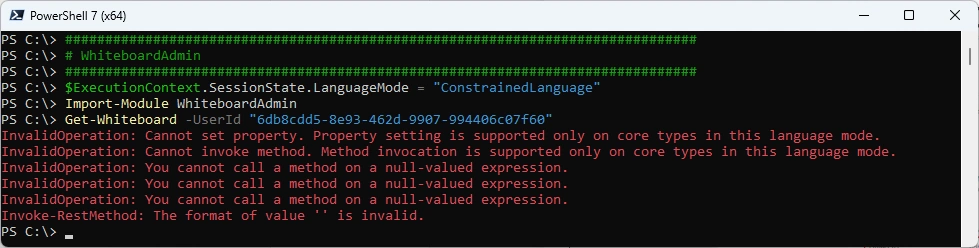
$ExecutionContext.SessionState.LanguageMode = "ConstrainedLanguage"
Import-Module WhiteboardAdmin
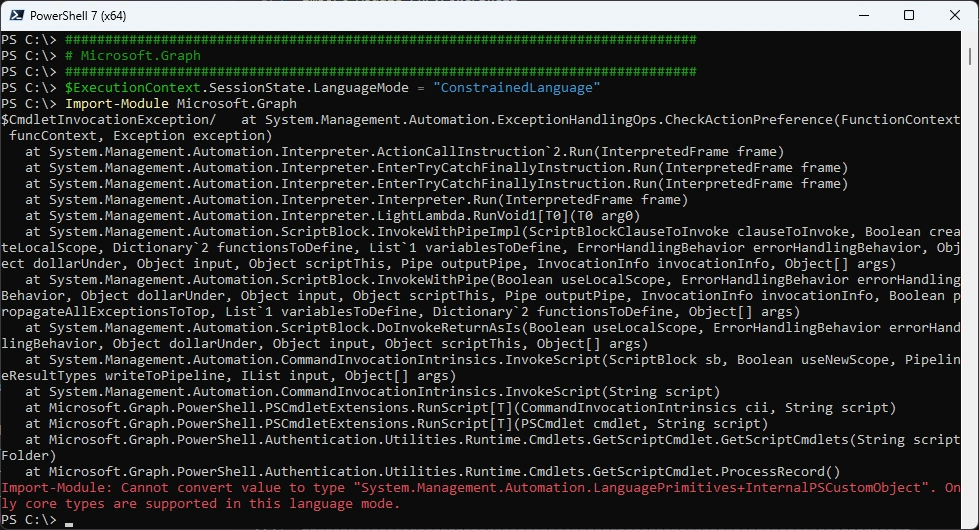
Microsoft.Graph
###############################################################################
# Microsoft.Graph
###############################################################################
$ExecutionContext.SessionState.LanguageMode = "ConstrainedLanguage"
Import-Module Microsoft.Graph
Microsoft.Entra
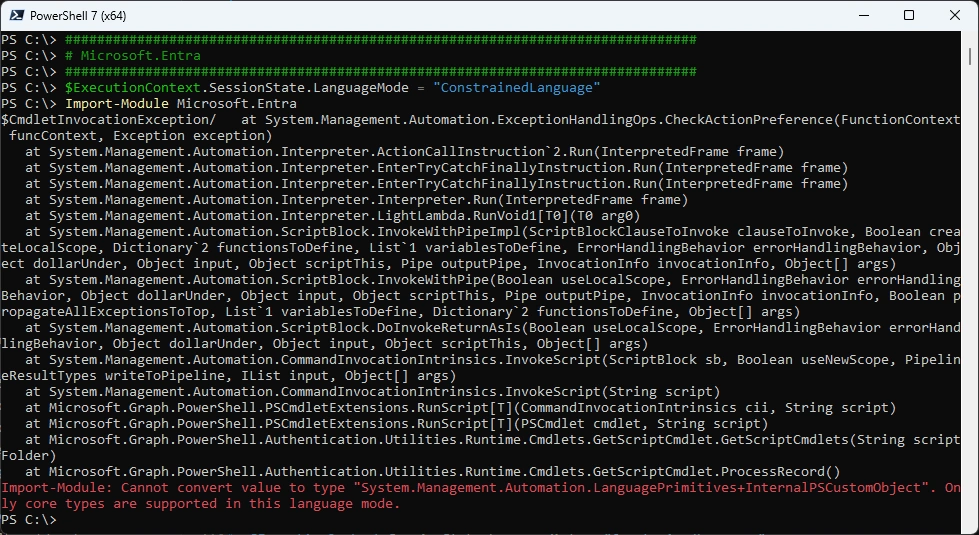
###############################################################################
# Microsoft.Entra
###############################################################################
$ExecutionContext.SessionState.LanguageMode = "ConstrainedLanguage"
Import-Module Microsoft.Entra
MicrosoftPlaces
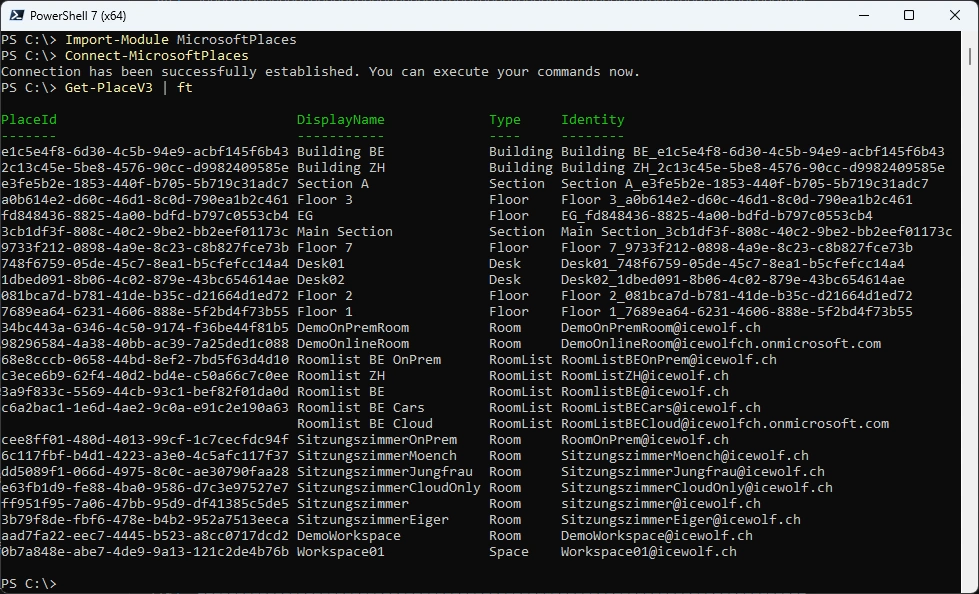
###############################################################################
# MicrosoftPlaces
###############################################################################
$ExecutionContext.SessionState.LanguageMode = "ConstrainedLanguage"
Import-Module MicrosoftPlaces
Connect-MicrosoftPlaces
Get-PlaceV3 | ft
MSIdentityTools
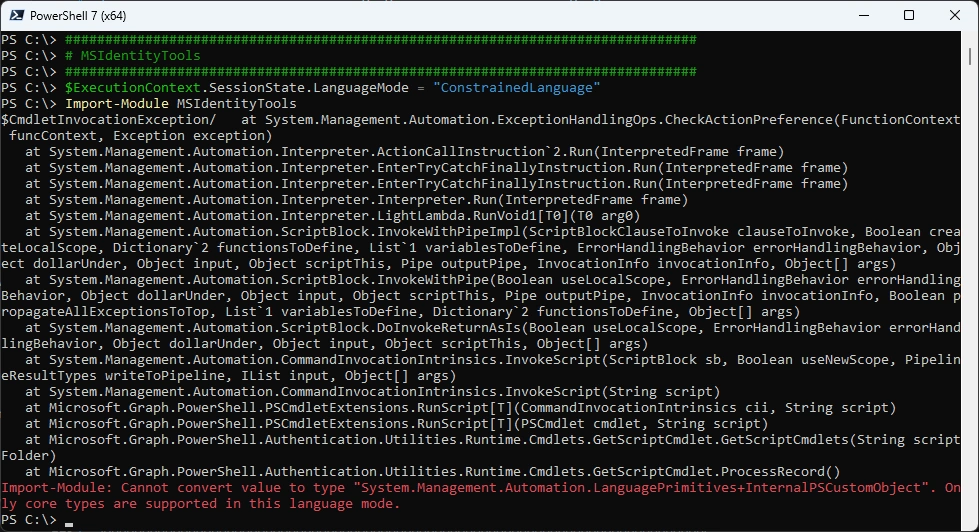
###############################################################################
# MSIdentityTools
###############################################################################
$ExecutionContext.SessionState.LanguageMode = "ConstrainedLanguage"
Import-Module MSIdentityTools
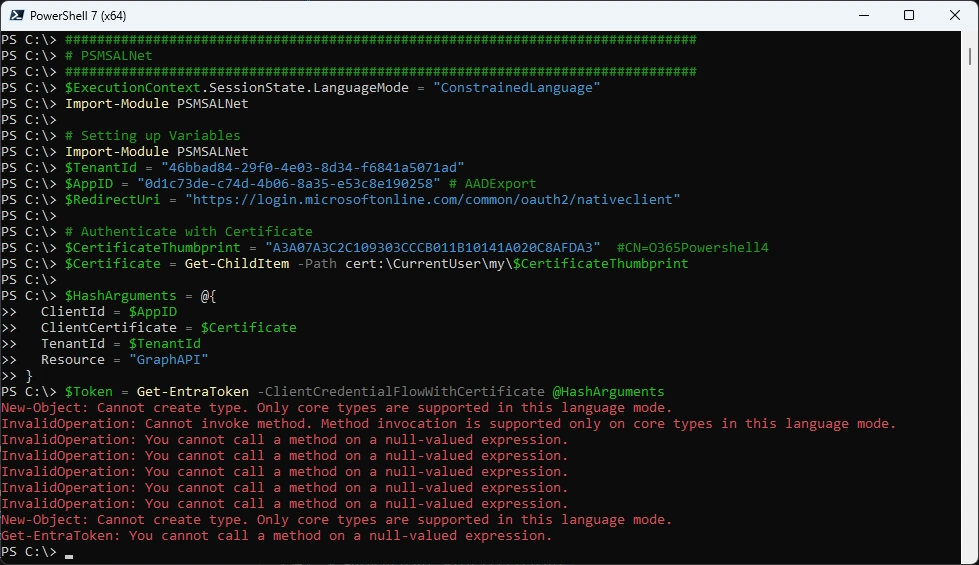
PSMSALNet
###############################################################################
# PSMSALNet
###############################################################################
$ExecutionContext.SessionState.LanguageMode = "ConstrainedLanguage"
Import-Module PSMSALNet

# Setting up Variables
Import-Module PSMSALNet
$TenantId = "46bbad84-29f0-4e03-8d34-f6841a5071ad"
$AppID = "0d1c73de-c74d-4b06-8a35-e53c8e190258" # AADExport
$RedirectUri = "https://login.microsoftonline.com/common/oauth2/nativeclient"

# Authenticate with Certificate
$CertificateThumbprint = "A3A07A3C2C109303CCCB011B10141A020C8AFDA3"  #CN=O365Powershell4
$Certificate = Get-ChildItem -Path cert:\CurrentUser\my\$CertificateThumbprint

$HashArguments = @{
  ClientId = $AppID
  ClientCertificate = $Certificate
  TenantId = $TenantId
  Resource = "GraphAPI"
}
$Token = Get-EntraToken -ClientCredentialFlowWithCertificate @HashArguments
$AccessToken = $Token.AccessToken
M365PSProfile
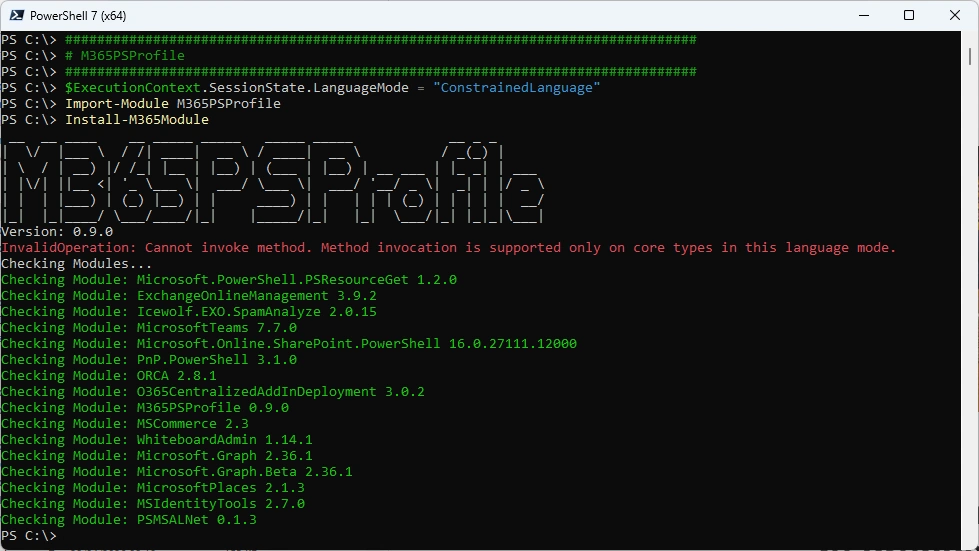
###############################################################################
# M365PSProfile
###############################################################################
$ExecutionContext.SessionState.LanguageMode = "ConstrainedLanguage"
Import-Module M365PSProfile
Install-M365Module
Summary
Most of the Modules fail even at Import-Module. So it’s safe to say, that Managing M365 in PowerShell Constrained Language Mode is not possible. Make sure you have exemptions for your M365 Admins and Developers.
Regards
Andres Bohren
Exchange Logo PowerShell Logo Security Logo

